bruno capuano
13 TopicsStop Experimenting, Start Building: AI Apps & Agents Dev Days Has You Covered
The AI landscape has shifted. The question is no longer “Can we build AI applications?” it’s “Can we build AI applications that actually work in production?” Demos are easy. Reliable, scalable, resilient AI systems that handle real-world complexity? That’s where most teams struggle. If you’re an AI developer, software engineer, or solution architect who’s ready to move beyond prototypes and into production-grade AI, there’s a series built specifically for you. What Is AI Apps & Agents Dev Days? AI Apps & Agents Dev Days is a monthly technical series from Microsoft Reactor, delivered in partnership with Microsoft and NVIDIA. You can explore the full series at https://developer.microsoft.com/en-us/reactor/series/s-1590/ This isn’t a slide deck marathon. The series tagline says it best: “It’s not about slides, it’s about building.” Each session tackles real-world challenges, shares patterns that actually work, and digs into what’s next in AI-driven app and agent design. You bring your curiosity, your code, and your questions. You leave with something you can ship. The sessions are led by experienced engineers and advocates from both Microsoft and NVIDIA, people like Pamela Fox, Bruno Capuano, Anthony Shaw, Gwyneth Peña-Siguenza, and solutions architects from NVIDIA’s Cloud AI team. These aren’t theorists; they’re practitioners who build and ship the tools you use every day. What You’ll Learn The series covers the full spectrum of building AI applications and agent-based systems. Here are the key themes: Building AI Applications with Azure, GitHub, and Modern Tooling Sessions walk through how to wire up AI capabilities using Azure services, GitHub workflows, and the latest SDKs. The focus is always on code-first learning, you’ll see real implementations, not abstract architecture diagrams. Designing and Orchestrating AI Agents Agent development is one of the series’ strongest threads. Sessions cover how to build agents that orchestrate long-running workflows, persist state automatically, recover from failures, and pause for human-in-the-loop input, without losing progress. For example, the session “AI Agents That Don’t Break Under Pressure” demonstrates building durable, production-ready AI agents using the Microsoft Agent Framework, running on Azure Container Apps with NVIDIA serverless GPUs. Scaling LLM Inference and Deploying to Production Moving from a working prototype to a production deployment means grappling with inference performance, GPU infrastructure, and cost management. The series covers how to leverage NVIDIA GPU infrastructure alongside Azure services to scale inference effectively, including patterns for serverless GPU compute. Real-World Architecture Patterns Expect sessions on container-based deployments, distributed agent systems, and enterprise-grade architectures. You’ll learn how to use services like Azure Container Apps to host resilient AI workloads, how Foundry IQ fits into agent architectures as a trusted knowledge source, and how to make architectural decisions that balance performance, cost, and scalability. Why This Matters for Your Day Job There’s a critical gap between what most AI tutorials teach and what production systems actually require. This series bridges that gap: Production-ready patterns, not demos. Every session focuses on code and architecture you can take directly into your projects. You’ll learn patterns for state persistence, failure recovery, and durable execution — the things that break at 2 AM. Enterprise applicability. The scenarios covered — travel planning agents, multi-step workflows, GPU-accelerated inference — map directly to enterprise use cases. Whether you’re building internal tooling or customer-facing AI features, the patterns transfer. Honest trade-off discussions. The speakers don’t shy away from the hard questions: When do you need serverless GPUs versus dedicated compute? How do you handle agent failures gracefully? What does it actually cost to run these systems at scale? Watch On-Demand, Build at Your Own Pace Every session is available on-demand. You can watch, pause, and build along at your own pace, no need to rearrange your schedule. The full playlist is available at This is particularly valuable for technical content. Pause a session while you replicate the architecture in your own environment. Rewind when you need to catch a configuration detail. Build alongside the presenters rather than just watching passively. What You’ll Walk Away Wit After working through the series, you’ll have: Practical agent development skills — how to design, orchestrate, and deploy AI agents that handle real-world complexity, including state management, failure recovery, and human-in-the-loop patterns Production architecture patterns — battle-tested approaches for deploying AI workloads on Azure Container Apps, leveraging NVIDIA GPU infrastructure, and building resilient distributed systems Infrastructure decision-making confidence — a clearer understanding of when to use serverless GPUs, how to optimise inference costs, and how to choose the right compute strategy for your workload Working code and reference implementations — the sessions are built around live coding and sample applications (like the Travel Planner agent demo), giving you starting points you can adapt immediately A framework for continuous learning — with new sessions each month, you’ll stay current as the AI platform evolves and new capabilities emerge Start Building The AI applications that will matter most aren’t the ones with the flashiest demos — they’re the ones that work reliably, scale gracefully, and solve real problems. That’s exactly what this series helps you build. Whether you’re designing your first AI agent system or hardening an existing one for production, the AI Apps & Agents Dev Days sessions give you the patterns, tools, and practical knowledge to move forward with confidence. Explore the series at https://developer.microsoft.com/en-us/reactor/series/s-1590/ and start watching the on-demand sessions at the link above. The best time to level up your AI engineering skills was yesterday. The second-best time is right now and these sessions make it easy to start.How to use Comments as Prompts in GitHub Copilot for Visual Studio
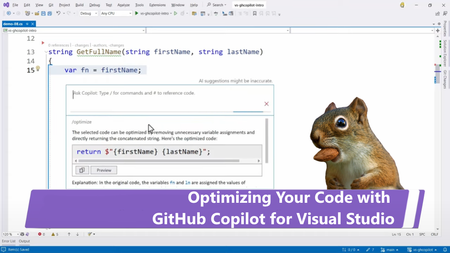
GitHub Copilot is a coding assistant powered by Artificial Intelligence (AI), which can run in various environments and help you be more efficient in your daily coding tasks. In this new short video, Bruno shows you how to use inline comments to generate code with GitHub Copilot.Visual Studio Code: Editor de IA de Código Abierto
El equipo de Visual Studio Code anuncia un paso importante hacia el futuro de los editores de código: la integración de la inteligencia artificial en un entorno completamente abierto. Con el compromiso de mantener la transparencia, la colaboración y el enfoque en la comunidad, VS Code abrirá el código de su extensión GitHub Copilot Chat y llevará sus capacidades de IA al core del editor, reafirmando así la apuesta por el software libre y el desarrollo impulsadIngeniería de prompts con GitHub Copilot: Potenciando el desarrollo de software con IA
GitHub Copilot está revolucionando el desarrollo con inteligencia artificial. 🚀 En el Bootcamp de GitHub Copilot LATAM, exploramos cómo usarlo para escribir mejor código, refactorizar proyectos y automatizar tareas. Desde prompts estratégicos hasta pruebas unitarias y trabajo con grandes bases de código, esta sesión cubrió herramientas clave para maximizar la productividad. ¿Listo para llevar tu desarrollo al siguiente nivel? Únete al desafío, accede a recursos exclusivos y mejora tus habilidades con GitHub Copilot. 🔥 #GitHubCopilot #IA #DesarrolloGitHub Copilot Global Bootcamp
GitHub Copilot Bootcamp is a series of four live classes designed to teach you tips and best practices for using GitHub Copilot. Discover how to create quick solutions, automate repetitive tasks, and collaborate effectively on projects. REGISTER NOW! Why participate? GitHub Copilot is not just a code suggestion tool, but a programming partner that understands your needs and accelerates your work. By participating in the bootcamp, you will have the opportunity to: Master the creation of effective prompts. Learn to develop web applications using AI. Discover how to automate tests and generate documentation. Explore collaboration practices and automated deployment. Learn in your local language We will also have editions in other languages besides English: Spanish: https://aka.ms/GitHubCopilotBootcampLATAM Brazilian Portuguese: https://aka.ms/GitHubCopilotBootcampBrasil Chinese: https://aka.ms/GitHubCopilotBootcampChina Agenda The English sessions are scheduled for 12pm PST, 3pm ET, 2pm CT, and 1pm MT. 📅 February 4, 2025 Prompt Engineering with GitHub Copilot Learn how GitHub Copilot works and master responsible AI to boost your productivity. 📅 February 6, 2025 Building an AI Web Application with Python and Flask Create amazing projects with AI integration and explore using GitHub Copilot to simplify tasks. 📅 February 11, 2025 Productivity with GitHub Copilot: Docs and Unit Tests Automate documentation and efficiently develop tests by applying concepts directly to real-world projects. 📅 February 13, 2025 Collaboration and Deploy with GitHub Copilot Learn to create GitHub Actions, manage pull requests, and use GitHub Copilot for Azure for deployment. Who can participate? If you are a developer, student, or technology enthusiast, this bootcamp is for you. The classes are designed to cater to both beginners and experienced professionals. Secure your spot now and start your journey to mastering GitHub Copilot! 👉 REGISTER NOW!Bootcamp GitHub Copilot LATAM – gratuito y en español
GitHub Copilot Bootcamp LATAM es una serie de cuatro clases en vivo en español que enseñan consejos y prácticas recomendadas para usar GitHub Copilot. Aprende a crear soluciones rápidas, automatizar tareas repetitivas y colaborar eficazmente en proyectos. ¡REGÍSTRATE AHORA! ¿Por qué participar? GitHub Copilot no es solo una herramienta de sugerencia de código, sino un socio de programación que entiende tus necesidades y acelera tu trabajo. Al participar en el bootcamp, tendrás la oportunidad de: Dominar la creación de indicaciones efectivas. Aprender a desarrollar aplicaciones web utilizando IA. Descubrir cómo automatizar pruebas y generar documentación. Explorar las prácticas de colaboración y la implementación automatizada. Cronograma de clases Las sesiones serán a las 7pm CDMX, 5pm PT, 8pm ET y 2am CET (amigos en España, todas las sesiones se grabarán). 📅 4 de febrero de 2025 Ingeniería de avisos con GitHub Copilot Aprende cómo funciona Copilot y domina la IA responsable para aumentar tu productividad. 📅 6 de febrero de 2025 Construyendo una Aplicación Web de IA con Python y Flask Crea proyectos increíbles con la integración de IA y explora el uso de Copilot para simplificar las tareas. 📅 11 de febrero de 2025 Crea Pruebas Unitarias y Documentación con GitHub Copilot Automatice la documentación y desarrolle pruebas de manera eficiente aplicando conceptos directamente a proyectos del mundo real. 📅 13 de febrero de 2025 Colaboración e implementación con GitHub Copilot Aprenda a crear GitHub Actions, administrar solicitudes de incorporación de cambios y usar Copilot para Azure para la implementación. ¿Quién puede participar? Si eres desarrollador, estudiante o entusiasta de la tecnología, este bootcamp es para ti. Las clases están diseñadas para atender tanto a principiantes como a profesionales experimentados. ¿Cómo aplicar? ¡Asegura tu lugar ahora y comienza tu viaje para dominar GitHub Copilot! 👉 ¡REGÍSTRATE AHORA!Using GitHub Copilot Chat in Visual Studio
In this new short video, Bruno shows you how to interact with GitHub Copilot Chat to get more information about C# features, and refactor his code. GitHub Copilot is a coding assistant powered by Artificial Intelligence (AI), which can run in various environments and help you be more efficient in your daily coding tasks.4.9KViews0likes2Comments