biztalk modernization
34 TopicsLogic Apps Aviators Newsletter - September 2026
In this issue: Ace Aviator of the Month News from our product group News from our community Ace Aviator of the Month September 2026's Ace Aviator: Parth Talaviya What's your role and title? What are your responsibilities? AI-Powered Azure/.NET Solution Architect I work as an Azure/.NET Solution Architect, combining technical leadership with building a Microsoft-focused boutique company. My work mainly revolves around application modernization and migration, cloud architecture, integrations, and team leadership. I also stay hands-on with development, architecture reviews, production troubleshooting, and mentoring developers. Can you give us some insights into your day-to-day activities and what a typical day in your role looks like? My day usually starts with thinking about how we can add more value to our clients' businesses. It includes reviewing project priorities, solving technical challenges, discussing architecture, supporting developers, and collaborating with stakeholders. I mainly work across .NET, Azure, APIs, integrations, DevOps, and AI automation, so every day brings something new to learn and solve. What motivates and inspires you to be an active member of the Aviators/Microsoft community? What really motivates me is how active and supportive the Microsoft community is. People are genuinely willing to help each other, share experiences, and solve problems together. Being able to use my own experience to help someone overcome a challenge genuinely makes my day, while learning from others keeps me motivated to continuously improve. Looking back, what advice do you wish you had been given earlier that you'd now share with those looking to get into STEM/technology? You don’t have to do everything alone. In technology, especially when you are stuck on a very specific problem, it can sometimes feel that way. Asking questions, learning from the community, and collaborating with others can make a huge difference. I would also say: embrace AI early, but use it wisely. Don’t use AI only to generate code. Use it to understand concepts, challenge your thinking, explore better approaches, review your work, and become a better problem-solver. What has helped you grow professionally? Continuous learning and solving real-world challenges have helped me grow the most. Working on legacy modernization, cloud architecture, large-scale data systems, automation, and AI has taught me to think beyond writing code and understand the broader business impact. Being part of a strong technical community has also helped significantly. Whenever you are stuck, there is often someone who has faced a similar challenge and is willing to share their experience. If you had a magic wand that could create a feature in Logic Apps, what would it be and why? I would create an AI-powered Copilot troubleshooting and self-healing assistant for Logic Apps. It could analyze failed workflows, understand the execution context, identify the likely root cause, suggest a fix, and provide safe recovery options. For complex integrations, this could save significant troubleshooting time and allow developers to focus more on building solutions rather than spending hours finding where something went wrong. News from our product group Use connectors with Managed Identity in the Logic Apps Standard extension Managed Identity is Azure's built-in way to authenticate to Microsoft Entra-protected resources without storing credentials, secrets, or connection strings. Deployed Logic Apps have supported it for some time, and this post explains connector support in the Logic Apps Standard extension. Introducing dependency telemetry in Application Insights for Azure API Management policies Running API platforms at scale requires both handling load and understanding where inefficiencies occur. This post introduces dependency telemetry in Application Insights for Azure API Management policies to help teams identify performance bottlenecks. Power Azure SRE Agent with the tools it needs Azure SRE Agent is an AI-powered service designed to reduce operational toil. Teams can use it to investigate incidents, identify probable causes, and automate health-related operational work using connected tools. Give your Copilot agents real tools, without hand-wiring MCP GitHub Copilot coding agents can work independently on branches, but some tasks require access to external systems. This post shows how to equip agents with real tools without manually wiring Model Context Protocol integrations. Zonal redundancy in API management Standard v2 APIs power modern mobile experiences, microservices, AI-driven applications, and business-critical integrations. This post explains zonal redundancy in Azure API Management Standard v2 for improving resilience as customers modernize their API platforms. BizTalk Server 2020 End-of-Sale Announcement Microsoft announces that BizTalk Server 2020 and Host Integration Server 2020 sales are expected to end on March 31, 2027. Existing licensed deployments can continue to be used, while mainstream support for BizTalk Server 2020 is scheduled through April 12, 2028. An optional paid extended-mainstream support offering is planned for eligible customers through April 10, 2030, with final terms to be published later. The post recommends beginning migration planning now, evaluating Azure Logic Apps Standard or Azure Logic Apps Hybrid, inventorying dependencies, and using the Logic Apps Migration Agent to assess and convert supported workloads. Logic App Storage Inspector Logic App Storage Inspector is a read-only Kudu site extension for examining storage used by an Azure Logic App Standard application. It supports searching workflow action and trigger history by workflow, date, or text, with results exportable as CSV or JSON. Users can browse and compare workflow-definition versions, review table and queue information, and monitor health indicators and refresh status. The extension isolates access to the current Logic App site, uses asynchronous paged operations for large storage accounts, and can be installed from Kudu Site Extensions. News from our community Azure Logic Apps Automation – A Practical Infrastructure Lab with Agentic Remediation Post by João Paulo Costa João Paulo Costa tests Azure Logic Apps Automation through an after-hours virtual-machine remediation lab. The workflow uses an agent to inspect VM metadata, tags, and runtime state, then apply guardrails before deciding whether to deallocate the resource, leave it unchanged, or request review. The article contrasts agentic decision-making with deterministic workflows, documents tool and connector choices, and examines preview limitations such as runtime-state retrieval and managed-identity support. It also emphasizes constrained permissions, explicit policies, verification after actions, and negative testing for production, exemptions, missing ownership, and disabled remediation. Agentic Integration: Non-Deterministic Experience, Solid Core Post by Massimo Crippa Massimo Crippa examines whether agentic capabilities make enterprise integration non-deterministic. He separates an agent’s variable decision-making from the predictable integration layer that executes selected capabilities. The article highlights durable messaging, reliable contracts, idempotency, transactional boundaries, retries, compensation, governance, and observability as continuing requirements. It presents tools as the boundary between reasoning and execution: agents determine what should happen, while integration platforms control how operations are performed safely. Azure Logic Apps is positioned as both a deterministic integration foundation and a platform that can expose governed capabilities to emerging agentic experiences. Build AI Agents in Azure Logic Apps (Conversational + Autonomous) Video by Rafsan Huseynov Rafsan Huseynov presents a video on building conversational and autonomous AI agents with Azure Logic Apps. The session describes Logic Apps as more than a background integration layer, covering orchestration, managed identities, agent loops, and the use of workflows as MCP tools. Demonstrations explore connections with Document Intelligence, Blob Storage, Microsoft Foundry, and Copilot Studio workflows, alongside conversational and autonomous agent patterns. The video also introduces a separate low-code automation experience with scoped permissions, while noting that the demonstrations use synthetic data and that the experience remains in preview. BizTalk to Logic Apps migration (three things, everyone gets wrong) Post by Brajesh Sinha Brajesh Sinha explains why simple counts of BizTalk orchestrations and maps produce unreliable Logic Apps migration estimates. One orchestration can fan out into several Azure resources, supposedly simple maps may hide substantial transformation complexity, and operational requirements are often omitted from statements of work. The article highlights the architecture, mapping, and production-readiness effort that teams frequently underestimate. It encourages migration planners to assess actual behavior and dependencies rather than relying on inventory totals, helping create more realistic timelines, scope, and delivery expectations. Hybrid Logic Apps on RKE2: a self-managed cluster with MetalLB Post by Sonny Gillissen Sonny Gillissen demonstrates how to run Azure Logic Apps Hybrid on a self-managed RKE2 Kubernetes cluster. Because RKE2 does not include a native load balancer, the walkthrough uses MetalLB to assign the ingress IP required by the deployment. It covers creating the cluster, configuring networking, connecting the environment to Azure Arc, and handling the platform-specific details needed for Logic Apps. The article provides a practical alternative for teams evaluating hybrid integration workloads outside managed Kubernetes services, extending earlier guidance for OpenShift environments. An Introduction to Logic Apps Standard SDK Video by Marcel Medina Marcel Medina shares a Coding Night ANZ recording introducing the Logic Apps Standard SDK. The session shows how the SDK brings a modern, code-first .NET development experience to Azure Logic Apps while retaining the platform’s connectors, triggers, monitoring, and managed runtime. It is aimed at developers who want familiar tooling and stronger source-driven workflow development without giving up managed integration capabilities. The post also thanks the community for its questions and participation and provides the complete session recording for anyone who missed the live event. Managed Identity in Logic Apps Standard: A Zero Trust Read Post by Steef-Jan Wiggers Steef-Jan Wiggers examines new Managed Identity support for connectors in the Logic Apps Standard local development experience. Developers can now use a consistent authentication model from development through production instead of swapping connection strings before deployment, removing a common source of unmanaged secrets. The article frames this improvement through Zero Trust while stressing that authentication alone does not replace disciplined RBAC. A working azd sample demonstrates the setup and highlights a critical application setting whose absence causes the otherwise correctly configured connection, access policy, and role assignment to fail.437Views0likes0CommentsService Bus SBMP Retirement: What BizTalk Server 2020 Customers Need to Know
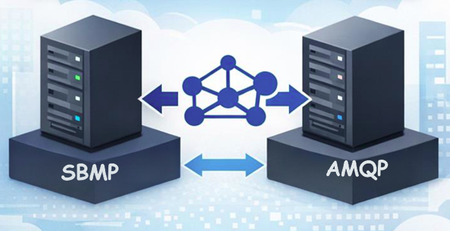
On September 30, 2026, the Azure Service Bus team will retire support for the Service Bus Messaging Protocol (SBMP). This is important BizTalk Server 2020 customers who use the BizTalk Service Bus (SB-Messaging) adapter, as SBMP is the protocol that adapter relies on today. To help customers maintain continuity while planning their transition to Azure Logic Apps, we’ve released a BizTalk Server 2020 hotfix that adds support for Advanced Message Queuing Protocol (AMQP) in the adapter. What’s changing SBMP support retires on September 30, 2026 in Azure Service Bus. A hotfix enables AMQP for the BizTalk Service Bus (SB-Messaging) adapter (request KB5091379 opening a support case). AMQP becomes the default transport with the hotfix installed. The hotfix is available for BizTalk Server 2020 CU6 and CU7. What you need to do If you plan to continue using the BizTalk Server 2020 Service Bus adapter, you should: Migrate your adapter configuration to AMQP. Install the hotfix well before September 2026, and run validation in a non-production environment. Validate your scenarios, including large message/file patterns and any operational fallback strategies you depend on. How to obtain the hotfix You can obtain the hotfix by opening a support case (request KB5091379) or using the download below. The hotfix enables AMQP support for the BizTalk Service Bus (SB-Messaging) adapter. Support and lifecycle context Microsoft remains committed to supporting BizTalk Server 2020 and its features in accordance with the official product lifecycle. Extended paid support will be available after April 2028. Closing thoughts If you’re using the SB-Messaging adapter today, now is the right time to plan your move to AMQP and schedule validation in a non-production environment. This keeps you ahead of the September 2026 retirement date and helps ensure a smooth path as you modernize toward Azure Logic Apps. Temporary Download Location: https://1drv.ms/f/c/cac4b5f5988b8228/IgCrzn_KTaZ8T5tuKmcdPgXxARuOLcGHDhxVLgeysj44GWE?e=w5AcpM2.4KViews0likes7CommentsModernize Any Integration Platform to Azure Logic Apps Standard with the Logic Apps Migration Agent
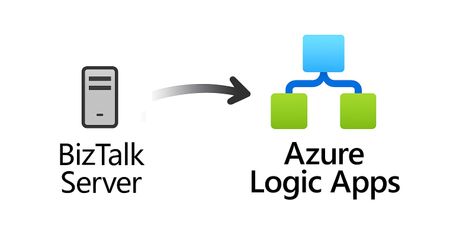
Explore the open-source Logic Apps Migration Agent Enterprise integration is entering a new era Enterprise integration platforms have powered business-critical processes for decades. They connect applications, data, partners, devices, and industries, often carrying transactions that an organization cannot afford to interrupt. Expectations have changed. Organizations want cloud-native architectures, AI-assisted automation, stronger governance, improved developer productivity, and faster response to business change. Yet many integration estates contain years of accumulated dependencies, custom code, transformations, operational procedures, and platform-specific knowledge. The challenge is not simply moving an orchestration or flow from one runtime to another. This is not lift and shift. It is a refactoring exercise that preserves business intent and expected behavior while translating source-platform constructs into cloud-ready workflows, connectors, code, operational patterns, and deployment practices for Azure Logic Apps Standard. That is why we created the Logic Apps Migration Agent. Introducing the Logic Apps Migration Agent: An Open-source project to provide an AI End-to-End Modernization Experience The Logic Apps Migration Agent is an open-source Visual Studio Code extension that provides an AI-assisted, end-to-end modernization experience. It uses GitHub Copilot and the Visual Studio Code Language Model API to guide teams through a structured five-stage workflow, while keeping people in control at every stage. Rather than treating modernization as a single conversion step, the agent helps teams discover what they have, understand dependencies, design an appropriate target, generate baseline implementation artifacts, validate expected behavior, and prepare the solution for deployment to Azure Logic Apps Standard. Refactor the implementation, preserve the business intent Lift and shift attempts to reproduce the source platform as closely as possible in a new environment. That approach can carry forward legacy topology, operational assumptions, platform-specific patterns, and technical debt. The Migration Agent supports a different outcome. It uses the source implementation as evidence of the required business behavior, then helps teams design and generate an appropriate Logic Apps Standard implementation. Some components may map directly, while others require restructuring, consolidation, decomposition, replacement, or custom implementation. The objective is functional and semantic continuity, not structural duplication. A successful migration should preserve contracts, transformations, routing rules, ordering requirements, error behavior, and essential business outcomes while allowing the target solution to adopt Azure-native identity, connectivity, observability, resiliency, deployment, and operating practices. Preserve what the integration must do. Refactor how it does it. Start by understanding what you have For many organizations, discovery is one of the most difficult parts of modernization. Documentation may be incomplete, original developers may no longer be available, and relationships between applications, endpoints, schemas, maps, pipelines, and custom components may be difficult to reconstruct. The Migration Agent scans the source project, catalogs supported artifacts, organizes related components into flow groups, and identifies dependencies and migration gaps. It can also generate architecture and message-flow visualizations for review before conversion begins. This discovery output becomes the foundation for migration sequencing, refactoring decisions, effort discussions, and risk management. Use AI to accelerate the work, not remove accountability The Migration Agent uses specialized GitHub Copilot agents for analysis, planning, and conversion. AI helps interpret source artifacts, propose mappings, create task plans, and generate baseline Logic Apps artifacts. Enterprise integration, however, requires more than plausible code generation. Human-in-the-loop checkpoints let teams review discovered flows, resolve missing dependencies, reshape the proposed architecture, approve conversion plans, and validate generated behavior before progressing. This combines the speed of AI assistance with the governance and technical review required for mission-critical integration. Modernize incrementally and reduce migration risk Large integration estates do not need a single big-bang program. The Migration Agent organizes work into logical flow groups so teams can refactor one business capability or integration path at a time. Prioritize workloads by business value, risk, complexity, or platform urgency. Validate target architecture and operating patterns with a representative first migration. Run phased cutovers and coexistence strategies when required. Apply reusable refactoring patterns, templates, and engineering standards to subsequent waves. A phased approach helps teams build experience with Azure Logic Apps while reducing migration risk and preserving delivery momentum. Bring your own tests and validate continuously Migration confidence depends on behavior, not structural similarity. The agent supports validation using source specifications, sample files, test cases, and customer-provided black-box tests. This helps compare expected inputs and outputs and identify semantic differences earlier. Generated artifacts are a baseline. Domain-specific transformations, error-handling behavior, performance characteristics, security controls, and edge cases still require customer and partner expertise. Built for BizTalk today and extensible for other platforms BizTalk Server 2016 and BizTalk Server 2020 are the first fully implemented source platforms. MuleSoft Anypoint support is represented as an in-progress built-in parser. The architecture is open and extensible so contributors can add parsers and platform-specific migration capabilities for other integration technologies. That extensibility is central to the vision. A common modernization workflow can help teams apply consistent governance, target patterns, refactoring practices, and validation across mixed integration estates. Why Azure Logic Apps Standard? Azure Logic Apps Standard provides a modern destination with a local project structure, Visual Studio Code development experience, source-control alignment, CI/CD support, stateful and stateless workflows, enterprise connectivity, and Azure and hybrid deployment options. Modernization is not about reproducing a legacy topology component by component. The target design should be optimized for Logic Apps Standard rather than constrained by the source architecture. The migration preserves valuable business logic while refactoring the implementation around modern practices for identity, networking, observability, reliability, deployment, and operations. What your team should still own The Migration Agent accelerates repeatable work, but it does not replace the decisions that define a production-ready integration platform. Responsibility Refactoring focus Target architecture Refactor application and workflow boundaries for Logic Apps Standard. Select reliability, networking, deployment, and supporting Azure patterns rather than copying the source topology. Semantic equivalence Validate contracts, mappings, transformations, business rules, error behavior, ordering, retries, and edge cases. Capability gaps Redesign source capabilities without direct equivalents using connectors, custom code, local functions, API Management, Service Bus, or other appropriate Azure patterns. Production hardening Implement identity, secrets management, security policies, monitoring, cost controls, performance testing, resiliency, and operational ownership. Cutover and coexistence Plan backlog reconciliation, dual-run periods, data consistency, partner coordination, rollback, and decommissioning. More mission critical features for Logic Apps Standard and Hybrid We are weeks away from shipping the following features, aimed at any customers in the Enterprise Application Integration space: HL7 In-App operations in general availability. MLLP Receive/Send In-App connector in Public Preview. Rules Engine In-App operation for XML facts in Public Preview. MSMQ In-App connector in Public Preview. Oracle DB In-App connector in Public Preview. Flat File generation In-App operations in Public Preview. Integration accounts support (Hybrid On premises). NMS In-App connector in Public Preview. Improvements to our EDI capabilities. BizTalk Mapper to Data Mapper Migration path What about other integration platforms? Yes—the Logic Apps Migration Agent is designed to be customizable so you can migrate from any integration platform to Logic Apps (not just BizTalk). The open architecture lets you plug in new discovery, analysis, and conversion skills for the source product you’re modernizing, while keeping the same stage-gated workflow and human-in-the-loop checkpoints. We provide guidance and examples to help you extend the agent for other platforms than BizTalk —so you can tailor mappings, transformation rules, and validation to your customer’s standards and target patterns in Logic Apps. Benefits Faster time to value with a guided process: A structured discovery→planning→conversion workflow reduces uncertainty and helps teams move from assessment to execution with clear checkpoints. Higher confidence migrations: Human-in-the-loop validation, artifacts generation, and black-box testing support mission‑critical correctness and governance. Customizable for your source platform and standards: Extend the agent with product-specific discovery and conversion steps, tailor mappings and transformation rules, and align outputs with your target Logic Apps patterns and engineering conventions. Open-source transparency and control: Review how the tool works end-to-end, validate what it produces, and adopt changes at your pace without waiting for a closed release cycle. Community-driven innovation: Benefit from contributions across Microsoft, partners, and customers—new adapters, mapping packs, and best practices can be shared and reused. Lower total migration cost: Automating repeatable tasks reduces manual effort while preserving the ability to invest partner expertise where it matters most (architecture, governance, reliability, and operations). Reusable accelerators for partners: Partners can create differentiated offerings by packaging templates, validation suites, CI/CD pipelines, and domain-specific patterns on top of the agent. An accelerator for customers and partners For customers, the Migration Agent provides a practical starting point and a consistent process for moving from assessment to a refactored implementation. For professional services organizations and system integrators, the agent augments delivery rather than replacing it. Automating inventory, analysis, baseline generation, and validation scaffolding allows experts to focus on architecture, governance, security, reliability, domain-specific transformation, DevOps, performance, cutover, and operating-model change. Because the project is open source, partners can contribute parsers or package reusable templates, mapping packs, test suites, CI/CD assets, and industry-specific modernization patterns. Review our public documentation here: https://learn.microsoft.com/en-us/azure/logic-apps/migration/migration-agent-overview How to get started Download VSCode and install the Logic Apps Migration Agent extension. Organize source projects and dependencies in a clear directory structure. Include project files, bindings, schemas, maps, pipelines, orchestrations, custom code, configuration, certificates or certificate references, and available documentation. Once you have all your artifacts ready, point the Migration Agent to the directory with all the artifacts. Review every migration stage. Confirm the discovered architecture, resolve missing dependencies, and refine the target design before authorizing conversion. Prepare a representative test environment. The workstation running Visual Studio Code must be able to reach the systems needed for local or end-to-end validation. Bring known inputs, expected outputs, specifications, and existing test cases whenever possible. These materials improve validation and reduce ambiguity. Treat the first migration as a reusable foundation. Capture architecture patterns, naming standards, deployment templates, observability practices, and lessons that can accelerate subsequent waves. Use Claude Opus 4.8 or higher. Make sure you increase the Maximum number of requests for the Copilot Chat as follows (we recommend changing the value from 60 to 1000) Check the following video for a demonstration on how the Agent works and let us know if you have any questions in the comments.2.1KViews1like0CommentsBizTalk Server 2020 End-of-Sale Announcement
Executive Summary: BizTalk Server 2020 is the final release of BizTalk Server, and Microsoft expects sales of BizTalk Server 2020 and Host Integration Server 2020 to end March 31, 2027. Mainstream support for BizTalk Server 2020 continues through April 12, 2028, after which the product remains subject to Microsoft’s Fixed Lifecycle Policy. Microsoft also plans to offer eligible customers an optional, paid extended-mainstream support offering through April 10, 2030. Customers should begin planning their migration to Azure Logic Apps Standard or Azure Logic Apps Hybrid now, based on their deployment requirements. Closing a chapter Microsoft currently expects sales of BizTalk Server 2020 and Host Integration Server 2020 to end on March 31, 2027. Customers with existing valid licenses may continue to deploy and use the software in accordance with their licensing terms. Mainstream support for BizTalk Server 2020 continues through April 12, 2028. The end-of-sale date does not require customers to stop running licensed deployments, but customers should begin migration and licensing planning now because the extended-mainstream support offering described below remains subject to final eligibility, coverage, pricing, and purchasing terms. Microsoft plans to offer eligible BizTalk Server 2020 customers a paid, time-limited extended-mainstream support option from April 13, 2028, through April 10, 2030. The offering is intended to provide additional migration time, will have narrower coverage than the original mainstream-support phase, and will not add new product features. Eligibility, availability, supported components, servicing commitments, purchasing terms, and the official offering name will be published before enrollment opens. If you need to buy BizTalk Server 2020, or Host Integration Server 2020, you can do it until March 31, 2027. Recommended action Begin migrating your BizTalk Server workloads now, selecting Azure Logic Apps Standard or Azure Logic Apps Hybrid according to your organization’s hosting, networking, latency, data-residency, and operational requirements. Treat additional support coverage as contingency time rather than the default destination. Starting early gives teams time to inventory dependencies, redesign excluded capabilities, validate migrated solutions, and make commercial decisions before mainstream support ends. The Logic Apps Migration Agent can accelerate assessment and planning, convert supported artifacts, and assist with validation and deployment of refactored solutions on Azure Logic Apps Standard or Azure Logic Apps Hybrid. Extended-mainstream support scope Paid extended-mainstream support is planned as an optional, temporary bridge for eligible customers completing their migration. It is separate from the Extended Support phase available under Microsoft’s Fixed Lifecycle Policy and is expected to provide a different, narrower scope than the original mainstream-support phase. Microsoft expects the paid offering to run from April 13, 2028, through April 10, 2030. Certain BizTalk Server capabilities are expected to be excluded from the paid offering; the following list identifies the currently expected exclusions. Business Activity Monitoring (BAM) — The framework and tooling for capturing, tracking, and presenting near real-time business milestones, KPIs, and operational data from running BizTalk processes. Servicing, fixes, and updates for BAM components will not be provided under extended support. Enterprise Service Bus Toolkit (ESB Toolkit) — The libraries, itinerary services, and patterns that extend BizTalk with dynamic, itinerary-based routing, transformation, and centralized exception handling for service-oriented solutions. The ESB Toolkit will not receive servicing or support under extended support. Industry accelerators (SWIFT, HL7, and RosettaNet) — The domain-specific accelerators that provide schemas, pipelines, and validation for financial (SWIFT), healthcare (HL7), and supply-chain (RosettaNet) messaging standards. These accelerators will not receive servicing, schema updates, or support under extended support. Legacy enterprise adapters — The adapters that connect BizTalk to line-of-business and enterprise applications such as Siebel, PeopleSoft, TIBCO, and JD Edwards. These adapters will not receive servicing or support under extended support. Application Lifecycle Management (ALM) tooling and integrations — The BizTalk-specific tooling and integrations used for source control, automated build, deployment, and testing of BizTalk applications. These BizTalk-specific ALM components will not receive servicing or support under extended support. BizTalk Server images in Azure Marketplace — Microsoft currently expects to deprecate the BizTalk Server virtual-machine offer in Azure Marketplace. This affects the future availability of the Marketplace deployment image; it does not, by itself, make an otherwise eligible existing BizTalk Server 2020 deployment ineligible for paid extended-mainstream support. Microsoft will publish the effective date and guidance for existing virtual machines, new or replacement deployments, scaling, disaster recovery, customer-managed images, licensing, billing, patching, and support. New Visual Studio version support — Compatibility with Visual Studio versions newer than Visual Studio 2022 will not be added under extended support. Customers should review the Visual Studio 2022 lifecycle and support offering separately, because its coverage terms are independent of BizTalk Server extended support. Customers that depend on an excluded capability should prioritize the affected workloads in their migration plan. Use the Logic Apps Migration Agent to assess dependencies, inform target-architecture decisions, convert supported artifacts, and validate the migrated solution. Excluded BizTalk capabilities may require architectural redesign or manual implementation outside the agent. Customers are not required to purchase paid extended-mainstream support. Customers that do not enroll remain subject to Microsoft’s Fixed Lifecycle Policy and the applicable BizTalk Server 2020 lifecycle dates. The availability of technical support, non-security updates, security updates, and other services during the standard Extended Support phase depends on the policy requirements and the customer’s applicable support arrangement. The paid extended-mainstream support offering described here is an optional, separate offering for eligible customers that require additional coverage while completing their migration. After the end-of-sale date, customers that already hold valid BizTalk Server 2020 licenses may continue to deploy and use the software in accordance with the applicable licensing terms. Eligibility Paid extended mainstream support will be available to eligible customers with properly licensed BizTalk Server 2020 deployments. The final eligibility requirements will be provided in the published offering terms. Eligible products and versions: Paid extended-mainstream support is expected to be available for eligible deployments of BizTalk Server 2020 Enterprise, Standard, or Branch editions. Customers using Host Integration Server 2020 may also purchase the BizTalk Server paid extended-mainstream support offering to receive the applicable extended mainstream-support coverage for their HIS 2020 deployments, including customers that acquired BizTalk Server licences primarily to obtain HIS usage rights. BizTalk Server 2016, HIS 2016, and earlier versions will not be eligible. Azure Marketplace deployments: Existing BizTalk Server 2020 deployments created from eligible Azure Marketplace images are expected to qualify for paid extended-mainstream support, subject to the final offering terms. Customers must meet the applicable licensing, Software Assurance, supported-configuration, and complete-deployment coverage requirements. Microsoft will clarify how eligibility, licensed-core quantities, pricing, and purchasing apply when BizTalk Server software charges are included in the Azure Marketplace virtual-machine rate rather than acquired through a separate BizTalk Server licence agreement. Valid licenses: Customers are expected to maintain sufficient BizTalk Server licenses for each covered deployment in accordance with the applicable licensing model, including relevant core minimums, licensing of physical or virtual environments, and license-reassignment rules. Final extended-support licensing requirements will be stated in the published offering terms. Software Assurance: Active Software Assurance will be required at enrollment and throughout the applicable coverage period. Complete deployment coverage: Extended mainstream support must be purchased for all licensed cores in each enrolled deployment. Partial coverage of an enrolled production environment will not be permitted. Supported configuration: Covered environments must remain on a supported BizTalk Server 2020 configuration and meet published requirements for cumulative updates, operating systems, databases, and dependent components. Annual validation: Eligibility and licensed-core quantities will be confirmed for each coverage year. Customers must remain eligible to purchase Year 2 coverage. As part of the eligibility review, Microsoft may request licensing records, deployment inventories, configuration details, and migration-plan information. Complete requirements and enrollment instructions will be published before the offering becomes available. Purchasing details Paid extended mainstream support will be offered as annual coverage based on the licensed cores in each enrolled BizTalk Server 2020 deployment. Microsoft will publish final pricing, availability, enrollment dates, purchasing channels, and transaction terms before sales begin. Purchasing paid extended-mainstream support is optional and is not required for BizTalk Server 2020 to follow the Fixed Lifecycle Policy. Host Integration Server 2020: Eligible HIS 2020 customers will purchase coverage through the BizTalk Server paid extended-mainstream support offering. Customers that do not require HIS IBM Systems Network Architecture (SNA) capabilities should also evaluate Azure Logic Apps Standard or Azure Logic Apps Hybrid as a modernization alternative before purchasing additional support coverage. Azure Logic Apps Standard does not support SNA; customers that depend on HIS 2020 SNA capabilities must transition to Host Integration Server 2028. Coverage periods: Year 1 is expected to begin the next day mainstream support ends, on April 13, 2028, and continue through April 13, 2029. Year 2 is expected to run from April 14, 2029, through April 10, 2030. The final offering terms will confirm whether the boundary dates are inclusive and will specify the exact enrollment and coverage periods. Purchase sequence: Microsoft expects customers to purchase Year 1 coverage by April 11, 2028, to remain eligible to purchase Year 2 coverage. The final enrollment deadline and Year 2 eligibility conditions will be specified in the published offering terms. Price: Microsoft expects annual extended-mainstream support pricing to be 100% of the applicable BizTalk Server license cost under the customer's licensing agreement. Extended mainstream support is expected to be offered as an annual add-on for eligible BizTalk Server licenses. Final pricing and costs may vary by licensing agreement, geography, currency, available discounts, and the published offering terms. How to purchase: Customers will purchase coverage through an authorized Microsoft commercial licensing channel with support from their Microsoft account team or licensing partner. Separate support services: The annual extended-mainstream support fee is expected to cover only the servicing and support rights defined in the final offering terms. It will not include unlimited incident support, advisory services, migration delivery, solution implementation, or other professional services; customers may need a separate support plan or services agreement for those needs. Annual purchase: Coverage will not renew automatically. Customers must place a separate order and complete an eligibility review for each year. Support beyond April 10, 2030, is not planned. Contact your Microsoft account team or licensing partner to review eligible deployments, confirm licensed-core quantities, and obtain a quote when the offering becomes available. Discounts and incentives Microsoft plans to offer a targeted incentive for eligible existing BizTalk Server customers that are actively migrating to Azure Logic Apps Standard or Azure Logic Apps Hybrid. The incentive is designed to reduce near-term migration costs and support a faster move to the selected Logic Apps deployment model. It will not be automatic or broadly available; eligibility, approval, and final commercial terms must be confirmed by the customer’s Microsoft account team. Timing and important conditions Who can qualify: The incentive is intended exclusively for existing BizTalk Server 2020 customers approaching the announced BizTalk Server lifecycle milestones and actively migrating workloads to Azure Logic Apps Standard or Azure Logic Apps Hybrid. Redemption period: The incentive is expected to become available on August 31, 2026, and remain available through April 12, 2028, subject to publication of the program terms, eligibility approval, continued availability, and any applicable funding limits. Discount duration: The approved discount is expected to apply during the customer’s first qualifying Enterprise Agreement term after approval. The published program terms will define the eligible agreement types, qualifying start date, covered Azure services, discount duration, and treatment of renewals or agreement changes. Qualification: The incentive is subject to eligibility review and approval. Recommended action Ask your Microsoft account team or licensing partner to assess your migration scope, confirm which eligible migration path applies, and request consideration for the incentive. Migration support Contact your Microsoft account team to determine whether your organization is eligible for migration assistance delivered by the Azure Logic Apps product group or through another available migration-factory program. Program names, eligibility criteria, engagement scope, and availability will be confirmed through your account team. Migration options for Host Integration Server workloads Customers using Host Integration Server 2020 for application, data, messaging, or terminal integration—and who do not depend on HIS SNA capabilities—should evaluate Azure Logic Apps Standard or Azure Logic Apps Hybrid as a modernization target. Azure Logic Apps provides mainframe and midrange integration capabilities for scenarios involving IBM CICS, IMS, IBM i programs, DB2, IBM MQ, host files, and 3270 applications. Customers should assess each workload against the available connectors, supported protocols, networking, security, and operational requirements. Azure Logic Apps Standard does not support SNA. Customers running HIS 2020 workloads that depend on SNA capabilities must plan to transition to Host Integration Server 2028. Key dates March 31, 2027: Sales of BizTalk Server 2020 and Host Integration Server 2020 are expected to end. April 12, 2028: Mainstream support for BizTalk Server 2020 ends. April 13, 2028: BizTalk Server 2020 enters the Extended Support phase under Microsoft’s Fixed Lifecycle Policy, subject to the applicable policy requirements and lifecycle dates. April 13, 2028–April 10, 2030: Planned paid extended-mainstream support period for eligible BizTalk Server 2020 customers, subject to the final published offering terms. September 30, 2027: Host Integration Server 2028 is planned for release as a standalone product. Release timing is subject to change. July 7, 2030: Extended Support for Host Integration Server 2020 is currently scheduled to end. This date is separate from the planned BizTalk Server 2020 paid extended mainstream support period, which is expected to end April 10, 2030. Start your modernization journey with the Logic Apps Migration Agent. Use the agent to inventory and assess your BizTalk applications, prioritize integrations, build a phased migration plan, convert supported artifacts and workflows, and support validation, testing, and deployment to Azure Logic Apps Standard or Azure Logic Apps Hybrid. Excluded or unsupported BizTalk capabilities may require architectural redesign or manual implementation outside the agent. The agent’s AI-assisted, human-in-the-loop approach can accelerate modernization while your teams retain control of architecture and implementation decisions. Contact your Microsoft account team to discuss migration-assistance eligibility and commercial options. Learn more: BizTalk Server product lifecycle update | Bringing all your integration workloads to Logic Apps Standard | Fixed Lifecycle Policy – Extended Support1.1KViews1like0CommentsMicrosoft BizTalk Server Product Lifecycle Update
For more than 25 years, Microsoft BizTalk Server has supported mission-critical integration workloads for organizations around the world. From business process automation and B2B messaging to connectivity across industries such as financial services, healthcare, manufacturing, and government, BizTalk Server has played a foundational role in enterprise integration strategies. To help customers plan confidently for the future, Microsoft is sharing an update to the BizTalk Server product lifecycle and long-term support timelines. BizTalk Server 2020 will be the final version of BizTalk Server. Guidance to support long-term planning for mission-critical workloads This announcement does not change existing support commitments. Customers can continue to rely on BizTalk Server for many years ahead, with a clear and predictable runway to plan modernization at a pace that aligns with their business and regulatory needs. Lifecycle Phase End Date What’s Included Mainstream Support April 11, 2028 Security + non-security updates and Customer Service & Support (CSS) support Extended Support April 9, 2030 CSS support, Security updates, and paid support for fixes (*) End of Support April 10, 2030 No further updates or support (*) Paid Extended Support will be available for BizTalk Server 2020 between April 2028 and April 2030 for customers requiring hotfixes for non-security updates. CSS will continue providing their typical support. BizTalk Server 2016 is already out of mainstream support, and we recommend those customers evaluate a direct modernization path to Azure Logic Apps. Continued Commitment to Enterprise Integration Microsoft remains fully committed to supporting mission-critical integration, including hybrid connectivity, future-ready orchestration, and B2B/EDI modernization. Azure Logic Apps, part of Azure Integration Services — which includes API Management, Service Bus, and Event Grid — delivers the comprehensive integration platform for the next decade of enterprise connectivity. Host Integration Server: Continued Support for Mainframe Workloads Host Integration Server (HIS) has long provided essential connectivity for organizations with mainframe and midrange systems. To ensure continued support for those workloads, Host Integration Server 2028 will ship as a standalone product with its own lifecycle, decoupled from BizTalk Server. This provides customers with more flexibility and a longer planning horizon. Recognizing Mainframe modernization customers might be looking to integrate with their mainframes from Azure, Microsoft provides Logic Apps connectors for mainframe and midrange systems, and we are keen on adding more connectors in this space. Let us know about your HIS plans, and if you require specific features for Mainframe and midranges integration from Logic Apps at: https://aka.ms/lamainframe Azure Logic Apps: The Successor to BizTalk Server Azure Logic Apps, part of Azure Integration Services, is the modern integration platform that carries forward what customers value in BizTalk while unlocking new innovation, scale, and intelligence. With 1,400+ out-of-box connectors supporting enterprise, SaaS, legacy, and mainframe systems, organizations can reuse existing BizTalk maps, schemas, rules, and custom code to accelerate modernization while preserving prior investments including B2B/EDI and healthcare transactions. Logic Apps delivers elastic scalability, enterprise-grade security and compliance, and built-in cost efficiency without the overhead of managing infrastructure. Modern DevOps tooling, Visual Studio Code support, and infrastructure-as-code (ARM/Bicep) ensure consistent, governed deployments with end-to-end observability using Azure Monitor and OpenTelemetry. Modernizing Logic Apps also unlocks agentic business processes, enabling AI-driven routing, predictive insights, and context-aware automation without redesigning existing integrations. Logic Apps adapts to business and regulatory needs, running fully managed in Azure, hybrid via Arc-enabled Kubernetes, or evaluated for air-gapped environments. Throughout this lifecycle transition, customers can continue to rely on the BizTalk investments they have made while moving toward a platform ready for the next decade of integration and AI-driven business. Charting Your Modernization Path Microsoft remains fully committed to supporting customers through this transition. We recognize that BizTalk systems support highly customized and mission-critical business operations. Modernization requires time, planning, and precision. We hope to provide: Proven guidance and recommended design patterns A growing ecosystem of tooling supporting artifact reuse Unified Support engagements for deep migration assistance A strong partner ecosystem specializing in BizTalk modernization Potential incentive programs to help facilitate migration for eligible customers (details forthcoming) Customers can take a phased approach — starting with new workloads while incrementally modernizing existing BizTalk deployments. We’re Here to Help Migration resources are available today: Overview: https://aka.ms/btmig Best practices: https://aka.ms/BizTalkServerMigrationResources Video series: https://aka.ms/btmigvideo Feature request survey: https://aka.ms/logicappsneeds Reactor session: Modernizing BizTalk: Accelerate Migration with Logic Apps - YouTube Migration Agent (Complete refactoring from BizTalk to Logic Apps): Bringing all your Integration workloads to Logic Apps Standard | Microsoft Community Hub We encourage customers to engage their Microsoft accounts team early to assess readiness, identify modernization opportunities, and explore assistance programs. Your Modernization Journey Starts Now BizTalk Server has played a foundational role in enterprise integration success for more than two decades. As you plan ahead, Microsoft is here to partner with you every step of the way, ensuring operational continuity today while unlocking innovation tomorrow. To begin your transition, please contact your Microsoft account team or visit our migration hub. Thank you for your continued trust in Microsoft and BizTalk Server. We look forward to partnering closely with you as you plan the future of your integration platforms. Frequently Asked Questions Do I need to migrate now? No. BizTalk Server 2020 is fully supported through April 11, 2028, with paid Extended Support available through April 9, 2030, for non-security hotfixes. CSS will continue providing their typical support. You have a long and predictable runway to plan your transition. Will there be a new BizTalk Server version? No. BizTalk Server 2020 is the final version of the product. What happens after April 9, 2030? BizTalk Server will reach End of Support, and security updates or technical assistance will no longer be provided. Workloads will continue running but without Microsoft servicing. Is paid support available past 2028? Yes. Paid extended support will be available through April 2030 for BizTalk Server 2020 customers looking for non-security hotfixes. CSS will continue to provide the typical support. What is the end of sale date for BizTalk Server? We will announce an end of sale date for BizTalk Server on July 2026. What about BizTalk Server 2016 or earlier versions? Those versions are already out of mainstream support. We strongly encourage moving directly to Logic Apps rather than upgrading to BizTalk Server 2020. Will Host Integration Server continue? Yes. Host Integration Server (HIS) 2028 will be released as a standalone product with its own lifecycle and support commitments. Can I reuse BizTalk Server artifacts in Logic Apps? Yes. Most of BizTalk maps, schemas, rules, assemblies, and custom code can be reused with minimal effort using Microsoft and partner migration tooling. We welcome feature requests here: https://aka.ms/logicappsneeds Does modernization require moving fully to the cloud? No. Logic Apps supports hybrid deployments for scenarios requiring local processing or regulatory compliance, and fully disconnected environments are under evaluation. More information of the Hybrid deployment model here: https://aka.ms/lahybrid. Does modernization unlock AI capabilities? Yes. Logic Apps enables AI-driven automations through Agent Loop, improving routing, decisioning, and operational intelligence. Where do I get planning support? Your Microsoft account team can assist with assessment and planning. Migration resources are also linked in this announcement to help you get started. Microsoft Corporation7.4KViews3likes1Comment
Announcing Flat File Schema Generation support in Azure Logic Apps Standard
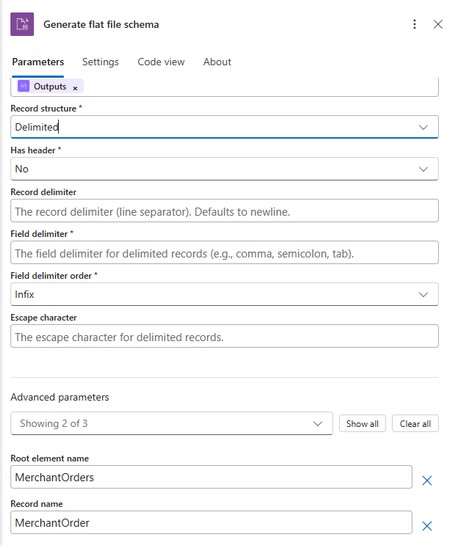
We’re excited to announce the preview of Flat File Schema Generation for Azure Logic Apps Standard. This new built-in action helps integration teams move faster by generating BizTalk compatible flat-file XSD schemas directly from sample flat-file payloads, reducing the manual effort required to model CSV, delimited, and positional files before encoding or decoding them in workflows. Why this matters Flat files continue to power enterprise mission critical integrations, from partner feeds and batch exports to finance ledgers, operational reports, and legacy system exchanges. While Azure Logic Apps already helps teams encode and decode flat files, creating the required flat-file schema has often been a separate design-time step. With Flat File Schema Generation, you can now accelerate that onboarding experience by generating a starter schema from real sample data within the workflow itself. What’s new The new Flat File Schema Generation action generates a flat-file XSD schema from sample content that you pass into the action. The generated schema includes BizTalk-compatible flat-file annotations, making it suitable for downstream Flat File Encoding and Flat File Decoding actions in Azure Logic Apps Standard workflows. Runtime schema generation: Generate schemas directly from sample flat-file payloads in the workflow. Delimited and positional support: Create schemas for common CSV, semicolon-delimited, tab-delimited, and fixed-width files. BizTalk-compatible annotations: Use generated schemas with the existing flat-file processing model familiar to BizTalk and enterprise integration teams. Flexible naming: Configure root element names, namespaces, record names, delimiters, and field positions to match your integration needs. How it works You provide a representative sample payload, specify whether the file structure is delimited or positional, and configure the relevant parsing details such as field delimiters, record delimiters, header handling, or fixed-width field positions. Once you run the workflow, the action returns the generated XSD schema as XML output, which can then be passed into subsequent flat-file operations or stored as part of your onboarding flow. Get started To try the preview, add the Flat File Schema Generation action to a Logic Apps Standard workflow, provide a sample flat-file payload, choose the record structure, and configure the field or record settings that match your format. Use the generated schema output with Flat File Decoding or Encoding in the same workflow or incorporate it into your broader onboarding process for flat-file integrations. Reference document: Encode, Decode, or Generate Schemas for Flat Files - Azure Logic Apps | Microsoft Learn. A walkthrough of generating a flat-file schema from sample data Use the following walkthrough to try the preview end to end with a simple customer order file. The same pattern can be adapted for semicolon-delimited, tab-delimited, or fixed-width positional files. Delimited sample: For this example, assume a trading partner sends a comma-separated order file with a header row and repeating order records. Sample file: OrderId,CustomerName,OrderDate,Amount,Region 10001,Contoso Retail,2026-07-01,1250.75,North 10002,Fabrikam Foods,2026-07-02,890.00,West 10003,Northwind Traders,2026-07-03,2400.50,South Configuration values Parameter Example value Record Structure Delimited Has header Yes Record delimiter newline Field delimiter , Field delimiter order Infix Escape character Double quote, if the source file uses quoted values Root element name (Advanced Parameters) Orders Record name (Advanced Parameters) Order Target namespace (Advanced Parameters) http://schemas.contoso.com/orders In the Azure portal, open your Logic Apps Standard resource and select the workflow where you want to generate the schema. Add a trigger, such as When an HTTP request is received, or use any trigger/action that provides the sample flat-file content. Add a new action and search for Flat File. Select the Flat File Schema Generation action. In the action, provide the sample flat-file content. Select the file structure type. For this example, choose Delimited. Enter the schema metadata under advanced parameters, such as the root element name, record name, and target namespace. Configure the delimiter settings, including the field delimiter and record delimiter. If the first row contains column names, enable the option to use the first row as headers. Save and run the workflow. Open the workflow run history and review the action output. The action returns a generated XSD schema with flat-file annotations. Review the generated schema, validate field names and inferred data types, and use the schema with Flat File Decoding or Flat File Encoding in your workflow. Positional sample: Fixed-width customer order file Use this example when the source flat file doesn’t use delimiters. In a positional, or fixed-width, file each field starts and ends at a known character position. The schema generation action needs those field positions so it can split each record correctly. Sample positional file: 10001CONTOSO00120260701000125075NORTH 10002FABRIKAM0120260702000089000WEST· 10003NORTHWIND120260703000240050SOUTH Note: The dot symbol in the second record represents a trailing space used for fixed-width padding. Replace it with an actual space in your real sample payload. Field position map Field Start position Length Justification Example value OrderId 1 5 Right 10001 CustomerCode 6 10 Left CONTOSO001 OrderDate 16 8 Right 20260701 Amount 24 9 Right 000125075 Region 33 5 Left NORTH Configuration values for the positional sample Parameter Example value Record Structure Positional Has Header No Record delimiter newline Field positions Use the field names, lengths, and justification values from the field position map. Root element name (Advanced Parameters) Orders Record name (Advanced Parameters) Order Target namespace (Advanced Parameters) http://schemas.contoso.com/orders/positional Step-by-step walkthrough for positional files In the Azure portal, open your Logic Apps Standard resource and select the workflow where you want to generate the schema. Add a trigger, such as When an HTTP request is received, or use an existing action that provides the fixed-width file content. Add a new action and search for Flat File. Select the Flat File Schema Generation action. Paste the positional sample payload into the sample content input. Make sure every record has the same total length. For the structure type, choose Positional. Enter the schema metadata, including root element name, record name, and target namespace. Configure the record delimiter. For this example, use newline. Add the field positions in order: OrderId length 5, CustomerCode length 10, OrderDate length 8, Amount length 9, and Region length 5. Set justification for each field. Use Right for numeric or date-like fields and Left for text fields that may contain trailing space padding. Save and run the workflow. Open the workflow run history and review the generated XSD schema output. Confirm that the field names, order, lengths, and positional annotations match the source record layout. Use the generated schema with Flat File Decoding to parse incoming fixed-width files into XML, or with Flat File Encoding to generate outbound fixed-width files. Limitations and known issues Limitation Description Type inference uses a single record. The first non-empty data record determines column types. Single record type only The action generates one repeating record structure and doesn't support heterogeneous record layouts. No nested or hierarchical records The generated schema is flat, meaning you have a root element with one repeating child record and fields. Positional boundaries aren't automatically detected. You must provide exact field lengths in field Positions. UTF-8 code page only Generated schema sets codepage="65001" and doesn't expose encoding selection. Escape-character behavior is literal. Escape handling matches literal value and skips only the next single character. recordName default If unspecified, defaults to {RootElementName}_Record. Designer justification input fieldPositions[].justification supports only Left and Right. Looking ahead This preview is another step toward making Azure Logic Apps Standard, a more complete and productive platform for enterprise integration modernization. Whether you are onboarding new partner feeds, modernizing BizTalk-style flat-file processing, or automating recurring operational files, Flat File Schema Generation helps reduce setup friction and get integration workflows moving faster.Logic Apps Aviators Newsletter - June 2026
In this issue: Ace Aviator of the Month News from our product group News from our community Ace Aviator of the Month June 2026's Ace Aviator: Florian De Langhe LinkedIn: https://www.linkedin.com/in/floriandelanghe/ What's your role and title? What are your responsibilities? Lead Expert/Team Lead for the Microsoft Integration team at delaware. I have a wide range of responsibilities: - People management - Resource planning - Design and operate our integration solutions at our customers, what we brand as "SmartLink". Next to this, as many of us, I follow the latest AI news closely to keep up to date and try to stay ahead of the curve. Can you give us some insights into your day-to-day activities? I wear many hats so no two days look the same. That is also what keeps it interesting. A typical day starts with reviewing resource planning across our active projects, followed by a technical design review for a new integration. Sprinkle some one-on-one coaching conversations and research into new technologies/features and you have my day. The balance between People leadership and hands-on technical work is what I enjoy most. What motivates and inspires you to be an active member of the Aviators/Microsoft community? I started out being an active member on the Microsoft Logic App forum 10 years ago. I remember going back and forth with Wagner through the forum posts trying to solve questions. Good times. Integration is one of those disciplines where you're constantly connecting systems, teams, and ideas. What motivates me is seeing how members of our community across different companies and countries solve similar problems in completely different ways. The Aviators community has that right mix of deep technical knowledge and willingness to help each other out. Since discovering Integration and the Microsoft community, I basically never left. Looking back, what advice do you wish you had been given earlier? Document everything and treat documentation as a deliverable, not an afterthought. Early in my career I saw documentation as the boring part that you do after the development work. Now I see it as the leverage point. A well-written design document doesn't just help the next person understand what you built, it compounds. It feeds code generation, easier onboarding of new members and validation with your customers on what and how to build it. What has helped you grow professionally? Two things: 1) Always challenge yourself and your implementations; everything can be better, so I am always pushing myself to keep learning, stay up to date, and think about every idea/solution posted in this community—how it could improve my way of thinking or solutions that I am building/have built. 2) Focus on understanding the integration concepts and patterns. At the end of the day everything is a pattern; it is how you implement where we make the difference. So knowing the base layer itself helps a lot when building integration solutions. If you had a magic wand that could create a feature in Logic Apps, what would it be? To be able to control scaling of the workflow service plans more fine grained. Being able to control this would unlock a lot of use cases, especially for the combination of Logic Apps and Service Bus concurrency and throughput. News from our product group Write Logic Apps in C#: introducing the Logic Apps Standard SDK This article introduces the Logic Apps Standard SDK (Microsoft.Azure.Workflows.Sdk), a code-first way to define Logic Apps Standard workflows in C#. Developers compose workflows using a fluent builder with strongly typed triggers and actions, including both built-in and managed connector operations. The SDK preserves the existing runtime, connectors, monitoring, and run history while changing only the authoring experience. It supports control flow constructs, custom C# code steps, and run-after conditions for fault handling. Guidance covers getting started in VS Code, project layout, local F5 execution, and preview limitations such as no service provider connectors and work-in-progress managed identity support. New AI gateway capabilities in Azure API Management Azure API Management expands its AI gateway with a Unified Model API (preview) that lets clients use a single OpenAI-style format across providers, plus model aliases and discovery. GA updates include support for Anthropic and Google Vertex AI and content safety for MCP and Agent-to-Agent (A2A) traffic. Token observability now tracks cached, reasoning, and thinking tokens in Application Insights. Foundry import adds Anthropic API operations. A2A APIs reach GA with richer diagnostics and availability in classic tiers. Together, these features standardize governance, security, and observability for multi-model, multi-protocol AI applications. 🎉 Automation just became a team sport. Meet Azure Logic Apps Automation. Azure Logic Apps Automation (public preview) is a new SKU that delivers a managed, SaaS-like experience for building and running workflow automations. It keeps the enterprise-grade Logic Apps engine while simplifying onboarding, collaboration, and governance with projects and applications, flexible permissions, and policy inheritance. The experience is AI-native with natural language authoring, first-class agents, tools via MCP, and managed sandboxes. It introduces a modern designer, draft mode, live run history, JavaScript expressions, elastic scale to zero, and knowledge-as-a-service integration—aimed at helping teams prototype quickly and operate securely at scale. 📢 Announcing Knowledge as a Service for Azure Logic Apps Knowledge as a Service (public preview) provides a managed knowledge layer for Logic Apps that turns documents into a ready-to-use knowledge base without building a custom RAG pipeline. The service handles ingestion (parsing, chunking, embeddings) and retrieval (query rewriting, semantic search, ranking) and integrates with agentic workflows in Logic Apps Standard and the Automation SKU. On Standard, teams bring their own vector store and models; on Automation, the platform hosts them on behalf of the user. It supports Entra authentication and focuses on secure, grounded responses for agents and workflows. Better Together: Build Agents in Microsoft Foundry, Automate them with Azure Logic Apps This post outlines a combined stack for agentic applications: Microsoft Foundry for building and hosting agents, and Azure Logic Apps for invoking and orchestrating them. New capabilities let teams create or select Foundry agents directly from the Logic Apps designer, pair any trigger with an agent for autonomous execution, and expose 1,400+ Logic Apps connectors and entire workflows as agent tools. The approach enables agents to act across systems, handle long-running processes, and integrate with enterprise events, making deterministic workflows and AI-driven reasoning work together in production. What's new in Azure API Management at Microsoft Build 2026 This roundup covers Build 2026 updates for API Management and API Center: GA for agent registration, assessment, and Git sync in API Center, plus a data plane MCP server for enterprise discovery. API Management adds GA support for JSON‑RPC agent‑to‑agent (A2A) APIs and extends content safety controls to MCP and A2A flows. Unified Model API enters preview to standardize client integration across model providers, and AI Gateway expands to Anthropic and Vertex AI with broader token metrics. Platform enhancements include multi‑domain and wildcard custom hostnames in v2 tiers and workspace support on the built‑in gateway. Azure Connector Namespaces: managed integration for any Azure compute Azure Connector Namespace (preview) offers a fully managed integration layer that brings the Logic Apps connector ecosystem to any Azure or self‑hosted compute without requiring a workflow engine. Apps call strongly typed SDKs for C#, Node.js, or Python to invoke actions and subscribe to triggers, while the namespace handles auth, token rotation, retries, throttling, and webhook delivery. It also projects connectors as MCP servers for agents, and supports hosted MCP servers like Playwright and Azure SQL. The post details building blocks, scenarios, security, governance, and preview limitations. What's new in Azure Logic Apps at Microsoft Build 2026 This Build 2026 overview highlights Logic Apps Automation (public preview), GA for the Logic Apps MCP Server to expose workflows as MCP tools, direct invocation of Microsoft Foundry agents from Logic Apps, Knowledge as a Service, and code‑first development with the Logic Apps Standard SDK (Codeful Workflows). It also introduces a Migration Agent to help modernize from legacy platforms. The theme is making enterprise‑grade automation more accessible while preserving governance, reliability, and operational controls for production use. Hosted MCP Servers in Connector Namespace (Preview) Hosted MCP servers in Connector Namespace let teams deploy managed, enterprise‑ready MCP servers from a curated catalog in minutes. The platform handles deployment, scaling, authentication (inbound with Entra ID, outbound with managed identity or on‑behalf‑of), availability, and observability via Application Insights. Preview servers include Playwright for browser automation and Azure SQL via Data API Builder, enabling agents to use reliable tools without the overhead of self‑hosting. The post explains setup, benefits over self‑hosted servers, and areas of ongoing investment like catalog expansion and VNet support. MCP Test Console and Git Repository synch in Azure API Center Azure API Center adds a built‑in MCP Test Console in the developer portal and Git repository synchronization for MCP servers and other assets. Developers can validate MCP tools interactively on the Documentation tab and browse server tiles with endpoints and schemas. Git sync keeps the API Center inventory aligned with source‑controlled definitions, with secure access via Key Vault and managed identity. Together, these additions streamline discovery, testing, and governance of MCP assets across the enterprise. Bringing all your Integration workloads to Logic Apps Standard This post outlines Microsoft’s guided path for moving enterprise integration workloads—especially BizTalk—to Azure Logic Apps Standard. It introduces the open-source Logic Apps Migration Agent, which delivers an AI‑assisted, stage‑gated process across discovery, planning, baseline conversion, and continuous validation with human‑in‑the‑loop checkpoints. The workflow integrates with VS Code and GitHub Copilot, supports incremental “flow‑group” migration, and accommodates existing black‑box tests. The article also previews mission‑critical capabilities arriving for Standard and Hybrid (HL7, MLLP, Rules Engine, MSMQ, Oracle DB, flat‑file generation, Integration Accounts, and more), giving teams a repeatable, auditable modernization path with reduced risk. Announcing Microsoft Host Integration Server 2028: Modern connectivity for IBM Mainframes Midranges Host Integration Server 2028 (HIS 2028) is the next HIS release, delivered as a standalone SKU decoupled from BizTalk. It modernizes platform foundations (.NET 10) and, for non‑SNA features, introduces Linux support. New investments include Foundry integration for agent scenarios, REST APIs for DB2 and Transaction Integrator workloads, Entra ID and Azure Arc for hybrid management, a move to Visual Studio Code for designers, and alignment with newer IBM middleware. The post also lists product cleanup and deprecations (e.g., 32‑bit, WMI/WCF, BizTalk adapters), helping enterprises secure, govern, and operate host connectivity for years ahead. Easy Auth Configuration for Logic App Standard through CI/CD Enabling App Service Easy Auth on Logic Apps Standard can break run‑history views because SAS‑based runtime calls are blocked before the Logic Apps engine can validate them. This article explains two remedies: allow unauthenticated requests (so the runtime enforces its own auth), or keep Easy Auth strict and exclude runtime endpoints (e.g., /runtime/*) using authsettingsV2. It provides CI/CD‑ready approaches via ARM/Bicep templates or a post‑deployment REST API call, and highlights key settings such as requireAuthentication, unauthenticatedClientAction, excludedPaths, and allowedApplications. The guidance restores run‑history usability while maintaining enterprise authentication policies. Run Javascript code on Agent Loop Azure Logic Apps Agent Loop now supports a JavaScript code interpreter, extending earlier code‑execution support and enabling reliable computations, validations, and transformations alongside LLMs. The runtime executes generated or pre‑written code inside a V8 isolate using the isolated‑vm library, providing memory limits, timeouts, and failure isolation (not a full sandbox) to reduce blast radius. A worked example shows expense‑validation with agent tools orchestrated in a workflow. For Consumption, attaching an Integration Account provides isolated compute for the interpreter. The capability helps teams combine deterministic steps with agentic reasoning to deliver robust, auditable outcomes. Bulk-configure diagnostic settings on Azure Logic Apps Consumptions LA‑BulkDiag is a single‑file PowerShell script that bulk‑applies diagnostic settings across Logic Apps Consumption in a resource group. It inventories workflows, supports quick scopes (bare/all/pick), verifies destinations, auto‑renames on name collisions, and ships with 129 Pester tests. Presets cover logs, metrics, and workflow‑runtime categories; selection grammar enables non‑interactive runs suitable for CI. The post includes quick‑start commands and clarifies scope: it targets Consumption only (not Standard) and doesn’t configure Event Hub sinks. The result is faster, consistent observability at scale without repetitive portal clicks or accidental overwrites. Clean up idle and always-failing Azure Logic App Consumption LA‑CleanUp is a PowerShell utility that scans a subscription for Logic Apps Consumption workflows, classifying them as Idle (no runs in N days) or AlwaysFailing (runs in the window with zero successes). It can export candidates to CSV, then guide per‑item deletion with y/N/q prompts, reporting final counts. Under the hood, it uses OData filters and $top=1 queries for fast server‑side checks, caches an ARM token once, and intentionally avoids cross‑subscription operations. Scope notes: it doesn’t touch Standard workflows or API connections. The tool reduces noise, costs, and operational drag from abandoned or broken apps. News from our community Spec2Integration Post by Balbir Singh Spec2Integration proposes a spec-driven approach to building Azure Integration Services solutions. The open-source toolkit guides teams from a product brief through specification, modeling, contracts, mapping, and architecture to a deployable implementation targeting Azure Logic Apps, Functions, and related services. It includes governance gates for idempotency, observability, retries, and PII handling, plus a VS Code extension that visualizes pipeline status and the integration representation. Templates and tooling support greenfield projects and BizTalk migrations. The result aims to standardize repeatable steps, reduce failure modes, and accelerate delivery while keeping architectural control outside individual workflows. Stateful Orchestration in Azure: When Logic Apps Break, and What to Do Instead Post by Al Ghoniem, MBA This article examines where stateful orchestration with Azure Logic Apps can fall short and how to design around those gaps. It differentiates execution state from business state and highlights common failure modes: long-running instances, retry-induced duplicates, partial completion across SAP/Oracle/APIs, lost correlation, and unowned DLQs. It then contrasts orchestration choices—stateful Logic Apps, Durable Functions, Service Bus–backed orchestration, and choreography—emphasizing idempotency, correlation, reconciliation, and compensation. The guidance steers architects toward a control and observability layer so production incidents can be traced, replayed, and recovered without relying on workflow run history alone. Logic Apps Announcements at Microsoft Build Video by Sebastian Meyer This video recaps Logic Apps announcements from Microsoft Build with insights from a member of the product team. It highlights newly introduced capabilities and shares resources for deeper dives. Viewers get a concise overview of what’s new, why it matters for integration practitioners, and where to learn more. The discussion points architects toward practical use cases and next steps, making it a useful primer for anyone assessing roadmap impacts on existing or upcoming Azure Integration Services projects. Logic Apps Standard vs. Consumption: Which Plan Should You Choose? Post by Chiranjib Ghatak The article compares Logic Apps Standard and Consumption, explaining differences in hosting models, pricing, networking, and development experience. It outlines when to pick each plan, noting Standard’s single-tenant model, VNet/private endpoints, built-in connectors, and local DevOps workflow, versus Consumption’s pay-per-execution model and simplicity for sporadic or low-volume workloads. It also covers performance trade-offs, stateful vs. stateless options available in Standard, and typical enterprise scenarios where Standard provides predictable costs and better throughput. Azure Connector Namespaces: Managed Connectors Beyond Logic Apps Post by Şahin Özdemir This post introduces Azure Connector Namespaces and previews managed connectors for Azure Functions, extending the Logic Apps connector ecosystem to more compute services. It explains the motivation, how namespaces decouple connectors from workflows, and the benefits: reduced custom code, consistent authentication via managed identity, and reuse of Microsoft-managed integrations. A step-by-step walkthrough shows creating a namespace, adding a managed connector, and using the Azure Connectors .NET SDK in Functions, illustrating how teams can standardize connectivity while keeping business logic in code. Stop working harder and start flowing smarter, with Logic Apps Automation Post by Sonny Gillissen Sonny Gillissen explores Logic Apps Automation, a new, governed experience for building enterprise automations. He explains the Project → Application → Workflow model, dedicated portal (auto.azure.com), and reusable Sandboxes for agent code. The post shows how the AI assistant can scaffold workflows from intent, with Knowledge sources to ground agents, while monitoring and analytics provide visibility. Benefits include familiar Logic Apps design, reduced operational overhead, and scale-to-zero. Current gaps are noted—OBO auth shift, occasional assistant syntax issues, managed vs. built‑in connector choices, no migration tooling yet, and pending VNet/private endpoint support. Stop Using Static Filters! Automate DIXF Exports with Logic App Post by Anitha Eswaran Anitha Eswaran demonstrates how to make DIXF exports in D365FO dynamic using Azure Logic Apps and a small X++ customization. A custom OData action updates the DIXF Definition Group filter at runtime based on a parameter such as Customer Group. A Logic App triggered by a business event parses the input, stores the value, calls the OData action, invokes the standard ExportToPackage API, and then retrieves the download URL via GetExportedPackageUrl to fetch the ZIP with a time‑limited SAS token. Screenshots and code samples illustrate the end‑to‑end flow and implementation details. Logic Apps Agent Loops: Master Class Video by Stephen W Thomas Stephen W Thomas compiles his full Logic Apps Agent Loop series into one master‑class video. It covers getting started with Agent Loop on Logic Apps Standard, a human‑in‑the‑loop pattern used to resolve failed code translations, interactive chat agents with secure website embedding via Easy Auth, and when to choose the Consumption tier for simpler, pay‑as‑you‑go deployments. The chaptered format lets viewers jump to relevant topics. The emphasis is on the orchestration pattern—agents that select and compose tools to achieve goals—offering a practical foundation for teams moving from deterministic workflows toward agentic automation. Forget Sampling — This One host.json Setting Cuts Logic Apps Telemetry Costs by 80% Post by Daniel Jonathan This article tackles high Application Insights ingestion costs in Logic Apps Standard and shows a data‑driven path to reduce spend. Through a controlled experiment, it demonstrates that switching Runtime.ApplicationInsightTelemetryVersion to v2 in host.json delivers ~80% reduction without sacrificing troubleshooting. Further options include disabling dependency tracking (eliminates AppDependencies with the trade‑off of losing per‑call HTTP detail) and using adaptive sampling for marginal additional savings, while excluding exceptions. It also explains why some run‑level telemetry bypasses sampling and how to toggle sampling via an environment variable for short‑term diagnostics. Production Is the Only Truth in Integration Post by Marcelo Gomes This piece reframes integration success through a production‑first lens. It argues that reliability emerges when systems are designed for failure as the norm, not the exception. The article urges separating orchestration from business logic—using tools like Azure Logic Apps for coordination and Azure Functions for rules and transformations—to keep retries safe and evolution predictable. It positions production‑readiness as a design concern, emphasizing idempotency, replay, observability, runbooks, and ownership. The practical outcome is reduced operational risk and cost, more predictable behavior, and greater business trust in automated processes. DevUP Talks #05 – Logic Apps Tips & Tricks with Sandro Pereira Video by Mattias Lögdberg In this session, Sandro Pereira distills practical guidance from real projects to help teams build more resilient Logic Apps. Topics include applying environment‑specific timer conditions, deploying Logic Apps in a disabled state to control activation during releases, and using User‑Managed Identity with Azure Service Bus in Logic Apps Standard. The video focuses on patterns that improve reliability, security, and operational control across environments, offering actionable advice for developers and architects working in Azure Integration Services who want fewer surprises in production and a smoother deployment lifecycle. Logic Apps: Service Bus with User‑Assigned Managed Identity Post by Sandro Pereira This best‑practices guide shows how to configure the Azure Service Bus connector in Logic Apps Standard to use a user‑assigned managed identity. Sandro Pereira explains why system‑assigned identities complicate CI/CD—RBAC can’t be fully declared until the identity exists—then demonstrates a pattern that keeps deployments reproducible. The approach uses app settings for the Service Bus namespace and identity resource ID, a custom serviceProviderConnections entry referencing those settings, and workflow actions bound to that connection. The result is secretless, declarative authentication that avoids RBAC timing issues across environments. Logic App Consumption Bulk Failed Runs Resubmit Tool Post by Sandro Pereira Sandro Pereira introduces a small .NET Windows utility that lists and bulk resubmits failed Logic Apps Consumption runs. After authenticating to Azure, users supply the Logic App name, resource group and subscription. The tool can optionally filter by a date range, otherwise it returns up to 250 failed runs for fast triage. It targets a common pain point the portal features don’t fully streamline and includes a link to the GitHub source so teams can adapt or integrate it into operational workflows. A concise “one‑minute brief” outlines the problem and practical benefits. Control the Initial State of Logic Apps Standard Workflows Post by Sandro Pereira This tip explains how to prevent Logic Apps Standard workflows from starting immediately after deployment—a common production risk. Instead of a state property in ARM/Bicep, the initial state is controlled via App Settings on the underlying App Service. By setting Workflows..FlowState to Disabled (in local.settings.json and/or app settings), teams ensure workflows deploy in a safe, non‑running state. The article outlines the rationale, differences from Consumption, and provides concrete examples and screenshots to adopt the practice across environments.Logic Apps Newsletter - May 2026
In this issue: Ace Aviator of the Month News from our product group News from our community Ace Aviator of the Month May 2026's Ace Aviator: Yahya Ajwad What's your role and title? What are your responsibilities? I work as Chief Architect and AI Lead at Epical. My role is centered around technical leadership, architecture, and advisory mostly within cloud adoption and transformation programs. I help customers design and implement integration platforms. I also support customers in navigating the AI landscape, with a focus on how integration platforms impact AI readiness and how AI can be used to create value in the platforms we build. Internally at Epical, I lead our Microsoft and Azure cloud integration offering, as well as our CoreAI team and AI initiatives. Can you give us some insights into your day-to-day activities? One moment it is about how we can utilize AI to deliver things cheaper and faster without compromising security, governance and quality. Next, a customer contacts us with an undocumented BizTalk environment asking us what to do next (that's where the fun begins). Usually followed up by the question about how much does their future integration platform in Azure will cost down to the last cent (good luck answering that 😜 hint: the right answer is always: "less than BizTalk"). And hey, public cloud might not be good enough for their security, so thank God for private connectivity. I also spend time helping customers identify the best cloud integration strategies and patterns and for their business needs, choosing the right platforms and components for specific use cases, and ensuring that the platforms we design are as secure, scalable, maintainable, and cost-efficient as possible. Increasingly, this also includes sprinkling AI so bosses are happy (joking I'm a true AI believer myself). Internally, I support Epical with technical business development and help ensure that we stay relevant. What motivates and inspires you to be an active member of the Aviators/Microsoft community? I honestly believe that IT in general would never have been the same without communities and the willingness to share knowledge and support one another. The Logic Apps and Azure Integration community is especially unique because it is both practical and open. People share real experiences which makes it incredibly valuable when trying to solve real-world challenges. What motivates me is the opportunity to learn by sharing, receive feedback, and be part of a community where everyone contributes to each other’s growth. Between us, I'm here for the stickers ;) Looking back, what advice do you wish you had been given earlier? Be kind, stay curious and be helpful. Share what you know, even if it feels small or irrelevant. Those small insights often help others more than you think and that will definitely help you grow. Also, focus on learning the fundamentals. Tools and platforms change quickly, and what is popular today might not matter in a few weeks. Strong basics will always stay relevant. Keep learning and try new things all the time. What has helped you grow professionally? Being around kind, skilled, and generous people both in the community and at work who are willing to teach, challenge my thinking, and share their knowledge. Also, finding mentors who are open to mentor me, listen to all my questions even the silly ones, and who are willing to guide me and correct me when I’m hallucinating. If you had a magic wand that could create a feature in Logic Apps, what would it be? I don’t need to wish for one, you guys (Shout-out to Harold, Dyvia and the team) have already created it: Logic Apps Migration Assistant Agents. That stuff is definitely magic. News from our product group Network Connectivity Check APIs for Logic App Standard This post introduces built-in network troubleshooting APIs for Logic App Standard when integrated with a virtual network. Three endpoints—connectivityCheck, dnsCheck, and tcpPingCheck—let you validate end‑to‑end connectivity to services such as Azure SQL, Key Vault, Storage, Service Bus, and Event Hubs, perform DNS resolution, and test TCP reachability from the actual worker hosting your workflows. It covers supported provider types, credential options including Managed Identity and app settings, example payloads, and known limitations (e.g., SMB port 445 cannot be tested). Step-by-step guidance shows how to call the APIs via Azure API Playground or CLI to quickly isolate network issues. Service Bus SBMP Retirement: What BizTalk Server 2020 Customers Need to Know Azure Service Bus will retire the Service Bus Messaging Protocol (SBMP) on September 30, 2026, impacting BizTalk Server 2020 customers using the SB‑Messaging adapter. Microsoft has released a hotfix that adds Advanced Message Queuing Protocol (AMQP) support to the adapter for CU6 and CU7. With the hotfix, AMQP becomes the default transport while SBMP remains an opt‑in fallback; an updated hotfix based on the new Service Bus SDK is expected in June. Guidance includes migrating configurations to AMQP, installing and validating the hotfix in non‑production, and testing large message/file scenarios. The hotfix can be requested via support (KB5091375). Migrate Data Ingestion from Data Collector to Log Ingestion With the HTTP Data Collector API for Log Analytics deprecated and heading out of support in September 2026, this guide shows Logic Apps users how to move to the Log Ingestion API. It explains impacts—such as 403 errors for new Data Collector connections and missing data in newly created custom log tables—and provides a migration path using the HTTP action. Steps include creating a Data Collection Endpoint (DCE) and Data Collection Rule (DCR), deriving the full ingestion URL, mapping sample data to define schema, assigning the Monitoring Metrics Publisher role to the Logic App’s managed identity, and verifying success (HTTP 204). Introducing AI Skill Assessment in Azure API Center Azure API Center now includes automated AI skill assessment, providing governance and quality scoring for skills at scale using an “LLM‑as‑a‑judge” approach. The system evaluates outputs against defined criteria and ships with four default dimensions—Documentation Clarity, Help Completeness, Discoverability, and Safe Usage—each scored 1–5 with configurable thresholds. Developers get detailed reports showing pass/fail, per‑dimension scores, structural checks, and schema validation, helping them decide which skills are production‑ready. Platform administrators can extend or customize criteria to match organizational standards. The feature centralizes oversight and reduces manual review effort, improving confidence when adopting AI skills across integration solutions. Introducing the plugin marketplace for Azure API Center Azure API Center adds a plugin marketplace endpoint (public preview) that exposes a version‑controlled catalog of organizational AI plugins—such as MCP servers and skills—directly from your API Center data plane. Developers can discover and install plugins from familiar tools like Claude Code and GitHub Copilot CLI using simple marketplace commands. The endpoint inherits the API Center portal’s authentication model, ensuring governance and security while platform teams control publication. The article explains the problem it addresses, the marketplace.git URL format, quick start commands, and documentation to enable the feature—streamlining how teams curate, manage, and consume AI plugins in enterprise environments. News from our community Control the Initial State of Logic Apps Standard Workflows Post by Sandro Pereira This tip explains how to prevent Logic Apps Standard workflows from auto-starting after deployment, a risky default in production. Unlike Consumption, Standard doesn’t expose a state property in ARM. Instead, each workflow’s initial state is controlled via App Service application settings using the pattern “Workflows.<WorkflowName>.FlowState=Disabled.” The post shows how to define these keys in local.settings.json (or pipelines/Bicep), deploy with workflows disabled, and enable them when ready. It also notes acceptable values (Disabled/disabled) and clarifies that omitting the keys leaves workflows enabled by default—reducing unwanted executions and noisy alerts. 10 Azure Function App Limitations for Enterprise Integration Post by Tarun Garg The post outlines ten reasons Azure Function Apps may be a poor fit for enterprise integration workloads. Issues include cold-start latency, limited orchestration and state management, operational complexity at scale, and the need to hand-roll observability. It also highlights security and network isolation challenges, cost variability under heavy throughput, strong dependence on custom code, risks around versioning and breaking changes, and insufficient governance controls for integration use cases. The takeaway: Function Apps excel at granular compute, but integration programs often benefit from managed orchestration layers and patterns better aligned to enterprise requirements. Logic Apps Standard: how accidentally blocking access from Edge results in CORS errors Post by Şahin Özdemir Şahin Özdemir explains a troubleshooting case where Logic Apps Standard action inputs/outputs stopped loading in the Azure portal, appearing like a CORS issue. The root cause was a blocked “Local Network Access” permission in Microsoft Edge, not misconfigured CORS. The article advises checking Edge’s site permissions and re-enabling local network access before diving into CORS diagnostics. By validating browser settings first, engineers can avoid unnecessary changes to integration apps and resolve portal rendering failures quickly—saving time and reducing confusion when workflow views suddenly fail to load. Logic apps – Handling AND OR conditions Post by Anitha Eswaran Anitha Eswaran explains how to correctly implement combined AND/OR logic in Azure Logic Apps when the designer view becomes confusing. Using a real example—validating item numbers—she shows how to check for empty values or specific suffixes (W/WN) and when to terminate processing. The article demonstrates building expressions to explicitly control evaluation order and outcomes, avoiding unintended behavior from default AND logic. Practical screenshots and expression snippets help readers structure conditions, handle arrays from trigger data, and create maintainable workflows that reflect real business rules. Why Enterprises Are Migrating from Logic Apps (Consumption) to Logic Apps (Standard): Practical Insights from the Field Post by Kunal Saha Kunal Saha outlines why organizations reach an inflection point where Logic Apps Standard becomes a better fit than Consumption. Drawing from field experience, he highlights drivers like consolidated app-level management, richer local development workflows, environment isolation, and cost predictability for sustained workloads. The piece discusses when per-execution billing ceases to be efficient, how Standard’s hosting model supports enterprise governance, and migration considerations around triggers, connectors, and stateful patterns. The article encourages teams to evaluate workload characteristics and operational needs to determine the right time to modernize to Standard. Event Debouncing with Logic Apps and Azure Table Storage Post by Daniel Jonathan This article presents an event debouncing pattern for webhook-heavy systems using three Logic Apps and a single Azure Table Storage table. Incoming events are buffered by upserting rows keyed by entity ID, ensuring only the latest state is retained. A timer-driven workflow processes pending rows after a cooldown window, fetches fresh state from the source, and calls downstream APIs, deleting entries on success or resetting on failure. Benefits include implicit deduplication, reduced downstream load, and operational transparency in Storage Explorer. The pattern suits moderate scale without Service Bus, with caveats for strict ordering or very high throughput scenarios. XML to JSON in Logic Apps: Fixing the “Object vs Array” Trap Post by Prashant Singh Prashant Singh explains a common pitfall when converting XML to JSON in Logic Apps: json(xml(...)) yields an array when multiple nodes exist, but a single object when only one node is present—breaking For each loops. He outlines three remedies: debatch directly with xpath() to always return a node set; wrap the target node with array() to normalize object/array differences; or use coalesce() with array() to safely handle missing nodes. With clear examples and expressions, the post helps engineers avoid brittle assumptions and build resilient workflows that handle single, multiple, or absent records cleanly. DevUP Talks 02 - 2026 Q1 Reflections with Ahmed Bayoumy, Sebastian Meyer and Andrew Wilson Video by Mattias Lögdberg This 12‑minute panel discussion surveys how AI and automation are changing day‑to‑day engineering work. Mattias Lögdberg hosts Ahmed Bayoumy, Sebastian Meyer, and Andrew Wilson to share early field perspectives: the shift from experimentation to production, emerging testing responsibilities around AI‑assisted code, and how integration teams are adapting operating models and skills. The conversation favors practical observations over hype, offering a snapshot of what practitioners are seeing at the start of 2026. It’s a compact watch for leaders tracking real impacts rather than theoretical roadmaps. How low can you code? From ‘drag-and-drop’ dreams to try–catch reality Post by Sonny Gillissen Sonny Gillissen argues that early low‑code promised simplicity but often obscured complexity with visual designers and limited tooling. He suggests AI can shift low‑code from diagramming boxes to describing intent—letting teams express business behavior in natural terms, with systems generating implementations. The piece calls for focusing on domain clarity, robust data/APIs, and guardrails over chasing more drag‑and‑drop. For integration engineers, it frames a path where Logic Apps and related platforms become orchestration shells around AI‑assisted specifications, improving maintainability without hiding the hard parts. Legacy Integration to Azure: 40% Cost Savings and Faster Delivery Post by Adaptiv (post by Simon Clendon) This piece outlines lessons from migrating legacy integration platforms to Microsoft Azure. It details the discovery work needed to untangle historical integrations, the diplomacy required with stakeholders, and the engineering patterns that de-risk cutovers. Highlights include modernizing HR workflows, establishing clear migration decision trees, and treating AI as a force multiplier rather than a silver bullet. The article emphasizes measurable outcomes—around 40% cost savings and faster delivery—while cautioning against underestimating analysis, testing, and organizational change, and recommending experienced partners to accelerate the journey. Using the Right Tool Is Not Over‑Engineering Post by Marcelo Gomes Marcelo Gomes argues that many integration failures stem from tool misalignment rather than flawed logic. Using a market‑stall analogy, he outlines when to rely on API Management for exposure and control, where Logic Apps should orchestrate rather than absorb all work, and why Azure Storage underpins durable, production‑ready designs. The piece encourages architects to map responsibilities explicitly—governance at the edge, orchestration in workflows, compute where it belongs—so systems scale cleanly without masking complexity under a single service. Choosing fit‑for‑purpose components, he suggests, is discipline—not over‑engineering. Using Event Grid to detect deleted files and trigger Logic App Post by Sandro Pereira (author: Luis Rigueira) This walkthrough shows how to capture Azure Storage blob deletion events with Event Grid and invoke a Logic App for downstream actions like audit, recovery, or notifications. It explains why native Blob triggers don’t fire on delete, then sets up a System Topic on the storage account, configures a Logic App with the “When a resource event occurs” trigger for Microsoft.Storage.BlobDeleted, and parses the event payload for container, file name, content‑type, and timestamp. The post provides expressions and screenshots to build the flow end‑to‑end, enabling reliable reactions to file deletions without custom functions.A BizTalk Migration Tool: From Orchestrations to Logic Apps Workflows
As organizations move toward cloud-native architecture, this project addresses one of the most challenging aspects of modernization: converting existing BizTalk artifacts into their Azure Logic Apps equivalents while preserving business logic and integration patterns. Architecture and Components The BizTalk Migration Starter is available here: haroldcampos/BizTalkMigrationStarter and consists of four main projects and a test project, each targeting a specific aspect of BizTalk migration: BTMtoLMLMigrator - BizTalk Map Converter The BTMtoLMLMigrator is a tool that converts BizTalk Maps (.btm files) to the Logic Apps Mapping Language (.lml files). BizTalk maps define data transformations between different message formats, using XSLT and functoids to implement complex mapping logic. Input: Output: Key Capabilities: Parses BizTalk map XML structure to extract transformation logic. Translates BizTalk functoids (string manipulation, mathematical operations, logical operations, date/time functions, etc.) to equivalent LML syntax Preserves source and target schema references Generates Logic Apps-compatible Liquid maps that can be directly deployed to Azure Integration Accounts Core Components: BtmParser.cs: Extracts map structure, functoid definitions, and link connections from BTM files FunctoidTranslator.cs: Converts BizTalk functoid operations to Logic Apps Maps template equivalents LmlGenerator.cs: Generates the final LML output BtmMigrator.cs: Orchestrates the entire conversion process Models.cs: Defines data structures for representing maps, functoids, and links To convert a single map: BTMtoLMLMigrator.exe -btm "C:\BizTalkMaps\OrderToInvoice.btm" -source "C:\Schemas\Order.xsd" -target "C:\Schemas\Invoice.xsd" -output "C:\Output\OrderToInvoice.lml" To Convert all maps in a directory: Be mindful of having the right naming for schemas in the BizTalk maps to avoid the tool picking up the wrong schemas: BTMtoLMLMigrator.exe -batchDir "C:\BizTalkMaps" -schemasDir "C:\Schemas" -outputDir "C:\Output\LMLMaps" Recommendations and Troubleshooting: Make sure to use the real schemas, source and destination, and the corresponding map. Most BizTalk functoids are supported, however for those who don’t, like scripting, it will add the code into the lml file, expecting you to conduct a re-design of the scenario. Currently the Data Mapper does not have a direct function that replaces scripting functoids. We are exploring alternatives for this. Use GHCP agent to troubleshoot the tool if you run into issues. ODXtoWFMigrator - Orchestration to Workflow Converter The ODXtoWFMigrator tackles one of the most complex aspects of BizTalk migration: converting BizTalk Orchestrations (.odx files) to Azure Logic Apps workflow definitions. Orchestrations represent business processes with sequential, parallel, and conditional logic flows. It requires the orchestration and bindings file, exported from the BizTalk Application. If you don't have orchestration, for Content Routing Based scenarios, it uses the bindings file only. Go to BizTalk Central Admin. Select your BizTalk Application: Export all bindings. You can have multiple orchestrations in one binding file, so is important to export all the information available. Input: Output: Key Capabilities: Parses BizTalk orchestration XML to extract process flows, shapes, and connections Maps BizTalk orchestration shapes (Receive, Send, Decide, Parallel, Loop, etc.) to Logic Apps actions and control structures Generates connector configurations for common integration patterns Creates comprehensive migration reports documenting the conversion process and any limitations Produces standard Logic Apps JSON workflow definitions ready for deployment Core Components: BizTalkOrchestrationParser.cs: Analyzes orchestration structure and extracts workflow patterns LogicAppsMapper.cs: Maps BizTalk orchestration shapes to Logic Apps equivalents LogicAppJSONGenerator.cs: Generates the final Logic Apps workflow JSON OrchestrationReportGenerator.cs: Creates detailed migration reports. Schemas/Connectors/connector-registry.json: Registry of connector mappings and configurations Recommendations and Troubleshooting: Most BizTalk shapes are supported, however for those who don’t, it will default to compose actions and inject the code or a comment. It supports most BizTalk adapters. If you need to add support to a new Logic Apps connector/service provider, you can update the connector-registry.json file by adding the trigger or action following the pattern for the other entries. This tool has been tested with multiple patterns and orchestrations. Use GHCP agent to troubleshoot the tool if you run into issues. The following are some of the supported commands. Please run the command line and review the README files to see all supported commands. Command Sample Usage MIGRATE / CONVERT With output file ODXtoWFMigrator.exe convert "C:\BizTalk\InventorySync.odx" "C:\BizTalk\BindingInfo.xml" "C:\Output\InventorySync.workflow.json" With refactored generator ODXtoWFMigrator.exe migrate "C:\BizTalk\MessageRouter.odx" "C:\BizTalk\BindingInfo.xml" --refactor BINDINGS-ONLY Basic bindings-only ODXtoWFMigrator.exe bindings-only "C:\BizTalk\ProductionBindings.xml" With output directory ODXtoWFMigrator.exe bindings-only "C:\BizTalk\BindingInfo.xml" "C:\LogicApps\BindingsWorkflows" With refactored generator ODXtoWFMigrator.exe bindings-only "C:\BizTalk\BindingInfo.xml" --refactor REPORT / ANALYZE Basic HTML report ODXtoWFMigrator.exe report "C:\BizTalk\OrderProcessing.odx" With output file ODXtoWFMigrator.exe report "C:\BizTalk\OrderProcessing.odx" --output "C:\Reports\OrderProcessing_Analysis.html" BATCH REPORT Process directory ODXtoWFMigrator.exe batch report --directory "C:\BizTalk\Orchestrations" Short directory flag ODXtoWFMigrator.exe batch report -d "C:\BizTalk\ContosoProject\Orchestrations" BATCH CONVERT Basic batch convert ODXtoWFMigrator.exe batch convert --directory "C:\BizTalk\Orchestrations" --bindings "C:\BizTalk\BindingInfo.xml" Alternative migrate syntax ODXtoWFMigrator.exe batch migrate -d "C:\BizTalk\AllOrchestrations" -b "C:\BizTalk\BindingInfo.xml" Specific files ODXtoWFMigrator.exe batch convert --files "C:\BizTalk\Order.odx,C:\BizTalk\Invoice.odx" --bindings "C:\BizTalk\BindingInfo.xml" With output directory ODXtoWFMigrator.exe batch convert -d "C:\BizTalk\Orchestrations" -b "C:\BizTalk\BindingInfo.xml" -o "C:\LogicApps\Workflows" With refactored generator ODXtoWFMigrator.exe batch convert -d "C:\BizTalk\Orchestrations" -b "C:\BizTalk\BindingInfo.xml" --refactor GENERATE-PACKAGE Basic package generation ODXtoWFMigrator.exe generate-package "C:\BizTalk\OrderProcessing.odx" "C:\BizTalk\BindingInfo.xml" With output directory ODXtoWFMigrator.exe generate-package "C:\BizTalk\OrderProcessing.odx" "C:\BizTalk\BindingInfo.xml" "C:\Deploy\OrderProcessing" With refactored generator ODXtoWFMigrator.exe package "C:\BizTalk\CloudIntegration.odx" "C:\BizTalk\BindingInfo.xml" --refactor ANALYZE-ODX / GAP-ANALYSIS Analyze directory ODXtoWFMigrator.exe analyze-odx "C:\BizTalk\LegacyOrchestrations" With output report ODXtoWFMigrator.exe analyze-odx "C:\BizTalk\Orchestrations" --output "C:\Reports\gap_analysis.json" LEGACY MODE Legacy basic ODXtoWFMigrator.exe "C:\BizTalk\OrderProcessing.odx" "C:\BizTalk\BindingInfo.xml" "C:\Output\OrderProcessing.json" BTPtoLA - Pipeline to Logic Apps Converter BTPtoLA handles the conversion of BizTalk pipelines to Logic Apps components. BizTalk pipelines process messages as they enter or leave the messaging engine, performing operations like validation, decoding, and transformation. Key Capabilities: Converts BizTalk receive and send pipelines to Logic Apps processing patterns Maps pipeline components (decoders, validators, disassemblers, etc.) to Logic Apps actions Preserves pipeline stage configurations and component properties Generates appropriate connector configurations for pipeline operations Input: Output: Core Components: Pipeline parsing and analysis logic Connector registry (Schemas/Connectors/pipeline-connector-registry.json) for mapping pipeline components Logic Apps workflow generation for pipeline equivalents To convert a receive pipeline: BTPtoLA.exe -pipeline "C:\Pipelines\ReceiveOrderPipeline.btp" -type receive -output "C:\Output\ReceiveOrderPipeline.json" To Convert a send pipeline: BTPtoLA.exe -pipeline "C:\Pipelines\SendInvoicePipeline.btp" -type send -output "C:\Output\SendInvoicePipeline.json" BizTalktoLogicApps.MCP - Model Context Protocol Server The MCP (Model Context Protocol) server provides a standardized interface for AI-assisted migration workflows. This component enables integration with AI tools and assistants to provide intelligent migration suggestions and automation. Key Capabilities: Exposes migration tools through a standardized MCP interface Enables AI-driven migration assistance and recommendations Provides tool handlers for map conversion and other migration operations Facilitates interactive migration workflows with AI assistance Core Components: McpServer.cs: Main MCP server implementation Server/ToolHandlers/MapConversionToolHandler.cs: Handler for map conversion operations test-requests.json: Test request definitions for validating MCP functionality BizTalktoLogicApps.Tests - Test Project A complete test project ensuring the reliability and accuracy of all migration tools, with integration tests that validate end-to-end conversion scenarios. Key Capabilities: Integration tests for BTM to LML conversion across multiple map files Schema validation and error handling tests Batch processing tests for converting multiple artifacts Output verification and quality assurance Where to upload your data: Upload your BizTalk artifacts in the Data directory, and run your tests using the Test explorer. For a complete demonstration, watch the video below:1.7KViews0likes2CommentsLogic Apps Aviators Newsletter - April 2026
In this issue: Ace Aviator of the Month News from our product group News from our community Ace Aviator of the Month April 2026's Ace Aviator: Marcelo Gomes What’s your role and title? What are your responsibilities? I’m an Integration Team Leader (Azure Integrations) at COFCO International, working within the Enterprise Integration Platform. My core responsibility is to design, architect, and operate integration solutions that connect multiple enterprise systems in a scalable, secure, and resilient way. I sit at the intersection of business, architecture, and engineering, ensuring that business requirements are correctly translated into technical workflows and integration patterns. From a practical standpoint, my responsibilities include: - Defining integration architecture standards and patterns across the organization - Designing end‑to‑end integration solutions using Azure Integration Services - Owning and evolving the API landscape (via Azure API Management) - Leading, mentoring, and supporting the integration team - Driving PoCs, experiments, and technical explorations to validate new approaches - Acting as a bridge between systems, teams, and business domains, ensuring alignment and clarity In short, my role is to make sure integrations are not just working — but are well‑designed, maintainable, and aligned with business goals. Can you give us some insights into your day‑to‑day activities and what a typical day looks like? My day‑to‑day work is a balance between technical leadership, architecture, and execution. A typical day usually involves: - Working closely with Business Analysts and Product Owners to understand integration requirements, constraints, and expected outcomes - Translating those requirements into integration flows, APIs, and orchestration logic - Defining or validating the architecture of integrations, including patterns, error handling, resiliency, and observability - Guiding developers during implementation, reviewing approaches, and helping them make architectural or design decisions - Managing and governing APIs through Azure API Management, ensuring consistency, security, and reusability - Unblocking team members by resolving technical issues, dependencies, or architectural doubts - Performing estimations, supporting planning, and aligning delivery expectations I’m also hands‑on. I actively build integrations myself — not just to help deliver, but to stay close to the platform, understand real challenges, and continuously improve our standards and practices. I strongly believe technical leadership requires staying connected to the actual implementation. What motivates and inspires you to be an active member of the Aviators / Microsoft community? What motivates me is knowledge sharing. A big part of what I know today comes from content shared by others — blog posts, samples, talks, community discussions, and real‑world experiences. Most of my learning followed a simple loop: someone shared → I tried it → I broke it → I fixed it → I learned. For me, learning only really completes its cycle when we share back. Explaining what worked (and what didn’t) helps others avoid the same mistakes and accelerates collective growth. Communities like Aviators and the Microsoft ecosystem create a space where learning is practical, honest, and experience‑driven — and that’s exactly the type of environment I want to contribute to. Looking back, what advice would you give to people getting into STEM or technology? My main advice is: start by doing. Don’t wait until you feel ready or confident — you won’t. When you start doing, you will fail. And that failure is not a problem; it’s part of the learning process. Each failure builds experience, confidence, and technical maturity. Another important point: ask questions. There is no such thing as a stupid question. Asking questions opens perspectives, challenges assumptions, and often triggers better solutions. Sometimes, a simple question from a fresh point of view can completely change how a problem is solved. Progress in technology comes from curiosity, iteration, and collaboration — not perfection. What has helped you grow professionally? Curiosity has been the biggest driver of my professional growth. I like to understand how things work under the hood, not just how to use them. When I’m curious about something, I try it myself, test different approaches, and build my own experience around it. That hands‑on curiosity helps me: - Develop stronger technical intuition - Understand trade‑offs instead of just following patterns blindly - Make better architectural decisions - Communicate more clearly with both technical and non‑technical stakeholders Having personal experience with successes and failures gives me clarity about what I’m really looking for in a solution — and that has been key to my growth. If you had a magic wand to create a new feature in Logic Apps, what would it be and why? I’d add real‑time debugging with execution control. Specifically, the ability to: - Pause a running Logic App execution - Inspect intermediate states, variables, and payloads in real time - Step through actions one by one, similar to a traditional debugger This would dramatically improve troubleshooting, learning, and optimization, especially in complex orchestrations. Today, we rely heavily on post‑execution inspection, which works — but real‑time visibility would be a huge leap forward in productivity and understanding. For integration engineers, that kind of feature would be a true game‑changer. News from our product group How to revoke connection OAuth programmatically in Logic Apps The post shows how to revoke an API connection’s OAuth tokens programmatically in Logic Apps, without using the portal. It covers two approaches: invoking the Revoke Connection Keys REST API directly from a Logic App using the 'Invoke an HTTP request' action, and using an Azure AD app registration to acquire a bearer token that authorizes the revoke call from Logic Apps or tools like Postman. Step-by-step guidance includes building the request URL, obtaining tokens with client credentials, parsing the token response, and setting the Authorization header. It also documents required permissions and a least-privilege custom RBAC role. Introducing Skills in Azure API Center This article introduces Skills in Azure API Center—registered, reusable capabilities that AI agents can discover and use alongside APIs, models, agents, and MCP servers. A skill describes what it does, its source repository, ownership, and which tools it is allowed to access, providing explicit governance. Teams can register skills manually in the Azure portal or automatically sync them from a Git repository, supporting GitOps workflows at scale. The portal offers discovery, filtering, and lifecycle visibility. Benefits include a single inventory for AI assets, better reuse, and controlled access via Allowed tools. Skills are available in preview with documentation links. Reliable blob processing using Azure Logic Apps: Recommended architecture The post explains limitations of the in‑app Azure Blob trigger in Logic Apps, which relies on polling and best‑effort storage logs that can miss events under load. For mission‑critical scenarios, it recommends a queue‑based pattern: have the source system emit a message to Azure Storage Queues after each blob upload, then trigger the Logic App from the queue and fetch the blob by metadata. Benefits include guaranteed triggering, decoupling, retries, and observability. As an alternative, it outlines using Event Grid with single‑tenant Logic App endpoints, plus caveats for private endpoints and subscription validation requirements. Implementing / Migrating the BizTalk Server Aggregator Pattern to Azure Logic Apps Standard This article shows how to implement or migrate the classic BizTalk Server Aggregator pattern to Azure Logic Apps Standard using a production-ready template available in the Azure portal. It maps BizTalk orchestration concepts (correlation sets, pipelines, MessageBox) to cloud-native equivalents: a stateful workflow, Azure Service Bus as the messaging backbone, CorrelationId-based grouping, and FlatFileDecoding for reusing existing BizTalk XSD schemas with zero refactoring. Step-by-step guidance covers triggering with the Service Bus connector, grouping messages by CorrelationId, decoding flat files, composing aggregated results, and delivering them via HTTP. A side‑by‑side comparison highlights architectural differences and migration considerations, aligned with BizTalk Server end‑of‑life timelines. News from our community Resilience for Azure IPaaS services Post by Stéphane Eyskens Stéphane Eyskens examines resilience patterns for Azure iPaaS workloads and how to design multi‑region architectures spanning stateless and stateful services. The article maps strategies across Service Bus, Event Hubs, Event Grid, Durable Functions, Logic Apps, and API Management, highlighting failover models, idempotency, partitioning, and retry considerations. It discusses trade‑offs between active‑active and active‑passive, the role of a governed API front door, and the importance of consistent telemetry for recovery and diagnostics. The piece offers pragmatic guidance for integration teams building high‑availability, fault‑tolerant solutions on Azure. From APIs to Agents: Rethinking Integration in the Agentic Era Post by Al Ghoniem, MBA This article frames AI agents as a new layer in enterprise integration rather than a replacement for existing platforms. It contrasts deterministic orchestration with agent‑mediated behavior, then proposes an Azure‑aligned architecture: Azure AI Agent Service as runtime, API Management as the governed tool gateway, Service Bus/Event Grid for events, Logic Apps for deterministic workflows, API Center as registry, and Entra for identity and control. It also outlines patterns—tool‑mediated access, hybrid orchestration, event+agent systems, and policy‑enforced interaction—plus anti‑patterns to avoid. DevUP Talks 01 - 2026 Q1 trends with Kent Weare Video by Mattias Lögdberg Mattias Lögdberg hosts Kent Weare for a concise discussion on early‑2026 trends affecting integration and cloud development. The conversation explores how AI is reshaping solution design, where new opportunities are emerging, and how teams can adapt practices for reliability, scalability, and speed. It emphasizes practical implications for developers and architects working with Azure services and modern integration stacks. The episode serves as a quick way to track directional changes and focus on skills that matter as agentic automation and platform capabilities evolve. Azure Logic Apps as MCP Servers: A Step-by-Step Guide Post by Stephen W Thomas Stephen W Thomas shows how to expose Azure Logic Apps (Standard) as MCP servers so AI agents can safely reuse existing enterprise workflows. The guide explains why this matters—reusing logic, tapping 1,400+ connectors, and applying key-based auth—and walks through creating an HTTP workflow, defining JSON schemas, connecting to SQL Server, and generating API keys from the MCP Servers blade. It closes with testing in VS Code, demonstrating how agents invoke Logic Apps tools to query live data with governance intact, without rewriting integration code. BizTalk to Azure Migration Roadmap: Integration Journey Post by Sandro Pereira This roadmap-style article distills lessons from BizTalk-to-Azure migrations into a structured journey. It outlines motivations for moving, capability mapping from BizTalk to Azure Integration Services, and phased strategies that reduce risk while modernizing. Readers get guidance on assessing dependencies, choosing target Azure services, designing hybrid or cloud‑native architectures, and sequencing workloads. The post emphasises that migration is not a lift‑and‑shift but a program of work aligned to business priorities, platform governance, and operational readiness. BizTalk Adapters to Azure Logic Apps Connectors Post by Michael Stephenson Michael Stephenson discusses how organizations migrating from BizTalk must rethink integration patterns when moving to Azure Logic Apps connectors. The post considers what maps well, where gaps and edge cases appear, and how real-world implementations often require re‑architecting around AIS capabilities rather than a one‑to‑one adapter swap. It highlights community perspectives and practical considerations for planning, governance, and operationalizing new designs beyond pure connector parity. Pro-Code Enterprise AI-Agents using MCP for Low-Code Integration Video by Sebastian Meyer This short video demonstrates bridging pro‑code and low‑code by using the Model Context Protocol (MCP) to let autonomous AI agents interact with enterprise systems via Logic Apps. It walks through the high‑level setup—agent, MCP server, and Logic Apps workflows—and shows how to connect to platforms like ServiceNow and SAP. The focus is on practical tool choice and architecture so teams can extend existing integration assets to agent‑driven use cases without rebuilding from scratch. Friday Fact: The Hidden Retry Behavior That Makes Logic Apps Feel Stuck Post by João Ferreira This Friday Fact explains why a Logic App can appear “stuck” when calling unstable APIs: hidden retry policies, exponential backoff, and looped actions can accumulate retries and slow runs dramatically. It lists default behaviors many miss, common causes like throttling, and mitigation steps such as setting explicit retry policies, using Configure run after for failure paths, and introducing circuit breakers for flaky backends. The takeaway: the workflow may not be broken—just retrying too aggressively—so design explicit limits and recovery paths. Your Logic App Is NOT Your Business Process (Here’s Why) Video by Al Ghoniem, MBA This short explainer argues that mapping Logic Apps directly to a business process produces brittle workflows. Real systems require retries, enrichment, and exception paths, so the design quickly diverges from a clean process diagram. The video proposes separating technical orchestration from business visibility using Business Process Tracking. That split yields clearer stakeholder views and more maintainable solutions, while keeping deterministic execution inside Logic Apps. It’s a practical reminder to design for operational reality rather than mirroring a whiteboard flow. BizTalk Server Migration to Azure Integration Services Architecture Guidance Post by Sandro Pereira A brief overview of Microsoft’s architecture guidance for migrating BizTalk Server to Azure Integration Services. The post explains the intent of the guidance, links to sections on reasons to migrate, AIS capabilities, BizTalk vs. AIS comparisons, and service selection. It highlights planning topics such as migration approaches, best practices, and a roadmap, helping teams frame decisions for hybrid or cloud‑native architectures as they modernize BizTalk workloads. Logic Apps & Power Automate Action Name to Code Translator Post by Sandro Pereira This post introduces a lightweight utility that converts Logic Apps and Power Automate action names into their code identifiers—useful when writing expressions or searching in Code View. It explains the difference between designer-friendly labels and underlying names (spaces become underscores and certain symbols are disallowed), why this causes friction, and how the tool streamlines the translation. It includes screenshots, usage notes, and the download link to the open-source project, making it a practical time-saver for developers moving between designer and code-based workflows. Logic Apps Consumption CI/CD from Zero to Hero Whitepaper Post by Sandro Pereira This whitepaper provides an end‑to‑end path to automate CI/CD for Logic Apps Consumption using Azure DevOps. It covers solution structure, parameterization, and environment promotion, then shows how to build reliable pipelines for packaging, deploying, and validating Logic Apps. The guidance targets teams standardizing delivery with repeatable patterns and governance. With templates and practical advice, it helps reduce manual steps, improve quality, and accelerate releases for Logic Apps workloads. Logic App Best practices, Tips and Tricks: #2 Actions Naming Convention Post by Sandro Pereira This best‑practices post focuses on action naming in Logic Apps. It explains why consistent, descriptive names improve readability, collaboration, and long‑term maintainability, then outlines rules and constraints on allowed characters. It shows common pitfalls—default names, uneditable trigger/branch labels—and practical tips for renaming while avoiding broken references. The guidance helps teams treat names as living documentation so workflows remain understandable without drilling into each action’s configuration. How to Expose and Protect Logic App Using Azure API Management (Whitepaper) Post by Sandro Pereira This whitepaper explains how to front Logic Apps with Azure API Management for governance and security. It covers publishing Logic Apps as APIs, restricting access, enforcing IP filtering, preventing direct calls to Logic Apps, and documenting operations. It also discusses combining multiple Logic Apps under a single API, naming conventions, and how to remove exposed operations safely. The paper provides step‑by‑step guidance and a download link to help teams standardize exposure and protection patterns. Logic apps – Check the empty result in SQL connector Post by Anitha Eswaran This post shows a practical pattern for handling empty SQL results in Logic Apps. Using the SQL connector’s output, it adds a Parse JSON step to normalize the result and then evaluates length() to short‑circuit execution when no rows are returned. Screenshots illustrate building the schema, wiring the content, and introducing a conditional branch that terminates the run when the array is empty. The approach avoids unnecessary downstream actions and reduces failures, providing a reusable, lightweight guard for query‑driven workflows. Azure Logic Apps Is Basically Power Automate on Steroids (And You Shouldn’t Be Afraid of It) Post by Kim Brian Kim Brian explains why Logic Apps feels familiar to Power Automate builders while removing ceilings that appear at scale. The article contrasts common limits in cloud flows with Standard/Consumption capabilities, highlights the designer vs. code‑view model, and calls out built‑in Azure management features such as versioning, monitoring, and CI/CD. It positions Logic Apps as the “bigger sibling” for enterprise‑grade integrations and data throughput, offering more control without abandoning the visual authoring experience. Logic Apps CSV Alphabetic Sorting Explained Post by Sandro Pereira Sandro Pereira describes why CSV headers and columns can appear in alphabetical order after deploying Logic Apps via ARM templates. He explains how JSON serialization and array ordering influence CSV generation, what triggers the sorting behavior, and practical workarounds to preserve intended column order. The article helps teams avoid subtle defects in data exports by aligning workflow design and deployment practices with how Logic Apps materializes CSV content at runtime. Azure Logic Apps Translation vs Transformation – Actions, Examples, and Schema Mapping Explained Post by Maheshkumar Tiwari Maheshkumar Tiwari clarifies the difference between translation (format change) and transformation (business logic) in Logic Apps, then maps each to concrete Azure capabilities. Using a purchase‑order scenario, he shows how to decode/encode flat files and EDI, convert XML↔JSON, and apply Liquid/XSLT, Select, Compose, and Filter Array for schema mapping and enrichment. A quick reference table ties common tasks to the right action, helping architects separate concerns so format changes don’t break business rules and workflow design remains maintainable.537Views0likes0Comments