biztalk migration
40 TopicsMicrosoft BizTalk Server Product Lifecycle Update
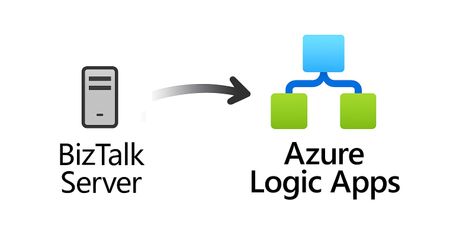
For more than 25 years, Microsoft BizTalk Server has supported mission-critical integration workloads for organizations around the world. From business process automation and B2B messaging to connectivity across industries such as financial services, healthcare, manufacturing, and government, BizTalk Server has played a foundational role in enterprise integration strategies. To help customers plan confidently for the future, Microsoft is sharing an update to the BizTalk Server product lifecycle and long-term support timelines. BizTalk Server 2020 will be the final version of BizTalk Server. Guidance to support long-term planning for mission-critical workloads This announcement does not change existing support commitments. Customers can continue to rely on BizTalk Server for many years ahead, with a clear and predictable runway to plan modernization at a pace that aligns with their business and regulatory needs. Lifecycle Phase End Date What’s Included Mainstream Support April 11, 2028 Security + non-security updates and Customer Service & Support (CSS) support Extended Support April 9, 2030 CSS support, Security updates, and paid support for fixes (*) End of Support April 10, 2030 No further updates or support (*) Paid Extended Support will be available for BizTalk Server 2020 between April 2028 and April 2030 for customers requiring hotfixes for non-security updates. CSS will continue providing their typical support. BizTalk Server 2016 is already out of mainstream support, and we recommend those customers evaluate a direct modernization path to Azure Logic Apps. Continued Commitment to Enterprise Integration Microsoft remains fully committed to supporting mission-critical integration, including hybrid connectivity, future-ready orchestration, and B2B/EDI modernization. Azure Logic Apps, part of Azure Integration Services — which includes API Management, Service Bus, and Event Grid — delivers the comprehensive integration platform for the next decade of enterprise connectivity. Host Integration Server: Continued Support for Mainframe Workloads Host Integration Server (HIS) has long provided essential connectivity for organizations with mainframe and midrange systems. To ensure continued support for those workloads, Host Integration Server 2028 will ship as a standalone product with its own lifecycle, decoupled from BizTalk Server. This provides customers with more flexibility and a longer planning horizon. Recognizing Mainframe modernization customers might be looking to integrate with their mainframes from Azure, Microsoft provides Logic Apps connectors for mainframe and midrange systems, and we are keen on adding more connectors in this space. Let us know about your HIS plans, and if you require specific features for Mainframe and midranges integration from Logic Apps at: https://aka.ms/lamainframe Azure Logic Apps: The Successor to BizTalk Server Azure Logic Apps, part of Azure Integration Services, is the modern integration platform that carries forward what customers value in BizTalk while unlocking new innovation, scale, and intelligence. With 1,400+ out-of-box connectors supporting enterprise, SaaS, legacy, and mainframe systems, organizations can reuse existing BizTalk maps, schemas, rules, and custom code to accelerate modernization while preserving prior investments including B2B/EDI and healthcare transactions. Logic Apps delivers elastic scalability, enterprise-grade security and compliance, and built-in cost efficiency without the overhead of managing infrastructure. Modern DevOps tooling, Visual Studio Code support, and infrastructure-as-code (ARM/Bicep) ensure consistent, governed deployments with end-to-end observability using Azure Monitor and OpenTelemetry. Modernizing Logic Apps also unlocks agentic business processes, enabling AI-driven routing, predictive insights, and context-aware automation without redesigning existing integrations. Logic Apps adapts to business and regulatory needs, running fully managed in Azure, hybrid via Arc-enabled Kubernetes, or evaluated for air-gapped environments. Throughout this lifecycle transition, customers can continue to rely on the BizTalk investments they have made while moving toward a platform ready for the next decade of integration and AI-driven business. Charting Your Modernization Path Microsoft remains fully committed to supporting customers through this transition. We recognize that BizTalk systems support highly customized and mission-critical business operations. Modernization requires time, planning, and precision. We hope to provide: Proven guidance and recommended design patterns A growing ecosystem of tooling supporting artifact reuse Unified Support engagements for deep migration assistance A strong partner ecosystem specializing in BizTalk modernization Potential incentive programs to help facilitate migration for eligible customers (details forthcoming) Customers can take a phased approach — starting with new workloads while incrementally modernizing existing BizTalk deployments. We’re Here to Help Migration resources are available today: Overview: https://aka.ms/btmig Best practices: https://aka.ms/BizTalkServerMigrationResources Video series: https://aka.ms/btmigvideo Feature request survey: https://aka.ms/logicappsneeds Reactor session: Modernizing BizTalk: Accelerate Migration with Logic Apps - YouTube Migration Agent (Complete refactoring from BizTalk to Logic Apps): Bringing all your Integration workloads to Logic Apps Standard | Microsoft Community Hub We encourage customers to engage their Microsoft accounts team early to assess readiness, identify modernization opportunities, and explore assistance programs. Your Modernization Journey Starts Now BizTalk Server has played a foundational role in enterprise integration success for more than two decades. As you plan ahead, Microsoft is here to partner with you every step of the way, ensuring operational continuity today while unlocking innovation tomorrow. To begin your transition, please contact your Microsoft account team or visit our migration hub. Thank you for your continued trust in Microsoft and BizTalk Server. We look forward to partnering closely with you as you plan the future of your integration platforms. Frequently Asked Questions Do I need to migrate now? No. BizTalk Server 2020 is fully supported through April 11, 2028, with paid Extended Support available through April 9, 2030, for non-security hotfixes. CSS will continue providing their typical support. You have a long and predictable runway to plan your transition. Will there be a new BizTalk Server version? No. BizTalk Server 2020 is the final version of the product. What happens after April 9, 2030? BizTalk Server will reach End of Support, and security updates or technical assistance will no longer be provided. Workloads will continue running but without Microsoft servicing. Is paid support available past 2028? Yes. Paid extended support will be available through April 2030 for BizTalk Server 2020 customers looking for non-security hotfixes. CSS will continue to provide the typical support. What is the end of sale date for BizTalk Server? We will announce an end of sale date for BizTalk Server on July 2026. What about BizTalk Server 2016 or earlier versions? Those versions are already out of mainstream support. We strongly encourage moving directly to Logic Apps rather than upgrading to BizTalk Server 2020. Will Host Integration Server continue? Yes. Host Integration Server (HIS) 2028 will be released as a standalone product with its own lifecycle and support commitments. Can I reuse BizTalk Server artifacts in Logic Apps? Yes. Most of BizTalk maps, schemas, rules, assemblies, and custom code can be reused with minimal effort using Microsoft and partner migration tooling. We welcome feature requests here: https://aka.ms/logicappsneeds Does modernization require moving fully to the cloud? No. Logic Apps supports hybrid deployments for scenarios requiring local processing or regulatory compliance, and fully disconnected environments are under evaluation. More information of the Hybrid deployment model here: https://aka.ms/lahybrid. Does modernization unlock AI capabilities? Yes. Logic Apps enables AI-driven automations through Agent Loop, improving routing, decisioning, and operational intelligence. Where do I get planning support? Your Microsoft account team can assist with assessment and planning. Migration resources are also linked in this announcement to help you get started. Microsoft Corporation7.2KViews3likes1CommentAnnouncement: General Availability of Logic Apps Hybrid Deployment Model
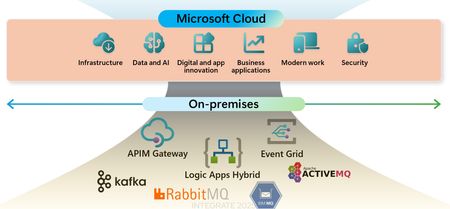
We are thrilled to announce the General Availability of the Logic Apps Hybrid Deployment Model, a groundbreaking feature that offers unparalleled flexibility and control to our customers. This innovative deployment model allows you to run Logic Apps workloads on customer-managed infrastructure, providing you with the option to host your integration solutions on-premises, in a private cloud, or even in a third-party public cloud. With the Logic Apps Hybrid Deployment Model, you can tailor your integration solutions to meet your specific needs, whether it's for regulatory compliance, data privacy, or network restrictions. This model ensures that you have the freedom to choose the best environment for your workflows, while still leveraging the powerful capabilities of Azure Logic Apps. The Hybrid Deployment Model supports a semi-connected architecture, offering local processing of workflows, local storage, and local network access. This means that the data processed by the workflows remains in your local SQL Server, and you have the ability to connect to local networks. Additionally, the built-in connectors will execute in your local compute, giving you access to local data sources and higher throughput. Since we launched the public preview, we have received an overwhelmingly positive response from customers across various industries. Many customers, including those looking to migrate from BizTalk Server, have expressed interest in this offering due to its ability to co-locate integration platforms near key lines of business systems, avoiding dependencies on public internet to process transactions. Journey of the Hybrid Deployment Model Feature At the Integrate 2024 event, we announced the early access preview of the Hybrid Deployment model for Logic Apps Standard. This initial phase allowed interested parties to nominate themselves for early access and provided valuable feedback on the model's functionality and benefits. Following the private preview, we launched the public preview, which empowered our customers with additional flexibility and control. This phase allowed customers to build and deploy workflows on customer-managed infrastructure, offering the option to run Logic Apps on-premises, in a private cloud, or in a third-party public cloud. The public preview also introduced the semi-connected architecture, enabling local processing of workflows and access to local data sources. In October 2024, we refreshed the public preview and received an overwhelmingly positive response from customers across various industries. This feedback highlighted the model's ability to meet specific use cases, such as migrating from BizTalk Server and co-locating integration platforms near key lines of business systems. The public preview refresh also emphasized the model's alignment with our promise of providing customers with more options to meet their business needs. We are excited to see how our customers will leverage the Logic Apps Hybrid Deployment Model to meet their business needs and drive innovation. Thank you for your continued support and feedback. New features in the GA release: Open Telemetry support: Open telemetry is a vendor-neutral open-source Observability framework for instrumenting, generating, collecting, and exporting telemetry data. The support for Open Telemetry in Hybrid deployment model ensures the seamless logging in the semi-connected scenarios and provides the ability to choose any observability platform as a telemetry endpoint. More details here. To set up Open Telemetry capability from Azure portal, follow these steps: Open the host.json in the root directory of SMB file share path configured in your logic app. In the host.json file, at the root level, add the following telemetryMode setting with the OpenTelemetry value, for example: { "version": "2.0", "extensionBundle": { "id": "Microsoft.Azure.Functions.ExtensionBundle.Workflows", "version": "[1.*, 2.0.0)" }, "telemetryMode": "OpenTelemetry" } When you enable Open Telemetry in the host.json file, your logic app exports telemetry based on the Open Telemetry-supported app settings that you define in the environment. Add below app settings from portal by navigating to Containers-->Environment variables-->edit and deploy. App setting Description OTEL_EXPORTER_OTLP_ENDPOINT The online transaction processing (OTLP) exporter endpoint URL for where to send the telemetry data. OTEL_EXPORTER_OTLP_HEADERS (optional) A list of headers to apply to all outgoing data. Commonly used to pass authentication keys or tokens to your observability backend. If your Open Telemetry endpoint requires other Open Telemetry related settings, include these settings in the app settings too. Support for Zip deployment through VSCode: The support for Zip deployment in VSCode deployment has enhanced the deployment experience with more reliability. This feature uses Azure Entra authentication for deployment, hence the VSCode machine doesn’t require to have permissions on the SMB share and the user need not to provide SMB credentials in subsequent deployments. To use Zip deployment, follow below steps: create an app registration. In the VSCode deployment, provide Client ID, Object ID and Client secret values. If there are any concerns with creating App registration, you can continue to use SMB deployment option by choosing "Use SMBDeployment For Hybrid" in the Extensions configuration of VSCode If you would like to use zip deployment in an existing Logic App, you will need to manually add the app settings as indicated here. The Zip deployment APIs can be used in CI/CD pipelines as well for DevOps deployment. We will be publishing another blog with detailed steps on the DevOps process. Support for more regions: We are pleased to announce the expansion of our hybrid deployment support to additional regions, in response to valuable customer feedback. This enhancement aims to better meet the diverse geographic and operational requirements of your businesses. The hybrid deployment is now available in the following regions: Central US, East Asia, East US, North Central US, Southeast Asia, Sweden Central, UK South, West Europe, and West US. Logic Apps Rules Engine Support on Linux containers: In this release, we have added support for Azure Logic Apps Rules Engine to run on Linux containers which enables customers to use the Rules Engine capabilities in Hybrid Logic Apps. Improvements for Effective Scaling and Performance: We have introduced few improvements in the runtime storage and the scaling behaviour aimed at improving the performance and achieving effective scaling. Please refer to the following articles: Scaling mechanism in hybrid deployment model for Azure Logic Apps Standard | Microsoft Community Hub Hybrid deployment model for Logic Apps- Performance Analysis and Optimization recommendations | Microsoft Community Hub Diagnostic tool: To assist with troubleshooting the environment configuration issues, we have created a troubleshooting tool, which will help you review the health of all the components of the hybrid deployment and provide insights. You can find the script in our GitHub repository. Select the troubleshoot.ps1 file and copy it to a folder and run the script using PowerShell. This script should be run where you have access to kubectl. References: Create Standard logic app workflows for hybrid deployment - Azure Logic Apps | Microsoft Learn Set up your own infrastructure for Standard logic app workflows - Azure Logic Apps | Microsoft Learn Set up and view enhanced telemetry for Standard workflows - Azure Logic Apps | Microsoft Learn2.4KViews1like0CommentsService Bus SBMP Retirement: What BizTalk Server 2020 Customers Need to Know
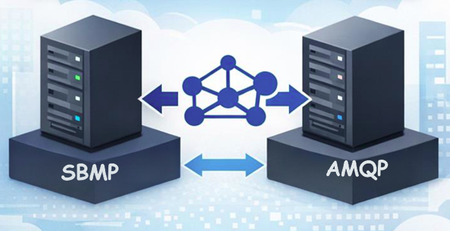
On September 30, 2026, the Azure Service Bus team will retire support for the Service Bus Messaging Protocol (SBMP). This is important BizTalk Server 2020 customers who use the BizTalk Service Bus (SB-Messaging) adapter, as SBMP is the protocol that adapter relies on today. To help customers maintain continuity while planning their transition to Azure Logic Apps, we’ve released a BizTalk Server 2020 hotfix that adds support for Advanced Message Queuing Protocol (AMQP) in the adapter. What’s changing SBMP support retires on September 30, 2026 in Azure Service Bus. A hotfix enables AMQP for the BizTalk Service Bus (SB-Messaging) adapter (request KB5091379 opening a support case). AMQP becomes the default transport with the hotfix installed. The hotfix is available for BizTalk Server 2020 CU6 and CU7. What you need to do If you plan to continue using the BizTalk Server 2020 Service Bus adapter, you should: Migrate your adapter configuration to AMQP. Install the hotfix well before September 2026, and run validation in a non-production environment. Validate your scenarios, including large message/file patterns and any operational fallback strategies you depend on. How to obtain the hotfix You can obtain the hotfix by opening a support case (request KB5091379) or using the download below. The hotfix enables AMQP support for the BizTalk Service Bus (SB-Messaging) adapter. Support and lifecycle context Microsoft remains committed to supporting BizTalk Server 2020 and its features in accordance with the official product lifecycle. Extended paid support will be available after April 2028. Closing thoughts If you’re using the SB-Messaging adapter today, now is the right time to plan your move to AMQP and schedule validation in a non-production environment. This keeps you ahead of the September 2026 retirement date and helps ensure a smooth path as you modernize toward Azure Logic Apps. Temporary Download Location: https://1drv.ms/f/c/cac4b5f5988b8228/IgCrzn_KTaZ8T5tuKmcdPgXxARuOLcGHDhxVLgeysj44GWE?e=w5AcpM2.3KViews0likes7Comments
Azure Arc Jumpstart Template for Hybrid Logic Apps Deployment
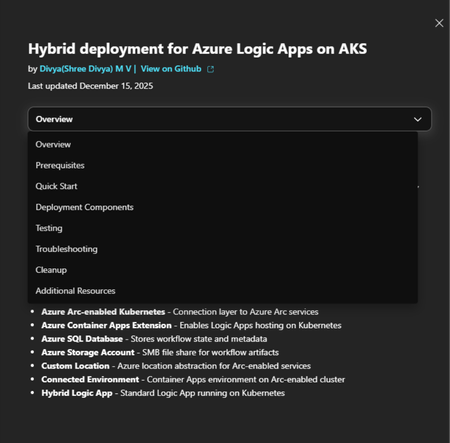
Today I’m sharing a new Azure Arc Jumpstart template (Jumpstart Drop) that implements a hybrid deployment for Azure Logic Apps (Standard) on Azure Arc-enabled AKS cluster which enables deployment with a single command that sets up a complete, working environment for testing your scenarios. Jumpstart Drop link: Azure Arc Jumpstart Hybrid deployment model allows you to run Logic Apps workloads on your own infrastructure, providing you with the option to host your integration solutions on premises, in a private cloud, or even in a third-party public cloud. You can find more information in this article:Set up your own infrastructure for Standard logic app workflows - Azure Logic Apps | Microsoft Learn Demo video: Given that Hybrid Logic Apps is designed to support mission-critical, enterprise-level integration scenarios, with provision to configure on custom infrastructure across both Azure and Kubernetes environments—the setup can naturally be complex. This Jumpstart template addresses these intricacies by simplifying onboarding and providing an all-in-one script for comprehensive testing and validation. This Jumpstart template deploys the following components and verifies each deployment stage. You can customize each step as per your requirements by modifying the script. An AKS cluster as the Kubernetes substrate for the scenario. Azure Arc enablement for Kubernetes to onboard the cluster into Azure for centralized governance and operations. ACA extension, Custom location and Connected Environment. Azure SQL Server for runtime storage. Azure storage account for SMB artifacts storage. A hybrid logic Apps resource. Getting started : Visit the Jumpstart URL Azure Arc Jumpstart and follow the steps below. Check prerequisites and permissions (see Prerequisites tab). Download the GitHub repo and run the deployment command (see Quick Start tab). After deployment, run test commands to confirm everything works (see Testing tab). Feedback and contributions Jumpstart templates are built for the community and improved with community input. If you try this drop and have suggestions (documentation clarity, additional validation, new scenarios, or fixes), please share feedback through the https://github.com/ShreeDivyaMV/LogicApps_Jumpstart_Templates repository associated with the drop. References: Announcement: General Availability of Logic Apps Hybrid Deployment Model | Microsoft Community Hub Create Standard logic app workflows for hybrid deployment - Azure Logic Apps | Microsoft Learn https://github.com/ShreeDivyaMV/LogicApps_Jumpstart_Templates Azure Arc Jumpstart2.1KViews3likes0CommentsAnnouncing: Unleash AI Innovation with a Modern Integration Platform and an API-First Strategy
As AI technologies continue to evolve, they offer businesses a unique opportunity to modernize operations, accelerate innovation, and unlock new growth potential. To stay ahead of the curve, organizations need a comprehensive integration and API strategy that seamlessly connects data, applications, and AI across their entire ecosystem. We’re excited to announce the "Unleash AI Innovation with a Modern Integration Platform and an API-First Strategy" event. Over two action-packed days, you'll gain valuable insights from Azure leaders, industry analysts, and enterprise customers about how Azure Integration Services and Azure API Management are driving efficiency, agility, and fueling business growth in the AI-powered era. Why Attend? From security to development, customer success stories to expert analyst insights, this event will highlight why APIs and integration are critical for success now and in the future. Get exclusive industry insights: Gain expert perspectives from IDC’s Shari Lava, Azure product leaders, and Forrester consultant Andrew Nadler on the latest trends shaping enterprise integration and API strategies. Learn from real-world customer stories: Hear firsthand from organizations like DocuSign, Visa, LyondellBasell, Metcash, Khoj, Brisbane City Council, Moneris, Heineken, Transcard, and CareFirst BlueCross BlueShield on how they are transforming operations with Azure Integration Services and Azure API Management. Accelerate your AI and integration strategy: Learn how Azure Logic Apps make AI-driven automation more accessible than ever, and how Azure API Management empowers businesses to securely scale AI-powered APIs. Event Highlights Day 1: Drive Business Growth with a Modern Integration Platform In today’s competitive landscape, businesses must seamlessly connect data, applications, and AI. On Day 1, you'll explore how Azure Integration Services help organizations break down data silos, unlock real-time insights, and optimize operations. Learn how connected data streams enable smarter, faster decision-making, while AI-powered workflows reduce complexity and drive operational efficiency. We’ll also explore how businesses are modernizing legacy systems by migrating from BizTalk and other on-premises integration solutions to Azure Integration Services, providing greater scalability, agility, and business continuity. Day 2: Power AI and Enterprise Innovation with an API-First Strategy On Day 2, you'll dive deep into how APIs are the backbone of modern digital ecosystems. APIs enable businesses to scale faster, enhance developer experiences, and create new revenue streams. Learn how Azure API Management helps you secure, manage, and monetize APIs while accelerating AI adoption. You’ll also discover best practices for securing and governing APIs across distributed environments, ensuring that your AI-powered ecosystem remains secure, scalable, and compliant. Streamed Live Across Multiple Time Zones Join us no matter where you are! We’re streaming live across multiple time zones, so you can participate at a time that works best for you. US/Canada: Reserve your seat today! Day 1: Tuesday, 29 April 2025 | 9:00 AM – 12:30 PM PDT Day 2: Wednesday, 30 April 2025 | 9:00 AM – 12:30 PM PDT Australia/New Zealand: Reserve Your Seat Today! Day 1: Wednesday, 30 April 2025 | 9:00 AM – 12:30 PM AEDT Day 2: Thursday, 1 May 2025 | 9:00 AM – 12:30 PM AEDT Europe: Reserve Your Seat Today! Day 1: Tuesday, 29 April 2025 | 9:00am – 12:30pm BST Day 2: Wednesday, 30 April 2025 | 9:00am – 12:30pm BST Ready to Future-Proof Your Integration and API Strategy? Don’t miss this exclusive opportunity to learn from industry experts, Azure leaders, and top enterprises. Discover how to future-proof your integration and API strategy to drive AI-powered growth and business success.2.1KViews1like0CommentsModernize Any Integration Platform to Azure Logic Apps Standard with the Logic Apps Migration Agent
Explore the open-source Logic Apps Migration Agent Enterprise integration is entering a new era Enterprise integration platforms have powered business-critical processes for decades. They connect applications, data, partners, devices, and industries, often carrying transactions that an organization cannot afford to interrupt. Expectations have changed. Organizations want cloud-native architectures, AI-assisted automation, stronger governance, improved developer productivity, and faster response to business change. Yet many integration estates contain years of accumulated dependencies, custom code, transformations, operational procedures, and platform-specific knowledge. The challenge is not simply moving an orchestration or flow from one runtime to another. This is not lift and shift. It is a refactoring exercise that preserves business intent and expected behavior while translating source-platform constructs into cloud-ready workflows, connectors, code, operational patterns, and deployment practices for Azure Logic Apps Standard. That is why we created the Logic Apps Migration Agent. Introducing the Logic Apps Migration Agent: An Open-source project to provide an AI End-to-End Modernization Experience The Logic Apps Migration Agent is an open-source Visual Studio Code extension that provides an AI-assisted, end-to-end modernization experience. It uses GitHub Copilot and the Visual Studio Code Language Model API to guide teams through a structured five-stage workflow, while keeping people in control at every stage. Rather than treating modernization as a single conversion step, the agent helps teams discover what they have, understand dependencies, design an appropriate target, generate baseline implementation artifacts, validate expected behavior, and prepare the solution for deployment to Azure Logic Apps Standard. Refactor the implementation, preserve the business intent Lift and shift attempts to reproduce the source platform as closely as possible in a new environment. That approach can carry forward legacy topology, operational assumptions, platform-specific patterns, and technical debt. The Migration Agent supports a different outcome. It uses the source implementation as evidence of the required business behavior, then helps teams design and generate an appropriate Logic Apps Standard implementation. Some components may map directly, while others require restructuring, consolidation, decomposition, replacement, or custom implementation. The objective is functional and semantic continuity, not structural duplication. A successful migration should preserve contracts, transformations, routing rules, ordering requirements, error behavior, and essential business outcomes while allowing the target solution to adopt Azure-native identity, connectivity, observability, resiliency, deployment, and operating practices. Preserve what the integration must do. Refactor how it does it. Start by understanding what you have For many organizations, discovery is one of the most difficult parts of modernization. Documentation may be incomplete, original developers may no longer be available, and relationships between applications, endpoints, schemas, maps, pipelines, and custom components may be difficult to reconstruct. The Migration Agent scans the source project, catalogs supported artifacts, organizes related components into flow groups, and identifies dependencies and migration gaps. It can also generate architecture and message-flow visualizations for review before conversion begins. This discovery output becomes the foundation for migration sequencing, refactoring decisions, effort discussions, and risk management. Use AI to accelerate the work, not remove accountability The Migration Agent uses specialized GitHub Copilot agents for analysis, planning, and conversion. AI helps interpret source artifacts, propose mappings, create task plans, and generate baseline Logic Apps artifacts. Enterprise integration, however, requires more than plausible code generation. Human-in-the-loop checkpoints let teams review discovered flows, resolve missing dependencies, reshape the proposed architecture, approve conversion plans, and validate generated behavior before progressing. This combines the speed of AI assistance with the governance and technical review required for mission-critical integration. Modernize incrementally and reduce migration risk Large integration estates do not need a single big-bang program. The Migration Agent organizes work into logical flow groups so teams can refactor one business capability or integration path at a time. Prioritize workloads by business value, risk, complexity, or platform urgency. Validate target architecture and operating patterns with a representative first migration. Run phased cutovers and coexistence strategies when required. Apply reusable refactoring patterns, templates, and engineering standards to subsequent waves. A phased approach helps teams build experience with Azure Logic Apps while reducing migration risk and preserving delivery momentum. Bring your own tests and validate continuously Migration confidence depends on behavior, not structural similarity. The agent supports validation using source specifications, sample files, test cases, and customer-provided black-box tests. This helps compare expected inputs and outputs and identify semantic differences earlier. Generated artifacts are a baseline. Domain-specific transformations, error-handling behavior, performance characteristics, security controls, and edge cases still require customer and partner expertise. Built for BizTalk today and extensible for other platforms BizTalk Server 2016 and BizTalk Server 2020 are the first fully implemented source platforms. MuleSoft Anypoint support is represented as an in-progress built-in parser. The architecture is open and extensible so contributors can add parsers and platform-specific migration capabilities for other integration technologies. That extensibility is central to the vision. A common modernization workflow can help teams apply consistent governance, target patterns, refactoring practices, and validation across mixed integration estates. Why Azure Logic Apps Standard? Azure Logic Apps Standard provides a modern destination with a local project structure, Visual Studio Code development experience, source-control alignment, CI/CD support, stateful and stateless workflows, enterprise connectivity, and Azure and hybrid deployment options. Modernization is not about reproducing a legacy topology component by component. The target design should be optimized for Logic Apps Standard rather than constrained by the source architecture. The migration preserves valuable business logic while refactoring the implementation around modern practices for identity, networking, observability, reliability, deployment, and operations. What your team should still own The Migration Agent accelerates repeatable work, but it does not replace the decisions that define a production-ready integration platform. Responsibility Refactoring focus Target architecture Refactor application and workflow boundaries for Logic Apps Standard. Select reliability, networking, deployment, and supporting Azure patterns rather than copying the source topology. Semantic equivalence Validate contracts, mappings, transformations, business rules, error behavior, ordering, retries, and edge cases. Capability gaps Redesign source capabilities without direct equivalents using connectors, custom code, local functions, API Management, Service Bus, or other appropriate Azure patterns. Production hardening Implement identity, secrets management, security policies, monitoring, cost controls, performance testing, resiliency, and operational ownership. Cutover and coexistence Plan backlog reconciliation, dual-run periods, data consistency, partner coordination, rollback, and decommissioning. More mission critical features for Logic Apps Standard and Hybrid We are weeks away from shipping the following features, aimed at any customers in the Enterprise Application Integration space: HL7 In-App operations in general availability. MLLP Receive/Send In-App connector in Public Preview. Rules Engine In-App operation for XML facts in Public Preview. MSMQ In-App connector in Public Preview. Oracle DB In-App connector in Public Preview. Flat File generation In-App operations in Public Preview. Integration accounts support (Hybrid On premises). NMS In-App connector in Public Preview. Improvements to our EDI capabilities. BizTalk Mapper to Data Mapper Migration path What about other integration platforms? Yes—the Logic Apps Migration Agent is designed to be customizable so you can migrate from any integration platform to Logic Apps (not just BizTalk). The open architecture lets you plug in new discovery, analysis, and conversion skills for the source product you’re modernizing, while keeping the same stage-gated workflow and human-in-the-loop checkpoints. We provide guidance and examples to help you extend the agent for other platforms than BizTalk —so you can tailor mappings, transformation rules, and validation to your customer’s standards and target patterns in Logic Apps. Benefits Faster time to value with a guided process: A structured discovery→planning→conversion workflow reduces uncertainty and helps teams move from assessment to execution with clear checkpoints. Higher confidence migrations: Human-in-the-loop validation, artifacts generation, and black-box testing support mission‑critical correctness and governance. Customizable for your source platform and standards: Extend the agent with product-specific discovery and conversion steps, tailor mappings and transformation rules, and align outputs with your target Logic Apps patterns and engineering conventions. Open-source transparency and control: Review how the tool works end-to-end, validate what it produces, and adopt changes at your pace without waiting for a closed release cycle. Community-driven innovation: Benefit from contributions across Microsoft, partners, and customers—new adapters, mapping packs, and best practices can be shared and reused. Lower total migration cost: Automating repeatable tasks reduces manual effort while preserving the ability to invest partner expertise where it matters most (architecture, governance, reliability, and operations). Reusable accelerators for partners: Partners can create differentiated offerings by packaging templates, validation suites, CI/CD pipelines, and domain-specific patterns on top of the agent. An accelerator for customers and partners For customers, the Migration Agent provides a practical starting point and a consistent process for moving from assessment to a refactored implementation. For professional services organizations and system integrators, the agent augments delivery rather than replacing it. Automating inventory, analysis, baseline generation, and validation scaffolding allows experts to focus on architecture, governance, security, reliability, domain-specific transformation, DevOps, performance, cutover, and operating-model change. Because the project is open source, partners can contribute parsers or package reusable templates, mapping packs, test suites, CI/CD assets, and industry-specific modernization patterns. Review our public documentation here: https://learn.microsoft.com/en-us/azure/logic-apps/migration/migration-agent-overview How to get started Download VSCode and install the Logic Apps Migration Agent extension. Organize source projects and dependencies in a clear directory structure. Include project files, bindings, schemas, maps, pipelines, orchestrations, custom code, configuration, certificates or certificate references, and available documentation. Once you have all your artifacts ready, point the Migration Agent to the directory with all the artifacts. Review every migration stage. Confirm the discovered architecture, resolve missing dependencies, and refine the target design before authorizing conversion. Prepare a representative test environment. The workstation running Visual Studio Code must be able to reach the systems needed for local or end-to-end validation. Bring known inputs, expected outputs, specifications, and existing test cases whenever possible. These materials improve validation and reduce ambiguity. Treat the first migration as a reusable foundation. Capture architecture patterns, naming standards, deployment templates, observability practices, and lessons that can accelerate subsequent waves. Use Claude Opus 4.8 or higher. Make sure you increase the Maximum number of requests for the Copilot Chat as follows (we recommend changing the value from 60 to 1000) Check the following video for a demonstration on how the Agent works and let us know if you have any questions in the comments.A BizTalk Migration Tool: From Orchestrations to Logic Apps Workflows
As organizations move toward cloud-native architecture, this project addresses one of the most challenging aspects of modernization: converting existing BizTalk artifacts into their Azure Logic Apps equivalents while preserving business logic and integration patterns. Architecture and Components The BizTalk Migration Starter is available here: haroldcampos/BizTalkMigrationStarter and consists of four main projects and a test project, each targeting a specific aspect of BizTalk migration: BTMtoLMLMigrator - BizTalk Map Converter The BTMtoLMLMigrator is a tool that converts BizTalk Maps (.btm files) to the Logic Apps Mapping Language (.lml files). BizTalk maps define data transformations between different message formats, using XSLT and functoids to implement complex mapping logic. Input: Output: Key Capabilities: Parses BizTalk map XML structure to extract transformation logic. Translates BizTalk functoids (string manipulation, mathematical operations, logical operations, date/time functions, etc.) to equivalent LML syntax Preserves source and target schema references Generates Logic Apps-compatible Liquid maps that can be directly deployed to Azure Integration Accounts Core Components: BtmParser.cs: Extracts map structure, functoid definitions, and link connections from BTM files FunctoidTranslator.cs: Converts BizTalk functoid operations to Logic Apps Maps template equivalents LmlGenerator.cs: Generates the final LML output BtmMigrator.cs: Orchestrates the entire conversion process Models.cs: Defines data structures for representing maps, functoids, and links To convert a single map: BTMtoLMLMigrator.exe -btm "C:\BizTalkMaps\OrderToInvoice.btm" -source "C:\Schemas\Order.xsd" -target "C:\Schemas\Invoice.xsd" -output "C:\Output\OrderToInvoice.lml" To Convert all maps in a directory: Be mindful of having the right naming for schemas in the BizTalk maps to avoid the tool picking up the wrong schemas: BTMtoLMLMigrator.exe -batchDir "C:\BizTalkMaps" -schemasDir "C:\Schemas" -outputDir "C:\Output\LMLMaps" Recommendations and Troubleshooting: Make sure to use the real schemas, source and destination, and the corresponding map. Most BizTalk functoids are supported, however for those who don’t, like scripting, it will add the code into the lml file, expecting you to conduct a re-design of the scenario. Currently the Data Mapper does not have a direct function that replaces scripting functoids. We are exploring alternatives for this. Use GHCP agent to troubleshoot the tool if you run into issues. ODXtoWFMigrator - Orchestration to Workflow Converter The ODXtoWFMigrator tackles one of the most complex aspects of BizTalk migration: converting BizTalk Orchestrations (.odx files) to Azure Logic Apps workflow definitions. Orchestrations represent business processes with sequential, parallel, and conditional logic flows. It requires the orchestration and bindings file, exported from the BizTalk Application. If you don't have orchestration, for Content Routing Based scenarios, it uses the bindings file only. Go to BizTalk Central Admin. Select your BizTalk Application: Export all bindings. You can have multiple orchestrations in one binding file, so is important to export all the information available. Input: Output: Key Capabilities: Parses BizTalk orchestration XML to extract process flows, shapes, and connections Maps BizTalk orchestration shapes (Receive, Send, Decide, Parallel, Loop, etc.) to Logic Apps actions and control structures Generates connector configurations for common integration patterns Creates comprehensive migration reports documenting the conversion process and any limitations Produces standard Logic Apps JSON workflow definitions ready for deployment Core Components: BizTalkOrchestrationParser.cs: Analyzes orchestration structure and extracts workflow patterns LogicAppsMapper.cs: Maps BizTalk orchestration shapes to Logic Apps equivalents LogicAppJSONGenerator.cs: Generates the final Logic Apps workflow JSON OrchestrationReportGenerator.cs: Creates detailed migration reports. Schemas/Connectors/connector-registry.json: Registry of connector mappings and configurations Recommendations and Troubleshooting: Most BizTalk shapes are supported, however for those who don’t, it will default to compose actions and inject the code or a comment. It supports most BizTalk adapters. If you need to add support to a new Logic Apps connector/service provider, you can update the connector-registry.json file by adding the trigger or action following the pattern for the other entries. This tool has been tested with multiple patterns and orchestrations. Use GHCP agent to troubleshoot the tool if you run into issues. The following are some of the supported commands. Please run the command line and review the README files to see all supported commands. Command Sample Usage MIGRATE / CONVERT With output file ODXtoWFMigrator.exe convert "C:\BizTalk\InventorySync.odx" "C:\BizTalk\BindingInfo.xml" "C:\Output\InventorySync.workflow.json" With refactored generator ODXtoWFMigrator.exe migrate "C:\BizTalk\MessageRouter.odx" "C:\BizTalk\BindingInfo.xml" --refactor BINDINGS-ONLY Basic bindings-only ODXtoWFMigrator.exe bindings-only "C:\BizTalk\ProductionBindings.xml" With output directory ODXtoWFMigrator.exe bindings-only "C:\BizTalk\BindingInfo.xml" "C:\LogicApps\BindingsWorkflows" With refactored generator ODXtoWFMigrator.exe bindings-only "C:\BizTalk\BindingInfo.xml" --refactor REPORT / ANALYZE Basic HTML report ODXtoWFMigrator.exe report "C:\BizTalk\OrderProcessing.odx" With output file ODXtoWFMigrator.exe report "C:\BizTalk\OrderProcessing.odx" --output "C:\Reports\OrderProcessing_Analysis.html" BATCH REPORT Process directory ODXtoWFMigrator.exe batch report --directory "C:\BizTalk\Orchestrations" Short directory flag ODXtoWFMigrator.exe batch report -d "C:\BizTalk\ContosoProject\Orchestrations" BATCH CONVERT Basic batch convert ODXtoWFMigrator.exe batch convert --directory "C:\BizTalk\Orchestrations" --bindings "C:\BizTalk\BindingInfo.xml" Alternative migrate syntax ODXtoWFMigrator.exe batch migrate -d "C:\BizTalk\AllOrchestrations" -b "C:\BizTalk\BindingInfo.xml" Specific files ODXtoWFMigrator.exe batch convert --files "C:\BizTalk\Order.odx,C:\BizTalk\Invoice.odx" --bindings "C:\BizTalk\BindingInfo.xml" With output directory ODXtoWFMigrator.exe batch convert -d "C:\BizTalk\Orchestrations" -b "C:\BizTalk\BindingInfo.xml" -o "C:\LogicApps\Workflows" With refactored generator ODXtoWFMigrator.exe batch convert -d "C:\BizTalk\Orchestrations" -b "C:\BizTalk\BindingInfo.xml" --refactor GENERATE-PACKAGE Basic package generation ODXtoWFMigrator.exe generate-package "C:\BizTalk\OrderProcessing.odx" "C:\BizTalk\BindingInfo.xml" With output directory ODXtoWFMigrator.exe generate-package "C:\BizTalk\OrderProcessing.odx" "C:\BizTalk\BindingInfo.xml" "C:\Deploy\OrderProcessing" With refactored generator ODXtoWFMigrator.exe package "C:\BizTalk\CloudIntegration.odx" "C:\BizTalk\BindingInfo.xml" --refactor ANALYZE-ODX / GAP-ANALYSIS Analyze directory ODXtoWFMigrator.exe analyze-odx "C:\BizTalk\LegacyOrchestrations" With output report ODXtoWFMigrator.exe analyze-odx "C:\BizTalk\Orchestrations" --output "C:\Reports\gap_analysis.json" LEGACY MODE Legacy basic ODXtoWFMigrator.exe "C:\BizTalk\OrderProcessing.odx" "C:\BizTalk\BindingInfo.xml" "C:\Output\OrderProcessing.json" BTPtoLA - Pipeline to Logic Apps Converter BTPtoLA handles the conversion of BizTalk pipelines to Logic Apps components. BizTalk pipelines process messages as they enter or leave the messaging engine, performing operations like validation, decoding, and transformation. Key Capabilities: Converts BizTalk receive and send pipelines to Logic Apps processing patterns Maps pipeline components (decoders, validators, disassemblers, etc.) to Logic Apps actions Preserves pipeline stage configurations and component properties Generates appropriate connector configurations for pipeline operations Input: Output: Core Components: Pipeline parsing and analysis logic Connector registry (Schemas/Connectors/pipeline-connector-registry.json) for mapping pipeline components Logic Apps workflow generation for pipeline equivalents To convert a receive pipeline: BTPtoLA.exe -pipeline "C:\Pipelines\ReceiveOrderPipeline.btp" -type receive -output "C:\Output\ReceiveOrderPipeline.json" To Convert a send pipeline: BTPtoLA.exe -pipeline "C:\Pipelines\SendInvoicePipeline.btp" -type send -output "C:\Output\SendInvoicePipeline.json" BizTalktoLogicApps.MCP - Model Context Protocol Server The MCP (Model Context Protocol) server provides a standardized interface for AI-assisted migration workflows. This component enables integration with AI tools and assistants to provide intelligent migration suggestions and automation. Key Capabilities: Exposes migration tools through a standardized MCP interface Enables AI-driven migration assistance and recommendations Provides tool handlers for map conversion and other migration operations Facilitates interactive migration workflows with AI assistance Core Components: McpServer.cs: Main MCP server implementation Server/ToolHandlers/MapConversionToolHandler.cs: Handler for map conversion operations test-requests.json: Test request definitions for validating MCP functionality BizTalktoLogicApps.Tests - Test Project A complete test project ensuring the reliability and accuracy of all migration tools, with integration tests that validate end-to-end conversion scenarios. Key Capabilities: Integration tests for BTM to LML conversion across multiple map files Schema validation and error handling tests Batch processing tests for converting multiple artifacts Output verification and quality assurance Where to upload your data: Upload your BizTalk artifacts in the Data directory, and run your tests using the Test explorer. For a complete demonstration, watch the video below:1.7KViews0likes2CommentsAnnouncing the BizTalk Server 2020 Cumulative Update 7
The BizTalk Server product team has released the Cumulative Update 7 for BizTalk Server 2020. The Cumulative Update 7 contains all released functional and security fixes for customer-reported issues for BizTalk Server 2020. Also, CU7 includes support for the following new Microsoft platforms: Microsoft Visual Studio 2022 Microsoft Windows Server 2022 Microsoft SQL Server 2022 Microsoft Windows 11 BizTalk Server 2016 is currently out of support with its end of life in 2027. If you are running BizTalk 2016, or earlier versions of the product, you must upgrade to BizTalk Server 2020 CU6 or strongly consider migrating to Azure Logic Apps. Please fill this survey: https://aka.ms/biztalklogicapps. More Information about the CU7: This is an optional update only if you require VS 2022. If you don’t need VS2022, you can continue running on BizTalk Server CU6. CU7 requires that you re-create BizTalk groups for BizTalk Server instances that already were part of a BizTalk group before the installation. Existing BizTalk groups can't have different instances at different cumulative update level. We will provide support to our CU6 and CU7 customers. You can obtain the software from the Microsoft 365 admin center or the Visual Studio Subscriber site. For more information about the BizTalk Server 2020 CU7, read the Microsoft Knowledgebase article posted to https://aka.ms/BTS2020CU7KB .1.7KViews3likes2Comments