bits and bytes
227 Topics300+ Dev Days — The Global Calendar Is Live
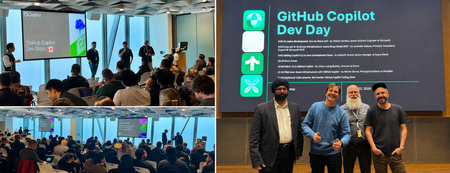
In July we published The Event Ended. The Community Didn’t. a look back at the spring round of GitHub Copilot Dev Days and what happened after the rooms emptied out. The takeaway was simple: the event was never the point. The community was. That turned out to be more than a nice closing line. Organizers kept meeting. Workshop repos kept getting forked. Local user groups kept experimenting with the new workflows — and when the call went out for another round, communities were ready. Dev Days is back, and the September–October calendar is now live. What’s different this round Dev Days runs September 1 – October 31, 2026 as a global, in-person user group initiative. The series brings together developers, enthusiasts, and local tech communities to explore GitHub Copilot through practical, hands-on experiences. The focus has narrowed — and gotten sharper. This season centers on the GitHub Copilot app and Copilot CLI: agent-driven development in the app, and practical terminal-first workflows in the CLI. Less “here’s what AI-assisted coding could be,” more “here’s the workflow you can use next.” The format got tighter. Sessions run approximately 2–3 hours. That is short enough for a weeknight and still long enough for participants to install, try, troubleshoot, and leave with something they actually built. Everything that made the spring events work stays the same: open to all developers, led by local communities, and designed around real workflows rather than slideware. GitHub Copilot DevDays swags for attendees Two formats, your call Dev Days are deliberately flexible. Organizers can tailor the format to fit their audience, venue, and infrastructure: Format What it is Best for 1️⃣ Sessions only Technical talks and demos around GitHub Copilot Larger rooms, mixed experience levels, or venues where hands-on infrastructure is limited 2️⃣ Sessions + Workshop Technical sessions plus a guided hands-on workshop Deeper practical learning, smaller groups, and rooms set up for laptops, power, and reliable Wi-Fi Across both formats, the principle is the same: people learn by doing. Day one already delivered The fall sessions started on September 1 st with MVPs in Seoul leading the way. The community workshop at Microsoft Korea framed the challenge in the most practical way possible: build your own homepage in two hours with GitHub Copilot. The room mixed demos, coaching, and hands-on building — exactly the kind of local adaptation Dev Days is designed to enable. Seoul’s opening-night Dev Days blended peer coaching, live guidance, and hands-on experimentation. The feedback started arriving before the room had fully cleared. Here’s what attendees wrote, unedited: “One click — and there it is. My own homepage.” – Sungmi Kim, Microsoft Korea employee “What an amazing experience! Coaxing and cajoling GitHub along — it was so much fun!” – Mihee Lee, the event attendee “I can’t believe I built my own homepage myself! Doing it hands-on was genuinely surprising — it gave me confidence, and now I’ve got the urge to go buy a domain name, ha.” –Inhwa Ju, the UG group, Korea AI Playground member “I’m going to take what I learned today and keep refining my site, piece by piece. Thank you for such an enjoyable and worthwhile session!” – Miyoung Yoon, the event attendee The feedback was clear: this wasn’t, it’s not really about a feature. it’s about building confidence—. the “aha” moment is when a participant stops watching someone else build and realizes, “I can do this too.” That is the metric that matters. And “I want to go buy a domain now” may be one of the best outcomes a two-hour workshop can produce. Find an event near you The fall calendar is live, with 300+ MVP events scheduled September–October. The fastest way to see what’s coming up near you is the interactive Dev Days map: zoom to your region, find your city, and jump straight to the local event page. 300+ events. One live map. Selected upcoming locations are shown in the preview. Explore all 301 events on the live map: luma.com/dev-days/map The map is the quickest way to scan the global series, while each event page carries the local details. Topics, agendas, prerequisites, and registration status can vary by organizer, so check the event page before you go. Why MVPs keep showing up for this The content is ready. Organizers are adapting proven material instead of building a workshop from scratch The scope is honest. Two to three hours and one clear learning arc is a format a working professional can realistically commit to hosting, and attending. The room stays after the event. This is what the spring events already proved. A Dev Day is not a one-off; it is an on-ramp into a user group and a local network that were already there,and will still be there in November. The technology gives people a reason to gather. The community gives them a reason to come back. Microsoft MVPs, GitHub Stars, Microsoft Student Ambassadors, GitHub Campus Experts, local user groups, and Microsoft and GitHub employees all have a role to play in this round — sometimes in the same city, sometimes in the same room. The format scales because the content can travel; it matters because local people make it theirs. Have a Dev Days story from your city? Drop it in the comments, or tag your recap with #DevDays and #MVPBuzz so we can find it. Want to Learn More About the MVP Program? To find an MVP and learn more about the Program visit the MVP website and follow our updates on LinkedIn. Join us for a future live session through the Microsoft Reactor where we walk through what the MVP program is about, what we look for, and how nominations work. These sessions are designed to help you connect the dots between the work you’re already doing and the impact the MVP Program recognizes — with time for questions, examples, and real conversations. Featured MVP Organizers Dae Ho Jeon, M365 MVP in Korea Mina Jin, Business Application, M365 MVP in Korea Resources Microsoft MVP Program GitHub Copilot Dev Days workshop hub Dev Days Luma calendar MVP Communities website282Views0likes0CommentsYou Belong Here: Three MVPs on Imposter Syndrome
Imposter syndrome is the persistent feeling that your success is undeserved - or that others may discover you are not as capable as they think. It can surface before a presentation, while learning a fast-moving technology, or after receiving recognition such as the Microsoft MVP award. In candid conversations, MVPs Rachel Irabor, Dan Barber, and Cat Schneider described self-doubt not as proof that they do not belong, but as a familiar signal to pause, seek perspective, and reconnect with what they contribute. Their stories remind technologists at every stage: confidence can fluctuate, while your value remains real. Three paths through self-doubt Rachel’s response begins with a question: Why do I believe I am not enough? Early in her Microsoft Power Platform journey, she nearly discounted a Power Automate presentation because it seemed “too basic” for a call filled with experienced community members. She delivered it anyway - and MVPs told her they had learned an action they had never tried. That moment became evidence that usefulness is not measured by seniority. A beginner can notice, explain, or connect something an expert has missed. Her story is also one of motion. Soon after university, Rachel relocated from Nigeria to Malta for her first corporate role - her first time travelling and a move she initially treated as simply the next task. Only later did she pause long enough to recognize its scale. Today, she tries to compare herself with “the 2022 Rachel,” who was still a student and unsure of her next step, rather than with a room full of people decades into their careers. Before speaking, Rachel changes the conditions around the fear. She arrives early, gets familiar with the room, plays upbeat music, and dances until her body relaxes. She may begin with anxiety, but once she starts, she finds her flow. The goal is not to wait until doubt disappears; it is to create a routine that helps her move with it. That same approach shaped her public learning. She shared modules, small projects, problems, and fixes even while wondering whether people would judge the posts as too simple. Over time, those small acts helped build a career and a community. Her reminder is direct: one article, video, or explanation does not need to reach hundreds of people to matter. If it helps one person solve a problem or see a possible path, it has made an impact. “Get out of your head… I’m just doing my own part. I’m just being me.” - Rachel Irabor Dan’s perspective is shaped by more than two decades in technology leadership. Experience has not silenced his inner critic; he describes it as a daily voice that can turn recognition into suspicion and opportunity into self-rejection. When he received the MVP award, his first response was disbelief. His community work often centers on the human side of technology - mentoring, coaching, leadership, consulting habits, and high-performing teams - and he wondered whether that belonged beside more visibly technical contributions. The volume of new opportunities after the award created another pressure: the feeling that he should add more to everything he was already doing. Dan learned to replace, not simply add. When a new “shiny thing” appears, he asks what he will stop doing so that work, family, community contribution, and wellbeing can remain sustainable. The award recognizes what someone has already contributed; it is not an instruction to raise the bar until burnout. When doubt starts “nibbling away” at his confidence, Dan conducts an evidence check. He writes down contributions, mentoring, invitations, feedback, and people who sought his help. Then he asks whether the internal story - that he is a fraud or does not do enough - actually fits those facts. This is not forced positivity. It is a deliberate decision to give empirical evidence at least as much authority as the loudest thought in the room. Dan also refuses the idea that an MVP must acquire every other MVP’s strength. He compares the community to a network of people with different superpowers: each member brings something distinct and gains access to expertise they do not need to reproduce themselves. “Do not lose track of your superpower,” he advises. Belonging comes from contributing your own value, not becoming everything to everyone. “Your uniqueness is your superpower… Take pride in what you do and how you do it.” - Dan Barber Cat’s imposter syndrome often sounds like a question: Who made the decision to bring me in? She can look around a technical community and feel unlike the people producing content every day - then remember that her contribution is different, not lesser. She builds community, helps people find one another, and can offer “15 different ways” to approach a problem. The award did not erase doubt, but it gave her another piece of evidence: Microsoft continued to recognize a voice and a form of impact worth hearing. She has also seen what can happen when self-doubt gets to make the decision. In 2022, Cat received an offer for a Microsoft role while considering another opportunity. The scale of the role made her worry that Microsoft would eventually regret hiring her, and she said no. She does not treat the choice as a failure - the path she took gave her new skills and room to grow - but she can name the part imposter syndrome played. That honesty matters: the inner critic does not only make us uncomfortable; sometimes it quietly removes us from opportunities before anyone else can decide. Today, rapid changes in AI can recreate that feeling. Cat has attended sessions, asked product experts questions, and kept experimenting, yet she can still feel behind when a tool does not click. Her response is patient rather than performative: everyone learns at a different pace, sometimes persistence works, and sometimes the next right step is asking for help. Cat turns that compassion outward. At conferences, she notices people on the edges and “adopts” them - making introductions, showing them where to go, and helping them approach others. She offers new speakers smaller, lower-pressure formats such as short presentations, co-presenting, or interviews. As the self-described leader of the “Heckle and Hype crew,” she also shows up to cheer others on. Her story makes belonging tangible: sometimes we believe we have a place because someone actively makes room for us. “If I wasn’t meant to be here, then I wouldn’t be here. I’m meant to be here.” - Cat Schneider What helps when the inner critic gets loud Rachel, Dan, and Cat do not offer a single cure. Instead, they show how to interrupt the spiral from several directions: Name the thought, then ask why. Is the evidence really that you do not belong—or are you responding to a new room, a new responsibility, or people with different experience? Compare backward, not sideways. Measure your growth against an earlier version of yourself instead of someone else’s visible highlight reel. Collect evidence of impact. Save feedback, invitations, solved problems, mentoring moments, and messages from people you helped. Review the record when memory becomes selective. Change the conditions around the fear. Arrive early, rehearse, play music, bring a co-presenter, choose a shorter format, or ask a trusted person to sit in the room. Turn expertise into curiosity. If you are not the smartest person in the room, you are in a room where you can learn. Ask a follow-up question instead of treating a gap as a verdict. Protect your capacity. Recognition does not require endless expansion. For each new commitment, decide what you will pause, delegate, or decline. Do not tackle it alone. Ask for perspective from someone who knows your work, collaborate with a peer, or tell the truth about where you are stuck. Most importantly, take one small action before certainty arrives: submit the session, share the lesson, ask the question, or introduce yourself to one person. Action creates new evidence, and new evidence gives the inner critic less room to invent the whole story. When someone else’s inner critic gets loud The most useful response is rarely “You’re brilliant - stop worrying.” Start by listening. Ask what happened, what the person is afraid of will happen, and what evidence they are using. Then offer specific observations: name the question they asked, the person they helped, the clarity they brought, or the preparation you witnessed. Specific evidence is easier to trust than broad reassurance. Community leaders can also design for belonging before anyone has to request it. Rachel emphasizes foundations where beginner and expert questions are welcomed with empathy. Cat shows the power of personal invitations, introductions, and low-pressure ways to contribute. Dan models visible honesty from a senior position, making it safer for others to seek support instead of becoming “lone wolves.” Together, their practices create a healthier message: you do not have to hide uncertainty to be credible, and you do not have to carry it alone. Your contribution counts If imposter syndrome has made you hesitate - to publish an article, submit a session, ask a question, or pursue the MVP path - choose one small next step. Share what you learned, ask someone you trust for perspective, and keep a record of the people your work helps. Learn more from Rachel Irabor, Dan Barber, and Cat Schneider. Want to learn more about Imposter Syndrome? In a recent podcast, Dan explores how imposter syndrome can show up in a technology career, why experience does not always quiet the inner critic, and how awareness, evidence, and support can help us move forward without facing self-doubt alone. You do not need to know everything to contribute something meaningful. You only need to begin. Want to Learn More About the MVP Program? To find an MVP and learn more about the MVP Program visit the MVP Communities website and follow our updates on LinkedIn or #mvpbuzz. Join us for a future live session through the Microsoft Reactor where we walk through what the MVP program is about, what we look for, and how nominations work. These sessions are designed to help you connect the dots between the work you’re already doing and the impact the MVP Program recognizes - with time for questions, examples, and real conversations.327Views2likes0CommentsMy MVP Story: Jess Stratton on Sharing, Storytelling, and Lifelong Learning
How One Question Sparked a Lifetime of Sharing Jess Stratton’s MVP journey is rooted in a simple idea: share what you know. Long before she was recognized as a Microsoft MVP in July 2026, Jess was asking questions, solving problems, and helping others learn in technology communities. Over time, those contributions grew into articles, conference demonstrations, training videos, courses, a book, and a TEDx talk. Becoming an MVP brought that story full circle - and opened the door to a global network of people who share her curiosity, generosity, and belief that technology becomes more approachable when we learn together. In her LinkedIn Learning course, "Learning Microsoft 365 Copilot for Work", MVP Jess Stratton shares practical guidance for using Microsoft 365 Copilot in everyday work. The Moment the Questions Turned into Answers Jess’s community story began in the Lotus Notes world in the 1990s, where she worked as an administrator and developer. Like many people entering a new technical space, she relied on forums to ask questions and learn from others. Then, almost without noticing, the balance shifted: she was answering more questions than she was asking. A turning point came when Jess created a solution to a problem no one else had addressed and made it available online. That contribution led to a how-to article, then a conference demonstration, and eventually a much larger network of peers. Connections from that community helped launch the training-video work she continues today. The path was not a carefully plotted career ladder; it was a series of opportunities created by generosity, curiosity, and a willingness to share. It all started with that very root principle of just sharing what you know. - Jess Stratton That same spirit lives in “Nerd Girl Jess,” the identity she carried forward from a group of women in the Lotus Notes community who hosted conference panels and proudly wore Nerd Girls pins and shirts. When Jess later started working independently, keeping the name became a way to honor those relationships and the community that helped shape her. Her first MVP nomination brought another unexpected milestone. After the long wait, the award email arrived as a joyful surprise. Excitement quickly mixed with nerves: there was much to learn and a desire not to miss anything. More than recognition, however, the award meant belonging. Now there’s this whole network of brilliant people that’s just opened up to me. - Jess Stratton After years of creating and teaching from a home office, Jess is especially energized by the chance to connect with other MVPs, exchange ideas, and spend time together in person. That network, she says, makes the work feel less solitary - and makes the next chapter feel full of possibility. A TEDx Detour: Humanizing History Through Story When TEDxURI invited speakers to propose unusual viewpoints for its “Now That’s Funny” program, Jess submitted an audition that took her beyond the familiar rhythm of technical instruction. Her idea began during a walk in the pandemic, when a podcast about the mysterious Voynich manuscript prompted an unexpected, funny question: what if its childlike drawings and undeciphered writing came from a child helping a deadline-driven medieval parent? That playful theory became the starting point for her TEDxURI talk, “Humanizing history, one mysterious book at a time.” While Jess is an experienced speaker, preparing for TEDxURI pushed her outside her comfort zone in new ways. TEDx events often pair speakers with speaker coaches because developing a TEDx talk is different from preparing a typical lecture or conference session. Working alongside a TEDx speaker coach, she spent weeks refining her story, rehearsing her delivery, and focusing on the single idea she wanted the audience to remember. The experience helped her approach speaking from a more personal and story-driven perspective than a traditional conference presentation. Learn more in TED’s rehearsal guidance. Within that collaborative process, Jess’s coach helped her see that the talk’s most personal details could also make its central idea more vivid and relatable. The coach encouraged Jess to include photographs from her own life - images of bringing her daughter to Lotus Notes conferences - and place them alongside the imagined medieval parent in her story. Those photographs connected past and present, turning an unusual theory about an old manuscript into a deeply human reflection on working parenthood, technology, and the families whose lives unfold around our work. They also helped the talk come full circle: history was no longer an abstract mystery, but a story about real people balancing deadlines, creativity, and care. I feel like we should always be learning new things. I’m going to try this new skill and see if I can take people on a journey with me. - Jess Stratton The experience changed how Jess thinks about technical communication. Storytelling invited her to bring more of her personality into the room, connect ideas to real human experiences, and make learning feel less dry. In her reflection on the talk, she emphasized that history involved real people with their own challenges and experiences - a perspective that also makes technical teaching more relatable. Watch Microsoft MVP Jess Stratton's TEDxURI talk, where she shares insights from her personal and professional experiences. What Happens When Learning Feels Possible Jess has taught through more than 50 published courses, and learners have shown her what happens when knowledge is made practical and welcoming. People have approached her at conferences to share projects they created using lessons from her courses. Some of those courses even became in-flight learning, giving passengers the chance to build skills while traveling. For Jess, the most meaningful measure of impact is not how much content she produces, but what learners feel empowered to do next. Technology becomes less intimidating when you have somebody show you what it can really do. - Jess Stratton That practical mindset also shapes her approach to Microsoft Copilot. Jess prefers to start with the work she enjoys and does well, then use AI for areas where she needs support - such as design, organizing tasks, or follow-up - instead of “fixing things that aren’t broken.” As she works on the second edition of her Copilot for Microsoft 365 book and uses Copilot to grow her business, she continues to bring learners along for the journey. Community remains central. Jess values virtual connection, but she is especially looking forward to the face-to-face conversations that can solve a problem in minutes and spark new ideas. For a new MVP who has learned from other MVPs for years, the award feels both exciting and humbling. Being an MVP is very humbling. I’ve got very big shoes to fill - and I have to keep that helping going. - Jess Stratton Keep Sharing What You Know Every MVP journey begins with a question, a solution, or a moment when someone chooses to share what they have learned. Jess’s story shows how those moments can grow into articles, talks, courses, friendships, and new communities. Whether you are answering a forum question, demonstrating a useful technique, telling a more human technical story, or learning a skill outside your comfort zone, your contribution can help someone else move forward. What person, community, or unexpected opportunity helped shape your journey? Share your story - and keep the ripple of learning going. Connect with Jess Learn more about Jess Stratton on her Microsoft MVP profile, explore her extensive library of more than 35 LinkedIn Learning courses covering AI, Microsoft technologies, cybersecurity, and professional development, watch her TEDxURI talk on YouTube, and read her LinkedIn reflection on the experience. Want to Learn More About the MVP Program? To find an MVP and learn more about the MVP Program visit the MVP Communities website and follow our updates on LinkedIn or #mvpbuzz. Join us for a future live session through the Microsoft Reactor where we walk through what the MVP program is about, what we look for, and how nominations work. These sessions are designed to help you connect the dots between the work you’re already doing and the impact the MVP Program recognizes - with time for questions, examples, and real conversations.175Views1like0CommentsBurnout, AI, and the Gap Between Expectation and Reality
When AI Raises the Bar Faster Than Reality Can Follow The promise of AI is everywhere: greater productivity, faster results, and the ability to accomplish more than ever before. But what happens when reality does not match those expectations? In a conversation with Microsoft MVP Robert Bogue, we explored why burnout remains a persistent challenge for technology professionals and how AI is reshaping the discussion. Drawing on years of research, teaching, and lived experience, Robert explains that burnout is often less about workload alone and more about the widening gap between what people expect from themselves and what they are actually able to achieve. That tension was at the heart of Robert’s recent VSLive! sessions, Burnout in Software Development and From Business Problems to AI Success: Closing the Gap Between Promise and Reality. In both conversations, he challenged an increasingly common assumption: access to AI should automatically make every person dramatically more productive. “I’m supposed to be hyper-productive. This is supposed to do everything for me - and it doesn’t.” – Robert Bogue Robert’s Story: Making the Complicated Simple Robert’s work sits at the intersection of technology and the human systems around it. A Microsoft MVP in the M365 award category, he is the president of Thor Projects and an author, consultant, educator, coach, and community leader. His long-running approach is to learn deeply, synthesize what he finds, and make complicated ideas easier for others to use. Burnout became part of that work long before it became a regular workplace headline. Robert first wrote about the topic in 2001 while researching articles for TechRepublic. The deeper he looked, the more he recognized a recurring pattern in his own life and in the lives of others: people were judging themselves against expectations that did not fit their real capacity, circumstances, or results. “What I eventually learned from it was I have to either expect less or do more,” he said. “Doing more - there’s a limit to that.” That insight grew into years of study, workshops, and practical resources developed with his wife, Terri Bogue. In one exercise, participants identify the expectations tied to their roles and responsibilities, estimate the time each requires, and fit them into the 168 hours available in a week. Across six years and tens of thousands of participants, Robert said only one person - a recent college graduate with relatively few established commitments - mapped fewer than 168 hours. For nearly everyone else, their expected commitments exceeded the time available. The exercise makes an invisible problem visible: many people are not failing to manage a reasonable workload; they are trying to meet a set of expectations that cannot realistically fit into one week. “If you expect your normal results and you’re under high stress, there’s a gap. That gap is burnout.” – Robert Bogue Impact and Insights: Efficacy, Stress, and the AI Expectation Gap Robert describes burnout through the relationship among actual efficacy, perceived efficacy, and expectations. When those elements fall out of alignment, people can feel ineffective even when their work is objectively improving. AI can widen that gap. A tool may make someone faster in one task and feel, in Robert’s memorable phrase, like “coaching a toddler how to fly an airplane” in another. The problem is not that AI has no value; it is that its uneven reality collides with a story of effortless, exponential productivity. Stress contributes indirectly by making people less effective. Robert compares the body’s stress response to a payday loan: it reallocates resources for the immediate threat, but restarting the systems it paused costs energy. If expectations remain unchanged while capacity drops, the gap grows. The Bathtub Model: A Practical Way to Restore Agency When someone asks what they can do today, Robert turns to what he calls the "Bathtub Model". Imagine personal agency - your ability to act and get things done - as the water in a bathtub. Three inputs help fill it. The first is results, which includes accepting recognition rather than dismissing it. When someone says, “That was a great job,” Robert advises resisting responses such as “It was nothing” or “Anyone could have done it.” Instead, simply say, “Thank you.” The second input is support, including asking for the help you need. The third is self-care, including making time to replenish yourself. Demands drain the tub, often faster than people realize because their own standards may exceed what others expect of them. Each input and drain has a valve. Adjusting those valves - acknowledging progress, lowering the barrier to support, protecting recovery time, or renegotiating demands - can restore personal agency in the moment. Robert distinguishes that immediate agency from efficacy, which is the later judgment people make about whether their efforts worked. For leaders, the model offers an equally practical guide: recognize effort and explain why it matters, build systems that make help easy to request, visibly model self-care, and ask what should move whenever a new priority is added. For leaders, his advice is concrete. Each new request should trigger a second question: What else needs to move? Adding reasonable tasks without renegotiating earlier commitments creates unreasonable total demand. Robert pointed to a familiar software pattern: a project runs late, but the testing window does not move. Burnout prevention requires honest trade-offs, not simply asking people to absorb the delay. Learn more about the Bathtub Model and more with Robert's free Burnout Prevention Toolkit. “When we talk about community, we’re fundamentally talking about relationships.”- Robert Bogue & author) and Robert Bogue (MVP) Community as a Protective Factor Robert’s MVP journey also informs how he thinks about resilience. Technical communities do more than exchange knowledge: they create relationships, perspective, and places where people can say that something is not working. Connection cannot remove every demand or uncertainty, but it can interrupt the isolation that makes difficult periods harder to navigate. “If you believe that loneliness is an epidemic, then community is the cure.”- Robert Bogue That perspective is especially relevant for MVPs and other community contributors who balance volunteering with work, family, learning, and life. Sustainable contribution does not mean saying yes to everything. It means choosing what matters, making trade-offs visible, and staying connected to people who can help recalibrate expectations. Start by Closing One Gap Burnout can feel enormous, but the first step does not have to be. Look at one expectation that no longer matches your capacity or current tools. Renegotiate a deadline, remove a task, ask for support, or make space for recovery. Leaders can help by treating every new priority as a trade-off, not an addition. Robert’s free Burnout Prevention Toolkit offers practical guides and short videos to help people recognize burnout and begin responding. What expectation could you reset this week - and who in your community could help you do it? Explore Robert’s Work Learn more about Robert through his Microsoft MVP profile, connect with him on LinkedIn, or explore his work at Thor Projects. You can also download the free Burnout Prevention Toolkit for practical guides and short videos designed to help people recognize and respond to burnout. Want to learn more about the MVP Program? To find an MVP and learn more about the MVP Program visit the MVP Communities website and follow our updates on LinkedIn. Join us for a future live session through the Microsoft Reactor where we walk through what the MVP program is about, what we look for, and how nominations work. These sessions are designed to help you connect the dots between the work you’re already doing and the impact the MVP Program recognizes - with time for questions, examples, and real conversations.276Views1like1CommentThe Linebreakers: Where MVPs, Music, and Community Take the Stage
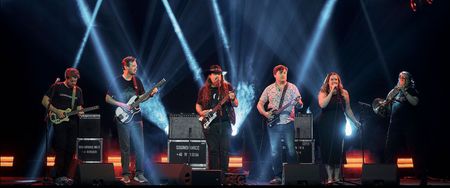
When Code Meets the Chorus At the intersection of technology, creativity, and community, The Linebreakers have found a stage all their own. The global group of technologists and musicians creates parody-style, programming-themed performances inspired by familiar songs, celebrating developer culture with humor, musicianship, and heart. Since 2016, they have entertained conference audiences and meetups around the world, from Kyiv to Kansas City, from Sydney to Siberia. What began as a few reworked lyrics has grown into a joyful reminder that community is built not only through code and collaboration, but also through shared laughter. From Frameworks to Front Row Singalongs The Linebreakers started with a simple question that could only come from developer culture: are there enough JavaScript frameworks to rewrite the Billy Joel song “We Didn’t Start the Fire?” For Microsoft MVP Dylan Beattie, the answer became “We’re Going to Build a Framework,” the first spark in what would become a globe-spanning musical side project. Dylan had played guitar as a teenager, became a developer, and never quite stopped changing song lyrics to make friends laugh. Conferences gave him the perfect audience: people who understood both the music and the technical absurdity. “There was an opportunity here to do a performance that wouldn’t work anywhere else.” - MVP Dylan Beattie As the act grew, so did the community around it. Fellow technologists joined in organically, often after seeing a show and asking, “Can I be in your band?” The result is a flexible, international lineup that can adapt to whoever is available for a given event. Dylan described today’s core group as spanning the UK, Belgium, Oslo, and Kansas City, with additional “stunt guitarists” and collaborators joining along the way. For Microsoft MVP Heather Downing, joining The Linebreakers meant stepping into a performance that was both technically sharp and delightfully ridiculous. Her first song with the band was the parody “Fight the Feature Creep,” a programming-themed take inspired by Adele’s “Rolling in the Deep,” centered on fighting feature creep in software projects. The audience response was immediate: phones came out, people sang along, and the room embraced the silliness. “When you are learning so much at an event, sometimes it’s nice to not have to think about anything and just relax and do something kind of silly.” – MVP Heather Downing The band’s catalog now ranges from JavaScript jokes to APIs, agile estimation, cloud migration, user stories, AI, and the everyday tensions between sales teams, engineers, product owners, and developers trying to ship good software. Their own description says it best: parody-style tech performances inspired by classic tunes, with lyrics lovingly reworked to fit as many programming, technology, and web jokes as possible into a four-minute pop-song format. Part of what makes The Linebreakers special is how intentionally rooted the performances are in the conference experience. Dylan remembered seeing event parties where a live band played familiar covers, but the music could have happened anywhere. The Linebreakers offered something different: a show that only made sense in a room full of people who had wrestled with frameworks, APIs, product requirements, deployment pipelines, and conference Wi-Fi. That sense of shared context has carried the band across events including Copenhagen Developers Festival, NDC, BuildStuff, DevSum, GOTO, YOW!, and more. Sometimes the lineup is a full stage of collaborators; other times it is a lean trio or even a hybrid performance stitched together across time zones. Dylan recalled two shows where he could not travel because of COVID, so the rest of the band put his private YouTube stream on a big screen and played along live while he performed from home. At the end, he signed off from an audience-filled room he could not see, then went back to everyday life - an appropriately surreal tech-community moment. “There’s never really been a plan. It’s: we want to have fun.” - MVP Dylan Beattie Heather described the band as fun and silly, but also full of people who are genuinely talented musicians. The challenge is not just getting the joke right; it is showing up ready to perform, often with very little in-person rehearsal. Because members live in different parts of the world, they usually practice individually and then pull the pieces together when they finally meet. That means listening closely, staying in sync with backing tracks, solving venue sound problems, and trusting one another on stage. Some of the best moments happen because the group is willing to experiment. Heather shared one favorite BuildStuff story: the band noticed that NDC had a theme song and wondered whether BuildStuff needed one too. Between soundcheck and showtime, Dylan found musical inspiration, reshaped the idea into “Build Stuff,” the group rehearsed it outside, and they performed it that same night. The song stuck, eventually becoming part of the event’s own recap culture. “That’s the level of talent that we have in this group.” - MVP Heather Downing More Than a Punchline: Craft, Community, and Code Behind the jokes is a serious commitment to craft. Dylan summed up the band’s creative standard with a motto that feels just as relevant to software as it does to parody: comedy never justifies mediocrity. If people are laughing, he said, they should be laughing at the intended jokes - not because the music, production, or performance falls short. That mindset has pushed The Linebreakers to build lyric videos, produce backing tracks, learn new media tools, and bring a true audio-visual show to developer audiences. “Comedy never justifies mediocrity.” - MVP Dylan Beattie The work has also fed back into their professional lives. Dylan shared how making videos for The Linebreakers helped him build media production skills that now strengthen his workshops, training videos, and conference presentations. Heather emphasized another kind of impact: the shared humanity of tech. Whether the song is about JavaScript weirdness, bad APIs, reply guys, feature creep, or vibe coding, audiences around the world recognize the situations because they have lived them. “It really is a celebration of the ridiculousness and the humanity behind all of what tech is.” - MVP Heather Downing That connection can be surprisingly practical, too. Dylan said “You Give REST a Bad Name ,” a parody of Bon Jovi’s classic “You Give Love a Bad Name,” catalogs common API design mistakes in a way that is both entertaining and memorable. The song has been shared by developers with suppliers and teams as a lighthearted way to encourage better API design. Humor, in that case, became a door-opener for better technical conversations. The song selection process is its own mix of art, timing, and technical instinct. Some ideas begin with a great tune or familiar musical structure the band wants to channel. Others begin with a technology frustration that begs to become a chorus. Dylan described “The Final Shutdown,” inspired by the emotional moment of decommissioning a server after years of care, patching, and maintenance. Another song, “Playing the Planning Poker,” came from watching an audience light up to a high-energy party song and realizing it could become a playful take on agile estimation and Scrum ceremonies. Other ideas take longer. Dylan said “Key for the WiFi,” inspired by a well-known late-90s rock track, lived on the back burner for years before it was ready. The creative work can be instant or slow, but the full production takes effort: lyrics, arrangements, recorded parts, backing tracks, and videos. For The Linebreakers, the joke may start the song, but polish is what turns it into a performance. “The idea is worth one, the lyrics are worth 10, the music is worth 100, and the video is worth 1000.” - MVP Dylan Beattie Encore: Keep the Community Singing The Linebreakers remind us that technical community is bigger than sessions, demos, and code samples. It is also hallway laughter, shared references, unexpected collaborations, and the courage to bring a different part of yourself to the stage. Their performances work because they are made by people who love both technology and music deeply enough to poke fun at each with care. Whether you are an MVP, developer, IT pro, community organizer, or technology enthusiast, their story is an invitation to celebrate the creative side of our industry - and maybe to laugh together at how wonderfully strange this work can be. Interested in learning more about The Linebreakers? Watch their videos, meet the band, and discover how this global group of technologists turns developer life into music, laughter, and community. And if you hear a familiar classic at karaoke and accidentally sing The Linebreakers version instead, Heather might consider that part of the mission accomplished. Want to learn more about the MVP Program? To find an MVP and learn more about the MVP Program visit the MVP Communities website and follow our updates on LinkedIn. Join us for a future live session through the Microsoft Reactor where we walk through what the MVP program is about, what we look for, and how nominations work. These sessions are designed to help you connect the dots between the work you’re already doing and the impact the MVP Program recognizes - with time for questions, examples, and real conversations.292Views3likes0CommentsMVPs Bring Community, Courage, and Code to the First NDC Toronto
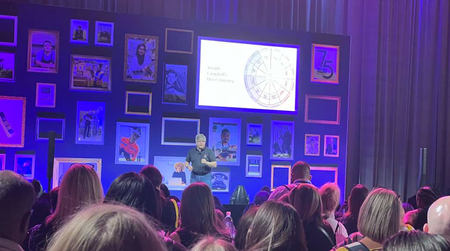
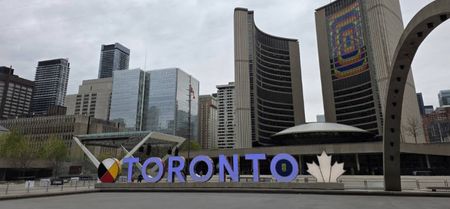
Where Community Took the Stage At the first NDC Toronto, Microsoft MVPs traveled from across North America and across the Atlantic to help shape a new chapter for the NDC community. They brought technical depth, personal stories, and community energy to a new stage, connecting with developers they had only met online and sharing ideas that reached beyond demos and frameworks into the human side of technology. “Being part of the first NDC Toronto felt like helping bring that spirit back to North America while also watching it find its own character.” - MVP Michelle Frost (Microsoft) speaking at NDC Toronto about Union types in C# Why These MVPs Made the Journey NDC events have long been known for warm speaker experiences, curious audiences, and a wide range of technical content. At the first NDC Toronto, that spirit showed up through talks on .NET, web development, architecture, AI, accessibility, ethics, and the stories behind the people building technology. For MVP David Whitney, speaking at NDC Toronto meant stepping into a new city, a newly reimagined event, and a fresh audience. He described NDC conferences as “some of the warmest, best organized and fun events in the industry,” and said they give him room to share “weird, creative, cultural things” that celebrate programmers finding themselves in their work. “As an MVP, speaking at events like NDC helps me connect with my peers, and share ideas that probably wouldn’t get a stage elsewhere.” - MVP David Whitney MVP Dylan Beattie has spoken at NDC events around the world, including London, Oslo, Porto, Sydney, and Minnesota. For him, Toronto was special because it brought “the NDC roadshow to a new country” and created space for the kind of in-person connection that makes community events so meaningful. Based in London, Dylan shared that Europe is right on his doorstep, so it can be easy to forget how significant a long-haul trip can be for North American developers attending European conferences. NDC Toronto gave him the chance to reverse that journey, meet people he had only known online, and show up for the community on their side of the Atlantic. “It was great to meet people I’d only ever spoken to online; I’m based in London, so Europe’s right on my doorstep and I forget that for a lot of folks in North America, making the trip across the Atlantic is a big deal, so it’s great to get the chance to go visit them for a change.” - MVP Dylan Beattie MVP Richard Campbell saw Toronto as a natural home for a new NDC event, with its downtown location, restaurants, hotels, transit, and energized local developer community. His session on the history of .NET connected longtime developers with newer generations, tracing how the platform evolved from a Windows-focused enterprise tool into a cross-platform, open-source toolset for the cloud. Reflecting on that arc, Richard said that “talking about .NET’s past made me even more excited about its future,” because it showed the team’s ability to keep evolving .NET for what comes next. For MVP Michelle Frost, NDC Toronto was also deeply personal. In her talk on ableism in AI, she spoke publicly on stage about having epilepsy for the first time, showing how technical conferences can create space for expertise, vulnerability, accessibility, and inclusion to share the same stage. “The program was deeply technical, but still made room for creativity, live music, humor, and the parts of our work that are harder to reduce to a demo or framework.” - MVP Michelle Frost What They Carried Home The first NDC Toronto highlighted how community events help MVPs do what they do best: share knowledge, start conversations, and create connections. Richard Campbell described the value of speaking to a “huge diversity of developers using different languages and tools,” adding that a polyglot conference creates a “polyglot of opinions.” Those different viewpoints are part of what makes technical communities stronger. “Every time I speak at NDC, I leave with a tonne of enthusiasm for our industry.” - MVP Richard Campbell The event also marked a new chapter for MVP Barry Stahl, who had been named a Microsoft MVP just four days before speaking at NDC Toronto. He shared that the recognition changed how he experienced the conference, helping him feel less like someone trying to absorb every detail and more like someone who belonged in the room. “It let me stop acting like an information vacuum and start acting like someone who actually belongs in the room.” - MVP Barry Stahl That sense of belonging matters. Whether MVPs traveled from London, Kansas City, Arizona, Vancouver, Sweden, or other parts of the world, their presence helped establish NDC Toronto as a place for learning, inclusion, and community leadership. & friends taking a selfie together. (Clockwise) Michelle Frost (MVP), Jimmy Bogard (MVP), Chris Ayers (Microsoft), Dylan Beattie (MVP), Kevlin Henney (community member) Want to learn more about the MVP Program? To find an MVP and learn more about the MVP Program visit the MVP Communities website and follow our updates on LinkedIn. Join us for a future live session through the Microsoft Reactor where we walk through what the MVP program is about, what we look for, and how nominations work. These sessions are designed to help you connect the dots between the work you’re already doing and the impact the MVP Program recognizes — with time for questions, examples, and real conversations. NDC Toronto240Views1like1CommentThe Event Ended. The Community Didn't.
In 2026, GitHub Copilot Dev Days set out to help developers build with AI. It did that — and then it did something bigger. It reminded a global community that the fastest way to grow isn't a download link or a documentation page. It's the people around you who are building the future alongside you. Across 58 countries, 294 community-led events brought 22,042 developers together face-to-face — not just to learn a tool, but to experience turning their own ideas into working software with AI. And behind it, in large part, were Microsoft MVPs who carried that experience straight to the places where developers live, learn, and build. The People at the Center of It All Trace the success of Dev Days back to its source and you don't find a content package — you find people. Organizers pointed again and again to one advantage above all: partnership with Microsoft MVPs and GitHub Stars, who were already embedded in their local ecosystems and knew how to bring developers together around something new. MVPs organized 104 of the 301 events worldwide — more than a third of the entire global series. But they did far more than host. They recruited attendees, localized the message, mentored newcomers, and kept the conversation alive long after the last session. That's the one thing a centralized program can't manufacture: trust. When developers show up to create alongside someone they already know from their local user group, they don't just attend — they build. One Global Template, Hundreds of Local Stories A developer in Seoul had a different night than one in Kampala, Mumbai, Lagos, or Lima — yet every event stood on the same foundation. Dev Days gave organizers a repeatable “event-in-a-box” so they could stop building slides from scratch and start building community. Many remixed the content into something entirely their own. The result was a campaign that scaled globally while still feeling unmistakably local — communities from South Korea to Pakistan, Norway to the Philippines, each bringing their own character to the same goal: helping developers turn imagination into reality with AI. Voices From the Community The real proof is in the words of the people who showed up to build — from Dublin to Seoul. MVP names link to their Microsoft MVP profiles. Dublin, Ireland: Over 40 developers packed the room to explore Copilot's agentic capabilities — and the energy stole the night. “The energy in the room was unreal — great people, great conversations.” — Hugo Barona, MVP, Dublin Norway: A community-run Dev Day at Enora drew a full house, co-hosted by MVP Johan Ludvig Brattås and fellow MVPs. The loudest message wasn't about any single tool. “I intentionally didn't mention a single AI tool by name.” — Maxim Salnikov, speaker, Norway Chennai, India: 100+ developers, packed sessions, and unstoppable energy — with a hands-on build of a Social Bingo game in Agent Mode. “We're not just hosting events — we're building a movement around AI-first development.” — Saravanan Ganesan, MVP, Chennai Nairobi, Kenya: In Nairobi, developers didn't just learn — they walked out with a fully offline, on-device AI health assistant running on their own machines. “Prompt engineering is the infrastructure.” — Edgar McOchieng, MVP, Nairobi Toronto, Canada: A full house of 250+ packed Microsoft's Toronto HQ for sessions on agentic workflows and CI/CD that thinks. “AI tools are evolving quickly, but the real advantage comes from communities that experiment, share lessons learned, and help each other deepen their expertise in building AI-powered solutions through local events such as GitHub Copilot Dev Days and practical hands-on labs..” — Jack Lee, MVP, Toronto Sahiwal, Pakistan: Dev Days didn't only land in the biggest hubs. In Sahiwal, students left thinking less about tools and more about how to lead them. “We have to be the driver — not let AI drive.” — Eman Tahir, attendee, Sahiwal Manila, Philippines: Hosted by DEVCON Philippines, Manila's developers saw hands-free, agent-powered development live — led by MVP Ziggy Zulueta. “Hands-free development isn't about replacing developers — it's about amplifying them.” — Ziggy Zulueta, MVP, Manila Seoul, South Korea Two tracks and four sessions showed how one Copilot subscription follows you across every editor — co-led by MVPs Kim Jinseok and Bora Lee, with Microsoft's Justin Yoo. “The only instruction I needed was: ‘upgrade it.’” — Kim Jinseok, MVP, Seoul Why This Matters More in the Age of AI Here's the lesson under all the numbers. AI is changing how we build faster than anyone can keep up with alone. The developers who thrive won't be the ones reading every release note in isolation — they'll be the ones plugged into a community that learns and builds out loud, together. That's what Dev Days revealed. The technology opened the door; the community — the MVP who answered “wait, how did you do that?”, the peer whose idea sparked yours — is what turned a one-time demo into the confidence to build something real. In the AI era, community isn't a nice-to-have on top of learning. It is the learning. The Event Is Over. Your Creating Isn't. The best community events don't end — they start something. Dev Days as a live series has wrapped, but every workshop, lab, and resource is still live, still free, and still waiting for you. You don't need an event on the calendar to keep building. You need an hour, your favorite IDE, and the same content thousands of developers just used to bring their own ideas to life. Start (or continue) at the central hub copilot-dev-days.github.io Everything is here: 12 hands-on workshops across 6 languages and 6 IDEs. Pick your stack and build something real: New to Copilot? Start free and self-paced with the GitHub Learn Labs at learn.github.com/skills. Go deeper: the Agent Labs (Python, TypeScript, Java, .NET) and Copilot CLI workshops take you from first prompt to real workflows. Your IDE, your way: dedicated labs for Visual Studio 2026, JetBrains / IntelliJ, and Xcode. Keep the resources close Content Kit & organizer repo: github.com/github/GitHub-Copilot-Dev-Days Copilot Docs: docs.github.com/en/copilot The real secret — keep creating with your local community Self-paced content teaches you the what. Your local MVPs and User Groups teach you the how, the why, and the shortcuts nobody wrote down. Find your local User Group on the Microsoft Tech Community User Groups directory and show up to the next meetup. Follow the MVPs who hosted Dev Days in your region — they're still posting, teaching, and building. The workshops are the map. Your community is the guide. Thank You, MVP Community Every city was a different story — a local organizer who spent their evenings on logistics, a speaker who volunteered a Saturday, a community leader who helped someone build their very first thing with AI. From Nairobi to Toronto, from Dublin to Seoul, from Chennai to Manila, MVPs showed the world what community-led creativity can do. Dev Days may have started as a global initiative, but its success was built one local community at a time — and that success belongs to the MVPs who made it happen. The events are over. The community is just getting started. Come build with us. Start a workshop today · Find your local User Group · Follow your local MVPs253Views2likes0CommentsMVP Mentoring Rings: Where Community Becomes a Catalyst
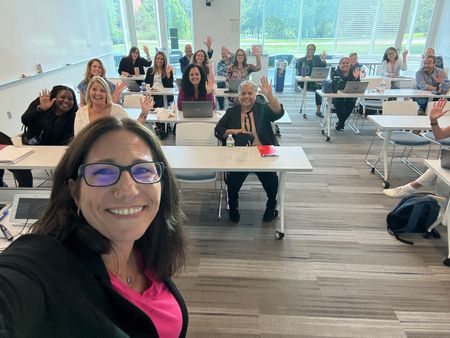
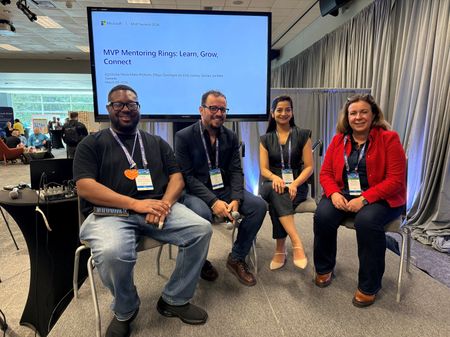
What if mentoring did not start with matching one expert to one learner, but with bringing a small circle of community leaders together to learn out loud? That is the idea behind MVP Mentoring Rings: small, community-led groups where Microsoft Most Valuable Professionals (MVPs) share experience, ask honest questions, and help one another grow. Unlike traditional one-to-one mentoring, Mentoring Rings are built around collective learning. The result is a model that feels both practical and deeply human - especially in a global community where connection across regions, languages, and experiences matters. Across the MVP community, Mentoring Rings have created space for something powerful: technologists showing up not just to teach, but to listen, encourage, and lead alongside one another. In a fast-moving industry, that kind of peer support can make all the difference. More than mentoring: a circle of shared momentum MVP Mentoring Rings were created to address a real need: even in a vibrant technical community, people can still feel isolated. The ring model offers a different path forward. Each group is intentionally small, guided by MVP Mentor Leads, and designed for recurring conversations rather than one-off advice. MVPs learn from one another through shared experiences, practical problem-solving, and accountability that grows over time. Why did MVPs participate? For many, it was about finding community as much as guidance. Some joined to better understand how to contribute in ways that felt authentic. Others wanted a space to navigate visibility, leadership, or the challenge of translating deep technical expertise into content, talks, demos, and impact for others. MVP Mentor Leads participated for another reason too: to give back in a way that scales generosity and multiplies belonging. When MVPs show up, others rise The most inspiring part of Mentoring Rings is how MVPs showed up for each other. They did not arrive as polished experts with all the answers. They came ready to be open, practical, and encouraging. MVP Christine Flora, who led a Women in the MVP Program Ring, described the experience this way: “Leading a Women in the MVP Program Ring reinforced how important representation, examples of someone like yourself, and showing up as your authentic self is for confidence and connection - especially when battling imposter syndrome.” That theme surfaced again and again: confidence grows when people feel seen. In Christine’s ring, one meaningful shift was helping participants move beyond the idea that they had to contribute exactly like someone else. As she shared, a major win was watching members realize “there are many, many ways to contribute and give to the community that fit their styles and personality types.” That is a powerful message for aspiring contributors and current MVPs alike: community leadership is not about copying a formula. It is about discovering your own voice and using it to help others. Confidence grows in spaces built for trust For MVP Sucheta Gawade, the value of the ring was rooted in psychological safety and clarity. She reflected that leading a ring reinforced the importance of “a psychologically safe, technical peer space” where MVPs from different domains could turn uncertainty into action. In her experience, mentoring became more than encouragement; it became a structured way to help people transform expertise into community-ready contributions such as talks, blogs, demos, and frameworks. That same sense of safety came through in MVP Agnieszka Mietz-Blijleven’s experience as a mentee. What surprised her most was how quickly trust and openness formed, even among people who had never met before. In that environment, she said, “real experience mattered more than titles” and honest reflection began to feel natural. Sucheta also saw quiet hesitation turn into confident engagement. One of her proudest wins as a Mentoring Ring Lead was helping her group move from “I am not sure what counts as technical contributions” to a clear, trackable plan for how they could participate. That kind of progress matters because it changes how people see themselves - not just as community members, but as future speakers, writers, mentors, and leaders. Agnieszka described a similar shift from the mentee side. The ring helped her recognize that she could support others not only through empathy, but through the strength of her own experience and skills. As she put it, the experience moved her mindset from wondering whether she was doing enough to recognizing that she already brought value - and could build on it with intention. Belonging sounds different in every language One of the strongest lessons from Mentoring Rings is that accessibility is not only about time zones or format. It is also about language, representation, and whether people feel safe enough to participate fully. MVP Ivana Tilca, who led a New to the MVP Program ring and a Women in Tech ring in Spanish, saw how quickly those layers intersected. She shared that one of the most powerful themes in her conversations was the hesitation some women felt about asking questions or speaking up because they were often among the few women in the room - and in some cases were also navigating events and meetings in a language that was not their own. That experience, she said, changed how she thinks about community events: inclusivity cannot be an afterthought; it has to be meaningfully designed in from the start. Ivana also reflected on what changed when conversations happened in Spanish. Having grown up bilingual, she said she had not always seen language as a barrier. But through the ring, she realized how much harder technical instructions, outreach, and even simple follow-up could feel for others. As she put it, “Not everyone speaks or understands English,” and for some MVPs, the language gap made “sending a simple inquiry or email feel nearly impossible” - especially when reaching out to Microsoft employees already felt intimidating. That perspective sits alongside what MVP Walter E Calcagno Lucares described in the Spanish-language ring: “Not having to translate my thoughts in real time allowed me to express myself with greater clarity and depth, which led to more strategic and meaningful conversations.” Together, their experiences make the case clearly: language-inclusive mentoring does more than remove friction. It creates trust, confidence, and a stronger sense of belonging. From the ring to the stage: Mentoring Rings at MVP Summit The momentum behind Mentoring Rings was also visible at MVP Summit in the session MVP Mentoring Rings: Learn, Grow, Connect. The session brought the spirit of the rings to a wider audience by centering real stories from mentors and mentees - what worked, what surprised them, and how mentoring helped both sides grow. It reinforced an important truth: mentoring in the MVP community is not one-directional. It is a shared experience that builds confidence, connection, and practical wisdom for everyone involved. Agnieszka Mietz-Blijleven captured that spirit by describing a meaningful moment from her ring: realizing how much wisdom can come from “a simple, honest conversation shared at exactly the right time.” For her, mentoring also brought perspective - showing how differently people can respond to the same situation and how often the hardest work is learning to stop criticizing yourself. Diego Domingos da Silva, Agnieszka Mietz-Blijleven, Sucheta Gawade (left to right) Designed to leave attendees with practical tips they could use right away, the session explored how to be a thoughtful mentor, how to get more from the mentee experience, and how to build meaningful, supportive relationships in the community. MVP Diego Domingos da Silva helped bring that message to life by reframing mentoring as something far more human than a formal exchange of answers. As he shared, he joined as a mentee expecting guidance but instead found “something closer to a support group of like-minded people in the community, sharing real experiences without the pressure of a work setting.” His reflection captures what made the MVP Summit panel resonate: mentoring was not presented as hierarchy, but as honest connection. Diego also spoke to the kind of growth that happens in these spaces. Rather than coming only from a perfectly mapped plan, he described growth as something that often takes shape through shared stories - hearing how others handled uncertainty, setbacks, and opportunity, and realizing you are not the only one figuring it out as you go. That perspective reinforced one of the panel’s strongest themes: mentoring creates momentum not because it removes uncertainty, but because it helps people move through it together. MVP Jeremy Sinclair added another important dimension to the panel: the idea that mentoring becomes most powerful when it is reciprocal. For him, the experience was not only about guiding others, but also about paying close attention to the ways mentees were already learning, contributing, and growing in their day-to-day work. His reflection underscored one of the session’s most resonant takeaways - that the best mentoring spaces create room for everyone to teach and everyone to learn. Agnieszka also connected mentoring to a very practical kind of growth: confidence in public speaking. She reflected that mentoring strengthened her on-stage presence by helping her stay steady in front of a live audience, navigate real-time reactions, and move through troubleshooting moments with diligence and calm. That kind of growth shows how mentoring does not stay inside the ring - it carries into talks, demos, and the visible moments where community leaders share what they know. The invitation: learn, lead, and lift someone else up MVP Mentoring Rings show what is possible when community leadership is shared. They help technologists grow their confidence, expand their networks, and see new possibilities for how they can contribute. They remind current MVPs that mentorship is not a side activity - it is part of how strong communities sustain themselves. As Agnieszka Mietz-Blijleven reflected, the rings create “continuity, confidence, and a culture of giving back.” And for aspiring MVPs, they offer a glimpse of what this community is really about: generosity, curiosity, and the willingness to help others thrive. If you are inspired by these stories, take the next step. Learn from the MVPs who are investing in others through Mentoring Rings. Look for ways to actively support and uplift people in your own tech community. Reflect on how you can be an ally - especially for those who may need representation, encouragement, or a clearer runway to be seen. And if you have been wondering whether you are ready to contribute more, start now. Share what you know, help someone take their next step, and keep building the kind of community that future MVPs will be proud to join. Want to learn more about the MVP Program? To find an MVP and learn more about the MVP Program visit the MVP Communities website and follow our updates on LinkedIn. Join us for a future live session through the Microsoft Reactor where we walk through what the MVP program is about, what we look for, and how nominations work. These sessions are designed to help you connect the dots between the work you’re already doing and the impact the MVP Program recognizes - with time for questions, examples, and real conversations.463Views6likes1CommentTech, Community, and a Movie: MVPs Help Bring Stir Trek to Life
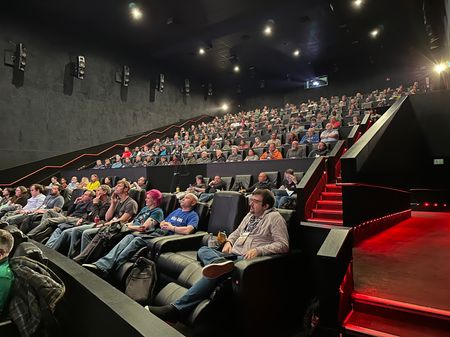
What happens when you combine a full day of technical learning with a movie theater full of developers, designers, and tech leaders - and a shared commitment to giving back? You get Stir Trek: Tech & a Flick, a one-day community conference in Columbus, Ohio, that ends not with closing slides, but with popcorn and a blockbuster movie. Since its first event in 2009, Stir Trek has built a reputation for being practical, welcoming, and unmistakably different. The format is simple: 50+ sessions of technical content, conversations with regional and national speakers, breakfast, lunch, movie refreshments, and a shared movie screening experience. But the impact goes beyond the agenda. Stir Trek also organizes a MEGA FOOD DRIVE to support local food banks and supports the Stir Scholarship, which provides support for women in Computer Science programs. For Microsoft MVPs, that combination of technical learning, community connection, and service makes Stir Trek a natural place to show up, share knowledge, and help others take their next step. Why MVPs Show Up This year, MVP speakers including Steve Smith, Barret Blake, Robert Fornal, Brian Gorman, Brian McKeiver, Cory House, Ed Charbeneau, Jay Harris, Joseph Guadagno, Matthew-Hope Eland, Sam Basu, and Samuel Gomez brought their expertise to the Stir Trek stage. Their sessions reflected what the MVP community does best: translate real-world experience into practical guidance that helps others learn, build, and grow. For MVP Brian McKeiver, the chance to speak at Stir Trek was also a chance to meet technologists where they are right now. “What stood out to me at Stir Trek was the sheer curiosity that almost every person had this year about AI tooling like GitHub Copilot CLI and Microsoft Foundry because everyone is on the same learning curve,” he shared. “We are all trying to learn tips and tricks, best practices, and what not to do when building AI solutions.” “Everyone is on the same learning curve.” - MVP Brian McKeiver That focus on usefulness is part of what makes the event stand out. Stir Trek’s audience includes people across disciplines and experience levels, from software developers and engineers to designers, IT pros, tech leaders, and aspiring community contributors. For speakers, that means designing sessions that are approachable, relevant, and grounded in what practitioners can apply immediately. MVP Robert Fornal brought that practical focus into his TypeScript session. “The session I brought to Stir Trek focused on TypeScript, which can be used right now, because I want developers to walk away with tangible improvements to their systems and processes,” he shared. That curiosity reinforced the value of practical, community-led learning. It also showed why MVPs continue to invest their time in events where the audience is ready to engage deeply and learn together - even when showing up requires a significant personal commitment. For MVP Joseph Guadagno, traveling from Arizona to Ohio to speak at Stir Trek was worth it because of the chance to connect with technologists from a different part of the country. “I get to meet technology people from a different part of the country which generally means different viewpoints and problems that need to be solved,” he shared. “The community impact I hoped to make was to further grow people. I hoped to at least meet and connect to one new person, which I did.” A Conference That Feels Different The movie-theater setting gives Stir Trek a character all its own. Instead of moving through a traditional conference center, attendees spend the day learning in theaters, connecting in shared spaces, and ending the experience together with a film. It creates a rhythm that feels both focused and fun. Brian also pointed to the event’s unique rhythm. “The mix of technical sessions, hallway conversations, and a shared movie experience creates a community experience that really is unmatched,” he said. “Stir Trek is and always has been a pretty unique conference. The sense of overall community is very strong there.” “The blend of technical sessions, hallway conversations, and a movie screening creates a community experience that really is unmatched.” - MVP Brian McKeiver That difference matters. The event is memorable not only because of the sessions, but because the structure invites people to stay, talk, laugh, learn, and participate in something shared. It lowers barriers, makes room for connection, and reminds attendees that community can be both purposeful and playful. For Robert Fornal, the format helps keep the focus on learning. “Stir Trek feels different from other technical conferences because of its unique theater environment and focused selection of high-quality presentations,” he said. “The movie-theater format changes the energy of the day by focusing the time on the presentation.” “The movie theater snack that best captures the spirit of Stir Trek is trail mix, because it has a little bit of everything.” - MVP Kevin Griffin The Community Work Behind the Curtain Stir Trek is also a reminder that great community events do not happen by accident. MVP organizers and community leaders help create the conditions that make the day work - from program planning and speaker coordination to attendee experience and the details that make the event feel welcoming. For organizers like MVP Kevin Griffin and MVP Carey Payette, the work reflects the same community-first mindset that defines the MVP Program. As Carey shared, one lesson from organizing Stir Trek is that accessibility goes beyond ticket price or session variety. “It is about creating a relaxed, friendly environment where people feel comfortable learning, connecting, and participating at whatever stage of their career they are in,” she said. “Stir Trek aims to keep prices low (budget cuts are very real in the tech industry) and offers scholarship tickets for students and the unemployed.” The giving component is central to that mission. Through its annual MEGA FOOD DRIVE and the Stir Scholarship, Stir Trek connects technical learning with tangible community impact. In 2023, attendees donated more than 1,400 pounds of food, and the scholarship program has awarded more than $87,000 to support women in Computer Science programs. Stir Trek - including MVPs Matthew-Hope Eland (second from left, front row), Samuel Gomez (third from left, front row), Carey Payette (right side, front row), Kevin Griffin (second from right, back row), and Steve Smith (right side, back row) Carey also described the impact organizers hope to create beyond the day itself: “A moment from organizing Stir Trek that reminded me why this work matters was hearing that attendees went back to work excited about what they learned. It is even better when those stories include people making professional connections, finding jobs, volunteering year after year, or giving their first tech talk at Stir Trek. That kind of impact makes all the planning worthwhile and proves that you can, in fact, build community inside a movie theater.” “You can, in fact, build community inside a movie theater.” — MVP Carey Payette Advice for Future Speakers, Organizers, and Community Builders For anyone hoping to get more involved - whether as a future speaker, volunteer, organizer, or attendee - the MVPs emphasized starting with contribution. Attend with curiosity. Ask questions. Share what you are learning. Look for gaps you can help fill. Community impact often begins with one practical step. For organizers, the advice is similar: start with the people you want to serve. “If a community wanted to create its own tech or shared experience event, I would encourage them to invite the people they would like to see in that environment,” said Kevin Griffin. “A lot of the success of Stir Trek was from us personally reaching out to people that we knew would make Stir Trek an amazing experience.” What They Took Home Like the best community events, Stir Trek sends people home with more than notes from a session. It gives attendees new ideas, new connections, and a reminder that technical communities thrive when people keep showing up for one another. Brian McKeiver said one moment he will remember is the curiosity attendees brought to conversations about AI tooling like GitHub Copilot CLI and Microsoft Foundry. That shared sense of learning reinforced one of Stir Trek’s strengths: people were not just attending sessions; they were comparing experiences, asking practical questions, and learning alongside one another. That mix of practical learning, community care, and shared fun is what makes Stir Trek memorable - and what makes MVP participation so meaningful. Whether they are speaking, organizing, mentoring, or simply making room for someone new to join the conversation, MVPs help events like Stir Trek become more than a day on the calendar. They become a place where community grows. Want to learn more about the MVP Program? To find an MVP and learn more about the MVP Program visit the MVP Communities website and follow our updates on LinkedIn. Join us for a future live session through the Microsoft Reactor where we walk through what the MVP program is about, what we look for, and how nominations work. These sessions are designed to help you connect the dots between the work you’re already doing and the impact the MVP Program recognizes — with time for questions, examples, and real conversations.208Views1like0CommentsFrom the Classroom to Community Impact: Lindsay Shelton’s MVP Journey
Where Curiosity Met Community Lindsay Shelton’s path to becoming a Microsoft MVP did not begin with a traditional tech resume. It began in the classroom, where she spent a decade teaching middle school English Language Arts before being selected to train as a technology and pre-engineering teacher. What carried her forward was not only technical curiosity, but also a deep belief in sharing knowledge, helping others grow, and building community. Today, that same mindset shapes her work as an Application Programmer, consultant, speaker, and community leader. “It was through sharing knowledge that I had learned with other teachers that even led me down this pathway and got me to where I am today.” From Teacher to Technologist Technology had always been part of Lindsay’s life. She grew up in a home where her father, a self-taught career switcher, explored HTML, CSS, graphic design, and web design long before career pivots became common conversation. Later, while teaching eighth-grade writing, Lindsay built a paperless classroom so she would not have to carry stacks of essays home. That practical problem-solving mindset led colleagues to seek her out, and soon she was sharing what she had learned while teaching STEM-focused courses. When burnout pushed her to imagine something different, she began looking for a new direction. An unexpected conversation at a community gathering opened the door to a role at a tech consultancy, growing from a lunch meeting into a part-time position and then a full-time opportunity in 2020. As Lindsay found her footing in tech, she also found her people - organizing events, speaking at user groups, and channeling the energy she once brought to teaching into community, collaboration, and helping other technologists solve real-world problems. “It’s not about the size of the crowd, it’s just about the impact really.” Building an Inclusive, Pay-It-Forward Community For Lindsay, the MVP Award represented more than recognition. It affirmed that she was contributing in meaningful ways and gave her more opportunities to advocate for the people she serves. She values how the MVP community helps members connect with product groups, share practical feedback, and influence better outcomes. Just as important, she believes community should be inclusive by design. Lindsay speaks openly about making space for people with different identities, backgrounds, and experiences - and about the responsibility allies have to listen, learn, and support without taking over. That perspective shapes the spaces she helps build and the way she encourages others entering tech from nontraditional paths. Her message is clear: community is strongest when people feel welcome, respected, and encouraged to contribute in their own way. “People want to help other people, especially MVPs. If you ask for help and you are given help, then remember to pay it forward.” Finding Her Voice on Stage As Lindsay became more involved in the community, she discovered that speaking was not just a professional skill - it was a way to connect. Her earliest contributions included helping organize SharePoint Saturday in Kansas City and speaking at local user groups, experiences that helped her explore what community leadership could look like outside the classroom. Over time, those smaller moments led to bigger opportunities, including her first international conference appearance at Scottish Summit. What stayed with her was not the size of the audience, but the relationships formed in those rooms. Whether she is presenting to a packed session or a handful of peers, Lindsay approaches every talk as a chance to make someone’s work a little easier, share a practical lesson, or help another person feel more confident showing up in tech spaces. “It was more like a jam session than a concert.” Advice for Career Changers and Future MVPs One of the most encouraging parts of Lindsay’s story is how directly it speaks to people who may not see a traditional path into tech. Her advice is practical: say yes to opportunities, even when they seem small or uncertain. Attend the local user group. Go to the networking event. Introduce yourself. Ask questions. Lindsay knows firsthand that career changes can feel intimidating, especially when confidence has not yet caught up with curiosity. But she also believes community can bridge that gap. For those interested in becoming an MVP one day, her example is a reminder that contributions take many forms—speaking, writing, organizing, mentoring, advocating, and simply helping others solve problems. The common thread is generosity: show up, share what you know, and when someone helps you, pay it forward. “Say yes to networking events, say yes to local user groups... you never know who you're going to meet.” Why This Matters Lindsay Shelton’s story matters because it challenges a common myth in tech: that there is only one right way to get here. Her journey shows that skills built in other careers - teaching, communication, adaptability, empathy, and problem-solving - can become powerful assets in technical spaces. It also highlights something equally important: community can be a catalyst. For aspiring MVPs, developers, IT Pros, and technologists, Lindsay’s example is a reminder that meaningful contributions do not begin with having all the answers. They begin with curiosity, generosity, and a willingness to participate. In a field that changes quickly, communities grow stronger when people with different experiences feel welcome to learn, share, and lead. Explore Lindsay’s Story - and Your Own Next Step If Lindsay Shelton’s story resonates with you, let it be a reminder that there is no single path into tech - or into community leadership. Whether you are early in your journey, changing careers, or looking for ways to contribute more deeply, there is value in showing up, learning in public, and helping others along the way. To learn more, visit Lindsay’s existing MVP Profile and LinkedIn, and explore the Microsoft MVP Program to see how community contributions can grow into meaningful impact. Want to Learn More About the MVP Program? To find an MVP and learn more about the MVP Program visit the MVP Communities website and follow our updates on LinkedIn or #mvpbuzz. Join us for a future live session through the Microsoft Reactor where we walk through what the MVP program is about, what we look for, and how nominations work. These sessions are designed to help you connect the dots between the work you’re already doing and the impact the MVP Program recognizes - with time for questions, examples, and real conversations.156Views2likes0Comments