bing
14 Topics
Edge and Bing Search - zsdch encoding: Why is it being used?
Seems Edge has been including zsdch in the accept-encoding header (from searching, as far back as 112). Couldn't find any documentation on this encoding type, only sdch which is considered defunct. We started having issues with Bing search starting around the end of June 2023, and with assistance from our Firewall vendor we identified this content-encoding as unsupported on the Firewall and blocked as evasion (default) by the AntiVirus scan. So, is this experimental, or new normal? user-agent:Mozilla/5.0 (Windows NT 10.0; Win64; x64) AppleWebKit/537.36 (KHTML, like Gecko) Chrome/114.0.0.0 Safari/537.36 Edg/114.0.1823.79 accept-encoding:gzip, deflate, br, zsdch accept-language:en-US,en;q=0.9,fr;q=0.8,mt;q=0.7Solved7.3KViews0likes12CommentsBing visual search built into Edge
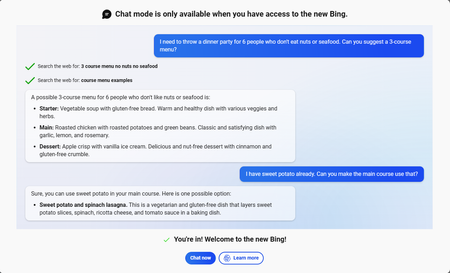
Currently Microsoft edge already has an image search shortcut in the context menu when selecting an image from the web, this is very useful, but Bing's search for images is quite raw still. Often not giving the proper results. But in recent days, https://www.microsoft.com/en-us/edge/features/bing-chat?form=MT00D8 has integrated the image upload and analysis function of GPT-4 that has greatly improved searches, so I wonder: Why don't we use this feature in conjunction with Bing Chat in the sidebar, to search for images using it?675Views0likes0CommentsWindows Copilot AI in Microsoft Edge | Integration with Windows
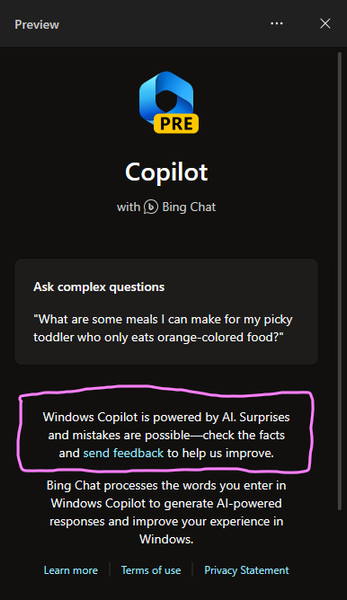
The latest version of Microsoft Edge canary 116.0.1923.0 has more improvements in the AI side of things, specifically, it's got a new icon, possibly indicating that it's more than the Bing Chat AI. It's being called Copilot and also Windows Copilot. Integration with Windows It's capable of doing other actions too such as changing Windows theme between dark/light modes. I haven't explored it more yet. You want to try this too? Check out this GitHub repository: https://github.com/HotCakeX/MSEdgeFeatures If you have the latest Edge canary installed, you can download this Edge canary shortcut and run the browser using that. Make sure Edge canary is not already open and Startup boost in edge://settings/system is not turned on. P.S. This is for advanced users only who know what they are doing, and there is no guarantee that that the features will work as expected since they are not officially announced yet.2.4KViews0likes0Comments
I am in Bing AI but I don't have the bing AI on my sidebar nor will the button redirect me.
I have tried multiple times to refresh, update ME, but it still keeps redirecting me to Bing AI as soon as it goes to the chat link... Is something bugged on my account? (It redirects to the chat link but goes back to the search again.) (and also yes, my windows 11 is up to date (in the settings))1.1KViews0likes1CommentRequest for Extension Suggestion for MS Edge: Inaccurate Bing Recommendations and Broken Links
I requested that Bing inform me of an extension for MS Edge that is like the official Firefox extension 'Container'. However, despite sending a link to the Firefox extension as an example, Bing continued to suggest a supposed 'Container extension for Edge'. Unfortunately, the link provided led to a 404-error page, which Bing continued to send to me even after I notified them of the issue. Eventually, I gave up on finding the extension I needed through Bing's suggestions. Ps.: Video attached572Views0likes0CommentsSS46: Hey Edge - voice control
Suggestion (SS): 46 Classification: VOICE CONTROL PRIORITY IN MY OPINION: 2-3 on a scale from 1 (low) to 10 (high) Bing already has some integration of voice control, Firefox too. Now i think it's time for Hey Edge function. Examples of tasks Hey Edge should be able to do: -Hey Edge, move tabs to the right to another window, hide it in macos, save PDF and add all links to bookmark folder IMPORT for all tabs in this new window; once done close the window. - Hey Edge, reload all techcommunity.microsoft - Hey Edge, change to Bing as default - Hey Edge, mute all - Hey Edge, volume 50% - Hey Edge, go to minute 3.45 - Hey Edge, loop mode - Hey Edge, loop from x to y - Hey Edge, set download path to configuration 1 - Hey Edge, search this with %s1 %s2 ... at the same time - Hey Edge, open %s settings - Hey Edge, add this search to %s and use abbreviation <ed - Hey Edge, duplicate 5 tabs from this - Hey Edge, change my profile image now - Hey Edge, launch xxx (an extension) - Hey Edge, quit Edge in 10 minutes - Hey Edge, open random website from folder XXX - Hey Edge, disable all extensions for 5 seconds. - Hey Edge, random open my most visited youtube links - Hey Edge, write new instagram post (by opening a 3. app for posting) - Hey Edge, activate all disabled extensions. - Hey Edge, reopen last closed session - Hey Edge, reopen last 7 tabs - Hey Edge, move tab to first - Hey Edge, color tab to red - Hey Edge, go back to the source (example when you open webpage a then b ... to z, go back to a) - Hey Edge, pipmode - Hey Edge, go to next video - Hey Edge, save to collections (last used) - Hey Edge, close tabs to left - Hey Edge, merge windows - Hey Edge, quit - Hey Edge, open flags - Hey Edge, activate flag xx - Hey Edge, restart - Hey Edge, share this page to xxx - Hey Edge, new mail to xxx - Hey Edge, install xxx - Hey Edge, create new profile for account mailto:a@a.com - Hey Edge, delete this profile - Hey Edge, activate vpn now (once integrated) - Hey Edge, change background new tab pictures from onedrive folder AA to BB - Hey Edge, open all links inside folder XXX - Hey Edge, download all images that i click in the future, stop it once i say stop - Hey Edge, launch beta profile xxx - Hey Edge, show me when i visited this page in the past - Hey Edge, add this page to bookmarks (using recent folder) as shortcut <emis - Hey Edge open 6x incognito pages with url http://www.... - Hey Edge, ban all selected email from outlook - Hey Edge, start new chat support session - Hey Edge, new feedback - Hey Edge, share this file (in onedrive = this mean you copy directly the url) - Hey Edge, save all picture to onedrive - Hey Edge, open word - Hey Edge, find similar websites - Hey Edge, show me my IP - Hey Edge, export this image as png - Hey Edge, save this files to xxx and rename it as yyy - Hey Edge, open Missy Edge profile - Hey Edge, run workspace 4 now - Hey Edge, run highlight mode now (once integrated) - Hey Edge, save next selected texts to collections - Hey Edge, search hello in youtube as playlist - Hey Edge, disable notifications from all future visited pages - Hey Edge, activate flash always - Hey Edge, open all selected urls in edge dev profile 3 (if we use canary for example) - Hey Edge, copy all urls from tabs - Hey Edge, add selected tabs to my vertical favorite tabs (once integrated) - Hey Edge, open with profile 2 .... (once container is integrated) - Hey Edge, download all images from tabs - Hey Edge, create merge all tab groups and move to new window by hiding it in macos - Hey Edge, download all files in this website with torrent (once integrated) - Hey Edge, open in tabs selected links - Hey Edge, export bookmarks every 5 minutes to my mac - Hey Edge, reverse search this image - Hey Edge, show me social accounts of this person (from a video/photo) - Hey Edge, create new outlook alias mailto:b@.... - Hey Edge, change outlook recovery email to .... - Hey Edge, ban all social accounts for 4 hours - Hey Edge, add label xxx to this page (for history panel, once integrated) - Hey Edge export last 7 days of history to my desktop folder xxx - Hey Edge, activate kids mode - Hey Edge, create new rule for this email and use setting 1 (example forward to 3 emails ...) - etc. If we can run such multiple rules without Hey Edge would be cool too, so something in keyboard maestro style. Obviously first we need to support a better way to run such actions and similar actions without Hey Edge, but once this is done, different action can be implemented in Hey Edge too. Then it depends, sometimes is much faster to do manually instead of saying Hey Edge... (and maybe Hey Edge doesn't understand what we say too...., like Bing does) To be more faster instead of saying "Hey Edge, save pdf for all tabs to the right" or similar, we just say "Hey Edge, pdf right". The same for all other examples You can even integrate a smart Hey Edge, where i can combine my manual and Hey Edge actions. Example: i'm reading a pdf. at the same time i say "Hey Edge, pdf right once i say NOW". then i read pdf on tab 2, 3, 4, 5. Once done i say "NOW" and you export all pdf to the right (based on the tabs where i requested this rule). This means in the same time i can close and open new tabs, you do the action only once i say "NOW". Such "NOW" actions can be implemented in so many workflows and would be a great productivity boost.3.3KViews0likes4CommentsSS11: Datahoarding Suggestions - Save PDF, Save Page, Save Images, One Drive, Web Archive, etc.
Suggestion (SS): 11 Classification: DATAHOARDING BACKUP PRIORITY IN MY OPINION: 5-6 in a scala 1 (low) - 10 (high) Hello there, i finish my list with some other suggestions related to the datahoarding activity. Various suggestions about download/save in easily way were already reported before. For Datahoarders coming from https://old.reddit.com/r/DataHoarder/ or https://old.reddit.com/r/appledatahoarding/ here my label about datahoarding, where you can find previous suggestions related to hoarding: https://link.ws/edgedatahoarding or here about onedrive https://link.ws/onedrivehoarding If i forgot something, just add a comment (login is necessary). Remember that suggestions related to download etc. has been submitted previously. Here additional suggestions: 1) remember to add save as pdf in menubar PRIORITY 10 2) remember to add save as pdf as a button PRIORITY 9 3) remember to add export page as a button PRIORITY 9 4) improve integration with onedrive, this means: 4a) i told you about overlay button over photos etc to save it. remember to add even a onedrive integration 4b) add a setting where we can define some onedrive path, and then we can click save photo, movie, pdf to such path inside right click menu, menu bar, via extension button or using a shortcut. 4c) add a way to save pages as pdf in one drive. in batch mode would be cool too, for example i tell you "every reddit link, save as pdf in onedrive in background" 4d) same but export the whole page in onedrive. automatically too. 5) webarchive integration. show links in webarchive or faster way to save pages to webarchive 6) inside bing, an overlay over the picture to save it in onedrive, without need to open full image or full page (this mean directly on the small image). 7) a way to backup automatically all bookmarks as pdf and as whole page in onedrive 😎a way that if i select some links in history you do 7) too 9) same as 8 with collections 10) same as 9 with links that i select, for example if i see in wikipedia a text with 5 links, i select this and click save as pdf 11) batch save multiple tab as pdf in onedrive and to mac too. 12) same but with export webpage 12b) same as 11,12 for the whole window 13) better integration of onedrive during various workflow, this means quick access via an extension or something other 14) dragdrop zone in eagle style/dropmark, this means i dragdrop x images to this drop zone and then i can select save to onedrive or to mac (with option to select optionally which folder). PRIORITY 7 15) backup history to onedrive 16) backup collections to onedrive 17) backup bookmarks to onedrive PRIORITY 8 18) for 15-17 remember to add safety folder, this means if i delete links or other, i still see it somewhere (= keep all versions!) 19) ability to backup setting of edge to onedrive 20) ability to save bookmarks page (or some folder) to webarchive in batch 21) same as 20 for selected links in history 22) same as 21 for whole tabs or windows. 23) ability to save a screenshot in onedrive with background process. 24) ability to save all submitted files to feedback center in my onedrive (in case we need it for other situation). this is not my case, because i use external cloud, but maybe for other users. 25) or integration of onedrive with feedback, instead of posting links 26) ability to play quickly videos from onedrive (without need to visit page/bookmarks). so something like shortcuts i wrote last time <od or via a button extension. maybe even add a random play mode and a remember what i watched last time, so that once i write <od oc you play last episode of occalifornia, from the exact position. instead if i write $$<od or something similar you play a random episode (check https://link.ws/edgess7) 27) ability to generate bookmarks from a onedrive folder. this mean if i have video 1-20 inside folder a, you create a folder a in bookmark with url 1-20 28) ability to save files offline, in netflix style, where you delete it after 5 days for example. so this is not about using the button "download". you save it inside a temporary edge folder. 29) drag drop from one drive to tab doesn't work 30) same if i drag photo from tab 1 to tab 2 and i release this in onedrive 31) if i select x file in onedrive, no option to choose "open in tabs" 32) check the drag drop option to onedrive web (no matter if i do it from collection, bookmarks, history) PS: generally all suggestions should implement both save to onedrive and save to mac option. same for save as pdf and export webpage. would be better if different thing can be done automatically in background and maybe with closed tabs (like saving pages to webarchive). would be cool if you can support save pdf/page from a logged account, so avoid to save as public webpage (because in such case we see "please login"... optionally we can integrate archive.is support, but at the end webarchive is the main used. to integrate 2 different services can maybe be complex for developers. i still think at least one should be available. Edge Dev, please check https://link.ws/edgeonedrive too, maybe some user wrote directly in the other post. Now i made some suggestions about onedrive web too: https://link.ws/onedriveweb you can vote these here too https://link.ws/voteonedriveweb You can find this suggestion on Chromium too: CHECKLATER* --------------- All my other suggestions are here: https://link.ws/edgesuggestions Suggestions I liked from other user here: https://link.ws/othersuggestions Chromium suggestions list 1: https://link.ws/chrome1 2: https://link.ws/chrome2 From end 2020-10 all suggestions are written on both Edge and Chrome at the same time, suggestions before 2020-10 are available only on Chrome. *to avoid a ban from Google, I submit only limited post pro week.4.6KViews0likes2Comments