bash script
2 TopicsPostgreSQL: Migrating Large Objects (LOBs) with Parallelism and PIPES
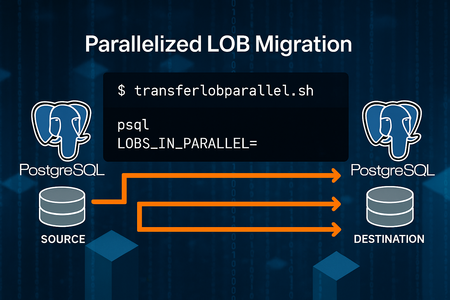
Why This Approach? Migrating large objects (LOBs) between PostgreSQL servers can be challenging due to size, performance, and complexity. Traditional methods often involve exporting to files and re-importing, which adds overhead and slows down the process. Also, there could be some Cloud restrictions that limit the usage of other tools like: Pgcopydb: Welcome to pgcopydb’s documentation! — pgcopydb 0.17~dev documentation Or other techniques like using RLS: SoporteDBA: PostgreSQL pg_dump filtering data by using Row Level Security (RLS) This solution introduces a parallelized migration script that: Reads directly from pg_largeobject. Splits work across multiple processes using the MOD() function on loid. Streams data via PIPES—no intermediate files. Scales easily by adjusting parallel degree. *Possible feature*: Commit size logic to supports resume logic by excluding already migrated LOBs. Key Benefits Direct streaming: No temporary files, reducing disk I/O. Parallel execution: Faster migration by leveraging multiple processes. Simple setup: Just two helper scripts for source and destination connections. Reference Scripts reference: Moving data with PostgreSQL COPY and \COPY commands | Microsoft Community Hub Source Connection -- pgsource.sh -- To connect to source database -- PLEASE REVIEW CAREFULLY THE CONNECTION STRINGS TO CONNECT TO SOURCE SERVER PGPASSWORD=<password> psql -t -h <sourceservername>.postgres.database.azure.com -U <username> <database> -- Permissions to execute chmod +x pgsource.sh Destination Connection -- pgdestination.sh -- To connect to target database -- PLEASE REVIEW CAREFULLY THE CONNECTION STRINGS TO CONNECT TO DESTINATION SERVER PGPASSWORD=<password> psql -t -h <destinationservername>.postgres.database.azure.com -U <username> <database> -- Permissions to execute chmod +x pgdestination.sh Parallel Migration Script -- transferlobparallel.sh -- To perform the parallel migrations of lobs echo > nohup.out echo 'ParallelDegree: '$1 'DateTime: '`date +"%Y%m%d%H%M%S"` # Check if no large objects to migrate count=$(echo "select count(1) from pg_largeobject;"|./pgsource.sh) count=$(echo "$count" | xargs) if [ "$count" -eq 0 ]; then echo "There are no large objects to migrate. Stopping the script." exit 0 fi par=$1 for i in $(seq 1 $1); do nohup /bin/bash <<EOF & echo "\copy (select data from (select 0 as rowsort, 'begin;' as data union select 1, concat('SELECT pg_catalog.lo_create(', lo.loid, ');SELECT pg_catalog.lo_open(', lo.loid, ', 131072);SELECT pg_catalog.lowrite(0,''', string_agg(lo.data, '' ORDER BY pageno), ''');SELECT pg_catalog.lo_close(0);') from pg_largeobject lo where mod(lo.loid::BIGINT,$par)=$i-1 group by lo.loid union select 2, 'commit;') order by rowsort) to STDOUT;"|./pgsource.sh|sed 's/\\\\\\\/\\\\/g'|./pgdestination.sh; echo "Execution thread $i finished. DateTime: ";date +"%Y%m%d%H%M%S"; EOF done tail -f nohup.out|grep Execution -- Permissions to execute chmod +x transferlobparallel.sh -- NOTE Please pay attention during the script execution, it will never finish as last line is “tail -f nohup…”, you need to monitor if all the threads already finished or checking in a different session the “psql” processes are still working or not. How to Run ./transferlobparallel.sh <ParallelDegree> Example: ./transferlobparallel.sh 3 Runs 3 parallel processes to migrate LOBs directly to the destination server. Performance Results Please find basic metrics taking into consideration that client linux VM with accelerated networking was co-located in same region/AZ than source and target Azure Database for PostgreSQL Flexible servers, servers and linux client based in Standard 4CPU SKUs, no other special configurations. 16 threads: ~11 seconds for 500MB. CPU usage: ~15% at 16 threads. Estimated migration for 80GB: ~30 minutes Key Takeaways This approach dramatically reduces migration time and complexity. By combining PostgreSQL’s pg_largeobject with parallelism and streaming, without intermediate storage, and using only psql client command as required client software. Disclaimer The script is provided as it is. Please review carefully when running/testing, the script is just a starting point to show how to migrate large objects in a parallelized way without intermediate storage, but it can be also implemented/improved using other methods as mentioned.Automation script for list out all resources
Hi all, This script will help you to list out all resources under you subscriptions. It's fully automation, in a single click you can get all resources details in you environment. How it's working: getting all subscription details, getting all resource group details under your subscription list out all resources one by one --------------------------------------------------------------------------------------------------------------- Automation Script: #Get Subscription count subcount=$(az account list --query [].name |jq '. |length') num=0 while [ $num -lt $subcount ] do #Getting Subscription ID subname=$(az account list --query [${num}].id -o tsv) #Getting Subscription Name subname1=$(az account list --query [${num}].name -o tsv) #setting up Subscription az account set --subscription $subname echo "$subname1" #Getting Resource Group count count=$(az group list --subscription $subname --query [].name | jq '. | length') number=0 while [ $number -lt $count ] do #Getting Resource Group Name name=$(az group list --subscription $subname --query [${number}].name -o tsv) echo " Resource Group Name= $name " #list out all resources az resource list --resource-group $name --query "[].{ResourceName:name, Type:type,CreationDate:createdTime}" --output table number=$(( number+1)) done num=$((num+1)) done --------------------------------------------------------------------------------------------------------------- Sample Output: Subscription name XXXXXXXXXXXXXXXXX Resource Group name XXXXXXXXXXXXX Resource Name Type CreationDate xxxxxxxxxx xxxxxxxxxxxxx xxxxxxxxxxxxxxxxxx xxxxxxxxxxxxxxxx xxxxxxxxxxxxx xxxxxxxxxxxxxxxxxx xxxxxxxxxxxxxxx xxxxxxxxxxxxx xxxxxxxxxxxxxxxxxx Resource Group Name XXXXXXXXXXXX Resource Name Type CreationDate xxxxxxxxxx xxxxxxxxxxxxx xxxxxxxxxxxxxxxxxx xxxxxxxxxxxxxxxx xxxxxxxxxxxxx xxxxxxxxxxxxxxxxxx xxxxxxxxxxxxxxx xxxxxxxxxxxxx xxxxxxxxxxxxxxxxxx xxxxxxxxxxxxxxx xxxxxxxxxxxxx xxxxxxxxxxxxxxxxxx xxxxxxxxxxxxxxx xxxxxxxxxxxxx xxxxxxxxxxxxxxxxxx xxxxxxxxxxxxxxx xxxxxxxxxxxxx xxxxxxxxxxxxxxxxxx Hope this will help, more query please ping me.976Views0likes0Comments