azure sql db
84 TopicsAZURE SQL DB AND LOG ANALYTICS BETTER TOGETHER – PART #3 - Query AUDIT data or Who dropped my TABLE?
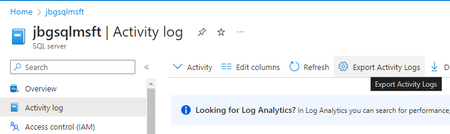
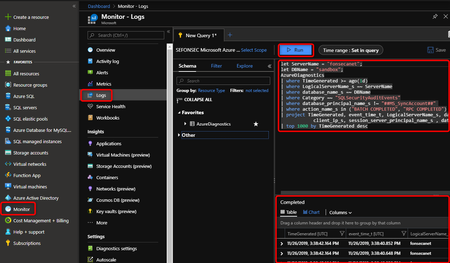
On Azure SQL DB you can have AUDIT data saved to Storage Account, Log Analytics and Event Hub. Log Analytics will be the easiest way to investigate this data. In this post I will show how to query AUDIT data on Log Analytics.8.7KViews5likes3CommentsAZURE SQL DB AND LOG ANALYTICS BETTER TOGETHER – PART #1
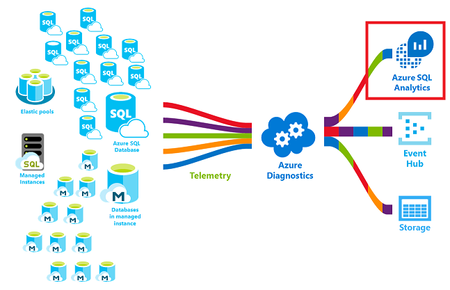
As a DBA you may want to query SQL Audit and SQL Diagnostics information. The easiest way to do this is sending to Log analytics that is part of Azure Monitor You can also send this data to Event Hubs and storage accounts. On this post I will focus on Log Analytics29KViews4likes1CommentLesson Learned #392:Querying Extended Events and Sending Results via Email using PowerShell
In this article, we will explore how to leverage PowerShell to query extended events in SQL Server and send the results via email. Extended events provide valuable insights into Azure SQL performance and activity, and automating the process of querying and receiving the results can greatly enhance monitoring and analysis capabilities. We used to have this questions about how to receive an email when a live query took more than specific duration time.3.8KViews4likes3CommentsPrinciple 'XYZ' could not be found or this principal type is not supported - Azure SQL DB and MI
In this blog article, we will be discussing the possible scenarios to get the error "Principle 'XYZ' could not be found or this principal type is not supported" while adding an AAD user or group to your Azure SQL database or Azure SQL managed instance.81KViews4likes8Comments
How to Capture the Actual Execution Plan in Azure SQL Database
This article describes steps how you can retrieve the actual execution plan of a query directly from the runtime statistics, without having to extract the query first and run it separately outside of the application.14KViews4likes0Comments
Learnings from the Trenches - Azure SQL Database Best Practice Performance recommendations
This article will guide you through a series of recommendations to improve performance on your database. In addition, it will refer to various public documents that can complement the actions described in this article.11KViews4likes0CommentsConnect to Azure SQL Database using a custom domain name with Microsoft Entra ID authentication
Many of us might prefer to connect to Azure SQL Server using a custom domain name (like devsqlserver.mycompany.com) rather than the default fully qualified domain name (devsqlserver.database.windows.net), often because of application-specific or compliance reasons. This article details how you can accomplish this when logging in with Microsoft Entra ID (for example, user@mycompany.com) in Azure SQL Database specific environment. Frequently, users encounter errors similar to the one described below during this process. Before you start: If you use SQL authentication (SQL username/password), the steps are different. Refer the following article for that scenario: How to use different domain name to connect to Azure SQL DB Server | Microsoft Community Hub With SQL authentication, you can include the server name in the login (for example, username@servername). With Microsoft Entra ID authentication, you don’t do that—so your custom DNS name must follow one important rule. Key requirement for Microsoft Entra ID authentication In an Azure SQL Database (PaaS) environment, the platform relies on the server name portion of the Fully Qualified Domain Name (FQDN) to correctly route incoming connection requests to the appropriate logical server. When you use a custom DNS name, it is important that the name starts with the exact Azure SQL server name (the part before .database.windows.net). Why this is required: Azure SQL Database is a multi-tenant PaaS service, where multiple logical servers are hosted behind shared infrastructure. During the connection process (especially with Microsoft Entra ID authentication), Azure SQL uses the server name extracted from the FQDN to: Identify the correct logical server Route the connection internally within the platform Validate the authentication context This behavior aligns with how Azure SQL endpoints are designed and resolved within Microsoft’s managed infrastructure. If your custom DNS name doesn’t start with the Azure SQL server name, Azure can’t route the connection to the correct server. Sign-in may fail and you might see error 40532 (as shown above). To fix this, change the custom DNS name so it starts with your Azure SQL server name. Example: if your server is devsqlserver.database.windows.net, your custom name must start with 'devsqlserver' devsqlserver.mycompany.com devsqlserver.contoso.com devsqlserver.mydomain.com Step-by-step: set up and connect Pick the custom name. It must start with your server name. Example: use devsqlserver.mycompany.com (not othername.mycompany.com). Create DNS records for the custom name. Create a CNAME or DNS alias to point the custom name to your Azure SQL server endpoint (public) or to the private endpoint IP (private) as per the blog mentioned above. Check DNS from your computer. Make sure devsqlserver.mycompany.com resolves to the right address before you try to connect. Connect with Microsoft Entra ID. In SSMS/Azure Data Studio, set Server to your custom server name and select a Microsoft Entra ID authentication option (for example, Universal with MFA). Sign in and connect. Use your Entra ID (for example, user@mycompany.com). Example: Also, when you connect to Azure SQL Database using a custom domain name, you might see the following error: “The target principal name is incorrect” Example: This happens because Azure SQL’s SSL/TLS certificate is issued for the default server name (for example, servername.database.windows.net), not for your custom DNS name. During the secure connection process, the client validates that the server name you are connecting to matches the name in the certificate. Since the custom domain does not match the certificate, this validation fails, resulting in the error. This is expected behavior and is part of standard security checks to prevent connecting to an untrusted or impersonated server. To proceed with the connection, you can configure the client to trust the server certificate by: Setting Trust Server Certificate = True in the client settings, or Adding TrustServerCertificate=True in the connection string This bypasses the strict name validation and allows the connection to succeed. Note: Please use the latest client drivers (ODBC/JDBC/.NET, etc.). In some old driver versions, the 'TrustServerCertificate' setting may not work properly, and you may still face connection issues with the same 'target principal name is incorrect' error. So, it is always better to keep drivers updated for smooth connectivity with Azure SQL. Applies to both public and private endpoints: This naming requirement and approach work whether you connect over the public endpoint or through a private endpoint for Azure SQL Database scenario, as long as DNS resolution for the custom name is set up correctly for your network.520Views3likes1Comment
Using ClientConnectionId to Correlate .NET Connection Attempts in Azure SQL
Getting Better Diagnostics with ClientConnectionId in .NET A few days ago, I was working on a customer case involving intermittent connectivity failures to Azure SQL Database from a .NET application. On the surface, nothing looked unusual. Retries were happening. In this post, I want to share a simple yet effective pattern for producing JDBC-style trace logs in .NET — specifically focusing on the ClientConnectionId property exposed by SqlConnection. This gives you a powerful correlation key that aligns with backend diagnostics and significantly speeds up root cause analysis for connection problems. Why ClientConnectionId Matters Azure SQL Database assigns a unique identifier to every connection attempt from the client. In .NET, this identifier is available through the ClientConnectionId property of SqlConnection. According to the official documentation: The ClientConnectionId property gets the connection ID of the most recent connection attempt, regardless of whether the attempt succeeded or failed. Source: https://learn.microsoft.com/en-us/dotnet/api/system.data.sqlclient.sqlconnection.clientconnectionid?view=netframework-4.8.1 This GUID is the single most useful piece of telemetry for correlating client connection attempts with server logs and support traces. What .NET Logging Doesn’t Give You by Default Unlike the JDBC driver, the .NET SQL Client does not produce rich internal logs of every connection handshake or retry. There’s no built-in switch to emit gateway and redirect details, attempt counts, or port information. What you do have is: Timestamps Connection attempt boundaries ClientConnectionId values Outcome (success or failure) If you capture and format these consistently, you end up with logs that are as actionable as the JDBC trace output — and importantly, easy to correlate with backend diagnostics and Azure support tooling. Below is a small console application in C# that produces structured logs in the same timestamped, [FINE] format you might see from a JDBC trace — but for .NET applications: using System; using Microsoft.Data.SqlClient; class Program { static int Main() { // SAMPLE connection string (SQL Authentication) // Replace this with your own connection string. // This is provided only for demonstration purposes. string connectionString = "Server=tcp:<servername>.database.windows.net,1433;" + "Database=<database_name>;" + "User ID=<sql_username>;" + "Password=<sql_password>;" + "Encrypt=True;" + "TrustServerCertificate=False;" + "Connection Timeout=30;"; int connectionId = 1; // Log connection creation Log($"ConnectionID:{connectionId} created by (SqlConnection)"); using SqlConnection connection = new SqlConnection(connectionString); try { // Log connection attempt Log($"ConnectionID:{connectionId} This attempt No: 0"); // Open the connection connection.Open(); // Log ClientConnectionId after the connection attempt Log($"ConnectionID:{connectionId} ClientConnectionId: {connection.ClientConnectionId}"); // Execute a simple test query using SqlCommand cmd = new SqlCommand("SELECT 1", connection) { Log($"SqlCommand:1 created by (ConnectionID:{connectionId})"); Log("SqlCommand:1 Executing (not server cursor) SELECT 1"); cmd.ExecuteScalar(); Log("SqlDataReader:1 created by (SqlCommand:1)"); } } catch (SqlException ex) { // ClientConnectionId is available even on failure Log($"ConnectionID:{connectionId} ClientConnectionId: {connection.ClientConnectionId} (failure)"); Log($"SqlException Number: {ex.Number}"); Log($"Message: {ex.Message}"); return 1; } return 0; } // Simple logger to match JDBC-style output format static void Log(string message) { Console.WriteLine( $"[{DateTime.Now:yyyy-MM-dd HH:mm:ss}] [FINE] {message}" ); } } Run the above application and you’ll get output like: [2025-12-31 03:38:10] [FINE] ConnectionID:1 This attempt server name: aabeaXXX.trXXXX.northeurope1-a.worker.database.windows.net port: 11002 InstanceName: null useParallel: false [2025-12-31 03:38:10] [FINE] ConnectionID:1 This attempt endtime: 1767152309272 [2025-12-31 03:38:10] [FINE] ConnectionID:1 This attempt No: 1 [2025-12-31 03:38:10] [FINE] ConnectionID:1 Connecting with server: aabeaXXX.trXXXX.northeurope1-a.worker.database.windows.net port: 11002 Timeout Full: 20 [2025-12-31 03:38:10] [FINE] ConnectionID:1 ClientConnectionID: 6387718b-150d-482a-9731-02d06383d38f Server returned major version: 12 [2025-12-31 03:38:10] [FINE] SqlCommand:1 created by (ConnectionID:1 ClientConnectionID: 6387718b-150d-482a-9731-02d06383d38f) [2025-12-31 03:38:10] [FINE] SqlCommand:1 Executing (not server cursor) select 1 [2025-12-31 03:38:10] [FINE] SqlDataReader:1 created by (SqlCommand:1) [2025-12-31 03:38:10] [FINE] ConnectionID:2 created by (SqlConnection) [2025-12-31 03:38:11] [FINE] ConnectionID:2 ClientConnectionID: 5fdd311e-a219-45bc-a4f6-7ee1cc2f96bf Server returned major version: 12 [2025-12-31 03:38:11] [FINE] sp_executesql SQL: SELECT 1 AS ID, calling sp_executesql [2025-12-31 03:38:12] [FINE] SqlDataReader:3 created by (sp_executesql SQL: SELECT 1 AS ID) Notice how each line is tagged with: A consistent local timestamp (yyyy-MM-dd HH:mm:ss) A [FINE] log level A structured identifier that mirrors what you’d see in JDBC logging If a connection fails, you’ll still get the ClientConnectionId logged, which is exactly what Azure SQL support teams will ask for when troubleshooting connectivity issues.481Views3likes0Comments