azure postgres
4 Topics
Azure PostgreSQL Lesson Learned#12: Private Endpoint Approval Fails for Cross Subscription
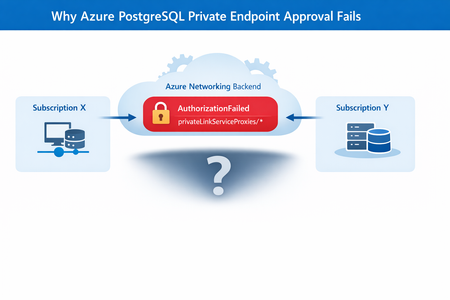
Co‑authored with HaiderZ-MSFT Symptoms Customers experience issues when attempting to approve a Private Endpoint for Azure PostgreSQL Flexible Server, particularly in cross‑subscription or cross‑tenant setups: Private Endpoint remains stuck in Pending state Portal approval action fails silently or reverts Selecting the Private Endpoint displays a “No Access” message Activity logs show repeated retries followed by failure Common Error Message AuthorizationFailed: The client '<object-id>' does not have authorization to perform action 'Microsoft.Network/privateEndpoints/privateLinkServiceProxies/write' over scope '<private-endpoint-resource-id>' or the scope is invalid. Root Cause Although the approval action is initiated from the PostgreSQL Flexible Server (service provider resource), Azure performs additional network‑level operations during approval. Specifically, Azure must update a Private Link Service Proxy on the Private Endpoint resource, which exists in the consumer subscription. When the Private Endpoint resides in a different subscription or tenant, the approval process fails if: Required Resource Providers are not registered, or The approving identity lacks network‑level permissions on the Private Endpoint scope In this case, the root cause was missing Resource Provider registration, resulting in an AuthorizationFailed error during proxy updates. Required Resource Providers Microsoft.Network Microsoft.DBforPostgreSQL If either provider is missing on either subscription, the approval process will fail regardless of RBAC configuration. Mitigation Steps Step 1: Register Resource Providers (Mandatory) Register the following providers on both subscriptions: Microsoft.Network Microsoft.DBforPostgreSQL This step alone resolves most cross‑subscription approval failures. Azure resource providers and types - Azure Resource Manager | Microsoft Learn Step 2: Validate Network Permissions Ensure the approving identity can perform: Microsoft.Network/privateEndpoints/privateLinkServiceProxies/write Grant Network Contributor if needed. Step 3: Refresh Credentials and Retry If changes were made recently: Sign out and sign in again Retry the Private Endpoint approval Post‑Resolution Outcome After correcting provider registration and permissions: Private Endpoint approval succeeds immediately Connection state transitions from Pending → Approved No further authorization or retry errors PostgreSQL connectivity works as expected Prevention & Best Practices Pre‑register required Resource Providers in landing zones Validate cross‑subscription readiness before creating Private Endpoints Document service‑specific approval requirements (PostgreSQL differs from Key Vault) Automate provider registration via policy or IaC where possible Include provider validation in enterprise onboarding checklists Why This Matters Missing provider registration can lead to: Failed Private Endpoint approvals Confusing authorization errors Extended troubleshooting cycles Production delays during go‑live A simple subscription readiness check prevents downstream networking failures that are difficult to diagnose from portal errors alone. Key Takeaways Issue: Azure PostgreSQL private endpoint approval fails across subscriptions Root Cause: Missing Resource Provider registration Fix: Register Microsoft.Network and Microsoft.DBforPostgreSQL on both subscriptions Result: Approval succeeds without backend authorization failures References Manage Azure Private Endpoints – Azure Private Link Approve Private Endpoint Connections – Azure Database for PostgreSQL Private Endpoint Overview – Azure Private Link227Views0likes0CommentsAzure PostgreSQL Lesson Learned#9: How to Stay Informed About Planned Maintenance and Alerts
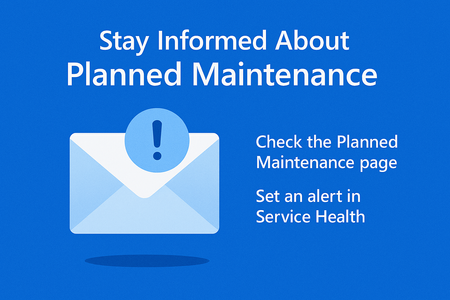
Customers often miss planned maintenance notifications for Azure Database for PostgreSQL Flexible Server because emails go only to subscription owners. This post explains why that happens and how to stay informed by using Azure Service Health alerts, checking the Planned Maintenance page, and configuring proactive notifications. Following these best practices ensures operational readiness and prevents unexpected downtime.308Views0likes0CommentsAzure PostgreSQL Lesson Learned#7: Database Missing After Planned Maintenance
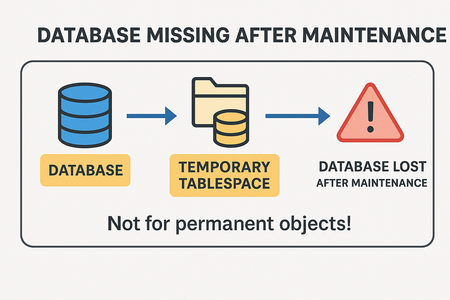
Co‑authored with HaiderZ-MSFT Overview If you’re running Azure Database for PostgreSQL Flexible Server, you might encounter a scenario where your database disappears after planned maintenance. This blog explains: Root cause of the issue Troubleshooting steps Best practices to prevent data loss Symptoms After a maintenance window, customers reported connection failures with errors like: connection failed: connection to server at 'IP', port 5432 failed: FATAL: database 'databaseName' does not exist DETAIL: The database subdirectory 'pg_tblspc/.../PG_...' is missing. Even after a successful restore, the database remains inaccessible! Root Cause The missing database files were located in a temporary tablespace. On Azure Database for PostgreSQL Flexible Server: A default temporary tablespace is created for internal operations (e.g., sorting). It is not backed up during maintenance, restarts, or HA failovers. If permanent objects or entire databases are created in this temporary tablespace, they will be lost after: Planned maintenance windows Server restarts High availability failovers Important: Temporary tablespaces are designed for transient data only. Storing persistent objects here is unsafe. [Limits in...soft Learn | External], [Overview o...soft Learn | External] Operational Checks To confirm if a database uses a temporary tablespace: select datname, dattablespace from pg_database where datname = '<dbname>'; Compare dattablespace OID with pg_tablespace: select oid, spcname, spcowner from pg_tablespace If OID matches temptblspace, the database resides in a temporary tablespace. Mitigation Unfortunately, data cannot be recovered because temporary tablespaces are excluded from backups during maintenance activities or server restarts. Recommended actions: Do not create permanent objects or databases in temporary tablespaces. Always use the default tablespace inherited from the template database. Prevention & Best Practices Avoid using temptblspace for persistent data. Validate tablespace before creating databases:SQL Follow official guidelines: Limits in Azure Database for PostgreSQL Flexible Server Business Continuity in Azure Database for PostgreSQL Why This Matters Creating databases in temporary tablespaces leads to: Permanent data loss after maintenance. Failed connections and restore attempts. Operational disruption and downtime. Key Takeaways Issue: Databases created in temporary tablespace are lost after maintenance, restarts, or HA failovers. Fix: Use default tablespace for all permanent objects. Best Practice: Never store persistent data in temporary tablespace.263Views1like2CommentsAzure PostgreSQL Lesson Learned#5: Why SKU Changes from Non-Confidential to Confidential Fail
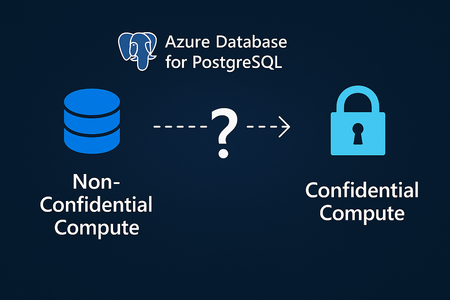
Co-authored with HaiderZ-MSFT Issue Summary The customer attempted to change the server configuration from Standard_D4ds_v5 (non-Confidential Compute) to Standard_DC4ads_v5 (Confidential Compute) in the West Europe region. The goal was to enhance the performance and security profile of the server. However, the SKU change could not be completed due to a mismatch in security profiles between the current and target SKUs. Root Cause The issue occurred because SKU changes from non-Confidential to Confidential Compute types are not supported in Azure Database for PostgreSQL Flexible Server. Each compute type uses different underlying hardware and isolation technologies. As documented in Azure Confidential Computing for PostgreSQL Flexible Server, operations such as Point-in-Time Restore (PITR) from non-Confidential Compute SKUs to Confidential ones aren’t allowed. Similarly, direct SKU transitions between these compute types are not supported due to this security model difference. Mitigation To resolve the issue, the customer was advised to migrate the data to a new server created with the desired compute SKU (Standard_DC4ads_v5). This ensures compatibility while achieving the intended performance and security goals. Steps: Create a new PostgreSQL Flexible Server with the desired SKU (Confidential Compute). Use native PostgreSQL tools to migrate data: pg_dump -h <source_server> -U <user> -Fc -f backup.dump pg_restore -h <target_server> -U <user> -d <database> -c backup.dump 3. Validate connectivity and performance on the new server. 4. Decommission the old server once migration is confirmed successful. Prevention & Best Practices To avoid similar issues in the future: Review documentation before performing SKU changes or scaling operations: Azure Confidential Computing for PostgreSQL Flexible Server Confirm compute type compatibility when planning scale or migration operations. Plan migrations proactively if you anticipate needing a different compute security profile. Use tools such as pg_dump / pg_restore or Azure Database Migration Service. Check regional availability for Confidential Compute SKUs before deployment. Why these matters Understanding the distinction between Confidential and non-Confidential Compute is essential to maintain healthy business progress. By reviewing compute compatibility and following the documented best practices, customers can ensure smooth scaling, enhanced security, and predictable database performance.240Views0likes0Comments