azure data integration
75 TopicsAnnouncing the new Databricks Job activity in ADF!
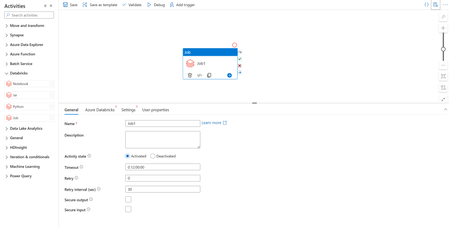
We’re excited to announce that Azure Data Factory now supports the orchestration of Databricks Jobs! Databrick Jobs allow you to schedule and orchestrate a task or multiple tasks in a workflow in your Databricks workspace. Since any operation in Databricks can be a task, this means you can now run anything in Databricks via ADF, such as serverless jobs, SQL tasks, Delta Live Tables, batch inferencing with model serving endpoints, or automatically publishing and refreshing semantic models in the Power BI service. And with this new update, you’ll be able to trigger these workflows from your Azure Data Factory pipelines. To make use of this new activity, you’ll find a new Databricks activity under the Databricks activity group called Job. Once you’ve added the Job activity (Preview) to your pipeline canvas, you can connect to your Databricks workspace and configure the settings to select your Databricks job, allowing you to run the Job from your pipeline. We also know that allowing parameterization in your pipelines is important as it allows you to create generic reusable pipeline models. ADF continues to provide support for these patterns and is excited to extend this capability to the new Databricks Job activity. Under the settings of your Job activity, you’ll also be able to configure and set parameters to send to your Databricks job, allowing maximum flexibility and power for your orchestration jobs. To learn more, read Azure Databricks activity - Microsoft Fabric | Microsoft Learn. Have any questions or feedback? Leave a comment below!6.1KViews1like2CommentsData Factory Increases Maximum Activities Per Pipeline to 80
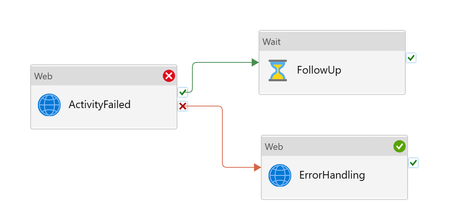
This week we have doubled the limit on number of activities you may define in a pipeline, from 40 to 80. With more freedom to develop, we want to empower you to create more powerful, versatile, and resilient data pipelines for all your business needs. We are excited to see what you come up with, harnessing the power of 40 more activities per pipeline!12KViews4likes23CommentsSecuring outbound traffic with Azure Data Factory's outbound network rules
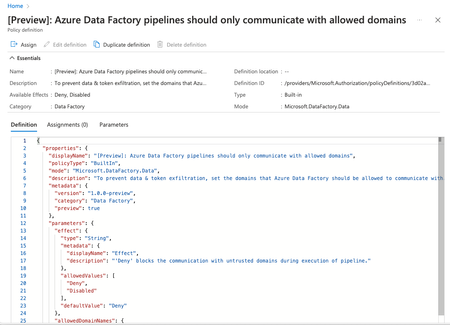
The Outbound Rules feature in Azure Data Factory allows organizations to exercise granular control over outbound traffic, thereby strengthening network security. By integrating with Azure Policy, this feature also improves overall governance.12KViews5likes10CommentsProcess your data in seconds with new ADF real-time CDC
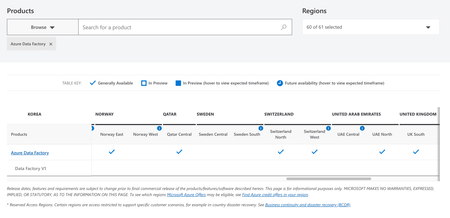
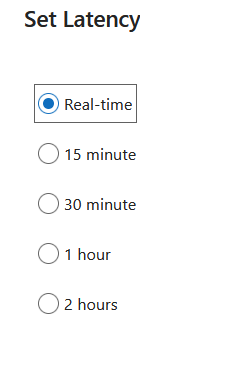
In January, we announced that we've elevated our Change Data Capture features front-and-center in ADF. Up until just today, the lowest latency we were allowing for CDC processing was 15 minutes. But today, I am super-excited to announce that we have enabled the real-time option!26KViews12likes7Comments
Best practices for Azure Data Factory Integration Runtime
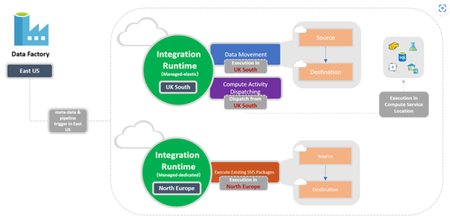
Integration runtime is a core component of Azure Data Factory. Users can use the integration runtime created by default in Azure Data Factory or create it themselves, depending on the actual situation. Since there are multiple types of Integration runtimes, it is necessary to properly select the most suitable type during actual use. We're excited to share a new article to help you determine the right integration runtime configuration for your scenario.13KViews4likes1Comment