azure container apps
214 TopicsWhat It Takes to Give SRE Agent a Useful Starting Point
In our latest posts, The Agent that investigates itself and Azure SRE Agent Now Builds Expertise Like Your Best Engineer Introducing Deep Context, we wrote about a moment that changed how we think about agent systems. Azure SRE Agent investigated a regression in its own prompt cache, traced the drop to a specific PR, and proposed fixes. What mattered was not just the model. What mattered was the starting point. The agent had code, logs, deployment history, and a workspace it could use to discover the next piece of context. That lesson forced an uncomfortable question about onboarding. If a customer finishes setup and the agent still knows nothing about their app, we have not really onboarded them. We have only created a resource. So for the March 10 GA release, we rebuilt onboarding around a more practical bar: can a new agent become useful on day one? To test that, we used the new flow the way we expect customers to use it. We connected a real sample app, wired up live Azure Monitor alerts, attached code and logs, uploaded a knowledge file, and then pushed the agent through actual work. We asked it to inspect the app, explain a 401 path from the source, debug its own log access, and triage GitHub issues in the repo. This post walks through that experience. We connected everything we could because we wanted to see what the agent does when it has a real starting point, not a partial one. If your setup is shorter, the SRE Agent still works. It just knows less. The cold start we were trying to fix The worst version of an agent experience is familiar by now. You ask a concrete question about your system and get back a smart-sounding answer that is only loosely attached to reality. The model knows what a Kubernetes probe is. It knows what a 500 looks like. It may even know common Kusto table names. But it does not know your deployment, your repo, your auth flow, or the naming mistakes your team made six months ago and still lives with. We saw the same pattern again and again inside our own work. When the agent had real context, it could do deep investigations. When it started cold, it filled the gaps with general knowledge and good guesses. The new onboarding is our attempt to close that gap up front. Instead of treating code, logs, incidents, and knowledge as optional extras, the flow is built around connecting the things the agent needs to reason well. Walking through the new onboarding Starting March 10, you can create and configure an SRE Agent at sre.azure.com. Here is what that looked like for us. Step 1: Create the agent You choose a subscription, resource group, name, and region. Azure provisions the runtime, managed identity, Application Insights, and Log Analytics workspace. In our run, the whole thing took about two minutes. That first step matters more than it may look. We are not just spinning up a chatbot. We are creating the execution environment where the agent can actually work: run commands, inspect files, query services, and keep track of what it learns. Step 2: Start adding context Once provisioning finishes, you land on the setup page. The page is organized around the sources that make the agent useful: code, logs, incidents, Azure resources, and knowledge files. Data source Why it matters Code Lets the agent read the system it is supposed to investigate. Logs Gives it real tables, schemas, and data instead of guesses. Incidents Connects the agent to the place where operational pain actually shows up. Azure resources Gives it the right scope so it starts in the right subscription and resource group. Knowledge files Adds the team-specific context that never shows up cleanly in telemetry. The page is blunt in a way we like. If you have not connected anything yet, it tells you the agent does not know enough about your app to answer useful questions. That is the right framing. The job of onboarding is to fix that. Step 3: Connect logs We started with Azure Data Explorer. The wizard supports Azure Kusto, Datadog, Elasticsearch, Dynatrace, New Relic, Splunk, and Hawkeye. After choosing Kusto, it generated the MCP connector settings for us. We supplied the cluster details, tested the connection, and let it discover the tools. This step removes a whole class of bad agent behavior. The model no longer has to invent table names or hope the cluster it wants is the cluster that exists. It knows what it can query because the connection is explicit. Step 4: Connect the incident platform For incidents, we chose Azure Monitor. This part is simple by design. If incidents are where the agent proves its value, connecting them should feel like the most natural part of setup, not a side quest. PagerDuty and ServiceNow work too, but for this walkthrough we kept it on Azure Monitor so we could wire real alerts to a real app. Step 5: Connect code Then we connected the code repo. We used microsoft-foundry/foundry-agent-webapp, a React and ASP.NET Core sample app running on Azure Container Apps. This is still the highest-leverage source we give the agent. Once the repo is connected, the agent can stop treating the app as an abstract web service. It can read the auth flow. It can inspect how health probes are configured. It can compare logs against the exact code paths that produced them. It can even look at the commit that was live when an incident happened. That changes the quality of the investigation immediately. Step 6: Scope the Azure resources Next we told the agent which resources it was responsible for. We scoped it to the resource group that contained the sample Container App. The wizard then set the roles the agent needed to observe and investigate the environment. That sounds like a small step, but it fixes another common failure mode. Agents do better when they start from the right part of the world. Subscription and resource-group scope give them that boundary. Step 7: Upload knowledge Last, we uploaded a Markdown knowledge file we wrote for the sample app. The file covered the app architecture, API endpoints, auth flow, likely failure modes, and the files we would expect an engineer to open first during debugging. We like Markdown here because it stays honest. It is easy for a human to read, easy for the agent to navigate, and easy to update as the system changes. All sources configured Once everything was connected, the setup panel turned green. At that point the agent had a repo, logs, incidents, Azure resources, and a knowledge file. That is the moment where onboarding stops being a checklist and starts being operational setup. The chat experience makes the setup visible When you open a new thread, the configuration panel stays at the top of the chat. If you expand it, you can see exactly what is connected and what is not. We built this because people should not have to guess what the agent knows. If code is connected and logs are not, that should be obvious. If incidents are wired up but knowledge files are missing, that should be obvious too. The panel makes the agent's working context visible in the same place where you ask it to think. It also makes partial setup less punishing. You do not have to finish every step before the agent becomes useful. But you can see, very clearly, what extra context would make the next answer better. What changed once the agent had context The easiest way to evaluate the onboarding is to look at the first questions we asked after setup. We started with a simple one: What do you know about the Container App in the rg-big-refactor resource group? The agent used Azure CLI to inspect the app, its revisions, and the system logs, then came back with a concise summary: image version, resource sizing, ingress, scale-to-zero behavior, and probe failures during cold start. It also correctly called out that the readiness probe noise was expected and not the root of a real outage. That answer was useful because it was grounded in the actual resource, not in generic advice about Container Apps. Then we asked a harder question: Based on the connected repo, what authentication flow does this app use? If a user reports 401s, what should we check first? The agent opened authConfig.ts, Program.cs, useAuth.ts, postprovision.ps1, and entra-app.bicep, then traced the auth path end to end. The checklist it produced was exactly the kind of thing we hoped onboarding would unlock: client ID alignment, identifier URI issues, redirect URI mismatches, audience validation, missing scopes, token expiry handling, and the single-tenant assumption in the backend. It even pointed to the place in Program.cs where extra logging could be enabled. Without the repo, this would have been a boilerplate answer about JWTs. With the repo, it read like advice from someone who had already been paged for this app before. We did not stop at setup. We wired real monitoring. A polished demo can make any agent look capable, so we pushed farther. We set up live Azure Monitor alerts for the sample web app instead of leaving the incident side as dummy data. We created three alerts: HTTP 5xx errors (Sev 1), for more than 3 server errors in 5 minutes Container restarts (Sev 2), to catch crash loops and OOMs High response latency (Sev 2), when average response time goes above 10 seconds The high-latency alert fired almost immediately. The app was scaling from zero, and the cold start was slow enough to trip the threshold. That was perfect. It gave us a real incident to put through the system instead of a fictional one. Incident response plans From the Builder menu, we created a response plan targeted at incidents with foundry-webapp in the title and severity 1 or 2. The incident that had just fired showed up in the learning flow. We used the actual codebase and deployment details to write the default plan: which files to inspect for failures, how to reason about health probes, and how to tell the difference between a cold start and a real crash. That felt like an important moment in the product. The response plan was not generic incident theater. It was anchored in the system we had just onboarded. One of the most useful demos was the agent debugging itself The sharpest proof point came when we tried to query the Log Analytics workspace from the agent. We expected it to query tables and summarize what it found. Instead, it hit insufficient_scope. That could have been a dead end. Instead, the agent turned the failure into the investigation. It identified the missing permissions, noticed there were two managed identities in play, told us which RBAC roles were required, and gave us the exact commands to apply them. After we fixed the access, it retried and ran a series of KQL queries against the workspace. That is where it found the next problem: Container Apps platform logs were present, but AppRequests, AppExceptions, and the rest of the App Insights-style tables were still empty. That was not a connector bug. It was a real observability gap in the sample app. The backend had OpenTelemetry packages, but the exporter configuration was not actually sending the telemetry we expected. The agent did not just tell us that data was missing. It explained which data was present, which data was absent, and why that difference mattered. That is the sort of thing we wanted this onboarding to set up: not just answering the first question, but exposing the next real thing that needs fixing. We also asked it to triage the repo backlog Once the repo was connected, it was natural to see how well the agent could read open issues against the code. We pointed it at the three open GitHub issues in the sample repo and asked it to triage them. It opened the relevant files, compared the code to the issue descriptions, and came back with a clear breakdown: Issue #21, @fluentui-copilot is not opensource? Partially valid, low severity. The package is public and MIT licensed. The real concern is package maturity, not licensing. Issue #20, SDK fails to deserialize agent tool definitions Confirmed, medium severity. The agent traced the problem to metadata handling in AgentFrameworkService.cs and suggested a safe fallback path. Issue #19, Create Preview experience from AI Foundry is incomplete Confirmed, medium severity. The agent found the gap between the environment variables people are told to paste and the variables the app actually expects. What stood out to us was not just that the output was correct. It was that the agent was careful. It did not overclaim. It separated a documentation concern from two real product bugs. Then it asked whether we wanted it to start implementing the fixes. That is the posture we want from an engineering agent: useful, specific, and a little humble. What the onboarding is really doing After working through the whole flow, we do not think of onboarding as a wizard anymore. We think of it as the process of giving the agent a fair shot. Each connection removes one reason for the model to bluff: Code keeps it from guessing how the system works. Logs keep it from guessing what data exists. Incidents keep it close to operational reality. Azure resource scope keeps it from wandering. Knowledge files keep team-specific context from getting lost. This is the same lesson we learned building the product itself. The agent does better when it can discover context progressively inside a world that is real and well-scoped. Good onboarding is how you create that world. Closing The main thing we learned from this work is simple: onboarding is not done when the resource exists. It is done when the agent can help with a real problem. In one setup we were able to connect a real app, fire a real alert, create a real response plan, debug a real RBAC problem, inspect real logs, and triage real GitHub issues. That is a much better standard than "the wizard completed successfully." If you try SRE Agent after GA, start there. Connect the things that make your system legible, then ask a question that would actually matter during a bad day. The answer will tell you very quickly whether the agent has a real starting point. Create your SRE Agent -> Azure SRE Agent is generally available starting March 10, 2026.183Views0likes0Comments
What's new in Azure SRE Agent in the GA release
Azure SRE Agent is now generally available (read the GA announcement). . After months in preview with teams across Microsoft and early customers, here's what's shipping at GA. We use SRE Agent in our team We built SRE Agent to solve our own operational problems first. It investigates our regressions, triages errors daily, and turns investigations into reusable knowledge. Every capability in this release was shaped from those learnings. → The Agent That Investigates Itself What's new at GA Redesigned onboarding — useful on day one Can a new agent become useful the same day you set it up? That's the bar we designed around. Connect code, logs, incidents, Azure resources, and knowledge files in a single guided flow. → What It Takes to Give an SRE Agent a Useful Starting Point Deep Context — your agent builds expertise on your environment Continuous access to your logs, code, and knowledge. Persistent memory across investigations. Background intelligence that runs when nobody is asking questions. Your agent already knows your routes, error handlers, and deployment configs because it's been exploring your environment continuously. It remembers what worked last time and surfaces operational insights nobody asked for. → Meet the Best Engineer That Learns Continuously Why SRE Agent - Capabilities that move the needle Automated investigation — proactive and reactive Set up scheduled tasks to run investigations on a cadence — catch issues before they become incidents. When an incident does fire, your agent picks it up automatically through integrations with platforms like ICM, PagerDuty, and ServiceNow. Faster root cause analysis → lower MTTR Your agent is code and context aware and learns continuously. It connects runtime errors to the code that caused them and gets faster with every investigation. Automate workflows across any ecosystem → reduce toil Connect to any system via MCP connectors. Eliminate the context-switching of working across multiple platforms, orchestrate workflows across Azure, monitoring, ticketing, and more from a single place. Integrate with any HTTP API → bring your own tools Write custom Python tools that call any endpoint. Extend your agent to interact with internal APIs, third-party services, or any system your team relies on. Customize your agent → skills and plugins Add your own skills to teach domain-specific knowledge, or browse the Plugin Marketplace to install pre-built capabilities with a single click. Get started Create your agent Documentation Get started guide Pricing Feedback & issues Samples Videos This is just the start — more capabilities are coming soon. Try it out and let us know what you think.414Views0likes0CommentsAnnouncing general availability for the Azure SRE Agent
Today, we’re excited to announce the General Availability (GA) of Azure SRE Agent— your AI‑powered operations teammate that helps organizations improve uptime, reduce incident impact, and cut operational toil by accelerating diagnosis and automating response workflows.1.5KViews0likes0CommentsEven simpler to Safely Execute AI-generated Code with Azure Container Apps Dynamic Sessions
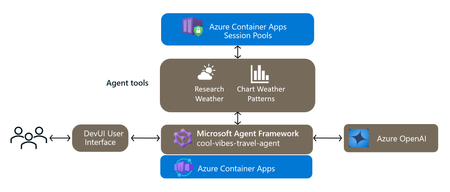
AI agents are writing code. The question is: where does that code run? If it runs in your process, a single hallucinated import os; os.remove('/') can ruin your day. Azure Container Apps dynamic sessions solve this with on-demand sandboxed environments — Hyper-V isolated, fully managed, and ready in milliseconds. Thanks to your feedback, Dynamic Sessions are now easier to use with AI via MCP. Agents can quickly start a session interpreter and safely run code – all using a built-in MCP endpoint. Additionally - new starter samples show how to invoke dynamic sessions from Microsoft Agent Framework with code interpreter and with a custom container for even more versatility. What Are Dynamic Sessions? A session pool maintains a reservoir of pre-warmed, isolated sandboxes. When your app needs one, it’s allocated instantly via REST API. When idle, it’s destroyed automatically after provided session cool down period. What you get: Strong isolation - Each session runs in its own Hyper-V sandbox — enterprise-grade security Millisecond startup -Pre-warmed pool eliminates cold starts Fully managed - No infra to maintain — automatic lifecycle, cleanup, scaling Simple access - Single HTTP endpoint, session identified by a unique ID Scalable - Hundreds to thousands of concurrent sessions Two Session Types 1. Code Interpreter — Run Untrusted Code Safely Code interpreter sessions accept inline code, run it in a Hyper-V sandbox, and return the output. Sessions support network egress and persistent file systems within the session lifetime. Three runtimes are available: Python — Ships with popular libraries pre-installed (NumPy, pandas, matplotlib, etc.). Ideal for AI-generated data analysis, math computation, and chart generation. Node.js — Comes with common npm packages. Great for server-side JavaScript execution, data transformation, and scripting. Shell — A full Linux shell environment where agents can run arbitrary commands, install packages, start processes, manage files, and chain multi-step workflows. Unlike Python/Node.js interpreters, shell sessions expose a complete OS — ideal for agent-driven DevOps, build/test environments, CLI tool execution, and multi-process pipelines. 2. Custom Containers — Bring Your Own Runtime Custom container sessions let you run your own container image in the same isolated, on-demand model. Define your image, and Container Apps handles the pooling, scaling, and lifecycle. Typical use cases are hosting proprietary runtimes, custom code interpreters, and specialized tool chains. This sample (Azure Samples) dives deeper into Customer Containers with Microsoft agent Framework orchestration. MCP Support for Dynamic Sessions Dynamic sessions also support Model Context Protocol (MCP) on both shell and Python session types. This turns a session pool into a remote MCP server that AI agents can connect to — enabling tool execution, file system access, and shell commands in a secure, ephemeral environment. With an MCP-enabled shell session, an Azure Foundry agent can spin up a Flask app, run system commands, or install packages — all in an isolated container that vanishes when done. The MCP server is enabled with a single property on the session pool (isMCPServerEnabled: true), and the resulting endpoint + API key can be plugged directly into Azure Foundry as a connected tool. For a step-by-step walkthrough, see How to add an MCP tool to your Azure Foundry agent using dynamic sessions. Deep Dive: Building an AI Travel Agent with Code Interpreter Sessions Let’s walk through a sample implementation — a travel planning agent that uses dynamic sessions for both static code execution (weather research) and LLM-generated code execution (charting). Full source: github.com/jkalis-MS/AIAgent-ACA-DynamicSession Architecture Travel Agent Architecture Component Purpose Microsoft Agent Framework Agent runtime with middleware, telemetry, and DevUI Azure OpenAI (GPT-4o) LLM for conversation and code generation ACA Session Pools Sandboxed Python code interpreter Azure Container Apps Hosts the agent in a container Application Insights Observability for agent spans The agent implements with two variants switchable in the Agent Framework DevUI — tools in ACA Dynamic Session (sandbox) and tools running locally (no isolation) — making the security value immediately visible. Scenario A: Static Code in a Sandbox — Weather Research The agent sends pre-written Python code to the session pool to fetch live weather data. The code runs with network egress enabled, calls the Open-Meteo API, and returns formatted results — all without touching the host process. import requests from azure.identity import DefaultAzureCredential credential = DefaultAzureCredential() token = credential.get_token("https://dynamicsessions.io/.default") response = requests.post( f"{pool_endpoint}/code/execute?api-version=2024-02-02-preview&identifier=weather-session-1", headers={"Authorization": f"Bearer {token.token}"}, json={"properties": { "codeInputType": "inline", "executionType": "synchronous", "code": weather_code, # Python that calls Open-Meteo API }}, ) result = response.json()["properties"]["stdout"] Scenario B: LLM-Generated Code in a Sandbox — Dynamic Charting This is where it gets interesting. The user asks “plot a chart comparing Miami and Tokyo weather.” The agent: Fetches weather data Asks Azure OpenAI to generate matplotlib code using a tightly-scoped system prompt Safety-checks the generated code for forbidden imports (subprocess, os.system, etc.) Wraps the code with data injection and sends it to the sandbox Downloads the resulting PNG from the sandbox’s /mnt/data/ directory from openai import AzureOpenAI # 1. LLM generates chart code client = AzureOpenAI(azure_endpoint=endpoint, api_key=key, api_version="2024-12-01-preview") generated_code = client.chat.completions.create( model="gpt-4o", messages=[{"role": "system", "content": CODE_GEN_PROMPT}, {"role": "user", "content": f"Weather data: {weather_json}"}], temperature=0.2, ).choices[0].message.content # 2. Execute in sandbox requests.post( f"{pool_endpoint}/code/execute?api-version=2024-02-02-preview&identifier=chart-session-1", headers={"Authorization": f"Bearer {token.token}"}, json={"properties": { "codeInputType": "inline", "executionType": "synchronous", "code": f"import json, matplotlib\nmatplotlib.use('Agg')\nimport matplotlib.pyplot as plt\nweather_data = json.loads('{weather_json}')\n{generated_code}", }}, ) # 3. Download the chart img = requests.get( f"{pool_endpoint}/files/content/chart.png?api-version=2024-02-02-preview&identifier=chart-session-1", headers={"Authorization": f"Bearer {token.token}"}, ).content The result — a dark-themed dual-subplot chart comparing maximal and minimal temperature forecast chart example rendered by the Chart Weather tool in Dynamic Session: Authentication The agent uses DefaultAzureCredential locally and ManagedIdentityCredential when deployed. Tokens are cached and refreshed automatically: from azure.identity import DefaultAzureCredential token = DefaultAzureCredential().get_token("https://dynamicsessions.io/.default") auth_header = f"Bearer {token.token}" # Uses ManagedIdentityCredential automatically when deployed to Container Apps Observability The agent uses Application Insights for end-to-end tracing. The Microsoft Agent Framework exposes OpenTelemetry spans for invoke_agent, chat, and execute tool — wired to Azure Monitor with custom exporters: from azure.monitor.opentelemetry import configure_azure_monitor from agent_framework.observability import create_resource, enable_instrumentation # Configure Azure Monitor first configure_azure_monitor( connection_string="InstrumentationKey=...", resource=create_resource(), # Uses OTEL_SERVICE_NAME, etc. enable_live_metrics=True, ) # Then activate Agent Framework's telemetry code paths, optional if ENABLE_INSTRUMENTATION and/or ENABLE_SENSITIVE_DATA are set in env vars enable_instrumentation(enable_sensitive_data=False) This gives you traces for every agent invocation, tool execution (including sandbox timing), and LLM call — visible in the Application Insights transaction search and end-to-end transaction view in the new Agents blade in Application Insights. You can also open a detailed dashboard by clicking Explore in Grafana. Session pools emit their own metrics and logs for monitoring sandbox utilization and performance. Combined with the agent-level Application Insights traces, you can get full visibility from the user prompt → agent → LLM → sandbox execution → response — across both your application and the infrastructure running untrusted code. Deploy with One Command The project includes full Bicep infrastructure-as-code. A single azd up provisions Azure OpenAI, Container Apps, Session Pool (with egress enabled), Container Registry, Application Insights, and all role assignments. azd auth login azd up Next Steps Dynamic sessions documentation – Microsoft Learn MCP + Shell sessions tutorial - How to add an MCP tool to your Foundry agent Custom container sessions sample - github.com/Azure-Samples/dynamic-sessions-custom-container AI Agent + Dynamic Sessions - github.com/jkalis-MS/AIAgent-ACA-DynamicSession269Views0likes0CommentsRethinking Background Workloads with Azure Functions on Azure Container Apps
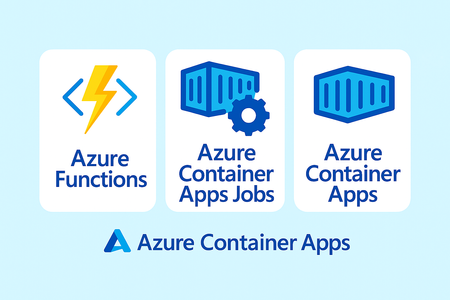
Objective Azure Container Apps provides a flexible platform for running background workloads, supporting multiple execution models to address different workload needs. Two commonly used models are: Azure Functions on Azure Container Apps - overview of Azure functions Azure Container Apps Jobs – overview of Container App Jobs Both are first‑class capabilities on the same platform and are designed for different types of background processing. This blog explores Use Cases where Azure Functions on Azure Container Apps are best suited Use Cases where Container App Jobs provide advantages Use Cases where Azure Functions on Azure Container Apps Are suited Azure Functions on Azure Container Apps are particularly well suited for event‑driven and workflow‑oriented background workloads, where work is initiated by external signals and coordination is a core concern. The following use cases illustrate scenarios where the Functions programming model aligns naturally with the workload, allowing teams to focus on business logic while the platform handles triggering, scaling, and coordination. Event‑Driven Data Ingestion Pipelines For ingestion pipelines where data arrives asynchronously and unpredictably. Example: A retail company processes inventory updates from hundreds of suppliers. Files land in Blob Storage overnight, varying widely in size and arrival time. In this scenario: Each file is processed independently as it arrives Execution is driven by actual data arrival, not schedules Parallelism and retries are handled by the platform .blob_trigger(arg_name="blob", path="inventory-uploads/{name}", connection="StorageConnection") async def process_inventory(blob: func.InputStream): data = blob.read() # Transform and load to database await transform_and_load(data, blob.name) Multi‑Step, Event‑Driven Processing Workflows Functions works well for workloads that involve multiple dependent steps, where each step can fail independently and must be retried or resumed safely. Example: An order processing workflow that includes validation, inventory checks, payment capture, and fulfilment notifications. Using Durable Functions: Workflow state persisted automatically Each step can be retried independently Execution resumes from the point of failure rather than restarting Durable Functions on Container Apps solves this declaratively: .orchestration_trigger(context_name="context") def order_workflow(context: df.DurableOrchestrationContext): order = context.get_input() # Each step is independently retryable with built-in checkpointing validated = yield context.call_activity("validate_order", order) inventory = yield context.call_activity("check_inventory", validated) payment = yield context.call_activity("capture_payment", inventory) yield context.call_activity("notify_fulfillment", payment) return {"status": "completed", "order_id": order["id"]} Scheduled, Recurring Background Tasks For time‑based background work that runs on a predictable cadence and is closely tied to application logic. Example: Daily financial summaries, weekly aggregations, or month‑end reconciliation reports. Timer‑triggered Functions allow: Schedules to be defined in code Logic to be versioned alongside application code Execution to run in the same Container Apps environment as other services .timer_trigger(schedule="0 0 6 * * *", arg_name="timer") async def daily_financial_summary(timer: func.TimerRequest): if timer.past_due: logging.warning("Timer is running late!") await generate_summary(date.today() - timedelta(days=1)) await send_to_stakeholders() Long‑Running, Parallelizable Workloads Scenarios which require long‑running workloads to be decomposed into smaller units of work and coordinated as a workflow. Example: A large data migration processing millions of records. With Durable Functions: Work is split into independent batches Batches execute in parallel across multiple instances Progress is checkpointed automatically Failures are isolated to individual batches .orchestration_trigger(context_name="context") def migration_orchestrator(context: df.DurableOrchestrationContext): batches = yield context.call_activity("get_migration_batches") # Process all batches in parallel across multiple instances tasks = [context.call_activity("migrate_batch", b) for b in batches] results = yield context.task_all(tasks) yield context.call_activity("generate_report", results) Use Cases where Container App Jobs are a Best Fit Azure Container Apps Jobs are well suited for workloads that require explicit execution control or full ownership of the runtime and lifecycle. Common examples include: Batch Processing Using Existing Container Images Teams often have existing containerized batch workloads such as data processors, ETL tools, or analytics jobs that are already packaged and validated. When refactoring these workloads into a Functions programming model is not desirable, Container Apps Jobs allow them to run unchanged while integrating into the Container Apps environment. Large-Scale Data Migrations and One-Time Operations Jobs are a natural fit for one‑time or infrequently run migrations, such as schema upgrades, backfills, or bulk data transformations. These workloads are typically: Explicitly triggered Closely monitored Designed to run to completion under controlled conditions The ability to manage execution, retries, and shutdown behavior directly is often important in these scenarios. Custom Runtime or Specialized Dependency Workloads Some workloads rely on: Specialized runtimes Native system libraries Third‑party tools or binaries When these requirements fall outside the supported Functions runtimes, Container Apps Jobs provide the flexibility to define the runtime environment exactly as needed. Externally Orchestrated or Manually Triggered Workloads In some architectures, execution is coordinated by an external system such as: A CI/CD pipeline An operations workflow A custom scheduler or control plane Container Apps Jobs integrate well into these models, where execution is initiated explicitly rather than driven by platform‑managed triggers. Long-Running, Single-Instance Processing For workloads that are intentionally designed to run as a single execution unit without fan‑out, trigger‑based scaling, or workflow orchestration Jobs provide a straightforward execution model. This includes tasks where parallelism, retries, and state handling are implemented directly within the application. Making the Choice Consideration Azure Functions on Azure Container Apps Azure Container Apps Jobs Trigger model Event‑driven (files, messages, timers, HTTP, events) Explicit execution (manual, scheduled, or externally triggered) Scaling behavior Automatic scaling based on trigger volume / queue depth Fixed or explicitly defined parallelism Programming model Functions programming model with triggers, bindings, Durable Functions General container execution model State management Built‑in state, retries, and checkpointing via Durable Functions Custom state management required Workflow orchestration Native support using Durable Functions Must be implemented manually Boilerplate required Minimal (no polling, retry, or coordination code) Higher (polling, retries, lifecycle handling) Runtime flexibility Limited to supported Functions runtimes Full control over runtime and dependencies Getting Started on Functions on Azure Container Apps If you’re already running on Container Apps, adding Functions is straightforward: Your Functions run alongside your existing apps, sharing the same networking, observability, and scaling infrastructure. Check out the documentation for details - Getting Started on Functions on Azure Container Apps # Create a Functions app in your existing Container Apps environment az functionapp create \ --name my-batch-processor \ --storage-account mystorageaccount \ --environment my-container-apps-env \ --workload-profile-name "Consumption" \ --runtime python \ --functions-version 4 Getting Started on Container App Jobs on Azure Container Apps If you already have an Azure Container Apps environment, you can create a job using the Azure CLI. Checkout the documentation for details - Jobs in Azure Container Apps az containerapp job create \ --name my-job \ --resource-group my-resource-group \ --environment my-container-apps-env \ --trigger-type Manual \ --image mcr.microsoft.com/k8se/quickstart-jobs:latest \ --cpu 0.25 \ --memory 0.5Gi Quick Links Azure Functions on Azure Container Apps overview Create your Azure Functions app through custom containers on Azure Container Apps Run event-driven and batch workloads with Azure Functions on Azure Container Apps826Views0likes0Comments
Unifying Scattered Observability Data from Dynatrace + Azure for Self-Healing with SRE Agent
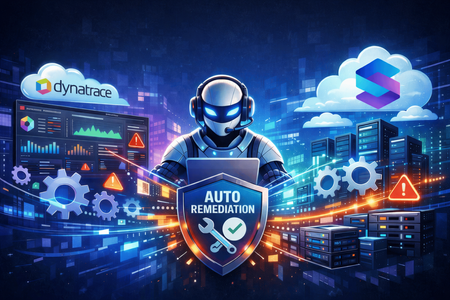
What if your deployments could fix themselves? The Deployment Remediation Challenge Modern operations teams face a recurring nightmare: A deployment ships at 9 AM Errors spike at 9:15 AM By the time you correlate logs, identify the bad revision, and execute a rollback—it's 10:30 AM Your users felt 75 minutes of degraded experience The data to detect and fix this existed the entire time—but it was scattered across clouds and platforms: Error logs and traces → Dynatrace (third-party observability cloud) Deployment history and revisions → Azure Container Apps API Resource health and metrics → Azure Monitor Rollback commands → Azure CLI Your observability data lives in one cloud. Your deployment data lives in another. Stitching together log analysis from Dynatrace with deployment correlation from Azure—and then executing remediation—required a human to manually bridge these silos. What if an AI agent could unify data from third-party observability platforms with Azure deployment history and act on it automatically—every week, before users even notice? Enter SRE Agent + Model Context Protocol (MCP) + Subagents Azure SRE Agent doesn't just work with Azure. Using the Model Context Protocol (MCP), you can connect external observability platforms like Dynatrace directly to your agent. Combined with subagents for specialized expertise and scheduled tasks for automation, you can build an automated deployment remediation system. Here's what I built/configured for my Azure Container Apps environment inside SRE Agent: Component Purpose Dynatrace MCP Connector Connect to Dynatrace's MCP gateway for log queries via DQL 'Dynatrace' Subagent Log analysis specialist that executes DQL queries and identifies root causes 'Remediation' Subagent Deployment remediation specialist that correlates errors with deployments and executes rollbacks Scheduled Task Weekly Monday 9 AM health check for the 'octopets-prod-api' Container App Subagent workflow: The subagent workflow in SRE Agent Builder: 'OctopetsScheduledTask' triggers 'RemediationSubagent' (12 tools), which hands off to 'DynatraceSubagent' (3 MCP tools) for log analysis. How I Set It Up: Step by Step Step 1: Connect Dynatrace via MCP SRE Agent supports the Model Context Protocol (MCP) for connecting external data sources. Dynatrace exposes an MCP gateway that provides access to its APIs as first-class tools. Connection configuration: { "name": "dynatrace-mcp-connector", "dataConnectorType": "Mcp", "dataSource": "Endpoint=https://<your-tenant>.live.dynatrace.com/platform-reserved/mcp-gateway/v0.1/servers/dynatrace-mcp/mcp;AuthType=BearerToken;BearerToken=<your-api-token>" } Once connected, SRE Agent automatically discovers Dynatrace tools. 💡 Tip: When creating your Dynatrace API token, grant the `entities.read`, `events.read`, and `metrics.read` scopes for comprehensive access. Step 2: Build Specialized Subagents Generic agents are good. Specialized agents are better. I created two subagents that work together in a coordinated workflow—one for Dynatrace log analysis, the other for deployment remediation. DynatraceSubagent This subagent is the log analysis specialist. It uses the Dynatrace MCP tools to execute DQL queries and identify root causes. Key capabilities: Executes DQL queries via MCP tools (`create-dql`, `execute-dql`, `explain-dql`) Fetches 5xx error counts, request volumes, and spike detection Returns consolidated analysis with root cause, affected services, and error patterns 👉 View full DynatraceSubagent configuration here RemediationSubagent This is the deployment remediation specialist. It correlates Dynatrace log analysis with Azure Container Apps deployment history, generates correlation charts, and executes rollbacks when confidence is high. Key capabilities: Retrieves Container Apps revision history (`GetDeploymentTimes`, `ListRevisions`) Generates correlation charts (`PlotTimeSeriesData`, `PlotBarChart`, `PlotAreaChartWithCorrelation`) Computes confidence score (0-100%) for deployment causation Executes rollback and traffic shift when confidence > 70% 👉 View full RemediationSubagent configuration here The power of specialization: Each agent focuses on its domain—DynatraceSubagent handles log analysis, RemediationSubagent handles deployment correlation and rollback. When the workflow runs, RemediationSubagent hands off to DynatraceSubagent (bi-directional handoff) for analysis, gets the findings back, and continues with remediation. Simple delegation, not a single monolithic agent trying to do everything. Step 3: Create the Weekly Scheduled Task Now the automation. I configured a scheduled task that runs every Monday at 9:30 AM to check whether deployments in the last 4 hours caused any issues—and automatically remediate if needed. Scheduled task configuration: Setting Value Task Name OctopetsScheduledTask Frequency Weekly Day of Week Monday Time 9:30 AM Response Subagent RemediationSubagent Scheduled Task Configuration Configuring the OctopetsScheduledTask in the SRE Agent portal The key insight: the scheduled task is just a coordinator. It immediately hands off to the RemediationSubagent, which orchestrates the entire workflow including handoffs to DynatraceSubagent. Step 4: See It In Action Here's what happens when the scheduled task runs: The scheduled task triggering and initiating Dynatrace analysis for octopets-prod-api The DynatraceSubagent analyzes the logs and identifies the root cause: executing DQL queries and returning consolidated log analysis The RemediationSubagent then generates correlation charts: Finally, with a 95% confidence score, SRE agent executes the rollback autonomously: executing rollback and traffic shift autonomously. The agent detected the bad deployment, generated visual evidence, and automatically shifted 100% traffic to the last known working revision—all without human intervention. Why This Matters Before After Manually check Dynatrace after incidents Automated DQL queries via MCP Stitch together logs + deployments manually Subagents correlate data automatically Rollback requires human decision + execution Confidence-based auto-remediation 75+ minutes from deployment to rollback Under 5 Minutes with autonomous workflow Reactive incident response Proactive weekly health checks Try It Yourself Connect your observability tool via MCP (Dynatrace, Datadog, New Relic, Prometheus—any tool with an MCP gateway) Build a log analysis subagent that knows how to query your observability data Build a remediation subagent that can correlate logs with deployments and execute fixes Wire them together with handoffs so the subagents can delegate log analysis Create a scheduled task to trigger the workflow automatically Learn More Azure SRE Agent documentation Model Context Protocol (MCP) integration guide Building subagents for specialized workflows Scheduled tasks and automation SRE Agent Community Azure SRE Agent pricing SRE Agent Blogs609Views0likes0CommentsRethinking Ingress on Azure: Application Gateway for Containers Explained
Introduction Azure Application Gateway for Containers is a managed Azure service designed to handle incoming traffic for container-based applications. It brings Layer-7 load balancing, routing, TLS termination, and web application protection outside of the Kubernetes cluster and into an Azure-managed data plane. By separating traffic management from the cluster itself, the service reduces operational complexity while providing a more consistent, secure, and scalable way to expose container workloads on Azure. Service Overview What Application Gateway for Containers does Azure Application Gateway for Containers is a managed Layer-7 load balancing and ingress service built specifically for containerized workloads. Its main job is to receive incoming application traffic (HTTP/HTTPS), apply routing and security rules, and forward that traffic to the right backend containers running in your Kubernetes cluster. Instead of deploying and operating an ingress controller inside the cluster, Application Gateway for Containers runs outside the cluster, as an Azure-managed data plane. It integrates natively with Kubernetes through the Gateway API (and Ingress API), translating Kubernetes configuration into fully managed Azure networking behavior. In practical terms, it handles: HTTP/HTTPS routing based on hostnames, paths, headers, and methods TLS termination and certificate management Web Application Firewall (WAF) protection Scaling and high availability of the ingress layer All of this is provided as a managed Azure service, without running ingress pods in your cluster. What problems it solves Application Gateway for Containers addresses several common challenges teams face with traditional Kubernetes ingress setups: Operational overhead Running ingress controllers inside the cluster means managing upgrades, scaling, certificates, and availability yourself. Moving ingress to a managed Azure service significantly reduces this burden. Security boundaries By keeping traffic management and WAF outside the cluster, you reduce the attack surface of the Kubernetes environment and keep security controls aligned with Azure-native services. Consistency across environments Platform teams can offer a standard, Azure-managed ingress layer that behaves the same way across clusters and environments, instead of relying on different in-cluster ingress configurations. Separation of responsibilities Infrastructure teams manage the gateway and security policies, while application teams focus on Kubernetes resources like routes and services. How it differs from classic Application Gateway While both services share the “Application Gateway” name, they target different use cases and operating models. In the traditional model of using Azure Application Gateway is a general-purpose Layer-7 load balancer primarily designed for VM-based or service-based backends. It relies on centralized configuration through Azure resources and is not Kubernetes-native by design. Application Gateway for Containers, on the other hand: Is designed specifically for container platforms Uses Kubernetes APIs (Gateway API / Ingress) instead of manual listener and rule configuration Separates control plane and data plane more cleanly Enables faster, near real-time updates driven by Kubernetes changes Avoids running ingress components inside the cluster In short, classic Application Gateway is infrastructure-first, while Application Gateway for Containers is platform- and Kubernetes-first. Architecture at a Glance At a high level, Azure Application Gateway for Containers is built around a clear separation between control plane and data plane. This separation is one of the key architectural ideas behind the service and explains many of its benefits. Control plane and data plane The control plane is responsible for configuration and orchestration. It listens to Kubernetes resources—such as Gateway API or Ingress objects—and translates them into a running gateway configuration. When you create or update routing rules, TLS settings, or security policies in Kubernetes, the control plane picks up those changes and applies them automatically. The data plane is where traffic actually flows. It handles incoming HTTP and HTTPS requests, applies routing rules, performs TLS termination, and forwards traffic to the correct backend services inside your cluster. This data plane is fully managed by Azure and runs outside of the Kubernetes cluster, providing isolation and high availability by design. Because the data plane is not deployed as pods inside the cluster, it does not consume cluster resources and does not need to be scaled or upgraded by the customer. Managed components vs customer responsibilities One of the goals of Application Gateway for Containers is to reduce what customers need to operate, while still giving them control where it matters. Managed by Azure Application Gateway for Containers data plane Scaling, availability, and patching of the gateway Integration with Azure networking Web Application Firewall engine and updates Translation of Kubernetes configuration into gateway rules Customer-managed Kubernetes resources (Gateway API or Ingress) Backend services and workloads TLS certificates and references Routing and security intent (hosts, paths, policies) Network design and connectivity to the cluster This split allows platform teams to keep ownership of the underlying Azure infrastructure, while application teams interact with the gateway using familiar Kubernetes APIs. The result is a cleaner operating model with fewer moving parts inside the cluster. In short, Application Gateway for Containers acts as an Azure-managed ingress layer, driven by Kubernetes configuration but operated outside the cluster. This architecture keeps traffic management simple, scalable, and aligned with Azure-native networking and security services. Traffic Handling and Routing This section explains what happens to a request from the moment it reaches Azure until it is forwarded to a container running in your cluster. Traffic Flow: From Internet to Pod Azure Application Gateway for Containers (AGC) acts as the specialized "front door" for your Kubernetes workloads. By sitting outside the cluster, it manages high-volume traffic ingestion so your environment remains focused on application logic rather than networking overhead. The Request Journey Once a request is initiated by a client—such as a browser or an API—it follows a streamlined path to your container: 1. Entry via Public Frontend: The request reaches AGC’s public frontend endpoint. Note: While private frontends are currently the most requested feature and are under high-priority development, the service currently supports public-facing endpoints. 2. Rule Evaluation: AGC evaluates the incoming request against the routing rules you’ve defined using standard Kubernetes resources (Gateway API or Ingress). 3. Direct Pod Proxying: Once a rule is matched, AGC forwards the traffic directly to the backend pods within your cluster. 4. Azure Native Delivery: Because AGC operates as a managed data plane outside the cluster, traffic reaches your workloads via Azure networking. This removes the need for managing scaling or resource contention for in-cluster ingress pods. Flexibility in Security and Routing The architecture is designed to be as "hands-off" or as "hands-on" as your security policy requires: Optional TLS Offloading: You have full control over the encryption lifecycle. Depending on your specific use case, you can choose to perform TLS termination at the gateway to offload the compute-intensive decryption, or maintain encryption all the way to the container for end-to-end security. Simplified Infrastructure: By using AGC, you eliminate the "hop" typically required by in-cluster controllers, allowing the gateway to communicate with pods with minimal latency and high predictability. Kubernetes Integration Application Gateway for Containers is designed to integrate natively with Kubernetes, allowing teams to manage ingress behavior using familiar Kubernetes resources instead of Azure-specific configuration. This makes the service feel like a natural extension of the Kubernetes platform rather than an external load balancer. Gateway API as the primary integration model The Gateway API is the preferred and recommended way to integrate Application Gateway for Containers with Kubernetes. With the Gateway API: Platform teams define the Gateway and control how traffic enters the cluster. Application teams define routes (such as HTTPRoute) to expose their services. Responsibilities are clearly separated, supporting multi-team and multi-namespace environments. Application Gateway for Containers supports core Gateway API resources such as: GatewayClass Gateway HTTPRoute When these resources are created or updated, Application Gateway for Containers automatically translates them into gateway configuration and applies the changes in near real time. Ingress API support For teams that already use the traditional Kubernetes Ingress API, Application Gateway for Containers also provides Ingress support. This allows: Reuse of existing Ingress manifests A smoother migration path from older ingress controllers Gradual adoption of Gateway API over time Ingress resources are associated with Application Gateway for Containers using a specific ingress class. While fully functional, the Ingress API offers fewer capabilities and less flexibility compared to the Gateway API. How teams interact with the service A key benefit of this integration model is the clean separation of responsibilities: Platform teams Provision and manage Application Gateway for Containers Define gateways, listeners, and security boundaries Own network and security policies Application teams Define routes using Kubernetes APIs Control how their applications are exposed Do not need direct access to Azure networking resources This approach enables self-service for application teams while keeping governance and security centralized. Why this matters By integrating deeply with Kubernetes APIs, Application Gateway for Containers avoids custom controllers, sidecars, or ingress pods inside the cluster. Configuration stays declarative, changes are automated, and the operational model stays consistent with Kubernetes best practices. Security Capabilities Security is a core part of Azure Application Gateway for Containers and one of the main reasons teams choose it over in-cluster ingress controllers. The service brings Azure-native security controls directly in front of your container workloads, without adding complexity inside the cluster. Web Application Firewall (WAF) Application Gateway for Containers integrates with Azure Web Application Firewall (WAF) to protect applications against common web attacks such as SQL injection, cross-site scripting, and other OWASP Top 10 threats. A key differentiator of this service is that it leverages Microsoft's global threat intelligence. This provides an enterprise-grade layer of security that constantly evolves to block emerging threats, a significant advantage over many open-source or standard competitor WAF solutions. Because the WAF operates within the managed data plane, it offers several operational benefits: Zero Cluster Footprint: No WAF-specific pods or components are required to run inside your Kubernetes cluster, saving resources for your actual applications. Edge Protection: Security rules and policies are applied at the Azure network edge, ensuring malicious traffic is blocked before it ever reaches your workloads. Automated Maintenance: All rule updates, patching, and engine maintenance are handled entirely by Azure. Centralized Governance: WAF policies can be managed centrally, ensuring consistent security enforcement across multiple teams and namespaces—a critical requirement for regulated environments. TLS and certificate handling TLS termination happens directly at the gateway. HTTPS traffic is decrypted at the edge, inspected, and then forwarded to backend services. Key points: Certificates are referenced from Kubernetes configuration TLS policies are enforced by the Azure-managed gateway Applications receive plain HTTP traffic, keeping workloads simpler This approach allows teams to standardize TLS behavior across clusters and environments, while avoiding certificate logic inside application pods. Network isolation and exposure control Because Application Gateway for Containers runs outside the cluster, it provides a clear security boundary between external traffic and Kubernetes workloads. Common patterns include: Internet-facing gateways with WAF protection Private gateways for internal or zero-trust access Controlled exposure of only selected services By keeping traffic management and security at the gateway layer, clusters remain more isolated and easier to protect. Security by design Overall, the security model follows a simple principle: inspect, protect, and control traffic before it enters the cluster. This reduces the attack surface of Kubernetes, centralizes security controls, and aligns container ingress with Azure’s broader security ecosystem. Scale, Performance, and Limits Azure Application Gateway for Containers is built to handle production-scale traffic without requiring customers to manage capacity, scaling rules, or availability of the ingress layer. Scalability and performance are handled as part of the managed service. Interoperability: The Best of Both Worlds A common hesitation when adopting cloud-native networking is the fear of vendor lock-in. Many organizations worry that using a provider-specific ingress service will tie their application logic too closely to a single cloud’s proprietary configuration. Azure Application Gateway for Containers (AGC) addresses this directly by utilizing the Kubernetes Gateway API as its primary integration model. This creates a powerful decoupling between how you define your traffic and how that traffic is actually delivered. Standardized API, Managed Execution By adopting this model, you gain two critical advantages simultaneously: Zero Vendor Lock-In (Standardized API): Your routing logic is defined using the open-source Kubernetes Gateway API standard. Because HTTPRoute and Gateway resources are community-driven standards, your configuration remains portable and familiar to any Kubernetes professional, regardless of the underlying infrastructure. Zero Operational Overhead (Managed Implementation): While the interface is a standard Kubernetes API, the implementation is a high-performance Azure-managed service. You gain the benefits of an enterprise-grade load balancer—automatic scaling, high availability, and integrated security—without the burden of managing, patching, or troubleshooting proxy pods inside your cluster. The "Pragmatic" Advantage As highlighted in recent architectural discussions, moving from traditional Ingress to the Gateway API is about more than just new features; it’s about interoperability. It allows platform teams to offer a consistent, self-service experience to developers while retaining the ability to leverage the best-in-class performance and security that only a native cloud provider can offer. The result is a future-proof architecture: your teams use the industry-standard language of Kubernetes to describe what they need, and Azure provides the managed muscle to make it happen. Scaling model Application Gateway for Containers uses an automatic scaling model. The gateway data plane scales up or down based on incoming traffic patterns, without manual intervention. From an operator’s perspective: There are no ingress pods to scale No node capacity planning for ingress No separate autoscaler to configure Scaling is handled entirely by Azure, allowing teams to focus on application behavior rather than ingress infrastructure. Performance characteristics Because the data plane runs outside the Kubernetes cluster, ingress traffic does not compete with application workloads for CPU or memory. This often results in: More predictable latency Better isolation between traffic management and application execution Consistent performance under load The service supports common production requirements such as: High concurrent connections Low-latency HTTP and HTTPS traffic Near real-time configuration updates driven by Kubernetes changes Service limits and considerations Like any managed service, Application Gateway for Containers has defined limits that architects should be aware of when designing solutions. These include limits around: Number of listeners and routes Backend service associations Certificates and TLS configurations Throughput and connection scaling thresholds These limits are documented and enforced by the platform to ensure stability and predictable behavior. For most application platforms, these limits are well above typical usage. However, they should be reviewed early when designing large multi-tenant or high-traffic environments. Designing with scale in mind The key takeaway is that Application Gateway for Containers removes ingress scaling from the cluster and turns it into an Azure-managed concern. This simplifies operations and provides a stable, high-performance entry point for container workloads. When to Use (and When Not to Use) Scenario Use it? Why Kubernetes workloads on Azure ✅ Yes The service is designed specifically for container platforms and integrates natively with Kubernetes APIs. Need for managed Layer-7 ingress ✅ Yes Routing, TLS, and scaling are handled by Azure without in-cluster components. Enterprise security requirements (WAF, TLS policies) ✅ Yes Built-in Azure WAF and centralized TLS enforcement simplify security. Platform team managing ingress for multiple apps ✅ Yes Clear separation between platform and application responsibilities. Multi-tenant Kubernetes clusters ✅ Yes Gateway API model supports clean ownership boundaries and isolation. Desire to avoid running ingress controllers in the cluster ✅ Yes No ingress pods, no cluster resource consumption. VM-based or non-container backends ❌ No Classic Application Gateway is a better fit for non-container workloads. Simple, low-traffic test or dev environments ❌ Maybe not A lightweight in-cluster ingress may be simpler and more cost-effective. Need for custom or unsupported L7 features ❌ Maybe not Some advanced or niche ingress features may not yet be available. Non-Kubernetes platforms ❌ No The service is tightly integrated with Kubernetes APIs. When to Choose a Different Path: Azure Container Apps While Application Gateway for Containers provides the ultimate control for Kubernetes environments, not every project requires that level of infrastructure management. For teams that don't need the full flexibility of Kubernetes and are looking for the fastest path to running containers on Azure without managing clusters or ingress infrastructure at all, Azure Container Apps offers a specialized alternative. It provides a fully managed, serverless container platform that handles scaling, ingress, and networking automatically "out of the box". Key Differences at a Glance Feature AGC + Kubernetes Azure Container Apps Control Granular control over cluster and ingress. Fully managed, serverless experience. Management You manage the cluster; Azure manages the gateway. Azure manages both the platform and ingress. Best For Complex, multi-team, or highly regulated environments. Rapid development and simplified operations. Appendix - Routing configuration examples The following examples show how Application Gateway for Containers can be configured using both Gateway API and Ingress API for common routing and TLS scenarios. More examples can be found here, in the detailed documentation. HTTP listener apiVersion: gateway.networking.k8s.io/v1 kind: HTTPRoute metadata: name: app-route spec: parentRefs: - name: agc-gateway rules: - backendRefs: - name: app-service port: 80 Path routing logic apiVersion: gateway.networking.k8s.io/v1 kind: HTTPRoute metadata: name: path-routing spec: parentRefs: - name: agc-gateway rules: - matches: - path: type: PathPrefix value: /api backendRefs: - name: api-service port: 80 - backendRefs: - name: web-service port: 80 Weighted canary / rollout apiVersion: gateway.networking.k8s.io/v1 kind: HTTPRoute metadata: name: canary-route spec: parentRefs: - name: agc-gateway rules: - backendRefs: - name: app-v1 port: 80 weight: 80 - name: app-v2 port: 80 weight: 20 TLS Termination apiVersion: networking.k8s.io/v1 kind: Ingress metadata: name: app-ingress spec: ingressClassName: azure-alb-external tls: - hosts: - app.contoso.com secretName: tls-cert rules: - host: app.contoso.com http: paths: - path: / pathType: Prefix backend: service: name: app-service port: number: 80732Views1like0CommentsFrom "Maybe Next Quarter" to "Running Before Lunch" on Container Apps - Modernizing Legacy .NET App
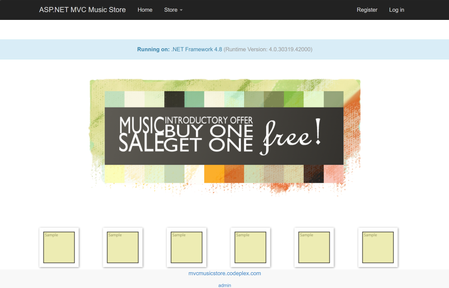
In early 2025, we wanted to modernize Jon Galloway's MVC Music Store — a classic ASP.NET MVC 5 app running on .NET Framework 4.8 with Entity Framework 6. The goal was straightforward: address vulnerabilities, enable managed identity, and deploy to Azure Container Apps and Azure SQL. No more plaintext connection strings. No more passwords in config files. We hit a wall immediately. Entity Framework on .NET Framework did not support Azure.Identity or DefaultAzureCredential. We just could not add a NuGet package and call it done — we’d need EF Core, which means modern .NET - and rewriting the data layer, the identity system, the startup pipeline, the views. The engineering team estimated one week of dedicated developer work. As a product manager without extensive .NET modernization experience, I wasn't able to complete it quickly on my own, so the project was placed in the backlog. This was before the GitHub Copilot "Agent" mode, the GitHub Copilot app modernization (a specialized agent with skills for modernization) existed but only offered assessment — it could tell you what needed to change, but couldn't make the end to end changes for you. Fast-forward one year. The full modernization agent is available. I sat down with the same app and the same goal. A few hours later, it was running on .NET 10 on Azure Container Apps with managed identity, Key Vault integration, and zero plaintext credentials. Thank you GitHub Copilot app modernization! And while we were on it – GitHub Copilot helped to modernize the experience as well, built more tests and generated more synthetic data for testing. Why Azure Container Apps? Azure Container Apps is an ideal deployment target for this modernized MVC Music Store application because it provides a serverless, fully managed container hosting environment. It abstracts away infrastructure management while natively supporting the key security and operational features this project required. It pairs naturally with infrastructure-as-code deployments, and its per-second billing on a consumption plan keeps costs minimal for a lightweight web app like this, eliminating the overhead of managing Kubernetes clusters while still giving you the container portability that modern .NET apps benefit from. That is why I asked Copilot to modernize to Azure Container Apps - here's how it went - Phase 1: Assessment GitHub Copilot App Modernization started by analyzing the codebase and producing a detailed assessment: Framework gap analysis — .NET Framework 4.0 → .NET 10, identifying every breaking change Dependency inventory — Entity Framework 6 (not EF Core), MVC 5 references, System.Web dependencies Security findings — plaintext SQL connection strings in Web.config, no managed identity support API surface changes — Global.asax → Program.cs minimal hosting, System.Web.Mvc → Microsoft.AspNetCore.Mvc The assessment is not a generic checklist. It reads your code — your controllers, your DbContext, your views — and maps a concrete modernization path. For this app, the key finding was clear: EF 6 on .NET Framework cannot support DefaultAzureCredential. The entire data layer needs to move to EF Core on modern .NET to unlock passwordless authentication. Phase 2: Code & Dependency Modernization This is where last year's experience ended and this year's began. The agent performed the actual modernization: Project structure: .csproj converted from legacy XML format to SDK-style targeting net10.0 Global.asax replaced with Program.cs using minimal hosting packages.config → NuGet PackageReference entries Data layer (the hard part): Entity Framework 6 → EF Core with Microsoft.EntityFrameworkCore.SqlServer DbContext rewritten with OnModelCreating fluent configuration System.Data.Entity → Microsoft.EntityFrameworkCore namespace throughout EF Core modernization generated from scratch Database seeding moved to a proper DbSeeder pattern with MigrateAsync() Identity: ASP.NET Membership → ASP.NET Core Identity with ApplicationUser, ApplicationDbContext Cookie authentication configured through ConfigureApplicationCookie Security (the whole trigger for this modernization): Azure.Identity + DefaultAzureCredential integrated in Program.cs Azure Key Vault configuration provider added via Azure.Extensions.AspNetCore.Configuration.Secrets Connection strings use Authentication=Active Directory Default — no passwords anywhere Application Insights wired through OpenTelemetry Views: Razor views updated from MVC 5 helpers to ASP.NET Core Tag Helpers and conventions _Layout.cshtml and all partials migrated The code changes touched every layer of the application. This is not a find-and-replace — it's a structural rewrite that maintains functional equivalence. Phase 3: Local Testing After modernization, the app builds, runs locally, and connects to a local SQL Server (or SQL in a container). EF Core modernizations apply cleanly, the seed data loads, and you can browse albums, add to cart, and check out. The identity system works. The Key Vault integration gracefully skips when KeyVaultName isn't configured — meaning local dev and Azure use the same Program.cs with zero code branches. Phase 4: AZD UP and Deployment to Azure The agent also generates the deployment infrastructure: azure.yaml — AZD service definition pointing to the Dockerfile, targeting Azure Container Apps Dockerfile — Multi-stage build using mcr.microsoft.com/dotnet/sdk:10.0 and aspnet:10.0 infra/main.bicep — Full IaaC including: Azure Container Apps with system + user-assigned managed identity Azure SQL Server with Azure AD-only authentication (no SQL auth) Azure Key Vault with RBAC, Secrets Officer role for the managed identity Container Registry with ACR Pull role assignment Application Insights + Log Analytics All connection strings injected as Container App secrets — using Active Directory Default, not passwords One command: AZD UP Provisions everything, builds the container, pushes to ACR, deploys to Container Apps. The app starts, runs MigrateAsync() on first boot, seeds the database, and serves traffic. Managed identity handles all auth to SQL and Key Vault. No credentials stored anywhere. What Changed in a Year Early 2025 Now Assessment Available Available Automated code modernization Semi-manual ✅ Full modernization agent Infrastructure generation Semi-manual ✅ Bicep + AZD generated Time to complete Weeks ✅ Hours The technology didn't just improve incrementally. The gap between "assessment" and "done" collapsed. A year ago, knowing what to do and being able to do it were very different things. Now they're the same step. Who This Is For If you have a .NET Framework app sitting on a backlog because "the modernization is too expensive" — revisit that assumption. The process changed. GitHub Copilot app modernization helps you rewrite your data layer, generates your infrastructure, and gets you to azd up. It can help you generate tests to increase your code coverage. If you have some feature requests – or – if you want to further optimize the code for scale – bring your requirements or logs or profile traces, you can take care of all of that during the modernization process. MVC Music Store went from .NET Framework 4.0 with Entity Framework 6 and plaintext SQL credentials to .NET 10 on Azure Container Apps with managed identity, Key Vault, and zero secrets in code. In an afternoon. That backlog item might be a lunch break now 😊. Really. Find your legacy apps and try it yourself. Next steps Modernize your .Net or Java apps with GitHub Copilot app modernization – https://aka.ms/ghcp-appmod Open your legacy application in Visual Studio or Visual Studio Code to start the process Deploy to Azure Container Apps https://aka.ms/aca/start301Views0likes0CommentsMCP-Driven Azure SRE for Databricks
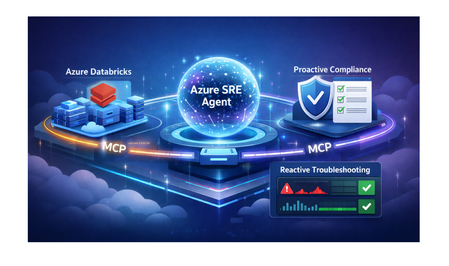
Azure SRE Agent is an AI-powered operations assistant built for incident response and governance. MCP (Model Context Protocol) is the standard interface it uses to connect to external systems and tools. Azure SRE Agent integrates with Azure Databricks through the Model Context Protocol (MCP) to provide: Proactive Compliance - Automated best practice validation Reactive Troubleshooting - Root cause analysis and remediation for job failures This post demonstrates both capabilities with real examples. Architecture The Azure SRE Agent orchestrates Ops Skills and Knowledge Base prompts, then calls the Databricks MCP server over HTTPS. The MCP server translates those requests into Databricks REST API calls, returns structured results, and the agent composes findings, evidence, and remediation. End-to-end, this yields a single loop: intent -> MCP tool calls -> Databricks state -> grounded response. Deployment The MCP server runs as a containerized FastMCP application on Azure Container Apps, fronted by HTTPS and configured with Databricks workspace connection settings. It exposes a tool catalog that the agent invokes through MCP, while the container handles authentication and REST API calls to Databricks. 👉 For deployment instructions, see the GitHub repository. Getting Started Deploy the MCP Server: Follow the quickstart guide to deploy to Azure Container Apps (~30 min) Configure Azure SRE Agent: Create MCP connector with streamable-http transport Upload Knowledge Base from Builder > Knowledge Base using the Best Practices doc: AZURE_DATABRICKS_BEST_PRACTICES.md Benefit: Gives the agent authoritative compliance criteria and remediation commands. Create Ops Skill from Builder > Subagent Builder > Create skill and drop the Ops Skill doc: DATABRICKS_OPS_RUNBOOK_SKILL.md Benefit: Adds incident timelines, runbooks, and escalation triggers to responses. Deploy the subagent YAML: Databricks_MCP_Agent.yaml Benefit: Wires the MCP connector, Knowledge Base, and Ops Skill into one agent for proactive and reactive workflows. Integrate with Alerting: Connect PagerDuty/ServiceNow webhooks Enable auto-remediation for common issues Part 1: Proactive Compliance Use Case: Best Practice Validation Prompt: @Databricks_MCP_Agent: Validate the Databricks workspace for best practices compliance and provide a summary, detailed findings, and concrete remediation steps. What the Agent Does: Calls MCP tools to gather current state: list_clusters() - Audit compute configurations list_catalogs() - Check Unity Catalog setup list_jobs() - Review job configurations execute_sql() - Query governance policies Cross-references findings with Knowledge Base (best practices document) Generates prioritized compliance report Expected Output: Benefits: Time Savings: 5 minutes vs. 2-3 hours manual review Consistency: Same validation criteria across all workspaces Actionable: Specific remediation steps with code examples Part 2: Reactive Incident Response Example 1: Job Failure - Non-Zero Exit Code Scenario: Job job_exceptioning_out fails repeatedly due to notebook code errors. Prompt: Agent Investigation - Calls MCP Tools: get_job() - Retrieves job definition list_job_runs() - Gets recent run history (4 failed runs) get_run_output() - Analyzes error logs Root Cause Analysis: Expected Outcome: Root Cause Identified: sys.exit(1) in notebook code Evidence Provided: Job ID, run history, code excerpt, settings Confidence: HIGH (explicit failing code present) Remediation: Fix code + add retry policy Resolution Time: 3-5 minutes (vs. 30-45 minutes manual investigation) Example 2: Job Failure - Task Notebook Exception Scenario: Job hourly-data-sync fails repeatedly due to exception in task notebook. Prompt: Agent Investigation - Calls MCP Tools: get_job() - Job definition and task configuration list_job_runs() - Recent runs show "TERMINATED with TIMEOUT" execute_sql() - Queries notebook metadata Root Cause Analysis: Expected Outcome: Root Cause Identified: Exception at line 7 - null partition detected Evidence: Notebook path, code excerpt (lines 5-7), run history (7 consecutive failures) Confidence: HIGH (explicit failing code + TIMEOUT/queue issues) Remediation: Fix exception handling + add retry policy Resolution Time: 5-8 minutes (vs. 45+ minutes manual log analysis) Key Benefits Proactive Governance ✅ Continuous compliance monitoring ✅ Automated best practice validation ✅ 95% reduction in manual review time Reactive Incident Response 🚨 Automated root cause analysis ⚡ 80-95% reduction in MTTR 🧠 Context-aware remediation recommendations 📊 Evidence-based troubleshooting Operational Impact Metric Before After Improvement Compliance review time 2-3 hours 5 minutes 95% Job failure investigation 30-45 min 3-8 min 85% On-call alerts requiring intervention 4-6 per shift 1-2 per shift 70% Conclusion Azure SRE Agent transforms Databricks operations by combining proactive governance with reactive troubleshooting. The MCP integration provides: Comprehensive visibility into workspace health Automated compliance monitoring and validation Intelligent incident response with root cause analysis Self-healing capabilities for common failures Result: Teams spend less time firefighting and more time building. Resources 📘 Deployment Guide 🤖 Subagent Configuration 📋 Best Practices Document 🧰 Ops Skill Runbook 🔧 Validation Script 📖 Azure SRE Agent Documentation 📰 Azure SRE Agent Blogs 📜 MCP Specification Questions? Open an issue on GitHub or reach out to the Azure SRE team.557Views0likes0Comments