azure ai vision
40 TopicsFine-Tuning and Deploying Phi-3.5 Model with Azure and AI Toolkit
What is Phi-3.5? Phi-3.5 as a state-of-the-art language model with strong multilingual capabilities. Emphasize that it is designed to handle multiple languages with high proficiency, making it a versatile tool for Natural Language Processing (NLP) tasks across different linguistic backgrounds. Key Features of Phi-3.5 Highlight the core features of the Phi-3.5 model: Multilingual Capabilities: Explain that the model supports a wide variety of languages, including major world languages such as English, Spanish, Chinese, French, and others. You can provide an example of its ability to handle a sentence or document translation from one language to another without losing context or meaning. Fine-Tuning Ability: Discuss how the model can be fine-tuned for specific use cases. For instance, in a customer support setting, the Phi-3.5 model can be fine-tuned to understand the nuances of different languages used by customers across the globe, improving response accuracy. High Performance in NLP Tasks: Phi-3.5 is optimized for tasks like text classification, machine translation, summarization, and more. It has superior performance in handling large-scale datasets and producing coherent, contextually correct language outputs. Applications in Real-World Scenarios To make this section more engaging, provide a few real-world applications where the Phi-3.5 model can be utilized: Customer Support Chatbots: For companies with global customer bases, the model’s multilingual support can enhance chatbot capabilities, allowing for real-time responses in a customer’s native language, no matter where they are located. Content Creation for Global Markets: Discuss how businesses can use Phi-3.5 to automatically generate or translate content for different regions. For example, marketing copy can be adapted to fit cultural and linguistic nuances in multiple languages. Document Summarization Across Languages: Highlight how the model can be used to summarize long documents or articles written in one language and then translate the summary into another language, improving access to information for non-native speakers. Why Choose Phi-3.5 for Your Project? End this section by emphasizing why someone should use Phi-3.5: Versatility: It’s not limited to just one or two languages but performs well across many. Customization: The ability to fine-tune it for particular use cases or industries makes it highly adaptable. Ease of Deployment: With tools like Azure ML and Ollama, deploying Phi-3.5 in the cloud or locally is accessible even for smaller teams. Objective Of Blog Specialized Language Models (SLMs) are at the forefront of advancements in Natural Language Processing, offering fine-tuned, high-performance solutions for specific tasks and languages. Among these, the Phi-3.5 model has emerged as a powerful tool, excelling in its multilingual capabilities. Whether you're working with English, Spanish, Mandarin, or any other major world language, Phi-3.5 offers robust, reliable language processing that adapts to various real-world applications. This makes it an ideal choice for businesses looking to deploy multilingual chatbots, automate content generation, or translate customer interactions in real time. Moreover, its fine-tuning ability allows for customization, making Phi-3.5 versatile across industries and tasks. Customization and Fine-Tuning for Different Applications The Phi-3.5 model is not just limited to general language understanding tasks. It can be fine-tuned for specific applications, industries, and language models, allowing users to tailor its performance to meet their needs. Customizable for Industry-Specific Use Cases: With fine-tuning, the model can be trained further on domain-specific data to handle particular use cases like legal document translation, medical records analysis, or technical support. Example: A healthcare company can fine-tune Phi-3.5 to understand medical terminology in multiple languages, enabling it to assist in processing patient records or generating multilingual health reports. Adapting for Specialized Tasks: You can train Phi-3.5 to perform specialized tasks like sentiment analysis, text summarization, or named entity recognition in specific languages. Fine-tuning helps enhance the model's ability to handle unique text formats or requirements. Example: A marketing team can fine-tune the model to analyse customer feedback in different languages to identify trends or sentiment across various regions. The model can quickly classify feedback as positive, negative, or neutral, even in less widely spoken languages like Arabic or Korean. Applications in Real-World Scenarios To illustrate the versatility of Phi-3.5, here are some real-world applications where this model excels, demonstrating its multilingual capabilities and customization potential: Case Study 1: Multilingual Customer Support Chatbots Many global companies rely on chatbots to handle customer queries in real-time. With Phi-3.5’s multilingual abilities, businesses can deploy a single model that understands and responds in multiple languages, cutting down on the need to create language-specific chatbots. Example: A global airline can use Phi-3.5 to power its customer service bot. Passengers from different countries can inquire about their flight status or baggage policies in their native languages—whether it's Japanese, Hindi, or Portuguese—and the model responds accurately in the appropriate language. Case Study 2: Multilingual Content Generation Phi-3.5 is also useful for businesses that need to generate content in different languages. For example, marketing campaigns often require creating region-specific ads or blog posts in multiple languages. Phi-3.5 can help automate this process by generating localized content that is not just translated but adapted to fit the cultural context of the target audience. Example: An international cosmetics brand can use Phi-3.5 to automatically generate product descriptions for different regions. Instead of merely translating a product description from English to Spanish, the model can tailor the description to fit cultural expectations, using language that resonates with Spanish-speaking audiences. Case Study 3: Document Translation and Summarization Phi-3.5 can be used to translate or summarize complex documents across languages. Its ability to preserve meaning and context across languages makes it ideal for industries where accuracy is crucial, such as legal or academic fields. Example: A legal firm working on cross-border cases can use Phi-3.5 to translate contracts or legal briefs from German to English, ensuring the context and legal terminology are accurately preserved. It can also summarize lengthy documents in multiple languages, saving time for legal teams. Fine-Tuning Phi-3.5 Model Fine-tuning a language model like Phi-3.5 is a crucial step in adapting it to perform specific tasks or cater to specific domains. This section will walk through what fine-tuning is, its importance in NLP, and how to fine-tune the Phi-3.5 model using Azure Model Catalog for different languages and tasks. We'll also explore a code example and best practices for evaluating and validating the fine-tuned model. What is Fine-Tuning? Fine-tuning refers to the process of taking a pre-trained model and adapting it to a specific task or dataset by training it further on domain-specific data. In the context of NLP, fine-tuning is often required to ensure that the language model understands the nuances of a particular language, industry-specific terminology, or a specific use case. Why Fine-Tuning is Necessary Pre-trained Large Language Models (LLMs) are trained on diverse datasets and can handle various tasks like text summarization, generation, and question answering. However, they may not perform optimally in specialized domains without fine-tuning. The goal of fine-tuning is to enhance the model's performance on specific tasks by leveraging its prior knowledge while adapting it to new contexts. Challenges of Fine-Tuning Resource Intensiveness: Fine-tuning large models can be computationally expensive, requiring significant hardware resources. Storage Costs: Each fine-tuned model can be large, leading to increased storage needs when deploying multiple models for different tasks. LoRA and QLoRA To address these challenges, techniques like LoRA (Low-rank Adaptation) and QLoRA (Quantized Low-rank Adaptation) have emerged. Both methods aim to make the fine-tuning process more efficient: LoRA: This technique reduces the number of trainable parameters by introducing low-rank matrices into the model while keeping the original model weights frozen. This approach minimizes memory usage and speeds up the fine-tuning process. QLoRA: An enhancement of LoRA, QLoRA incorporates quantization techniques to further reduce memory requirements and increase the efficiency of the fine-tuning process. It allows for the deployment of large models on consumer hardware without the extensive resource demands typically associated with full fine-tuning. from transformers import AutoModelForSequenceClassification, Trainer, TrainingArguments from peft import get_peft_model, LoraConfig # Load a pre-trained model model = AutoModelForSequenceClassification.from_pretrained("bert-base-uncased") # Configure LoRA lora_config = LoraConfig( r=16, # Rank lora_alpha=32, lora_dropout=0.1, ) # Wrap the model with LoRA model = get_peft_model(model, lora_config) # Define training arguments training_args = TrainingArguments( output_dir="./results", evaluation_strategy="epoch", learning_rate=2e-5, per_device_train_batch_size=16, per_device_eval_batch_size=16, num_train_epochs=3, ) # Create a Trainer trainer = Trainer( model=model, args=training_args, train_dataset=train_dataset, eval_dataset=eval_dataset, ) # Start fine-tuning trainer.train() This code outlines how to set up a model for fine-tuning using LoRA, which can significantly reduce the resource requirements while still adapting the model effectively to specific tasks. In summary, fine-tuning with methods like LoRA and QLoRA is essential for optimizing pre-trained models for specific applications in NLP, making it feasible to deploy these powerful models in various domains efficiently. Why is Fine-Tuning Important in NLP? Task-Specific Performance: Fine-tuning helps improve performance for tasks like text classification, machine translation, or sentiment analysis in specific domains (e.g., legal, healthcare). Language-Specific Adaptation: Since models like Phi-3.5 are trained on general datasets, fine-tuning helps them handle industry-specific jargon or linguistic quirks. Efficient Resource Utilization: Instead of training a model from scratch, fine-tuning leverages pre-trained knowledge, saving computational resources and time. Steps to Fine-Tune Phi-3.5 in Azure AI Foundry Fine-tuning the Phi-3.5 model in Azure AI Foundry involves several key steps. Azure provides a user-friendly interface to streamline model customization, allowing you to quickly configure, train, and deploy models. Step 1: Setting Up the Environment in Azure AI Foundry Access Azure AI Foundry: Log in to Azure AI Foundry. If you don’t have an account, you can create one and set up a workspace. Create a New Experiment: Once in the Azure AI Foundry, create a new training experiment. Choose the Phi-3.5 model from the pre-trained models provided in the Azure Model Zoo. Set Up the Data for Fine-Tuning: Upload your custom dataset for fine-tuning. Ensure the dataset is in a compatible format (e.g., CSV, JSON). For instance, if you are fine-tuning the model for a customer service chatbot, you could upload customer queries in different languages. Step 2: Configure Fine-Tuning Settings Select the Training Dataset: Select the dataset you uploaded and link it to the Phi-3.5 model. 2) Configure the Hyperparameters: Set up training hyperparameters like the number of epochs, learning rate, and batch size. You may need to experiment with these settings to achieve optimal performance. 3) Choose the Task Type: Specify the task you are fine-tuning for, such as text classification, translation, or summarization. This helps Azure AI Foundry understand how to optimize the model during fine-tuning. 4) Fine-Tuning for Specific Languages: If you are fine-tuning for a specific language or multilingual tasks, ensure that the dataset is labeled appropriately and contains enough examples in the target language(s). This will allow Phi-3.5 to learn language-specific features effectively. Step 3: Train the Model Launch the Training Process: Once the configuration is complete, launch the training process in Azure AI Foundry. Depending on the size of your dataset and the complexity of the model, this could take some time. Monitor Training Progress: Use Azure AI Foundry’s built-in monitoring tools to track performance metrics such as loss, accuracy, and F1 score. You can view the model’s progress during training to ensure that it is learning effectively. Code Example: Fine-Tuning Phi-3.5 for a Specific Use Case Here's a code snippet for fine-tuning the Phi-3.5 model using Python and Azure AI Foundry SDK. In this example, we are fine-tuning the model for a customer support chatbot in multiple languages. from azure.ai import Foundry from azure.ai.model import Model # Initialize Azure AI Foundry foundry = Foundry() # Load the Phi-3.5 model model = Model.load("phi-3.5") # Set up the training dataset training_data = foundry.load_dataset("customer_queries_dataset") # Fine-tune the model model.fine_tune(training_data, epochs=5, learning_rate=0.001) # Save the fine-tuned model model.save("fine_tuned_phi_3.5") Best Practices for Evaluating and Validating Fine-Tuned Models Once the model is fine-tuned, it's essential to evaluate and validate its performance before deploying it in production. Split Data for Validation: Always split your dataset into training and validation sets. This ensures that the model is evaluated on unseen data to prevent overfitting. Evaluate Key Metrics: Measure performance using key metrics such as: Accuracy: The proportion of correct predictions. F1 Score: A measure of precision and recall. Confusion Matrix: Helps visualize true vs. false predictions for classification tasks. Cross-Language Validation: If the model is fine-tuned for multiple languages, test its performance across all supported languages to ensure consistency and accuracy. Test in Production-Like Environments: Before full deployment, test the fine-tuned model in a production-like environment to catch any potential issues. Continuous Monitoring and Re-Fine-Tuning: Once deployed, continuously monitor the model’s performance and re-fine-tune it periodically as new data becomes available. Deploying Phi-3.5 Model After fine-tuning the Phi-3.5 model, the next crucial step is deploying it to make it accessible for real-world applications. This section will cover two key deployment strategies: deploying in Azure for cloud-based scaling and reliability, and deploying locally with AI Toolkit for simpler offline usage. Each deployment strategy offers its own advantages depending on the use case. Deploying in Azure Azure provides a powerful environment for deploying machine learning models at scale, enabling organizations to deploy models like Phi-3.5 with high availability, scalability, and robust security features. Azure AI Foundry simplifies the entire deployment pipeline. Set Up Azure AI Foundry Workspace: Log in to Azure AI Foundry and navigate to the workspace where the Phi-3.5 model was fine-tuned. Go to the Deployments section and create a new deployment environment for the model. Choose Compute Resources: Compute Target: Select a compute target suitable for your deployment. For large-scale usage, it’s advisable to choose a GPU-based compute instance. Example: Choose an Azure Kubernetes Service (AKS) cluster for handling large-scale requests efficiently. Configure Scaling Options: Azure allows you to set up auto-scaling based on traffic. This ensures that the model can handle surges in demand without affecting performance. Model Deployment Configuration: Create an Inference Pipeline: In Azure AI Foundry, set up an inference pipeline for your model. Specify the Model: Link the fine-tuned Phi-3.5 model to the deployment pipeline. Deploy the Model: Select the option to deploy the model to the chosen compute resource. Test the Deployment: Once the model is deployed, test the endpoint by sending sample requests to verify the predictions. Configuration Steps (Compute, Resources, Scaling) During deployment, Azure AI Foundry allows you to configure essential aspects like compute type, resource allocation, and scaling options. Compute Type: Choose between CPU or GPU clusters depending on the computational intensity of the model. Resource Allocation: Define the minimum and maximum resources to be allocated for the deployment. For real-time applications, use Azure Kubernetes Service (AKS) for high availability. For batch inference, Azure Container Instances (ACI) is suitable. Auto-Scaling: Set up automatic scaling of the compute instances based on the number of requests. For example, configure the deployment to start with 1 node and scale to 10 nodes during peak usage. Cost Comparison: Phi-3.5 vs. Larger Language Models When comparing the costs of using Phi-3.5 with larger language models (LLMs), several factors come into play, including computational resources, pricing structures, and performance efficiency. Here’s a breakdown: Cost Efficiency Phi-3.5: Designed as a Small Language Model (SLM), Phi-3.5 is optimized for lower computational costs. It offers competitive performance at a fraction of the cost of larger models, making it suitable for budget-conscious projects. The smaller size (3.8 billion parameters) allows for reduced resource consumption during both training and inference. Larger Language Models (e.g., GPT-3.5): Typically require more computational resources, leading to higher operational costs. Larger models may incur additional costs for storage and processing power, especially in cloud environments. Performance vs. Cost Performance Parity: Phi-3.5 has been shown to achieve performance parity with larger models on various benchmarks, including language comprehension and reasoning tasks. This means that for many applications, Phi-3.5 can deliver similar results to larger models without the associated costs. Use Case Suitability: For simpler tasks or applications that do not require extensive factual knowledge, Phi-3.5 is often the more cost-effective choice. Larger models may still be preferred for complex tasks requiring deep contextual understanding or extensive factual recall. Pricing Structure Azure Pricing: Phi-3.5 is available through Azure with a pay-as-you-go billing model, allowing users to scale costs based on usage. Pricing details for Phi-3.5 can be found on the Azure pricing page, where users can customize options based on their needs. Code Example: API Setup and Endpoints for Live Interaction Below is a Python code snippet demonstrating how to interact with a deployed Phi-3.5 model via an API in Azure: import requests # Define the API endpoint and your API key api_url = "https://<your-azure-endpoint>/predict" api_key = "YOUR_API_KEY" # Prepare the input data input_data = { "text": "What are the benefits of renewable energy?" } # Make the API request response = requests.post(api_url, json=input_data, headers={"Authorization": f"Bearer {api_key}"}) # Print the model's response if response.status_code == 200: print("Model Response:", response.json()) else: print("Error:", response.status_code, response.text) Deploying Locally with AI Toolkit For developers who prefer to run models on their local machines, the AI Toolkit provides a convenient solution. The AI Toolkit is a lightweight platform that simplifies local deployment of AI models, allowing for offline usage, experimentation, and rapid prototyping. Deploying the Phi-3.5 model locally using the AI Toolkit is straightforward and can be used for personal projects, testing, or scenarios where cloud access is limited. Introduction to AI Toolkit The AI Toolkit is an easy-to-use platform for deploying language models locally without relying on cloud infrastructure. It supports a range of AI models and enables developers to work in a low-latency environment. Advantages of deploying locally with AI Toolkit: Offline Capability: No need for continuous internet access. Quick Experimentation: Rapid prototyping and testing without the delays of cloud deployments. Setup Guide: Installing and Running Phi-3.5 Locally Using AI Toolkit Install AI Toolkit: Go to the AI Toolkit website and download the platform for your operating system (Linux, macOS, or Windows). Install AI Toolkit by running the appropriate installation command in your terminal. Download the Phi-3.5 Model: Once AI Toolkit is installed, you can download the Phi-3.5 model locally by running: 3. Run the Model Locally: After downloading the model, start a local session by running: This will launch a local server on your machine where the model will be available for interaction. Code Example: Using Phi-3.5 Locally in a Project Below is a Python code example demonstrating how to send a query to the locally deployed Phi-3.5 model running on the AI Toolkit. import requests # Define the local endpoint local_url = "http://localhost:8000/predict" # Prepare the input data input_data = { "text": "What are the benefits of renewable energy?" } # Make the API request response = requests.post(local_url, json=input_data) # Print the model's response if response.status_code == 200: print("Model Response:", response.json()) else: print("Error:", response.status_code, response.text) Comparing Language Capabilities Test Results: How Phi-3.5 Handles Different Languages The Phi-3.5 model demonstrates robust multilingual capabilities, effectively processing and generating text in various languages. Below are comparative examples showcasing its performance in English, Spanish, and Mandarin: English Example: Input: "What are the benefits of renewable energy?" Output: "Renewable energy sources, such as solar and wind, reduce greenhouse gas emissions and promote sustainability." Spanish Example: Input: "¿Cuáles son los beneficios de la energía renovable?" Output: "Las fuentes de energía renovable, como la solar y la eólica, reducen las emisiones de gases de efecto invernadero y promueven la sostenibilidad." Mandarin Example: Input: "可再生能源的好处是什么?" Output: "可再生能源,如太阳能和风能,减少温室气体排放,促进可持续发展。" Performance Benchmarking and Evaluation Across Different Languages Benchmarking Phi-3.5 across different languages involves evaluating its accuracy, fluency, and contextual understanding. For instance, using BLEU scores and human evaluations, the model can be assessed on its translation quality and coherence in various languages. Real-World Use Case: Multilingual Customer Service Chatbot A practical application of Phi-3.5's multilingual capabilities is in developing a customer service chatbot that can interact with users in their preferred language. For instance, the chatbot could provide support in English, Spanish, and Mandarin, ensuring a wider reach and better user experience. Optimizing and Validating Phi-3.5 Model Model Performance Metrics To validate the model's performance in different scenarios, consider the following metrics: Accuracy: Measure how often the model's outputs are correct or align with expected results. Fluency: Assess the naturalness and readability of the generated text. Contextual Understanding: Evaluate how well the model understands and responds to context-specific queries. Tools to Use in Azure and Ollama for Evaluation Azure Cognitive Services: Utilize tools like Text Analytics and Translator to evaluate performance. Ollama: Use local testing environments to quickly iterate and validate model outputs. Conclusion In summary, Phi-3.5 exhibits impressive multilingual capabilities, effective deployment options, and robust performance metrics. Its ability to handle various languages makes it a versatile tool for natural language processing applications. Phi-3.5 stands out for its adaptability and performance in multilingual contexts, making it an excellent choice for future NLP projects, especially those requiring diverse language support. We encourage readers to experiment with the Phi-3.5 model using Azure AI Foundry or the AI Toolkit, explore fine-tuning techniques for their specific use cases, and share their findings with the community. For more information on optimized fine-tuning techniques, check out the Ignite Fine-Tuning Workshop. References Customize the Phi-3.5 family of models with LoRA fine-tuning in Azure Fine-tune Phi-3.5 models in Azure Fine Tuning with Azure AI Foundry and Microsoft Olive Hands on Labs and Workshop Customize a model with fine-tuning https://learn.microsoft.com/en-us/azure/ai-services/openai/how-to/fine-tuning?tabs=azure-openai%2Cturbo%2Cpython-new&pivots=programming-language-studio Microsoft AI Toolkit - AI Toolkit for VSCode1.9KViews1like2CommentsExploring Azure OpenAI Assistants and Azure AI Agent Services: Benefits and Opportunities
In the rapidly evolving landscape of artificial intelligence, businesses are increasingly turning to cloud-based solutions to harness the power of AI. Microsoft Azure offers two prominent services in this domain: Azure OpenAI Assistants and Azure AI Agent Services. While both services aim to enhance user experiences and streamline operations, they cater to different needs and use cases. This blog post will delve into the details of each service, their benefits, and the opportunities they present for businesses. Understanding Azure OpenAI Assistants What Are Azure OpenAI Assistants? Azure OpenAI Assistants are designed to leverage the capabilities of OpenAI's models, such as GPT-3 and its successors. These assistants are tailored for applications that require advanced natural language processing (NLP) and understanding, making them ideal for conversational agents, chatbots, and other interactive applications. Key Features Pre-trained Models: Azure OpenAI Assistants utilize pre-trained models from OpenAI, which means they come with a wealth of knowledge and language understanding out of the box. This reduces the time and effort required for training models from scratch. Customizability: While the models are pre-trained, developers can fine-tune them to meet specific business needs. This allows for the creation of personalized experiences that resonate with users. Integration with Azure Ecosystem: Azure OpenAI Assistants seamlessly integrate with other Azure services, such as Azure Functions, Azure Logic Apps, and Azure Cognitive Services. This enables businesses to build comprehensive solutions that leverage multiple Azure capabilities. Benefits of Azure OpenAI Assistants Enhanced User Experience: By utilizing advanced NLP capabilities, Azure OpenAI Assistants can provide more natural and engaging interactions. This leads to improved customer satisfaction and loyalty. Rapid Deployment: The availability of pre-trained models allows businesses to deploy AI solutions quickly. This is particularly beneficial for organizations looking to implement AI without extensive development time. Scalability: Azure's cloud infrastructure ensures that applications built with OpenAI Assistants can scale to meet growing user demands without compromising performance. Understanding Azure AI Agent Services What Are Azure AI Agent Services? Azure AI Agent Services provide a more flexible framework for building AI-driven applications. Unlike Azure OpenAI Assistants, which are limited to OpenAI models, Azure AI Agent Services allow developers to utilize a variety of AI models, including those from other providers or custom-built models. Key Features Model Agnosticism: Developers can choose from a wide range of AI models, enabling them to select the best fit for their specific use case. This flexibility encourages innovation and experimentation. Custom Agent Development: Azure AI Agent Services support the creation of custom agents that can perform a variety of tasks, from simple queries to complex decision-making processes. Integration with Other AI Services: Like OpenAI Assistants, Azure AI Agent Services can integrate with other Azure services, allowing for the creation of sophisticated AI solutions that leverage multiple technologies. Benefits of Azure AI Agent Services Diverse Use Cases: The ability to use any AI model opens a world of possibilities for businesses. Whether it's a specialized model for sentiment analysis or a custom-built model for a niche application, organizations can tailor their solutions to meet specific needs. Enhanced Automation: AI agents can automate repetitive tasks, freeing up human resources for more strategic activities. This leads to increased efficiency and productivity. Cost-Effectiveness: By allowing the use of various models, businesses can choose cost-effective solutions that align with their budget and performance requirements. Opportunities for Businesses Improved Customer Engagement Both Azure OpenAI Assistants and Azure AI Agent Services can significantly enhance customer engagement. By providing personalized and context-aware interactions, businesses can create a more satisfying user experience. For example, a retail company can use an AI assistant to provide tailored product recommendations based on customer preferences and past purchases. Data-Driven Decision Making AI agents can analyze vast amounts of data and provide actionable insights. This capability enables organizations to make informed decisions based on real-time data analysis. For instance, a financial institution can deploy an AI agent to monitor market trends and provide investment recommendations to clients. Streamlined Operations By automating routine tasks, businesses can streamline their operations and reduce operational costs. For example, a customer support team can use AI agents to handle common inquiries, allowing human agents to focus on more complex issues. Innovation and Experimentation The flexibility of Azure AI Agent Services encourages innovation. Developers can experiment with different models and approaches to find the most effective solutions for their specific challenges. This culture of experimentation can lead to breakthroughs in product development and service delivery. Enhanced Analytics and Insights Integrating AI agents with analytics tools can provide businesses with deeper insights into customer behavior and preferences. This data can inform marketing strategies, product development, and customer service improvements. For example, a company can analyze interactions with an AI assistant to identify common customer pain points, allowing them to address these issues proactively. Conclusion In summary, both Azure OpenAI Assistants and Azure AI Agent Services offer unique advantages that can significantly benefit businesses looking to leverage AI technology. Azure OpenAI Assistants provide a robust framework for building conversational agents using advanced OpenAI models, making them ideal for applications that require sophisticated natural language understanding and generation. Their ease of integration, rapid deployment, and enhanced user experience make them a compelling choice for businesses focused on customer engagement. Azure AI Agent Services, on the other hand, offer unparalleled flexibility by allowing developers to utilize a variety of AI models. This model-agnostic approach encourages innovation and experimentation, enabling businesses to tailor solutions to their specific needs. The ability to automate tasks and streamline operations can lead to significant cost savings and increased efficiency. Additional Resources To further explore Azure OpenAI Assistants and Azure AI Agent Services, consider the following resources: Agent Service on Microsoft Learn Docs Watch On-Demand Sessions Streamlining Customer Service with AI-Powered Agents: Building Intelligent Multi-Agent Systems with Azure AI Microsoft learn Develop AI agents on Azure - Training | Microsoft Learn Community and Announcements Tech Community Announcement: Introducing Azure AI Agent Service Bonus Blog Post: Announcing the Public Preview of Azure AI Agent Service AI Agents for Beginners 10 Lesson Course https://aka.ms/ai-agents-beginners6KViews0likes2CommentsBuilding with Azure OpenAI Sora: A Complete Guide to AI Video Generation
In this comprehensive guide, we'll explore how to integrate both Sora 1 and Sora 2 models from Azure OpenAI Service into a production web application. We'll cover API integration, request body parameters, cost analysis, limitations, and the key differences between using Azure AI Foundry endpoints versus OpenAI's native API. Table of Contents Introduction to Sora Models Azure AI Foundry vs. OpenAI API Structure API Integration: Request Body Parameters Video Generation Modes Cost Analysis per Generation Technical Limitations & Constraints Resolution & Duration Support Implementation Best Practices Introduction to Sora Models Sora is OpenAI's groundbreaking text-to-video model that generates realistic videos from natural language descriptions. Azure AI Foundry provides access to two versions: Sora 1: The original model focused primarily on text-to-video generation with extensive resolution options (480p to 1080p) and flexible duration (1-20 seconds) Sora 2: The enhanced version with native audio generation, multiple generation modes (text-to-video, image-to-video, video-to-video remix), but more constrained resolution options (720p only in public preview) Azure AI Foundry vs. OpenAI API Structure Key Architectural Differences Sora 1 uses Azure's traditional deployment-based API structure: Endpoint Pattern: https://{resource-name}.openai.azure.com/openai/deployments/{deployment-name}/... Parameters: Uses Azure-specific naming like n_seconds, n_variants, separate width/height fields Job Management: Uses /jobs/{id} for status polling Content Download: Uses /video/generations/{generation_id}/content/video Sora 2 adapts OpenAI's v1 API format while still being hosted on Azure: Endpoint Pattern: https://{resource-name}.openai.azure.com/openai/deployments/{deployment-name}/videos Parameters: Uses OpenAI-style naming like seconds (string), size (combined dimension string like "1280x720") Job Management: Uses /videos/{video_id} for status polling Content Download: Uses /videos/{video_id}/content Why This Matters? This architectural difference requires conditional request formatting in your code: const isSora2 = deployment.toLowerCase().includes('sora-2'); if (isSora2) { requestBody = { model: deployment, prompt, size: `${width}x${height}`, // Combined format seconds: duration.toString(), // String type }; } else { requestBody = { model: deployment, prompt, height, // Separate dimensions width, n_seconds: duration.toString(), // Azure naming n_variants: variants, }; } API Integration: Request Body Parameters Sora 1 API Parameters Standard Text-to-Video Request: { "model": "sora-1", "prompt": "Wide shot of a child flying a red kite in a grassy park, golden hour sunlight, camera slowly pans upward.", "height": "720", "width": "1280", "n_seconds": "12", "n_variants": "2" } Parameter Details: model (String, Required): Your Azure deployment name prompt (String, Required): Natural language description of the video (max 32000 chars) height (String, Required): Video height in pixels width (String, Required): Video width in pixels n_seconds (String, Required): Duration (1-20 seconds) n_variants (String, Optional): Number of variations to generate (1-4, constrained by resolution) Sora 2 API Parameters Text-to-Video Request: { "model": "sora-2", "prompt": "A serene mountain landscape with cascading waterfalls, cinematic drone shot", "size": "1280x720", "seconds": "12" } Image-to-Video Request (uses FormData): const formData = new FormData(); formData.append('model', 'sora-2'); formData.append('prompt', 'Animate this image with gentle wind movement'); formData.append('size', '1280x720'); formData.append('seconds', '8'); formData.append('input_reference', imageFile); // JPEG/PNG/WebP Video-to-Video Remix Request: Endpoint: POST .../videos/{video_id}/remix Body: Only { "prompt": "your new description" } The original video's structure, motion, and framing are reused while applying the new prompt Parameter Details: model (String, Optional): Your deployment name prompt (String, Required): Video description size (String, Optional): Either "720x1280" or "1280x720" (defaults to "720x1280") seconds (String, Optional): "4", "8", or "12" (defaults to "4") input_reference (File, Optional): Reference image for image-to-video mode remix_video_id (String, URL parameter): ID of video to remix Video Generation Modes 1. Text-to-Video (Both Models) The foundational mode where you provide a text prompt describing the desired video. Implementation: const response = await fetch(endpoint, { method: 'POST', headers: { 'Content-Type': 'application/json', 'api-key': apiKey, }, body: JSON.stringify({ model: deployment, prompt: "A train journey through mountains with dramatic lighting", size: "1280x720", seconds: "12", }), }); Best Practices: Include shot type (wide, close-up, aerial) Describe subject, action, and environment Specify lighting conditions (golden hour, dramatic, soft) Add camera movement if desired (pans, tilts, tracking shots) 2. Image-to-Video (Sora 2 Only) Generate a video anchored to or starting from a reference image. Key Requirements: Supported formats: JPEG, PNG, WebP Image dimensions must exactly match the selected video resolution Our implementation automatically resizes uploaded images to match Implementation Detail: // Resize image to match video dimensions const targetWidth = parseInt(width); const targetHeight = parseInt(height); const resizedImage = await resizeImage(inputReference, targetWidth, targetHeight); // Send as multipart/form-data formData.append('input_reference', resizedImage); 3. Video-to-Video Remix (Sora 2 Only) Create variations of existing videos while preserving their structure and motion. Use Cases: Change weather conditions in the same scene Modify time of day while keeping camera movement Swap subjects while maintaining composition Adjust artistic style or color grading Endpoint Structure: POST {base_url}/videos/{original_video_id}/remix?api-version=2024-08-01-preview Implementation: let requestEndpoint = endpoint; if (isSora2 && remixVideoId) { const [baseUrl, queryParams] = endpoint.split('?'); const root = baseUrl.replace(/\/videos$/, ''); requestEndpoint = `${root}/videos/${remixVideoId}/remix${queryParams ? '?' + queryParams : ''}`; } Cost Analysis per Generation Sora 1 Pricing Model Base Rate: ~$0.05 per second per variant at 720p Resolution Scaling: Cost scales linearly with pixel count Formula: const basePrice = 0.05; const basePixels = 1280 * 720; // Reference resolution const currentPixels = width * height; const resolutionMultiplier = currentPixels / basePixels; const totalCost = basePrice * duration * variants * resolutionMultiplier; Examples: 720p (1280×720), 12 seconds, 1 variant: $0.60 1080p (1920×1080), 12 seconds, 1 variant: $1.35 720p, 12 seconds, 2 variants: $1.20 Sora 2 Pricing Model Flat Rate: $0.10 per second per variant (no resolution scaling in public preview) Formula: const totalCost = 0.10 * duration * variants; Examples: 720p (1280×720), 4 seconds: $0.40 720p (1280×720), 12 seconds: $1.20 720p (720×1280), 8 seconds: $0.80 Note: Since Sora 2 currently only supports 720p in public preview, resolution doesn't affect cost, only duration matters. Cost Comparison Scenario Sora 1 (720p) Sora 2 (720p) Winner 4s video $0.20 $0.40 Sora 1 12s video $0.60 $1.20 Sora 1 12s + audio N/A (no audio) $1.20 Sora 2 (unique) Image-to-video N/A $0.40-$1.20 Sora 2 (unique) Recommendation: Use Sora 1 for cost-effective silent videos at various resolutions. Use Sora 2 when you need audio, image/video inputs, or remix capabilities. Technical Limitations & Constraints Sora 1 Limitations Resolution Options: 9 supported resolutions from 480×480 to 1920×1080 Includes square, portrait, and landscape formats Full list: 480×480, 480×854, 854×480, 720×720, 720×1280, 1280×720, 1080×1080, 1080×1920, 1920×1080 Duration: Flexible: 1 to 20 seconds Any integer value within range Variants: Depends on resolution: 1080p: Variants disabled (n_variants must be 1) 720p: Max 2 variants Other resolutions: Max 4 variants Concurrent Jobs: Maximum 2 jobs running simultaneously Job Expiration: Videos expire 24 hours after generation Audio: No audio generation (silent videos only) Sora 2 Limitations Resolution Options (Public Preview): Only 2 options: 720×1280 (portrait) or 1280×720 (landscape) No square formats No 1080p support in current preview Duration: Fixed options only: 4, 8, or 12 seconds No custom durations Defaults to 4 seconds if not specified Variants: Not prominently supported in current API documentation Focus is on single high-quality generations with audio Concurrent Jobs: Maximum 2 jobs (same as Sora 1) Job Expiration: 24 hours (same as Sora 1) Audio: Native audio generation included (dialogue, sound effects, ambience) Shared Constraints Concurrent Processing: Both models enforce a limit of 2 concurrent video jobs per Azure resource. You must wait for one job to complete before starting a third. Job Lifecycle: queued → preprocessing → processing/running → completed Download Window: Videos are available for 24 hours after completion. After expiration, you must regenerate the video. Generation Time: Typical: 1-5 minutes depending on resolution, duration, and API load Can occasionally take longer during high demand Resolution & Duration Support Matrix Sora 1 Support Matrix Resolution Aspect Ratio Max Variants Duration Range Use Case 480×480 Square 4 1-20s Social thumbnails 480×854 Portrait 4 1-20s Mobile stories 854×480 Landscape 4 1-20s Quick previews 720×720 Square 4 1-20s Instagram posts 720×1280 Portrait 2 1-20s TikTok/Reels 1280×720 Landscape 2 1-20s YouTube shorts 1080×1080 Square 1 1-20s Premium social 1080×1920 Portrait 1 1-20s Premium vertical 1920×1080 Landscape 1 1-20s Full HD content Sora 2 Support Matrix Resolution Aspect Ratio Duration Options Audio Generation Modes 720×1280 Portrait 4s, 8s, 12s ✅ Yes Text, Image, Video Remix 1280×720 Landscape 4s, 8s, 12s ✅ Yes Text, Image, Video Remix Note: Sora 2's limited resolution options in public preview are expected to expand in future releases. Implementation Best Practices 1. Job Status Polling Strategy Implement adaptive backoff to avoid overwhelming the API: const maxAttempts = 180; // 15 minutes max let attempts = 0; const baseDelayMs = 3000; // Start with 3 seconds while (attempts < maxAttempts) { const response = await fetch(statusUrl, { headers: { 'api-key': apiKey }, }); if (response.status === 404) { // Job not ready yet, wait longer const delayMs = Math.min(15000, baseDelayMs + attempts * 1000); await new Promise(r => setTimeout(r, delayMs)); attempts++; continue; } const job = await response.json(); // Check completion (different status values for Sora 1 vs 2) const isCompleted = isSora2 ? job.status === 'completed' : job.status === 'succeeded'; if (isCompleted) break; // Adaptive backoff const delayMs = Math.min(15000, baseDelayMs + attempts * 1000); await new Promise(r => setTimeout(r, delayMs)); attempts++; } 2. Handling Different Response Structures Sora 1 Video Download: const generations = Array.isArray(job.generations) ? job.generations : []; const genId = generations[0]?.id; const videoUrl = `${root}/${genId}/content/video`; Sora 2 Video Download: const videoUrl = `${root}/videos/${jobId}/content`; 3. Error Handling try { const response = await fetch(endpoint, fetchOptions); if (!response.ok) { const error = await response.text(); throw new Error(`Video generation failed: ${error}`); } // ... handle successful response } catch (error) { console.error('[VideoGen] Error:', error); // Implement retry logic or user notification } 4. Image Preprocessing for Image-to-Video Always resize images to match the target video resolution: async function resizeImage(file: File, targetWidth: number, targetHeight: number): Promise<File> { return new Promise((resolve, reject) => { const img = new Image(); const canvas = document.createElement('canvas'); const ctx = canvas.getContext('2d'); img.onload = () => { canvas.width = targetWidth; canvas.height = targetHeight; ctx.drawImage(img, 0, 0, targetWidth, targetHeight); canvas.toBlob((blob) => { if (blob) { const resizedFile = new File([blob], file.name, { type: file.type }); resolve(resizedFile); } else { reject(new Error('Failed to create resized image blob')); } }, file.type); }; img.onerror = () => reject(new Error('Failed to load image')); img.src = URL.createObjectURL(file); }); } 5. Cost Tracking Implement cost estimation before generation and tracking after: // Pre-generation estimate const estimatedCost = calculateCost(width, height, duration, variants, soraVersion); // Save generation record await saveGenerationRecord({ prompt, soraModel: soraVersion, duration: parseInt(duration), resolution: `${width}x${height}`, variants: parseInt(variants), generationMode: mode, estimatedCost, status: 'queued', jobId: job.id, }); // Update after completion await updateGenerationStatus(jobId, 'completed', { videoId: finalVideoId }); 6. Progressive User Feedback Provide detailed status updates during the generation process: const statusMessages: Record<string, string> = { 'preprocessing': 'Preprocessing your request...', 'running': 'Generating video...', 'processing': 'Processing video...', 'queued': 'Job queued...', 'in_progress': 'Generating video...', }; onProgress?.(statusMessages[job.status] || `Status: ${job.status}`); Conclusion Building with Azure OpenAI's Sora models requires understanding the nuanced differences between Sora 1 and Sora 2, both in API structure and capabilities. Key takeaways: Choose the right model: Sora 1 for resolution flexibility and cost-effectiveness; Sora 2 for audio, image inputs, and remix capabilities Handle API differences: Implement conditional logic for parameter formatting and status polling based on model version Respect limitations: Plan around concurrent job limits, resolution constraints, and 24-hour expiration windows Optimize costs: Calculate estimates upfront and track actual usage for better budget management Provide great UX: Implement adaptive polling, progressive status updates, and clear error messages The future of AI video generation is exciting, and Azure AI Foundry provides production-ready access to these powerful models. As Sora 2 matures and limitations are lifted (especially resolution options), we'll see even more creative applications emerge. Resources: Azure AI Foundry Sora Documentation OpenAI Sora API Reference Azure OpenAI Service Pricing This blog post is based on real-world implementation experience building LemonGrab, my AI video generation platform that integrates both Sora 1 and Sora 2 through Azure AI Foundry. The code examples are extracted from production usage.1.1KViews0likes0Comments
Explore Azure AI Services: Curated list of prebuilt models and demos
Unlock the potential of AI with Azure's comprehensive suite of prebuilt models and demos. Whether you're looking to enhance speech recognition, analyze text, or process images and documents, Azure AI services offer ready-to-use solutions that make implementation effortless. Explore the diverse range of use cases and discover how these powerful tools can seamlessly integrate into your projects. Dive into the full catalogue of demos and start building smarter, AI-driven applications today.11KViews5likes1CommentDownloading tagged images from Azure Custom Vision
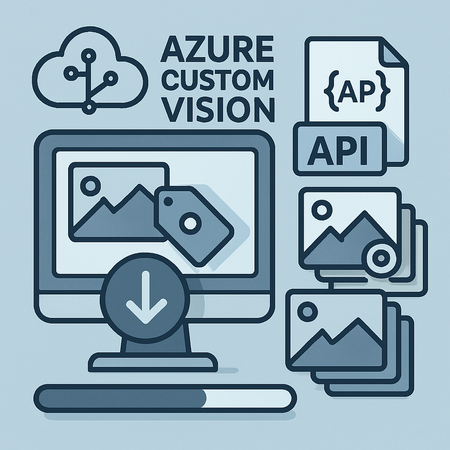
This blog post offers a comprehensive guide to efficiently downloading tagged images from Azure Custom Vision using Microsoft’s RESTful API. It walks readers through the process of authenticating with training keys, retrieving project tags, and automating bulk image downloads - overcoming the platform’s lack of a built-in export feature. Ideal for machine learning practitioners seeking reliable methods to audit, migrate, or back up their valuable training data.613Views0likes0Comments
AI Automation in Azure Foundry through turnkey MCP Integration and Computer Use Agent Models
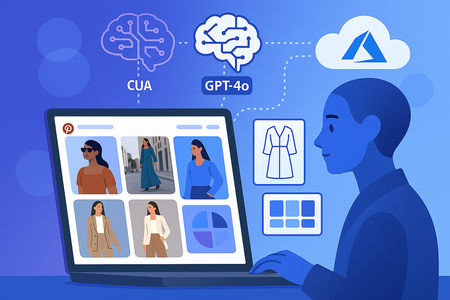
The Fashion Trends Discovery Scenario In this walkthrough, we'll explore a sample application that demonstrates the power of combining Computer Use (CUA) models with Playwright browser automation to autonomously compile trend information from the internet, while leveraging MCP integration to intelligently catalog and store insights in Azure Blob Storage. The User Experience A fashion analyst simply provides a query like "latest trends in sustainable fashion" to our command-line interface. What happens next showcases the power of agentic AI—the system requires no further human intervention to: Autonomous Web Navigation: The agent launches Pinterest, intelligently locates search interfaces, and performs targeted queries Intelligent Content Discovery: Systematically identifies and interacts with trend images, navigating to detailed pages Advanced Content Analysis: Applies computer vision to analyze fashion elements, colors, patterns, and design trends Intelligent Compilation: Consolidates findings into comprehensive, professionally formatted markdown reports Contextual Storage: Recognizes the value of preserving insights and autonomously offers cloud storage options Technical capabilities leveraged Behind this seamless experience lies a coordination of AI models: Pinterest Navigation: The CUA model visually understands Pinterest's interface layout, identifying search boxes and navigation elements with pixel-perfect precision Search Results Processing: Rather than relying on traditional DOM parsing, our agent uses visual understanding to identify trend images and calculate precise interaction coordinates Content Analysis: Each discovered trend undergoes detailed analysis using GPT-4o's advanced vision capabilities, extracting insights about fashion elements, seasonal trends, and style patterns Autonomous Decision Making: The agent contextually understands when information should be preserved and automatically engages with cloud storage systems Technology Stack Overview At the heart of this solution lies an orchestration of several AI technologies, each serving a specific purpose in creating a truly autonomous agent. The architecture used ``` ┌─────────────────────────────────────────────────────────────────┐ │ Azure AI Foundry │ │ ┌─────────────────────────────────────────────────────────┐ │ │ │ Responses API │ │ │ │ ┌─────────────┐ ┌─────────────┐ ┌─────────────────┐ │ │ │ │ │ CUA Model │ │ GPT-4o │ │ Built-in MCP │ │ │ │ │ │ (Interface) │ │ (Content) │ │ Client │ │ │ │ │ └─────────────┘ └─────────────┘ └─────────────────┘ │ │ │ └─────────────────────────────────────────────────────────┘ │ └─────────────────────────────────────────────────────────────────┘ │ ▼ ┌─────────────────────────────────────────┐ │ Function Calling Layer │ │ (Workflow Orchestration) │ └─────────────────────────────────────────┘ │ ▼ ┌─────────────────┐ ┌──────────────────┐ │ Playwright │◄──────────────► │ Trends Compiler │ │ Automation │ │ Engine │ └─────────────────┘ └──────────────────┘ │ ▼ ┌─────────────────────┐ │ Azure Blob │ │ Storage (MCP) │ └─────────────────────┘ ``` Azure OpenAI Responses API At the core of the agentic architecture in this solution, the Responses API provides intelligent decision-making capabilities that determine when to invoke Computer Use models for web crawling versus when to engage MCP servers for data persistence. This API serves as the brain of our agent, contextually understanding user intent and autonomously choosing the appropriate tools to fulfill complex multi-step workflows. Computer Use (CUA) Model Our specialized CUA model excels at visual understanding of web interfaces, providing precise coordinate mapping for browser interactions, layout analysis, and navigation planning. Unlike general-purpose language models, the CUA model is specifically trained to understand web page structures, identify interactive elements, and provide actionable coordinates for automated browser control. Playwright Browser Automation Acting as the hands of our agent, Playwright executes the precise actions determined by the CUA model. This robust automation framework translates AI insights into real-world browser interactions, handling everything from clicking and typing to screenshot capture and page navigation with pixel-perfect accuracy. GPT-4o Vision Model for Content Analysis While the CUA model handles interface understanding, GPT-4o provides domain-specific content reasoning. This powerful vision model analyzes fashion trends, extracts meaningful insights from images, and provides rich semantic understanding of visual content—capabilities that complement rather than overlap with the CUA model's interface-focused expertise. Model Context Protocol (MCP) Integration The application showcases the power of agentic AI through its autonomous decision-making around data persistence. The agent intelligently recognizes when compiled information needs to be stored and automatically engages with Azure Blob Storage through MCP integration, without requiring explicit user instruction for each storage operation. Unlike traditional function calling patterns where custom applications must relay MCP calls through client libraries, the Responses API includes a built-in MCP client that directly communicates with MCP servers. This eliminates the need for complex relay logic, making MCP integration as simple as defining tool configurations. Function Calling Orchestration Function calling orchestrates the complex workflow between CUA model insights and Playwright actions. Each step is verified and validated before proceeding, ensuring robust autonomous operation without human intervention throughout the entire trend discovery and analysis process. Let me walk you through the code used in the Application. Agentic Decision Making in Action Let's examine how our application demonstrates true agentic behavior through the main orchestrator in `app.py`: async def main() -> str: """Main entry point demonstrating agentic decision making.""" conversation_history = [] generated_reports = [] while True: user_query = input("Enter your query for fashion trends:-> ") # Add user input to conversation context new_user_message = { "role": "user", "content": [{"type": "input_text", "text": user_query}], } conversation_history.append(new_user_message) # The agent analyzes context and decides on appropriate actions response = ai_client.create_app_response( instructions=instructions, conversation_history=conversation_history, mcp_server_url=config.mcp_server_url, available_functions=available_functions, ) # Process autonomous function calls and MCP tool invocations for output in response.output: if output.type == "function_call": # Agent decides to compile trends function_to_call = available_functions[output.name] function_args = json.loads(output.arguments) function_response = await function_to_call(**function_args) elif output.type == "mcp_tool_call": # Agent decides to use MCP tools for storage print(f"MCP tool call: {output.name}") # MCP calls handled automatically by Responses API Key Agentic Behaviors Demonstrated: Contextual Analysis: The agent examines conversation history to understand whether the user wants trend compilation or storage operations Autonomous Tool Selection: Based on context, the agent chooses between function calls (for trend compilation) and MCP tools (for storage) State Management: The agent maintains conversation context across multiple interactions, enabling sophisticated multi-turn workflows Function Calling Orchestration: Autonomous Web Intelligence The `TrendsCompiler` class in `compiler.py` demonstrates sophisticated autonomous workflow orchestration: class TrendsCompiler: """Autonomous trends compilation with multi-step verification.""" async def compile_trends(self, user_query: str) -> str: """Main orchestration loop with autonomous step progression.""" async with LocalPlaywrightComputer() as computer: state = {"trends_compiled": False} step = 0 while not state["trends_compiled"]: try: if step == 0: # Step 1: Autonomous Pinterest navigation await self._launch_pinterest(computer) step += 1 elif step == 1: # Step 2: CUA-driven search and coordinate extraction coordinates = await self._search_and_get_coordinates( computer, user_query ) if coordinates: step += 1 elif step == 2: # Step 3: Autonomous content analysis and compilation await self._process_image_results( computer, coordinates, user_query ) markdown_report = await self._generate_markdown_report( user_query ) state["trends_compiled"] = True except Exception as e: print(f"Autonomous error handling in step {step}: {e}") state["trends_compiled"] = True return markdown_report Autonomous Operation Highlights: Self-Verifying Steps: Each step validates completion before advancing Error Recovery: Autonomous error handling without human intervention State-Driven Progression: The agent maintains its own execution state No User Prompts: Complete automation from query to final report Pinterest's Unique Challenge: Visual Coordinate Intelligence One of the most impressive demonstrations of CUA model capabilities lies in solving Pinterest's hidden URL challenge: async def _detect_search_results(self, computer) -> List[Tuple[int, int, int, int]]: """Use CUA model to extract image coordinates from search results.""" # Take screenshot for CUA analysis screenshot_bytes = await computer.screenshot() screenshot_b64 = base64.b64encode(screenshot_bytes).decode() # CUA model analyzes visual layout and identifies image boundaries prompt = """ Analyze this Pinterest search results page and identify all trend/fashion images displayed. For each image, provide the exact bounding box coordinates in the format: <click>x1,y1,x2,y2</click> Focus on the main content images, not navigation or advertisement elements. """ response = await self.ai_client.create_cua_response( prompt=prompt, screenshot_b64=screenshot_b64 ) # Extract coordinates using specialized parser coordinates = self.coordinate_parser.extract_coordinates(response.content) print(f"CUA model identified {len(coordinates)} image regions") return coordinates The Coordinate Calculation: def calculate_centers(self, coordinates: List[Tuple[int, int, int, int]]) -> List[Tuple[int, int]]: """Calculate center coordinates for precise clicking.""" centers = [] for x1, y1, x2, y2 in coordinates: center_x = (x1 + x2) // 2 center_y = (y1 + y2) // 2 centers.append((center_x, center_y)) return centers key take aways with this approach: No DOM Dependency: Pinterest's hover-based URL revelation becomes irrelevant Visual Understanding: The CUA model sees what humans see—image boundaries Pixel-Perfect Targeting: Calculated center coordinates ensure reliable clicking Robust Navigation: Works regardless of Pinterest's frontend implementation changes Model Specialization: The Right AI for the Right Job Our solution demonstrates sophisticated AI model specialization: async def _analyze_trend_page(self, computer, user_query: str) -> Dict[str, Any]: """Use GPT-4o for domain-specific content analysis.""" # Capture the detailed trend page screenshot_bytes = await computer.screenshot() screenshot_b64 = base64.b64encode(screenshot_bytes).decode() # GPT-4o analyzes fashion content semantically analysis_prompt = f""" Analyze this fashion trend page for the query: "{user_query}" Provide detailed analysis of: 1. Fashion elements and style characteristics 2. Color palettes and patterns 3. Seasonal relevance and trend timing 4. Target demographics and style categories 5. Design inspiration and cultural influences Format as structured markdown with clear sections. """ # Note: Using GPT-4o instead of CUA model for content reasoning response = await self.ai_client.create_vision_response( model=self.config.vision_model_name, # GPT-4o prompt=analysis_prompt, screenshot_b64=screenshot_b64 ) return { "analysis": response.content, "timestamp": datetime.now().isoformat(), "query_context": user_query } Model Selection Rationale: CUA Model: Perfect for understanding "Where to click" and "How to navigate" GPT-4o: Excels at "What does this mean" and "How is this relevant" Specialized Strengths: Each model operates in its domain of expertise Complementary Intelligence: Combined capabilities exceed individual model limitations Compilation and Consolidation async def _generate_markdown_report(self, user_query: str) -> str: """Consolidate all analyses into comprehensive markdown report.""" if not self.image_analyses: return "No trend data collected for analysis." # Intelligent report structuring report_sections = [ f"# Fashion Trends Analysis: {user_query}", f"*Generated on {datetime.now().strftime('%B %d, %Y')}*", "", "## Executive Summary", await self._generate_executive_summary(), "", "## Detailed Trend Analysis" ] # Process each analyzed trend with intelligent categorization for idx, analysis in enumerate(self.image_analyses, 1): trend_section = [ f"### Trend Item {idx}", analysis.get('analysis', 'No analysis available'), f"*Analysis timestamp: {analysis.get('timestamp', 'Unknown')}*", "" ] report_sections.extend(trend_section) # Add intelligent trend synthesis report_sections.extend([ "## Trend Synthesis and Insights", await self._generate_trend_synthesis(), "", "## Recommendations", await self._generate_recommendations() ]) return "\n".join(report_sections) Intelligent Compilation Features: Automatic Structuring: Creates professional report formats automatically Content Synthesis: Combines individual analyses into coherent insights Temporal Context: Maintains timestamp and query context Executive Summaries: Generates high-level insights from detailed data Autonomous Storage Intelligence Note that there is no MCP Client code that needs to be implemented here. The integration is completely turnkey, through configuration alone. # In app_client.py - MCP tool configuration def create_app_tools(self, mcp_server_url: str, available_functions: Dict[str, Any]) -> List[Dict[str, Any]]: """Configure tools with automatic MCP integration.""" tools = [ { "type": "mcp", "server_label": "azure-storage-mcp-server", "server_url": mcp_server_url, "require_approval": "never", # Autonomous operation "allowed_tools": ["create_container", "list_containers", "upload_blob"], } ] return tools # Agent instructions demonstrate contextual intelligence instructions = f""" Step1: Compile trends based on user query using computer use agent. Step2: Prompt user to store trends report in Azure Blob Storage. Use MCP Server tools to perform this action autonomously. IMPORTANT: Maintain context of previously generated reports. If user asks to store a report, use the report generated in this session. """ Turnkey MCP Integration: Direct API Calls: MCP tools called directly by Responses API No Relay Logic: No custom MCP client implementation required Autonomous Tool Selection: Agent chooses appropriate MCP tools based on context Contextual Storage: Agent understands what to store and when Demo and Code reference Here is the GitHub Repo of the Application described in this post. See a demo of this application in action: Conclusion: Entering the Age of Practical Agentic AI The Fashion Trends Compiler Agent represents Agentic AI applications that work autonomously in real-world scenarios. By combining Azure AI Foundry's turnkey MCP integration with specialized AI models and robust automation frameworks, we've created an agent that doesn't just follow instructions but intelligently navigates complex multi-step workflows with minimal human oversight. Ready to build your own agentic AI solutions? Start exploring Azure AI Foundry's MCP integration and Computer Use capabilities to create the next generation of intelligent automation.2.1KViews3likes0CommentsConfigure Embedding Models on Azure AI Foundry with Open Web UI
Introduction Let’s take a closer look at an exciting development in the AI space. Embedding models are the key to transforming complex data into usable insights, driving innovations like smarter chatbots and tailored recommendations. With Azure AI Foundry, Microsoft’s powerful platform, you’ve got the tools to build and scale these models effortlessly. Add in Open Web UI, a intuitive interface for engaging with AI systems, and you’ve got a winning combo that’s hard to beat. In this article, we’ll explore how embedding models on Azure AI Foundry, paired with Open Web UI, are paving the way for accessible and impactful AI solutions for developers and businesses. Let’s dive in! To proceed with configuring the embedding model from Azure AI Foundry on Open Web UI, please firstly configure the requirements below. Requirements: Setup Azure AI Foundry Hub/Projects Deploy Open Web UI – refer to my previous article on how you can deploy Open Web UI on Azure VM. Optional: Deploy LiteLLM with Azure AI Foundry models to work on Open Web UI - refer to my previous article on how you can do this as well. Deploying Embedding Models on Azure AI Foundry Navigate to the Azure AI Foundry site and deploy an embedding model from the “Model + Endpoint” section. For the purpose of this demonstration, we will deploy the “text-embedding-3-large” model by OpenAI. You should be receiving a URL endpoint and API Key to the embedding model deployed just now. Take note of that credential because we will be using it in Open Web UI. Configuring the embedding models on Open Web UI Now head to the Open Web UI Admin Setting Page > Documents and Select Azure Open AI as the Embedding Model Engine. Copy and Paste the Base URL, API Key, the Embedding Model deployed on Azure AI Foundry and the API version (not the model version) into the fields below: Click “Save” to reflect the changes. Expected Output Now let us look into the scenario for when the embedding model configured on Open Web UI and when it is not. Without Embedding Models configured. With Azure Open AI Embedding models configured. Conclusion And there you have it! Embedding models on Azure AI Foundry, combined with the seamless interaction offered by Open Web UI, are truly revolutionizing how we approach AI solutions. This powerful duo not only simplifies the process of building and deploying intelligent systems but also makes cutting-edge technology more accessible to developers and businesses of all sizes. As we move forward, it’s clear that such integrations will continue to drive innovation, breaking down barriers and unlocking new possibilities in the AI landscape. So, whether you’re a seasoned developer or just stepping into this exciting field, now’s the time to explore what Azure AI Foundry and Open Web UI can do for you. Let’s keep pushing the boundaries of what’s possible!2.2KViews0likes0CommentsFrom Extraction to Insight: Evolving Azure AI Content Understanding with Reasoning and Enrichment
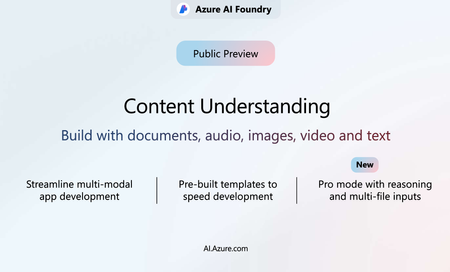
First introduced in public preview last year, Azure AI Content Understanding enables you to convert unstructured content—documents, audio, video, text, and images—into structured data. The service is designed to support consistent, high-quality output, directed improvements, built-in enrichment, and robust pre-processing to accelerate workflows and reduce cost. A New Chapter in Content Understanding Since our launch we’ve seen customers pushing the boundaries to go beyond simple data extraction with agentic solutions fully automating decisions. This requires more than just extracting fields. For example, a healthcare insurance provider decision to pay a claim requires cross-checking against insurance policies, applicable contracts, patient’s medical history and prescription datapoints. To do this a system needs the ability to interpret information in context, perform more complex enrichments and analysis across various data sources. Beyond field extraction, this requires a custom designed workflow leveraging reasoning. In response to this demand, Content Understanding now introduces Pro mode which enables enhanced reasoning, validation, and information aggregation capabilities. These updates allow the service to aggregate and compare results across sources, enrich extracted data with context, and deliver decisions as output. While Standard mode continues to offer reliable and scalable field extraction, Pro mode extends the service to support more complex content interpretation scenarios—enabling workflows that reflect the way people naturally reason over data. With this update, Content Understanding now solves a much larger component of your data processing workflows, offering new ways to automate, streamline, and enhance decision-making based on unstructured information. Key Benefits of Pro Mode Packed with cutting-edge reasoning capabilities, Pro mode revolutionizes document analysis. Multi-Content Input Process and aggregate information across multiple content files in a single request. Pro mode can build a unified schema from distributed data sources, enabling richer insight across documents. Multi-Step Reasoning Go beyond basic extraction with a process that supports reasoning, linking, validation, and enrichment. Knowledge Base Integration Seamlessly integrate with organizational knowledge bases and domain-specific datasets to enhance field inference. This ensures outputs can reason over the task of generating the output using the context of your business. When to Use Pro Mode Pro mode, currently limited to documents, is designed for scenarios where content understanding needs to go beyond surface-level extraction—ideal for use cases that traditionally require postprocessing, human review and decision-making based on multiple data points and contextual references. Pro mode enables intelligent processing that not only extracts data, but also validates, links, and enriches it. This is especially impactful when extracted information must be cross-referenced with external datasets or internal knowledge sources to ensure accuracy, consistency, and contextual depth. Examples include: Invoice processing that reconciles against purchase orders and contract terms Healthcare claims validation using patient records and prescription history Legal document review where clauses reference related agreements or precedents Manufacturing spec checks against internal design standards and safety guidelines By automating much of the reasoning, you can focus on higher value tasks! Pro mode helps reduce manual effort, minimize errors, and accelerate time to insight—unlocking new potential for downstream applications, including those that emulate higher-order decision-making. Simplified Pricing Model Introducing a simplified pricing structure that significantly reduces costs across all content modalities compared to previous versions, making enterprise-scale deployment more affordable and predictable. Expanded Feature Coverage We are also extending capabilities across various content types: Structured Document Outputs: Improved handling of tables spanning multiple pages, recognition of selection marks, and support for additional file types like .docx, .xlsx, .pptx, .msg, .eml, .rtf, .html, .md, and .xml. Classifier API: Automatically categorize/split and route documents to appropriate processing pipelines. Video Analysis: Extract data across an entire video or break a video into chapters automatically. Enrich metadata with face identification and descriptions that include facial images. Face API Preview: Detect, recognize, and enroll faces, enabling richer user-aware applications. Check out the details about each of these capabilities here - What's New for Content Understanding. Let's hear it from our customers Customers all over the globe are using Content Understanding for its powerful one-stop solution capabilities by leveraging advance modes of reasoning, grounding and confidence scores across diverse content types. ASC: AI-based analytics in ASC’s Recording Insights platform allows customers to move to a 100% compliance review coverage of conversations across multiple channels. ASC’s integration of Content Understanding replaces a previously complex setup—where multiple separate AI services had to be manually connected—with a single multimodal solution that delivers transcription, summarization, sentiment analysis, and data extraction in one streamlined interface. This shift not only simplifies implementation and accelerates time-to-value but also received positive customer feedback for its powerful features and the quick, hands-on support from Microsoft product teams. “With the integration of Content Understanding into the ASC Recording Insights platform, ASC was able to reduce R&D effort by 30% and achieve 5 times faster results than before. This helps ASC drive customer satisfaction and stay ahead of competition.” —Tobias Fengler, Chief Engineering Officer, ASC. To learn more about ASCs integration check out From Complexity to Simplicity: The ASC and Azure AI Partnership.” Ramp: Ramp, the all-in-one financial operations platform, is exploring how Azure AI Content Understanding can help transform receipts, bills, and multi-line invoices into structured data automatically. Ramp is leveraging the pre-built invoice template and experimenting with custom extraction capabilities across various document types. These experiments are helping Ramp evaluate how to further reduce manual entry and enhance the real-time logic that powers approvals, policy checks, and reconciliation. “Content Understanding gives us a single API to parse every receipt and statement we see—then lets our own AI reason over that data in real time. It's an efficient path from image to fully reconciled expense.” — Rahul S, Head of AI, Ramp MediaKind: MK.IO’s cloud-native video platform, available on Azure Marketplace—now integrates Azure AI Content Understanding to make it easy for developers to personalize streaming experiences. With just a few lines of code, you can turn full game footage into real-time, fan-specific highlight reels using AI-driven metadata like player actions, commentary, and key moments. “Azure AI Content Understanding gives us a new level of control and flexibility—letting us generate insights instantly, personalize streams automatically, and unlock new ways to engage and monetize. It’s video, reimagined.” —Erik Ramberg, VP, MediaKind Catch the full story from MediaKind in our breakout session at Build 2025 on May 18: My Game, My Way, where we walk you through the creation of personalized highlight reels in real-time. You’ll never look at your TV in the same way again. Getting Started For more details about the latest from Content Understanding check out Reasoning on multimodal content for efficient agentic AI app building Wednesday, May 21 at 2 PM PST Build your own Content Understanding solution in the Azure AI Foundry. Pro mode will be available in the Foundry starting June 1 st 2025 Refer to our documentation and sample code on Content Understanding Explore the video series on getting started with Content Understanding2.4KViews2likes0CommentsIntroducing Azure AI Content Understanding for Beginners
Enterprises today face several challenges in processing and extracting insights from multimodal data, like managing diverse data formats, ensuring data quality, and streamlining workflows efficiently. Ensuring the accuracy and usability of extracted insights often requires advanced AI techniques, while inefficiencies in managing large data volumes increase costs and delay results. Azure AI Content Understanding addresses these pain points by offering a unified solution to transform unstructured data into actionable insights, improve data accuracy with schema extraction and confidence scoring, and integrate seamlessly with Azure’s ecosystem to enhance efficiency and reduce costs. Content Understanding makes it easy to extract custom task-specific output without advanced GenAI skills. It enables a quick path to scale for retrieval augmented generation (RAG) grounded by multimodal data or transactional content processing for agent workflows and process automation. We are excited to announce a new video series to help you get started with Azure AI Content Understanding and extract the task specific output for your business. Whether you're looking for a well-rounded overview, want to discover how to develop a RAG index ovideo content, or learn how to build a post-call analytics workflow, this series has something for everyone. What is Azure AI Content Understanding? Azure AI Content Understanding is a new Azure AI service, designed to process and transform content of any type, including documents, images, videos, audio, and text into a user-defined output schema. This streamlined process allows developers to reason over large amounts of unstructured data, accelerating time-to-value by generating an output that can be easily integrated into agentic, automation and analytical workflows. Video Series Highlights Azure AI Content Understanding: How to Get Started - Vinod Kurpad, Principal GPM, AI Services, shows how you can process content of any modality—audio, video, documents, and text—in a unified workflow in Azure AI Foundry using Azure AI Content Understanding. It's simple, intuitive, and doesn't require any GenAI skills. 2. Post-call Analytics Using Azure AI Content Understanding - Jan Goergen Senior Program Manager, AI Services shows how to process any number of video or audio call recordings quickly in Azure AI Foundry by leveraging the Post‑Call Analytics template powered by Content Understanding. The video also introduces the broader concept of templates, illustrating how you can embed Content Understanding into reusable templates that you can build, deploy, and share across projects. 3. RAG on Video Using Azure AI Content Understanding - Joe Filcik, Principal Product Manager, AI Services, shows how you can process videos and ground them on your data with multimodal retrieval augmented generation (RAG) to derive insights that would otherwise take much longer. Joe demonstrates how this can be achieved using a single Azure AI Content Understanding API in Azure AI Foundry. Why Azure AI Content Understanding? The Azure AI Content Understanding service is ideal for enterprises and developers looking to process large amounts of multimodal content, such as call center recordings and videos for training and compliance, without requiring GenAI skills such as prompt-engineering and model selection. Enjoy the video series and start exploring the possibilities with Azure AI Content Understanding. For additional resources: Watch the Video Series Try it in Azure AI Foundry Content Understanding documentation Content Understanding samples Feedback? Contact us at cu_contact@microsoft.com1.7KViews0likes0CommentsWhy Azure AI Is Retail’s Secret Sauce
Executive Summary Leading RCG enterprises are standardizing on Azure AI—specifically Azure OpenAI Service, Azure Machine Learning, Azure AI Search, and Azure AI Vision—to increase digital‑channel conversion, sharpen demand forecasts, automate store execution, and accelerate product innovation. Documented results include up to 30 percent uplift in search conversion, 10 percent reduction in stock‑outs, and multimillion‑dollar productivity gains. This roadmap consolidates field data from CarMax, Kroger, Coca‑Cola, Estée Lauder, PepsiCo and Microsoft reference architectures to guide board‑level investment and technology planning. 1 Strategic Value of Azure AI Azure AI delivers state‑of‑the‑art language (GPT‑4o, GPT-4.1), reasoning (o1, o3, o4-mini) and multimodal (Phi‑3 Vision) models through Azure OpenAI Service while unifying machine‑learning, search, and vision APIs under one security, compliance, and Responsible AI framework. Coca‑Cola validated Azure’s enterprise scale with a $1.1 billion, five‑year agreement covering generative AI across marketing, product R&D and customer service (Microsoft press release; Reuters). 2 Customer‑Experience Transformation 2.1 AI‑Enhanced Search & Recommendations Microsoft’s Two‑Stage AI‑Enhanced Search pattern—vector search in Azure AI Search followed by GPT reranking—has lifted search conversion by up to 30 percent in production pilots (Tech Community blog). CarMax uses Azure OpenAI generates concise summaries for millions of vehicle reviews, improving SEO performance and reducing editorial cycles from weeks to hours (Microsoft customer story). 2.2 Conversational Commerce The GPT‑4o real‑time speech endpoint supports multilingual voice interaction with end‑to‑end latencies below 300 ms—ideal for kiosks, drive‑thrus, and voice‑enabled customer support (Azure AI dev blog). 3 Supply‑Chain & Merchandising Excellence Azure Machine Learning AutoML for Time‑Series automates feature engineering, hyper‑parameter tuning, and back‑testing for SKU‑level forecasts (AutoML tutorial; methodology guide). PepsiCo reported lower inventory buffers and improved promotional accuracy during its U.S. pilot and is scaling globally (PepsiCo case study). In February 2025 Microsoft published an agentic systems blueprint that layers GPT agents on top of forecast outputs to generate replenishment quantities and route optimizations, compressing decision cycles in complex supply chains (Microsoft industry blog). 4 Marketing & Product Innovation Estée Lauder and Microsoft established an AI Innovation Lab that uses Azure OpenAI to accelerate concept development and campaign localization across 20 prestige brands (Estée Lauder press release). Coca‑Cola applies the same foundation models to generate ad copy, packaging text, and flavor concepts, maximizing reuse of trained embeddings across departments. Azure AI Studio provides prompt versioning, automated evaluation, and CI/CD pipelines for generative‑AI applications, reducing time‑to‑production for retail creative teams (Azure AI Studio blog). 5 Governance & Architecture The open‑source Responsible AI Toolbox bundles dashboards for fairness, interpretability, counterfactual analysis, and error inspection, enabling documented risk mitigation for language, vision, and tabular models (Responsible AI overview). Microsoft’s Retail Data Solutions Reference Architecture describes how to land POS, loyalty, and supply‑chain data into Microsoft Fabric or Synapse Lakehouses and expose it to Azure AI services through governed semantic models (architecture guide). 6 Implementation Roadmap Phase Key Activities Azure AI Services & Assets 0 – Foundation (Weeks 0‑2) Align business goals, assess data, deploy landing zone Azure Landing Zone; Retail Data Architecture 1 – Pilot (Weeks 3‑6) Build one measurable use case (e.g., AI Search or AutoML forecasting) in Azure AI Studio Azure AI Search; Azure OpenAI; Azure ML AutoML 2 – Industrialize (Months 2‑6) Integrate with commerce/ERP; add Responsible AI monitoring; CI/CD automation Responsible AI Toolbox 3 – Scale Portfolio (Months 6‑12) Extend to smart‑store vision, generative marketing, and agentic supply chain Azure AI Vision; agentic systems pattern Pilots typically achieve < 6‑week time‑to‑value and 3–7 percentage‑point operating‑margin improvement when search conversion gains, inventory precision, and store‑associate efficiency are combined (see CarMax, PepsiCo, and Kroger sources above). 7 Key Takeaways for Executives Unified Platform: Generative, predictive, and vision workloads run under one governance model and SLA. Proven Financial Impact: Field results confirm double‑digit revenue uplift and meaningful OPEX savings. Future‑Proof Investments: Continuous model refresh (GPT‑4.1, o3, o4-mini) and clear migration guidance protect ROI. Built‑in Governance: Responsible AI tooling accelerates compliance and audit readiness. Structured Scale Path: A phased roadmap de‑risks experimentation and enables enterprise deployment within 12 months. Bottom line: Azure AI provides the technical depth, operational maturity, and economic model required to deploy AI at scale across RCG value chains—delivering quantifiable growth and efficiency without introducing multi‑vendor complexity.884Views0likes0Comments