azure ad application proxy
18 Topics
Unexpected Private Access rule after rebuilding Global Secure Access v2
Hello everyone, I'm rebuilding a Microsoft Entra Global Secure Access / Private Access POC after initially creating several configurations while learning the platform. I performed a clean functional rebuild: removed the previous application segments and assignments, reinstalled the Private Network Connector, created a new connector group, rebuilt Quick Access, and created a new custom Private Access traffic forwarding profile assigned only to my test account. My intended Quick Access configuration currently contains only three TCP destinations on the same private server: ports 80, 445 and 9000. However, the effective forwarding profile received by the Global Secure Access Client also contains an unexpected rule: 192.168.1.208 | All protocols | 54-65535 | Tunnel This rule existed in the original default Private Access profile and continues to appear even in a newly created custom profile. There is another unusual behavior in Acquisition Rules. An internal GUID reference is displayed in the profile, but the application selector shows Selected (0). The GUID cannot be removed through the UI, is not visible as a normal Enterprise Application, and I could not resolve it as either an Application or Service Principal through Microsoft Graph. I also found: ZTNA Network Access Client -- Private, which previously contained segments and assignments that I have since removed; two different objects named Carbomix - Rede Interna, with different identifiers; an error when attempting to remove an inherited link from the system-created profile: Only Profiles with IsCustomProfile set to true can be updated with bulk policy links. The connector itself appears healthy. I completely reinstalled it and the official Connector Diagnostics Tool passes certificate, TLS, CRL, Bootstrap, Trust Renewal, Service Bus, SLB and endpoint connectivity checks. Private Access also works for normal TCP traffic. TCP 445 and 9000 are successfully tunneled, including a sustained TCP session on port 9000. I'm mainly trying to understand: Where does the unexpected All protocols / 54-65535 rule come from? Why does it survive a clean custom Private Access profile? What are these internal application references that appear in Acquisition Rules but are not selectable/removable or resolvable through Graph? Could this be configuration inherited during migration to Traffic Forwarding Profiles v2? Is there a supported way to inspect and clean this inherited state? Has anyone working with Microsoft Entra Private Access v2 seen similar behavior? I have screenshots, effective forwarding-profile data, Connector Diagnostics results and Graph tests available and can share the relevant details as needed. Thanks!88Views0likes1CommentDo the Entra sync/connect apps ever successfully update themselves?
Last week I had to download and install version 2.5.79.0 of the Entra Connect Sync Agent app on our Entra Connect server because I discovered the installed version was 2.4.21.0 and that version reaches end of support on November 15. Today, I happened to check on the version of the Entra Private Network Connector app on the two servers where we have that installed, and both are running version 1.5.3925.0, which was the latest available version at the time I installed it back in March. That version was from July 2024, and there have been three new releases since then, two of which "may perform auto-update of your connector". One of those servers was a new install, but the other one was an upgrade of the installed version of the Azure Application Proxy client, and while I don't recall which version specifically was installed, I know it was quite out of date. I'm curious: Has anyone ever actually seen either the Entra Connect Sync Agent or Entra Private Network Connector successfully upgrade themselves automatically?Solved436Views1like1Comment
GSA client exclamation mark, Forwarding policy dosen't exist in registry
Good day, Have difficult time getting Entra Private Access working. Entra portal --------------- GSA > Dashboard > Device Status says : 0 have the Global Secure Access Client installed: 0.0% The client pc is entra joined and is compliant, the client user has Entra ID Suite Trail license assigned. Traffic forwarding > Private access is enabled, have Quick Access application configured for SMB access. User and group assigments is set to a group where the user resides. Microsoft traffic profile and Internet access profile = disabled (as for now i just want to make the Private acces profile working) Enterprise applications = 1 active Connectors are online with status active. Client PC ------ Event log of client pc says the understated: Error occurred while requesting a new forwarding profile: The SSL connection could not be established, see inner exception.. Request Parameters: Microsoft Entra Device ID: 61ma02-9453-1277-98gz-hkdhksa3d0, Correlation vector: kdfhkshfkashdJ.0, APS URL: https://aps.globalsecureaccess.microsoft.com/api/v3/AgentSettings?os=Windows%2010&clientVersion=2.8.45.0. The client will continue working with the existing forwarding profile. GSA Advanced diagnostics: Username : empty Tenant ID : empty Forwarding profile ID: empty Client version 2.8.45.0 Health check = is green till Policy server is reachable, after that exclamation mark. https://aps.globalsecureaccess.microsoft.com/api/v3/AgentSettings?os=Windows%2010&clientVersion=2.8.45.0 if i try the above url in the browser then i get invalid request, this means that the client is able to reach the server, which means network or DNS issues are unlikely and the The SSL handshake is successful, and the certificate is valid. Need guidance as to understand why the client is not able to retreive profiles, i am using windows 11. Tried with disabling firewall too. Thanks!1.2KViews2likes5Comments
App Proxy Pre-Authentication
Hi there, I just setup a NDES + SCEP on our infrastructure and all is working well so far but I was wondering If it is possible to allow only Entra Joined devices (intune managed) to it instead of Entra ID auth (user auth) or passthrough. I tried with conditionnal access policies with no luck so far. Thanks !216Views0likes0CommentsAAD application proxy : access from external issue
Hello, I have published an application with SAML SSO. from internal, it works fine. When I connect to https://myapp, all is ok. I have set up an external Url : https://myapp.my_custom_external.com When i try to access, i get error AADSTS50011. I added https://myapp.my_custom_external.com on redirected URI as this article mentionned : https://learn.microsoft.com/en-us/troubleshoot/azure/entra/entra-id/app-integration/error-code-aadsts50011-redirect-uri-mismatch But now when i try to access https://myapp.my_custom_external.com, i get a timeout. Can you help me? Thanks. Regards.Solved2KViews0likes14CommentsKB5016623 Issues with AAD App Proxy
Hello We have encountered some issues with KB5016623. The is causing the server, Win 2019 server running IIS, to crash after 5 to 10 minutes and to be unable to use AAD App Proxy connections that are setup to use Windows Authentication on the backend via kerberos. We have 2 different scenarios: A webserver some legacy windows auth based apps, alongside newer apps that use modern auth. The AAD app proxy connector in also installed on the webserver. The newer apps using modern auth are working fine, but the old windows auth apps are failing to authenticate. Errors are: Microsoft AAD Application Proxy Connector cannot retrieve a Kerberos ticket on behalf of the user because of the following general API error: The handle specified is invalid (0x80090301) After about 5-10 minutes, the server seems to crash with this error: A critical system process, C:\WINDOWS\system32\lsass.exe, failed with status code c0000005.The machine must now be restarted. The process wininit.exe has initiated the restart of computer <ServerName> on behalf of user for the following reason: No title for this reason could be found Reason Code: 0x50006 Shut-down Type: restart Comment: The system process 'C:\WINDOWS\system32\lsass.exe' terminated unexpectedly with status code -1073741819. The system will now shut down and restart. Another server, this one only with AAD app proxy that accesses a separate SSRS Web Server with the same issues as above. In both examples, uninstalling KB5016623 has resolved the issue. We don't seem to be seeing any issues with other servers e.g. DCs at present. It mainly seems to be the combination of KB5016623 and AAD App Proxy with Kerberos back ends. Anyone else seeing any similar problems? Thanks AndySolved20KViews3likes21CommentsEntra Private network Connector very slow compared to direct access using pass-through
I have a web based application with a backend SQL server attached to it. We have both internal and external users accessing it. Internal users go directly to the https website, while external users go through the application proxy. After logging in, and open a project which fires off a SQL query, there is a huge delay when going through the proxy that i cant figure out why. Internally looking up a project takes between 10-20 sec depending on the size of the project, while using the same method and same project through the proxy we are waiting 1-2 minutes for the same result. The old server is running in a DMZ sone, and i want to replace this with a app proxy based server, but being so slow I'm not able to move forward. Any ideas what to look for?1.4KViews0likes1Comment
Entra Global Secure Access/ Internet Access
We have apps in Azure and AWS. These cloud apps are IP restricted. Staff can only access these apps if they're working in the office or connected to the office VPN (ie: traffic is proxy'd over the vpn and out through the office wan ip). Rather than VPN, could we use 'Entra Internet Access' to allow remote users access to these Azure/AWS cloud apps? Is that possible and if so, would we need to install the Global Secure Access connectors in Azure and AWS or is there some kind of shared egress IP we can use and whitelist in Azure/AWS?1.9KViews0likes2CommentsMicrosoft Entra Application Proxy cannot access ressource
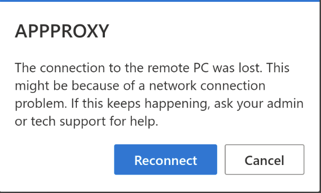
Hi, I'm having trouble accessing my RDS server via my proxy application. Configuration: 1x Server in Windows 2022 with all roles installed (Broker, GTW, etc...) I used the explanations provided by the following site : https://dectur.com/rds-aad-proxy/ For my test phase, I used the Azure domain (msappproxy) and not a custom domain. Everything works until I launch my application via my HTML5 page. I get the following error: Before the error appears, I can see (not all the time) the following message: Then the main error occurs. On the firewall side, everything is open(Outside). My gateway rules have also been configured to let ports 3389 and 443 through (I had seen this possible solution in another forum). I also use a self-signed certificate that I created following the guide previously mentioned above. Do you have any idea what might be blocking? Thanks!622Views0likes0Comments
Global Secure Access bypass (Internet and web filtering)
Hi, I understand in Global Secure Access "365" I can use a Conditional Access Policy to block access to 365 if not from a "All Compliant Network locations" to prevent a user pausing the Client. But If I want to use Global Secure Access "Internet" and use the web filtering, how do I prevent a user pausing the client and bypassing the restriction. I assume this would be a Conditional access rule, but how would you prevent any/all Internet traffic bypassing the client on pause?1.1KViews2likes0Comments