ai
1258 TopicsHow can you stay competitive and relevant in an AI-Driven World?
In a world where AI tools evolve weekly and yesterday's skills can feel obsolete overnight, this blog offers a grounded, human-first guide for cloud and technology professionals who want to stay ahead not by chasing every trend, but by building the right foundations. Across six core themes, the post walks readers through understanding what AI truly changes in the workplace, committing to deliberate and structured learning through platforms like Microsoft Learn, getting hands-on with real Azure AI projects beyond just certifications, and doubling down on the human skills critical thinking, communication, and ethical judgment that AI simply cannot replicate. The blog also makes the case for community and network as a long-term career asset, and closes with a call to develop an AI mindset rooted in curiosity, adaptability, and a willingness to experiment and share openly. Whether you're a cloud architect, a security professional preparing for AZ-500 or SC-200, or simply someone navigating what this AI shift means for your career this post is written for you. Key Takeaways for Readers: Understand AI's real impact · Build a deliberate learning habit · Go hands-on with Azure AI tools · Strengthen human skills · Invest in community · Cultivate an AI-first mindset281Views1like0CommentsAI Unleashed: The Foundry and studio shaping tomorrow's creativity
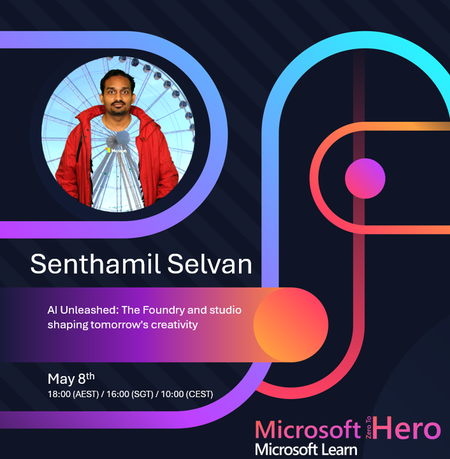
🚀 AI Unleashed: The Foundry & Studios Shaping Tomorrow’s Creativity What if creativity wasn’t limited by time, resources, or technical complexity? Join this upcoming session where we explore how AI Foundries and modern AI studios are transforming the way businesses innovate, build, and deliver exceptional customer experiences. From virtual try-on experiences in retail to intelligent chatbots that enhance customer support, AI-powered platforms are unlocking new possibilities: ✨ Accelerate innovation without heavy development overhead ✨ Create immersive, personalized customer journeys ✨ Automate processes while improving efficiency ✨ Turn ideas into scalable solutions—faster than ever Whether you're a developer, business leader or tech enthusiast, this session will give you practical insights into how AI platforms are reshaping creativity and digital experiences. 🎯 Don’t miss this opportunity to see how AI is redefining what’s possible. 📺 Register and join live → StreamYard Session 🗓️ Date: 8 May 2026 ⏰ Time: 18:00 (AEST) / 16:00 (SGT) / 10:00 (CEST) 🎙️ Speaker: Senthamil Selvan 📌 Topic: AI Unleashed: The Foundry and studio shaping tomorrow's creativity26Views0likes0CommentsNow generally available: Microsoft 365 E7 and Agent 365
We're excited to announce the general availability of Microsoft 365 E7 and Agent 365! Microsoft 365 E7 is the Frontier Suite powered by Work IQ, designed for a human-led, agent-operated enterprise—turning human intent into AI action that functions securely and at scale. Microsoft 365 E7 bundles Microsoft 365 E5, Copilot, Agent 365, and more into a single integrated offer built for customers’ Frontier Transformation. Designed for organizations to move from AI experimentation to scale, it includes Microsoft Entra Suite and advanced Defender, Intune, and Purview capabilities, delivering comprehensive security across agents and employees. Agent 365 is the control plane for customers to observe, govern, and secure both Microsoft and third-party AI agents, grounded in shared intelligence and built with trust to protect the organization. This marks a clear path for customers to upgrade to Microsoft 365 E7, unlocking access to Agent 365 for a setup built for secure agentic operations. Get more details164Views0likes0Comments
Design predictable AI performance to scale selling through Microsoft Marketplace
Discover how to design predictable AI performance that scales when selling apps and agents through Microsoft Marketplace. This Marketplace Community article explains why performance variability can undermine customer trust and how intentional design boundaries help customers evaluate value with confidence. As AI systems reason, retrieve data, and orchestrate tools at runtime, latency, quality, and cost become tightly linked. Bounded execution paths, cost‑aware orchestration, and layered performance controls help ensure responses remain fast, reliable, and predictable—without sacrificing output quality as usage grows. Learn how to design AI architectures that customers can trial confidently, scale sustainably, and operate without surprises across Marketplace environments. Read more: Design Predictable AI Performance for Apps Selling Through Microsoft Marketplace
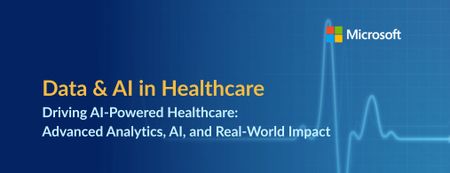
Driving AI‑Powered Healthcare: A Data & AI Webinar and Workshop Series
Across these sessions, you’ll learn how healthcare organizations are using Microsoft Fabric, advanced analytics, and AI to unify fragmented data, modernize analytics, and enable intelligent, scalable solutions, from enterprise reporting to AI‑powered use cases. Whether you’re just getting started or looking to accelerate adoption, these sessions offer practical guidance, real‑world examples, and hands‑on learning to help you build a strong data foundation for AI in healthcare. Date Topic Details Location Registration Link May 6 Webinar: Microsoft Fabric Foundations - A Simple Path to Modern Analytics and AI Discover how Microsoft Fabric consolidates fragmented analytics into a single integrated data platform, making it easier to deliver trusted insights and adopt AI without added complexity. Virtual Register May 13 Webinar: Reduce BI Sprawl, Cut Cost and Build an AI-Ready Analytics Foundation Learn how Power BI enables enterprise BI consolidation, consistent metrics, and secure, scalable analytics that support both operational reporting and emerging AI use cases. Virtual Register May 19-20 In Person Workshop: Driving AI‑Powered Healthcare: Advanced Analytics, AI, and Real‑World Impact Attend this two‑day, in‑person event to learn how healthcare organizations use Microsoft Fabric to unify data, accelerate AI adoption, and deliver measurable clinical and operational value. Day 1 focuses on strategy, architecture, and real‑world healthcare use cases, while Day 2 offers hands‑on workshops to apply those concepts through guided labs and agent‑powered solutions. Chicago Register May 27 Webinar: Unified Data Foundation for AI & Analytics - Leveraging OneLake and Microsoft Fabric This session shows how organizations can simplify fragmented data architectures by using Microsoft Fabric and OneLake as a single, governed foundation for analytics and AI. Virtual Register May 27-28 In Person Workshop: Driving AI‑Powered Healthcare: Advanced Analytics, AI, and Real‑World Impact Attend this two‑day, in‑person event to learn how healthcare organizations use Microsoft Fabric to unify data, accelerate AI adoption, and deliver measurable clinical and operational value. Day 1 focuses on strategy, architecture, and real‑world healthcare use cases, while Day 2 offers hands‑on workshops to apply those concepts through guided labs and agent‑powered solutions. Silicon Valley Register June 3-4 In Person Workshop: Driving AI‑Powered Healthcare: Advanced Analytics, AI, and Real‑World Impact Attend this two‑day, in‑person event to learn how healthcare organizations use Microsoft Fabric to unify data, accelerate AI adoption, and deliver measurable clinical and operational value. Day 1 focuses on strategy, architecture, and real‑world healthcare use cases, while Day 2 offers hands‑on workshops to apply those concepts through guided labs and agent‑powered solutions. New York Register June 10 Webinar: From Data to Decisions: How AI Data Agents in Microsoft Fabric Redefine Analytics Join us to learn how Fabric Data Agents enable users to interact with enterprise data through AI‑powered, governed agents that understand both data and business context. Virtual Register June 17 Webinar: Building the Intelligent Factory: A Unified Data and AI Approach to Life Science Manufacturing Discover how life science & MedTech manufacturers use Microsoft Fabric to integrate operational, quality, and enterprise data and apply AI‑powered analytics for smarter, faster manufacturing decisions. Virtual Register June 23-24 In Person Workshop: Driving AI‑Powered Healthcare: Advanced Analytics, AI, and Real‑World Impact Attend this two‑day, in‑person event to learn how healthcare organizations use Microsoft Fabric to unify data, accelerate AI adoption, and deliver measurable clinical and operational value. Day 1 focuses on strategy, architecture, and real‑world healthcare use cases, while Day 2 offers hands‑on workshops to apply those concepts through guided labs and agent‑powered solutions. Dallas RegisterPartner perspective: How Breakthru uses App Advisor and AI-listing optimization to drive growth
Optimizing a Marketplace listing isn’t just a marketing exercise—it directly impacts discoverability, demand, and revenue. But knowing what to change (and when) can be challenging for software development companies. In this partner‑written blog post, Marketplace software development company Breakthru shares firsthand experience using AI‑powered listing recommendations in App Advisor to move from guesswork to confident, data‑driven optimization—without risking listing performance. Dan Langille also reflects on how App Advisor became a core part of their business, what’s working in practice, and how AI is changing how teams iterate on their Marketplace presence. 👉 Read the partner story here: Improve Marketplace outcomes with AI‑powered listing recommendations in App Advisor Discussion prompts for the community: Would AI‑driven recommendations change how often you iterate on your listing? Have you used App Advisor for selling and growing app and AI agent sales? Curious to hear how other Marketplace partners are approaching listing optimization today!From Terminal to Autonomous Coding: Mastering GitHub Copilot CLI ACP Server
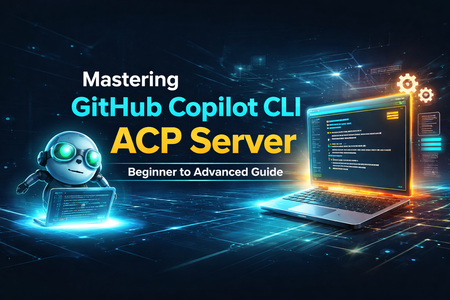
Introduction The rise of AI-powered development is no longer just about autocomplete—it’s about autonomous agents that can think, act, and collaborate. At the center of this transformation is the Agent Client Protocol (ACP) and its integration with GitHub Copilot CLI. If you’ve ever wanted to: Integrate Copilot into your own tools Build custom AI-driven developer workflows Orchestrate coding agents in CI/CD Then understanding the GitHub Copilot CLI ACP Server is a game-changer. This article will take you from zero to advanced, covering concepts, architecture, setup, and real-world use cases. What Is Agent Client Protocol (ACP)? The Agent Client Protocol (ACP) is an open standard designed to connect clients (like IDEs or tools) with AI agents in a consistent and interoperable way. Why ACP Exists Before ACP: Every IDE needed custom integration for each AI agent Every agent needed custom APIs per editor ACP solves this by introducing a universal communication layer. Key Idea “Any editor can talk to any agent.” Core Capabilities ACP enables: Standardized messaging between client and agent Streaming responses Tool execution with permissions Session lifecycle management Multi-agent coordination This makes ACP a foundation layer for the agentic developer ecosystem. What Is GitHub Copilot CLI ACP Server? GitHub Copilot CLI can run as an ACP-compatible server, exposing its AI capabilities programmatically. 👉 In simple terms: It turns Copilot into a backend AI agent service that any tool can connect to. According to GitHub Docs: Copilot CLI can run in ACP mode using a flag It supports standardized communication via ACP It enables integration with IDEs, pipelines, and custom tools Architecture: How ACP + Copilot CLI Works Components Component Role Client Sends prompts, receives responses ACP Protocol Standard communication layer Copilot CLI AI agent executing tasks System Files, repos, tools Getting Started (Beginner Level) Install GitHub Copilot CLI Ensure: Copilot subscription is active CLI installed and authenticated Start ACP Server Default (stdio mode – recommended) TCP Mode (for remote systems) stdio: Best for IDE integration TCP: Best for distributed systems Connect Using ACP Client (Example) Using TypeScript SDK: You: Start Copilot as a process Create streams Initialize connection Send prompt Receive streaming response ACP uses: NDJSON streams over stdin/stdout Event-driven communication ACP Workflow Explained A typical flow looks like this: Step-by-step lifecycle Initialize connection Create session Send prompt Agent processes task Streaming updates returned Optional tool execution (with permissions) Session ends ACP supports: Text + multimodal inputs Incremental responses Cancellation and control Real-World Use Cases IDE Integration (Custom Editors) Build your own AI-powered editor: Connect via ACP Send code context Receive suggestions CI/CD Automation Imagine: Use ACP to: Auto-fix bugs Generate tests Refactor code Multi-Agent Systems ACP enables: Copilot + other agents working together Task delegation Workflow orchestration Custom Developer Tools Examples: AI code review dashboards Internal dev assistants ChatOps integrations Advanced Concepts Session Management ACP allows: Isolated sessions Custom working directories Context persistence Streaming Responses Instead of waiting: Receive responses in chunks Build real-time UIs Permission Handling ACP includes: Tool execution approvals Security boundaries Controlled automation Extensibility ACP supports: Multiple SDKs (TypeScript, Python, Rust, Kotlin) Custom clients Future protocol evolution ACP vs Traditional Integration Feature Traditional APIs ACP Integration Custom per tool Standardized Streaming Limited Native Multi-agent Hard Built-in Extensibility Low High Interoperability Poor Excellent Why ACP + Copilot CLI Is a Big Deal This combination unlocks: ✅ Platform-level AI integration No more vendor lock-in per editor ✅ True agentic workflows Agents don’t just suggest—they act ✅ Ecosystem growth Any tool can plug into Copilot Challenges & Considerations ACP is still in public preview Requires understanding of: Streams Async communication Debugging agent workflows can be complex Future of Developer Experience ACP represents a shift toward: “AI-native development platforms” Future possibilities: Fully autonomous CI/CD pipelines Cross-agent collaboration Self-healing codebases Final Thoughts The GitHub Copilot CLI ACP Server is not just a feature—it’s a foundation for the next generation of software development. If you are: A developer → build smarter tools A tech lead → design AI-driven workflows A CTO aspirant → understand this deeply Then ACP is something you must master early. Quick Summary ACP = Standard protocol for AI agents Copilot CLI = Can run as ACP server Enables = IDEs, CI/CD, multi-agent systems Key power = interoperability + automationAHEAD helps us launch the Strategic Azure Storage Services Partner Program
AHEAD becomes the first Azure Storage Strategic Channel Partner by demonstrating their expertise in helping customers select the ideal Azure Storage, or Azure Storage ISV, Service to offer the ideal price / performance solution for their application and helping customers to migrate to Azure quickly and safely.285Views0likes0CommentsAI and human potential: Advancing skills, innovation, and outcomes
When empowered employees put AI skills into action, true transformation begins. Across industries and around the world, organizations are teaming up with Microsoft to help their employees learn the skills they need to put AI into practice. Building AI skills today sets up employees and organizations to thrive in the opportunities of tomorrow. At visionary organizations, like Albertsons Companies, Casey’s, Levi Strauss, and Newell Brands, teams are moving beyond theory and weaving AI into everyday work, transforming routine tasks into opportunities for innovation and business growth. This isn’t just about technology—it’s about people reimagining how they make an impact—and, in the process, they’re building resilience, driving growth, and creating success. AI Skills Navigator: Guidance for your AI-powered growth To help more people tap into this potential, we recently announced AI Skills Navigator an agentic learning space, bringing together AI-powered skilling experiences and credentials that help individuals build career skills and organizations worldwide accelerate their business. Forward-thinking companies Icertis, LexisNexis Risk Solutions, MTN, and Vodafone previewed AI Skills Navigator and shared their excitement about the experience. They see this learning space as a way to strengthen their learning cultures, prepare their workforces for the future, and deliver meaningful results—from better customer experiences to innovation that scales. Empowering teams to lead with confidence We believe skilling should always start with people, especially in a fast-changing AI landscape. We’re inspired by what teams can achieve when they feel supported, and we’re proud to work with organizations of all sizes as they help their employees grow and lead with confidence. The examples that follow highlight how enterprises across industries and regions are building future-ready teams with Microsoft skilling—and seeing real impact. The Adecco Group, a leading talent solutions and advisory firm that serves more than 100,000 companies every year, is committed to upskilling its workforce and preparing employees for the future of work. Partnering with Microsoft, The Adecco Group provides skill-building that supports 300 million candidate interactions annually and fosters a learning culture that scales AI expertise across the company. Abu Dhabi National Oil Company (ADNOC), the state-owned energy company of Abu Dhabi, United Arab Emirates, operates across the entire oil and gas value chain. ADNOC and Microsoft have committed to co-develop and deploy agents that enhance efficiency, enable autonomous operations, and reduce emissions. This collaboration includes advanced AI tools and workforce training from Microsoft, in addition to the creation of a joint innovation ecosystem to drive transformative energy solutions. Albertsons Companies, one of the largest food and drug retailers in the United States, is helping its associates be more effective with AI. According to Anuj Dhanda, Executive Vice President (EVP), Chief Technology & Transformation Officer, "At Albertsons Companies, we’re better together, whether in our stores or behind the scenes, and we embrace groundbreaking innovation that empowers each of our team members to earn customers for life. Our partnership with Microsoft is one of many transformative AI initiatives we’re implementing to unlock the potential of AI, helping our associates to be more effective, simplify their work, and build a more capable workforce to serve our 37 million customers each week." The Belgian Ministry of Defense is working with Microsoft to strengthen its capabilities through the practical application of generative AI, supporting a future-ready workforce. With AI coaching, the ministry equips its personnel with the skills to enhance digital resilience and operational effectiveness. Bupa APAC, a global leader in health insurance, health services, and aged care, keeps skilling central to its strategy evolution. The company cites AI as a critical part of its transformation but points out that technology alone isn't enough. It’s focused on its teams—building the right skills to make AI effective across the organization. Casey’s, a Fortune 500 convenience store chain and one of the largest pizza retailers in the United States, is embracing AI throughout the company. As Sanjeev Satturu, Senior Vice President (SVP) and Chief Information Officer (CIO), explains, “At Casey's, we are dedicated to fostering digital dexterity by equipping our teams with innovative AI tools. Through our strategic partnership with Microsoft, we are providing employees with the knowledge and resources to seamlessly integrate AI into their daily work, empowering them to extend their capabilities, boost productivity, and drive our evolution. By embracing AI in everyday actions, we amplify our collective potential and accelerate meaningful progress across the organization.” CloudThat, a Microsoft Training Services Partner and award-winning global leader in training and consulting, set out to reimagine how people learn cloud and AI technologies. The result is CloudAttack, a proprietary, generative AI–powered, gamified learning platform that’s making skill-building more interactive, enjoyable, and measurable. As a result of CloudAttack, participants express new confidence in using Microsoft 365 Copilot daily. Plus, CloudThat reports a 100% increase over the last year in Microsoft AI and prompt engineering sessions at universities, along with a 15% increase in Microsoft Certification exam participation among enterprise learners. The nationwide CloudAttack Prompt-a-Thon, sponsored by Microsoft, brought together nearly 1,000 learners, all competing to craft effective prompts and use AI tools, like Copilot, more confidently. Commonwealth Bank of Australia (CommBank), one of Australia’s largest banks, is guided by its goal to build a brighter future for all. With Microsoft skilling offerings, the bank is enabling its teams to engage with AI, use the latest tools, and embrace new ways of working, as employees find out how AI can drive real impact. With a structured skilling approach and real-world experimentation, CommBank employees are learning to confidently apply AI to their day-to-day tasks, stay ahead, innovate, and help shape the future of banking. Conagra Brands, Inc., the consumer‑packaged goods company behind snacks like Orville Redenbacher’s popcorn and Slim Jim, continues its history of innovation by adding AI capabilities and skilling to a foundation of modernization. Training sessions and hackathons, held in partnership with Microsoft and demonstrating Microsoft Copilot, led to new ideas for specific use cases across business units. Conagra now has 120 Active AI Champions completing advanced Copilot trainings and 1,300 employees trained through AI + Data Day events, with a goal to train all 15,000 employees. AI skilling has helped Conagra teams be more efficient, generate less waste, and make better products for their consumers. Danone, a world leader in specialized nutrition, is exploring new frontiers in AI transformation. Juergen Esser, Deputy Chief Executive Officer (CEO) in charge of Finance, Technology and Data, observes, “Our collaboration with Microsoft will accelerate our AI transformation, providing us with the tools, technology, and expertise to explore new frontiers in data analysis, operational efficiency, and consumer engagement. Working together is not just about technology; it’s about fostering a culture of continuous learning, innovation, and performance across our organisation." Digital China Cloud Technology Limited partnered with Lenovo, the world’s largest PC company, to create a training program to help Lenovo employees move from casual interaction with AI tools to meaningful, scenario-driven usage. The goal was to onboard 30,000 employees in China—about 40% of the Lenovo workforce—to Microsoft 365 Copilot Chat and Microsoft Copilot Studio. The results included significant gains in productivity, efficiency, innovation, and more. As Lenovo China Operations Management Professional Dan Zhao explains, “Copilot Chat has fundamentally changed how we manage our daily workflow. What used to take hours now happens in minutes. It not only saves us time but also enhances the quality of our communication and strategic thinking." EPAM, a global leader in digital engineering and AI-powered software engineering services, is differentiating itself by focusing on Microsoft Applied Skills, moving beyond academic knowledge to real client impact. This approach demonstrates proficiency, strengthens outcomes, and provides a clear competitive advantage. With Applied Skills, EPAM fast-tracks AI readiness and project outcomes. Icertis, a leader in AI-powered contract intelligence, previewed AI Skills Navigator. Shwetambari Salgar, Learning & Organisational Development, is enthusiastic, emphasizing, “AI Skills Navigator provides an opportunity to upskill Icertis teams for the future through a unified learning platform. As a long-time Microsoft partner, we have a shared drive for innovation and continuous learning.” The International Center for Artificial Intelligence Research and Ethics (ICAIRE), under the auspices of the United Nations Educational, Scientific and Cultural Organization (UNESCO), aims to empower nations to advance ethical AI for the good of humanity. Through its global Women Elevate initiative, ICAIRE is equipping 5,000 women with entry-level skills in AI, data science, and responsible AI use. The program is delivered by Microsoft Training Services Partner Spectrum Networks and features a comprehensive curriculum covering foundational AI and cloud concepts, Azure essentials, and the Microsoft Certified: Azure AI Fundamentals Certification. By combining technical skilling with a strong focus on ethical innovation, Women Elevate is helping shape a new generation of women leaders ready to use AI to increase productivity, shorten time to market, and contribute meaningfully to the global AI ecosystem. Koç Holding is a Fortune Global 500 company and Turkey’s largest multinational conglomerate, operating across energy, automotive, finance, consumer goods, and retail sectors. The company is taking advantage of Microsoft Applied Skills, empowering more than 6,000 employees to build future-ready skills in cloud, AI, and automation—underscoring the company’s belief that digital transformation begins with people. Koç Holding employees demonstrate their technical expertise through real-world tasks with Applied Skills, which focus on targeted, scenario-based learning and validation. These staff members are turning their new skills into impact, solving business challenges and driving agility. Lenovo, a global technology powerhouse focused on delivering smarter technology for all, is expanding its collaboration with Microsoft to upskill an additional 4,200 employees this year, following the successful training of more than 3,000 to date. What began as a small pilot has evolved into one of Lenovo’s largest learning communities, reinforcing the company’s position as a leading force in the AI revolution. Levi Strauss & Co., global apparel company, is building the foundation to apply AI across its operations. As Karen Scholl, Vice President, Office of the Chief Digital & Technology Officer, explains, “We’re empowering our people to tap into the power of AI to unlock new possibilities, reimagine how we work, and accelerate our evolution into a best-in-class, direct-to-consumer retailer. Our partnership with Microsoft isn’t just about technology, but it’s about building the right foundation to embed AI across everything we do. From product design to store operations, we’re building and equipping every team member with the tools to drive innovation and growth, ensuring Levi’s continues to thrive for another 170 years. By leveraging Microsoft’s technological expertise, we’re redefining what’s possible for the future of retail.” LexisNexis Risk Solutions provides data analytics and technology to help organizations assess risk, ensure compliance, and prevent fraud. Sarah Fabius, Technology Optimization Program Manager, notes that the company is dedicated to equipping its workforce “with cutting-edge AI skills that fuel innovation in risk and data analytics technology. Through our partnership with Microsoft and the integration of AI Skills Navigator, we’re ensuring our teams have the tools and expertise to lead in a rapidly evolving industry.” MTN is Africa’s largest mobile network operator. Paul Norman, Group Chief Human Resources Officer, shares his perspective on AI Skills Navigator, noting, “At MTN, we believe in developing an AI-fluent organisation that empowers every employee to adopt and utilise AI responsibly and ethically. Microsoft AI Skills Navigator provides an exciting new learning innovation that can help demystify AI through its learner-centric and human-first approach to grow and develop an agile, resilient, and AI-inspired workforce of the future!" National Australia Bank (NAB), one of Australia’s largest financial institutions, is advancing its strategic commitment to AI, with more than 100 initiatives underway and thousands of employees already applying generative AI to deliver real business value. The bank emphasizes responsible AI, inclusive innovation, and strong leadership. Through a joint effort with Microsoft, 600 women have received AI training, reinforcing NAB’s vision of a diverse, future-ready workforce equipped to lead in the age of AI. Newell Brands, a leading consumer products company with a portfolio of iconic brands, is empowering its employees with Microsoft technology and skilling. As Chris Peterson, President and CEO, points out, “At Newell Brands, we see AI as a catalyst for creativity, productivity, and transformation. Through the Microsoft AI experience training series and access to Microsoft 365 Copilot, we’re empowering our employees with technology that helps them work smarter, boost productivity, and turn ideas into action faster. This is about more than adopting new technology—it’s about fueling innovation, driving efficiency, and creating lasting value across our business.” NTT DATA is a global IT services and consulting company that provides digital, cloud, and business solutions to help organizations innovate and transform. The company is building its workforce skills in generative AI in close collaboration with Microsoft and other leading partners. The company intends to train 200,000 of its employees by fiscal year 2027 and, as of October 2025, had already trained 70,000 of them. This initiative empowers staff members to apply generative AI independently, driving innovation in daily tasks and creating new value across the organization. OP Pohjola, Finland’s largest provider of financial services, is fueling transformation in the financial sector by embedding continuous learning into its culture. In a joint effort with Microsoft, the company is ensuring that every employee has the opportunity to build AI skills and can apply them responsibly every day. This commitment and world-class learning strengthens customer service, fosters innovation, and helps to shape the future of banking. Ricoh, a global technology company that provides digital services, printing solutions, and workplace innovation, believes that real transformation starts with people. The company is advancing AI adoption across its teams in the Asia-Pacific region, focusing on skill-building so team members can use new tools with confidence. Ricoh and Microsoft worked together to deliver AI Learning Week, which gave employees the opportunity to explore ways to apply AI meaningfully and responsibly and to reimagine how they work, enhancing human potential. Swiss Post, Switzerland's national postal service, together with Campana & Schott and Microsoft, launched an ambitious AI skilling and adoption program, delivering measurable results. The organization conducts regular surveys to gather feedback and better understand impact. Teams across logistics, finance, and corporate services are reporting meaningful gains in productivity and efficiency, while employees cite faster access to information, improved collaboration, and higher satisfaction with their digital work environment. These outcomes reflect a clear return on investment—both in operational performance and employee empowerment. Vodafone, a global telecommunications company, looks to the exciting possibilities of AI Skills Navigator. As Steve Garley, Senior Manager Technical and Digital Skills, explains, “AI Skills Navigator learner-first design aligns well with an AI-first approach and Vodafone’s ambition for readiness in the AI era. We see potential in Microsoft’s [skilling experience] to transform traditional training models and deliver role-based, just-in-time upskilling that drives real business outcomes.” From retail to telecom and more, these organizations prove that empowered teams can spark innovation and lasting growth. Their experiences highlight a truth worth remembering—transformation starts with people. When employees feel confident in their skills, they create success that extends well beyond daily tasks. If you’re ready to empower your workforce with the full potential of AI skilling, get your teams started with AI Skills Navigator.4.3KViews16likes4Comments