ai studio
33 TopicsTrain a simple Recommendation Engine using the new Azure AI Studio
The AI Studio Odyssey: Embark on a journey to the heart of personalization with our latest guide, “Train a Simple Recommendation Engine using the new Azure AI Studio.” Unlock the secrets of the all-new Azure AI Studio intuitive tools to craft a recommendation system that feels like magic, yet is grounded in data and user preferences. Ready to enchant your audience? Grab some popcorn and read on!6.7KViews0likes2CommentsMastering Query Fields in Azure AI Document Intelligence with C#
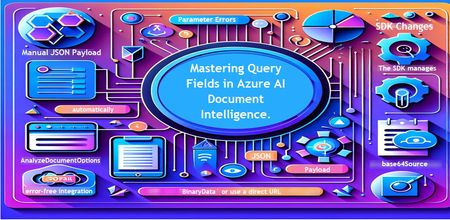
Introduction Azure AI Document Intelligence simplifies document data extraction, with features like query fields enabling targeted data retrieval. However, using these features with the C# SDK can be tricky. This guide highlights a real-world issue, provides a corrected implementation, and shares best practices for efficient usage. Use case scenario During the cause of Azure AI Document Intelligence software engineering code tasks or review, many developers encountered an error while trying to extract fields like "FullName," "CompanyName," and "JobTitle" using `AnalyzeDocumentAsync`: The error might be similar to Inner Error: The parameter urlSource or base64Source is required. This is a challenge referred to as parameter errors and SDK changes. Most problematic code are looks like below in C#: BinaryData data = BinaryData.FromBytes(Content); var queryFields = new List<string> { "FullName", "CompanyName", "JobTitle" }; var operation = await client.AnalyzeDocumentAsync( WaitUntil.Completed, modelId, data, "1-2", queryFields: queryFields, features: new List<DocumentAnalysisFeature> { DocumentAnalysisFeature.QueryFields } ); One of the reasons this failed was that the developer was using `Azure.AI.DocumentIntelligence v1.0.0`, where `base64Source` and `urlSource` must be handled internally. Because the older examples using `AnalyzeDocumentContent` no longer apply and leading to errors. Practical Solution Using AnalyzeDocumentOptions. Alternative Method using manual JSON Payload. Using AnalyzeDocumentOptions The correct method involves using AnalyzeDocumentOptions, which streamlines the request construction using the below steps: Prepare the document content: BinaryData data = BinaryData.FromBytes(Content); Create AnalyzeDocumentOptions: var analyzeOptions = new AnalyzeDocumentOptions(modelId, data) { Pages = "1-2", Features = { DocumentAnalysisFeature.QueryFields }, QueryFields = { "FullName", "CompanyName", "JobTitle" } }; - `modelId`: Your trained model’s ID. - `Pages`: Specify pages to analyze (e.g., "1-2"). - `Features`: Enable `QueryFields`. - `QueryFields`: Define which fields to extract. Run the analysis: Operation<AnalyzeResult> operation = await client.AnalyzeDocumentAsync( WaitUntil.Completed, analyzeOptions ); AnalyzeResult result = operation.Value; The reason this works: The SDK manages `base64Source` automatically. This approach matches the latest SDK standards. It results in cleaner, more maintainable code. Alternative method using manual JSON payload For advanced use cases where more control over the request is needed, you can manually create the JSON payload. For an example: var queriesPayload = new { queryFields = new[] { new { key = "FullName" }, new { key = "CompanyName" }, new { key = "JobTitle" } } }; string jsonPayload = JsonSerializer.Serialize(queriesPayload); BinaryData requestData = BinaryData.FromString(jsonPayload); var operation = await client.AnalyzeDocumentAsync( WaitUntil.Completed, modelId, requestData, "1-2", features: new List<DocumentAnalysisFeature> { DocumentAnalysisFeature.QueryFields } ); When to use the above: Custom request formats Non-standard data source integration Key points to remember Breaking changes exist between preview versions and v1.0.0 by checking the SDK version. Prefer `AnalyzeDocumentOptions` for simpler, error-free integration by using built-In classes. Ensure your content is wrapped in `BinaryData` or use a direct URL for correct document input: Conclusion Using AnalyzeDocumentOptions provides a cleaner and more reliable way to work with query fields in Azure AI Document Intelligence using C#. By aligning with the latest SDK approach, developers can simplify implementation, reduce common errors, and improve code maintainability. Keeping up with SDK enhancements and recommended practices ensures more accurate and efficient document data extraction. As Azure AI capabilities continue to evolve, adopting modern integration patterns will help you build scalable and future-ready document processing solutions with greater confidence. Reference Official AnalyzeDocumentAsync Documentation. Official Azure SDK documentation. Azure Document Intelligence C# SDK support add-on query field.521Views0likes0CommentsHow to Visualize Your Azure AI Workloads Usage for Observability
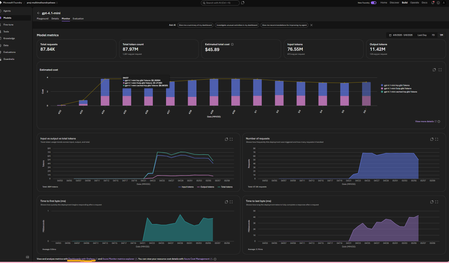
This article assumes you already have an Azure Foundry project and resource deployed in Microsoft Foundry. The options referenced here are documented in detail in the linked articles; this post serves as a consolidated step by step guide bringing them all together and explaining where each option is most useful. A Summary: Need Best Option Quick day-over-day visual, minimal setup Grafana Dashboard (Option 3) Custom growth % calculations App Insights + KQL in Log Analytics (Option 4) Shareable, interactive report Azure Workbooks (Option 5) Per-user/per-agent granularity APIM + App Insights (Option 6) Quick one-off chart, export to Excel Microsoft Foundry Monitor tab or App Insights Metrics Explorer (Option 1 and 2) Option 1. Within the Microsoft Foundry Portal (Quickest, No Setup) If you have models deployed in Microsoft Foundry and would like to monitor its usage, go to the New Foundry Portal → Build → Models → Monitor tab. View metrics such as: Estimated cost Total token usage Input vs. output tokens Number of requests This is the simplest way to monitor both model and agent usage. For PAYG plans: You can also view your total allocated quota (and figure out which Tier you are on) using the Quota Management Screen (New Foundry Portal → Operate → Quota tab). This screen shows how much your total allocated quota is, per model in a given subscription + region + Deployment Type (Global, Data Zones or Regional). For eg., in the image below, for gpt-4o, I am allocated 7M total TPM in my subscription. I am only using 150K TPM of the allocated 7M TPM amount. Which means, my requests will get throttled if I exceed the 150K TPM limit. To avoid throttling, I would need to increase my shared allocation limit. NOTE: you are charged for usage, so if you allow more capacity, you use more, so you pay more. Option 2: Azure Monitor Metrics Explorer This is already built into the Azure Portal and gives you time-series charts out of the box. Go to Azure Portal → your Azure OpenAI / Foundry resource → Monitoring → Metrics Select a metric like AzureOpenAIRequests or TokenTransaction Set Aggregation to Sum (total) or Max and Time granularity to 1 day Split by ModelDeploymentName to see per-model trends Adjust the time range (e.g., last 30 days) — you'll see day-over-day bars/lines Tip: You can pin these charts to an Azure Dashboard for a persistent view, or click Share → Download to Excel to get the raw data for your own analysis. Option 3: Azure Managed Grafana (Best Pre-Built Dashboard) This is the best option for a polished, real-time, day-over-day dashboard with no custom code. There's a pre-built AI Foundry dashboard ready to import. [grafana.com], [Create a M...ed Grafana] How to set it up: Create an Azure Managed Grafana workspace (if you don't have one) In Grafana, go to Dashboards → New → Import → enter dashboard ID 24039 (for Foundry) Select your Azure Monitor data source and point it to your Foundry resource Tip: You can also import this directly from the Azure Portal: Monitor → Dashboards with Grafana → AI Foundry. That's it — the dashboard gives you (per model deployment): Token trends over time (inference, prompt, completion — day over day) Request trends over time (AzureOpenAIRequests as a time series) Latency trends (bonus) NOTE: Default time range is 7 days — adjust to 30/60/90 days for growth trends Option 4: Application Insights + KQL Queries (Most Flexible, Custom Reports) If you want fully custom day-over-day growth calculations (e.g., % change day-to-day), this is the way. [azurefeeds.com] Setup: Ensure your Foundry project is connected to an Application Insights resource (Foundry → Settings → Connected Resources). Open up App Insights resource → Logs → New Query or choose a sample query. In the images below, we simply ran 'requests' and set the time range to 24 hours. There is also a Kusto Query Language (KQL) mode or Simple mode on the right-hand side: Simple mode will let you run out of the box samples. KQL mode will open up a query window for you to enter custom queries. Below are the results in grid view. Same view but showing a chart: Export options: Another way to get the above graphs are via Log Analytics. Simply enable Diagnostic Settings on your Azure OpenAI resource → send to a Log Analytics workspace. Open Log Analytics → Logs and try our your sample queries. Sample KQL for day-over-day token usage (adjust to your needs): AzureMetrics | where MetricName in ("TokenTransaction", "ProcessedPromptTokens", "GeneratedTokens") | where TimeGenerated > ago(30d) | summarize DailyTokens = sum(Total) by bin(TimeGenerated, 1d), MetricName | order by TimeGenerated asc | render timechart Result: Sample KQL for day-over-day growth % (adjust to your needs): AzureMetrics | where MetricName == "TokenTransaction" | where TimeGenerated > ago(30d) | summarize DailyTokens = sum(Total) by Day = bin(TimeGenerated, 1d) | sort by Day asc | extend PrevDay = prev(DailyTokens) | extend GrowthPct = round((DailyTokens - PrevDay) / PrevDay * 100, 2) | project Day, DailyTokens, GrowthPct Option 5: Azure Monitor Workbooks (Custom Dashboards, Shareable) Workbooks let you build interactive, parameterized dashboards that combine metrics and KQL logs. What's more, you can select resources from multiple subscriptions and visualize them all in one place using Workbooks! Go to Azure Portal → Monitor → Workbooks → New Add a Metrics query panel → select your Log Analytics or App Insights or Foundry resource -> Enter the same query you used in Option 4. Do a test run and view the graphs (this can be viewed as charts or a list (grid view)): 4. Save and share with your team. Option 6: APIM + Application Insights (Granular Per-Caller/Per-Agent Tracking) 1. If your app routes requests through Azure API Management, you can use the azure-openai-emit-token-metric policy to send per-request token metrics to Application Insights with custom dimensions (User ID, Subscription ID, Agent, etc.). [Azure API...osoft Docs] This is ideal for scenarios like: "Which agent consumed the most tokens last week?" "What's the token usage per API consumer/team?" NOTE: Microsoft Foundry resources do not track usage by users. So, fronting your Foundry resource with an APIM could be a way to track users provided you pass the username/id in the request context. How you implement this is upto your app design. Ref: AI-Gateway/labs/token-metrics-emitting/token-metrics-emitting.ipynb at main · Azure-Samples/AI-Gateway · GitHub Bonus: Check out all other APIM + AI related policies here: AI-Gateway/labs/semantic-caching at main · Azure-Samples/AI-Gateway AI-Gateway/labs/token-rate-limiting at main · Azure-Samples/AI-Gateway AI-Gateway/labs/token-metrics-emitting/token-metrics-emitting.ipynb at main · Azure-Samples/AI-Gateway · GitHub
AG-UI: The Future of Agent-Driven User Interfaces
As AI agents evolve from simple chatbots into workflow engines, decision-makers, and copilots, one challenge has remained stubbornly unsolved: How do we connect intelligent agents to rich, dynamic, user-facing interfaces without custom plumbing every single time? Introducing AG-UI (Agent–User Interface) — a unified protocol that finally standardizes how agents talk to frontends. It enables streaming, declarative UI generation, state synchronization, and human-in-the-loop workflows out of the box. AG-UI is the missing piece that bridges backend intelligence with real-time, interactive user experiences. Why is AG‑UI a Game‑Changer? 1. A Unified Standard for Agent ↔ UI Interaction Before AG-UI, developers juggled: REST APIs for request–response Web Sockets/SSE for streaming Custom JSON structures for tool calls Ad-hoc approaches for dynamic UI The result? Fragmented systems, brittle integrations, and zero interoperability. AG-UI replaces all of this with one standard protocol covering: Chat messages UI component proposals Tool calls Shared state updates Interrupts for human approvals 2. Built-In Real-Time Streaming Token-level streaming is a first-class citizen. No need to hand-roll Web Sockets or patch SSE responses — AG-UI handles it through a consistent event protocol. 3. Human-in-the-Loop as a First-Class Concept AG-UI supports: Interrupt events Approval dialogs State diffs Resume logic All natively, with no custom workflow engines required. Problems AG-UI Solves One standard protocol for chat, UI, interrupts, and shared state Token-level streaming support Declarative UI proposals from agents Built-in HITL workflows Clear separation of concerns Cross-framework interoperability Key Use Cases 1. Interactive Copilot Applications Agents propose UI components, update shared state, and respond in real time. 2. Enterprise Workflow Automation Approvals, forms, provisioning flows, and automated processes. 3. Multi-Agent Orchestration Nested workflows and delegated subtasks. 4. Tool-Integrated Applications Agents call backend tools and instantly reflect results in the UI. How to Get Started Create an AG-UI server using Microsoft Agent Framework. Connect a frontend using libraries like CopilotKit. Implement streaming chat + declarative UI events. Deploy over HTTPS, SSE, or Web Sockets. Human-in-the-Loop (HITL) AG-UI’s interrupt model lets agents pause execution, request human approval, accept modifications, and resume safely. Common HITL workflows: Financial operations Security actions External communication drafts Compliance reviews Interrupt Event Example { "event": "interrupt", "reason": "manager_approval_required", "ui": { "type": "approval_dialog", "fields": [ { "label": "Total", "value": 1234.56 }, { "label": "Notes", "type": "text" } ] }, "shared_state": { "reportId": "R-2025-1101", "status": "pending" } } User Decision Event { "event": "user_decision", "action": "approve", "actor": "manager@contoso.com", "shared_state_diff": { "status": "approved" } } Backend HITL Logic (Python) def process_expense(report): validation = tools.expense_validate(report) if validation.requires_manager_approval: emit_interrupt( ui=approval_dialog(report), shared_state={"status": "pending"} ) decision = await wait_for_user_decision() if decision == "approve": tools.expense_post_to_erp(report) elif decision == "edit": apply_shared_state_diff(decision.diff) return process_expense(report) else: tools.expense_reject(report) Security Best Practices Protect endpoints with Azure AD Enforce HTTPS, HSTS, rate limits Use managed identity + Key Vault Apply content safety filters Isolate tool permissions Enforce approvals for sensitive actions Maintain session-level audit trails Minimize PII and enforce encryption Minimal AG-UI Example (Python) from fastapi import FastAPI from fastapi.responses import StreamingResponse import asyncio app = FastAPI() async def agent_stream(): messages = ["Hello!", "I am your AI agent.", "How can I assist you today?"] for msg in messages: yield msg + "\n" await asyncio.sleep(1) app.get("/chat") async def chat(): return StreamingResponse(agent_stream(), media_type="text/plain") app.get("/ui") async def ui_component(): return { "type": "form", "fields": [ {"label": "Name", "type": "text"}, {"label": "Email", "type": "email"} ] } Conclusion AG-UI is more than a protocol — it is the foundation for building next-generation, agent-driven applications. By standardizing how agents interact with user interfaces, it enables richer experiences, safer workflows, and faster development.1.3KViews0likes0CommentsIf You're Building AI on Azure, ECS 2026 is Where You Need to Be
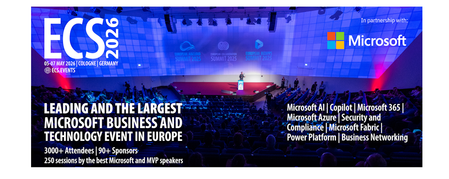
Let me be direct: there's a lot of noise in the conference calendar. Generic cloud events. Vendor showcases dressed up as technical content. Sessions that look great on paper but leave you with nothing you can actually ship on Monday. ECS 2026 isn't that. As someone who will be on stage at Cologne this May, I can tell you the European Collaboration Summit combined with the European AI & Cloud Summit and European Biz Apps Summit is one of the few events I've seen where engineers leave with real, production-applicable knowledge. Three days. Three summits. 3,000+ attendees. One of the largest Microsoft-focused events in Europe, and it keeps getting better. If you're building AI systems on Azure, designing cloud-native architectures, or trying to figure out how to take your AI experiments to production — this is where the conversation is happening. What ECS 2026 Actually Is ECS 2026 runs May 5–7 at Confex in Cologne, Germany. It brings together three co-located summits under one roof: European Collaboration Summit — Microsoft 365, Teams, Copilot, and governance European AI & Cloud Summit — Azure architecture, AI agents, cloud security, responsible AI European BizApps Summit — Power Platform, Microsoft Fabric, Dynamics For Azure engineers and AI developers, the European AI & Cloud Summit is your primary destination. But don't ignore the overlap, some of the most interesting AI conversations happen at the intersection of collaboration tooling and cloud infrastructure. The scale matters here: 3,000+ attendees, 100+ sessions, multiple deep-dive tracks, and a speaker lineup that includes Microsoft executives, Regional Directors, and MVPs who have built, broken, and rebuilt production systems. The Azure + AI Track - What's Actually On the Agenda The AI & Cloud Summit agenda is built around real technical depth. Not "intro to AI" content, actual architecture decisions, patterns that work, and lessons from things that didn't. Here's what you can expect: AI Agents and Agentic Systems This is where the energy is right now, and ECS is leaning in. Expect sessions covering how to design agent workflows, chain reasoning steps, handle memory and state, and integrate with Azure AI services. Marco Casalaina, VP of Products for Azure AI at Microsoft, is speaking if you want to understand the direction of the Azure AI platform from the people building it, this is a direct line. Azure Architecture at Scale Cloud-native patterns, microservices, containers, and the architectural decisions that determine whether your system holds up under real load. These sessions go beyond theory you'll hear from engineers who've shipped these designs at enterprise scale. Observability, DevOps, and Production AI Getting AI to production is harder than the demos suggest. Sessions here cover monitoring AI systems, integrating LLMs into CI/CD pipelines, and building the operational practices that keep AI in production reliable and governable. Cloud Security and Compliance Security isn't optional when you're putting AI in front of users or connecting it to enterprise data. Tracks cover identity, access patterns, responsible AI governance, and how to design systems that satisfy compliance requirements without becoming unmaintainable. Pre-Conference Deep Dives One underrated part of ECS: the pre-conference workshops. These are extended, hands-on sessions typically 3–6 hours that let you go deep on a single topic with an expert. Think of them as intensive short courses where you can actually work through the material, not just watch slides. If you're newer to a particular area of Azure AI, or you want to build fluency in a specific pattern before the main conference sessions, these are worth the early travel. The Speaker Quality Is Different Here The ECS speaker roster includes Microsoft executives, Microsoft MVPs, and Regional Directors, people who have real accountability for the products and patterns they're presenting. You'll hear from over 20 Microsoft speakers: Marco Casalaina — VP of Products, Azure AI at Microsoft Adam Harmetz — VP of Product at Microsoft, Enterprise Agent And dozens of MVPs and Regional Directors who are in the field every day, solving the same problems you are. These aren't keynote-only speakers — they're in the session rooms, at the hallway track, available for real conversations. The Hallway Track Is Not a Cliché I know "networking" sounds like a corporate afterthought. At ECS it genuinely isn't. When you put 3,000 practitioners, engineers, architects, DevOps leads, security specialists in one venue for three days, the conversations between sessions are often more valuable than the sessions themselves. You get candid answers to "how are you actually handling X in production?" that you won't find in documentation. The European Microsoft community is tight-knit and collaborative. ECS is where that community concentrates. Why This Matters Right Now We're in a period where AI development is moving fast but the engineering discipline around it is still maturing. Most teams are figuring out: How to move from AI prototype to production system How to instrument and observe AI behaviour reliably How to design agent systems that don't become unmaintainable How to satisfy security and compliance requirements in AI-integrated architectures ECS 2026 is one of the few places where you can get direct answers to these questions from people who've solved them — not theoretically, but in production, on Azure, in the last 12 months. If you go, you'll come back with practical patterns you can apply immediately. That's the bar I hold events to. ECS consistently clears it. Register and Explore the Agenda Register for ECS 2026: ecs.events Explore the AI & Cloud Summit agenda: cloudsummit.eu/en/agenda Dates: May 5–7, 2026 | Location: Confex, Cologne, Germany Early registration is worth it the pre-conference workshops fill up. And if you're coming, find me, I'll be the one talking too much about AI agents and Azure deployments. See you in Cologne.
The "IQ Layer": Microsoft’s Blueprint for the Agentic Enterprise
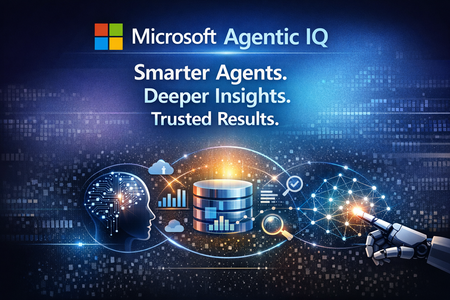
The "IQ Layer": Microsoft’s Blueprint for the Agentic Enterprise Modern enterprises have experimented with artificial intelligence for years, yet many deployments have struggled to move beyond basic automation and conversational interfaces. The fundamental limitation has not been the reasoning power of AI models—it has been their lack of organizational context. In most organizations, AI systems historically lacked visibility into how work actually happens. They could process language and generate responses, but they could not fully understand business realities such as: Who is responsible for a project What internal metrics represent Where corporate policies are stored How teams collaborate across tools and departments Without this contextual awareness, AI often produced answers that sounded intelligent but lacked real business value. To address this challenge, Microsoft introduced a new architectural model known as the IQ Layer. This framework establishes a structured intelligence layer across the enterprise, enabling AI systems to interpret work activity, enterprise data, and organizational knowledge. The architecture is built around three integrated intelligence domains: Work IQ Fabric IQ Foundry IQ Together, these layers allow AI systems to move beyond simple responses and deliver insights that are aligned with real organizational context. The Three Foundations of Enterprise Context For AI to evolve from a helpful assistant into a trusted decision-support partner, it must understand multiple dimensions of enterprise operations. Microsoft addresses this need by organizing contextual intelligence into three distinct layers. IQ Layer Purpose Platform Foundation Work IQ Collaboration and work activity signals Microsoft 365, Microsoft Teams, Microsoft Graph Fabric IQ Structured enterprise data understanding Microsoft Fabric, Power BI, OneLake Foundry IQ Knowledge retrieval and AI reasoning Azure AI Foundry, Azure AI Search, Microsoft Purview Each layer contributes a unique type of intelligence that enables enterprise AI systems to understand the organization from different perspectives. Work IQ — Understanding How Work Gets Done The first layer, Work IQ, focuses on the signals generated by daily collaboration and communication across an organization. Built on top of Microsoft Graph, Work IQ analyses activity patterns across the Microsoft 365 ecosystem, including: Email communication Virtual meetings Shared documents Team chat conversations Calendar interactions Organizational relationships These signals help AI systems map how work actually flows across teams. Rather than requiring users to provide background context manually, AI can infer critical information automatically, such as: Project stakeholders Communication networks Decision makers Subject matter experts For example, if an employee asks: "What is the latest update on the migration project?" Work IQ can analyse multiple collaboration sources including: Project discussions in Microsoft Teams Meeting transcripts Shared project documentation Email discussions As a result, AI responses become grounded in real workplace activity instead of generic information. Fabric IQ — Understanding Enterprise Data While Work IQ focuses on collaboration signals, Fabric IQ provides insight into structured enterprise data. Operating within Microsoft Fabric, this layer transforms raw datasets into meaningful business concepts. Instead of interpreting information as isolated tables and columns, Fabric IQ enables AI systems to reason about business entities such as: Customers Products Orders Revenue metrics Inventory levels By leveraging semantic models from Power BI and unified storage through OneLake, Fabric IQ establishes a shared data language across the organization. This allows AI systems to answer strategic questions such as: "Why did revenue decline last quarter?" Instead of simply retrieving numbers, the AI can analyse multiple business drivers, including: Product performance trends Regional sales variations Customer behaviour segments Supply chain disruptions The outcome is not just data access, but decision-oriented insight. Foundry IQ — Understanding Enterprise Knowledge The third layer, Foundry IQ, addresses another major enterprise challenge: fragmented knowledge repositories. Organizations store valuable information across numerous systems, including: SharePoint repositories Policy documents Contracts Technical documentation Internal knowledge bases Corporate wikis Historically, connecting these knowledge sources to AI required complex retrieval-augmented generation (RAG) architectures. Foundry IQ simplifies this process through services within Azure AI Foundry and Azure AI Search. Capabilities include: Automated document indexing Semantic search capabilities Document grounding for AI responses Access-aware information retrieval Integration with Microsoft Purview ensures that governance policies remain intact. Sensitivity labels, compliance rules, and access permissions continue to apply when AI systems retrieve and process information. This ensures that users only receive information they are authorized to access. From Chatbots to Autonomous Enterprise Agents The full potential of the IQ architecture becomes clear when all three layers operate together. This integrated intelligence model forms the basis of what Microsoft describes as the Agentic Enterprise—an environment where AI systems function as proactive digital collaborators rather than passive assistants. Instead of simple chat interfaces, organizations will deploy AI agents capable of understanding context, reasoning about business situations, and initiating actions. Example Scenario: Supply Chain Disruption Consider a scenario where a shipment delay threatens delivery commitments. Within the IQ architecture: Fabric IQ Detects anomalies in shipment or logistics data and identifies potential risks to delivery schedules. Foundry IQ Retrieves supplier contracts and evaluates service-level agreements to determine whether penalties or mitigation clauses apply. Work IQ Identifies the logistics manager responsible for the account and prepares a contextual briefing tailored to their communication patterns. Tasks that previously required hours of investigation can now be completed by AI systems within minutes. Governance Embedded in the Architecture For enterprise leaders, security and compliance remain critical considerations in AI adoption. Microsoft designed the IQ framework with governance deeply embedded in its architecture. Key governance capabilities include: Permission-Aware Intelligence AI responses respect user permissions enforced through Microsoft Entra ID, ensuring individuals only see information they are authorized to access. Compliance Enforcement Data classification and protection policies defined in Microsoft Purview continue to apply throughout AI workflows. Observability and Monitoring Organizations can monitor AI agents and automation processes through tools such as Microsoft Copilot Studio and other emerging agent management platforms. This provides transparency and operational control over AI-driven systems. The Strategic Shift: AI as Enterprise Infrastructure Perhaps the most significant implication of the IQ architecture is the transformation of AI from a standalone tool into a foundational enterprise capability. In earlier deployments, organizations treated AI as isolated applications or experimental tools. With the IQ Layer approach, AI becomes deeply integrated across core platforms including: Microsoft 365 Microsoft Fabric Azure AI Foundry This integrated intelligence allows AI systems to behave more like experienced digital employees. They can: Understand organizational workflows Analyse complex data relationships Retrieve institutional knowledge Collaborate with human teams Enterprises that successfully implement this intelligence layers will be better positioned to make faster decisions, respond to change more effectively, and unlock new levels of operational intelligence. References: Work IQ MCP overview (preview) - Microsoft Copilot Studio | Microsoft Learn What is Fabric IQ (preview)? - Microsoft Fabric | Microsoft Learn What is Foundry IQ? - Microsoft Foundry | Microsoft Learn From Data Platform to Intelligence Platform: Introducing Microsoft Fabric IQ | Microsoft Fabric Blog | Microsoft Fabric1.6KViews0likes0CommentsAgents League: Meet the Winners
Agents League brought together developers from around the world to build AI agents using Microsoft's developer tools. With 100+ submissions across three tracks, choosing winners was genuinely difficult. Today, we're proud to announce the category champions. 🎨 Creative Apps Winner: CodeSonify View project CodeSonify turns source code into music. As a genuinely thoughtful system, its functions become ascending melodies, loops create rhythmic patterns, conditionals trigger chord changes, and bugs produce dissonant sounds. It supports 7 programming languages and 5 musical styles, with each language mapped to its own key signature and code complexity directly driving the tempo. What makes CodeSonify stand out is the depth of execution. CodeSonify team delivered three integrated experiences: a web app with real-time visualization and one-click MIDI export, an MCP server exposing 5 tools inside GitHub Copilot in VS Code Agent Mode, and a diff sonification engine that lets you hear a code review. A clean refactor sounds harmonious. A messy one sounds chaotic. The team even built the MIDI generator from scratch in pure TypeScript with zero external dependencies. Built entirely with GitHub Copilot assistance, this is one of those projects that makes you think about code differently. 🧠 Reasoning Agents Winner: CertPrep Multi-Agent System View project CertPrep Multi-Agent System team built a production-grade 8-agent system for personalized Microsoft certification exam preparation, supporting 9 exam families including AI-102, AZ-204, AZ-305, and more. Each agent has a distinct responsibility: profiling the learner, generating a week-by-week study schedule, curating learning paths, tracking readiness, running mock assessments, and issuing a GO / CONDITIONAL GO / NOT YET booking recommendation. The engineering behind the scene here is impressive. A 3-tier LLM fallback chain ensures the system runs reliably even without Azure credentials, with the full pipeline completing in under 1 second in mock mode. A 17-rule guardrail pipeline validates every agent boundary. Study time allocation uses the Largest Remainder algorithm to guarantee no domain is silently zeroed out. 342 automated tests back it all up. This is what thoughtful multi-agent architecture looks like in practice. 💼 Enterprise Agents Winner: Whatever AI Assistant (WAIA) View project WAIA is a production-ready multi-agent system for Microsoft 365 Copilot Chat and Microsoft Teams. A workflow agent routes queries to specialized HR, IT, or Fallback agents, transparently to the user, handling both RAG-pattern Q&A and action automation — including IT ticket submission via a SharePoint list. Technically, it's a showcase of what serious enterprise agent development looks like: a custom MCP server secured with OAuth Identity Passthrough, streaming responses via the OpenAI Responses API, Adaptive Cards for human-in-the-loop approval flows, a debug mode accessible directly from Teams or Copilot, and full OpenTelemetry integration visible in the Foundry portal. Franck also shipped end-to-end automated Bicep deployment so the solution can land in any Azure environment. It's polished, thoroughly documented, and built to be replicated. Thank you To every developer who submitted and shipped projects during Agents League: thank you 💜 Your creativity and innovation brought Agents League to life! 👉 Browse all submissions on GitHub1.7KViews3likes2Comments
Building Knowledge-Grounded AI Agents with Foundry IQ
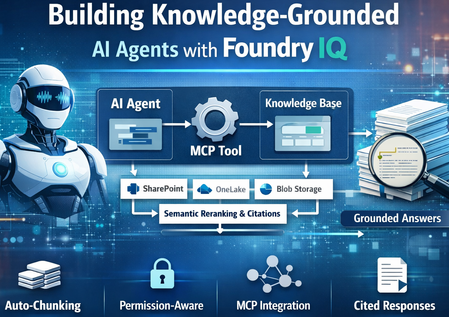
Foundry IQ now integrates with Foundry Agent Service via MCP (Model Context Protocol), enabling developers to build AI agents grounded in enterprise knowledge. This integration combines Foundry IQ’s intelligent retrieval capabilities with Foundry Agent Service’s orchestration, enabling agents to retrieve and reason over enterprise data. Key capabilities include: Auto-chunking of documents Vector embedding generation Permission-aware retrieval Semantic reranking Citation-backed responses Together, these capabilities allow AI agents to retrieve enterprise knowledge and generate responses that are accurate, traceable, and aligned with organizational permissions. Why Use Foundry IQ with Foundry Agent Service? Intelligent Retrieval Foundry IQ extends beyond traditional vector search by introducing: LLM-powered query decomposition Parallel retrieval across multiple sources Semantic reranking of results This enables agents to retrieve the most relevant enterprise knowledge even for complex queries. Permission-Aware Retrieval Agents only access content users are authorized to see. Access control lists from sources such as: SharePoint OneLake Azure Blob Storage are automatically synchronized and enforced at query time. Auto-Managed Indexing Foundry IQ automatically manages: Document chunking Vector embedding generation Indexing This eliminates the need to manually build and maintain complex ingestion pipelines. The Three Pillars of Foundry IQ 1. Knowledge Sources Foundry IQ connects to enterprise data wherever it lives — SharePoint, Azure Blob Storage, OneLake, and more. When you add a knowledge source: Auto-chunking — Documents are automatically split into optimal segments Auto-embedding — Vector embeddings are generated without manual pipelines Auto-ACL sync — Access permissions are synchronized from supported sources (SharePoint, OneLake) Auto-Purview integration — Sensitivity labels are respected from supported sources2. Knowledge Bases 2. Knowledge Bases A Knowledge Base unifies multiple sources into a single queryable index. Multiple agents can share the same knowledge base, ensuring consistent answers across your organization 3. Agentic Retrieval Agentic retrieval is an LLM-assisted retrieval pipeline that: Decomposes complex questions into subqueries Executes searches in parallel across sources Applies semantic reranking Returns a unified response with citations Agent → MCP Tool Call → Knowledge Base → Grounded Response with Citations The retrievalReasoningEffort parameter controls LLM processing: minimal — Fast queries low — Balanced reasoning medium — Complex multi-part questions Project Architecture ┌─────────────────────────────────────────────────────────────────────┐ │ FOUNDRY AGENT SERVICE │ │ ┌─────────────┐ ┌─────────────┐ ┌─────────────────────────┐ │ │ │ Agent │───▶│ MCP Tool │───▶│ Project Connection │ │ │ │ (gpt-4.1) │ │ (knowledge_ │ │ (RemoteTool + MI Auth) │ │ │ └─────────────┘ │ base_retrieve) └─────────────────────────┘ │ └─────────────────────────────│───────────────────────────────────────┘ │ ▼ ┌─────────────────────────────────────────────────────────────────────┐ │ FOUNDRY IQ (Azure AI Search) │ │ ┌─────────────────────────────────────────────────────────────┐ │ │ │ MCP Endpoint: │ │ │ │ /knowledgebases/{kb-name}/mcp?api-version=2025-11-01-preview│ │ │ └─────────────────────────────────────────────────────────────┘ │ │ │ │ │ ┌─────────────────┐ ┌─────────────────┐ ┌─────────────────────┐ │ │ │ Knowledge │ │ Knowledge │ │ Indexed Documents │ │ │ │ Sources │──│ Base │──│ (auto-chunked, │ │ │ │ (Blob, SP, etc) │ │ (unified index) │ │ auto-embedded) │ │ │ └─────────────────┘ └─────────────────┘ └─────────────────────┘ │ └─────────────────────────────────────────────────────────────────────┘ Prerequisites Enable RBAC on Azure AI Search az search service update --name your-search --resource-group your-rg \ --auth-options aadOrApiKey Assign Role to Project's Managed Identity az role assignment create --assignee $PROJECT_MI \ --role "Search Index Data Reader" \ --scope "/subscriptions/.../Microsoft.Search/searchServices/{search}" Install Dependencies pip install azure-ai-projects>=2.0.0b4 azure-identity python-dotenv requests Connecting a Knowledge Base to an Agent The integration requires three steps. Connect Knowledge Base to Agent via MCP The integration requires three steps: Create a project connection — Links your AI Foundry project to the knowledge base using ProjectManagedIdentity authentication Create an agent with MCPTool — The agent uses knowledge_base_retrieve to query the knowledge base Chat with the agent — Use the OpenAI client to have grounded conversations Step 1: Create Project Connection import requests from azure.identity import DefaultAzureCredential, get_bearer_token_provider credential = DefaultAzureCredential() PROJECT_RESOURCE_ID = "/subscriptions/.../providers/Microsoft.CognitiveServices/accounts/.../projects/..." MCP_ENDPOINT = "https://{search}.search.windows.net/knowledgebases/{kb}/mcp?api-version=2025-11-01-preview" def create_project_connection(): """Create MCP connection to knowledge base.""" bearer = get_bearer_token_provider(credential, "https://management.azure.com/.default") response = requests.put( f"https://management.azure.com{PROJECT_RESOURCE_ID}/connections/kb-connection?api-version=2025-10-01-preview", headers={"Authorization": f"Bearer {bearer()}"}, json={ "name": "kb-connection", "properties": { "authType": "ProjectManagedIdentity", "category": "RemoteTool", "target": MCP_ENDPOINT, "isSharedToAll": True, "audience": "https://search.azure.com/", "metadata": {"ApiType": "Azure"} } } ) response.raise_for_status() Step 2: Create Agent with MCP Tool from azure.ai.projects import AIProjectClient from azure.ai.projects.models import PromptAgentDefinition, MCPTool def create_agent(): client = AIProjectClient(endpoint=PROJECT_ENDPOINT, credential=credential) # MCP tool connects agent to knowledge base mcp_kb_tool = MCPTool( server_label="knowledge-base", server_url=MCP_ENDPOINT, require_approval="never", allowed_tools=["knowledge_base_retrieve"], project_connection_id="kb-connection" ) # Create agent with knowledge base tool agent = client.agents.create_version( agent_name="enterprise-assistant", definition=PromptAgentDefinition( model="gpt-4.1", instructions="""You MUST use the knowledge_base_retrieve tool for every question. Include citations from sources.""", tools=[mcp_kb_tool] ) ) return agent, client Step 3: Chat with the Agent def chat(agent, client): openai_client = client.get_openai_client() conversation = openai_client.conversations.create() while True: question = input("You: ").strip() if question.lower() == "quit": break response = openai_client.responses.create( conversation=conversation.id, input=question, extra_body={ "agent_reference": { "name": agent.name, "type": "agent_reference" } } ) print(f"Assistant: {response.output_text}") More Information Azure AI Search Knowledge Stores Foundry Agent Service Model Context Protocol (MCP) Azure AI Projects SDK Summary The integration of Foundry IQ with Foundry Agent Service enables developers to build knowledge-grounded AI agents for enterprise scenarios. By combining: MCP-based tool calling Permission-aware retrieval Automatic document processing Semantic reranking organizations can build secure, enterprise-ready AI agents that deliver accurate, traceable responses backed by source data.Power Apps Vibe Experience: Build Business Apps at the Speed of Ideas
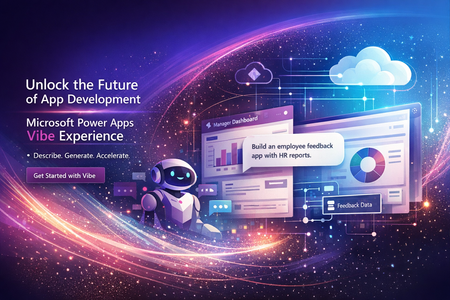
Power Apps Vibe Experience: Building Business Applications with AI in Minutes Organizations today operate in a fast-paced digital environment where new business challenges emerge constantly. Whether it’s managing internal workflows, tracking projects, or collecting customer feedback, businesses often require custom applications to support their processes. However, traditional application development—even with modern low-code tools—still requires time, technical expertise, and coordination between multiple teams. Designing the user interface, building the data model, writing logic, and integrating services can take weeks or even months. To address this challenge, Microsoft Power Apps has introduced the Power Apps Vibe experience, a new AI-driven way to build enterprise applications by simply describing the outcome you want. This innovative approach represents a significant evolution in the Microsoft Power Platform ecosystem, enabling organizations to move from idea to working application faster than ever before. What Is the Power Apps Vibe Experience? The Power Apps Vibe experience is an AI-first development environment designed to simplify and accelerate the creation of business applications. Instead of manually designing each component of an application, users can start by describing their business requirement in natural language. For example, a user might type: “Create an internal app where employees can submit support requests, track approvals, and receive notifications.” Based on this prompt, the platform automatically generates the foundational elements required to build the application. These include: Business requirements and solution plan A structured data model built on Microsoft Dataverse User interface layouts and navigation Forms and pages Application logic and workflows All these elements are created within a single integrated development workspace. This dramatically reduces the time and complexity associated with traditional application development. Why Power Apps Vibe Is Important for Modern Organizations Many organizations face a common challenge: they have plenty of ideas for improving processes but lack the resources to implement them quickly. Building custom software often requires developers, project managers, designers, and testers. Even with low-code platforms, organizations still need time to design data models and configure application logic. The Vibe experience addresses these challenges by introducing AI-assisted application generation. Key Benefits Faster Time to Value Organizations can create functional applications in minutes instead of weeks. This allows teams to rapidly prototype ideas and deliver solutions faster. Empowering Citizen Developers Business users who understand the problem best can now participate directly in building solutions. They do not need advanced coding skills to create useful applications. Enterprise-Grade Security Applications built using Power Apps Vibe run on Microsoft Dataverse, which provides: Role-based access control Secure data storage Compliance and governance capabilities This ensures that even AI-generated applications meet enterprise security requirements. Consistent Governance IT administrators maintain full control through: Tenant policies Data governance rules Environment management This balance allows organizations to encourage innovation while maintaining control over their technology environment. How the Power Apps Vibe Experience Works The development process in the Vibe experience follows a simple three-step model. Step 1: Describe the Business Problem The process begins with a natural language description of the application requirement. For example: “Create an inventory management app where warehouse staff can track stock levels, update inventory, and generate reports.” The AI analyses this prompt to understand the core business objectives. Step 2: AI Generates the Application Plan Next, the system produces a structured plan for the application. This plan typically includes: User roles and permissions Data entities and relationships Functional requirements Suggested workflows This planning stage helps ensure the application is aligned with the intended business scenario. Step 3: Automated Application Creation Once the plan is confirmed, the platform automatically generates the application. This includes: Data tables and schema Forms and screens Navigation structure Business logic Basic workflows Because the platform creates these components together, the data model and application structure remain synchronized. Core Capabilities of Power Apps Vibe Rapid Prototyping One of the most powerful features of the Vibe experience is rapid prototyping. Teams can quickly convert ideas into working applications that can be tested and refined. Benefits include: Faster proof-of-concept development Reduced design effort Early feedback from stakeholders Unified Development Environment Traditional application development often involves multiple tools and stages. Developers may use different platforms for: Planning Data modelling UI design Workflow creation The Vibe experience combines these activities into a single integrated workspace. This unified environment ensures that changes to the data model automatically update the application. AI-Assisted Development Artificial intelligence plays a continuous role throughout the development lifecycle. AI can assist with: Prompt suggestions Code generation App design improvements Architecture recommendations Because the system understands the context of the business problem, it can suggest optimizations and enhancements. Instant Application Generation With a single prompt, the platform can generate an entire application structure. Automatically generated components include: Data tables Forms and pages Navigation menus Business rules Application logic This dramatically reduces the effort required to build enterprise-ready applications. Power Apps Vibe vs Canvas Apps vs Model-Driven Apps Within the Microsoft Power Apps ecosystem, developers can choose from multiple development approaches. Each approach serves different use cases. Feature Power Apps Vibe Canvas Apps Model-Driven Apps Development Style AI-generated Visual UI design Data-driven Creation Method Natural language Drag-and-drop designer Data schema UI Customization Moderate High Limited Data Model Automatically generated Flexible sources Dataverse required Speed Very fast Medium Medium Ideal Use Case Rapid prototypes Custom UI apps Enterprise solutions Conclusion The Power Apps Vibe experience represents a major step forward in the evolution of low-code platforms. By combining artificial intelligence with the capabilities of Microsoft Power Platform, Microsoft is enabling organizations to transform ideas into working applications faster than ever before. For businesses seeking to improve productivity, streamline workflows, and innovate rapidly, the Vibe experience offers a powerful new way to build enterprise solutions. Reference Links: https://learn.microsoft.com/en-us/power-apps/vibe/overview https://learn.microsoft.com/en-us/power-apps/vibe/create-app-data-plan https://learn.microsoft.com/en-us/power-platform/released-versions/new-powerappsIntegrating Microsoft Foundry with OpenClaw: Step by Step Model Configuration
Step 1: Deploying Models on Microsoft Foundry Let us kick things off in the Azure portal. To get our OpenClaw agent thinking like a genius, we need to deploy our models in Microsoft Foundry. For this guide, we are going to focus on deploying gpt-5.2-codex on Microsoft Foundry with OpenClaw. Navigate to your AI Hub, head over to the model catalog, choose the model you wish to use with OpenClaw and hit deploy. Once your deployment is successful, head to the endpoints section. Important: Grab your Endpoint URL and your API Keys right now and save them in a secure note. We will need these exact values to connect OpenClaw in a few minutes. Step 2: Installing and Initializing OpenClaw Next up, we need to get OpenClaw running on your machine. Open up your terminal and run the official installation script: curl -fsSL https://openclaw.ai/install.sh | bash The wizard will walk you through a few prompts. Here is exactly how to answer them to link up with our Azure setup: First Page (Model Selection): Choose "Skip for now". Second Page (Provider): Select azure-openai-responses. Model Selection: Select gpt-5.2-codex , For now only the models listed (hosted on Microsoft Foundry) in the picture below are available to be used with OpenClaw. Follow the rest of the standard prompts to finish the initial setup. Step 3: Editing the OpenClaw Configuration File Now for the fun part. We need to manually configure OpenClaw to talk to Microsoft Foundry. Open your configuration file located at ~/.openclaw/openclaw.json in your favorite text editor. Replace the contents of the models and agents sections with the following code block: { "models": { "providers": { "azure-openai-responses": { "baseUrl": "https://<YOUR_RESOURCE_NAME>.openai.azure.com/openai/v1", "apiKey": "<YOUR_AZURE_OPENAI_API_KEY>", "api": "openai-responses", "authHeader": false, "headers": { "api-key": "<YOUR_AZURE_OPENAI_API_KEY>" }, "models": [ { "id": "gpt-5.2-codex", "name": "GPT-5.2-Codex (Azure)", "reasoning": true, "input": ["text", "image"], "cost": { "input": 0, "output": 0, "cacheRead": 0, "cacheWrite": 0 }, "contextWindow": 400000, "maxTokens": 16384, "compat": { "supportsStore": false } }, { "id": "gpt-5.2", "name": "GPT-5.2 (Azure)", "reasoning": false, "input": ["text", "image"], "cost": { "input": 0, "output": 0, "cacheRead": 0, "cacheWrite": 0 }, "contextWindow": 272000, "maxTokens": 16384, "compat": { "supportsStore": false } } ] } } }, "agents": { "defaults": { "model": { "primary": "azure-openai-responses/gpt-5.2-codex" }, "models": { "azure-openai-responses/gpt-5.2-codex": {} }, "workspace": "/home/<USERNAME>/.openclaw/workspace", "compaction": { "mode": "safeguard" }, "maxConcurrent": 4, "subagents": { "maxConcurrent": 8 } } } } You will notice a few placeholders in that JSON. Here is exactly what you need to swap out: Placeholder Variable What It Is Where to Find It <YOUR_RESOURCE_NAME> The unique name of your Azure OpenAI resource. Found in your Azure Portal under the Azure OpenAI resource overview. <YOUR_AZURE_OPENAI_API_KEY> The secret key required to authenticate your requests. Found in Microsoft Foundry under your project endpoints or Azure Portal keys section. <USERNAME> Your local computer's user profile name. Open your terminal and type whoami to find this. Step 4: Restart the Gateway After saving the configuration file, you must restart the OpenClaw gateway for the new Foundry settings to take effect. Run this simple command: openclaw gateway restart Configuration Notes & Deep Dive If you are curious about why we configured the JSON that way, here is a quick breakdown of the technical details. Authentication Differences Azure OpenAI uses the api-key HTTP header for authentication. This is entirely different from the standard OpenAI Authorization: Bearer header. Our configuration file addresses this in two ways: Setting "authHeader": false completely disables the default Bearer header. Adding "headers": { "api-key": "<key>" } forces OpenClaw to send the API key via Azure's native header format. Important Note: Your API key must appear in both the apiKey field AND the headers.api-key field within the JSON for this to work correctly. The Base URL Azure OpenAI's v1-compatible endpoint follows this specific format: https://<your_resource_name>.openai.azure.com/openai/v1 The beautiful thing about this v1 endpoint is that it is largely compatible with the standard OpenAI API and does not require you to manually pass an api-version query parameter. Model Compatibility Settings "compat": { "supportsStore": false } disables the store parameter since Azure OpenAI does not currently support it. "reasoning": true enables the thinking mode for GPT-5.2-Codex. This supports low, medium, high, and xhigh levels. "reasoning": false is set for GPT-5.2 because it is a standard, non-reasoning model. Model Specifications & Cost Tracking If you want OpenClaw to accurately track your token usage costs, you can update the cost fields from 0 to the current Azure pricing. Here are the specs and costs for the models we just deployed: Model Specifications Model Context Window Max Output Tokens Image Input Reasoning gpt-5.2-codex 400,000 tokens 16,384 tokens Yes Yes gpt-5.2 272,000 tokens 16,384 tokens Yes No Current Cost (Adjust in JSON) Model Input (per 1M tokens) Output (per 1M tokens) Cached Input (per 1M tokens) gpt-5.2-codex $1.75 $14.00 $0.175 gpt-5.2 $2.00 $8.00 $0.50 Conclusion: And there you have it! You have successfully bridged the gap between the enterprise-grade infrastructure of Microsoft Foundry and the local autonomy of OpenClaw. By following these steps, you are not just running a chatbot; you are running a sophisticated agent capable of reasoning, coding, and executing tasks with the full power of GPT-5.2-codex behind it. The combination of Azure's reliability and OpenClaw's flexibility opens up a world of possibilities. Whether you are building an automated devops assistant, a research agent, or just exploring the bleeding edge of AI, you now have a robust foundation to build upon. Now it is time to let your agent loose on some real tasks. Go forth, experiment with different system prompts, and see what you can build. If you run into any interesting edge cases or come up with a unique configuration, let me know in the comments below. Happy coding!12KViews2likes2Comments