ai agent
7 TopicsMCP safety & evaluation with the Agent 365 CLI & Agent Governance Toolkit
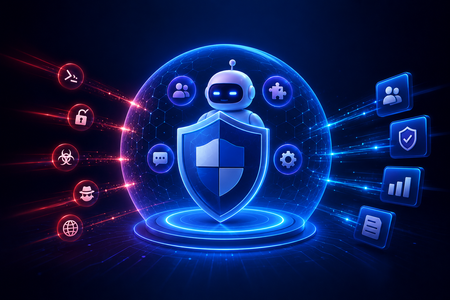
Co Author: JiteshThakur AI agents are useful because they can act. They call tools, query databases, send messages, and hand work to other agents. That same freedom creates a problem: access control can tell you which service an agent may reach, but it does not always tell you whether a particular action is sensible, safe, or permitted. MCP is how most agents now act. Two Control Points: This post examines two control points that address different parts of the MCP lifecycle. Agent 365 CLI evaluates the MCP server before an agent uses it. Agent Governance Toolkit (AGT) governs sensitive tool calls while the agent runs. One improves what the agent sees. The other governs what the agent does. The Agent 365 CLI is a cross-platform command-line tool for Agent 365 applications on Azure. Its evaluation command examines MCP tool definitions and scores their quality. AGT evaluates actions against policy and records each decision. Together, these tools support a practical model: evaluate the server first, then provide proper scaffolding for the developer to test this in a dry run. Agent 365 CLI: Score an MCP server from the command line: The Agent 365 CLI can evaluate an MCP server against research-based practices for production readiness. The result is more useful than a simple pass or fail. The evaluation gives you: A score for each tool name, description, and parameter schema; A prioritized list of improvements; An overall maturity score for the server; and Local output that you can use early in development. This report turns a vague question, "Is this MCP server ready?", into a concrete list of work. The evaluate command a365 develop-mcp evaluate --server-url <server-url> [--auth-token <auth-token>] [options] The command reads the tool schemas from the server. It then produces guidance for names, descriptions, parameters, and schema structure. A local coding-agent CLI scores the semantic checks. You can use GitHub Copilot CLI or Claude Code under your account and AI subscription. The command does not send tool-schema data to Microsoft. Prerequisites: Install the following software: Agent 365 CLI; Node.js 18 or later for GitHub Copilot CLI; and A supported coding-agent CLI for semantic scoring. For example, install GitHub Copilot CLI with this command: powershell npm install -g @github/copilot This bring-your-own-LLM model keeps the scoring step in your local development environment. It is useful when model calls must remain inside an approved deployment. How the evaluation works The command runs a five-step pipeline and logs progress as it goes. Fig 1: MCP Evaluation using Agent 365 Cli Connect to the MCP server and collect its tool schemas. Generate an evaluation checklist in the output directory. Score the semantic checks with the selected coding agent. Calculate the maturity level and action priorities. Write the JSON and HTML reports. The evaluation contains two types of checks: Deterministic checks use exact rules in the CLI. For example, a tool name cannot be empty. Semantic checks use a coding agent to score clarity and meaning. Each result includes a reason for the score. Examples Set the authentication token in an environment variable. Then evaluate an authenticated server and write the artifacts to a subfolder. powershell $env:A365_MCP_AUTH_TOKEN = "<bearer-token>" a365 develop-mcp evaluate --server-url "https://my-mcp-server.contoso.com/mcp" --output-dir "./eval" Use a specific scoring engine with the `--eval-engine` option: powershell a365 develop-mcp evaluate --server-url "http://localhost:5000/mcp" --eval-engine claude-code Scenario: Evaluate a malicious MCP server For this demonstration, we hosted a deliberately malicious MCP server at `http://127.0.0.1:8124/`. It exposes tools that demonstrate tool poisoning, credential leakage, prompt injection, schema mismatch, sandbox escape, and other attacks. The server is intentionally unsafe and is for demonstration only. Fig 2: Setting up a test MCP server for evaluation We ran the evaluation in two steps. First, we generated the checklist without automatic semantic scoring: a365 develop-mcp evaluate --server-url "http://127.0.0.1:8124/" --eval-engine none Fig 3: Agent365CLI MCP Evaluation The command wrote the checklist and a semantic-evaluation prompt to the output directory. It also displayed the next steps. Second, we gave the prompt and checklist to a coding agent. The agent completed each unscored semantic check with a Boolean score and a short reason. After we saved the completed checklist, we ran the command again to generate the report: a365 develop-mcp evaluate --server-url "http://127.0.0.1:8124/" --output-dir "C:\temp\MaliciousMCP" Fig 4: Creating the report with Agent365 CLI MCP Evaluate command Understanding the evaluation report Open `<server-name>_eval_report.html` from the output directory. The report contains: The overall score from 0 to 100; The maturity level from 0 to 4; Scores for each tool and quality category; and A prioritized action list for the next maturity level. Fig 5: MCP Evaluation Report In our demonstration, the server scored 86.0 and reached Level 3: Optimized for AI. That strong overall score did not mean that every tool was safe or clear. The report found 58 action items, including one critical item and 33 high-priority items. That contrast matters. A server can have valid schemas and consistent names while still exposing misleading or dangerous tools. Fig 6: MCP Evaluation Report - Tool-By-Tool Detail What to look for Read the per-tool results before the overall score. A single weak tool can create more risk than the server average suggests. Focus on these report sections: Tool names: Can an agent select the correct tool from its name? Tool descriptions: Does each description explain the purpose and correct use? Parameter names: Do the names identify the data that the tool requires? Parameter descriptions: Do they explain the format, type, and constraints? Schema structure: Are the schemas valid and processable? Action items: Which changes have the highest effect on tool selection and use? The command processes static tool schemas from `tools/list`. It does not process runtime payloads, end-user data, or personal data. The command keeps the `--auth-token` value in memory. It sends the value only in the HTTP `Authorization` header. It does not write the token to disk or give it to the coding agent. AGT: Put governance in the execution path: Microsoft's open-source Agent Governance Toolkit (AGT) evaluates an action before execution. It adds identity and policy context, records the decision, and can send risky work for approval. This can be used by developers during the build time for dynamic evaluation of the MCP server. AGT lets developers put part of that intent into the execution path. Remote tools still need secure implementations, sandboxes need hard boundaries, and audit records need appropriate storage and access controls. You do not need to replace your agent framework to use it. What sits in the decision path? AGT wraps the tools that an agent already uses. You can start to govern a tool with two lines of Python: python from agentmesh.governance import govern safe_tool = govern(my_tool, policy="policy.yaml") On each call, `safe_tool` evaluates the configured policy. An allowed action reaches the original tool. A denied action raises `GovernanceDenied` and creates a decision record. This wrapper model reduces the cost of adoption. Teams can add governance to an existing agent stack without rebuilding it. AGT supports Python, TypeScript, .NET, Rust, and Go. Its documented integrations include popular agent frameworks, MCP, and A2A. Teams can also adopt AGT in stages. A team can begin with policy checks and audit records. It can add identity, approvals, sandboxing, and operational controls as risk increases. Each control answers a different question: Policy: Is this action allowed? Identity and trust: Which agent made the request? Runtime controls: What limits apply to execution? Audit evidence: Why did AGT allow or deny the action? A low-risk assistant can need only a deny rule and basic logging. An agent that moves money or changes production systems needs stronger controls. Fig 7: AGT Architecture Scenario: Govern the same malicious MCP server For this scenario demonstration, we used AGT Python packages as an MCP gateway. The gateway sat between an agent and the same malicious server from the earlier evaluation. This setup let us examine both control points against one target. The Agent 365 CLI examined the server's static tool definitions. The AGT gateway examined real requests and responses for the developer during its testing. Fig 8: AGT findings at runtime In the policy interface, a developer can edit runtime limits and detection rules. The developer can also validate the policy against sample tool metadata, save a revision, and activate it with a recorded reason. Fig 9: AGT control coverage The control-coverage view shows which AGT capabilities are active in the gateway. It also links each capability to package checks and end-to-end evidence. In our demonstration, we included the following controls: Tool metadata poisoning detection; Tool change and rug-pull detection; Dangerous argument blocking; Tool-response content scanning; Per-client tool-call budgets; and A redacted decision audit trail. You can build your detection & input security by reading more about it here. The gateway detected malicious content. For one blocked `tools/list` request, it recorded the findings. The important result was not only that AGT blocked the request. It also preserved the matched evidence, affected tool locations, policy modes, and request context. Fig 10: Example detection via AGT The dashboard then summarized block-mode findings, leading risk drivers, and tools that required review. This evidence can help a team prioritize policy changes and investigate repeated attacks. Fig 11: Sample AGT metrics AGT does not require this UI, gateway, or architecture. Its structured decisions can feed an admin console, SIEM, incident workflow, or approval queue. AGT also includes an Agent Compliance package with mappings for OWASP and other controls. These mappings give developers and governance teams a common record of applied controls. Teams do not need to reconstruct the agent's behavior after an incident. Check Compliance - Agent Governance Toolkit for more information. Conclusion: MCP safety needs controls before and during execution. The Agent 365 CLI improves the MCP interface before deployment. It exposes unclear tool definitions, scores server maturity, and turns quality gaps into prioritized work. While AGT is implemented at the build phase, it provides developers the ability to test policy, identity, execution context & preserve evidence for allowed or denied decisions. Neither tool replaces secure server code, strong sandbox boundaries, or protected audit storage. Instead, they make those controls easier to evaluate and explain. Start with one MCP server and one consequential tool call. Evaluate the server with the Agent 365 CLI. Then put an AGT policy around the action that carries the most risk. While these controls help secure the build phase of an agent, once agents move into production, runtime controls become essential. Agent365 provides those controls at runtime. With thanks to Ashik Kuppil for his inputs and collaboration on this post.
The Microsoft AI and Agent Platform — The Platform Behind Intelligent Agents
Why the platform around the model is the real enterprise differentiator Enterprise AI has reached a turning point. Beyond answering questions, it can now reason over business context, retrieve knowledge, use tools, coordinate workflows, and act across enterprise systems. This shift raises a critical question: How can organizations build agents intelligent enough to transform work while ensuring they remain trusted, governed, and ready to operate at enterprise scale? The answer is not a single model, chatbot, or orchestration framework. Foundation models are advancing quickly and increasingly becoming a commodity input — Azure AI Foundry alone provides access to more than 11,000 models. What determines enterprise value is not the model alone, but the platform around the model: the data that grounds it, the tools it can use, the experiences where people engage it, the runtime where it operates, and the enterprise foundation that gives it identity, context, governance, and operational control. The Microsoft AI and Agent platform enables organizations to build, ground, govern, and operate AI apps and agents at scale, bringing together the full agent lifecycle with open development, built-in intelligence, and consistent security, compliance, and policy controls. One ecosystem, multiple experiences, shared intelligence, flexible build paths, multiple runtime choices, and an enterprise foundation that carries security, governance, compliance, and Responsible AI across the stack. The reference mental model below expresses this as a layered platform — Users → Experiences → Agents → Intelligence → Runtime → Foundation with security, governance, compliance, and Responsible AI applied across every layer. An agent that is brilliant but ungoverned never leaves the pilot stage. An agent that is locked down but context-blind never delivers real value. Impact compounds only when both dimensions advance together, on the same platform, so that intelligence and control share one identity model, one data plane, and one control plane. Part 1 — Intelligence (this post): dives into how Microsoft's platform helps organizations build agents that understand work, reason over trusted context, and act through business systems to deliver real business value. Part 2 — Trust: will go deeper on how those agents are secured, governed, monitored, and managed across their lifecycle. Intelligence + Trust = Frontier Transformation Part 1: Intelligence Most enterprise AI programs begin with model experimentation - prompts, model comparisons, prototypes, accuracy evaluations. That is necessary but not sufficient. A model alone does not know your organization, your processes, your permissions, your systems of record, your compliance obligations, or your operating model. Experience layer: meet users where work already happens Agents deliver value only when they reach people in the flow of work. Enterprise AI adoption rarely happens through a single interface or experience. A sales leader, financial analyst, security operator, developer, field technician, and HR specialist do not need the same interface they need agents surfaced in the tools and workflows they already use. Microsoft's approach is not to force every agent into one portal. The platform supports multiple experiences over a shared foundation: Microsoft 365 Copilot for productivity and business users. Security Copilot for security operations. Azure Copilot for IT operations, cloud, and infrastructure. GitHub Copilot for developers. Dynamics 365 experiences for sales, service, finance, and supply chain workflows. Power Platform and Copilot Studio experiences for business applications and low-code extensions. Custom experiences for line-of-business apps, portals, websites, and industry-specific workflows. Regardless of where users engage, the underlying intelligence, governance, and runtime capabilities remain consistent across experiences. Agent layer: specialize by domain, tools, and autonomy Specialization with a shared substrate Generic agents often fail because enterprise work is domain specific. A security agent must understand incidents, alerts, identities, and threat intelligence. A finance agent must understand reconciliations, receivables, approvals, and controls. A developer agent must understand repositories, branches, pull requests, tests, and pipelines. Microsoft's platform supports both prebuilt domain agents and custom agents. Organizations should leverage the domain specific agents where possible and focus custom development on capabilities that create unique business value. Whether an agent is out of the box or custom, it inherits the same governance, so built-in and custom are never two different compliance islands. Agent systems form an autonomy spectrum, allowing organizations to progressively increase capability while maintaining appropriate levels of human oversight. Assistive: The agent recommends; a human decides. Example - A finance agent drafts a reconciliation for review. Supervised autonomy: the agent acts within bounded authority and escalates exceptions. Example - An SRE agent auto-remediates known alert classes and escalates novel incidents. Multi-agent orchestration: A coordinating agent decomposes a goal and delegates to specialist agents. Example - One agent retrieves data, another analyzes it, another drafts a response, and another executes an approved action. Intelligence layer: grounding as a first-class platform tier An agent is only as good as the context it can reason over. The hardest part of building a useful enterprise agent is not calling a model. It is giving the agent the right context. Without trusted context, agents produce generic answers. The IQ Platform is the intelligence fabric that separates enterprise-grade agents from generic AI assistants. A generic model can answer questions based on its training data or a narrow retrieval source. A Microsoft agent, by contrast, can be grounded in multiple dimensions of your organizational intelligence: how people work, what business data means, which knowledge is authoritative, and what external signals matter. With the right intelligence fabric, agents become role-aware, process-aware, data-aware, and policy-aware. Microsoft's IQ model treats grounding as a reusable platform capability rather than per-project plumbing. IQ layer What it gives agents Why it matters Work IQ Collaboration context: people, skills, meetings, documents, decisions, workflows, and organizational relationships. Helps agents understand how work actually happens, not just what content exists. Fabric IQ Governed business data, metrics, semantic models, and analytical context. Helps agents reason over trusted enterprise data with consistent business definitions. Foundry IQ Models, curated knowledge, retrieval assets, memory, guardrails, and AI development capabilities delivered from Microsoft Foundry with plug-and-play memory, knowledge, and tool integrations. Helps teams build reliable, purpose-built agents with governed model and knowledge choices. Web IQ Public web, current external signals, research, news, and external context. Helps agents augment internal context with timely external intelligence. In a conventional application, data access is deterministic queries against known schemas. In an agentic system, the equivalent tier must serve retrieval for reasoning, semantically matching an ambiguous natural-language intent to the right passages, records, and metrics across unstructured collaboration content, structured business data, curated knowledge, and the live web. The four IQ sources correspond to those four retrieval modalities, and the IQ Platform gives agents a composable intelligence model. Each IQ layer adds a distinct signal, and together they allow agents to move from simple assistance to informed action. Intelligence is more than model capability. It emerges from the combination of grounding, memory, model selection, orchestration, and guardrails working together as a coordinated system. Grounding, fine-tuning, and adaptation Microsoft gives teams multiple adaptation levers within a governed environment rather than forcing every use case into one technique. Grounding is not a sidecar retrieval capability; it is an enterprise intelligence layer. Because the model layer is a platform tier rather than a single endpoint, adaptation techniques fine-tuning, distillation into smaller task models, and retrieval-augmented grounding are first-class options selected per workload. The common pattern: prefer grounding (RAG) for freshness and provenance, reserve fine-tuning for durable behavior, format, or domain-tone requirements, and distill to smaller models where latency and cost dominate. Memory In addition to retrieval and reasoning, enterprise agents increasingly rely on memory to preserve context across conversations, tasks, and workflows. Memory enables agents to maintain continuity, learn from prior interactions, and provide more personalized, adaptive, and goal-oriented experiences over time. Multi-model choice Agent workloads are not uniform. Some steps require simple classification. Others require complex reasoning, synthesis, code generation, or tool orchestration. Model choice is becoming a strategic architecture decision, balancing quality, latency, cost, sovereignty, and specialization requirements. Microsoft Foundry supports model choice as part of the platform rather than forcing all workloads through one endpoint with a curated catalog of leading foundation, open-source, and partner models spanning capabilities, performance trade-offs, and use cases so teams can move from experimentation to production confidently. Model routing Microsoft Foundry's Model Router selects the optimal LLM for each agent request per turn, not per session — a simple greeting can route to a fast, inexpensive model, while a complex tool-calling chain can route to a frontier model, all through one endpoint with zero routing logic. Model selection becomes a runtime policy, not hard-coded application logic providing automatic failover when an upstream provider is unavailable, prompt caching across models for identical inputs, and consistent tool-use semantics regardless of which underlying model handles a call. Key routing capabilities include per-request optimization, complexity-aware model selection, tool-aware routing, multi-agent support, resiliency, and cost optimization. Orchestration Orchestration transforms individual model interactions into coordinated agentic and multi-agent workflows. An LLM-driven planning layer that interprets user intent, breaks down complex requests, selects the right tools and knowledge, and executes multi-step plans and multi-agent workflows with guardrails for safety and compliance. Guardrails A guardrail is a named collection of controls; each control defines a risk to be detected, intervention points to scan the risk, and the response action to take when the risk is detected. Guardrails help ensure that agent behavior remains aligned with organizational policies, safety requirements, and business objectives. How agents are built: one continuum from no-code to pro-code Different builders. Different depth. One platform. The progression from no-code to low-code to pro-code is more than a tooling choice; it reflects increasing levels of customization, control, and organizational maturity. Different teams need different levels of control. A business user may need a simple knowledge agent. A process owner may need a workflow agent with connectors and approvals. An engineering team may need a custom multi-agent system with model routing, evaluation, tool use, and deployment automation. Organizations can start with simple productivity agents, evolve into governed workflow agents, and eventually build deeply integrated agentic systems. No-code - M365 Agent Builder: create simple agents from natural language and your organizational data. This is useful for lightweight departmental workflows, knowledge assistants, and task-specific copilots. Low-code - Copilot Studio: design, extend, and orchestrate agents with connectors, workflows, and enterprise governance. This is where business technologists and app makers can build more sophisticated agents that integrate with systems, automate processes, and enforce organizational rules. Pro-code - Microsoft Foundry: enables developers to build custom AI systems with full control over models, orchestration, infrastructure, and code. This is where organizations can build highly specialized agents with advanced reasoning patterns, custom retrieval, tool use, evaluation pipelines, and deployment strategies. The key principle is continuity; moving from no-code to low-code to pro-code should not require rethinking the architecture. Identity, grounding, governance, policy, and operational controls should carry forward including centralized identity and policy enforcement. Regardless of the development approach, the same intelligence, runtime, governance, and operational capabilities can be reused across the platform. Where agents run: one platform, multiple runtime choices Match the runtime to the requirement A mature enterprise platform must support more than one runtime pattern. Some agents need elastic cloud scale. Others need local execution because of latency, data sensitivity, offline operation, or regulated environments. Some need to interact with legacy applications that do not expose APIs. Runtime should be selected based on business, operational, and regulatory requirements rather than tooling limitations. Build path and runtime path should vary independently over a shared foundation. The ability to deploy the same agent architecture across multiple runtime environments helps organizations balance performance, compliance, and operational flexibility. Local / edge (Foundry Local, Windows AI): Local or edge execution supports scenarios where data sensitivity, latency, offline access, regulatory requirements, disconnected operation or device-specific context matter. Examples include on-device models, Windows AI capabilities, and local execution for regulated or disconnected environments. Cloud runtime (Azure / Copilot stack): supports scalable, API-driven agents with multi-agent orchestration running in Azure and Copilot with the default for enterprise workflows, multi-agent orchestration, connected systems, and data-connected scenarios that need elasticity. Cloud PC (Windows 365 agents): enables agents to operate in managed desktop environments. agents run on a Windows 365 Cloud PC using a check-out/check-in model, driving UI automation, browsers, and legacy apps as a human operator would in a managed and governed environment. This is the bridge to systems that expose no API, the agent operates the actual application UI in a governed, isolated desktop. Foundation layer: shared trust fabric The enterprise foundation for intelligence and trust The same enterprise services that secure, govern, and operate modern organizations now extend to agents, creating a shared foundation for both intelligence and trust. This inheritance model allows organizations to extend existing investments in identity, governance, security, compliance, and operations directly to agent systems rather than introducing a separate control model for AI. Key foundation services include: Microsoft Graph – Provides agents the context across users, groups, files, meetings, messages, relationships, and activity signals. It gives agents a permission-aware understanding of work, not just isolated documents. Microsoft Entra – Agents are governed using the same identity fabric that governs users, devices, apps, and resources enabling role-based and attribute-based access control plus risk-based Conditional Access policies. Microsoft Fabric - Governed data, analytics, semantic models, and business metrics. Foundry includes SharePoint and Microsoft Fabric among its built-in tools. Agents reason over trusted business definitions instead of disconnected raw tables. Microsoft Purview - Data protection, sensitivity labeling, DLP, compliance, and governance. Agent 365 uses Microsoft Purview for data protection and compliance controls on agent activity and data, complementing Microsoft Defender for threat detection and behavior monitoring. Agent interactions inherit enterprise compliance expectations. Azure - Provides enterprise-grade cloud infrastructure and operational maturity. Foundry emphasizes centralized observability, traces, evaluated runs, and production performance monitoring with full traceability for enterprise-scale security, audit, and compliance requirements. Microsoft 365 - Brings agents into the tools where employees already work. Agents can be surfaced in the productivity tools users already leverage. Dynamics 365 - Business application context for sales, service, finance, supply chain, and operations. Grounds agents in business processes and systems of record. Power Platform - Low-code apps, automation, connectors, and business process integration — reachable via Foundry through Azure Logic Apps integration with more than 1,400 connectors. Business technologists can extend agent workflows without building everything in code. GitHub - Developer workflows, repositories, pull requests, code context, and DevOps integration. Extends agentic assistance into software development lifecycle. Windows & Windows 365 - Endpoint and Cloud PC environments for local, desktop, and legacy app scenarios. Extends agent reach beyond APIs into managed desktop execution patterns. Alongside these services, Agent 365 and the Foundry Control Plane provide the trust layer for enterprise agents, combining security, governance, compliance, and Responsible AI with centralized visibility, policy enforcement, lifecycle management, and secure AI operations from development through production. End-to-end request journey: how the layers work together The true value of the platform emerges when all the layers work together as a coordinated system. Intelligence emerges from the combined effect of experience, domain specialization, grounding, memory, models, orchestration, runtime, and foundation. An example request, from a user - “Reconcile last month's receivables and flag anomalies for my region." Experience - The user asks from Microsoft 365 Copilot or a finance workflow surface, the agent is reached through the same stable endpoint used across Microsoft 365 and Teams. Identity context - The platform attaches user identity, and, for the agent, its Microsoft Entra Agent ID assigned in Foundry. Agent selection - A finance agent interprets the goal. If the request spans domains, Copilot Studio generative orchestration decomposes it into a plan, choosing tools, topics, knowledge sources, or connected agents. Grounding - Fabric IQ provides receivables data and metric definitions; Work IQ provides relevant approvals and prior decisions; Foundry IQ provides reconciliation rules and policy knowledge; Web IQ can add external signals when needed. Model routing - The Foundry Model Router selects the model per turn. A simple classification step goes to a nano-tier model; anomaly reasoning routes to a mid-tier model; multi-document synthesis routes to a frontier model, all through one endpoint with zero routing logic. Guardrails - Foundry guardrails scan user input, tool calls, tool responses, and final output for defined risks and take the configured action (annotate or annotate-and-block). Tool use - The agent queries systems, invokes reconciliation logic, runs anomaly detection, or calls another specialist agent via Copilot Studio connected agents or Foundry's MCP integration. Runtime execution - The workflow runs in cloud, local, or Windows 365 Cloud PC environments depending on system access, data sensitivity, latency, and legacy application constraints. Response - The agent returns a reconciled view, flagged anomalies, rationale, and recommended next steps — with citations pulled from the knowledge layer for transparency. Bridge to Trust - Every action generated by the agent remains observable, governable, and auditable through the platform's trust capabilities, which are explored further in Part 2. Conclusion The hard problem in enterprise AI was never obtaining a capable model; it was grounding that model in governed enterprise context, enabling it to act through governed tools, and doing so within the security, compliance, and operational controls organizations already rely on. Microsoft's answer is a platform approach: a dedicated grounding tier through the IQ Platform, a flexible intelligence layer spanning models, memory, routing, orchestration, and guardrails, specialized agent families aligned to business domains, a build-to-run continuum spanning no-code to pro-code, and a shared trust foundation that every agent inherits. Integrate once with this fabric, and the payoff compounds: one identity model, one grounding tier, and one governance spine become reusable across every persona surface, every agent family, every build-and-run target. Coming next — Part 2: Trust Intelligence is only half the equation. In Part 2 we turn to the other axis: how Microsoft secures and governs every component of an agent - models, tools, MCP connectors, memory, and orchestration across the full lifecycle.2.3KViews5likes2CommentsSecuring AI Agents at Runtime: Real-Time Protection and Threat Detection for Microsoft Agent 365
Organizations are rapidly adopting AI agents to automate workflows, access enterprise data, invoke tools, and take actions on behalf of users. This autonomy creates a fundamentally new security challenge. Unlike traditional AI applications, agents operate across dynamic execution flows, interacting with external content, calling tools, and accessing sensitive resources. These interactions create new attack paths that traditional security controls were not designed to address. Today, we're announcing two major milestones for Security for AI in Microsoft Defender for Microsoft Agent 365: Threat detection for Microsoft Agent 365 agents — now in public preview. Real-time protection for Microsoft Agent 365 tooling servers — now generally available. Together, these capabilities help security teams detect, investigate, and block attacks targeting AI agents, extending Microsoft Defender's threat protection capabilities into the agent runtime. Threat detection for Microsoft Agent 365 Agents (Public Preview) Threat detection provides SOC teams with detailed visibility into attacks and suspicious activity targeting AI agents. By analyzing runtime signals across agent interactions, tool usage, and execution patterns, Microsoft Defender identifies suspicious and malicious behavior throughout the agent execution lifecycle and surfaces actionable security alerts for SOC teams. Threat detection supports cloud agent types that emit observability logs to Microsoft Agent 365, including: Microsoft Copilot Studio Microsoft Foundry Microsoft 365 Copilot Agent Builder Agents integrated through the Microsoft Agent 365 SDK This provides consistent threat visibility across supported Microsoft Agent 365 agent experiences, regardless of how the agent was built. Fig. 1. Microsoft Security for AI alerts in Microsoft Defender XDR (Preview) Microsoft Defender identifies a broad range of AI-specific threats, including: Indirect prompt injection (XPIA) — malicious instructions embedded in external content designed to manipulate agent behavior. Evasion techniques — attempts to bypass agent instructions or security controls. Malicious content propagation — attempts to use agents to generate or distribute malicious content. Secret leakage — exposure of credentials, API keys, or other sensitive information through agent interactions. LLM reconnaissance — attempts to probe agent capabilities, instructions, or security boundaries. Suspicious IP access — agent access originating from anonymized or suspicious IP addresses. Alerts are surfaced directly in Microsoft Defender, enabling SOC analysts to investigate and respond using familiar workflows, Advanced Hunting queries, and the Defender XDR investigation experience. Real-time protection for WorkIQ and Custom MCP servers (General Availability) Real-time protection moves beyond detection by blocking threats inline when AI agents interact with WorkIQ and custom MCP servers (see Microsoft Agent 365 tooling servers). When an agent invokes a registered tool or receives a tool response, Defender evaluates the interaction against configured security policies and determines whether to allow or block it directly within the agent's execution flow. This helps prevent malicious actions and data leakage in real time, without requiring agent developers to implement custom security logic. Fig. 2. Microsoft Security for AI Real-Time Protection policy in Defender Real-time protection currently guards against high-impact threats, including: Evasion techniques — attempts to bypass agent guardrails or security controls. Malicious content propagation — preventing agents from spreading malicious content through tool actions. Secret leakage — blocking agents from inadvertently exposing credentials or sensitive data through tool calls. Communication with untrusted domains — preventing agents from sending email or data to high-risk or untrusted email domains. Better Together: Detection and Protection Threat detection and real-time protection address complementary parts of the agent security lifecycle. Real-time protection provides inline enforcement to block malicious interactions during execution, while threat detection gives SOC teams the visibility and investigation context needed to identify attack patterns, assess impact, and respond to suspicious activity. Together, they provide a defense-in-depth approach that combines runtime enforcement with SOC-driven detection and investigation, purpose-built for AI agents. Getting Started Both capabilities are available through Microsoft Defender, using a dedicated Security for AI workload experience that brings together AI threat detections, investigations, and runtime protection policies. To learn more: Enable security for AI agents using Microsoft Defender Detect and investigate threats to AI agents using Microsoft Defender (Preview) Protect AI agents in real time using Microsoft Defender As AI agents become more autonomous and gain access to enterprise data and tools, securing their runtime behavior becomes critical. With Threat Detection and Real-Time Protection, Microsoft Defender helps organizations adopt AI agents with security controls designed for how agents actually operate—detecting attacks, enabling SOC investigation, and blocking malicious interactions at runtime.1.7KViews1like0CommentsSecuring AI Agents End‑to‑End: Connecting Purview DSPM, Agent 365, and the AI Security Dashboard
The Challenge: Organizations deploying Microsoft Copilot and custom AI agents face a critical gap: security visibility is fragmented across data protection, identity governance, and threat detection tools. While Microsoft provides powerful capabilities through Purview Data Security Posture Management (DSPM), Agent 365, and the AI Security Dashboard, practitioners often struggle to understand how these components work together to deliver unified AI security posture management. This blog provides an architectural and operational blueprint for connecting these three pillars into a cohesive security framework that security architects can implement today. The Three Pillars: Capabilities Overview Microsoft Purview DSPM for AI Purview DSPM extends data‑centric security controls to AI interactions. Its key capabilities include: Sensitivity labels with EXTRACT usage rights that govern whether AI agents can read and process sensitive content Data Loss Prevention (DLP) policies that block or audit AI interactions involving confidential data across Copilot, SharePoint, OneDrive, and Teams Comprehensive audit logging that captures AI‑to‑data interactions, including user identity, agent identity, data classification, and the action taken Insider Risk Management integration that detects anomalous agent behavior patterns, such as bulk or unusual data access DSPM operates at the data layer, answering a foundational question: What sensitive information can this agent access, and what is it doing with that data? Microsoft Agent 365 Agent 365 provides a unified control plane for governing AI agent identity, access, and lifecycle across the Microsoft 365 ecosystem. Core components include: Agent Registry, backed by Entra Agent IDs, providing a unique identity for every Copilot Studio agent, custom agent, and supported third‑party AI integration Conditional Access policies that enforce real‑time access controls based on agent identity, user context, device compliance, and risk signals Centralized observability, with dashboards showing agent‑to‑agent interactions, agent‑to‑human conversations, and near real‑time telemetry Governance workflows that support agent approval, lifecycle management, suspension, and decommissioning Agent 365 operates at the identity and control layer, answering: Which agents exist, who authorized them, and what access boundaries are enforced? AI Security Dashboard The AI Security Dashboard aggregates security signals from Entra, Purview, and Defender to provide a unified risk view across all AI assets. It delivers: AI asset inventory, cataloging Copilot instances, custom agents, and third‑party models with associated risk context Misconfiguration detection, identifying agents with excessive permissions, missing conditional access policies, or DLP coverage gaps Attack path visualization, showing how compromised agents could pivot to sensitive data or escalate privileges Integration with Microsoft Security Copilot, enabling natural‑language investigation of AI security risks and incidents The Dashboard operates at the aggregation and recommendation layer, answering: What is my overall AI security posture, and where should remediation be prioritized? The Unified Architecture: How Signals Flow End-to-End Understanding the technical integration requires mapping how identity, data, and security signals flow across these three systems. Identity Foundation (Microsoft Entra): Every AI agent is assigned a unique Entra Agent ID at creation. This identity becomes the anchor for all security controls—conditional access policies in Agent 365, audit attribution in Purview, and risk correlation in the AI Security Dashboard. When a Copilot Studio agent is deployed, Entra automatically registers it with Agent 365 and propagates identity metadata to connected security services. Data Interaction Telemetry (Microsoft Purview): When an agent accesses SharePoint files, reads emails, or queries structured data, Purview captures detailed audit events that include agent identity, user context, data classification labels, and enforcement outcomes. These events flow into Purview’s unified audit log and are accessible through the Compliance portal, Microsoft Graph, and SIEM integrations. Crucially, Purview enforces sensitivity labels with EXTRACT usage rights—if a document is labeled Confidential without EXTRACT permission, the agent’s request is blocked before content reaches the AI model. Control Plane Enforcement (Agent 365): Agent 365 applies identity‑based governance by evaluating Entra signals and surfaced risk indicators. During policy evaluation, the control plane verifies whether the agent is registered, whether the invoking user satisfies authentication requirements, and whether recent signals (such as DLP violations) warrant blocking execution. Agent 365 also provides observability views that correlate agent activity with security events, helping administrators identify unmanaged or unauthorized (“shadow”) agents. Aggregated Risk View (AI Security Dashboard): The AI Security Dashboard correlates telemetry from: Entra — conditional access decisions, authentication anomalies, and privileged identity usage Purview — DLP violations, sensitivity label mismatches, and Insider Risk Management signals Defender — threat detections, application posture assessments, and suspicious activity indicators These signals are correlated by agent identity and time, then surfaced as risk cards with contextual severity and recommended remediation actions. The Dashboard does not replace the underlying tools; instead, it provides a consolidated view that helps teams focus on the most impactful risks. The diagram below illustrates how identity, data, and threat signals flow across the three AI security pillars. Figure 1: End‑to‑end AI security architecture. Enforcement happens at the data layer (Purview) and identity layer (Agent 365 via Entra). The AI Security Dashboard aggregates—rather than replaces—underlying security controls. From Architecture to Action: Telemetry & Enforcement Flow Understanding architecture is essential—but practitioners need to know when and where enforcement occurs during a real agent invocation. The sequence below illustrates runtime interaction between a user, an AI agent, and the three security pillars. The Critical Distinction: Two Enforcement Layers Enforcement occurs at two distinct points in the request lifecycle. First, Microsoft Entra validates agent identity and evaluates conditional access policies before execution begins. If the agent is not registered, if the user fails authentication requirements, or if policy conditions require blocking, execution is denied immediately. Second, when execution is permitted, Purview DSPM enforces data access controls inline. Every attempt to access documents, emails, or structured data is evaluated in real time. If a document is labeled Confidential without EXTRACT rights, Purview blocks the request and returns no sensitive content to the agent. Telemetry Generation Across the Stack Each step produces structured telemetry. Entra logs authentication attempts and policy decisions. Purview records AI interaction audit events, including enforcement outcomes. Agent 365 correlates identity and behavior signals to maintain agent posture and observability. These combined signals are surfaced in the AI Security Dashboard, which correlates activity across time and identity to present prioritized risk insights. Make the “where enforcement happens” distinction explicit (data vs. identity). Figure 2: Purview enforces data controls inline, Agent 365 enforces identity and execution controls, and the AI Security Dashboard correlates signals for prioritization. Practitioner Scenario: Detecting and Blocking Agent Data Exposure Context: Your organization deploys a custom Copilot Studio agent to summarize sales proposals stored in SharePoint. Several documents contain customer PII labeled "Highly Confidential" with no EXTRACT usage rights granted. Incident Timeline: Agent Data Exposure Detection → Remediation Detection The agent attempts to access SharePoint files through Microsoft Graph. Purview DSPM evaluates sensitivity labels and identifies restricted documents. A DLP policy blocks access and logs a violation with full context. The audit event appears in the Purview unified audit log within minutes. Visibility Agent 365 flags the blocked interaction in its observability dashboard. The AI Security Dashboard surfaces a High‑severity risk card titled “Agent accessing restricted data.” Security teams investigate the agent using Security Copilot to determine scope and recurrence. Remediation An administrator applies an Entra conditional access policy to suspend the agent. Data permissions are adjusted to restrict access or explicitly grant EXTRACT rights where justified. The AI Security Dashboard reflects a reduced risk score once controls are validated. Outcome: The incident is contained quickly, audit evidence is preserved, and the agent is restored with least‑privilege access—without disrupting legitimate business workflows. Figure 3: A single DLP violation triggers coordinated detection, investigation, and remediation across Purview, Agent 365, and the AI Security Dashboard within 30 minutes. Division of Responsibility: What Each Tool Does Tool Primary Function Key Signals Enforcement Capability Purview DSPM Data-layer protection and audit Sensitivity labels, DLP violations, data access patterns Blocks API calls violating DLP or label policies Agent 365 Identity and lifecycle governance Agent registry, conditional access hits, observability telemetry Denies agent invocation based on Entra policies AI Security Dashboard Unified risk aggregation Cross-product signals from Entra, Purview, Defender No direct enforcement—provides recommendations and prioritization Critical Distinction: Enforcement happens at two layers—Purview blocks data access violations, while Agent 365 (via Entra) blocks agent invocation. The Dashboard does not enforce policies but accelerates investigation and remediation by correlating signals that would otherwise require manual analysis across three separate consoles. Key Takeaways for Practitioners Agent identity is the integration anchor. Every security control—DLP policies, conditional access, audit logs, risk scoring—relies on Entra Agent IDs. Ensure all agents are properly registered in Agent 365 before production deployment. Purview enforces at the data layer, Agent 365 at the identity layer. Use both—Purview prevents unauthorized data exfiltration, while Agent 365 prevents unauthorized agent execution. Neither is redundant. The AI Security Dashboard is for prioritization, not replacement. Continue using Purview Compliance Portal for detailed DLP investigations and Agent 365 registry for operational monitoring. Use the Dashboard to identify which risks warrant immediate attention. Audit logs are your ground truth. All three tools consume Purview audit events. Integrate these logs with Microsoft Sentinel or your SIEM for long-term retention and advanced threat hunting. Shadow agents are your blind spot. Regularly audit the Agent 365 registry against actual AI deployments (Copilot Studio, Azure OpenAI, third-party integrations) to identify unregistered instances. As AI agents become embedded in everyday work, security teams must move beyond feature‑level understanding and adopt an end‑to‑end enforcement mindset. The combination of Purview DSPM, Agent 365, and the AI Security Dashboard provides the building blocks—but value is realized only when they are implemented as a unified model. How are you governing AI agents in your environment today? Share your experiences and patterns in the comments—especially where identity, data, and security signals intersect.4.6KViews4likes0Comments
From Idea to Production — Building Microsoft Security Store Advisor with an Agentic SDLC
From AI-assisted coding to Agentic SDLC: Lessons from Microsoft Security Store If every developer on your team is using AI, why does the team still feel like it's starting from scratch on every feature? In this post, the Microsoft Security Store engineering team shares how we moved beyond one-off AI assists to an Agentic SDLC — a repeatable system where prompts, patterns, and reviews compound into team-wide velocity, quality, and security.