agents
269 TopicsCopilot, Microsoft 365 & Power Platform Community call
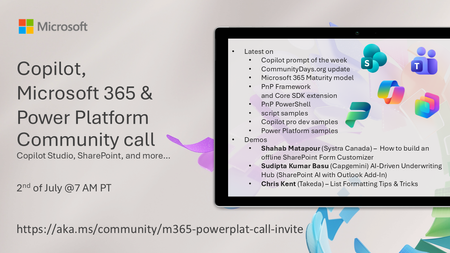
💡 Copilot, Microsoft 365 & Power Platform weekly community call focuses on different use cases and features within the Copilot, Microsoft 365 and Power Platform - across Microsoft 365 Copilot, Copilot Studio, SharePoint, Power Apps and more. 👏 Looking to catch up on the latest news and updates, including cool community demos, this call is for you! 📅 On 2nd of July we'll have following agenda: Copilot prompt of the week CommunityDays.org update Microsoft 365 Maturity model Latest on PnP Framework and Core SDK extension Latest on PnP PowerShell Latest on script samples Latest Copilot pro dev samples Latest on Power Platform samples Picture time with the Together Mode! Shahab Matapour (Systra Canada) – How to build an offline SharePoint Form Customizer Sudipta Kumar Basu (Capgemini) AI-Driven Underwriting Hub (SharePoint AI with Outlook Add‑In) Chris Kent (Takeda) – List Formatting Tips & Tricks 📅 Download recurrent invite from https://aka.ms/community/m365-powerplat-dev-call-invite 📞 & 📺 Join the Microsoft Teams meeting live at https://aka.ms/community/m365-powerplat-dev-call-join 👋 See you in the call! 💡 Building something cool for Microsoft 365 or Power Platform (Copilot, SharePoint, Power Apps, etc)? We are always looking for presenters - Volunteer for a community call demo at https://aka.ms/community/request/demo 📖 Resources: Previous community call recordings and demos from the Microsoft Community Learning YouTube channel at https://aka.ms/community/youtube Microsoft 365 & Power Platform samples from Microsoft and community - https://aka.ms/community/samples Microsoft 365 & Power Platform community details - https://aka.ms/community/home 🧡 Sharing is caring!8Views0likes0CommentsCopilot, Microsoft 365 & Power Platform Community call
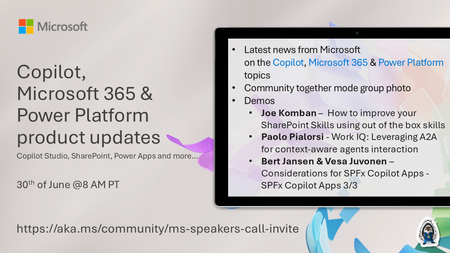
💡Copilot, Microsoft 365 & Power Platform product updates call concentrates on the different use cases and features within the Microsoft 365 and in Power Platform. Call includes topics like Microsoft 365 Copilot, Copilot Studio, Microsoft Teams, Power Platform, Microsoft Graph, Microsoft Viva, Microsoft Search, Microsoft Lists, SharePoint, Power Automate, Power Apps and more. 👏 Weekly Tuesday call is for all community members to see Microsoft PMs, engineering and Cloud Advocates showcasing the art of possible with Microsoft 365 and Power Platform. 📅 On the 30th of June we'll have following agenda: News and updates from Microsoft Together mode group photo Joe Komban – How to improve your SharePoint Skills using out of the box skills Paolo Pialorsi - Work IQ: Leveraging A2A for context-aware agents interaction Bert Jansen & Vesa Juvonen – Considerations for SPFx Copilot Apps - SPFx Copilot Apps 3/3 📞 & 📺 Join the Microsoft Teams meeting live at https://aka.ms/community/ms-speakers-call-join 🗓️ Download recurrent invite for this weekly call from https://aka.ms/community/ms-speakers-call-invite 👋 See you in the call! 💡 Building something cool for Microsoft 365 or Power Platform (Copilot, SharePoint, Power Apps, etc)? We are always looking for presenters - Volunteer for a community call demo at https://aka.ms/community/request/demo 📖 Resources: Previous community call recordings and demos from the Microsoft Community Learning YouTube channel at https://aka.ms/community/youtube Microsoft 365 & Power Platform samples from Microsoft and community - https://aka.ms/community/samples Microsoft 365 & Power Platform community details - https://aka.ms/community/home 🧡 Sharing is caring!8Views0likes0CommentsJoin our free livestream series on using Microsoft IQ with Python
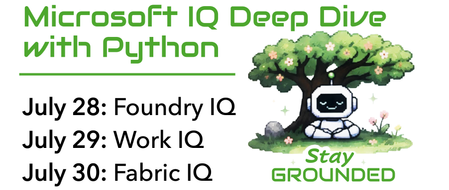
Join us for a new 3-part livestream series where we take a deep technical look at Microsoft IQ, the knowledge layer for the next generation of AI experiences. You'll learn how Foundry IQ, Work IQ, and Fabric IQ can be used to ground AI systems in organizational knowledge, workplace context, and structured business data. Our series will cover: Foundry IQ for multi-source agentic retrieval on search indexes, SharePoint, websites, and more Work IQ for user-specific retrieval of M365 data, like Teams chats, emails, and calendar events Fabric IQ for retrieval of data stored in OneLake, via Fabric ontologies and data agents Building agents with Microsoft Agent Framework to connect to Foundry IQ, Fabric IQ, and Work IQ Throughout the series, we’ll use Python for all examples and share full code so you can run everything yourself in your own Foundry projects. 👉 Register for the full series. In addition to the live streams, you can also join the Microsoft Foundry Discord to ask follow-up questions after each stream. If you are new to generative AI with Python, start with our 9-part Python + AI series, which covers topics such as LLMs, embeddings, RAG, tool calling, MCP, and agents. If you are new to Microsoft Agent Framework, watch our 6-part Python + Agent series which dives deep into agents and workflows. To learn more about each live stream or register for individual sessions, scroll down: Day 1: Foundry IQ 28 July, 2026 | 5:00 PM - 6:00 PM (UTC) Coordinated Universal Time Register for the stream on Reactor In the first session of our Microsoft IQ Deep Dive with Python series, we’ll kick things off with an introduction to the Microsoft IQ family: Foundry IQ, Work IQ, Fabric IQ, and Web IQ. We’ll then take a deeper look at Foundry IQ (Azure AI Search), exploring how it helps agents and applications work with curated knowledge and organizational context. We'll build a knowledge base and connect it to multiple knowledge sources, including the new IQs, MCP servers, and search indexes built from ingested data. Then we'll perform multi-source agentic retrieval on the knowledge base, which executes queries in parallel and merges the results with state-of-the-art ranking models. Finally, we will build an agent in Python using Microsoft Agent Framework and ground the agent's responses in results from the Foundry IQ knowledge base. All code demos will use Python and will be available in an open-source repository for you to deploy yourself. After the stream, join office hours in the Microsoft Foundry Discord to ask follow-up questions. Day 2: Work IQ 29 July, 2026 | 5:00 PM - 6:00 PM (UTC) Coordinated Universal Time Register for the stream on Reactor In the second session of our Microsoft IQ Deep Dive with Python series, we’ll focus on Work IQ and how it brings workplace context into AI-powered experiences. We’ll explore how developers can use Work IQ through APIs, A2A patterns, MCP integration, and tool-based workflows. We’ll look at two practical tool examples, then show how Work IQ can be used from Copilot and from a Microsoft Agent Framework agent. All code demos will use Python and will be available in an open-source repository for you to deploy yourself. After the stream, join office hours in the Microsoft Foundry Discord to ask follow-up questions. Day 3: Fabric IQ 30 July, 2026 | 5:00 PM - 6:00 PM (UTC) Coordinated Universal Time Register for the stream on Reactor In the final session of our Microsoft IQ Deep Dive with Python series, we’ll explore Fabric IQ and how it connects AI experiences to structured business data. We’ll introduce the key concepts behind Fabric IQ, including ontologies and data agents, and show how they help describe, organize, and reason over operational data stored in OneLake. We’ll use the Microsoft Fabric API SDK in Python to connect to Fabric IQ, so that we can programmatically configure ontologies and answer questions about our data. All code demos will use Python and will be available in an open-source repository for you to deploy yourself. After the stream, join office hours in the Microsoft Foundry Discord to ask follow-up questions.
MCP Server Authorization with Azure API Management: From Simple to Advanced
Why put API Management in front of your MCP servers The Model Context Protocol (MCP) has quickly become the standard way for AI agents, such as GitHub Copilot in VS Code, to reach external tools and data. As soon as an MCP server does anything meaningful, the same questions that govern any API resurface: who is allowed to call it, what are they allowed to do, and how do you enforce that consistently across many servers without rewriting each one. Azure API Management (APIM) answers those questions for MCP. It sits between the MCP client and the tool backend and applies the controls you already trust for REST APIs: identity validation, OAuth, rate limiting, IP filtering, and observability. Crucially, APIM speaks the MCP authorization specification, which is built on OAuth 2.1 and Protected Resource Metadata (PRM, RFC 9728). That means APIM can do more than block bad requests. It can actively drive an interactive sign-in from the IDE, so the user logs in with their own identity and the agent acts on their behalf. This article walks through a progression of authorization scenarios, each one building on the last: The simple case: validate a token and block everything else. Triggering an interactive sign-in from VS Code for an MCP server that APIM hosts from your own APIs. Going beyond "is this a tenant user" to "does this user have the right attribute" with Entra app roles. Fronting an existing external MCP server and letting it drive its own OAuth flow (GitHub as the example). Governing which tools of an existing MCP server an agent is actually allowed to invoke. APIM MCP capabilities and the basic authorization options API Management exposes MCP servers in two distinct ways, and the authorization story differs slightly for each. Expose a REST API as an MCP server. APIM takes an API it already manages and projects selected operations as MCP tools. You own the operations, so you choose exactly which ones become tools at configuration time. This is the right mode when the capability you want to expose is an API you control. Expose an existing MCP server (passthrough). APIM fronts a remote MCP-compatible server (LangChain, an Azure Function, GitHub's remote MCP server, your own container) and relays the MCP protocol to it. APIM governs access, but the upstream server still owns its tool catalog. On top of either mode, you have a spectrum of authorization options: Subscription keys for simple, machine-to-machine access where a shared secret in a header is acceptable. Token validation with Microsoft Entra ID, where APIM acts as the protected resource and verifies a bearer token on every call. Interactive OAuth 2.1 sign-in, where APIM advertises Protected Resource Metadata so an MCP client can discover the authorization server, log the user in, and retry with a user token. Authorization passthrough, where an external MCP server presents its own authorization challenge and APIM relays it faithfully so the client authenticates directly against the upstream's identity provider. The rest of the article works through these options in increasing order of capability. The example setup The walkthroughs in the first three scenarios all use the same backend so you can reproduce them without standing up anything of your own: the publicly available Star Wars API at Star Wars API. It is a simple, read-friendly REST API (characters, films, planets, starships, and so on) imported into API Management as a normal API and then projected as an MCP server. The reason this single API is enough to illustrate the whole progression is that, in API Management, one underlying API can back several independent MCP servers, each exposing a different slice of its operations. For example, you can create: A read-only MCP server that exposes only the GET operations, for agents that should be able to query data but never change it. A write-capable MCP server that exposes the POST, PUT, or DELETE operations, for trusted automation that is allowed to mutate state. Same backend API, two MCP servers, two different tool surfaces. Each of these servers is an independent resource in APIM, so each one can carry its own authorization. Both can require an authenticated user (Scenarios 1 and 2), and you can go further by protecting only the sensitive one: gate the write-capable server behind an Entra app role so that, even among authenticated users, only those who carry a specific claim can reach the mutating tools. That app-role mechanism is the subject of Scenario 3, and it composes naturally with the multi-server split described here. Registering the MCP API in Microsoft Entra ID Before any of the policies below can validate a token, you need an application registration in Microsoft Entra ID that represents the MCP API. This registration is what defines the audience and scope that tokens are issued for, and it is the source of the mcp-audience, mcp-scope, and (indirectly) mcp-client-id values that the policies reference. Create it once and reuse it across all the MCP servers in this article. In the Azure portal, open Microsoft Entra ID, then App registrations, then New registration. Name it (for example, star-wars-mcp-api), choose single-tenant, and register. Record the Application (client) ID and the Directory (tenant) ID. Open Expose an API and add an Application ID URI. Accept the default api://<app-id>. This URI is your token audience. Still under Expose an API, add a delegated scope named MCP.Access, set its consent display name and description, set the state to Enabled, and save. Authorize the client that will request the scope. Under Expose an API, select Add a client application and enter the client ID of the MCP client. For VS Code, this is the built-in Microsoft authentication client aebc6443-996d-45c2-90f0-388ff96faa56. Check the MCP.Access scope and save. These steps produce the four constants the validation policy needs: Named value Comes from Example entra-tenant-id The Directory (tenant) ID from step 1 11111111-1111-1111-1111-111111111111 mcp-audience The Application ID URI from step 2 api://22222222-2222-2222-2222-222222222222 mcp-scope The scope name from step 3 MCP.Access mcp-client-id The client ID of the calling app from step 4 aebc6443-996d-45c2-90f0-388ff96faa56 [!NOTE] mcp-client-id is the identity of the application calling the MCP server, not the MCP API itself. For VS Code it is the built-in Microsoft authentication client, and its value lands in the token's appid claim, which is why the validation policy lists it under client-application-ids. If your tenant blocks the first-party VS Code client, register your own public client application and use its client ID instead. [!TIP] For the privileged-access feature in Scenario 3, you will also declare an app role on this same registration. You do not need it yet, but it is convenient to know that all identity configuration for these servers lives on this one app registration. With that backend and structure in mind, the scenarios below build up the authorization model one capability at a time. Scenario 1: The simple case, validate the token and block unauthorized access The most basic protection is to require a valid Entra ID token on every MCP request and reject anything that fails validation. No interactive flow, no roles, just a gate. APIM does this with the validate-azure-ad-token policy. The policy checks the issuing tenant, the audience (your MCP API), the calling client application, and the required scope. Anything that does not satisfy all four is rejected with a 401. <policies> <inbound> <base /> <validate-azure-ad-token tenant-id="{{entra-tenant-id}}" header-name="Authorization" failed-validation-httpcode="401" failed-validation-error-message="Unauthorized. Access token is missing or invalid."> <client-application-ids> <application-id>{{mcp-client-id}}</application-id> </client-application-ids> <audiences> <audience>{{mcp-audience}}</audience> </audiences> <required-claims> <claim name="scp" match="any"> <value>{{mcp-scope}}</value> </claim> </required-claims> </validate-azure-ad-token> </inbound> <backend> <base /> </backend> <outbound> <base /> </outbound> <on-error> <base /> </on-error> </policies> The values in double braces are APIM named values: centralized constants, defined once and shared by every MCP server. They map directly to the four values produced by the Entra app registration in the example setup (entra-tenant-id, mcp-audience, mcp-scope, and mcp-client-id). Storing them as named values keeps the policy free of hardcoded identifiers and lets every server reuse the same configuration. This gets you a server that nobody can call without a properly minted token. What it does not do is help a fresh client obtain that token in the first place. That is the next scenario. Scenario 2: Driving an interactive sign-in from VS Code for an APIM-hosted MCP server When you expose one of your own APIs as an MCP server, you usually want a developer to open VS Code, connect to the server, and be prompted to sign in with their Microsoft account. No pre-shared key, no manual token handling. APIM achieves this by behaving as a well-mannered OAuth 2.1 protected resource. Using the Star Wars MCP server from the example setup, each selected operation becomes a tool the agent can call, so an agent can answer "which films featured the character named Leia" by calling the underlying API through APIM. How the sign-in flow works The protocol choreography is what turns a plain 401 into an interactive login: Two ingredients make this work: a 401 challenge that points to a metadata document, and the metadata document itself. The challenge: a 401 that points the client to its metadata Instead of a bare 401, APIM returns a WWW-Authenticate header carrying the URL of the server's Protected Resource Metadata. This is what tells the client "you need a token, and here is where to learn how to get one." Keeping this logic in a shared policy fragment means every MCP server reuses it. Notice the mcpResourceMetadataUrl reference in the fragment below. It is not hardcoded; it is a context variable that each MCP server sets in its own server-level policy before including this fragment (you will see that wiring in the per-server policy later in this scenario). The fragment simply reads whatever value the calling server provided. This indirection is what keeps the fragment pluggable: the same shared challenge-and-validate logic serves every MCP server, while each server supplies its own PRM URL. In most deployments the PRM endpoint is a single, dynamic one (built in the next section) that derives the resource from the request path, so the variable just carries that server's path. But because the URL is configurable per server rather than baked into the fragment, you retain flexibility for the cases that need it. <fragment> <!-- No token: challenge with the per-server PRM URL set by the caller --> <choose> <when condition="@(!context.Request.Headers.ContainsKey("Authorization"))"> <return-response> <set-status code="401" reason="Unauthorized" /> <set-header name="WWW-Authenticate" exists-action="override"> <value>@("Bearer resource_metadata=\"" + (string)context.Variables.GetValueOrDefault("mcpResourceMetadataUrl", "") + "\"")</value> </set-header> </return-response> </when> </choose> <!-- Token present: validate against shared named values --> <validate-azure-ad-token tenant-id="{{entra-tenant-id}}" header-name="Authorization" failed-validation-httpcode="401" failed-validation-error-message="Unauthorized. Access token is missing or invalid."> <client-application-ids> <application-id>{{mcp-client-id}}</application-id> </client-application-ids> <audiences> <audience>{{mcp-audience}}</audience> </audiences> <required-claims> <claim name="scp" match="any"> <value>{{mcp-scope}}</value> </claim> </required-claims> </validate-azure-ad-token> </fragment> Creating the /.well-known PRM endpoint in APIM with a policy This is the part that often surprises people: APIM itself serves the metadata document. There is no separate identity service to stand up. You publish one small anonymous API at the service root that answers GET /.well-known/oauth-protected-resource/*, derives the resource value from the requested path, and returns a JSON document pointing at Microsoft Entra ID as the authorization server. Create a blank HTTP API named well-known with an empty API URL suffix so it resolves at the service root, add a GET operation with the template /.well-known/oauth-protected-resource/*, clear the subscription requirement so it is reachable anonymously, and apply this policy: <policies> <inbound> <base /> <!-- Build the resource URL from the requested PRM sub-path --> <set-variable name="resourceUrl" value="@{ var prefix = "/.well-known/oauth-protected-resource"; var path = context.Request.OriginalUrl.Path; var resourcePath = path.Length > prefix.Length ? path.Substring(prefix.Length) : ""; return "https://" + context.Request.OriginalUrl.Host + resourcePath; }" /> <return-response> <set-status code="200" reason="OK" /> <set-header name="Content-Type" exists-action="override"> <value>application/json</value> </set-header> <set-body>@{ return new JObject( new JProperty("resource", (string)context.Variables["resourceUrl"]), new JProperty("authorization_servers", new JArray( "https://login.microsoftonline.com/{{entra-tenant-id}}/v2.0")), new JProperty("scopes_supported", new JArray("{{mcp-prm-scope}}")), new JProperty("bearer_methods_supported", new JArray("header")) ).ToString(); }</set-body> </return-response> </inbound> <backend> <base /> </backend> <outbound> <base /> </outbound> <on-error> <base /> </on-error> </policies> The {{mcp-prm-scope}} named value populates the scopes_supported array of the metadata document. It tells the client which delegated scope to request when it goes to the authorization server, so it must be the fully qualified scope value: the token audience (the Application ID URI from the app registration) followed by the scope name. With the example values that is api://22222222-2222-2222-2222-222222222222/MCP.Access. In other words, it is the combination of the mcp-audience and mcp-scope values defined in the example setup. Named value Value to set Example mcp-prm-scope <mcp-audience>/<mcp-scope> api://22222222-2222-2222-2222-222222222222/MCP.Access [!NOTE] Keep mcp-prm-scope in sync with the scope the validation fragment requires. The PRM document advertises this scope so the client requests it, and validate-azure-ad-token then checks for it in the scp claim. A mismatch means the client obtains a token without the scope APIM expects, and validation fails. Because the policy builds the resource value from the request path, this single endpoint serves metadata for every MCP server you ever add. The Star Wars server, a future inventory server, and anything else all share it. Wiring it onto the MCP server Each MCP server only needs to declare its own metadata URL and include the shared fragment: <policies> <inbound> <base /> <set-variable name="mcpResourceMetadataUrl" value="https://apim-contoso-mcp.azure-api.net/.well-known/oauth-protected-resource/star-wars-mcp/mcp" /> <include-fragment fragment-id="mcp-entra-auth" /> </inbound> <backend> <base /> </backend> <outbound> <base /> </outbound> <on-error> <base /> <include-fragment fragment-id="mcp-auth-challenge-onerror" /> </on-error> </policies> On the VS Code side, the configuration is deliberately plain. With no subscription-key header present, the client falls straight into the OAuth flow: { "servers": { "star-wars-mcp": { "url": "https://apim-contoso-mcp.azure-api.net/star-wars-mcp/mcp", "type": "http" } } } Restart the server in VS Code, and it detects the 401, reads the metadata, opens a browser sign-in, requests consent on first use, and then loads the tools using the user's token. [!CAUTION] Do not read the response body with context.Response.Body inside MCP server policies. It forces response buffering and breaks the MCP streaming transport. If global diagnostic logging is enabled, set the Frontend Response payload bytes to log to 0 at the All APIs scope. Scenario 3: Beyond tenant membership, authorize on a user attribute with app roles Validating a token confirms the caller is a signed-in user in your tenant with the right scope. That is often not enough. Some MCP servers expose sensitive tools that only a subset of users should reach. You want to express "this user is not only part of the tenant, but has a specific attribute that permits this server." Microsoft Entra app roles are the optimal mechanism for this. You declare a role on the MCP API app registration, assign it to specific users or to a security group, and Entra ID emits a roles claim in the access token whenever your API is the audience. APIM then authorizes on that claim. App roles beat the groups claim here because they avoid the group overage problem, they are scoped to the application, and they travel with the app. Declaring and assigning the role On the MCP API app registration, under App roles, create a role: Setting Value Display name Privileged Access Allowed member types Users/Groups Value Privileged.Access Description Access to privileged MCP servers Then, on the matching enterprise application, under Users and groups, assign the users (or, better, a security group) to the Privileged Access role. The Value field is the exact string that lands in the token roles claim, so it cannot contain spaces. [!TIP] Keep User assignment required set to No on the enterprise application. Unassigned users still obtain a valid token with the MCP.Access scope and keep access to the non-privileged servers. They simply do not carry the roles claim, so the privileged servers reject them. Enforcing the claim in the per-server policy The shared mcp-entra-auth fragment is used by every server, so the role requirement must not live there. Place the check in the privileged server's own policy, right after the fragment include. The token is already validated at that point, so this step is pure authorization. Because the caller is authenticated but not authorized, return 403, not 401, and do not emit a challenge: re-authenticating will not grant a role the user does not have. <policies> <inbound> <base /> <set-variable name="mcpResourceMetadataUrl" value="https://apim-contoso-mcp.azure-api.net/.well-known/oauth-protected-resource/star-wars-mcp/mcp" /> <include-fragment fragment-id="mcp-entra-auth" /> <!-- Privileged guardrail: require the Privileged.Access app role --> <choose> <when condition="@(!context.Request.Headers.GetValueOrDefault("Authorization","").Replace("Bearer ","").AsJwt().Claims.GetValueOrDefault("roles", new string[0]).Contains("Privileged.Access"))"> <return-response> <set-status code="403" reason="Forbidden" /> <set-header name="Content-Type" exists-action="override"> <value>application/json</value> </set-header> <set-body>{"error":"forbidden","message":"You lack the Privileged.Access role required for this MCP server."}</set-body> </return-response> </when> </choose> </inbound> <backend> <base /> </backend> <outbound> <base /> </outbound> <on-error> <base /> <include-fragment fragment-id="mcp-auth-challenge-onerror" /> </on-error> </policies> One operational detail worth calling out: app-role assignments only appear in newly issued tokens. A user who is granted the role after they signed in must obtain a fresh token. In VS Code, run MCP: Reset Cached Tokens (or sign out of the Microsoft account from the Accounts menu), then restart the server and sign in again. You can confirm the result by pasting the access token into https://jwt.ms and checking for "roles": ["Privileged.Access"]. Scenario 4: Fronting an existing external MCP server that drives its own sign-in So far APIM has been the authorization resource. But many valuable MCP servers already exist and run their own identity. GitHub publishes a remote MCP server with dozens of tools, and it authenticates users against GitHub's own OAuth authorization server. You do not want to re-implement that. You want APIM to govern access (rate limits, IP rules, logging, a single managed endpoint) while letting the upstream own the login. This is the "expose an existing MCP server" passthrough mode. When you register GitHub's remote MCP server behind APIM, the gateway relays the upstream's own authorization challenge. The client never authenticates against Entra here. It authenticates directly against GitHub. The flow, confirmed by probing the gateway: A call to the APIM endpoint with no token returns GitHub's own 401 with a WWW-Authenticate header, relayed through APIM. The Protected Resource Metadata that GitHub serves advertises authorization_servers: ["https://github.com/login/oauth"], so the client knows to log in at GitHub. The PRM resource reflects the APIM host, because GitHub builds it from the forwarded Host header. The client trusts the APIM endpoint while still logging in at GitHub. VS Code completes the GitHub sign-in and the full tool catalog loads. In the proof of concept this surfaced all 47 GitHub tools through the single APIM endpoint. The client configuration is again just a URL pointing at APIM: { "servers": { "github-via-apim": { "url": "https://apim-contoso-mcp.azure-api.net/github-mcp/mcp", "type": "http" } } } The key insight is that APIM transparently relays the backend's authentication challenge. GitHub remains the authorization server, GitHub tolerates being fronted by APIM, and you get a governed, centrally managed entry point without owning the identity flow. [!NOTE] Passthrough only relays what the upstream advertises. If the backend's PRM resource value and the actual MCP transport endpoint differ by a path segment, some clients fall back to deriving the metadata location from the server URL and can miss it. When you onboard a custom self-authenticating server, verify that the resource it advertises matches the exact URL the client connects to. Scenario 5: Restricting which tools of an existing MCP server an agent may call Passthrough raises a governance question that token validation alone cannot answer. A developer may legitimately have permission to merge a pull request through GitHub, but you may not want their AI agent to perform that action autonomously. You want to allow the read and discovery tools while blocking the destructive write tools, at the gateway, regardless of what the client tries. What is and is not possible for an external server It is important to be precise here, because the capability differs from the REST-as-MCP mode: For a REST-API-exposed-as-MCP server, you pick which operations become tools at creation time. That is native tool selection and the cleanest possible filter. For an existing/external MCP server, APIM does not enumerate the upstream's tools. The portal Tools blade explicitly states that tools are not visible for external MCP servers, and there is no allow-list property for them. APIM also cannot safely rewrite the tools/list response, because reading the response body breaks the streaming transport and the list may arrive as text/event-stream. What APIM can do reliably, and server-agnostically, is block the invocation. Every tool call arrives as a JSON-RPC tools/call request in the request body, which APIM can inspect safely. The deny-listed tools remain visible in the catalog, but any attempt to invoke one is intercepted at the gateway and returned a JSON-RPC error before it ever reaches the upstream. The reusable deny-list fragment The block is driven by a per-server named value (a comma-separated list of tool names), so the same fragment governs every external server. Only the named value changes. <!-- Fragment: mcp-tool-filter (include after the auth fragment) --> <fragment> <choose> <when condition="@(context.Request.Body != null)"> <set-variable name="mcpMethod" value="@{ try { var body = context.Request.Body.As<JObject>(preserveContent: true); return (string)body?["method"] ?? string.Empty; } catch { return string.Empty; } }" /> <choose> <when condition="@(((string)context.Variables["mcpMethod"]).Equals("tools/call", StringComparison.OrdinalIgnoreCase))"> <set-variable name="mcpToolName" value="@{ var body = context.Request.Body.As<JObject>(preserveContent: true); return (string)body?["params"]?["name"] ?? string.Empty; }" /> <!-- mcpBlockedTools is a comma-separated deny-list set by the per-server policy before this include --> <set-variable name="mcpBlocked" value="@{ var tool = ((string)context.Variables["mcpToolName"]).Trim().ToLowerInvariant(); var deny = ((string)context.Variables.GetValueOrDefault("mcpBlockedTools", "")).ToLowerInvariant().Split(',').Select(t => t.Trim()); return deny.Contains(tool); }" /> <choose> <when condition="@((bool)context.Variables["mcpBlocked"])"> <return-response> <set-status code="200" reason="OK" /> <set-header name="Content-Type" exists-action="override"> <value>application/json</value> </set-header> <set-body>@{ var id = "null"; try { var body = context.Request.Body.As<JObject>(preserveContent: true); id = body?["id"]?.ToString(Newtonsoft.Json.Formatting.None) ?? "null"; } catch {} return "{\"jsonrpc\":\"2.0\",\"id\":" + id + ",\"error\":{\"code\":-32602,\"message\":\"Unknown tool: " + ((string)context.Variables["mcpToolName"]) + "\"}}"; }</set-body> </return-response> </when> </choose> </when> </choose> </when> </choose> </fragment> The deny-list itself lives in a named value, one per server: APIM named value. Comma-separated, case-insensitive. mcp-blocked-tools-github = merge_pull_request,create_repository,delete_repository,push_files,create_or_update_file,issue_write,label_write # <policies> <inbound> <base /> <set-variable name="mcpResourceMetadataUrl" value="https://apim-contoso-mcp.azure-api.net/.well-known/oauth-protected-resource/github-mcp/mcp" /> <include-fragment fragment-id="mcp-entra-auth" /> <set-variable name="mcpBlockedTools" value="{{mcp-blocked-tools-github}}" /> <include-fragment fragment-id="mcp-tool-filter" /> </inbound> <backend> <base /> </backend> <outbound> <base /> </outbound> <on-error> <base /> <include-fragment fragment-id="mcp-auth-challenge-onerror" /> </on-error> </policies> Generic per-server pattern: mcp-blocked-tools-<server> = <comma,separated,tool,names> Wiring it onto the GitHub passthrough server <policies> <inbound> <base /> <set-variable name="mcpResourceMetadataUrl" value="https://apim-contoso-mcp.azure-api.net/.well-known/oauth-protected-resource/github-mcp/mcp" /> <include-fragment fragment-id="mcp-entra-auth" /> <set-variable name="mcpBlockedTools" value="{{mcp-blocked-tools-github}}" /> <include-fragment fragment-id="mcp-tool-filter" /> </inbound> <backend> <base /> </backend> <outbound> <base /> </outbound> <on-error> <base /> <include-fragment fragment-id="mcp-auth-challenge-onerror" /> </on-error> </policies> Now when the agent tries to merge a pull request, the gateway returns a clean -32602 Unknown tool error and the upstream is never touched. Read and discovery tools continue to work. The tool still appears in the client's catalog. Adding governance for another external server is just one more named value plus the same fragment include. No new policy logic. Key takeaways API Management turns MCP servers into governed resources, applying the same identity, traffic, and observability controls you already use for APIs. Start simple with validate-azure-ad-token to gate access, then graduate to a full interactive sign-in by serving Protected Resource Metadata from a single APIM policy. You can publish multiple MCP servers from one underlying API, for example a read-only server and a read-write server, by selecting different operations. App roles let you authorize on a user attribute, not just tenant membership, and the check belongs in the per-server policy so shared logic stays clean. For existing external servers, APIM relays the upstream's own OAuth flow, so a server like GitHub keeps owning its identity while you keep central governance. When an external server's full tool surface is too broad, APIM can block specific tool invocations at the gateway with a reusable, named-value-driven policy, so a user's agent cannot perform actions the user could perform manually. References About MCP servers in Azure API Management Secure access to MCP servers in API Management Expose REST API in API Management as an MCP server Expose and govern an existing MCP server validate-azure-ad-token policy reference Policy fragments in API Management RFC 9728: OAuth 2.0 Protected Resource Metadata MCP authorization specification Star Wars API (example backend) MCP for BeginnersCopilot, Microsoft 365 & Power Platform product updates call
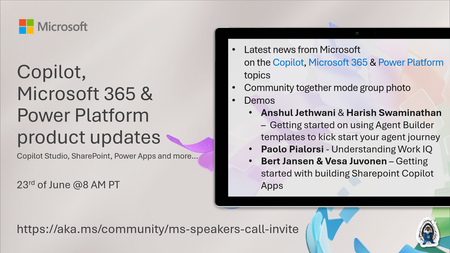
💡Copilot, Microsoft 365 & Power Platform product updates call concentrates on the different use cases and features within the Microsoft 365 and in Power Platform. Call includes topics like Microsoft 365 Copilot, Copilot Studio, Microsoft Teams, Power Platform, Microsoft Graph, Microsoft Viva, Microsoft Search, Microsoft Lists, SharePoint, Power Automate, Power Apps and more. 👏 Weekly Tuesday call is for all community members to see Microsoft PMs, engineering and Cloud Advocates showcasing the art of possible with Microsoft 365 and Power Platform. 📅 On the 23rd of June we'll have following agenda: News and updates from Microsoft Together mode group photo Anshul Jethwani & Harish Swaminathan – Getting started on using Agent Builder templates to kick start your agent journey Paolo Pialorsi - Understanding Work IQ Bert Jansen & Vesa Juvonen – Getting started with building Sharepoint Copilot Apps 📞 & 📺 Join the Microsoft Teams meeting live at https://aka.ms/community/ms-speakers-call-join 🗓️ Download recurrent invite for this weekly call from https://aka.ms/community/ms-speakers-call-invite 👋 See you in the call! 💡 Building something cool for Microsoft 365 or Power Platform (Copilot, SharePoint, Power Apps, etc)? We are always looking for presenters - Volunteer for a community call demo at https://aka.ms/community/request/demo 📖 Resources: Previous community call recordings and demos from the Microsoft Community Learning YouTube channel at https://aka.ms/community/youtube Microsoft 365 & Power Platform samples from Microsoft and community - https://aka.ms/community/samples Microsoft 365 & Power Platform community details - https://aka.ms/community/home 🧡 Sharing is caring!71Views0likes0CommentsMastering Query Fields in Azure AI Document Intelligence with C#
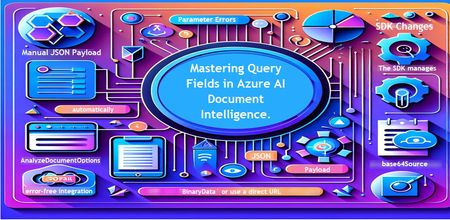
Introduction Azure AI Document Intelligence simplifies document data extraction, with features like query fields enabling targeted data retrieval. However, using these features with the C# SDK can be tricky. This guide highlights a real-world issue, provides a corrected implementation, and shares best practices for efficient usage. Use case scenario During the cause of Azure AI Document Intelligence software engineering code tasks or review, many developers encountered an error while trying to extract fields like "FullName," "CompanyName," and "JobTitle" using `AnalyzeDocumentAsync`: The error might be similar to Inner Error: The parameter urlSource or base64Source is required. This is a challenge referred to as parameter errors and SDK changes. Most problematic code are looks like below in C#: BinaryData data = BinaryData.FromBytes(Content); var queryFields = new List<string> { "FullName", "CompanyName", "JobTitle" }; var operation = await client.AnalyzeDocumentAsync( WaitUntil.Completed, modelId, data, "1-2", queryFields: queryFields, features: new List<DocumentAnalysisFeature> { DocumentAnalysisFeature.QueryFields } ); One of the reasons this failed was that the developer was using `Azure.AI.DocumentIntelligence v1.0.0`, where `base64Source` and `urlSource` must be handled internally. Because the older examples using `AnalyzeDocumentContent` no longer apply and leading to errors. Practical Solution Using AnalyzeDocumentOptions. Alternative Method using manual JSON Payload. Using AnalyzeDocumentOptions The correct method involves using AnalyzeDocumentOptions, which streamlines the request construction using the below steps: Prepare the document content: BinaryData data = BinaryData.FromBytes(Content); Create AnalyzeDocumentOptions: var analyzeOptions = new AnalyzeDocumentOptions(modelId, data) { Pages = "1-2", Features = { DocumentAnalysisFeature.QueryFields }, QueryFields = { "FullName", "CompanyName", "JobTitle" } }; - `modelId`: Your trained model’s ID. - `Pages`: Specify pages to analyze (e.g., "1-2"). - `Features`: Enable `QueryFields`. - `QueryFields`: Define which fields to extract. Run the analysis: Operation<AnalyzeResult> operation = await client.AnalyzeDocumentAsync( WaitUntil.Completed, analyzeOptions ); AnalyzeResult result = operation.Value; The reason this works: The SDK manages `base64Source` automatically. This approach matches the latest SDK standards. It results in cleaner, more maintainable code. Alternative method using manual JSON payload For advanced use cases where more control over the request is needed, you can manually create the JSON payload. For an example: var queriesPayload = new { queryFields = new[] { new { key = "FullName" }, new { key = "CompanyName" }, new { key = "JobTitle" } } }; string jsonPayload = JsonSerializer.Serialize(queriesPayload); BinaryData requestData = BinaryData.FromString(jsonPayload); var operation = await client.AnalyzeDocumentAsync( WaitUntil.Completed, modelId, requestData, "1-2", features: new List<DocumentAnalysisFeature> { DocumentAnalysisFeature.QueryFields } ); When to use the above: Custom request formats Non-standard data source integration Key points to remember Breaking changes exist between preview versions and v1.0.0 by checking the SDK version. Prefer `AnalyzeDocumentOptions` for simpler, error-free integration by using built-In classes. Ensure your content is wrapped in `BinaryData` or use a direct URL for correct document input: Conclusion Using AnalyzeDocumentOptions provides a cleaner and more reliable way to work with query fields in Azure AI Document Intelligence using C#. By aligning with the latest SDK approach, developers can simplify implementation, reduce common errors, and improve code maintainability. Keeping up with SDK enhancements and recommended practices ensures more accurate and efficient document data extraction. As Azure AI capabilities continue to evolve, adopting modern integration patterns will help you build scalable and future-ready document processing solutions with greater confidence. Reference Official AnalyzeDocumentAsync Documentation. Official Azure SDK documentation. Azure Document Intelligence C# SDK support add-on query field.474Views0likes0CommentsMicrosoft Power Platform community call - June 2026
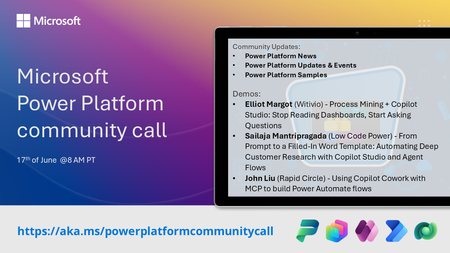
💡 Power Platform monthly community call focuses on different extensibility options for builders, makers and developers within the Power Platform. Typically demos are from our awesome community members who showcase the art of possible within the Power Platform capabilities. 👏 Looking to catch up on the latest news and updates, including cool community demos, this call is for you! 📅 On 17th of June we'll have following agenda: Power Platform Updates & Events Latest on Power Platform samples Elliot Margot (Witivio) - Process Mining + Copilot Studio: Stop Reading Dashboards, Start Asking Questions Sailaja Mantripragada (Low Code Power) - From Prompt to a Filled-In Word Template: Automating Deep Customer Research with Copilot Studio and Agent Flows John Liu (Rapid Circle) - Using Copilot Cowork with MCP to build Power Automate flows 📅 Download recurrent invite from https://aka.ms/powerplatformcommunitycall 📞 & 📺 Join the Microsoft Teams meeting live at https://aka.ms/PowerPlatformMonthlyCall 💡 Building something cool for Microsoft 365 or Power Platform (Copilot, SharePoint, Power Apps, etc)? We are always looking for presenters - Volunteer for a community call demo at https://aka.ms/community/request/demo 👋 See you in the call! 📖 Resources: Previous community call recordings and demos from the Microsoft 365 & Power Platform community YouTube channel at https://aka.ms/community/videos Microsoft 365 & Power Platform samples from Microsoft and community - https://aka.ms/community/samples Microsoft 365 & Power Platform community details - https://aka.ms/community/home121Views0likes1Comment