advance analytics
34 Topics
Agent experience with data in Onelake using Fabric IQ
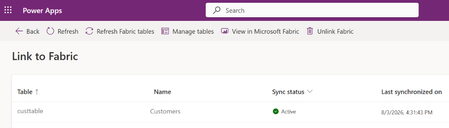
Business Scenario A retail organization runs multiple promotional sales events across its store network in different cities, featuring various product categories. Data is captured from: Third-party systems (products, stores, sales events) ERP system i.e. Finance and Operations (customer data) Customers are linked to stores based on city in the ERP system, and each store hosts specific sales events. However, while significant investments are made in marketing campaigns, inventory allocation, and event planning, the organization needs to identify Which stores generate the highest revenue during events Which locations are having majority of customer footprint Solution: Rather than creating custom reports on raw data, an agent can leverage the data in Onelake and use Fabric semantic models and Fabric IQ to provide conversational analytics. The agent can intelligently normalize user inputs and return accurate results even when values such as city names are entered with spelling errors or variations. Advantage: Because the data comes from two disconnected worlds (third-party systems for products/stores/events, ERP for customers), the "join" between them — customer → city → store → event → product — is business logic, not a database key. Fabric Ontology captures exactly that: entity types, relationships, rules and source mappings, so agents don't have to rediscover it from raw tables each time. A. Prerequisite: Data Sources & Relationships Overview Product, store, and sales event data are sourced from third-party systems. Customer data is sourced from the ERP (Dynamics 365 Finance & Operations) system through Fabric lakehouse. How the data is connected: Customers are linked to stores based on city alignment (customer city = store location). Sales events are associated with: The products being sold, and The stores where the events are conducted. Licenses and access requirement: Component License / Requirement Microsoft Fabric Fabric Capacity F2 or higher OR Power BI Premium Capacity P1 or higher with Fabric enabled Fabric IQ Ontology Ontology (Preview) enabled and an active Ontology item in Fabric Copilot Studio A Copilot Studio environment where MCP tools are allowed D365 F&O Valid Dynamics 365 Finance and/or Supply Chain Management licenses for the source users and data access Data movement Fabric ingestion pattern (Lakehouse, OneLake, Dataflow, Link to Fabric, etc.) as applicable B. Step by step configuration: Push the data to OneLake : Connect D365 F&O customer data to Fabric Lakehouse through PowerPlatform Ref: Link your Dataverse environment to Microsoft Fabric and unlock deep insights - Power Apps | Microsoft Learn A Lake house will be created in Fabric with the data Ingest the Data for Store , Sales event and Product from third party system to Fabric using any of the methods as outlined in the documentation below (as relevant) Ref: https://learn.microsoft.com/en-us/fabric/data-engineering/load-data-lakehouse Create a semantic model and relationship between them Ref: https://learn.microsoft.com/en-us/fabric/data-engineering/tutorial-lakehouse-build-report Create Ontology using the semantic model Ref: https://learn.microsoft.com/en-us/fabric/iq/ontology/concepts-generate Ref: Create an Ontology with Fabric IQ - Training | Microsoft Learn Click on View entity type details > click on manage relationship > click on the relation Configure the source and target entity names and connected fields. Repeat similar setup for others as relevant Login to https://copilotstudio.preview.microsoft.com/ and Create Copilot studio agent with following instruction: When processing a user query: Determine whether the user input contains a city name, location name, region, state, or geographical reference. If a location reference is detected: o Identify potential spelling mistakes, abbreviations, alternate spellings, phonetic variations, or non-standard user input using the <<custom prompt>>. o Normalize the value to the most likely official city name used in the enterprise data model. o Examples: "Bombay" → "Mumbai" "NYC" → "New York" Use only the normalized location value when querying Fabric IQ. If confidence in the normalization is high, proceed automatically without asking the user for confirmation. If multiple cities are equally likely matches, ask a clarifying question before querying Fabric IQ. When invoking Fabric IQ MCP: o Replace the original user-entered city value with the normalized city value. o Use the normalized value consistently across all ontology searches and filters. Never expose the internal normalization process unless the user explicitly asks how the result was determined. Return the business result based on data retrieved from Fabric IQ, not based on assumptions. Example: User: "Show sales for Bangaluru last quarter" Normalized City: "Bengaluru" Fabric IQ Query: "Show sales for Bengaluru last quarter" Add Fabric IQ MCP tool Click on Fabric IQ MCP and provide workspace ID and Ontology ID as retrieved from the Ontology URL in Fabric To find the URL, follow these steps: Open your ontology item in Fabric. View the URL in the browser, in the format https://app.fabric.microsoft.com/groups/<workspace-ID>/ontologies/<ontology-item-ID>. Copy the values of <workspace-ID> and <ontology-item-ID> from the URL. Form the MCP server URL by entering the copied values into this string: https://api.fabric.microsoft.com/v1/mcp/dataPlane/workspaces/<workspace-ID>/items/<ontology-item-ID>/ontologyEndpoint.You use this MCP server URL in the next section Following figures explains the details once the process Ref: https://learn.microsoft.com/en-us/fabric/iq/ontology/how-to-create-agent-copilot-studio Add a tool Prompt to ensure normalised search for any user input (e.g. City) Put the following instruction in a custom prompt : You are a location normalization expert. Your task is to identify the most likely city name from the user's input, even when: - The city name contains spelling mistakes. - The city name is partially entered. - The city is entered using an old or alternate name. - The city contains abbreviations or phonetic spellings. Rules: Determine the most likely official city name. Correct spelling mistakes using geographic knowledge. Expand abbreviations where appropriate. Return only the normalized city name. If confidence is below 80%, return "AMBIGUOUS". Never invent a city when multiple equally likely matches exist. Examples: Input: Banglore Output: Bengaluru Input: Mumbi Output: Mumbai Input: BNG Output: Bengaluru Input: Londn Output: London City input: {{CityName}} Output format: { "normalizedCity": "Bengaluru", "confidence": 0.95 } Test the agent Open the Test pane using the Test button in the top right corner of the screen. Enter NL query Allow the MCP tool when prompted Test case 1: What is the top product revenue across all stores? Test case 2: Intelligent Location Normalization with Fabric IQ When a user submits a query such as "Compare the customer footfall between city Blr and Hyd", the agent first applies an AI-powered normalization layer before querying enterprise data. The normalization prompt analyses abbreviations, alternate spellings, phonetic variations, and non-standard location references, mapping them to their canonical business values. In this example: Blr → Bengaluru (Bangalore) Hyd → Hyderabad The normalized city names are then passed to Fabric IQ for semantic retrieval against the ontology and underlying data sources. This approach improves query accuracy, reduces dependency on exact user input, and enables a more natural conversational experience while ensuring consistent reporting and analytics results. Process Flow : User Query → AI Prompt Normalization → Canonical City Resolution (Bengaluru, Hyderabad) → Fabric IQ Semantic Search → Data Retrieval & Comparison Results355Views1like0CommentsEnabling Agentic Data Governance with Hybrid Cloud Flexibility in Azure
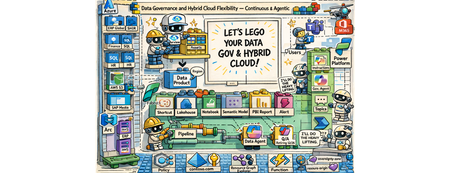
The “Why” Do you manage data in a complex multi-cloud environment? Are you struggling with data silos, evolving regulations, and the pressure to maintain control and compliance across on-prem and multiple clouds? Do you ever wish an intelligent assistant could help shoulder the load of data governance? If so, I can relate. Let me tell you a story that might sound familiar. Meet Mark (pictured above). He is a data governance officer at Contoso (a fictional but very representative enterprise). Mark’s day job is ensuring data governance and compliance across his company’s vast hybrid cloud estate – think around ~2 million data assets sprawled across 12+ datacenters on-premises and in different public clouds. Regulatory requirements are constantly shifting. Customer data is increasingly sensitive. Each department and region has its own way of doing things. Mark is fighting an uphill battle with data silos and disconnected cloud operations. He bounces between a patchwork of tools – spreadsheets, cloud consoles, governance portals – trying to answer basic questions: Where is our data? Who’s using it? Are we in compliance? Armed with an old desk calculator and a pile of paper-based reports (a perfect 1990s backdrop), he is dealing with the data around him that has exploded in volume and complexity. What if Mark had a single pane of glass. The glass that reflects and acts. It reflects your governance state and enforces compliance – a self-hydrating pane of glass accompanied by a conversational AI. And he’s not alone. We’re all living in a data overload era. Every day, organizations generate and ingest more information than ever before. Transistors and mainframes gave way to the internet boom of the ’90s, then an explosion of mobile devices in the 2000s, social media in the 2010s, and now widespread cloud computing – all funneling data into our systems at an exponential rate. On top of that, a new wave of AI and conversational interfaces has arrived here in the mid-2020s, making data more accessible but also increasing expectations for real-time insight. It’s no wonder modern IT leaders feel overwhelmed. But these challenges are also opportunities. The way I see it, the incredible growth of data and cloud capabilities means we have a chance to reimagine data governance. The fact that I’m writing about this right now is no coincidence. My customers are looking to resolve problems in this space. In my conversations with them, I hear the same needs: We want better governance, more visibility, streamlined oversight… and cherry on top, we want it in an “agentic” fashion. In other words, they want to delegate the grunt work to the platform toolset augmented by AI, so they can focus on higher-value tasks. The “What” That vision – agentic data governance with hybrid cloud flexibility – became the driver for this work. This is a modular solution, and you have these building block style components (cloud services, governance tools, AI agents), which you can snap them together into an intended solution. Think of it as a jumpstart kit for continuous data governance across multiple clouds, with autonomous (“agentic”) assistance baked in that you can leverage and build upon. It’s not the final, productized solution – more a vision of what’s possible. Contoso’s Requirements These are the high-level requirements from Contoso: Data governance across clouds under one roof A single pane of glass dashboard consolidating reporting on the 5 governance domains: o Visibility on data residency and lineage o PII (Personally Identifiable Information) must run on a CC (Confidential Compute) o Security software (Defender) compliance o Resource tagging compliance (foundational for a good governance posture) o OS updates compliance Ability to enforce compliance in an agentic manner with a human in the loop Agentic enforcement of compliance pertaining to residency and confidential compute Solution – The breakdown The solution is comprised of 8 modules addressing these requirements. These solution modules are: Foundational (Landing zones, Data Sources, Operational setup, Policies, etc.) Dashboard Hydration + Agentic Reporting – Residency Compliance Dashboard Hydration + Agentic Reporting – Confidential Compute for PII Compliance Dashboard Hydration + Agentic Reporting – MS Defender Compliance Dashboard Hydration + Agentic Reporting – Resource Tag Compliance Dashboard Hydration + Agentic Reporting – OS Updates/Patch Compliance Enforce Compliance via Copilot Agent - Residency Compliance Enforce Compliance via Copilot Agent – CC PII Compliance Solution – The architecture view These are the main technical components that make up the solution architecture: Data sources of all shapes and sizes on the left, governed by the native Azure or the Arc plane. Additional Azure services across the bottom layer for the foundational governance posture Microsoft Purview, in the top middle, as the unified data governance platform Microsoft Fabric, in the bottom middle, as the end-to-end ingestion and analytics platform Microsoft Power Platform, on the right, as the low code/no code business flow and the copilot agent experience Solution – The end user view So how does Mark see this solution as a data governance officer? He doesn’t see all the intricacies of the solution integration and the logic execution. He sees two things: A Power BI dashboard running on Microsoft Fabric with A compliance dashboard with an overall score in each of the five compliance domains alongside scores for each of the data products across these domains Additional reporting views for more granular reporting Fabric-based pipeline that hydrates the underlying semantic models from various sources to keep the reports fresh and current A Copilot agent (in Teams) for both: Reporting on all compliance domains Enforcing in-scope compliance across selected domains The agent takes care of it - queries Fabric’s semantic model, calls Azure Function endpoints, updates Purview glossary terms, applies Azure tags, and sends Teams notifications. The “How” – Residency Compliance Let’s pick a few modules to walk through how these solution modules work together to give a cohesive agentic governance experience to Mark. It’s Monday morning, and Mark logs into the Contoso governance portal with a cup of coffee in hand. Instead of a dozen browser tabs, he has two main tools opened: the Data Governance Dashboard and the Contoso Governance Copilot agent. To address some inquiries that came as an assigned action to him, he interacted with the agent. During this interaction, not only did he validate if there were any residency missing in the unified data governance platform (Purview), but he was also able to address a mismatch between Purview and Azure resource, based on the designed principles. Here is the snippet of the chat: Now, under the hood, several components have worked on behalf of the agent in performing this governance checking and applying the necessary course of action: Even before Mark's conversation with the agent, an ongoing hydration process keeps the Fabric Power BI dashboard up to date. Dashboard Hydration + Agentic Reporting – Residency Compliance A Fabric notebook runs the residency scorecard code block through a pipeline. It reads two Lakehouse tables containing latest residency information from Purview and the approved region list Then, the notebook gets a Microsoft Entra bearer token Once acquired, the notebook then calls an Azure Function endpoint This endpoint, then searches for the Azure resources associated with the data products in Purview using an Azure resource tag. The notebook then compares the declared Purview residency with the approved region list and the associated resource’s region The notebook then calculates the final 0 / 25 / 50 / 75 / 100 residency compliance score and a reason. For example: A data product without an associated Azure resource gets a 0, while a data product whose residency in Purview is an approved region by Contoso, and also matches with the associated Azure resource, gets a 100. It then writes the results to the relevant residency compliance Lakehouse tables The dedicated compliance table then feeds to the semantic model for reporting The compliance Power BI dashboard is hydrated Enforce Compliance via Copilot Agent - Residency Compliance With the dashboard data regularly updated, the agent follows this logic, the updated reporting data, and the actions at its disposal, during the earlier conversation with Mark : Mark initiates the conversation with the agent The agent calls a Power Automate flow This flow retrieves Purview’s residency information stored in the Fabric semantic model 5, 6, 7 and 8. When Mark asks to investigate further on a data product, the agent carries the conversation using a topic, which then leverages a flow, which uses a Power Automate custom connector to access an Azure Function endpoint. This endpoint then retrieves latest glossary (residency) information about the data product in question, from Purview, and provides a preview back to the user 10, 11, 12, and 13. If the update criteria are met, and if there is no conflict, and with Mark’s blessings, the topic then calls another flow to access the Functions Purview Update endpoint, and make the glossary (residency) update in Purview for that data product The “How” – Confidential Compute for PII Compliance Dashboard Hydration + Agentic Reporting – Confidential Compute for PII Compliance The following snippet shows how Mark addresses the compliance risk with a critical data product (application), S/4 HANA, and performed the necessary compliance actions, such as tagging the associated resources and notifying the data product owners via Teams channel. The following diagram shows the under-the-hood hydration flow for confidential compute compliance: Enforce Compliance via Copilot Agent – CC PII Compliance Finally, the diagram below shows how Mark’s conversation flows through the main solution components: Outcome Stepping back, what did we accomplish for Mark and Contoso? We turned an onslaught of governance challenges into an opportunity to modernize how data is managed. This gave Mark: Centralized Visibility into data assets across the landscape through Purview and a unified dashboard Proactive compliance enabled with automated checks - controlled with Purview exports and Fabric pipeline schedules And compliance enforcement using an agent Hybrid Cloud Consistency. By using Azure Arc and a foundational data plane management setup Reduced Operational overhead with agentic reporting and compliance Though the solution is comprised of wide variety of components/services, it is built from standard building blocks and is relatively simple to implement. In total, the solution combined around a dozen Azure services and over 40 distinct components (from Purview catalogs to data pipelines, to custom functions and flows). You can choose to implement some or all the compliance domains. Or, better yet, build upon and create new domains and pave new paths. Wrap-up I believe many enterprises could take a similar journey. If you’re facing these issues, consider this an invitation to think differently about data governance. Start with the pieces you already have – your own building blocks of cloud services and data – and imagine what you could build. Chances are that a lot of the heavy lifting can be orchestrated with today’s technology. And with the rise of AI copilots, the dream of agentic data governance – where your policies are continuously enforced by smart agents – is no longer science fiction. It’s here, right now, waiting for you to take it for a spin. Next steps Watch the video narrative on SAP on Azure YouTube channel: Build it with the GitHub Repository: https://github.com/moazmirza/data-sov-and-hyb-cloud Comments/questions: Here, or @ LinkedIn /moazmirza Solution Selfies Azure Policy Compliance - Foundational Governance Posture Purview Data Product Catalog and Data Lineage Purview Governance Metadata à Fabric Lakehouse Fabric Semantic Model Additional Fabric Power BI Dashboard Copilot Studio Topic Flow Azure Function Endpoints528Views0likes0CommentsHow Azure NetApp Files Object REST API powers Azure and ISV Data and AI services – on YOUR data
This article introduces the Azure NetApp Files Object REST API, a transformative solution for enterprises seeking seamless, real-time integration between their data and Azure's advanced analytics and AI services. By enabling direct, secure access to enterprise data—without costly transfers or duplication—the Object REST API accelerates innovation, streamlines workflows, and enhances operational efficiency. With S3-compatible object storage support, it empowers organizations to make faster, data-driven decisions while maintaining compliance and data security. Discover how this new capability unlocks business potential and drives a new era of productivity in the cloud.1.6KViews0likes0CommentsAzure Local LENS workbook—deep insights at scale, in minutes
Azure Local at scale needs fleet-level visibility As Azure Local deployments grow from a handful of instances to hundreds (or even thousands), the operational questions change. You’re no longer troubleshooting a single environment—you’re looking for patterns across your entire fleet: Which sites are trending with a specific health issue? Where are workload deployments increasing over time, do we have enough capacity available? Which clusters are outliers compared to the rest? Today we’re sharing Azure Local LENS: a free, community-driven Azure Workbook designed to help you gain deep insights across a large Azure Local fleet—quickly and consistently—so you can move from reactive troubleshooting to proactive operations. Get the workbook and step-by-step instructions to deploy it here: https://aka.ms/AzureLocalLENS Who is it for? This workbook is especially useful if you manage or support: Large Azure Local fleets distributed across many sites (retail, manufacturing, branch offices, healthcare, etc.). Central operations teams that need standardized health/update views. Architects who want to aggregate data to gain insights in cluster and workload deployment trends over time. What is Azure Local LENS? Azure Local - Lifecycle, Events & Notification Status (or LENS) workbook brings together the signals you need to understand your Azure Local estate through a fleet lens. Instead of jumping between individual resources, you can use a consistent set of views to compare instances, spot outliers, and drill into the focus areas that need attention. Fleet-first design: Start with an estate-wide view, then drill down to a specific site/cluster using the seven tabs in the workbook. Operational consistency: Standard dashboards help teams align on “what good looks like” across environments, update trends, health check results and more. Actionable insights: Identify hotspots and trends early so you can prioritize remediation and plan health remediation, updates and workload capacity with confidence. What insights does it provide? Azure Local LENS is built to help you answer the questions that matter at scale, such as: Fleet scale overview and connection status: How many Azure Local instances do you have, and what are their connection, health and update status? Workload deployment trends: Where have you deployed Azure Local VMs and AKS Arc clusters, how many do you have in total, are they connected and in a healthy state? Top issues to prioritize: What are the common signals across your estate that deserve operational focus, such as update health checks, extension failures or Azure Resource Bridge connectivity issues? Updates: What is your overall update compliance status for Solution and SBE updates? What is the average, standard deviation or 95 th percentile update duration run times for your fleet? Drilldown workflow: After spotting an outlier, what does the instance-level view show, so you can act or link directly to Azure portal for more actions and support? Get started in minutes If you are managing Azure Local instances, give Azure Local LENS a try and see how quickly a fleet-wide view can help with day-to-day management, helping to surface trends & actionable insights. The workbook is an open-source, community-driven project, which can be accessed using a public GitHub repository, which includes full step-by-step instructions for setup at https://aka.ms/AzureLocalLENS. Most teams can deploy the workbook and start exploring insights in a matter of minutes. (depending on your environment). An example of the “Azure Local Instances” tab: How teams are using fleet dashboards like LENS Weekly fleet review: Use a standard set of views to review top outliers and trend shifts, then assign follow-ups. Update planning: Identify clusters with system health check failures, and prioritize resolving the issues based on frequency of the issue category. Update progress: Review clusters update status (InProgress, Failed, Success) and take action based on trends and insights from real-time data. Baseline validation: Spot clusters that consistently differ from the norm—can be a sign of configuration or environmental difference, such as network access, policies, operational procedures or other factors. Feedback and what’s next This workbook is a community driven, open source project intended to be practical and easy to adopt. The project is not a Microsoft‑supported offering. If you encounter any issues, have feedback, or a new feature request, please raise an Issue on the GitHub repository, so we can track discussions, prioritize improvements, and keep updates transparent for everyone. Author Bio Neil Bird is a Principal Program Manager in the Azure Edge & Platform Engineering team at Microsoft. His background is in Azure and hybrid / sovereign cloud infrastructure, specialising in operational excellence and automation. He is passionate about helping customers deploy and manage cloud solutions successfully using Azure and Azure Edge technologies.2.8KViews9likes4CommentsSecuring A Multi-Agent AI Solution Focused on User Context & the Complexities of On-Behalf-Of.
How we built an enterprise-grade multi-agent system that preserves user identity across AI agents and Databricks Introduction When building AI-powered applications for the enterprise, a common challenge emerges: how do you maintain user identity and access controls when an AI agent queries backend services on behalf of a user? In many implementations, AI agents authenticate to backend systems using a shared service account or with PAT (Personal Access Token) tokens, effectively bypassing row-level security (RLS), column masking, and other data governance policies that organizations carefully configure. This creates a security gap where users can potentially access data they shouldn’t see, simply by asking an AI agent. In this post, I’ll walk through how we solved this challenge for a current enterprise customer by implementing Microsoft Entra ID On-Behalf-Of (OBO) secure flow in a custom multi-agent LangGraph solution, enabling our Databricks Genie agent to query data and the data agent designed to modify or update delta tables, to do so as the authenticated user, while preserving all RBAC policies. The Architecture Our system is built on several key components: Chainlit: Python-based web interface for LLM-driven conversational applications, integrated with OAuth 2.0–based authentication. Customizing the framework to satisfy customer UI requirements eliminated the need to develop and maintain a bespoke React front end. It fulfilled the majority of requirements while reducing maintenance overhead. Azure App Service - Managed hosting with built-in authentication support and autoscaling LangGraph: Opensource Multi-agent orchestration framework. Azure Databricks Genie: Natural language to SQL agent. Azure Cosmos DB: Long-term memory and checkpoint storage. Microsoft Entra ID: Identity provider with OBO support. This shows: Genie: Read-only natural language queries, per-user OBO Task Agent: Handles sensitive operations (SQL modifications, etc.) with HITL approval + OBO Memory: Shared agent, no per-user auth needed The Problem with Chainlit OAuth Provider Chainlit was integrated with Microsoft Entra ID for OAuth authentication; however, the default implementation assumes Microsoft Graph scopes, requiring extension to support custom resource scopes. This means: The access token you receive is scoped for Microsoft Graph API You can’t use it for OBO flow to downstream services like Databricks The token’s audience is graph.microsoft.com, not your application For OBO to work, you need an access token where: The audience is your application’s client ID The scope includes your custom API permission (e.g., api://{client_id}/access_as_user) Solution: Custom Entra ID OBO Provider We created a custom OAuth provider that replaces Chainlit’s built-in one. Key insight: By requesting api://{client_id}/access_as_user as the scope, the returned access token has the correct audience for OBO exchange. Since we can’t call Graph API with this token (wrong audience), we extract user information from the ID token claims instead. The OBO Token Exchange Once we have the user’s access token (with correct audience), we exchange it for a Databricks-scoped token using MSAL. The resulting token: Has audience = Databricks resource ID Contains the user’s identity (UPN, OID) Can be used with Databricks SDK/API Respects all Unity Catalog permissions configured for that user Per-User Agent Creation A critical design decision: never cache user-specific agents globally. Each user needs their own Genie agent instance. Using the OBO Token with Databricks Genie The key integration point is passing the OBO-acquired token to the Databricks SDK’s WorkspaceClient as indicated in the above screenshot, which the Genie agent uses internally for all API calls as shown in the following image. Initialize Genie Agent with User’s Access Token: Wire It Into LangGraph: The user_access_token flows from Chainlit’s OAuth callback → session config → LangGraph config → agent creation, ensuring every Genie query runs with the authenticated user’s permissions. Human-in-the-Loop for Destructive SQL Operations While Databricks Genie handles natural language queries (read-only), our system also supports custom SQL execution for data modifications. Since these operations can DELETE or UPDATE data, we implement human-in-the-loop approval using LangGraph’s interrupt feature. The OBO token ensures that even when executing user-authored SQL, the query runs with the user’s permissions: they can only modify data they’re authorized to change. The destructive operation detector uses LLM-based intent analysis Entra ID App Registration Requirements Your Entra ID app registration needs: API Permissions: Azure Databricks → user_impersonation (admin consent required) Expose an API: Scope access_as_user on URI api://{client-id} Redirect URI: {your-app-url}/auth/oauth/azure-ad/callback Lessons Learned Token audience matters: OBO fails if your initial token has the wrong audience Don’t cache user-specific clients: breaks user isolation ID tokens contain user info: use claims when you can’t call Graph API HITL for destructive ops: even with RBAC, require explicit user confirmation Conclusion By implementing Entra ID OBO flow in our multi-agent system, we achieved: User identity preservation across AI agents RBAC enforcement at the Databricks/Unity Catalog level Audit trail showing actual user making queries Zero-trust architecture: the AI agent never has more access than the user Human-in-the-loop for destructive SQL operations This approach enables any organization building AI systems that supports OAuth 2.0 to participate in an on‑behalf‑of (OBO) flow. More importantly, it establishes a critical layer of AI governance for enterprise‑grade, custom multi‑agent solutions, aligning with Microsoft’s Secure Future Initiative (SFI) and Zero Trust principles. As organizations accelerate toward multi‑agent AI architectures and broader AI transformation, centralized services that standardize identity, authorization, and user delegation become foundational. Capabilities such as Microsoft Entra Agent ID and Azure AI Foundry are emerging precisely to address this need - enabling secure, scalable, and user‑context–aware agent interactions. In the next post, I’ll shift the lens from architecture to outcomes - examining what this foundation means from a CXO perspective, and why identity‑first AI governance is quickly becoming a board‑level concern.1.7KViews2likes0CommentsUnlocking Advanced Data Analytics & AI with Azure NetApp Files object REST API
Azure NetApp Files object REST API enables object access to enterprise file data stored on Azure NetApp Files, without copying, moving, or restructuring that data. This capability allows analytics and AI platforms that expect object storage to work directly against existing NFS based datasets, while preserving Azure NetApp Files’ performance, security, and governance characteristics.1.3KViews0likes0Comments
From Large Semi-Structured Docs to Actionable Data: In-Depth Evaluation Approaches Guidance
Introduction Extracting structured data from large, semi-structured documents (the detailed solution implementation overview and architecture is provided in this tech community blog: From Large Semi-Structured Docs to Actionable Data: Reusable Pipelines with ADI, AI Search & OpenAI) demands a rigorous evaluation framework. The goal is to ensure our pipeline is accurate, reliable, and scalable before we trust it with mission-critical data. This framework breaks evaluation into clear phases, from how we prepare the document, to how we find relevant parts, to how we validate the final output. It provides metrics, examples, and best practices at each step, forming a generic pattern that can be applied to various domains. Framework Overview A very structured and stepwise approach for evaluation is given below: Establish Ground Truth & Sampling: Define a robust ground truth set and sampling method to fairly evaluate all parts of the document. Preprocessing Evaluation: Verify that OCR, chunking, and any structural augmentation (like adding headers) preserve all content and context. Labelling Evaluation: Check classification of sections/chunks by content based on topic/entity and ensure irrelevant data is filtered out without losing any important context. Retrieval Evaluation: Ensure the system can retrieve the right pieces of information (using search) with high precision@k and recall@k. Extraction Accuracy Evaluation: Measure how well the final structured data matches the expected values (field accuracy, record accuracy, overall precision/recall). Continuous Improvement Loop with SME: Use findings to retrain, tweak, and improve, enabling the framework to be reused for new documents and iterations. SMEs play a huge role in such scenarios. Detailed Guidance on Evaluation Below is a step-by-step, in-depth guide to evaluating this kind of IDP (Indelligent Document Processing) pipeline, covering both the overall system and its individual components: Establish Ground Truth & Sampling Why: Any evaluation is only as good as the ground truth it’s compared against. Start by assembling a reliable “source of truth” dataset for your documents. This often means manual labelling of some documents by domain experts (e.g., a legal team annotating key clauses in a contract, or accountants verifying invoice fields). Because manual curation is expensive, be strategic in what and how we sample. Ground Truth Preparation: Identify the critical fields and sections we need to extract, and create an annotated set of documents with those values marked correct. For example, if processing financial statements, we might mark the ground truth values for Total Assets, Net Income, Key Ratios, etc. This ground truth should be the baseline to measure accuracy against. Although creating it is labour-intensive, it yields a precise benchmark for model performance. Stratified Sampling: Documents like contracts or policies have diverse sections. To evaluate thoroughly, use stratified sampling – ensure your test set covers all major content types and difficulty levels. For instance, if 15% of pages in a set of contracts are annexes or addendums, then ~15% of your evaluation pages should come from annexes, not just the main body. This prevents the evaluation from overlooking challenging or rare sections. In practice, we might partition a document by section type (clauses, tables, schedules, footnotes) and sample a proportion from each. This way, metrics reflect performance on each type of content, not just the easiest portions. Multi-Voter Agreement (Consensus): It’s often helpful to have multiple automated voters on the outputs before involving humans. For example, suppose we extracted an invoice amount; we can have: A regex/format checker/fuzzy matching voter A cross-field logic checker/embedding based matching voter An ML model confidence score/LLM as a judge vote If all signals are strong, we label that extraction as Low Risk; if they conflict, mark it High Risk for human review. By tallying such “votes”, we create tiers of confidence. Why? Because in many cases, a large portion of outputs will be obviously correct (e.g., over 80% might have unanimous high confidence), and we can safely assume those are right, focusing manual review on the remainder. This strategy effectively reduces the human workload while maintaining quality. Preprocessing Evaluation Before extracting meaning, make sure the raw text and structure are captured correctly. Any loss here breaks the whole pipeline. Key evaluation checks: OCR / Text Extraction Accuracy Character/Error Rate: Sample pages to see how many words are recognized correctly (use per-word confidence to spot issues). Layout Preservation: Ensure reading order isn’t scrambled, especially in multi-column pages or footnotes. Content Coverage: Verify every sentence from a sample page appears in the extracted text. Missing footers or sidebars count as gaps. Chunking Completeness: Combined chunks should reconstruct the full document. Word counts should match. Segment Integrity: Chunks should align to natural boundaries (paragraphs, tables). Track a metric like “95% clean boundaries.” Context Preservation: If a table or section spans chunks, mark relationships so downstream logic sees them as connected. Multi-page Table Handling Header Insertion Accuracy: Validate that continued pages get the correct header (aim for high 90% to maintain context across documents). No False Headers: Ensure new tables aren’t mistakenly treated as continuations. Track a False Continuation Rate and push it to near zero. Practical Check: Sample multi-page tables across docs to confirm consistent extraction and no missed rows. Structural Links / References Link Accuracy: Confirm references (like footnotes or section anchors) map to the right targets (e.g., 98%+ correct). Ontology / Category Coverage: If content is pre-grouped, check precision (no mis-grouping) and recall (nothing left uncategorized). Implication The goal is to ensure the pre-processed chunks are a faithful, complete, and structurally coherent representation of the original document. Metrics like content coverage, boundary cleanliness, and header accuracy help catch issues early. Fixing them here saves significant downstream debugging. Labelling Evaluation – “Did we isolate the right pieces?” Once we chunk the document, we label those chunks (with ML or rules) to map them to the right entities and throw out the noise. Think of this step as sorting useful clauses from filler. Section/Entity Labelling Accuracy Treat labelling as a multi-class or multi-label classification problem. Precision (Label Accuracy): Of the chunks we labelled as X, how many were actually X? Example: Model tags 40 chunks as “Financial Data.” If 5 are wrong, precision is 87.5. High precision avoids polluting a category (topic/entity) with junk. Recall (Coverage): Of the chunks that truly belong to category X, how many did we catch? Example: Ground truth has 50 Financial Data chunks, model finds 45. Recall is 90%. High recall prevents missing important sections. Example: A model labels paper sections as Introduction, Methods, Results, etc. It marks 100 sections as Results and 95 are correct (95% precision). It misses 5 actual Results (slightly lower recall). That’s acceptable if downstream steps can still recover some items. But low precision means the labelling logic needs tightening. Implication Low precision means wrong info contaminates the category. Low recall means missing crucial bits. Use these metrics to refine definitions or adjust the labelling logic. Don’t just report one accuracy number; precision and recall per label tell the real story. Retrieval Evaluation – “Can we find the right info when we ask?” Many document pipelines use retrieval to narrow a huge file down to the few chunks most likely to contain the answer corresponding to a topic/entity. If we need a “termination date,” we first fetch chunks about dates or termination, then extract from those. Retrieval must be sharp, or everything downstream suffers. Precision@K How many of the top K retrieved chunks are actually relevant? If we grab 5 chunks for “Key Clauses” and 4 are correct, Precision@5 is 80%. We usually set K to whatever the next stage consumes (3 or 5). High precision keeps extraction clean. Average it across queries or fields. Critical fields may demand very high Precision@K. Recall@K Did we retrieve enough of the relevant chunks? If there are 2 relevant chunks in the doc but the top 5 results include only 1, recall is 50%. Good recall means we aren’t missing mentions in other sections or appendices. Increasing K improves recall but can dilute precision. Tune both together. Ranking Quality (MRR, NDCG) If order matters, use rank-aware metrics. MRR: Measures how early the first relevant result appears. Perfect if it’s always at rank 1. NDCG@K: Rewards having the most relevant chunks at the top. Useful when relevance isn’t binary. Most pipelines can get away with Precision@K and maybe MRR. Implication Test 50 QA pairs from policy documents, retrieving 3 passages per query. Average Precision@3: 85%. Average Recall@3: 92%. MRR: 0.8. Suppose, we notice “data retention” answers appear in appendices that sometimes rank low. We increase K to 5 for that query type. Precision@3 rises to 90%, and Recall@5 hits roughly 99%. Retrieval evaluation is a sanity check. If retrieval fails, extraction recall will tank no matter how good the extractor is. Measure both so we know where the leak is. Also keep an eye on latency and cost if fancy re-rankers slow things down. Extraction Accuracy Evaluation – “Did we get the right answers?” Look at each field and measure how often we got the right value. Precision: Of the values we extracted, what percent are correct? Use exact match or a lenient version if small format shifts don’t matter. Report both when useful. Recall: Out of all ground truth values, how many did we actually extract? Per-field breakdown: Some fields will be easy (invoice numbers, dates), others messy (vendor names, free text). A simple table makes this obvious and shows where to focus improvements. Error Analysis Numbers don’t tell the whole story. Look at patterns: OCR mix-ups Bad date or amount formats Wrong chunk retrieved upstream Misread tables Find the recurring mistakes. That’s where the fixes live. Holistic Metrics If needed, compute overall precision/recall across all extracted fields. But per-field and record-level are usually what matter to stakeholders. Implication Precision protects against wrong entries. Recall protects against missing data. Choose your balance based on risk: If false positives hurt more (wrong financial numbers), favour precision. If missing items hurts more (missing red-flag clauses), favour recall. Continuous Improvement Loop with SME Continuous improvement means treating evaluation as an ongoing feedback loop rather than a one-time check. Each phase’s errors point to concrete fixes, and every fix is re-measured to ensure accuracy moves in the right direction without breaking other components. The same framework also supports A/B testing alternative methods and monitoring real production data to detect drift or new document patterns. Because the evaluation stages are modular, they generalize well across domains such as contracts, financial documents, healthcare forms, or academic papers with only domain-specific tweaks. Over time, this creates a stable, scalable and measurable path toward higher accuracy, better robustness, and easier adaptation to new document types. Conclusion Building an end-to-end evaluation framework isn’t just about measuring accuracy, it’s about creating trust in the entire pipeline. By breaking the process into clear phases, defining robust ground truth, and applying precision/recall-driven metrics at every stage, we ensure that document processing systems are reliable, scalable, and adaptable. This structured approach not only highlights where improvements are needed but also enables continuous refinement through SME feedback and iterative testing. Ultimately, such a framework transforms evaluation from a one-time exercise into a sustainable practice, paving the way for higher-quality outputs across diverse domains.662Views2likes1CommentFrom Large Semi-Structured Docs to Actionable Data: Reusable Pipelines with ADI, AI Search & OpenAI
Problem Space Large semi-structured documents such as contracts, invoices, hospital tariff/rate cards multi-page reports, and compliance records often carry essential information that is difficult to extract reliably with traditional approaches. Their layout can span several pages, the structure is rarely consistent, and related fields may appear far apart even though they must be interpreted together. This makes it hard not only to detect the right pieces of information but also to understand how those pieces relate across the document. LLM can help, but when documents are long and contain complex cross-references, they may still miss subtle dependencies or generate hallucinated information. That becomes risky in environments where small errors can cascade into incorrect decisions. At the same time, these documents don’t change frequently, while the extracted data is used repeatedly by multiple downstream systems at scale. Because of this usage pattern, a RAG-style pipeline is often not ideal in terms of cost, latency, or consistency. Instead, organizations need a way to extract data once, represent it consistently, and serve it efficiently in a structured form to a wide range of applications, many of which are not conversational AI systems. At this point, data stewardship becomes critical, because once information is extracted, it must remain accurate, governed, traceable, and consistent throughout its lifecycle. When the extracted information feed compliance checks, financial workflows, risk models, or end-user experiences, the organization must ensure that the data is not just captured correctly but also maintained with proper oversight as it moves across systems. Any extraction pipeline that cannot guarantee quality, reliability, and provenance introduces long-term operational risk. The core problem, therefore, is finding a method that handles the structural and relational complexity of large semi-structured documents, minimizes LLM hallucination risk, produces deterministic results, and supports ongoing data stewardship so that the resulting structured output stays trustworthy and usable across the enterprise. Target Use Cases The potential applications for an Intelligent Document Processing (IDP) pipeline differ across industries. Several industry-specific use cases are provided as examples to guide the audience in conceptualising and implementing solutions tailored to their unique requirements. Hospital Tariff Digitization for Tariff-Invoice Reconciliation in Health Insurance Document types: Hospital tariff/rate cards, annexures/guidelines, pre-authorization guidelines etc. Technical challenge: Charges for the same service might appear under different sections or for different hospital room types across different versions of tariff/rate cards. Table + free text mix, abbreviations, and cross-page references. Downstream usage: Reimbursement orchestration, claims adjudication Commercial Loan Underwriting in Banking Document types: Balance sheets, cash-flow statements, auditor reports, collateral documents. Technical Challenge: Ratios and covenants must be computed from fields located across pages. Contextual dependencies: “Net revenue excluding exceptional items” or footnotes that override values. Downstream usage: Loan decisioning models, covenant monitoring, credit scoring. Procurement Contract Intelligence in Manufacturing Document types: Vendor agreements, SLAs, pricing annexures. Technical Challenge: Pricing rules defined across clauses that reference each other. Penalty and escalation conditions hidden inside nested sections. Downstream usage: Automated PO creation, compliance checks. Regulatory Compliance Extraction Document types: GDPR/HIPAA compliance docs, audit reports. Technical Challenge: Requirements and exceptions buried across many sections. Extraction must be deterministic since compliance logic is strict. Downstream usage: Rule engines, audit workflows, compliance checklist. Solution Approaches Problem Statement Across industries from finance and healthcare to legal and compliance, large semi-structured documents serve as the single source of truth for critical workflows. These documents often span hundreds of pages, mixing free text, tables, and nested references. Before any automation can validate transactions, enforce compliance, or perform analytics, this information must be transformed into a structured, machine-readable format. The challenge isn’t just size; it’s complexity. Rules and exceptions are scattered, relationships span multiple sections, and formatting inconsistencies make naive parsing unreliable. Errors at this stage ripple downstream, impacting reconciliation, risk models, and decision-making. In short, the fidelity of this digitization step determines the integrity of every subsequent process. Solving this problem requires a pipeline that can handle structural diversity, preserve context, and deliver deterministic outputs at scale. Challenges There are many challenges which can arise while solving for such large complex documents. The documents can have ~200-250 pages. The documents structures and layouts can be extremely complex in nature. A document or a page may contain a mix of various layouts like tables, text blocks, figures etc. Sometimes a single table can stretch across multiple pages, but only the first page contains the table header, leaving the remaining pages without column labels. A topic on one page may be referenced from a different page, so there can be complex inter-relationship amongst different topics in the same documents which needs to be structured in a machine-readable format. The document can be semi-structured as well (some parts are structured; some parts are unstructured or free text) The downstream applications might not always be AI-assisted (it can be core analytics dashboard or existing enterprise legacy system), so the structural storage of the digitized items from the documents need to be very well thought out before moving ahead with the solution. Motivation Behind High Level Approach A larger document (number of pages ~200) needs to be divided into smaller chunks so that it becomes readable and digestible (within context length) for the LLM. To make the content/input of the LLM truly context-aware, the references must be maintained across pages (for example, table headers of long and continuous tables need to be injected to those chunks which would have the tables without the headers). If a pre-defined set of topics/entities are being covered in the documents in consideration, then topic/entity-wise information needs to be extracted for making the system truly context-aware. Different chunks can cover similar topic/entity which becomes a search problem The retrieval needs to happen for every topic/entity so that all information related to one topic/entity are in a single place and as a result the downstream applications become efficient, scalable and reliable over time. Sample Architecture and Implementation Let’s take a possible approach to demonstrate the feasibility of the following architecture, building on the motivation outlined above. The solution divides a large, semi-structured document into manageable chunks, making it easier to maintain context and references across pages. First, the document is split into logical sections. Then, OCR and layout extraction capture both text and structure, followed by structure analysis to preserve semantic relationships. Annotated chunks are labeled and grouped by entity, enabling precise extraction of items such as key-value pairs or table data. As a result, the system efficiently transforms complex documents into structured, context-rich outputs ready for downstream analytics and automation. Architecture Components The key elements of the architecture diagram include components 1-6, which are code modules. Components 7 and 8 represent databases that store data chunks and extracted items, while component 9 refers to potential downstream systems that will use the structured data obtained from extraction. Chunking: Break documents into smaller, logical sections such as pages or content blocks. Enables parallel processing and improves context handling for large files. Technology: Python-based chunking logic using pdf2image and PIL for image handling. OCR & Layout Extraction: Convert scanned images into machine-readable text while capturing layout details like bounding boxes, tables, and reading order for structural integrity. Technology: Azure Document Intelligence or Microsoft Foundry Content Understanding Prebuilt Layout model combining OCR with deep learning for text, tables, and structure extraction. Context Aware Structural Analysis: Analyse the extracted layout to identify document components such as headers, paragraphs, and tables. Preserves semantic relationships for accurate interpretation. Technology: Custom Python logic leveraging OCR output to inject missing headers, summarize layout (row/column counts, sections per page). Labelling: Assign entity-based labels to chunks according to predefined schema or SME input. Helps filter irrelevant content and focus on meaningful sections. Technology: Azure OpenAI GPT-4.1-mini with NLI-style prompts for multi-class classification. Entity-Wise Grouping: Organize chunks by entity type (e.g., invoice number, total amount) for targeted extraction. Reduces noise and improves precision in downstream tasks. Technology: Azure AI Search with Hybrid Search and Semantic Reranking for grouping relevant chunks. Item Extraction: Extract specific values such as key-value pairs, line items, or table data from grouped chunks. Converts semi-structured content into structured fields. Technology: Azure OpenAI GPT-4.1-mini with Set of Marking style prompts using layout clues (row × column, headers, OCR text). Interim Chunk Storage: Store chunk-level data including OCR text, layout metadata, labels, and embeddings. Supports traceability, semantic search, and audit requirements. Technology: Azure AI Search for chunk indexing and Azure OpenAI Embedding models for semantic retrieval. Document Store: Maintain final extracted items with metadata and bounding boxes. Enables quick retrieval, validation, and integration with enterprise systems. Technology: Azure Cosmos DB, Azure SQL DB, Azure AI Search, or Microsoft Fabric depending on downstream needs (analytics, APIs, LLM apps). Downstream Integration: Deliver structured outputs (JSON, CSV, or database records) to business applications or APIs. Facilitates automation and analytics across workflows. Technology: REST APIs, Azure Functions, or Data Pipelines integrated with enterprise systems. Algorithms Consider these key algorithms when implementing the components above: Structural Analysis – Inject headers: Detect tables page by page; compare the last row of a table on page i with the first row of a table on page i+1, if column counts match and ≥4/5 style features (Font Weight, Background Colour, Font Style, Foreground Colour, Similar Font Family) match, mark it as a continuous table (header missing) and inject the previous page’s header into the next page’s table, repeating across pages. Labelling – Prompting Guide: Run NLI checks per SOC chunk image (ground on OCR text) across N curated entity labels, return {decision ∈ {ENTAILED, CONTRADICTED, NEUTRAL}, confidence ∈ [0,1]}, and output only labels where decision = ENTAILED and confidence > 0.7. Entity-Wise Grouping – Querying Chunks per Entity & Top‑50 Handling: Construct the query from the entity text and apply hybrid search with label filters for Azure AI Search, starting with chunks where the target label is sole, then expanding to observed co‑occurrence combinations under a cap to prevent explosion. If label frequency >50, run staged queries (sole‑label → capped co‑label combos); otherwise use a single hybrid search with semantic reranking, merge results and deduplicate before scoring. Entity-Wise Grouping – Chunk to Entity relevance scoring: For each retrieved chunk, split text into spans; compute cosine similarities to the entity text and take the mean s. Boost with a gated nonlinearity b=σ(k(s-m))⋅s. where σ is sigmoid function and k,m are tunables to emphasize mid-range relevance while suppressing very low s. Min–max normalize the re-ranker score r → r_norm; compute the final score F=α*b+(1-α)*r_norm, and keep the chunk iff F≥τ. Item Extraction – Prompting Guide: Provide the chunk image as an input and ground on visual structure (tables, headers, gridlines, alignment, typography) and document structural metadata to segment and align units; reconcile ambiguities via OCR extracted text, then enumerate associations by positional mapping (header ↔ column, row ↔ cell proximity) and emit normalized objects while filtering narrative/policy text by layout and pattern cues. Deployment at Scale There are several ways to implement a document extraction pipeline, each with its own pros and cons. The best deployment model depends on scenario requirements. Below are some common approaches with their advantages and disadvantages. Host as REST API Pros: Enables straightforward creation, customization, and deployment across scalable compute services such as Azure Kubernetes Service. Cons: Processing time and memory usage scale with document size and complexity, potentially requiring multiple iterations to optimize performance. Deploy as Azure Machine Learning (ML) Pipeline Pros: Facilitates efficient time and memory management, as Azure ML supports processing large datasets at scale. Cons: The pipeline may be more challenging to develop, customize, and maintain. Deploy as Azure Databricks Job Pros: Offers robust time and memory management similar to Azure ML, with advanced features such as Data Autoloader for detecting data changes and triggering pipeline execution. Cons: The solution is highly tailored to Azure Databricks and may have limited customization options. Deploy as Microsoft Fabric Pipeline Pros: Provides capabilities comparable to Azure ML and Databricks, and features like Fabric Activator replicate Databricks Autoloader functionality. Cons: Presents similar limitations found in Azure ML and Azure Databricks approaches. Each method should be carefully evaluated to ensure alignment with technical and operational requirements. Evaluation Objective: The aim is to evaluate how accurately a document extraction pipeline extracts information by comparing its output with manually verified data. Approach: Documents are split into sections, labelled, and linked to relevant entities; then, AI tools extract key items through the outlined pipeline mentioned above. The extracted data is checked against expert-curated records using both exact and approximate matching techniques. Key Metrics: Individual Item Attribute Match: Assesses the system’s ability to identify specific item attributes using strict and flexible comparison methods. Combined Item Attribute Match: Evaluates how well multiple attributes are identified together, considering both exact and fuzzy matches. Precision Calculation: Precision for each metric reflects the proportion of correctly matched entries compared to all reference entries. Findings for a real-world scenario: Fuzzy matching of item key attributes yields high precision (over 90%), but accuracy drops for key attribute combinations (between 43% and 48%). These results come from analysis across several datasets to ensure reliability. How This Addresses the Problem Statement The sample architecture described integrates sectioning, entity linking, and attribute extraction as foundational steps. Each extracted item is then evaluated against expert-curated datasets using both strict (exact) and flexible (fuzzy) matching algorithms. This approach directly addresses the problem statement by providing measurable metrics, such as individual and combined attribute match rates and precision calculations, that quantify the system’s reliability and highlight areas for improvement. Ultimately, this methodology ensures that the pipeline’s output is systematically validated, and its strengths and limitations are clearly understood in real-world contexts. Plausible Alternative Approaches No single approach fits every use case; the best method depends on factors like document complexity, structure, sensitivity, and length as well as the downstream application types, Consider these alternative approaches for different scenarios. Using Azure OpenAI alone Article: Best Practices for Structured Extraction from Documents Using Azure OpenAI Using Azure OpenAI + Azure Document Intelligence + Azure AI Search: RAG like solution Article 1: Document Field Extraction with Generative AI Article 2: Complex Data Extraction using Document Intelligence and RAG Article 3: Design and develop a RAG solution Using Azure OpenAI + Azure Document Intelligence + Azure AI Search: Non-RAG like solution Article: Using Azure AI Document Intelligence and Azure OpenAI to extract structured data from documents GitHub Repository: Content processing solution accelerator Conclusion Intelligent Document Processing for large semi-structured documents isn’t just about extracting data, it’s about building trust in that data. By combining Azure Document Intelligence for layout-aware OCR with OpenAI models for contextual understanding, we create a well thought out in-depth pipeline that is accurate, scalable, and resilient against complexity. Chunking strategies ensure context fits within model limits, while header injection and structural analysis preserve relationships across pages to make it context-aware. Entity-based grouping and semantic retrieval transform scattered content into organized, query-ready data. Finally, rigorous evaluation with scalable ground truth strategy roadmap, using precision, recall, and fuzzy matching, closes the loop, ensuring reliability for downstream systems. This pattern delivers more than automation; it establishes a foundation for compliance, analytics, and AI-driven workflows at enterprise scale. In short, it’s a blueprint for turning chaotic document into structured intelligence, efficient, governed, and future-ready for any kind of downstream applications. End-to-End Evaluation Approaches Guidance Given the complexity of this system, it should undergo a thorough end-to-end evaluation to ensure correctness, robustness, and performance across the pipeline. Continuous monitoring and observability of these metrics will enable iterative improvements and help the system scale reliably as requirements evolve. If you would like to read more about the end-to-end evaluation approaches guidance, please refer to our tech community blog: From Large Semi-Structured Docs to Actionable Data: In-Depth Evaluation Approaches Guidance. References Azure Content Understanding in Foundry Tools Azure Document Intelligence in Foundry Tools Azure OpenAI in Microsoft Foundry models Azure AI Search Azure Machine Learning (ML) Pipelines Azure Databricks Job Microsoft Fabric Pipeline1.1KViews0likes0CommentsAccelerating HPC and EDA with Powerful Azure NetApp Files Enhancements
High-Performance Computing (HPC) and Electronic Design Automation (EDA) workloads demand uncompromising performance, scalability, and resilience. Whether you're managing petabyte-scale datasets or running compute intensive simulations, Azure NetApp Files delivers the agility and reliability needed to innovate without limits.1.1KViews1like0CommentsBuilding AI Agents: Workflow-First vs. Code-First vs. Hybrid
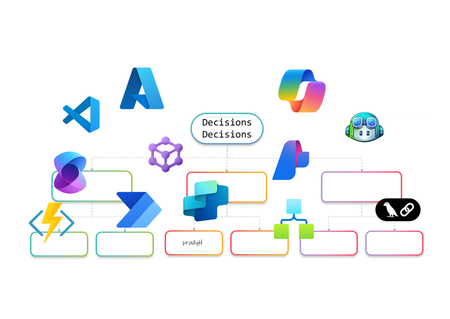
AI Agents are no longer just a developer’s playground. They’re becoming essential for enterprise automation, decision-making, and customer engagement. But how do you build them? Do you go workflow-first with drag-and-drop designers, code-first with SDKs, or adopt a hybrid approach that blends both worlds? In this article, I’ll walk you through the landscape of AI Agent design. We’ll look at workflow-first approaches with drag-and-drop designers, code-first approaches using SDKs, and hybrid models that combine both. The goal is to help you understand the options and choose the right path for your organization. Why AI Agents Need Orchestration Before diving into tools and approaches, let’s talk about why orchestration matters. AI Agents are not just single-purpose bots anymore. They often need to perform multi-step reasoning, interact with multiple systems, and adapt to dynamic workflows. Without orchestration, these agents can become siloed and fail to deliver real business value. Here’s what I’ve observed as the key drivers for orchestration: Complexity of Enterprise Workflows Modern business processes involve multiple applications, data sources, and decision points. AI Agents need a way to coordinate these steps seamlessly. Governance and Compliance Enterprises require control over how AI interacts with sensitive data and systems. Orchestration frameworks provide guardrails for security and compliance. Scalability and Maintainability A single agent might work fine for a proof of concept, but scaling to hundreds of workflows requires structured orchestration to avoid chaos. Integration with Existing Systems AI Agents rarely operate in isolation. They need to plug into ERP systems, CRMs, and custom apps. Orchestration ensures these integrations are reliable and repeatable. In short, orchestration is the backbone that turns AI Agents from clever prototypes into enterprise-ready solutions. Behind the Scenes I’ve always been a pro-code guy. I started my career on open-source coding in Unix and hardly touched the mouse. Then I discovered Visual Studio, and it completely changed my perspective. It showed me the power of a hybrid approach, the best of both worlds. That said, I won’t let my experience bias your ideas of what you’d like to build. This blog is about giving you the full picture so you can make the choice that works best for you. Workflow-First Approach Workflow-first platforms are more than visual designers and not just about drag-and-drop simplicity. They represent a design paradigm where orchestration logic is abstracted into declarative models rather than imperative code. These tools allow you to define agent behaviors, event triggers, and integration points visually, while the underlying engine handles state management, retries, and scaling. For architects, this means faster prototyping and governance baked into the platform. For developers, it offers extensibility through connectors and custom actions without sacrificing enterprise-grade reliability. Copilot Studio Building conversational agents becomes intuitive with a visual designer that maps prompts, actions, and connectors into structured flows. Copilot Studio makes this possible by integrating enterprise data and enabling agents to automate tasks and respond intelligently without deep coding. Building AI Agents using Copilot Studio Design conversation flows with adaptive prompts Integrate Microsoft Graph for contextual responses Add AI-driven actions using Copilot extensions Support multi-turn reasoning for complex queries Enable secure access to enterprise data sources Extend functionality through custom connectors Logic Apps Adaptive workflows and complex integrations are handled through a robust orchestration engine. Logic Apps introduces Agent Loop, allowing agents to reason iteratively, adapt workflows, and interact with multiple systems in real time. Building AI Agents using Logic Apps Implement Agent Loop for iterative reasoning Integrate Azure OpenAI for goal-driven decisions Access 1,400+ connectors for enterprise actions Support human-in-the-loop for critical approvals Enable multi-agent orchestration for complex tasks Provide observability and security for agent workflows Power Automate Multi-step workflows can be orchestrated across business applications using AI Builder models or external AI APIs. Power Automate enables agents to make decisions, process data, and trigger actions dynamically, all within a low-code environment. Building AI Agents using Power Automate Automate repetitive tasks with minimal effort Apply AI Builder for predictions and classification Call Azure OpenAI for natural language processing Integrate with hundreds of enterprise connectors Trigger workflows based on real-time events Combine flows with human approvals for compliance Azure AI Foundry Visual orchestration meets pro-code flexibility through Prompt Flow and Connected Agents, enabling multi-step reasoning flows while allowing developers to extend capabilities through SDKs. Azure AI Foundry is ideal for scenarios requiring both agility and deep customization. Building AI Agents using Azure AI Foundry Design reasoning flows visually with Prompt Flow Orchestrate multi-agent systems using Connected Agents Integrate with VS Code for advanced development Apply governance and deployment pipelines for production Use Azure OpenAI models for adaptive decision-making Monitor workflows with built-in observability tools Microsoft Agent Framework (Preview) I’ve been exploring Microsoft Agent Framework (MAF), an open-source foundation for building AI agents that can run anywhere. It integrates with Azure AI Foundry and Azure services, enabling multi-agent workflows, advanced memory services, and visual orchestration. With public preview live and GA coming soon, MAF is shaping how we deliver scalable, flexible agentic solutions. Enterprise-scale orchestration is achieved through graph-based workflows, human-in-the-loop approvals, and observability features. The Microsoft Agent Framework lays the foundation for multi-agent systems that are durable and compliant. Building AI Agents using Microsoft Agent Framework Coordinate multiple specialized agents in a graph Implement durable workflows with pause and resume Support human-in-the-loop for controlled autonomy Integrate with Azure AI Foundry for hosting and governance Enable observability through OpenTelemetry integration Provide SDK flexibility for custom orchestration patterns Visual-first platforms make building AI Agents feel less like coding marathons and more like creative design sessions. They’re perfect for those scenarios when you’d rather design than debug and still want the option to dive deeper when complexity calls. Pro-Code Approach Remember I told you how I started as a pro-code developer early in my career and later embraced a hybrid approach? I’ll try to stay neutral here as we explore the pro-code world. Pro-code frameworks offer integration with diverse ecosystems, multi-agent coordination, and fine-grained control over logic. While workflow-first and pro-code approaches both provide these capabilities, the difference lies in how they balance factors such as ease of development, ease of maintenance, time to deliver, monitoring capabilities, and other non-functional requirements. Choosing the right path often depends on which of these trade-offs matter most for your scenario. LangChain When I first explored LangChain, it felt like stepping into a developer’s playground for AI orchestration. I could stitch together prompts, tools, and APIs like building blocks, and I enjoyed the flexibility. It reminded me why pro-code approaches appeal to those who want full control over logic and integration with diverse ecosystems. Building AI Agents using LangChain Define custom chains for multi-step reasoning [it is called Lang“Chain”] Integrate external APIs and tools for dynamic actions Implement memory for context-aware conversations Support multi-agent collaboration through orchestration patterns Extend functionality with custom Python modules Deploy agents across cloud environments for scalability Semantic Kernel I’ve worked with Semantic Kernel when I needed more control over orchestration logic, and what stood out was its flexibility. It provides both .NET and Python SDKs, which makes it easy to combine natural language prompts with traditional programming logic. I found the planners and skills especially useful for breaking down goals into smaller steps, and connectors helped integrate external systems without reinventing the wheel. Building AI Agents using Semantic Kernel Create semantic functions for prompt-driven tasks Use planners for dynamic goal decomposition Integrate plugins for external system access Implement memory for persistent context across sessions Combine AI reasoning with deterministic code logic Enable observability and telemetry for enterprise monitoring Microsoft Agent Framework (Preview) Although I introduced MAF in the earlier section, its SDK-first design makes it relevant here as well for advanced orchestration and the pro-code nature… and so I’ll probably write this again in the Hybrid section. The Agent Framework is designed for developers who need full control over multi-agent orchestration. It provides a pro-code approach for defining agent behaviors, implementing advanced coordination patterns, and integrating enterprise-grade observability. Building AI Agents using Microsoft Agent Framework Define custom orchestration logic using SDK APIs Implement graph-based workflows for multi-agent coordination Extend agent capabilities with custom code modules Apply durable execution patterns with pause and resume Integrate OpenTelemetry for detailed monitoring and debugging Securely host and manage agents through Azure AI Foundry integration Hybrid Approach and decision framework I’ve always been a fan of both worlds, the flexibility of pro-code and the simplicity of workflow drag-and-drop style IDEs and GUIs. A hybrid approach is not about picking one over the other; it’s about balancing them. In practice, this to me means combining the speed and governance of workflow-first platforms with the extensibility and control of pro-code frameworks. Hybrid design shines when you need agility without sacrificing depth. For example, I can start with Copilot Studio to build a conversational agent using its visual designer. But if the scenario demands advanced logic or integration, I can call an Azure Function for custom processing, trigger a Logic Apps workflow for complex orchestration, or even invoke the Microsoft Agent Framework for multi-agent coordination. This flexibility delivers the best of both worlds, low-code for rapid development (remember RAD?) and pro-code for enterprise-grade customization with complex logic or integrations. Why go Hybrid Ø Balance speed and control: Rapid prototyping with workflow-first tools, deep customization with code. Ø Extend functionality: Call APIs, Azure Functions, or SDK-based frameworks from visual workflows. Ø Optimize for non-functional requirements: Address maintainability, monitoring, and scalability without compromising ease of development. Ø Enable interoperability: Combine connectors, plugins, and open standards for diverse ecosystems. Ø Support multi-agent orchestration: Integrate workflow-driven agents with pro-code agents for complex scenarios. The hybrid approach for building AI Agents is not just a technical choice but a design philosophy. When I need rapid prototyping or business automation, workflow-first is my choice. For multi-agent orchestration and deep customization, I go with code-first. Hybrid makes sense for regulated industries and large-scale deployments where flexibility and compliance are critical. The choice isn’t binary, it’s strategic. I’ve worked with both workflow-first tools like Copilot Studio, Power Automate, and Logic Apps, and pro-code frameworks such as LangChain, Semantic Kernel, and the Microsoft Agent Framework. Each approach has its strengths, and the decision often comes down to what matters most for your scenario. If rapid prototyping and business automation are priorities, workflow-first platforms make sense. When multi-agent orchestration, deep customization, and integration with diverse ecosystems are critical, pro-code frameworks give you the flexibility and control you need. Hybrid approaches bring both worlds together for regulated industries and large-scale deployments where governance, observability, and interoperability cannot be compromised. Understanding these trade-offs will help you create AI Agents that work so well, you’ll wonder if they’re secretly applying for your job! About the author Pradyumna (Prad) Harish is a Technology leader in the WW GSI Partner Organization at Microsoft. He has 26 years of experience in Product Engineering, Partner Development, Presales, and Delivery. Responsible for revenue growth through Cloud, AI, Cognitive Services, ML, Data & Analytics, Integration, DevOps, Open-Source Software, Enterprise Architecture, IoT, Digital strategies and other innovative areas for business generation and transformation; achieving revenue targets via extensive experience in managing global functions, global accounts, products, and solution architects across over 26 countries.13KViews4likes0Comments