adaptive cloud
83 Topics
Azure Local Storage: Choose the Architecture That Fits Your Business
Organizations modernize infrastructure in different ways. Some prioritize a simple, integrated platform; others need to preserve SAN investments, scale storage independently, or support workloads with different storage requirements. In this post, we'll explore the storage options available in Azure Local, when to use each one, and the business benefits they unlock. One Platform, Multiple Storage Architectures Azure Local brings multiple storage choices into a consistent, cloud-connected platform experience. Hyperconverged Infrastructure (Storage Spaces Direct) Storage Spaces Direct (S2D) provides a hyperconverged architecture where compute and storage are integrated into the same cluster. This model is ideal for customers looking for streamlined deployment experience, with infrastructure managed as a single platform and fewer organizational dependencies. Disaggregated Architecture (SAN Only) Azure Local supports validated external storage arrays connected through Fibre Channel or iSCSI. This architecture enables organizations to leverage existing storage investments and advanced storage services while independently scaling compute to support higher-capacity requirements. This gives customers the flexibility to work with supported storage vendors—including Dell, HPE, Hitachi, Lenovo, NetApp, and Everpure—while using the Fibre Channel or iSCSI connectivity already supported by Azure Local. Hybrid Architecture (Storage Spaces Direct + SAN) Customers can also combine Storage Spaces Direct and external storage to support different workload requirements within the same environment. This approach offers maximum flexibility, allowing organizations to align storage choices with application needs. Which Storage Option Should You Choose? If your goal is... Consider Simple integrated infrastructure Hyperconverged Expand an existing Azure Local cluster storage capacity Hybrid Reuse existing storage investments Hybrid or Disaggregated Independent compute and storage scaling Disaggregated Consolidate storage across workloads Disaggregated Advanced storage efficiency capabilities Disaggregated Flexible workload placement Hybrid Traditional three-tier architecture modernization Disaggregated Minimize infrastructure replacement Disaggregated Higher-scale compute clusters with more than 16 nodes Disaggregated Ready to size your solution? Use ODIN for Azure Local to translate workload, resiliency, growth, compute, and storage requirements into an example solution design. Use ODIN as a planning aid and validate the proposed configuration against official Azure Local documentation and with your preferred hardware and storage partners. Before finalizing your design, review External storage support for Azure Local for supported architectures and protocols, and Supported SAN solutions on Azure Local for validated storage partners and configurations. Use the comparison above to identify the most suitable architecture, then use ODIN, official Azure Local documentation, and partner guidance to validate workload sizing, supported configurations, and operational requirements. Modern Infrastructure Demands More Storage Flexibility Storage architecture decisions increasingly depend on more than capacity and performance. Organizations must also account for operational processes, maintenance planning, existing infrastructure, efficiency services, resiliency, and expected growth. These priorities influence whether an organization chooses an integrated, disaggregated, or hybrid architecture—and which benefits matter most in its environment. The following benefits explain where external storage can add value within that decision. Benefits of External Storage with Azure Local Protect Existing Investments Many organizations already operate enterprise storage platforms that support critical business applications. Azure Local enables customers to modernize compute infrastructure while continuing to leverage existing storage investments, operational expertise, backup strategies, and storage management processes. Get More Value from Every Terabyte Storage efficiency is becoming increasingly important as organizations scale virtualized environments, desktop infrastructure, databases, and application workloads. Many enterprise storage platforms offer advanced services such as compression, deduplication, thin provisioning, and capacity optimization. Organizations can leverage these capabilities while maintaining consistent Azure Local management experience. Spend Less Time Maintaining Infrastructure Operational efficiency is often just as important as infrastructure capabilities. Because compute and storage are separated in SAN-based architectures, organizations can independently manage storage and compute infrastructure. This can help simplify maintenance planning and reduce storage-related operational activities during maintenance events. Customers frequently cite more predictable maintenance windows, simplified update planning, mature storage monitoring practices, and reduced operational complexity. Scale on Your Terms One of the primary reasons organizations adopt external storage is flexibility. In hyperconverged environments, compute and storage typically scale together. With disaggregated storage, organizations can expand storage capacity independently from compute resources. This can be particularly valuable when storage growth outpaces CPU or memory requirements. Designed for Enterprise Resiliency Azure Local pairs cloud-connected infrastructure with the storage maturity Windows Server has refined over many generations. For external storage, that means working with the same well-understood technologies you already rely on—Fibre Channel and iSCSI connectivity, MPIO, dual fabrics, redundant controllers, and Cluster Shared Volumes—applied to the Azure Local platform. Because these are proven, standard building blocks, you have the flexibility to design highly available storage that fits your existing SAN investments and operational practices, rather than adapt to an unfamiliar model. For implementation requirements and configuration steps—including Fibre Channel, iSCSI, MPIO, array-side configuration, and presenting SAN-backed volumes as Cluster Shared Volumes see : Connect an external storage array to Azure Local. Real-World Scenarios Streamlined Infrastructure for Distributed Locations Retail stores, branch offices, and back-office environments can use a hyperconverged architecture to run applications on an integrated compute and storage platform. This approach simplifies deployment and day-to-day operations for locations that need consistent infrastructure without dedicated storage teams. Flexible Workload Placement Manufacturing and healthcare organizations can use a hybrid architecture when some workloads are best served by integrated Storage Spaces Direct and others require external SAN capacity or established storage services. This allows application teams to place workloads on the storage option that best meets their performance, resiliency, and operational requirements. Modernizing while Preserving SAN Investments A manufacturing organization, financial institution, or enterprise datacenter with established SAN platforms and processes can use a disaggregated architecture to modernize compute without redesigning storage operations, retraining teams, or immediately replacing proven infrastructure. Scaling Storage as Data Needs Grow Data-intensive environments—including manufacturing, fintech, and enterprise datacenters—may find that storage capacity grows faster than compute demand. A disaggregated architecture allows them to scale storage and compute independently, helping optimize infrastructure investments over time. Cost and Licensing Considerations Azure Local uses a monthly service fee based on the deployment configuration: Hyperconverged deployments (S2D only): Compute and storage are integrated in the same cluster using Storage Spaces Direct, with no external SAN storage. A monthly service fee of $10 per physical core/month applies. Disaggregated (SAN only), and hybrid storage configurations (S2D with SAN): Disaggregated deployments use external SAN storage instead of Storage Spaces Direct, while hybrid deployments with external storage combine Storage Spaces Direct with external SAN storage. Using external SAN storage has a monthly service fee of $20.1 per physical core/month applies. Prices are subjected to change. For current pricing details and applicable terms, visit Azure Local Pricing | Microsoft Azure. Choosing the Right Fit for Your Business Start with the operating model and workload requirements you need to support, then choose the architecture that best fits them. Azure Local provides a consistent platform experience across hyperconverged, disaggregated, and hybrid deployments. That consistency lets organizations modernize without treating storage architecture as a one-time, irreversible choice. The right storage strategy is the one that fits your workloads, operations, and growth plans. Learn more: Storage Spaces Direct overview; External storage support for Azure Local; Supported SAN solutions on Azure Local; Connect an external storage array to Azure Local; Azure Local pricing; and Azure Hybrid Benefit for Azure Local.529Views2likes3Comments
Workload Orchestration in the Azure portal is now available: Deploy in minutes, scale with ease
Edge deployments rarely stay simple for long. What begins as an application running on a single Kubernetes cluster can quickly expand across stores, factories, branches, or other distributed locations, each having different configuration needs. That is exactly where workload orchestration for Azure Arc comes in. Workload orchestration helps teams manage that complexity by providing a centralized approach to consistently define, configure, and deploy applications across distributed cloud, on-premises, and edge environments, all while catering to custom configuration needs of individual sites and deployment targets. See the experience in action Evaluating a new deployment approach often starts slowly: study the documentation, package an application, complete the setup, and only then decide whether it fits. The Azure portal reverses that order with its jumpstart onboarding experience. Bring your Azure Arc-enabled Kubernetes cluster and deploy a pre-packaged application in minutes. Whether you are validating a proof of concept or introducing the product to your broader team, the new portal onboarding experience turns the end-to-end workflow into something you can quickly try on your own cluster. Scale from first deployment to production Once you have validated the first deployment, you can evolve the same approach for production. Onboard your infrastructure into workload orchestration, organize your deployment sites into hierarchies, and define shared configurations for all deployments – all without leaving the portal. This lets you expand from one cluster to a distributed fleet while retaining centralized governance, repeatability, and site-level flexibility. Ready to try it? Try now by deploying your first application with workload orchestration in the Azure portal. Explore the product documentation for the complete set of capabilities.425Views0likes0CommentsWhat’s new for small form factor infrastructure
At Microsoft Build, we introduced smaller form factor infrastructure in public preview. Today, we’re refreshing that preview with version 2607, available right now in the Azure portal. This release introduces several new features: Expanded support for multiple network interfaces (NICs) and additional disks Just-in-Time (JIT) device access through the new Connect experience Cloud-managed operating system updates and recovery using an A/B image model These new capabilities give operators greater flexibility in how edge devices are configured, accessed, and maintained throughout their lifecycle. Let’s look at what each capability delivers and what it looked like in practice when I deployed the release on an OnLogic Helix 521. Greater networking and storage flexibility Small form factor infrastructure now supports multiple network interfaces (NICs) and disks on a single device. To give you full control, each NIC appears natively in Azure Resource Manager (ARM) as a child resource of the Machine, which you can view and configure through Azure portal and Azure CLI. Distributed infrastructure often faces unique and challenging requirements: for example, a device on a factory floor may need one network for management traffic and a separate, isolated network for operational technology (OT) or workload traffic, while a retail or robotics deployment may need additional local storage for AI models, video, or sensor data that shouldn’t leave the site. Support for multiple NICs allows a single device to connect to more than one network for segmentation, redundancy, or reaching equipment on a dedicated segment, while support for additional disks lets customers size local capacity to the workload rather than constraining the workload to fit the device. From Azure, you can configure each network interface individually, applying values like IP address, DNS server, and more. Azure also automatically detects and flags configuration drift to help maintain consistency with the desired state. resolve. This is an exciting step forward since the initial preview. Previously, each device was limited to a single network path and its built-in storage, forcing customers to compromise on network separation, add external hardware, or offload data sooner than they would like. Now the same compact device can support real-world network topologies and larger local datasets, without stepping up to larger, more costly infrastructure. Together, these enhancements allow Azure Local devices to align more closely with real-world edge deployment requirements without requiring additional infrastructure. Secure access when you need it: Just-in-Time (JIT) access Connecting to a distributed edge device for maintenance has traditionally required a difficult trade-off. Troubleshooting a device requires administrative access and granting that access permanently means standing permissions that remain in place on the resource whether or not anyone is using them. Across a fleet of hundreds or thousands of devices, often deployed in physically exposed locations such as store back rooms, remote sites, or factory floors, those always-on credentials become a persistent and hard-to-audit part of the attack surface. Just-In-Time (JIT) access, delivered through the new Connect experience, eliminates standing access. Rather than holding permanent permissions, users are granted eligible roles through Microsoft Entra Privileged Identity Management (PIM) and activate them only when access is actually needed. Activation requires a business justification and administrator approval, is bound to a defined duration of up to eight hours and connects the user to the device over SSH using a short-lived certificate. When the window expires, the role is deactivated automatically. The result is a model where access is the exception rather than the default: every session is requested, justified, approved, time-bound, and logged. For organizations operating critical infrastructure at the edge, administrators retain the ability to reach any device the moment they need to, without maintaining persistent access on every device for the rest of the time. Simplified OS lifecycle management with A/B image updates Last month’s preview introduced a novel capability: provisioning a bare metal OS onto an edge machine from Azure. With 2607, we’re building on that capability with the capability to update a bare metal OS using an image-swap approach. Updates now use an A/B image-swap model, one of the most impactful reliability improvements in this release. The new image is installed on an inactive partition while the current operating system continues running. During reboot, the device switches to the updated image. If the new image fails to boot successfully, the device automatically rolls back to the last known-good version. This design keeps the risk of a failed update tightly contained. Because the update is staged in the inactive slot while the current image stays live, workload downtime is minimal, and because the previous image is always preserved, a failed update rolls back on its own rather than leaving a device stranded. Every device either comes up healthy on the new image or returns to the one that was working. For organizations managing thousands of devices in locations with no on-site IT, this safeguard can be very helpful because a failed update has historically been one of the most costly failures to recover from: a device that does not come back online can require a costly on-site visit or a physical replacement. Putting it to the test on an OnLogic Helix 521 To see how these capabilities come together in practice, I deployed the release on an OnLogic Helix 521, one of the validated small form factor devices for Azure Local. The Helix 521 is great for exercising the new networking features, with its I/O dense design featuring four Ethernet ports on its front side. These new features move small form factor infrastructure closer to what production edge deployments require: the flexibility to match real network and storage needs, access that is secure by default, and updates that can be rolled out across an entire fleet with confidence. To try preview version 2607 for yourself, visit Microsoft Learn for information about supported hardware and https://learn.microsoft.com/azure/azure-local/small-form-factor/small-form-factor-overview in Azure portal. The preview is free of charge and typically takes about an hour to set up.911Views3likes1CommentGenerally Available: Windows Server 2016 Extended Security Updates enabled by Azure Arc
Today, the Azure Arc team is pleased to announce that Extended Security Updates (ESUs) enabled by Azure Arc is now generally available for Windows Server 2016. By connecting your Windows Server 2016 machines to Azure Arc-enabled servers, you can enroll in ESUs and receive security updates. Enroll machines into ESUs through the Azure portal, a streamlined, cloud-connected experience that protects your on-premises and multicloud workloads while you plan your upgrade or migration journey. Extended Security Updates give you access to Critical and Important security updates for Windows Server 2016 for up to three years after end of support, covering January 12, 2027 through January 2030. They provide a supported bridge for business-critical applications that need more time to migrate, without new features or non-security fixes, and without leaving systems exposed while you plan your move. Extended Security Updates enabled by Azure Arc Once your servers are connected to Azure Arc, ESUs enabled by Azure Arc provide flexible pricing and simpler delivery. Key benefits include: Pay-as-you-go billing means a monthly subscription you can stop when a server is migrated or decommissioned, so you only pay for the coverage you use. Azure-billed pricing draws down from your existing Microsoft Azure Consumption Commitment (MACC) and lets you analyze spend with Microsoft Cost Management and Billing. Built-in asset inventory shows the coverage and enrollment status of your machines directly in the Azure portal, highlighting gaps at a glance. Keyless delivery removes the need to acquire, install, or activate keys on each server. Access to Azure management services When you enroll eligible Azure Arc-enabled servers in Windows Server 2016 ESUs or you have Windows Server Software Assurance, you also gain free access to a set of Azure services that help you manage and secure those machines from the Azure portal: Azure Update Manager is a unified service which provides assessing, scheduling, deploying and managing OS updates across Azure and hybrid machines, including visibility into ESU patch compliance for your Windows Server 2016 estate. Change Tracking and Inventory provides a centralized asset inventory and tracks changes to servers hosted in Azure, on-premises, and other public cloud environments. Azure Policy guest configuration helps define, enforce, and audit compliance rules for Azure resources and guest OS settings across hybrid environments. It includes out of the box policy rules to help meet standards like CIS Benchmark. How to get started Everything starts by connecting your servers to Azure Arc, whether they run on-premises or in other public clouds. Getting started takes only a few steps: Connect your Windows Server 2016 machines to Azure Arc by installing the Azure Connected Machine agent. Enroll eligible servers in Extended Security Updates from the Azure portal, or at scale using Azure Policy (no keys required). Check out our click through demo to see how to apply Extended Security Updates using the Azure portal. Deliver ESU patches through Azure Update Manager or your existing patching solution once servers are enrolled. Extended Security Updates support the Standard and Datacenter editions of Windows Server 2016 and generally require Software Assurance through a Volume Licensing program (machines licensed through SPLA or a Server Subscription do not). For larger estates, you can onboard at scale using Configuration Manager, a Group Policy scheduled task, or VMware vCenter and SCVMM integration with Azure Arc. Beyond Extended Security Updates Enrolling in ESUs is often a customer's first step into Azure Arc — and it opens the door to more. Because your Windows Server 2016 machines are now attached to Azure Arc, you can manage, secure, and govern them alongside your wider hybrid and multicloud estate with Azure Policy, Azure Update Manager, and Microsoft Defender for Cloud. That same Arc foundation makes your next step easier when you are ready: upgrading to Windows Server 2025 or migrating to Azure. Learn more To plan for Windows Server 2016 end of support, explore these resources: Extended security updates enabled by Azure Arc guide Planning ahead for Windows Server 2016 end of support Windows Server and SQL Server End of Support | Microsoft Prepare to deliver Extended Security Updates through Azure Arc Join the Azure Arc customer and engineering virtual meetup Fill in this short intake form to join the quarterly Azure Arc and Windows Server customer meetup: https://aka.ms/arcserverforumsignup4.8KViews2likes0CommentsAzure Local expands SAN capabilities with iSCSI support
As organizations modernize datacenters and accelerate migration from legacy virtualization platforms, flexibility in storage architecture has become a key requirement. Customers increasingly want to reuse existing storage investments, scale infrastructure independently, and choose the connectivity model that best fits their environment. Building on the general availability of Fibre Channel (FC) SAN support, Azure Local now introduces iSCSI SAN integration, extending disaggregated architecture support to IP-based storage networks. With support for both Fibre Channel and iSCSI, Azure Local provides customers greater flexibility in how they modernize and scale their infrastructure while maintaining an Azure-consistent management experience. Expanding disaggregated infrastructure iSCSI support enables organizations to: Leverage existing IP-based storage networks Deploy cost-efficient disaggregated architectures without FC dependency Scale compute and storage independently Maintain an Azure-consistent management experience Architecture and deployment Azure Local supports 6-adapter configurations to balance cost, performance, and resiliency: 6 adapters: enhanced performance and redundancy with dedicated iSCSI paths. Today, iSCSI follows a manual configuration flow during deployment. Azure Local Deployment Azure Local supports two SAN deployment approaches: Hybrid deployments (S2D + SAN) Customers can attach external SAN storage to existing Azure Local deployments while continuing to use Storage Spaces Direct (S2D) for platform storage. This approach enables organizations to incrementally adopt SAN while reusing existing storage investments. Disaggregated deployments (SAN-only) Customers can also deploy Azure Local using external SAN storage as the primary storage platform for both infrastructure and workloads. This enables: Independent scaling of compute and storage Fibre Channel or iSCSI connectivity Larger-scale infrastructure deployments Connected and disconnected deployment models Manage rising disk costs associated with hyperconverged architectures Additionally, customers can create local availability zones to align VM placement with physical infrastructure boundaries and support more granular workload placement. The deployment also validates connected SAN arrays against the supported vendor ecosystem, helping ensure a streamlined and fully supported experience. Accelerating infrastructure modernization Azure Migrate now supports migration to Azure Local deployments that use external SAN storage, including NTFS-based volumes. This allows organizations to modernize compute infrastructure while preserving existing storage investments. Customers can: Reuse existing SAN arrays and operational processes Minimize disruption during modernization projects Retain familiar storage architectures while adopting Azure Local Simplify migration from existing virtualization environments What's next iSCSI support represents another step in our broader vision for external storage on Azure Local. Our goal is to provide a comprehensive storage platform that spans deployment, operations, protection, and recovery. Looking ahead, we are investing in: Integration of iSCSI node configuration into cluster deployment to simplify the initial setup. Business Continuity and Disaster Recovery (BCDR) for SAN-backed workloads, including replication, failover, and failback capabilities between two external SAN attached or disaggregated Azure local clusters. Day-N storage management experiences that simplify monitoring, troubleshooting, and operational workflows. Replication management capabilities that provide visibility into recovery readiness, replication health, and workload mobility across environments. Expanding enterprise storage vendors ecosystem for Azure Local, helping customers adopt Azure Local while preserving their existing storage investments. Together, these investments will extend Azure Local beyond SAN connectivity and deployment to deliver a unified storage management experience across a broad ecosystem of enterprise storage solutions. Summary With iSCSI support, Azure Local now delivers a more complete SAN strategy—giving customers the flexibility to choose Fibre Channel or iSCSI, deploy hybrid or fully disaggregated architectures, and modernize infrastructure without abandoning existing storage investments. As we continue to invest in SAN management, replication, and disaster recovery, Azure Local is evolving into a comprehensive platform for enterprise storage and infrastructure modernization—from edge deployments to sovereign-scale datacenters.886Views6likes2CommentsBuild, deploy, and govern sovereign AI with Foundry Local on Azure Local
Not every AI workload can run in the cloud. For many of our customers, data needs to stay within defined boundaries, connectivity may be limited or absent, and latency, governance, and auditability are non-negotiable. With Foundry Local on Azure Local, you can use the same model catalog, developer workflows, and governance capabilities you know from Azure, while running AI entirely within your own environment where your data resides. Foundry Local provides the model catalog and developer experience. Azure Local provides the customer-managed infrastructure. Azure Arc provides unified policy, governance, and lifecycle management across cloud and local environments. This gives developers a consistent way to build, deploy, and operate AI. The same az commands, the same model catalog, the same Arc policies, all running on hardware you control. Expansion of Foundry Local on Azure Local We're expanding the Foundry Local model offering on Azure Local, with support for multi-node deployments and new agents and tools that run locally, in preview. Deploy and run AI models locally. Run models with Foundry Local in customer-managed environments on Azure Local, across sovereign, private, and edge scenarios, including fully disconnected operation. Choose from a flexible, high-performance model catalog. Access proprietary and community models through Foundry Local, now expanded with vLLM-optimized models alongside ONNX-based offerings. You explore and deploy through the same catalog API experience, then operate locally on Azure Local. Build for production realities. Bring governance, identity, and auditability into your applications while keeping execution inside your controlled boundary. See what’s new in Foundry Local on Azure Local in the Tech Community blog. From intelligence to action: agents and tools inside the enterprise boundary Most production AI use cases need two things: grounded answers and the ability to act on them, without sending data outside the environment. Here's how we're enabling that locally. Preview: Agentic retrieval with Foundry Local: Ground agents in enterprise data using retrieval-augmented generation across local Microsoft 365 services, including Exchange and SharePoint. Read the Tech Community blog to learn more. Preview: Agents and tools with Foundry Local: Build AI systems that reason, retrieve information, and take action within customer-controlled environments. Learn more. Preview: Developer acceleration templates: Jump-start local AI application development with new Foundry solution templates, including local chat experiences and video agents, powered by Azure AI Video Indexer. Read the Tech Community to learn more. GitHub Enterprise Local: Now available in public preview Sovereign AI is also about how systems are built and secured, not just where they run. With GitHub Enterprise Local on Azure Local, you can bring your full software development lifecycle on-premises: Source control and repositories CI/CD pipelines Security and DevSecOps workflows GitHub Enterprise Local deploys entirely within customer-owned infrastructure, so teams get the developer tools they expect without compromising on data residency or operational control. This extends modern DevSecOps practice into sovereign environments and pairs naturally with the AI development workflows above: build, secure, and ship your AI applications within the same boundary where they run. Read the tech community blog to learn more about GitHub Enterprise Local and how to join the preview. Accelerating High-performance AI at the Edge with NVIDIA We are expanding our collaboration with NVIDIA to deliver high-performance AI capabilities directly at the edge. At Build, we are bringing: Azure Local and Foundry Local on NVIDIA-powered GPUs, including NVIDIA RTX PRO 6000 Blackwell Server Edition, with expanded GPU support coming soon Integration with Nemotron models, optimized for enterprise performance A scalable foundation for data-intensive, low-latency workloads This partnership ensures that organizations can run advanced AI workloads where data is generated - without dependency on centralized cloud infrastructure. Hardware options: AI factory configurations are available now in the catalog Alongside our hardware partners, we’re bringing integrated solutions to customers building AI within sovereign environments. The Azure Local hardware catalog now includes AI factory configurations from our OEM partners, including NVIDIA-certified 8xH100 systems, with options from DataON, Dell, HPE, and Lenovo. These configurations are sized for the performance that model serving and agentic workloads require on customer-managed infrastructure. Together with Microsoft, we are advancing sovereign AI by bringing the open NVIDIA Nemotron model family to Microsoft Foundry Local on Azure Local. This collaboration gives organizations a production-ready AI platform that enables them to deploy AI where their data resides while maintaining the governance, control, and performance needed to scale AI across the enterprise.” Kari Briski, VP Generative AI Software Products, NVIDIA ”Sovereign AI is becoming increasingly important for governments, regulated industries, and enterprises that want to use AI while maintaining control of their data, location, and operations. Lenovo’s ThinkAgile MX Series delivers trusted, enterprise-grade infrastructure with global deployment expertise to help customers run AI wherever their data resides. Co-engineered with Foundry Local and Azure Local, this solution provides an optimized platform to deploy, run, and scale AI locally with greater simplicity, consistency, and control, while helping meet strict data residency, security, and compliance requirements." Scott Patti - VP Infrastructure Solutions Group (ISG), Lenovo From AI models to trusted, mission-critical systems: what this unlocks for developers and operators AI is evolving from systems that answer questions to systems that plan, reason, and take action across workloads. These capabilities move AI from a cloud-only assumption to something you can deploy where sensitive work actually happens, with governance and operational controls intact. For our customers, this means you can now: Keep data, identities, and audit trails inside your sovereign boundary. Run AI inference and agentic workloads in connected, intermittently connected, or fully disconnected modes. Apply consistent policy and governance across cloud and local environments through Azure Arc. Use the same Foundry catalog and developer experience you already know, on infrastructure you own. Build, secure, and ship your AI applications with GitHub Enterprise Local, keeping source control, CI/CD, and DevSecOps workflows inside the same sovereign boundary. Resources Join us at Build OD837 Shipping physical AI to the edge with Azure Local and Foundry Local https://github.com/microsoft/build26-OD837 OD839 Foundry Local: AI solutions for industrial and sovereign needs https://github.com/microsoft/build26-OD839 LTG425 Expanding horizons: Foundry Local for devices and on-prem https://build.microsoft.com/en-US/sessions/LTG425 Request to join the Foundry Local on Azure Local preview Hands-on walkthrough: Your first model deployment on Foundry Local on Azure Local: from catalog to inference in 10 minutes | Microsoft Community Hub Read our Tech Community blogs: Foundry Local announcing multi-node and vLLM support Agentic Retrival with Foundry Local blog: https://aka.ms/AgentsAndToolsBuildBlog2026 Code sample / model catalog blog: https://aka.ms/foundry-local-model-catalog-blog For more details on the expanded capabilities of Foundry Local for highly secure environments, contact your Microsoft account team Discover Microsoft Sovereign Cloud Explore product documentation at: Foundry Local models on Azure Local: https://aka.ms/FoundryLocalonAzureLocal_documentation Local Agentic retrieval with Foundry Local: https://aka.ms/edge-agentic-retrieval-docs1.9KViews0likes1CommentPlan for Upcoming Changes to Extended Security Updates on Azure Local
Beginning April 1 2026, Microsoft introduced a consistent pricing model for Extended Security Updates (ESU) for SQL Server and Windows products, including SQL Server 2016, Windows 10 Enterprise LTSB 2016 and Windows Server 2016. This update aims to simplify the Extended Security Update pricing so that customers pay the same list price for ESUs regardless of deployment location (Azure, on-premises, or other public clouds) or purchasing channel (Microsoft Customer Agreement, Enterprise agreements, Cloud Solution Provider program, or other licensing programs). ESUs on Azure Local This pricing change affects any new Extended Security Update offerings starting on or after April 1, 2026, including Windows 10 Enterprise LTSB 2016 (reaching end of support October 13, 2026) and Windows Server 2016 (reaching end of support January 12, 2027). Existing ESU offerings, including Windows Server 2012 or Windows 10 version 22H2, are not affected by this pricing change. This means that customers who already leverage ESUs will continue to have them available on Azure Local at no cost through Azure Verification for VMs. Next Steps As products reach end of support, it is recommended to upgrade your servers to the latest release available. For customers needing to remain on older versions after the end of support date has passed, further guidance on pricing and availability of ESUs will be shared in the coming months. Keep an eye on Extended Security Updates on Azure Local for more details. For More Information Microsoft Services: Pricing Consistency Update | Microsoft Licensing Resources Plan for Windows Server 2016 and Windows 10 2016 LTSB end of support - Windows IT Pro Blog944Views0likes0CommentsEmbed intelligence into physical systems with smaller form factor infrastructure (preview)
Written by Cosmos Darwin, Azure Edge PM, and Michael MacKenzie, VP of Digital Operations AI is transforming how we work, but so far it's mostly lived on your screen: agents and models assisting with information work. How can that intelligence take on physical work, too? Jobs that happen out in the world, like transporting goods, inspecting equipment, manufacturing products, and serving retail customers. This is already possible today, but developing autonomous robots remains highly complex and specialized. The real breakthrough will come when using AI in physical work is as simple and ubiquitous as it is on a screen. To get there, we need to go beyond software agents and embed intelligence directly into physical systems. Today at Microsoft Build 2026, we're announcing several new capabilities to help organizations everywhere get started. We're extending AI-ready Azure-managed infrastructure to smaller form factor hardware, bringing Foundry Local to it for running local AI agents and models, and adding support for Azure Kubernetes Service and Azure IoT Operations. Demo: a simple robot that thinks for itself Applied in combination, these capabilities can be surprisingly powerful. For Microsoft Build this week, we wanted to show you just how easy this can be. We put together a basic agentic robot using nothing but open-source AI models, commercial off-the-shelf sensors and robot hardware, and the new Azure previews we're announcing today. It's a playful example, but it illustrates what’s possible – check it out: Lightweight deployments on smaller form factor hardware (preview) First, we're extending Azure-based provisioning and management to smaller hardware form factors, using a lightweight, performance-oriented architecture built for AI workloads. Unlike hyperconverged and disaggregated deployments, this doesn’t rely on virtualization, and instead runs Linux (initially Azure Linux) directly on bare metal to host containers. You can choose whichever runtime tools you prefer, like Docker, open source k3s, or fully managed Azure Kubernetes Service. Each deployment is provisioned and managed from the cloud using a new type of resource called Provisioned Machine that looks and behaves a lot like an Azure VM – for example, you can see it in the Azure portal and govern access with Microsoft Entra ID. Over the coming months, we’ll be rolling out more features like update management, metrics, security configuration, and natively configurable child resources for network interfaces and disks. Screenshot of the new Provisioned Machine resource type in Azure portal. Provisioned Machines support lifecycle operations centrally from the Azure portal and APIs. Effectively, you can treat physical machines like cloud resources, removing the need for separate on-site IT tools. This makes it much more practical to scale across many distributed locations. For an organization like Chevron, whose operations span field sites around the world, that’s significant: "Chevron has a growing fleet of industrial edge devices that collect data in the field and increasingly perform local AI processing. Technologies like Azure Local on smaller form factors can help us manage these systems centrally and in a more automated way – reducing complexity compared to the customized OS environments and tools we use today." — Ed Moore, OT Strategist and Distinguished Engineer, Chevron Run agents and models locally with Foundry Local (preview) To embed intelligence into physical systems, Foundry Local is now available as a lightweight container image for Linux infrastructure. Foundry Local provides a consistent way to deploy and run agents and models, including an inference server that runs alongside your app container and exposes an OpenAI-compatible REST endpoint. It also offers a trusted source for the latest open-source models with an extensive online catalog. Although it integrates closely with Microsoft Foundry, at run time everything stays local: there's no round-trip to the cloud. Data stays on the machine, responses start instantly with zero network latency, and inferences continue even without connectivity. There are no per-token costs, either. Optimized for edge and industrial form factors, the new Foundry Local preview automatically detects and uses available accelerators like GPUs (and soon NPUs), lining up the full stack for you, from kernel drivers to user-mode libraries. For example, in our demo above, Foundry Local taps an Nvidia RTX 2000E GPU to deliver snappy inferences in real time. Diagram of the lightweight Linux architecture with container-based Azure services. More popular Azure services In addition to Foundry Local, these popular Azure services are validated too: Azure Kubernetes Service (AKS), the fully-managed enterprise-grade Kubernetes service, now runs directly on bare metal with small form factor deployments – no virtualization layer required. It's the same AKS already available in the cloud and on servers. Once deployed, the cluster looks and works exactly like AKS anywhere else – with Azure-based RBAC, networking, upgrades, monitoring, and even integrations like AKS Fleet Manager – so the controls and tooling you rely on in the cloud extend all the way to the industrial edge. Learn more and join the AKS preview Azure IoT Operations provides a unified data and control plane for physical assets at the edge. It includes a variety of connectors and an industrial-grade MQTT broker where local agents and logic can run – even with intermittent connectivity – to shape operational data into AI-ready forms, act on it autonomously, and connect into broader cloud analytics and AI systems. It provides a no-code graphical interface to configure data flows and contextualize data before sending it to destinations like Microsoft Fabric for Real-Time Intelligence, and allows you to send messages back to the physical machines it’s connected to. It's already generally available, and as seen in our demo above, it now works on small form factor deployments too. Learn more about Azure IoT Operations Choose the hardware that fits your requirements We're delighted to partner with leading makers of edge and industrial computers so you can deploy Azure-managed infrastructure on smaller form factor hardware that’s available to buy today – straight from your preferred vendor or distributor, with no special customization required. We’re partnering with leading makers of AI-ready edge and industrial computers. The most compact and affordable options are the ASUS NUC 14 Pro and 15 Pro. At barely 4 inches square and under 2 pounds, they pack the latest Intel® Core™ Ultra processors into a remarkably trim package, well suited to space-constrained scenarios like retail. Learn more about NUC 15 Pro “With ASUS NUC 14 Pro and 15 Pro, organizations have a powerful yet compact platform for innovation at the edge. When paired with Azure Local, these devices make it easy to deploy, manage, and scale AI workloads at the edge – unlocking real-time intelligence for retail stores and manufacturing environments while maintaining seamless integration with the cloud.” – (ASUS) KuoWei Chao, General Manager of ASUS NUC Business Unit For more flexibility, the industrial-grade Lenovo ThinkEdge SE100 offers expandable storage and networking, plus an optional Nvidia RTX A1000 (8GB) or 2000E (16GB) GPU to accelerate demanding edge AI inferencing. Learn more about ThinkEdge SE100 For the toughest operational and regulatory constraints, the OnLogic Helix 521 offers a fan-less design with no moving parts. Designed, assembled, and supported entirely in the USA, it takes the uncertainty out of meeting stringent supply-chain requirements. Learn more about the Hx521 Get started today We're excited to bring AI-ready infrastructure to where physical work happens, and we genuinely had a lot of fun making the agentic robot demo above. Now it's your turn. Small form factor deployments are available in public preview today, starting in the East US region. There is no charge during the preview. Once your hardware is ready, the Azure-based provisioning experience gets most previewers up and running in about an hour. Instructions to get started are on Microsoft Learn, and if you’d like to engage directly with our team, get in touch here. (If you need to evaluate before committing to hardware, you can spin it up on a virtual machine, though it’s not quite the same as real hardware.) Whether you're bringing intelligence to a fleet of machines, standing up inference next to your data, or building something we haven't even imagined yet, we can't wait to see what you create! - Cosmos & Mike on behalf of our global team in Redmond, Mountain View, Pittsburgh, and Bengaluru2.6KViews7likes1CommentAnsible + Azure Arc: Use Ansible modules to deploy and manage Azure Arc machine extensions at scale
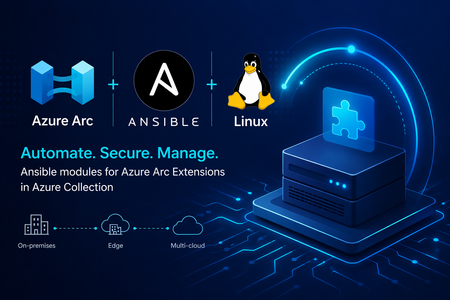
We are making Azure Arc extensible and increasing the flexibility of the tooling you can use to operate your machines using Azure’s control plane. We are excited to announce new modules in Ansible Galaxy that make it easier to manage Azure Arc machine extensions at scale. With the latest updates to the azure.azcollection on Ansible Galaxy, you no longer need to switch between existing tools. You can now deploy and manage Azure Arc extensions using familiar, declarative Ansible workflows. These new modules include: Azure Arc machine extensions module Azure Arc extensions info module Together, they enable infrastructure and platform teams to automate extension lifecycle management across their hybrid estate—bringing consistency, security, and efficiency to Azure Arc-enabled servers. Why this matters Azure Arc machine extensions power critical scenarios such as security, monitoring, update management, configuration and compliance. Until now, managing these Azure Arc extensions across hybrid estates often required Azure CLI scripts, ARM templates, or manual operations. With these new Ansible modules, you can: Integrate Azure Arc extension management into existing Ansible playbooks Enforce consistent configuration across hybrid servers Reduce operational overhead through declarative automation Align extension deployment with broader configuration management workflows What’s included azure_rm_arcmachineextensions This module allows you to manage the full lifecycle of Azure Arc machine extensions, including: Creating and deploying extensions Updating extension settings Removing extensions when no longer needed You can define extension state declaratively, ensuring consistent enforcement across your Azure Arc-enabled servers. azure_rm_arcmachineextensions_info This module provides visibility into extension state by retrieving: Installed extensions on Azure Arc-enabled machines Provisioning status and configuration details Extension metadata for reporting and validation This is useful for compliance validation, auditing, and conditional automation in playbooks. Scenario: Enforcing identity-based SSH access across a hybrid fleet Consider a regulated enterprise that must ensure all Linux servers—whether on-premises or in a multicloud environment—use Microsoft Entra ID for SSH access. The organization wants to: Eliminate local SSH credentials Enforce centralized identity and access controls Audit access consistently across all environments By combining Azure Arc with Ansible, the organization can deploy the Microsoft Entra SSH for Linux extension across all Azure Arc-enabled servers as part of a standardized playbook, ensuring compliance and reducing operational overhead. Example: Deploy Microsoft Entra SSH for Linux extension Below is an example of using Ansible to deploy the Microsoft Entra SSH extension to an Azure Arc-enabled server: - name: Deploy Entra SSH extension to Arc server hosts: localhost connection: local tasks: - name: Install Entra SSH extension for Linux azure_rm_arcmachineextensions: resource_group: myResourceGroup machine_name: myArcServer name: AADSSHLoginForLinux publisher: Microsoft.Azure.ActiveDirectory type: AADSSHLoginForLinux type_handler_version: "1.0" settings: {} state: present Example: Retrieve extension information Below is an example of using Ansible to retrieve details about your Azure Arc extensions: - name: Get Arc machine extension details hosts: localhost connection: local tasks: - name: Fetch extensions azure_rm_arcmachineextensions_info: resource_group: myResourceGroup machine_name: myArcServer Integrating with existing Ansible workflows If you’re already using Ansible for: OS configuration Patch and update management Application deployment You can now extend those workflows to include Azure Arc extension management—without introducing new tools or processes. This allows you to manage on-premises servers, Edge infrastructure and multicloud environments through a unified automation approach powered by Azure Arc and Ansible. Read more at Enable VM Extensions Using Red Hat Ansible - Azure Arc | Microsoft Learn What’s next These modules are part of our continued investment in making Azure Arc a first-class platform for managing Windows and Linux machines in hybrid and multicloud infrastructure. By bringing extension lifecycle management into Ansible, we’re enabling teams to enforce security, compliance, and operational consistency at scale—using the tools they already trust. Stay connected Join the Azure Arc Monthly Forum here: aka.ms/ArcServerForumSignup Let us know what you’d like to see next in the comments!807Views1like0CommentsUnlock On-Prem Productivity with Agentic Retrieval in Foundry Local
In today’s connected world, customers expect instant, context-rich interactions, even in environments where cloud connectivity isn’t guaranteed. That’s where Retrieval-Augmented Generation at the edge comes in. Since we launched into public preview, we’ve watched teams across regulated, disconnected, and mission-critical environments push this technology into places cloud GenAI simply couldn’t reach. What we heard back shaped everything in this release: customers don’t just want retrieval. They want reasoning, they want agency, and they want an end-user experience that feels as natural as the one they already use in the cloud. Today at Build 2026, we're excited to introduce Agentic Retrieval, the next evolution of our on-prem RAG platform, enabled by Azure Arc and powered by Foundry language models. Agentic Retrieval is part of Microsoft's Adaptive Cloud approach, which extends Azure capabilities to wherever customer data and workloads actually live, with Edge AI focused on bringing reasoning and grounding to on-prem, distributed, and disconnected environments. Together with Foundry Local, Agentic Retrieval continues to shape Microsoft's Foundry Anywhere commitment: flexibility, resilience, and intelligence wherever customers operate. What’s new at Build 2026 This release introduces three major pillars that work independently or together: Agentic Retrieval engine: a first-party orchestration runtime for planning, reasoning, conversation state, and tool calls over your local data Knowledge: a dedicated layer for organizing, curating, and governing your grounding data, exposed via MCP and connectable to any agentic retrieval layer Chat UI: a production-ready, polished conversational experience that ships as the default UX for Agentic Retrieval and can also be deployed standalone Alongside, we’re delivering the platform upgrades customers asked for: flexible deployment modes (Agentic-only, Knowledge-only, or Combined), BYOM with pluggable backends, Foundry Local model catalog integration, Entra ID support, disconnected-ready, and hybrid search combined with agentic retrieval. Agentic Retrieval: From Answering to Reasoning Classic RAG retrieves, then generates. Agentic Retrieval plans, reasons, and acts, running multi-step retrieval and tool invocation under a first-party orchestration runtime, entirely on your infrastructure. Under the hood it manages query planning, iterative multi-hop retrieval, tool calls via MCP, conversation state, and mandatory grounding with citations and audit logging built in. What customers can achieve: Compliance, policy, and permit workflows for public sector, regulators, and defense operations, with data never leaving sovereign infrastructure Multi-document synthesis across standards, technical manuals, contracts, and field procedures for industrial operators An agentic chat experience for regulated and operational teams (engineers, inspectors, analysts) that reasons like a subject-matter expert Auditable AI for sovereign and mission-critical environments, with every answer traceable to its source Knowledge: A First-Class, Governed Data Layer Great answers start with great knowledge. Knowledge is now a standalone component customers can deploy on its own or alongside Agentic Retrieval, exposed through an MCP wrapper so it can connect to any agentic retrieval layer, ours or yours. This release brings Collections (segmented groups of indexed knowledge with granular access permissions), multi-source ingestion across documents, tables, images, and SharePoint (indexed source moving to public preview), high-fidelity parsing for complex enterprise content, Bring Your Own MCP to connect customer-owned data sources directly into Agentic Retrieval and the chat experience, and governance enforced at the data layer itself. ent view - collections, sources, and permission scopes What customers can achieve: Scope knowledge access to different slices of the same corpus, by plant, site, classification, or jurisdiction Enforce data sovereignty, residency, and regulatory compliance at the knowledge layer itself Ground both first-party Agentic Retrieval and BYO orchestration through a single governed source of truth across distributed sites Keep classified, proprietary, and operational data fully on-prem while delivering premium chat experiences Chat UI: Production-Ready Conversational Experience Agentic Retrieval now ships with a polished, production-ready Chat UI as its default experience, and the same component can be deployed standalone for customers building their own stack on Foundry Local. Highlights include Entra ID authentication (MSAL login, Bearer tokens, user identity display), pluggable backends across AI Foundry, BYOM, or mock mode with zero code changes, Chain-of-Thought visibility and inline citations that make grounding transparent to end users, standalone frontend deployment via Helm chart and container image, and disconnected-ready operation for air-gapped environments. What customers can achieve: Deliver a polished end-user experience to operators, inspectors, and analysts without building UI from scratch Build trust in regulated and industrial workflows through transparent, inspectable reasoning and grounding Run the same UI across air-gapped facilities, sovereign clouds, and connected industrial sites Accelerate rollout across public sector, defense, manufacturing, and other mission-critical environments Why This Release Matters Every update to our on-prem RAG platform has moved us toward a simple conviction: GenAI should be useful wherever customers operate, whether regulated or open, connected or disconnected, centralized or distributed. With Agentic Retrieval, Knowledge, and Chat UI coming together, backed by Foundry on Arc, BYOM, and fully disconnected support, this is no longer “cloud RAG, but local.” It’s an agentic knowledge platform purpose-built for the realities of enterprise data: on-prem, governed, and increasingly autonomous. Learn More Explore Agentic retrieval documentation Read Foundry Local on Azure Local model inferencing blog post For more information reach out to the team at FoundryLocalOnAzure@microsoft.com772Views0likes0Comments