Visual Basic
17 Topics
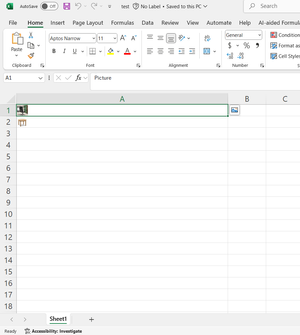
Extract images from excel stored as Place in cell
Hello experts, I am trying to extract images from an Excel file using a C# program. My code successfully retrieves images that are placed over cells in the worksheet. Now, I need to adapt this functionality so that it can retrieve images which are stored as Place in cell in the excel .I want use this Azure Function for Business Central integration here is the code using Openize.Cells; using System.IO; using DocumentFormat.OpenXml; class Program { static void Main(string[] args) { string filePath = "C:\\Users\\Raj.Kamal\\Downloads\\test.xlsx"; // The path to your workbook string outputDirectory = "C:\\Users\\Raj.Kamal\\Downloads"; // Load the workbook from the specified file path Workbook wb = new Workbook(filePath); // Select the first worksheet from the workbook var worksheet = wb.Worksheets[0]; // Extract images from the worksheet var images = worksheet.ExtractImages(); // Check if the output directory exists; if not, create it if (!Directory.Exists(outputDirectory)) { Directory.CreateDirectory(outputDirectory); } // Loop through each extracted image foreach (var image in images) { // Construct a unique file path for the image using a GUID var outputFilePath = Path.Combine(outputDirectory, $"Image_{Guid.NewGuid()}.{image.Extension}"); // Save the image data to the constructed file path using (var fileStream = File.Create(outputFilePath)) { image.Data.CopyTo(fileStream); } } } } Any code snippets, documentation links, or best practices would be greatly appreciated. Excel file:367Views1like0Comments