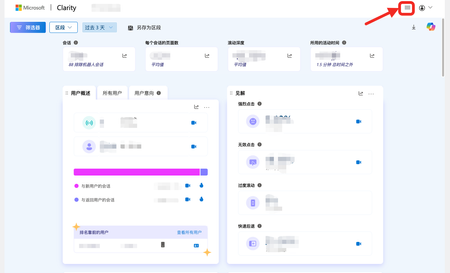
user interface (ui)
8 Topics
A few suggestions for using Clarity on WordPress
My website (http://hnwholesale.com) is built on WordPress and I'm currently using Clarity. However, on WordPress, the Clarity interface collapses the top menu, requiring a click to reveal it. This is different from the Clarity web version, which displays the menu by default. For someone who has used Clarity and WordPress for a long time, this adds an extra click. I hope it can be consistent with the Clarity web version. Note: Clarity is truly a great tool; thanks to the Microsoft team for their support.12Views0likes1CommentReasons why I no longer actively use TechCommunity since the upgrade
It may well be that I am missing certain information. If so, however, the information is difficult to find. Reasons why I no longer actively use TechCommunity since the upgrade: Login procedure: The login procedure is complicated and often does not work. Currently, I can only log in with my preferred account in an InPrivate window (Edge). Without InPrivate, the other account I created is used because I could no longer log in with my preferred account. Posts/comments: For example, https://techcommunity.microsoft.com/discussions/microsoft365copilot/agent-%C2%ABworkflows-frontier%C2%BB-is-not-available---one-solution/4478204 I have no way of editing the (unfinished) post. Approval of posts/comments: Yes, a corresponding message appears. However, you do not receive a notification when the post has been approved. I had created a comment for this post that contained the PDF attachment missing from the post. The comment is not there and there is no indication that it is awaiting approval. Any help would be appreciated. Best regards, Andreas15Views0likes0CommentsTeams: Translation of "More meet now options"
Hi The button to converting a chat into a Video or Audio call, is named "More meet now options" in English. But the Swedish translation is "Fler möte bu-alternativ". "Now" is translated to "bu". "Bu" is a very scary word for small children in Sweden, as "Boo" is in English. Please correct to "Fler möte nu-alternativ" or better only "Fler mötesalternativ". Regards, Anna-Karin30Views0likes1Comment
Smart Cursor: Visual Feedback & Phishing Detection for Better UX
Hi everyone, I’ve been thinking about how digital navigation could be more intuitive and safer - especially for users who feel overwhelmed or misled by unclear buttons, inconsistent interfaces, or deceptive websites. What if our mouse cursor could help us instead of just pointing? Imagine a smart cursor that changes color when hovering over clickable elements, gives feedback when a click fails, and even warns us when we’re about to interact with a suspicious link or fake site. It could reduce digital fatigue, improve accessibility, and enhance online safety - all without requiring websites themselves to change. Here’s a concept I’d love to see developed. I’d love to hear your thoughts! Key features: Change color based on element type (blue for links, green for confirmation, red for error-prone zones) Pulse or vibrate when clicking on inactive or misleading elements Display tooltips on hover, such as “open PDF” or “submit form” Warn users when hovering over suspicious links or visual imitations of trusted websites (phishing detection) Dim or simplify in focus mode to reduce digital fatigue during reading or typing Why this is valuable: Many users experience frustration due to unclear buttons, excessive click layers, and cognitive overload. A smart cursor can provide intuitive feedback, reduce mental strain, and even enhance digital safety. It’s a low-barrier way to improve user experience without requiring websites themselves to change. Technical feasibility: This could be implemented as a browser extension or integrated at system level, using existing APIs for fraud detection and visual feedback. Rather than adding another visual layer on top of systems like Edge’s SmartScreen or Safari’s fraud alerts, this concept turns the cursor itself into a smart, responsive guide - more immediate, intuitive, and user-friendly. Warm greetings, Femke38Views0likes1CommentTranslation of Block arrows in Swedish Power BI Desktop
Hi The alternative Block Arrows under the menu Insert >Shapes, is translated to Blockera pilar in Swedish version Power BI Desktop and that means Prevent Arrows, instead of Blockpliar. In other Microsoft program are Block Arrows translated to Blockpliar in Swedish. Please use it in Power BI Desktop to. Version: 2.148.1226.0 64-bit (oktober 2025) Regards Anna-Karin24Views0likes1CommentTech Community Experience with AI or M365 CoPilot
Can we leverage AI or M365 CoPilot for auto summarize long threads by outlining issue and resolution for easy reference ? Ex: Auto-Summarize Long Threads: AI-powered “Summary” button on multi-page threads to highlight key solutions and recommended posts.78Views1like2CommentsDark Theme
Dark theme is spread on many major websites on the web and becoming prebuilt color scheme in Microsoft, Google and Apple operating systems. Many websites have a toggle to enable dark theme across all the content there, since some Microsoft web apps have this: Outlook, To-Do, etc. Please make dark theme available on this website.6.5KViews36likes34Comments
Allow own editing after posting a new question into any of Community Lounge Discussion Boards
Right after posting my new question into one of Community Lounge Discussion Boards I noticed that it was no more possible to edit it again in case any correction might have been needed. While I noticed doing the same editing was indeed allowed after adding a reply to my own question, so basically I'm just asking for some more consistency... 😇 Many thanks in advance for your attention. Best Regards Rob166Views0likes8Comments