sign-in
1 Topic
Recent Edge update attempts to sign-in to a profile every time a link is pressed from Outlook
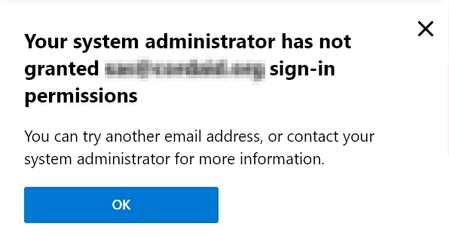
Hi. In our set-up we only use local profiles for Edge. If a user attempts to sign-in anyway, they're met with a "Your system administrator has not granted xxx@xxx sign-in permissions", which is fine and has been fine for at least a year now. However, the recent 8/8 update has 'caused the popup to appear every time a link is clicked in Outlook(and opened in Edge) which has caused our helpdesk to get multiple tickets from annoyed users. I cannot for the life of me find the setting which triggers this. I assumed it was the outlook context from the sidebar, but a GPO that completely disables the sidebar still causes this pop-up to appear. I am aware we can use the "RestrictSigninToPattern" GPO to allow the users to sign-in, but we are not interested in allowing the users to sign-in at all. We simply want Edge to stop trying to sign-in every time a link from Outlook is clicked on, just like it was before the .200/.203 update. Does anyone know what can be done about this? Is there a GPO that stops this behavior? Is it an Outlook setting? A Windows setting? Can we stop Edge from even trying to sign-in? tl;dr how do we stop Edge from trying to sign-in when a link is clicked in Outlook?Solved8.7KViews0likes3Comments