salesforce crm connectivity
24 Topics
Salesforce connected app deployment
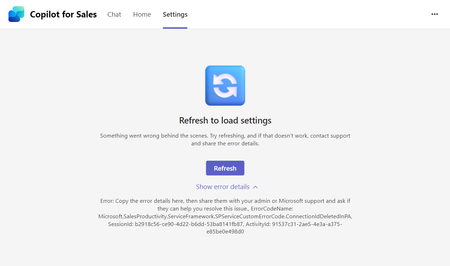
I'm trying to connect our Salesforce sandbox to the Copilot Sales app. I was able to log in and I can see the connected app and Copilot for Sales Integration User, but no permission sets. When the log in pop-up closes upon log-in, the Sales settings show that Salesforce is disconnected and when I reconnect, I see this error message: "Couldn’t complete the connected app deployment to Salesforce. Try again." I uninstalled the connected app in SF and started the process again and am getting the same results. What should I do to successfully connect Salesforce sandbox to Copilot for Sales?
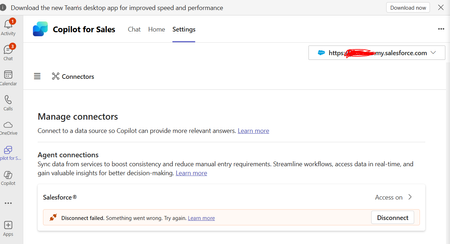
Can't disconnect/reconnet Salesforce in Copilot for Sales
Hello, I'm trying to use Copilot for sales with Salesforce. I'm having trouble disconnecting an old connector that was setup by a Team member. The "Connected App" in Salesforce was deleted along with the SF user. I tried to create the same username and connected app in SF but still no luck. Is there a way to reset this connection from Microsoft backend?
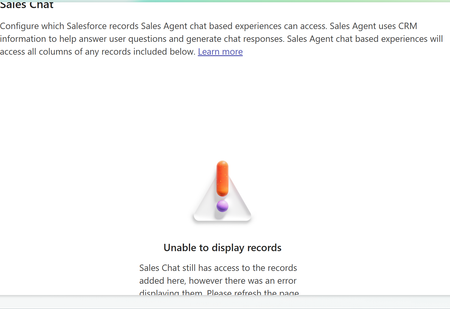
CoPilot for Sales Agent - Missing Permissions
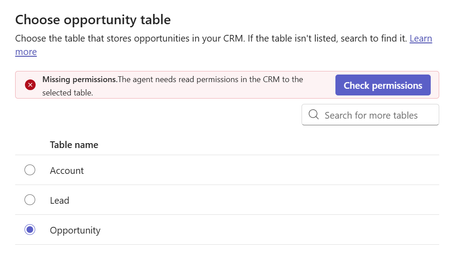
hello, I am trying to activate the Copilot for Sales agent for the first time. In the configuration, Leads and Account seem fine. When choosing the opportunity table I get a missing permissions error even though I confirmed the copilot user definitely has access to this table. Has anyone had a similar issue that can help? thanks, AndrewCopilot for Sales required field error on custom object
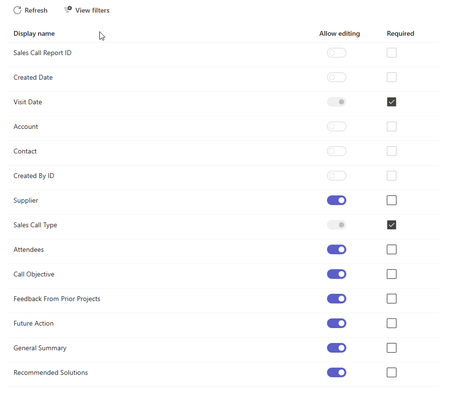
I am getting the following error when trying to create a custom object record in copilot for sales. There’s a new required field in this form, and your Copilot for Sales admin will have to update the settings to match before you can save this here. Send these error details to your admin, and ask them to match the required fields in Copilot for Sales to the ones in [Dynamics 365/Salesforce], then try again. The two required fields are already added. The only other field required is the contact field and that is greyed out in the teams settings. If is a rather siple object so not sure what is the problem.
To Surface the Custom Object Data From Salesforce In Copilot For Sales Side Panel
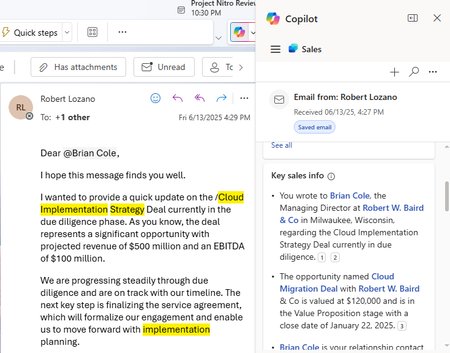
There is a Key Sales Info Card in Copilot For Sales on connecting to Salesforce CRM it fetches Opportunity, account and contact info in it . I need to display a custom object which is linked to contact and it's associated account in the key sales info . Is there any Process or do we have any workaround to build it in a separate card. Refere the image belowMeeting Prep Card
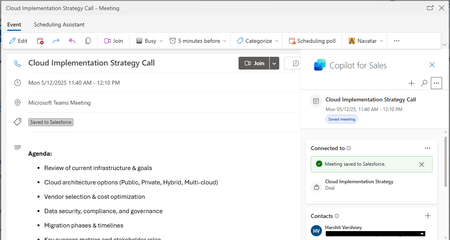
Enabled the required permissions as outlined in the referenced article. https://learn.microsoft.com/en-us/microsoft-sales-copilot/meeting-prep Scheduled a meeting with a contact. Logged the meeting in Salesforce using Copilot for Sales. Expected Result: Since the meeting was scheduled an hour in advance, a Meeting Prep Card was expected to appear in the Copilot chat before 40-70 min of call start. Can anyone suggest me issue with the functionality.
Salesforce CRM - connector and trial env issues
We've deployed Copilot for Sales following the steps in the deployment guide https://learn.microsoft.com/en-us/microsoft-sales-copilot/deploy-viva-sales-sf for a customer but they're unable to sign in. Issue 1: the Microsoft Power Platform connector is not showing up in Salesforce CRM under 'Connected apps' or 'Connected apps OAuth usage'. Salesforce support is of no help and keep pointing to Microsoft for this, even though I suspect that this should be a default connector that should be visible in the Salesforce Environment? Issue 2: When they open outlook and try to sign in through copilot for sales, the sign in keeps loading without showing an error on the front-end. When we open up the console on the page, the below error shows: The trial environment creation is blocked. Step 7 of the deployment guide says that any user can trigger the creation of the msdyn_viva environent and the tenant creation restriction is bypassed: We've gone ahead and enabled the setting trial environment creation for all users in the power platform admin center anyway but this does not solve the issue. worth mentioning: Both users that tried to sign in have the Copilot for Sales license Both users are Salesforce CRM admins. They have plenty of dataverse database storage available to create a new environment any help would be greatly appreciated.