salesforce crm connectivity
29 Topics
Microsoft FastTrack Agent community
Hello microsoft copilot for sales discussion group If you are an enterprise or majors customer using Copilot for Sales or Sales in M365 and would like to meet more like-minded customers as well as speak with FastTrack subject matter experts on a bi-monthly basis, get product roadmap updates and provide feedback to the product team, then please fill out the D365 Agent Deployment Program and Agent Community - Customer Registration – Fill out form or use the QR Code below to provide us with your permission to send you an invitation to the Microsoft Agent community. The AI Adoption team for pre-built agents for business applications would be thrilled to have you join us! The community also offers an online forum for discussions and Q&A. Thank you and we look forward to hearing from you! Microsoft, Dynamics 365 Agent Deployment team
Salesforce connected app deployment
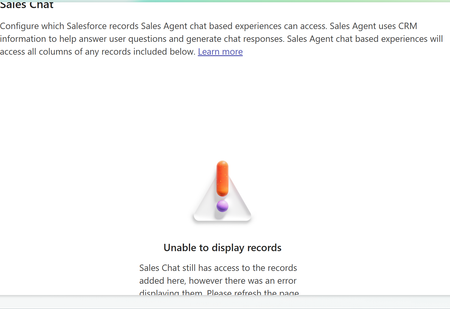
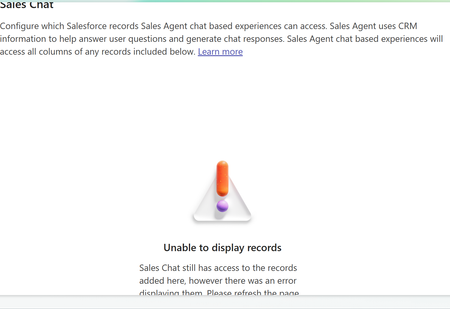
I'm trying to connect our Salesforce sandbox to the Copilot Sales app. I was able to log in and I can see the connected app and Copilot for Sales Integration User, but no permission sets. When the log in pop-up closes upon log-in, the Sales settings show that Salesforce is disconnected and when I reconnect, I see this error message: "Couldn’t complete the connected app deployment to Salesforce. Try again." I uninstalled the connected app in SF and started the process again and am getting the same results. What should I do to successfully connect Salesforce sandbox to Copilot for Sales?
Can't disconnect/reconnet Salesforce in Copilot for Sales
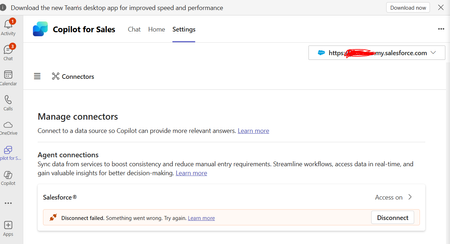
Hello, I'm trying to use Copilot for sales with Salesforce. I'm having trouble disconnecting an old connector that was setup by a Team member. The "Connected App" in Salesforce was deleted along with the SF user. I tried to create the same username and connected app in SF but still no luck. Is there a way to reset this connection from Microsoft backend?
CoPilot for Sales Agent - Missing Permissions
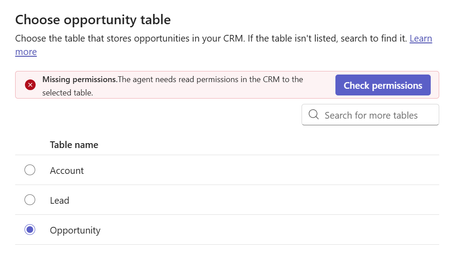
hello, I am trying to activate the Copilot for Sales agent for the first time. In the configuration, Leads and Account seem fine. When choosing the opportunity table I get a missing permissions error even though I confirmed the copilot user definitely has access to this table. Has anyone had a similar issue that can help? thanks, AndrewAccess announces removal of Salesforce ODBC driver in October 2025
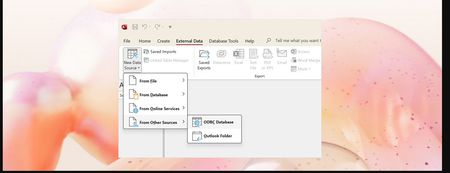
MS Access 2019 (and newer) ships a licensed Salesforce ODBC driver from InsightSoftware that will lose sustaining support after June 30th, 2026. But because we can no longer provide updates for the driver, the Access team has decided to accelerate the removal of this driver and remove it from the product in October 2025. Applies to: Access 2019 volume licensed and Enterprise plans Access 2021, Access 2024, and Microsoft 365 subscriptions Access 2021 and Access 2024 as part of the Office 2021 and Office 2024 perpetual licenses (standalone versions) The Salesforce ODBC driver bundled with Office includes shared libraries such as: libcurl.dll libcrypto-3.dll libssl-3.dll These libraries are located under the following path: Program Files\Microsoft Office\ODBC Drivers\Salesforce. They may also be present in different locations. Drivers installed by Office and used to access your Salesforce data will be removed on permanently on October 28, if you are using Access as part of a Microsoft 365 Apps monthly version and on November 11 if you are on the semi-annual release. For customers using perpetual Access 2019, 2021, or 2024, the drivers will be removed on November 11. You do not need to manually remove the drivers. Access currently doesn't have a way to talk directly to the Salesforce APIs so customers must continue to use the standardized ODBC driver framework that we currently support. Customers can independently purchase the Simba.DLL driver if needed from InsightSoftware. There are also other vendors that offer a Salesforce driver. Simba driver from InsightsSoftware https://insightsoftware.com/simba/ ODBC driver from devart https://www.devart.com/odbc/salesforce/ Salesforce integration from boomi https://boomi.com/solutions/application/salesforce/ Salesforce driver from cdata https://www.cdata.com/drivers/salesforce Once you purchase and install the driver, Access can connect to your Salesforce external data source. On the External Data ribbon, choose New Data Source > From Other Sources > ODBC Database We will provide more updates when available.35KViews2likes1CommentCopilot for Sales required field error on custom object
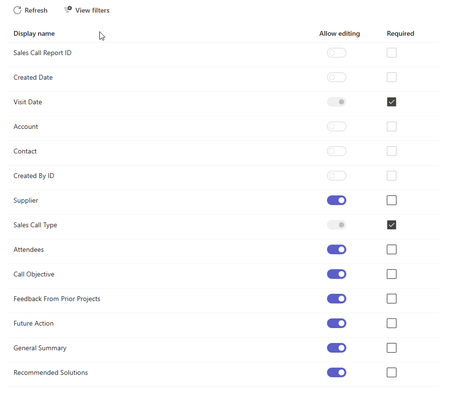
I am getting the following error when trying to create a custom object record in copilot for sales. There’s a new required field in this form, and your Copilot for Sales admin will have to update the settings to match before you can save this here. Send these error details to your admin, and ask them to match the required fields in Copilot for Sales to the ones in [Dynamics 365/Salesforce], then try again. The two required fields are already added. The only other field required is the contact field and that is greyed out in the teams settings. If is a rather siple object so not sure what is the problem.
To Surface the Custom Object Data From Salesforce In Copilot For Sales Side Panel
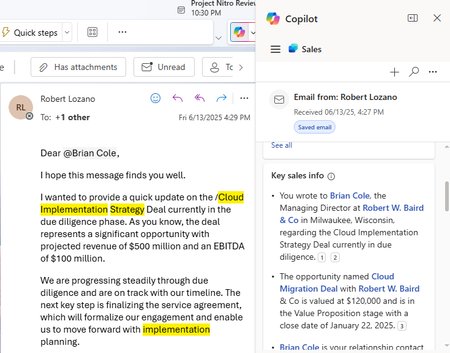
There is a Key Sales Info Card in Copilot For Sales on connecting to Salesforce CRM it fetches Opportunity, account and contact info in it . I need to display a custom object which is linked to contact and it's associated account in the key sales info . Is there any Process or do we have any workaround to build it in a separate card. Refere the image below