pim roles
1 Topic
Activate text entry box not accepting text
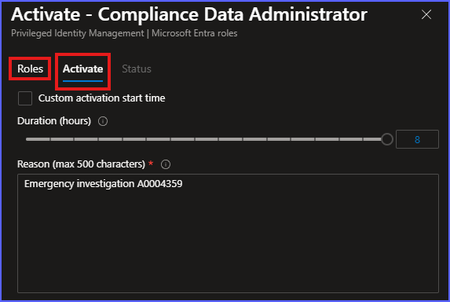
I have been experiencing this issue for a few weeks now and assumed it was just me. But I asked several co-workers and they are all experiencing the same issue. When attempting to active a PIM role in Azure, the text entry box for adding the reason you're activating the role will flash and change the outline to blue, indicating it is now ready to accept text entry. However, it will not allow typing in text. If you click inside the box several times, you might be offered the option to auto-fill a previously used entry (but not always). In order to actually type in the reason, I have to first click on "Roles" in the activation window, then click "Activate" again to get back to the text box. It will then accept text entry and allow completion of role assignment. It's not a huge problem, but it adds steps and time to role assignment, which isn't ideal since roles are usually being grabbed to take care of an apparent emergency. (I have a great short video showing exactly what I'm talking about, but the media insertion option would not allow adding it here.)198Views5likes3Comments