microsoft playwright testing
17 TopicsIntroducing Reporting in Playwright Workspaces
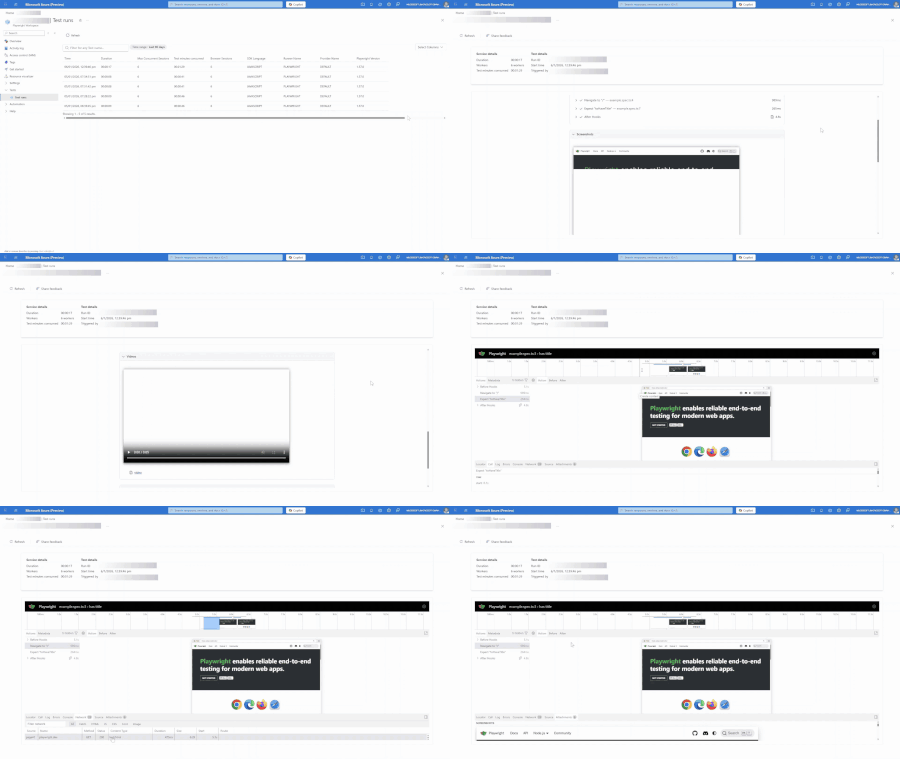
Today, we’re thrilled to announce a powerful new reporting feature in Playwright Workspaces – designed to make debugging Playwright end-to-end tests faster, easier, and more insightful. If you’re using Playwright Workspaces (part of Azure App Testing) to run Playwright tests at scale, this update brings you – Streamlined access to all your test reports through the Azure portal. Greater control over your test artifacts with the bring-your-own-storage capability. Customizable data governance including retention, security, and compliance settings. Easy collaboration with team members using shareable test report URLs. What’s new in Playwright Workspaces Reporting: Integrated Reporting Experience in the Azure Portal All your test reports are accessible in one place, right within the Azure portal. As soon as your Playwright tests finish running, the results and test artifacts are available in the Test Runs page in your Playwright Workspace – no need to pull files from CI or scour different logs. Debugging test failures is now more visual and intuitive. Playwright’s Trace Viewer is integrated directly into the test report, so you can time-travel through a failing test, step by step. Open any failed or flaky test and you’ll see a rich timeline of actions: hover over each step to reveal the page state before and after each action. Detailed logs, DOM snapshots, network activity, errors, and console output are available at each test step for better troubleshooting. Flexible Data Governance with Bring Your Own Storage In this release, you have full control over where your test reports and artifacts live. Playwright Workspaces now lets you link your own Azure Storage account to store test results, traces, videos, and screenshots. With this update, you get to define your data retention, security, and compliance settings. For example, you might plug in an Azure Blob Storage container under your company’s account – all test artifacts will be saved there, under your organization’s preset governance. The bring-your-own-storage approach gives teams flexibility to meet enterprise policies or cost management goals. Once connected, the dashboard will seamlessly pull reports from your storage, so the experience remains smooth. Collaborate Seamlessly with Team Members Using the centralised test report experience enables you to easily manage and share access to your test reports. You can also see the URL to the test report as a part of your CI logs. Share this test report URL with your team members to debug failed or flaky tests faster. Having a single source of truth for test results not only saves time but also reduces miscommunication during crunch times. We’re excited about how the new reporting capability in Playwright Workspaces will empower teams to ship with greater confidence. By combining scalable test execution with a centralised, fully controllable and collaborative test results experience, Playwright Workspaces takes debugging and test results reporting to the next level. Happy Testing and Debugging with Playwright Workspaces Reporting! Get Started with Reporting in Playwright Workspaces Ready to take the new reporting feature for a spin? Playwright Workspaces Reporting is now available for all Playwright Workspace users. Use the following links to get started – Quickstart Guide Troubleshooting FAQs Share your feedback As always, we welcome feedback: let us know what works great for you and what you’d love to see next.528Views1like2CommentsRun Playwright Tests on Cloud Browsers using Playwright Workspaces
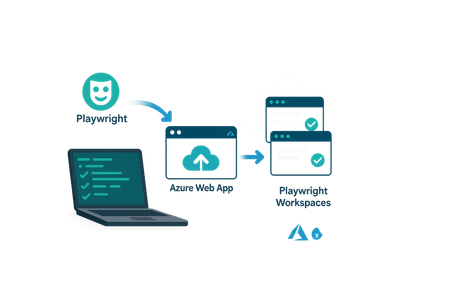
This post walks through setting up and running Playwright UI and API tests on Azure Playwright Testing Service (Preview). It covers workspace setup, project configuration, remote browser execution, and viewing test reports and traces using Visual Studio or VS Code.1.4KViews1like0Comments
Learn New Skills in the New Year
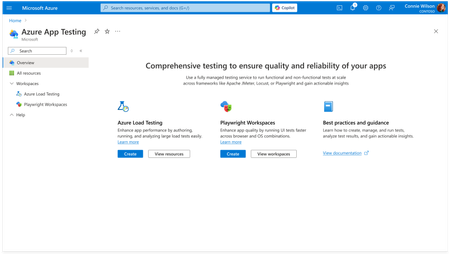
New year’s resolution: Start writing better code faster in 2025. Kick off the new year by learning new developer skills and elevate your career to the next level. In this post, we explore learning resources and live events that will help you build critical skills and get started with cutting-edge technologies. Learn how to build custom agents, code intelligent apps with familiar tools, discover new possibilities in .NET 9, use Copilot for testing and debugging, and more. Plus, get details about using GitHub Copilot in Visual Studio Code—for free! New AI for Developers page Check out the new AI for Developers page. It's packed with free GitHub courses on building apps, machine learning, and mastering GitHub Copilot for paired programming. Learn your way and skill up for what's next in AI. Use GitHub Copilot in Visual Studio Code for free Did you hear the news? You can now use GitHub Copilot in Visual Studio Code for free. Get details about the new Copilot Free plan and add Copilot to your developer toolbox. What is Copilot Studio? Have questions about Copilot Studio? This article from Microsoft Learn covers all the basics you need to know about Copilot Studio—the low-code tool for easily building agents and extending Microsoft 365 Copilot. From C# to ChatGPT: Build Generative AI Solutions with Azure Combine your C# skills with the cutting-edge power of ChatGPT and Azure OpenAI Service. This free learning path introduces you to building GenAI solutions, using REST APIs, SDKs, and Azure tools to create more intelligent applications. Register for the Powerful Devs Conference + Hackathon Register for the Powerful Devs Conference + Hackathon (February 12-28, 2025) and get more out of Power Platform. This one-day online conference is followed by a 2-week hackathon focused on building intelligent applications with less effort. Code the future with Java and AI: RSVP for Microsoft JDConf 2025 today Get ready for the JDConf 2025—Microsoft's annual event for Java developers. Taking place April 9-10, this year’s event will have three separate live streams to cover different regions. Join to explore tools and skills for building modern apps in the cloud and integrating AI. Build custom agents for Microsoft Teams Learn how to build custom agents for Microsoft Teams. This free learning path will teach you about different copilot stacks, working with Azure OpenAI, building a custom engine agent. Start building intelligent Microsoft Teams apps using the LLMs and AI components. Microsoft Learn: Debug your app with GitHub Copilot in Visual Studio Debug more efficiently using GitHub Copilot. This Microsoft Learn article shows you how. Discover how Copilot will answer detailed questions about your code and provide bug fixes. Make Azure AI Real: Watch Season 2 Elevate your AI game with Make Azure AI Real on demand. Season 2 digs into the latest Azure AI advancements, with practical demos, code samples, and real-world use cases. GitHub Copilot Bootcamp Streamline your workflow with GitHub Copilot—craft more effective prompts and automate repetitive tasks like testing. This GitHub Copilot Bootcamp is a 4-part live streaming series that will help you master GitHub Copilot. 10 Days of GenAI – Gift Guide Edition Start building your own Gen AI application. These short videos outline 10 steps for creating your app—choose a model, add functions, fine tune responses, and more. Extend Microsoft 365 Copilot with declarative agents using Visual Studio Code Check out this new learning path from Microsoft Learn to discover how you can extend Microsoft 365 Copilot with declarative agents using VS Code. Learn about declarative agents and how they work. Developer's guide to building your own agents Want to build your own agents? Watch this Ignite session on demand for a look at the new agent development tools. Find out how to create agents built on Microsoft 365 Copilot or your custom AI engine. Master distributed application development with .NET Aspire Get started with .NET Aspire—an opinionated, cloud-ready stack for building distributed applications with .NET. This series covers everything from setup to deployment. Start your journey toward mastering distributed app development. Learn: What's new in .NET 9 Discover what's new in .NET 9. Learn about new features for AI, improvements for building cloud-native apps, performance enhancements, updates to C#, and more. Read the overview and get started with .NET 9. Become a .NET AI engineer using the OpenAI library for .NET Use your .NET skills to become an AI engineer. With the OpenAI library, .NET developers can quickly master critical AI skills and apply them to real world apps. Read the blog to learn more about the OpenAI library for .NET. Test like a pro with Playwright and GitHub Copilot Supercharge your testing using Playwright and GitHub Copilot. Watch this in-depth demo and discover how you can easily create end-to-end tests using Playwright's powerful built-in code generator. Other news and resources from around Microsoft · Microsoft Learn: Why and how to adopt AI in your organization · Microsoft Learn: Learn to use Copilot in Microsoft Fabric · AI Toolkit for Visual Studio Code: Update highlights · Teams Toolkit for Visual Studio Code update · RAG Deep Dive: Live streams · Learn Together: SQL database in Fabric · Become an AI security expert using OpenAI with Azure Managed Identity · Deploy, monitor, and manage development resources with Microsoft Dev Box · Microsoft Playwright testing · Introduction to artificial intelligence and Azure AI services · Azure AI-900 Fundamentals Training event series · Leveraging cloud-native infra for your intelligent apps · Platform engineering with GitHub · Extend declarative agents for Microsoft 365 Copilot with API plugins using Visual Studio Code · Introducing the Microsoft 365 Agents SDK · Azure Live Q&A events · Get started with multimodal parsing for RAG using GPT-4o, Azure AI Search, and LlamaParse4.1KViews2likes0Comments
Microsoft Playwright Testing service now supports NUnit test runner
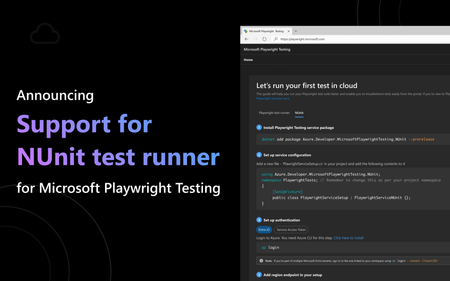
Microsoft Playwright Testing is an Azure service that accelerates builds by running tests in parallel, enhances test coverage by enabling testing across multiple operating systems and browsers, and simplifies troubleshooting with a unified dashboard for test results and artifacts. We are excited to announce that Playwright Testing service now supports the NUnit test runner, bringing the following benefits to .NET developers: Speed up your NUnit test runs by running more .NET tests in parallel. Expand test coverage by running your .NET tests across multiple operating systems and browsers. Troubleshoot faster using Microsoft Playwright Testing’s rich reporting capabilities. Faster builds with parallel test execution As your application grows, test suite complexity increases, leading to longer execution times that slow development and delay releases. On both dev machines and CI agents, resource constraints limit the number of browsers that can run in parallel, resulting in longer wait times. With NUnit support in Playwright Testing, you can run more .NET tests in parallel across multiple cloud-hosted browsers. By offloading tests to managed infrastructure, the service eliminates resource bottlenecks, enabling simultaneous execution to speed up builds and reduce pipeline delays. This seamless integration preserves your NUnit workflow, providing faster feedback without requiring additional setup or maintenance. Comprehensive test coverage across browsers and operating systems Modern web applications are complex, both in features and compatibility across multiple browsers and operating systems. Testing across these configurations lengthens execution time and adds infrastructure burdens. With NUnit support in Microsoft Playwright Testing, you can easily run your .NET tests across various OS-browser combinations without the need for additional infrastructure management. The service-managed infrastructure ensures reliable test execution, whether running tests locally or in your CI pipeline. The service’s cross-platform coverage and scalable infrastructure guarantee that your application performs flawlessly across browsers and operating systems, providing a consistent and optimized user experience. Easy troubleshooting with reporting As development teams scale and release new features, quickly resolving issues becomes critical to maintaining quality. Delays in issue resolution can disrupt the entire development process. With NUnit support in Playwright Testing, your team can access detailed test results from CI/CD runs of .NET tests, along with rich artifacts like error logs, screenshots, videos, and traces, all within a unified dashboard for rapid troubleshooting. The reporting feature highlights tests that need attention, filtering results to focus on failures, so you can immediately start troubleshooting. You can easily click through each test to access all the necessary information to resolve issues. All artifacts are securely stored in a centralized location with customizable permissions. A standout feature is the Trace Viewer, which allows you to visually navigate through your NUnit test execution. You can step through tests or use the timeline to examine the page state before and after each action, including detailed logs, DOM snapshots, network activity, errors, and console output at every step for precise troubleshooting. Get started with Playwright Testing service Getting started is simple. In just a few steps, you can integrate your NUnit test suite with Microsoft Playwright Testing. Check out our QuickStart and try the service today! Share your feedback Your feedback is invaluable to us. Share your thoughts and help us improve Microsoft Playwright Testing. Learn more about the Microsoft Playwright Testing service Learn more about using the Playwright Testing service for your web application testing. Explore the features and benefits that Microsoft Playwright Testing offers. Learn about our flexible pricing. Use the pricing calculator to determine your costs based on your business needs.1KViews0likes0CommentsFirst Steps into Automation: Building Your First Playwright Test
Your journey into automated testing begins here! This is not just a blog; it's your gateway to mastering the art of reliable and consistent user experiences. With Playwright's rich features and tools, you're equipped to tackle modern web development challenges head-on. Don't wait, start learning Playwright today and take your web testing to the next level!11KViews0likes1Comment