Certificates
2 Topics
Edge Dev 90 - Cannot manage certificates
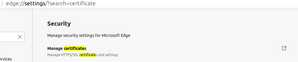
Posted here https://answers.microsoft.com/en-us/microsoftedge/forum/all/microsoft-edge-dev-ubuntu-20041-manage/6a9e253b-3c81-4f3f-8d7b-20be69bad6e8 but I was advised to post here too. Problem: I cannot manage certificates on Ubuntu using this release - specifically I cannot import a privately issued client certificate. When opening edge://settings/?search=certificate I get this... The link is does not work, so how exactly does one manage [client] certificates in Edge? Contrast this with behaviour in Chromium Version 88.0.4324.50 (Developer Build) Ubuntu 20.04 (64-bit) where this feature is enabled and allows me to manage my certificate requirements... System details $ lsb_release -a LSB Version: core-11.1.0ubuntu2-noarch:printing-11.1.0ubuntu2-noarch:security-11.1.0ubuntu2-noarch Distributor ID: Ubuntu Description: Ubuntu 20.04.2 LTS Release: 20.04 Codename: focal $ dpkg --list|grep edge ii microsoft-edge-dev 90.0.782.0-1 amd64 The web browser from Microsoft Any ideas? --dave1.7KViews0likes2CommentsDev build v80.0.345.0 cert validation fails with Zscaler ZApp
Since the update 80.0.345.0, I'm having lots of sites are failing to open due to an invalid certificate. If the site is using HSTS click through is prevented. We're using Zscaler and this seems to be an incompatibility with Zscaler's ZApp (see screenshots). If I disable Zscaler it works ok and other browsers (Brave, Firefox, IE) work ok, this is only affecting Edge Dev. An example is https://eur02.safelinks.protection.outlook.com/?url=https%3A%2F%2Fmicrosoftedgeinsider.com&data=02%7C01%7Cedward.haynes%40landmark.co.uk%7Cb10892c4cb914282616c08d77ccc4796%7C2b7f516e1b14479e8d65ac50c9127e5d%7C0%7C0%7C637115089143247026&sdata=bWw5DBx1OecM3WhvZALKBACgRH4YvQ%2B5SakCZj%2BmgEU%3D&reserved=0 It seems that ZApp (performing SSL inspection) is getting confused about the requested FQDN and is presenting an incorrect certificate.4.7KViews1like18Comments