ai
1166 TopicsMicrosoft Foundry: Unlock Adaptive, Personalized Agents with User-Scoped Persistent Memory
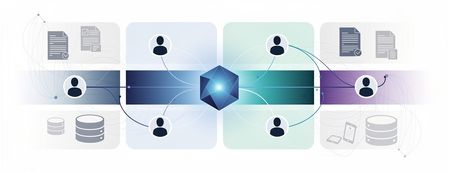
From Knowledgeable to Personalized: Why Memory Matters Most AI agents today are knowledgeable — they ground responses in enterprise data sources and rely on short‑term, session‑based memory to maintain conversational coherence. This works well within a single interaction. But once the session ends, the context disappears. The agent starts fresh, unable to recall prior interactions, user preferences, or previously established context. In reality, enterprise users don’t interact with agents exclusively in one‑off sessions. Conversations can span days, weeks, evolving across multiple interactions rather than isolated sessions. Without a way to persist and safely reuse relevant context across interactions, AI agents remain efficient in the short term be being stateful within a session, but lose continuity over time due to their statelessness across sessions. Bridging this gap between short-term efficiency and long‑term adaptation exposes a deeper challenge. Persisting memory across sessions is not just a technical decision; in enterprise environments, it introduces legitimate concerns around privacy, data isolation, governance, and compliance — especially when multiple users interact with the same agent. What seems like an obvious next step quickly becomes a complex architectural problem, requiring organizations to balance the ability for agents to learn and adapt over time with the need to preserve trust, enforce isolation boundaries, and meet enterprise compliance requirements. In this post, I’ll walk through a practical design pattern for user‑scoped persistent memory, including a reference architecture and a deployable sample implementation that demonstrates how to apply this pattern in a real enterprise setting while preserving isolation, governance, and compliance. The Challenge of Persistent Memory in Enterprise AI Agents Extending memory beyond a single session seems like a natural way to make AI agents more adaptive. Retaining relevant context over time — such as preferences, prior decisions, or recurring patterns — would allow an agent to progressively tailor its behavior to each user, moving from simple responsiveness toward genuine adaptation. In enterprise environments, however, persistence introduces a different class of risk. Storing and reusing user context across interactions raises questions of privacy, data isolation, governance, and compliance — particularly when multiple users interact with shared systems. Without clear ownership and isolation boundaries, naïvely persisted memory can lead to cross‑user data leakage, policy violations, or unclear retention guarantees. As a result, many systems default to ephemeral, session‑only memory. This approach prioritizes safety and simplicity — but does so at the cost of long‑term personalization and continuity. The challenge, then, is not whether agents should remember, but how memory can be introduced without violating enterprise trust boundaries. Persistent Memory: Trade‑offs Between Abstraction and Control As AI agents evolve toward more adaptive behavior, several approaches to agent memory are emerging across the ecosystem. Each reflects a different set of trade-offs between abstraction, flexibility, and control — making it useful to briefly acknowledge these patterns before introducing the design presented here. Microsoft Foundry Agent Service includes a built‑in memory capability (currently in Preview) that enables agents to retain context beyond a single interaction. This approach integrates tightly with the Foundry runtime and abstracts much of the underlying memory management, making it well suited for scenarios that align closely with the managed agent lifecycle. Another notable approach combines Mem0 with Azure AI Search, where memory entries are stored and retrieved through vector search. In this model, memory is treated as an embedding‑centric store that emphasizes semantic recall and relevance. Mem0 is intentionally opinionated, defining how memory is structured, summarized, and retrieved to optimize for ease of use and rapid iteration. Both approaches represent meaningful progress. At the same time, some enterprises require an approach where user memory is explicitly owned, scoped, and governed within their existing data architecture — rather than implicitly managed by an agent framework or memory library. These requirements often stem from stricter expectations around data isolation, compliance, and long‑term control. User-Scoped Persistent Memory with Azure Cosmos DB The solution presented in this post provides a practical reference implementation for organizations that require explicit control over how user memory is stored, scoped, and governed. Rather than embedding long‑term memory implicitly within the agent runtime, this design models memory as a first‑class system component built on Azure Cosmos DB. At a high level, the architecture introduces user‑scoped persistent memory: a durable memory layer in which each user’s context is isolated and managed independently. Persistent memory is stored in Azure Cosmos DB containers partitioned by user identity and consists of curated, long‑lived signals — such as preferences, recurring intent, or summarized outcomes from prior interactions — rather than raw conversational transcripts. This keeps memory intentional, auditable, and easy to evolve over time. Short‑term, in‑session conversation state remains managed by Microsoft Foundry on the server side through its built‑in conversation and thread model. By separating ephemeral session context from durable user memory, the system preserves conversational coherence while avoiding uncontrolled accumulation of long‑term state within the agent runtime. This design enables continuity and personalization across sessions while deliberately avoiding the risks associated with shared or global memory models, including cross‑user data leakage, unclear ownership, and unintended reuse of context. Azure Cosmos DB provides enterprises with direct control over memory isolation, data residency, retention policies, and operational characteristics such as consistency, availability, and scale. In this architecture, knowledge grounding and memory serve complementary roles. Knowledge grounding ensures correctness by anchoring responses in trusted enterprise data sources. User‑scoped persistent memory ensures relevance by tailoring interactions to the individual user over time. Together, they enable trustworthy, adaptive AI agents that improve with use — without compromising enterprise boundaries. Architecture Components and Responsibilities Identity and User Scoping Microsoft Entra ID (App Registrations) — provides the frontend a client ID and tenant ID so the Microsoft Authentication Library (MSAL) can authenticate users via browser redirect. The oid (Object ID) claim from the ID token is used as the user identifier throughout the system. Agent Runtime and Orchestration Microsoft Foundry — serves as the unified AI platform for hosting models, managing agents, and maintaining conversation state. Foundry manages in‑session and thread‑level memory on the server side, preserving conversational continuity while keeping ephemeral context separate from long‑term user memory. Backend Agent Service — implements the AI agent using Microsoft Foundry’s agent and conversation APIs. The agent is responsible for reasoning, tool‑calling decisions, and response generation, delegating memory and search operations to external MCP servers. Memory and Knowledge Services MCP‑Memory — MCP server that hosts tools for extracting structured memory signals from conversations, generating embeddings, and persisting user‑scoped memories. Memories are written to and retrieved from Azure Cosmos DB, enforcing strict per‑user isolation. MCP‑Search — MCP server exposing tools for querying enterprise knowledge sources via Azure AI Search. This separation ensures that knowledge grounding and memory retrieval remain distinct concerns. Azure Cosmos DB for NoSQL — provides the durable, serverless document store for user‑scoped persistent memory. Memory containers are partitioned by user ID, enabling isolation, auditable access, configurable retention policies, and predictable scalability. Vector search is used to support semantic recall over stored memory entries. Azure AI Search — supplies hybrid retrieval (keyword and vector) with semantic reranking over the enterprise knowledge index. An integrated vectorizer backed by an embedding model is used for query‑time vectorization. Models text‑embedding‑3‑large — used for generating vector embeddings for both user‑scoped memories and enterprise knowledge search. gpt‑5‑mini — used for lightweight analysis tasks, such as extracting structured memory facts from conversational context. gpt‑5.1 — powers the AI agent, handling multi‑turn conversations, tool invocation, and response synthesis. Application and Hosting Infrastructure Frontend Web Application — a React‑based web UI that handles user authentication and presents a conversational chat interface. Azure Container Apps Environment — provides a shared execution environment for all services, including networking, scaling, and observability. Azure Container Apps — hosts the frontend, backend agent service, and MCP servers as independently scalable containers. Azure Container Registry — stores container images for all application components. Try It Yourself Demonstration of user‑scoped persistent memory across sessions. To make these concepts concrete, I’ve published a working reference implementation that demonstrates the architecture and patterns described above. The complete solution is available in the Agent-Memory GitHub repository. The repository README includes prerequisites, environment setup notes, and configuration details. Start by cloning the repository and moving into the project directory: git clone https://github.com/mardianto-msft/azure-agent-memory.git cd azure-agent-memory Next, sign in to Azure using the Azure CLI: az login Then authenticate the Azure Developer CLI: azd auth login Once authenticated, deploy the solution: azd up After deployment is complete, sign in using the provided demo users and interact with the agent across multiple sessions. Each user’s preferences and prior context are retained independently, the interaction continues seamlessly after signing out and returning later, and user context remains fully isolated with no cross‑identity leakage. The solution also includes a knowledge index initialized with selected Microsoft Outlook Help documentation, which the agent uses for knowledge grounding. This index can be easily replaced or extended with your own publicly accessible URLs to adapt the solution to different domains. Looking Ahead: Personalized Memory as a Foundation for Adaptive Agents As enterprise AI agents evolve, many teams are looking beyond larger models and improved retrieval toward human‑centered personalization at scale — building agents that adapt to individual users while operating within clearly defined trust boundaries. User‑scoped persistent memory enables this shift. By treating memory as a first‑class, user‑owned component, agents can maintain continuity across sessions while preserving isolation, governance, and compliance. Personalization becomes an intentional design choice, aligning with Microsoft’s human‑centered approach to AI, where users retain control over how systems adapt to them. This solution demonstrates how knowledge grounding and personalized memory serve complementary roles. Knowledge grounding ensures correctness by anchoring responses in trusted enterprise data. Personalized memory ensures relevance by tailoring interactions to the individual user. Together, they enable context‑aware, adaptive, and personalized agents — without compromising enterprise trust. Finally, this solution is intentionally presented as a reference design pattern, not a prescriptive architecture. It offers a practical starting point for enterprises designing adaptive, personalized agents, illustrating how user‑scoped memory can be modeled, governed, and integrated as a foundational capability for scalable enterprise AI.313Views1like1CommentNew Certification for machine learning operations (MLOps) engineers
Do your co-workers rely on you to deploy, operationalize, and maintain machine learning and generative AI solutions in production? Are you working at the intersection of data science, DevOps, and generative AI? If so, the Microsoft Certified: Machine Learning Operations (MLOps) Engineer Associate Certification is designed for you. This Certification validates your ability to operationalize not only traditional machine learning but also generative AI solutions on Azure, reflecting how AI roles have evolved from model experimentation to enterprise-scale AI operations. To earn this Certification, you need to pass Exam AI-300: Operationalizing Machine Learning and Generative AI solutions, currently in beta. Key skills validated by this Certification To earn the MLOps engineer Certification, you must demonstrate your ability to: Design and implement secure, scalable MLOps infrastructure. Automate resource provisioning and deployments by using GitHub Actions, Bicep, and Azure CLI. Orchestrate training, manage model registration and versioning, and monitor production models. Deploy and operationalize generative AI solutions by using Microsoft Foundry. Implement quality assurance, observability, and safety evaluations for generative AI systems. Optimize retrieval-augmented generation (RAG) pipelines and fine-tuned models for performance, accuracy, and cost efficiency. This Certification replaces the Microsoft Certified: Azure Data Scientist Associate Certification (Exam DP-100), which is retiring on June 1, 2026, and reflects the evolution of AI in the enterprise. Exam DP-100 focused on validating your ability to design and implement data science solutions, including data exploration, model training, evaluation, and deployment. Exam AI-300 expands the scope significantly. It retains training and evaluation but places much stronger emphasis on validating your knowledge and experience in automation, infrastructure as code (IaC), continuous integration and continuous deployment (CI/CD), lifecycle governance, observability, drift detection, cost control, and the operationalization of generative AI systems. For more details on the retirement of Exam DP-100, and the latest cloud and AI Certification updates, read our recent blog post, The AI job boom is here. Are you ready to showcase your skills? Skill area Exam AI-300 (new) Exam DP-100 (old) MLOps infrastructure Full CI/CD, IaC (Bicep, Azure CLI), GitHub Actions Basic workspace and compute setup Model lifecycle management Core focus, including registration, versioning, rollout/rollback, monitoring Full lifecycle from training to deployment GenAIOps infrastructure End-to-end lifecycle, including security, automation, and model management with Foundry Basic generative AI setup and experimentation QA and observability Generative AI evaluation, tracing, safety metrics, drift detection, cost monitoring Model evaluation and responsible AI principles Generative AI performance optimization RAG optimization, embedding model selection and tuning, advanced fine-tuning, synthetic data management Basic prompt engineering and fine-tuning Ready to prove your skills? Take advantage of the discounted beta exam offer. The first 300 people who take Exam AI-300 (beta) on or before April 2, 2026, can get 80% off market price. To receive the discount, when you register for the exam and are prompted for payment, use code AI300Meridian. This is not a private access code. The seats are offered on a first-come, first-served basis. As noted, you must take the exam on or before April 2, 2026. Please note that this discount is not available in Turkey, Pakistan, India, or China. Get ready to take Exam AI-300 (beta): Review the Exam AI-300 (beta) exam page for details. The Exam AI-300 study guide explores key topics covered in the exam. Want even more in-depth instructor-led training? We’re creating new instructor-led training that will be released in late March 2026. Connect with Microsoft Training Services Partners in your area for in-person offerings. Need other preparation ideas? Check out Just How Does One Prepare for Beta Exams? You can take certification exams online, from home or the office. Learn what to expect in Online proctored exams: What to expect and how to prepare. The rescore process starts on the day an exam goes live, and final scores for beta exams are released approximately 10 days after that. For details on the timing of beta exam rescoring and results, check out Creating high-quality exams: The path from beta to live. Ready to get started? Remember, only the first 300 candidates can get 80% off Exam AI-300 (beta) with code AI300Meridian on or before April 2, 2026. Stay tuned for general availability of this Certification in May 2026. Learn more about Microsoft Credentials. Related announcements We recently migrated our subject matter expert (SME) database to LinkedIn. To be notified of beta exam availability or opportunities to help with the development of exam, assessment, or learning content, sign up today for the Microsoft Worldwide Learning SME Group for Credentials.17KViews4likes29CommentsAgents League: Meet the Winners
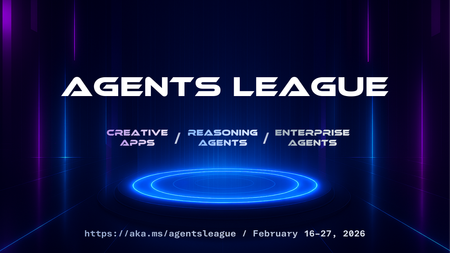
Agents League brought together developers from around the world to build AI agents using Microsoft's developer tools. With 100+ submissions across three tracks, choosing winners was genuinely difficult. Today, we're proud to announce the category champions. 🎨 Creative Apps Winner: CodeSonify View project CodeSonify turns source code into music. As a genuinely thoughtful system, its functions become ascending melodies, loops create rhythmic patterns, conditionals trigger chord changes, and bugs produce dissonant sounds. It supports 7 programming languages and 5 musical styles, with each language mapped to its own key signature and code complexity directly driving the tempo. What makes CodeSonify stand out is the depth of execution. CodeSonify team delivered three integrated experiences: a web app with real-time visualization and one-click MIDI export, an MCP server exposing 5 tools inside GitHub Copilot in VS Code Agent Mode, and a diff sonification engine that lets you hear a code review. A clean refactor sounds harmonious. A messy one sounds chaotic. The team even built the MIDI generator from scratch in pure TypeScript with zero external dependencies. Built entirely with GitHub Copilot assistance, this is one of those projects that makes you think about code differently. 🧠 Reasoning Agents Winner: CertPrep Multi-Agent System View project CertPrep Multi-Agent System team built a production-grade 8-agent system for personalized Microsoft certification exam preparation, supporting 9 exam families including AI-102, AZ-204, AZ-305, and more. Each agent has a distinct responsibility: profiling the learner, generating a week-by-week study schedule, curating learning paths, tracking readiness, running mock assessments, and issuing a GO / CONDITIONAL GO / NOT YET booking recommendation. The engineering behind the scene here is impressive. A 3-tier LLM fallback chain ensures the system runs reliably even without Azure credentials, with the full pipeline completing in under 1 second in mock mode. A 17-rule guardrail pipeline validates every agent boundary. Study time allocation uses the Largest Remainder algorithm to guarantee no domain is silently zeroed out. 342 automated tests back it all up. This is what thoughtful multi-agent architecture looks like in practice. 💼 Enterprise Agents Winner: Whatever AI Assistant (WAIA) View project WAIA is a production-ready multi-agent system for Microsoft 365 Copilot Chat and Microsoft Teams. A workflow agent routes queries to specialized HR, IT, or Fallback agents, transparently to the user, handling both RAG-pattern Q&A and action automation — including IT ticket submission via a SharePoint list. Technically, it's a showcase of what serious enterprise agent development looks like: a custom MCP server secured with OAuth Identity Passthrough, streaming responses via the OpenAI Responses API, Adaptive Cards for human-in-the-loop approval flows, a debug mode accessible directly from Teams or Copilot, and full OpenTelemetry integration visible in the Foundry portal. Franck also shipped end-to-end automated Bicep deployment so the solution can land in any Azure environment. It's polished, thoroughly documented, and built to be replicated. Thank you To every developer who submitted and shipped projects during Agents League: thank you 💜 Your creativity and innovation brought Agents League to life! 👉 Browse all submissions on GitHubAI prompting tips & tricks for everyday tasks
Simplify your day, with these practical habits that make the most of Microsoft Copilot. In this second blog post in a series of three, Microsoft Senior Learning Manager Ashley Masters Hall shares her practical perspective on the small prompting choices that can make a big difference in Microsoft Copilot results. I’ve been at Microsoft nearly six years now—long enough to see AI go from interesting experiment to everyday tool. In my first post of this series, Bringing AI fluency to every corner of the organization (even yours!), I explored what AI fluency looks like in real life and why it matters for every role. This post picks up where that one left off, as I share my tips & tricks for practical prompting in Microsoft Copilot to make everyday tasks easier. In my experience, most people don’t need more AI. They need fewer weird moments with AI. You know the ones—a confident answer that’s not true, a draft that sounds like a toaster manual, or a summary that technically covers the content but misses the thing you actually care about. So I pulled together a short list of simple habits that can make Copilot more useful and reliable. These tips & tricks help me (and a lot of my colleagues) get better results right away, without spending all day crafting prompts. Five practical prompting tips Five practical prompting tips. Tip #1. Treat Copilot like a teammate, not a vending machine. Begin with this mindset shift: Copilot isn’t necessarily the source of all truth—it’s a brainstorming partner. When I treat Copilot like a collaborator, my results immediately improve. I ask it to think with me, not for me. This is key. A few prompts I use constantly in Copilot include: Give me three options, not one. List your assumptions and what you need to verify. What are the risks or ways this could be misleading? These questions pull the model out of “confident answer” mode and into “help me reason through this” mode. Tip #2. Take prompt templates and edit them like you mean it. I keep a “favorite prompts” doc open all the time—not because prompts are precious, but because “past me” did “future me” a favor. Here are a few templates that work across roles. Copy them, and fill in the brackets to make the prompts your own: Clean summary. Summarize the text below in 4 bullets for [audience]. Include: decisions, risks, open questions, and next steps. Then propose 3 follow‑up questions I should ask. Rewrite with constraints. Rewrite this to be clear and human. Keep it under [number] words. Use a friendly, direct tone. Don’t add new facts. Notes → plan. Turn these notes into a plan with milestones, owners (use placeholders), risks, and dependencies. Output as a table. Brainstorm with trade‑offs. Generate 10 ideas for [goal] tailored to [persona]. For each idea, include a 1-sentence rationale + 1 downside. Decision support. Create a decision matrix comparing [A] vs [B] vs [C] across cost, time, risk, and impact. Before you start, ask me 3 clarifying questions. The magic isn’t the template—it’s the editing. The more specific you make it, the better the output can be. Tip #3. Add a 60‑second quality‑check loop. My rule is “If I’m going to share it, I’m going to check it.” The good news is that you can do that quickly—and you can ask Copilot to help. A few prompts I use for that final pass: Self‑critique. What are 5 ways this could be wrong, incomplete, or misleading? Missing info. What information do you need to be confident in this? Force structure. Put this into a table with columns: claim, evidence, confidence, and what to verify. Sensitivity scan. Flag anything that might be confidential, policy‑sensitive, or risky to share externally. This loop takes just one minute (or even less) and can save hours of cleanup later. Tip #4. Practice on something straightforward. If you’re trying to build confidence in Copilot and in your own skills, don’t start with your highest‑stakes deck. Begin with the things you do all the time—even something not related to work, like planning a meal or a weekend trip. When you start the day with your to‑do list, pick one thing that shows up regularly—the one that makes you think, “There’s got to be a way to spend less time on this.” Then take a few minutes with Copilot to make that task easier. Try this simple routine: Share the task with Copilot and ask, How can I use Copilot to reduce the amount of time I’m spending on this daily task? Tighten the prompt by providing additional clarity and requesting a format. Do the quality-check loop. Save the prompt that worked. That’s it. You’re building practical AI fluency and making your day a little easier. Tip #5. Borrow good prompts from other people. I asked a few colleagues to share their favorite Copilot prompts. Here are some that can change the way you lead with AI: Build my voice. If you’re looking to guide Copilot to reflect your personal voice and style in outputs, try this: Look at the emails and Teams messages I’ve sent in the last two weeks. Use them to create a personal brand voice document I can use to guide Copilot. Triage my inbox. If you’d like help focusing and prioritizing tasks, try this: Summarize my unread emails in a table. Include: Topic | Summary | Action Items | Follow-Up. If I’m directly mentioned, make the topic bold. Daily AI briefing. If you need a quick, reliable snapshot to help you stay current, try this: Compile the key AI news from the last 24 hours into a structured table. Include: Short Topic, Brief Summary, Suggested Impact, Source Name, and Link. Prioritize the entries by potential impact. Include reputable sources across a diverse range of media outlets. Exclude less reliable sources, and avoid overrepresentation of any single outlet. Explain my job simply. If you need details to help colleagues understand your responsibilities, including what you handle, how you contribute, and when to loop you in, try this: Can you summarize my job in layman’s terms? These are great starting points—and they’re even better after you tune them to your role. Four proven prompting tricks Now that you’ve tried those tips, put these tricks to work for clearer, more dependable results from your prompts. Four proven prompting tricks. Trick #1. Iterate and refine. Don’t stop at the first version. Ask for variations, define constraints, and request a fresh angle. Iteration helps you surface better ideas and guide Copilot toward clearer, more dependable output. Trick #2. Ask Copilot what you should have asked. After you get a response that hits the mark, ask Copilot, What should I have prompted you originally to get this in one shot? This one changed everything for me. It’s a fast way to sharpen your prompting habits and learn to guide Copilot with more precision. Trick #3. Let Copilot ask you questions. Sometimes I don’t know which details matter. So I start high level with, Ask me any clarifying questions you need me to answer. It’s a simple way to give Copilot the context to deliver a result that fits your real intent, uncover what matters, and fill in gaps you didn’t even realize were there. Trick #4. Give your prompts the foundation they need. Good prompts aren’t complicated, but they do have a few elements that make them work better. When you’re writing a prompt, include your goal, the context, the source you want Copilot to use, and your expectations for the output. The more of these elements that you include, the better the result can be. Bring your prompts to life The more you prompt, the better you prompt. It’s a skill you build through regular practice each day. Over time, you start to recognize what makes a prompt work—treating Copilot like a teammate, making prompt templates your own, adding a quality-check loop, tightening your instructions, iterating with purpose, and using the right mix of goal, context, source, and expectations. Those small habits add up to clearer drafts, faster cycles, and fewer of those “Why did it write that?” moments. If you want a structured way to practice, check out Craft effective prompts for Microsoft 365 Copilot in AI Skills Navigator. Using real-world scenarios and examples, learn how to craft effective and contextual prompts for different tasks and how to use built-in features in Copilot to get better results faster. And, while you’re in a module in AI Skills Navigator, try the Summarize module or Turn module into podcast feature. Cool, right? Introduction to the “Craft effective prompts for Microsoft 365 Copilot” learning path in AI Skills Navigator. Up next Stay tuned for my third and final post in this series, AI looks different depending on where you are in your career. Let’s talk about that. In the meantime, happy prompting!2.1KViews7likes2CommentsHow equitable AI skilling takes shape inside a global organization
Discover how women across Microsoft are growing their AI fluency. AI is rapidly becoming a baseline skill at work, shaping how we write, analyze, build, collaborate, and lead. Yet access to AI skill-building isn’t always evenly distributed. AI equity research by Randstad found that 71% of AI-skilled talent are men and 29% are women: a 42 percentage-point gap. This same research found that women are 5% less likely than men to be offered AI skilling opportunities. That combination points in the wrong direction, as AI becomes table stakes. Closing this gap is not just an equity imperative; it’s also how organizations build the broad capabilities they need to perform at their best. Skilling at the frontier That’s why the idea of frontier firms matters: these are places where people and AI work together every day and where learning how to work with AI is a core job skill built into normal workflows and reinforced with training. At Microsoft, AI skilling isn’t reserved for a few teams; it’s part of everyday work across roles. People learn by using the tools on real tasks, taking advantage of training opportunities, sharing what works, and helping colleagues build skills, too. When learning is baked into how everyone works, access is broader by default and skilling becomes more equitable. Spotlight on women building with AI To see what this looks like in real life, we invited women across Microsoft to share how AI skilling is changing their work. What came back was a set of more than 50 powerful stories from women who upskilled, worked through real constraints, and built new workflows that made their work better. We’re highlighting three of those impactful stories. Melody Chen Melody Chen, a Senior Finance Manager, shared her experience turning curiosity into real operational gains. As AI accelerated across the industry, she didn’t wait for a perfect “finance AI” playbook but instead started experimenting inside the work she already owned. She built her Microsoft 365 Copilot skills through experience and practice, earned the Microsoft Certified: AI Business Professional Certification, and then translated what she learned into lightweight solutions that remove everyday friction for her team: an onboarding agent in Microsoft Copilot Studio so new hires could self-serve answers, simple Power Automate workflows to reduce manual follow-up, and repeatable Copilot prompts in Excel that clean and format data consistently for recurring reporting. Those small builds added up, saving her hours of work and, more importantly, creating a team habit of asking, “What can we simplify?” Her takeaway for readers is that you don’t need to be highly technical to lead with AI: pick one workflow, make one improvement, and let small wins compound into confidence and momentum. Ramya Gangula Ramya Gangula is a Senior Cloud Solution Architect who works with healthcare customers, where “almost right” isn’t good enough. As AI became more real in day-to-day work, customer conversations moved from exploring possibilities to planning for safe rollout. So she built up her experience, developed her skills through real implementations, and backed them up with multiple Certifications, including GitHub Copilot, Microsoft Certified: DevOps Engineer Expert, and Microsoft Certified: Azure AI Engineer Associate. That work helped her to design secure, enterprise-ready AI architectures and to guide teams past one-off demos into patterns they could actually reuse in production. Her takeaway is simple: pick a real problem, learn by doing, and write down what works so others can move faster. As she put it, “Imposter syndrome is common, especially in fast-moving fields like AI, but confidence grows through action. Invest in skilling, apply what you learn, and trust that your perspective matters. Women are not just adapting to AI—we are shaping how it’s responsibly used.” Aja Hall Aja Hall is an early-career Product Designer at Microsoft who entered tech through the Microsoft Leap program without a college degree. In just a few years, she has become Chair of the Black at Microsoft (BAM) Puget Sound chapter and a driving force behind AI initiatives, building custom agents in Copilot and designing AI toolkits that help her team work faster. Aja contributed to standout projects, including an AI wireframing Figma plugin that speeds Azure design ideation, an Azure accessibility hub that centralizes guidance for inclusive and scalable experiences, and an accessibility-driven Copilot agent tailored for dyslexic and neurodivergent users. Her creativity and leadership earned hackathon accolades three years in a row. Now, she’s spearheading the 2026 BAM AI Innovation Challenge, where she mentors colleagues and fosters a culture of AI innovation and upskilling. Leading by example and actively advocating for women to build AI fluency, Aja is helping to close the tech skills gap and empower more voices in the AI space. The throughline for successful skilling What stands out across these stories is not how advanced anyone was at the start, but how quickly their abilities grew and compounded after they began. Some women pursued structured learning paths and earned Microsoft Certifications. Others learned through practical application, using AI to synthesize information, draft first passes, reduce manual work, and turn ambiguity into next steps. Across roles and tool sets, the throughline is that progress accelerates when learning is practical, supported, and connected to daily work, because that’s where people can test, refine, and build judgment in real time. Let’s invite everyone in The future of AI at work will be shaped by organizations that treat learning as infrastructure and address access as a design principle. In those environments, women are not left to find their way on their own. Everyone is invited in, supported, and sponsored to build, apply, and lead with AI, and their input shapes what responsible adoption looks like. The voices in these stories are a reminder that transformation is rarely one single dramatic leap. More often, it’s a series of supported steps that compound over time. And this is what frontier organizations do. Take the first step toward upskilling yourself or your team with AI Skills Navigator.772Views2likes0Comments
The moment AI skilling stopped being optional—and started being personal
Find out what it takes to build AI skills with confidence, individually and as a team. Kavitha Radhakrishnan is a General Manager in Microsoft Global Skilling, where she leads the teams creating AI‑first, learner‑centered experiences that help people and teams build skills they can apply at work. Sunday night. The week hasn’t started yet, but the questions already have. A leader is scrolling through AI headlines, trying to keep up with the constant changes. Every day there’s a new tool, a new capability, a new prediction about how work is changing. And it is. By Monday morning, the pressure isn’t theoretical; it’s sitting on a packed calendar and a team that’s already running hot. Everyone’s saying, “We should be using AI,” but nobody’s quite sure what that means for this team, this week. Elsewhere, an employee is watching coworkers use AI with speed and confidence. They want to keep up without feeling exposed for what they don’t know yet. The gap isn’t intelligence; it’s psychological safety and a clear starting point. And then there’s the learning leader who’s had the “training participation” conversation a hundred times, but now the question is sharper. It isn’t How many people finished?, but What changed in the way they work? The bar has moved from awareness to application. None of these people are asking for more content. There’s plenty of that. They want a path that respects their time, fits their role, and helps them build confidence, both individually and as part of a team. Enter AI Skills Navigator AI is moving faster than most of us can track. The problem is figuring out what to do next. Leaders don’t want to stitch together five different tools. People don’t want another long course about AI. Teams are looking for skilling that fits into real work. That’s the gap AI Skills Navigator is built to address. AI Skills Navigator brings role‑based, practical skilling into a single experience, so individuals and teams have a clear starting point, a sense of direction, and ways to see progress as they go. Instead of an endless catalog, it offers guided paths that respect time, align to real responsibilities, and make it easier to turn learning into action. At its core, it’s designed to help turn skilling into execution—progress that people can feel and leaders can point to. How AI Skills Navigator fits your flow Alex, a team manager, is trying to set the team up for success. The team is kicking off a new project with clear goals, tight timelines, and a mix of responsibilities across roles. Everyone is expected to use AI more effectively, but “go learn AI” isn’t a plan. Sending people to a long list of links doesn’t help either. So Alex turns to AI Skills Navigator. Instead of gathering content from multiple places, Alex uses AI Skills Navigator to design a skilling playlist for the team. The conversational AI experience helps him identify what his team really needs. The playlist is grounded in what the team is actually working on and intentionally structured around the project goals and role-specific responsibilities. It brings together different content formats on purpose: short sessions for core concepts, practice where it matters, and optional deeper dives for people who want to explore further. It’s not about forcing everyone through the same experience. It’s about giving the team a shared path forward, while respecting different roles, learning needs, and preferences. Sam, an experienced marketing manager on the team, doesn’t have to figure out where to start. A link from Alex lands in their inbox, and the intent is clear: this is what matters for our work right now. As Sam works through the playlist, they move naturally between different ways of learning. The structure makes it easy for them to focus without feeling boxed in. For a topic that matters most to the project, Sam chooses a skilling session. A video sets the context, and the Skilling Session Coach AI agent is there along the way—ready to clarify a concept, answer a quick question, or pause to check understanding. Sometimes there’s a short quiz to help Sam confirm that they’re learning and making progress. People are juggling meetings, messages, deadlines, and more. Attention spans are shorter, and learning often happens in brief moments between tasks. AI Skills Navigator is designed for that reality. Sometimes Sam feels like listening instead of reading. An AI‑generated podcast turns dense material into something easier to absorb. When time is tight, an AI-generated summary helps Sam catch up in minutes, without losing the thread. From Alex’s perspective, there’s a simple view of how the team is progressing—enough to see who’s moving forward, where people might be getting stuck, and when it’s time to adjust the plan. Together, these moments add up. Skilling sessions provide depth when it’s needed. Podcasts and summaries offer flexibility when attention is limited. Skilling playlists keep everything connected, so learning feels purposeful rather than scattered. By combining structured paths with flexible ways to learn, and pairing AI support with human expertise, AI Skills Navigator helps individuals and teams build confidence, apply skills, and make progress together. How we’re building confidence, together AI Skills Navigator is designed to help people and teams build confidence, not by adding more noise, but by providing guidance that fits real work. It brings together training content from sources that many people already know and trust, including Microsoft Learn, LinkedIn, and GitHub, and connects it into structured paths that make it easier to start, go deeper, and keep moving forward. Whether you’re learning on your own or designing skilling for a team, the goal is the same: turn learning into progress that you can feel. And this isn’t static. We’ll continue evolving AI Skills Navigator based on how people learn, how teams work, and the feedback we hear from learners and leaders along the way. We’ll share updates regularly, including new content, new capabilities, and what’s coming next, so you can stay current as the experience grows. After you've signed in, you can get started with these options. (Pro tip: To expand the navigation pane on the left, try selecting it.) Create a skilling playlist for your team. Try the “Explore Microsoft 365 Copilot Chat” skilling session. Access all available AI Skills Navigator training content. Review Microsoft Credentials in AI Skills Navigator.1.1KViews9likes1CommentMicrosoft 365 & Power Platform product updates call
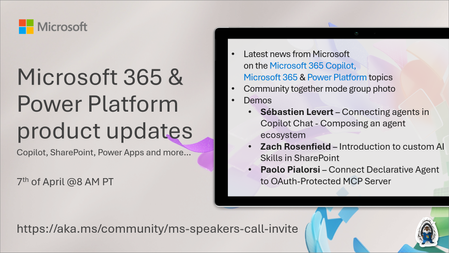
💡Microsoft 365 & Power Platform product updates call concentrates on the different use cases and features within the Microsoft 365 and in Power Platform. Call includes topics like Microsoft 365 Copilot, Copilot Studio, Microsoft Teams, Power Platform, Microsoft Graph, Microsoft Viva, Microsoft Search, Microsoft Lists, SharePoint, Power Automate, Power Apps and more. 👏 Weekly Tuesday call is for all community members to see Microsoft PMs, engineering and Cloud Advocates showcasing the art of possible with Microsoft 365 and Power Platform. 📅 On the 7th of April we'll have following agenda: News and updates from Microsoft Together mode group photo Sébastien Levert – Connecting agents in Copilot Chat - Composing an agent ecosystem Zach Rosenfield – Introduction to custom AI Skills in SharePoint Paolo Pialorsi – Connect Declarative Agent to OAuth-Protected MCP Server 📞 & 📺 Join the Microsoft Teams meeting live at https://aka.ms/community/ms-speakers-call-join 🗓️ Download recurrent invite for this weekly call from https://aka.ms/community/ms-speakers-call-invite 👋 See you in the call! 💡 Building something cool for Microsoft 365 or Power Platform (Copilot, SharePoint, Power Apps, etc)? We are always looking for presenters - Volunteer for a community call demo at https://aka.ms/community/request/demo 📖 Resources: Previous community call recordings and demos from the Microsoft Community Learning YouTube channel at https://aka.ms/community/youtube Microsoft 365 & Power Platform samples from Microsoft and community - https://aka.ms/community/samples Microsoft 365 & Power Platform community details - https://aka.ms/community/home 🧡 Sharing is caring!35Views1like0Comments
Four Best Practices for Leading Through AI Adoption
Actionable guidance for building AI leadership skills—drawn from real customer conversations. Chris Henley is a Microsoft Trainer, part of a community of professionals at Microsoft Global Skilling, working with customer and partner leaders to help them build the skills required to drive their organization’s AI strategy. Where AI conversations are shifting for leaders I’ve been working with executives and company leaders for several years, and it feels like the AI conversation is finally shifting from “What can AI do?” to “How do we move forward with AI in a way that creates real value?” That shift often shows up as organizations move beyond isolated pilots and begin integrating AI across the business: into processes, employee experiences, customer engagement, and innovation. Microsoft refers to this broader shift as Frontier Transformation, where AI becomes a strategic priority and changes how intelligence operates inside the organization, not just which tools people use. From what we’re hearing from executives, one thing becomes clear: AI adoption rarely comes down to a single decision. Progress unfolds through small experiments, sharper priorities, and measured results that reveal what’s working and what to do next. What seems to help drive adoption progress isn’t a rigid plan. It’s returning to a few best practices that show up regularly in real business discussions: Reframe: recognizing that AI is not just another tool rollout, but a shift in how work is structured, how decisions are made, and where intelligence shows up across the business. Focus: identifying a specific business priority where AI can create measurable value, rather than spreading experimentation across too many disconnected pilots. Assess: taking an honest look at whether the organization is ready to move forward across data foundations, leadership alignment, team capabilities, and governance. Commit: selecting a defined AI initiative, assigning ownership, and establishing how success will be measured over a clear timeframe. These aren’t meant to be a strict sequence. Leaders often move between them as they clarify strategy, prioritize investments, and decide what to do next. The following sections take a closer look at how each of these best practices show up in real leadership discussions about AI adoption. 1. Reframing how to think about AI in the organization AI often begins framed as a tool rollout, but leaders I work with frequently find that this narrows the discussion too quickly. Many have shared that the most useful shift happens when the question moves beyond “How do we use this?” to something broader: “Where could AI change how our business actually works?” I was recently delivering a training session with one of our customers, a consulting firm that had rolled out Microsoft 365 Copilot. Early wins were familiar: faster emails, cleaner summaries, better documentation, and the team was energized. But in one session we paused and asked a tougher question: if AI is now part of the business, should client reporting and analysis still look the same? The focus shifted from incremental productivity gains to rethinking how insights were created and delivered. You start to see where work should be redesigned—not just sped up. The technology remained the same, but leadership perspectives evolved. 2. Choosing where to focus before moving forward Another common situation we’re seeing is companies trying to use many different AI solutions in hopes of finding an area where AI might have an impact. Pilots are running across the business, but their intended business impact is unclear. Activity isn’t the same as progress. Momentum usually picks up when leaders choose one area where AI clearly connects to a meaningful business outcome. The experience of one of our customers, a global automotive manufacturer, is a good example of this. Rather than trying to use AI everywhere, they pinpointed a bottleneck that was slowing down their accounting workflows. So, they applied AI document intelligence to that problem first. That targeted focus reclaimed thousands of hours of manual work. You can see what’s working and what it tells you about your organization. Investment conversations become easier, because you’re not funding “AI.” You’re funding a business outcome. 3. Assessing organizational readiness as aspiration meets reality One of the most useful shifts happens when leaders pause to examine how ready the organization actually is for AI. It’s easy to assume you’re “AI-ready,” but that closer look often reveals where ambition is moving faster than capability. In one executive discussion, a leader paused and said, “I thought this was an IT implementation. I didn’t realize how much AI would change how my leadership team operates.” That moment shifted the conversation from infrastructure and deployment to the real question: Was the organization ready to operate differently with AI? The team shifted its attention to making better decisions, ownership, and leadership readiness. You can see whether AI is tied to business priorities, whether teams have enough hands-on capability, whether the culture supports experimentation and learning, and whether risk and accountability are clearly defined. 4. Committing to shape your AI strategy through action Here’s something I see a lot: Leadership teams often agree AI is important, but progress stalls when no one defines the next step or who owns it. In one session, an executive team had been reviewing use cases for months. Mid-meeting, someone finally said, “We’ve been talking about this for a while. What have we accomplished?” That simple question immediately shifted the conversation from exploration to ownership. The team aligned on one outcome and how they’d measure it, and that’s when momentum finally started. The goal isn’t to have the perfect strategy upfront. It’s to commit to a focused, informed, effort that starts to transform your business in a meaningful way. The efforts that gain traction are usually clearly defined, have senior leadership behind them, and everyone on the team is aligned on how to measure progress. Time to roll up the sleeves and get to work In the end, leading through AI adoption isn’t about getting everything right from the start. What I see work most often is leaders building the skills to navigate it as they go, and learning how to judge where AI really matters, where to begin, and how to move forward through focused action. If you’d like a practical way to start that process, check out our new Develop AI Leadership Skills guide for a structured starting point. It’ll help you think about your organization's next steps with AI and it’ll give you a clear framework for prioritizing actions and moving ahead confidently.787Views3likes2CommentsYour guide to the Microsoft 365 Community Conference
Register now and save your spot for the chance to ask questions and share feedback with hundreds of Microsoft executives, engineers, and product leaders. By making your voice heard, your feedback will help shape the technologies that you and countless others use every day. Plus, you’ll hear from icons of Intelligent Work during inspiring keynotes, sessions, and AMAs, including: Jeff Teper, President, Microsoft 365 Collaborative Apps & Platforms, Microsoft Ryan Cunningham, Corporate Vice President, Power Platform Vasu Jakkal, Corporate Vice President, Microsoft Security Rohan Kumar, Corporate Vice President, Microsoft Security, Purview & Trust Dr. Jaime Teevan, Chief Scientist & Technical Fellow, Microsoft View full speaker list > What: Microsoft 365 Community Conference 2025 Register today | Note: Use the SAVE150 discount code to save $150 USD. Content snapshot: 5 Microsoft keynotes + 1 Ask Microsoft Anything (AMA) | 200+ overall sessions Microsoft-led sessions | 21 full-day workshops (pre-day and post) Microsoft is sending over 150+ product makers to present and engage. Review all sessions, workshops, and speakers. When & where: April 21-23, 2026 In-person: Loews Sapphire Falls and Loews Royal Pacific Resorts in Orlando, Florida Pre-day workshops on Sunday, April 19 and Monday, April 20. Details: Twitter & hashtag: @M365CONF | #M365Con Follow us on LinkedIn: M365Community Conference LinkedIn Company Page Cost: $1,850- full conference (Includes 3 continental breakfasts, 3 lunches, a T-shirt, and backpack (additional costs for full-day workshops). Please visit the M365 Community Conference for full pricing. Microsoft Customer Discount: Use CODE: SAVE150 for $150 USD off registration. Why attend? Stay Ahead of Innovation: Gain exclusive insights into the latest advancements in AI and Microsoft’s Product Roadmap. Empowering you to drive transformation within your organization and stay at the forefront of technology. Hands-On Learning: Participate in practical sessions and workshops that provide actionable strategies and skills to optimize workflows, enhance productivity, and achieve business success. Connect with Experts: Build invaluable connections with Microsoft product makers, MVPs, industry leaders, and a global community of like-minded professionals who share your passion for technology. Transform Your Impact: Leave with a deeper understanding of Microsoft tools, clear strategies for leveraging AI in your work, and a roadmap for achieving your goals and enhancing your team's success. Build Community: Build community by connecting with others, sharing experiences, and forming meaningful relationships. Check out Jeff Teper's awesome statement on The ultimate Microsoft 365 community event is back| Microsoft 365 Blog. FUN: Join us in our community lounge for networking, hanging out, meet and greets with Microsoft and Community All-Stars, surprise and delight treats, stickers and raffles to win grand prizes! Are you in? Register today! Don't miss your chance to join the largest M365 focused conference of the year. Ways to save: Use CODE: SAVE150 for $150 USD off registration. M365CON26 Grant Program (For Non-profits & Small Business) See if you qualify for a deep discount or free pass for Microsoft 365 Community Conference. Small Businesses & Non-profits are eligible to apply for a free pass grant (government organizations do not quality). Read on for more details about what to expect, and we hope to see you there! High-level conference schedule *subject to change – check back for updates Sunday, April 19, 2026 – Workshop Day 9:00 AM- 4:00 PM Workshops Monday, April 20, 2026 – Workshop Day 9:00 AM- 4:00 PM Workshops Tuesday, April 21, 2026 –Conference Session Day 7:00 AM- 8:15 AM Continental Breakfast 8:30 AM- 5:00 PM Keynotes and Sessions 5:00 PM- 6:30 PM Conference Opening Recep7on Wednesday, April 22, 2026 – Conference Session Day 7:00 AM- 8:00 AM Continental Breakfast 8:00 AM - 5:00 PM Keynotes and Sessions 5:00 PM - 6:15 PM Networking and T-shirt pick up in Expo Hall 8:00 PM - 10:00 PM Attendee Party Universal Islands of Adventure Thursday April 23, 2026 – Conference Session Day 7:30 AM– 8:45 AM Continental Breakfast 9:00 AM – 4:30 PM Keynotes and Sessions Friday April 24, 2026 – Workshop Day 8:00 AM - 3:00 PM Workshops Check out the keynotes and speakers Catch the speakers and sessions that matter most to you, and your customers. Keynote: Building for the Future: Microsoft 365, Agents and AI, What's New and What's Next Jeff Teper, President, Collaborative Apps and Platforms, Microsoft Tuesday, April 21, 8:30-9:30 AM Keynote: Business Apps and Agents Ryan Cunningham, Corporate Vice President, Microsoft Tuesday, April 21, 9:30-10:20 AM Keynote: Securing AI: Building Trust in the Era of AI Vasu Jakkal, Corporate Vice President, Microsoft Security Business Rohan Kumar, Corporate Vice President, Security Purview and Trust, Microsoft Wednesday, April 22, 8:00-9:15 AM Keynote: The Future of Work Fireside Keynote Jamie Teevan, Ph.D., Chief Scientist and Technical Fellow, Microsoft Thursday, April 23, 2:15-3:15 PM Keynote: From Momentum to Movement: Where Community Goes Next Karuana Gatimu, Director of Customer Advocacy, AI and Collaboration, Microsoft Heather Cook, Principal PM Manager, Global Community Evangelism and Events Customer Advocacy Group, Microsoft 365 Thursday, April 23, 3:15-4:15 PM Full session list 200+ sessions and workshops If you’re interested in learning how Microsoft is shaping the future of work—there’s a session for you. Join Microsoft experts, MVPs, and community leaders as you find out about the latest product innovations and AI-powered tools. Discover what’s new with Microsoft 365 Copilot, Teams, SharePoint, OneDrive, Copilot Studio, and much more. Check out the full catalog > Explore sessions by day: Tuesday, April 21, 2026 – Conference Session Day 10:55 AM - 11:15 AM | Building AI Agents for Communities: How Viva Engage + Copilot Supercharge Organizational Insight Speaker: Spencer Perry and Ramya Rajasekhar 11:30 AM - 12:15 PM | Featured Session: Your Guide What’s New in Teams: Collaboration, Communication, and Copilot Speaker: Chandra Chivukula and Ilya Bukshteyn 11:30 AM - 12:15 PM | Breaking In, Leveling Up: Navigating Tech Careers with Community Speaker: Heather Cook and Nisaini Rexach (CELA) 11:30 AM - 12:15 PM | OneDrive: Your Hub for Productivity and Collaboration Excellence Speaker: Carter Green and Arvind Mishra 11:30 AM - 12:15 PM | From Chaos to AI-Ready in 30 Days: Meet the SharePoint Admin Agent Speaker: Dieter Jansen and Dave Minasyan 11:30 AM - 12:15 PM | Leveraging SQL database in Fabric to implement RAG patterns using Vector search Speaker: Sukhwant Kaur 11:30 AM - 12:15 PM | How Microsoft Actually Builds Copilot Agents Speaker: Kristina Marko and Clint Williams 11:30 AM - 12:15 PM | Copilot Studio Governance for Public Sector Speaker: William McLendon and Richie Wallace 11:30 AM - 12:15 PM | AI-Powered Collaboration: Unlocking Your Employee Knowledge Base in Engage Speaker: Allison Michels and Ramya Rajasekhar 11:30 AM - 12:15 PM | From Data to Decisions: How Copilot in VS Code Empowers Research and Enterprise Teams Speaker: Semir Sarajlic and Olesya Sarajlic, PhD 1:40 PM - 2:00 PM | Deep dive into Agent insights and content governance across SharePoint and Microsoft 365 Speaker: Nikita Bandyopadhyay 1:45 PM - 2:30 PM | Agent Lifecycle Management and Governance leveraging FastTrack Speaker: Pratik Bhusal and Azharullah Meer 1:45 PM - 2:30 PM | Evolving channels to be the hub for collaboration in M365 Speakers: Roshin Lal Ramesan and Derek Snook 1:45 PM - 2:30 PM | Employee Voice Reinvented: Gathering Insights with Next-Gen Feedback Agents Speaker: Caribay Garcia and Alisa Liddle 1:45 PM - 2:30 PM | Fireside Chat: Being an Effective Leader with AI Speaker: Karuana Gatimu 1:45 PM - 2:30 PM | Inside Microsoft: Reclaiming Engineering Time with AI in Azure DevOps Speaker: Apoorv Gupta and Gopal Panigrahy 1:45 PM - 2:30 PM | Featured Session: OneDrive in Action: Transforming Industries, Empowering Success Speaker: Vishal Lodha, Arwa Tyebkhan, and Jason Moore 1:45 PM - 2:30 PM | Demystifying Copilot and AI experiences on Windows Speaker: Anupam Pattnaik 1:45 PM - 2:30 PM | Work IQ fundamentals Speaker: Ben Summers 1:45 PM - 2:30 PM | Copilot "Employee Agents" Speaker: Kyle Von Haden 2:30 PM - 2:50 PM | FastTrack your M365 Deployment Speaker: Pratik Bhusal and Jeffrey Manning 2:45 PM - 3:30 PM | Protect and govern agents with Microsoft Purview Speaker: Nishan DeSilva and Shilpa Ranganathan 2:45 PM - 3:30 PM | Mission Readiness - Cybersecurity and Copilot in the Public Sector Speaker: Karuana Gatimu 2:45 PM - 3:30 PM | A New Way of Building! Child Agents, Instructions, and Descriptions Speaker: Dewain Robinson and Grant Gieszler 2:45 PM - 3:30 PM | Start your adoption journey with adoption.microsoft.com Speaker: Jessie Hwang 2:45 PM - 3:30 PM | Copilot readiness & resiliency with M365 Backup & Archive Speaker: Sree Lakshmi and Eshita Priyadarshini 2:45 PM - 3:30 PM | Protection in Teams as Modern Threats Evolve Speaker: Srisudha Mahadevan and Harshal Gautam 2:45 PM - 3:30 PM | Meet AI in SharePoint Speaker: Cory Newton-Smith and Julie Seto 2:45 PM - 3:30 PM | Featured Session: Engage everywhere: communities, events, and storylines in Teams, powered by AI Speaker: Jeanette Vikbacka Castaing, Jason Mayans, Steve Nguyen, and Murali Sitaram 3:30 PM - 3:50 PM | From Slack to Teams: What’s New and How We Make the Move Easy Speaker: Roshin Lal Ramesan and Arun Das 3:55 PM - 4:15 PM | How Microsoft Digital adopted Baseline Security Mode to improve Microsoft's security posture Speaker: Adriana Wood 4:15 PM - 5:00 PM | Featured Session: Agent 365: The control plane for all Agents Speaker: Nikita Bandyopadhyay and Sesha Mani 4:15 PM - 5:00 PM | Customer/Partner spotlight: Microsoft 365 Backup Speaker: Saumitra Bhide and Brad Gussin 4:15 PM - 5:00 PM | Demystifying Multiagent (Child / Connected) and Component Collection Speaker: Bobby Chang and Dewain Robinson 4:15 PM - 5:00 PM | Turning AI Potential into High-Impact AI Business Cases and ROI Speaker: April Delsing and Olga Gordon 4:15 PM - 5:00 PM | Leading Workforce Transformation: The Art and Science of Skilling Your People Speaker: Karuana Gatimu 4:15 PM - 5:00 PM | Seamless External Collaboration for all customer engagements Speaker: Nitesh Golchha 4:15 PM - 5:00 PM | Leading Workforce Transformation: The Art and Science of Skilling Your People Speaker: Jessie Hwang 4:15 PM - 5:00 PM | Community in the Age of AI—Humans at the Center of Copilot Adoption Speaker: Sarah Lundy, Allison Michels, and Alex Snyder 4:15 PM - 5:00 PM | What's new with Copilot and Office: Word, Excel, Power Point Agent Mode and Agents Speakers: Trevor O'Brien and Dan Parish 4:15 PM - 5:00 PM | Understanding Work IQ API Speaker: Paolo Pialorsi Wednesday, April 22, 2026 – Conference Session Day 8:30 AM - 9:30 AM | Building for the future: Microsoft 365, Agents and AI, what's new and what's next Speaker: Jeff Teper 9:30 AM - 10:30 AM | Business Apps & Agents Keynote Speaker: Ryan Cunningham 10:15 AM - 11:00 AM | Empowering Community Builders: Join MGCI & CommunityDays.org Speaker: Heather Cook, Bryan Hart and Emily Hove 10:15 AM - 11:00 AM | The Communicator’s Guide to Viva Engage: Making Comms Relevant in Your AI Transformation Speaker: Najla Dadmand, Sarah Lundy, and Dan Mulcahey 10:15 AM - 11:00 AM | Top Wins - Copilot and Agents for Non Profit Speaker: Karuana Gatimu 10:15 AM - 11:00 AM | Empowering Community Builders: Join MGCI & CommunityDays.org Speaker: Heather Cook, Bryan Hart and Emily Hove 10:15 AM - 11:00 AM | The Communicator’s Guide to Viva Engage: Making Comms Relevant in Your AI Transformation Speaker: Najla Dadmand, Sarah Lundy, and Dan Mulcahey 10:15 AM - 11:00 AM | From Chaos to Clarity: Hyper automation That Actually Works Speaker: Danielle Moon 10:15 AM - 11:00 AM | The Communicator’s Guide to Viva Engage: Making Comms Relevant in Your AI Transformation Speaker: Najla Dadmand, Sarah Lundy, and Dan Mulcahey 10:15 AM - 11:00 AM | Supercharge Your Agents with Computer Use in Copilot Studio Speaker: Sravani Seethi and Phi-Lay Nguyen 10:55 AM - 11:15 AM | Building AI Agents for Communities: How Viva Engage + Copilot Supercharge Organizational Insight Speaker: Spencer Perry and Ramya Rajasekhar 11:30 AM - 12:15 PM | Featured Session: Your Guide What’s New in Teams: Collaboration, Communication, and Copilot Speaker: Chandra Chivukula and Ilya Bukshteyn 11:30 AM - 12:15 PM | Breaking In, Leveling Up: Navigating Tech Careers with Community Speaker: Heather Cook and Nisaini Rexach (CELA) 11:30 AM - 12:15 PM | OneDrive: Your Hub for Productivity and Collaboration Excellence Speaker: Carter Green and Arvind Mishra 11:30 AM - 12:15 PM | From Chaos to AI-Ready in 30 Days: Meet the SharePoint Admin Agent Speaker: Dieter Jansen and Dave Minasyan 11:30 AM - 12:15 PM | Leveraging SQL database in Fabric to implement RAG patterns using Vector search Speaker: Sukhwant Kaur 11:30 AM - 12:15 PM | How Microsoft Actually Builds Copilot Agents Speaker: Kristina Marko and Clint Williams 11:30 AM - 12:15 PM | Copilot Studio Governance for Public Sector Speaker: William McLendon and Richie Wallace 11:30 AM - 12:15 PM | AI-Powered Collaboration: Unlocking Your Employee Knowledge Base in Engage Speaker: Ramya Rajasekhar and Allison Michels 11:30 AM - 12:15 PM | From Chaos to AI-Ready in 30 Days: Meet the SharePoint Admin Agent Speaker: Dieter Jansen and Dave Minasyan 11:30 AM - 12:15 PM | AI-Powered Collaboration: Unlocking Your Employee Knowledge Base in Engage Speaker: Ramya Rajasekhar and Allison Michels 11:30 AM - 12:15 PM | From Data to Decisions: How Copilot in VS Code Empowers Research and Enterprise Teams Speaker: Semir Sarajlic and Olesya Sarajlic, PhD 11:30 AM - 12:15 PM | How Microsoft Actually Builds Copilot Agents Speaker: Kristina Marko and Clint Williams 1:30 PM - 2:15 PM | An AI Powered Communication and Operational Efficiency Blueprint for Frontline Teams Speaker: Vishal Anil and Amarjit Prasad 1:30 PM - 2:15 PM | Connected Collaboration: The Future of Sharing in M365 Speaker: Miceile Barrett and Phaneendra Sai Sristi 1:30 PM - 2:15 PM | Use data, insights, and employee listening to build your comms strategy Speaker: Amy Morris, Paula Wellings, and John Cirone 1:30 PM - 2:15 PM | The Power Apps Builder’s Guide for Choosing the Right Path Speaker: April Dunnam 1:30 PM - 2:15 PM | What's new in the Microsoft 365 Copilot app: Your starting place for AI at work Speaker: Andrea Lum and Constance Gervais 1:30 PM - 2:15 PM | The Future of SharePoint Extensibility: What's New, What's Next Speaker: Alex Terentiev and Vesa Juvonen 1:30 PM - 2:15 PM | Using SharePoint AI to solve Business Processes Speaker: Kristen Kamath, Nate Tennant, and Alexander Spitsyn 1:30 PM - 2:15 PM | The Future of SharePoint: AI ready to discover, publish and build. Speaker: Kripal Kavi and Sarah Mathurin 1:30 PM - 2:15 PM | Secure and Govern Microsoft 365 Copilot - What Every IT Pro Needs to Know Speaker: Sophie Ke 1:30 PM - 2:15 PM | What's new in the Microsoft 365 Copilot app: Your starting place for AI at work Speaker: Andrea Lum and Constance Gervais 1:30 PM - 2:15 PM | An AI Powered Communication and Operational Efficiency Blueprint for Frontline Teams Speaker: Vishal Anil and Amarjit Prasad 1:30 PM - 2:15 PM | The Future of SharePoint Extensibility: What's New, What's Next Speaker: Alex Terentiev and Vesa Juvonen 1:35 PM - 1:55 PM | Modernizing Federal Security for the AI Era: Deploying Copilot in GCC High and DoW Speaker: William McLendon and Richie Wallace 1:40 PM - 2:00 PM | Deep dive into Agent insights and content governance across SharePoint and Microsoft 365 Speaker: Nikita Bandyopadhyay 1:45 PM - 2:30 PM | Agent Lifecycle Management and Governance leveraging FastTrack Speaker: Pratik Bhusal and Azharullah Meer 1:45 PM - 2:30 PM | Evolving channels to be the hub for collaboration in M365 Speaker: Chandra Chivukula, Roshin Lal Ramesan, and Chandrika Duggirala 1:45 PM - 2:30 PM | Employee Voice Reinvented: Gathering Insights with Next-Gen Feedback Agents Speaker: Caribay Garcia and Alisa Liddle 1:45 PM - 2:30 PM | Fireside Chat: Being an Effective Leader with AI Speaker: Karuana Gatimu 1:45 PM - 2:30 PM | Inside Microsoft: Reclaiming Engineering Time with AI in Azure DevOps Speaker: Apoorv Gupta and Gopal Panigrahy 1:45 PM - 2:30 PM | Featured Session: OneDrive in Action: Transforming Industries, Empowering Success Speaker: Vishal Lodha, Jason Moore, and Arwa Tyebkhan 1:45 PM - 2:30 PM | Work IQ fundamentals Speaker: Ben Summers 1:45 PM - 2:30 PM | Copilot "Employee Agents" Speaker: Kyle Von Haden 2:30 PM - 2:50 PM | FastTrack your M365 Deployment Speaker: Pratik Bhusal and Jeffrey Manning 2:45 PM - 3:30 PM | Protect and govern agents with Microsoft Purview Speaker: Nishan DeSilva, Shilpa Ranganathan 2:45 PM - 3:30 PM | Mission Readiness - Cybersecurity and Copilot in the Public Sector Speaker: Karuana Gatimu 2:45 PM - 3:30 PM | A New Way of Building! Child Agents, Instructions, and Descriptions Speaker: Dewain Robinson and Grant Gieszler 2:45 PM - 3:30 PM | Start your adoption journey with adoption.microsoft.com Speaker: Jessie Hwang 2:45 PM - 3:30 PM | Copilot readiness & resiliency with M365 Backup & Archive Speaker: Sree Lakshmi and Eshita Priyadarshini 2:45 PM - 3:30 PM | Protection in Teams as Modern Threats Evolve Speaker: Srisudha Mahadevan and Harshal Hautam 2:45 PM - 3:30 PM | Featured Session: Engage everywhere: communities, events, and storylines in Teams, powered by AI Speaker: Jeanette Vikbacka Castaing, Jason Mayans, Steve Nguyen, and Murali Sitaram 2:45 PM - 3:30 PM | Meet AI in SharePoint Speaker: Cory Newton-Smith and Julie Seto 3:30 PM - 3:50 PM | From Slack to Teams: What’s New and How We Make the Move Easy Speaker: R Roshin Lal Ramesan and Arun Das 3:55 PM - 4:15 PM | How Microsoft Digital adopted Baseline Security Mode to improve Microsoft's security posture Speaker: Adriana Wood 4:15 PM - 5:00 PM | Featured Session: Agent 365: The control plane for all Agents Speaker: Nikita Bandyopadhyay and Sesha Mani 4:15 PM - 5:00 PM | Demystifying Multiagent (Child / Connected) and Component Collection Speaker: Bobby Chang and Dewain Robinson 4:15 PM - 5:00 PM | Turning AI Potential into High-Impact AI Business Cases and ROI Speaker: April Delsing and Olga Gordon 4:15 PM - 5:00 PM | Leading Workforce Transformation: The Art and Science of Skilling Your People Speaker: Karuana Gatimu 4:15 PM - 5:00 PM | Seamless External Collaboration for all customer engagements Speaker: Nitesh Golchha 4:15 PM - 5:00 PM | Customer/Partner spotlight: Microsoft 365 Backup Speaker: Brad Gussin and Saumitra Bhide 4:15 PM - 5:00 PM | Leading Workforce Transformation: The Art and Science of Skilling Your People Speaker: Jessie Hwang 4:15 PM - 5:00 PM | Community in the Age of AI—Humans at the Center of Copilot Adoption Speaker: Sarah Lundy, Allison Michels, and Alex Snyder 4:15 PM - 5:00 PM | What's new with Copilot and Office: Word, Excel, Power Point Agent Mode and Agents Speaker: Trevor O'Brien and Dan Parish 4:15 PM - 5:00 PM | Understanding Work IQ API Speaker: Paolo Pialorsi Thursday April 23, 2026 – Conference Session Day 9:00 AM - 9:45 AM | Microsoft Lists Speaker: Mitalee Mulpuru and Arjun Tomar 10:55 AM - 11:15 AM | Building AI Agents for Communities: How Viva Engage + Copilot Supercharge Organizational Insight Speakers: Spencer Perry and Ramya Rajasekhar 11:30 AM - 12:15 PM | Featured Session: Your Guide What’s New in Teams: Collaboration, Communication, and Copilot Speakers: Ilya Bukshteyn and Chandra Chivukula 11:30 AM - 12:15 PM | Breaking In, Leveling Up: Navigating Tech Careers with Community Speaker: Heather Cook 11:30 AM - 12:15 PM | OneDrive: Your Hub for Productivity and Collaboration Excellence Speaker: Carter Green and Arvind Mishra 11:30 AM - 12:15 PM | From Chaos to AI-Ready in 30 Days: Meet the SharePoint Admin Agent Speaker: Dieter Jansen and Dave Minasyan 11:30 AM - 12:15 PM | Leveraging SQL database in Fabric to implement RAG patterns using Vector search Speaker: Sukhwant Kaur 11:30 AM - 12:15 PM | How Microsoft Actually Builds Copilot Agents Speaker: Kristina Marko and Clint Williams 11:30 AM - 12:15 PM | AI-Powered Collaboration: Unlocking Your Employee Knowledge Base in Engage Speaker: Ramya Rajasekhar and Allison Michels 11:30 AM - 12:15 PM | From Chaos to AI-Ready in 30 Days: Meet the SharePoint Admin Agent Speaker: Dieter Jansen and Dave Minasyan 11:30 AM - 12:15 PM | From Data to Decisions: How Copilot in VS Code Empowers Research and Enterprise Teams Speaker: Semir Sarajlic and Olesya Sarajlic, PhD 11:30 AM - 12:15 PM | Copilot Studio Governance for Public Sector Speaker: William McLendon and Richie Wallace 1:40 PM - 2:00 PM | Deep dive into Agent insights and content governance across SharePoint and Microsoft 365 Speaker: Nikita Bandyopadhyay 1:45 PM - 2:30 PM | Agent Lifecycle Management and Governance leveraging FastTrack Speaker: Pratik Bhusal and Azharullah Meer 1:45 PM - 2:30 PM | Evolving channels to be the hub for collaboration in M365 Speakers: Roshin Lal Ramesan and Derek Snook 1:45 PM - 2:30 PM | Employee Voice Reinvented: Gathering Insights with Next-Gen Feedback Agents Speaker: Caribay Garcia and Alisa Liddle 1:45 PM - 2:30 PM | Fireside Chat: Being an Effective Leader with AI Speaker: Karuana Gatimu 1:45 PM - 2:30 PM | Inside Microsoft: Reclaiming Engineering Time with AI in Azure DevOps Speaker: Apoorv Gupta and Gopal Panigrahy 1:45 PM - 2:30 PM | Featured Session: OneDrive in Action: Transforming Industries, Empowering Success Speaker: Vishal Lodha, Jason Moore, and Arwa Tyebkhan 1:45 PM - 2:30 PM | Work IQ fundamentals Speaker: Ben Summers 1:45 PM - 2:30 PM | Copilot "Employee Agents" Speaker: Kyle Von Haden 2:30 PM - 2:50 PM | FastTrack your M365 Deployment Speaker: Pratik Bhusal and Jeffrey Manning 2:45 PM - 3:30 PM | Protect and govern agents with Microsoft Purview Speaker: Nishan DeSilva and Shilpa Ranganathan 2:45 PM - 3:30 PM | Mission Readiness - Cybersecurity and Copilot in the Public Sector Speaker: Karuana Gatimu 2:45 PM - 3:30 PM | A New Way of Building! Child Agents, Instructions, and Descriptions Speaker: Dewain Robinson and Grant Gieszler 2:45 PM - 3:30 PM | Start your adoption journey with adoption.microsoft.com Speaker: Jessie Hwang 2:45 PM - 3:30 PM | Copilot readiness & resiliency with M365 Backup & Archive Speaker: Sree Lakshmi and Eshita Priyadarshini 2:45 PM - 3:30 PM | Protection in Teams as Modern Threats Evolve Speaker: Srisudha Mahadevan and Harshal Gautam 2:45 PM - 3:30 PM | Meet AI in SharePoint Speaker: Cory Newton-Smith and Julie Seto 2:45 PM - 3:30 PM | Featured Session: Engage everywhere: communities, events, and storylines in Teams, powered by AI Speaker: Jeanette Vikbacka Castaing, Jason Mayans, Steve Nguyen, and Murali Sitaram 3:30 PM - 4:15 PM | Keynote: From Momentum to Movement: Where Community Goes Next Speakers: Heather Cook and Karuana Gatimu Friday, April 24, 2026 – Workshop Day 9:00 AM - 9:45 AM | Deepening customer connections for your SMB through Teams Speakers: Angela Chin and Prem Mathiyalagan 9:00 AM - 9:45 AM | Cultivating Trust and Leadership Excellence: Strategies for Respect and Empathy in the Workplace Speaker: Heather Cook 9:00 AM - 9:45 AM | Planner, Copilot and Agents: AI Assisted Projects with Work IQ Speakers: Howard Crow and Robyn Guarriello 9:00 AM - 9:45 AM | Microsoft 365 Mergers & Acquisitions Speaker: Vaibhav Gaddam and Subham Dang 9:00 AM - 9:45 AM | Top Wins - Copilot and Agents for Retail Speaker: Karuana Gatimu 9:00 AM - 9:45 AM | Agents are joining the team - build collaborative agents for Microsoft Teams Speaker: Carter Gilliam and Saira Shariff 9:00 AM - 9:45 AM | Prompt to Profit: How Finance Teams Win with M365 Copilot & AI Agents Speaker: Melanie Mayo 9:00 AM - 9:45 AM | Top Wins - Copilot and Agents for Retail Speaker: Danielle Moon and Karuana Gatimu 9:00 AM - 9:45 AM | Microsoft Purview: AI‑-Powered Data Security for Microsoft 365 Speaker: Aashish Ramdas Level up your AI skills and shape the future of your business with Featured Sessions Develop the skills needed to thrive as a Frontier Firm through sessions led by innovators, builders, designers, Microsoft product teams, and MVPs shaping collaboration. Featured Session: Engage everywhere: communities, events, and storylines in Teams, powered by AI with Murali Sitaram, Steve Nguyen, Jason Mayans, and Jeanette Vikbacka Castaing Featured Session: Your Guide What’s New in Teams: Collaboration, Communication, and Copilot with Ilya Bukshteyn and Chandra Chivukula Planner, Copilot and Agents: AI Assisted Projects with WorkIQ with Howard Crow and Robyn Guarriello Lightning Talks: Lightning Talks are fast‑paced, 15‑minute sessions happening live at the Microsoft Booth that are designed to deliver practical insights, real‑world tips, and quick wins you can take back to your team right away. Stop by throughout the day to learn something new, get inspired, and catch a few surprises along the way. You can check the event agenda for session details. Onsite experiences Demo Stations: Visit the demo stations in the Microsoft Booth for guided, live walkthroughs led by Microsoft experts who can answer your questions in real time. Each station is designed to support scenario‑based conversations and hands‑on exploration, so you can dive deeper into the tools and solutions that matter most to your organization. The Microsoft Booth will be open anytime the expo hall is open. Mini LEGO figurines: Build a mini-LEGO figurine as a takeaway after walking through a demo scenario. It is a quick hands-on moment that adds some play and personality to your conference experience and lets you take some fun swag home. Celebrate 25 years of SharePoint Tuesday, April 21, 12:30PM – 1:30PM Celebrate the SharePoint community with the premiere of a new documentary short film at the conference, complete with a true movie‑premiere experience. Designed to honor the impact of SharePoint and Microsoft 365, this special event brings the community together to capture and celebrate the moment in person. Tuesday, April 21, 5PM – 6:30PM Microsoft Booth Join a live panel celebrating 25 years of SharePoint and what is next for the platform and community. Expect reflections, stories, and forward-looking conversations tied to the broader SharePoint at 25 celebration. Surface + Global Skilling Bar: Get hands on with Surface devices while exploring skilling resources designed to help you level up. This activation is being built to connect Surface experiences with AI skilling guidance, including the AI Skills Navigator. Attendees can experience this hands-on learning in the Microsoft booth during expo hall hours. Surface giveaways from raffle: Enter the raffle for a chance to win Surface giveaways and other prizes during the event. Winners are selected as part of the community giveaway experience, so check posted instructions onsite and make sure you enter. Each raffle will take place at the close of expo hall hours at the Microsoft Booth Bring your spirit wear game! We’re bringing the fun to the show floor with themed Costume Spirit Days all week long! Come by the booth in your best look, show off your costume, and score an extra raffle ticket for our daily prize drawing. Product Roundtable Discussions Microsoft wants to hear from you! The Microsoft User Experience Research team is hosting a series of interactive sessions focused on AI-powered experiences across Microsoft Teams, OneDrive, SharePoint, Planner, and Viva Engage. We invite you to join us to share your perspectives, explore emerging ideas, and influence what’s next. Customer feedback is at the heart of our innovation process. Your participation helps ensure that the experiences we are building are useful, intuitive, and grounded in real organizational needs. “At Microsoft, learning from our customers is a privilege and a vital part of our customer-driven innovation process. By sharing your perspectives, you enable us to create solutions that truly meet your needs and enhance your overall experience with Microsoft products.” – Marcella Silva, Partner Director of User Experience Research What you can expect: Interactive Sessions: Participate in hands-on activities and guided discussions with the Microsoft User Experience Research and Product teams. Expert Insights: Learn directly from the teams shaping the experiences you use every day. Exclusive Previews: Get early visibility into current explorations and future directions. Meaningful Connections: Engage with peers and Microsoft teams in a collaborative environment. How to sign up: Stay tuned! The sign-up form and detailed session descriptions will be available soon. Don’t miss this opportunity to make a difference in the future of Microsoft 365! Community meetups Community meetups are informal, connection‑first gatherings where attendees can meet others who share a role, interest, or identity. Whether you're looking to exchange ideas, grow your network, or find your people within the Microsoft 365 community, these sessions create space for meaningful conversations and authentic connection beyond the conference sessions. Women in Tech and Allies Lunch Discussion Grab your lunch and network with peers, discuss progress, and focus on how we can continue to make the Microsoft ecosystem the best in the world for supporting women. All individuals are welcome regardless of gender for an open and compassionate conversation on allyship and inclusiveness. The discussion will be hosted by Heather Cook, Principal Customer Experience PM and distinguished panelists including: Vasu Jakkal, Corporate Vice President, Microsoft Security Business Jaime Teevan, Chief Scientist & Technical Fellow Lan Ye, Corporate Vice President, Microsoft Teams Sumi Singh, Corporate Vice President, Microsoft Teams Karuana Gatimu, Director, Customer Advocacy - AI & Collaboration, Microsoft Kate Faaland, Program Manager of Data and AI, AvePoint Get the MVP experience—and don’t forget the photo op! Microsoft MVPs will be on hand throughout the event to share their real-world experience and practitioner insight directly to you. During sessions, our MVPs will share thoughts and brainstorm solutions to challenges as they share practical, scenario‑driven guidance drawn from hands‑on work with Microsoft 365. And of course, the program isn’t over without the annual MVP photo! Register Today! You’ll find all this and more at Microsoft 365 Community Conference, April 21–23 in Orlando. Register today and don't miss your chance for the largest M365 focused conference of the year. and don't miss your chance for the largest M365 focused conference of the year. Ways to save: Use CODE: SAVE150 for $150 USD off registration. M365CON26 Grant Program (For Non-profits & Small Business) See if you qualify for a deep discount or free pass for Microsoft 365 Community Conference. Small Businesses & Non-profits are eligible to apply for a free pass grant at www.change3e.com/grants (government organizations do not quality). Learn more Visit M365Conf.com and follow the action on: X/Twitter: @M365Conf / #M365Con, @Microsoft365, @MSFTCopilot, @SharePoint, @OneDrive, @MicrosoftTeams, @MSPowerPlat, @Microsoft365Dev, and @MSFTAdoption. And on our Microsoft Community LinkedIn and Learning YouTube channel. Want more information? Check out our library of blogs on topics, speakers, community activities and more: The ultimate Microsoft 365 community event returns with Jeff Teper 5 reasons to attend this year’s event What’s new in Microsoft Teams What to expect from the Copilot & AI sessions MVP experiences Get your company engagement up with Viva Engage Women in Tech at M365 Community Conference Level up your data security Keynotes highlight We hope you will join us in Orlando for an unforgettable week of innovation, inspiration, and community! Get ready to dive into the action with passionate MVPs, Microsoft product leaders, and an incredible lineup of tools like Microsoft 365 Copilot, Teams, SharePoint, OneDrive, Copilot Studio, Power Platform, Planner, and so much more. Let us make memories and shape the future together!604Views0likes1Comment
Register now for the Microsoft AI Skills Fest!
*Updated as of March 28, 2025. And we’re live! The registration for the Microsoft AI Skills Fest is now open to everyone! Join us on April 8, 2025, as we kick off this global skilling event to bring learners of all levels, ages, and geographies together and attempt to earn a GUINNESS WORLD RECORDS™ title for most users to take an online multi-level artificial intelligence lesson in 24 hours. We understand that the best way to learn something new is by taking it one step at a time, and learning AI is no exception. This is why we’re so excited to bring you the AI Skills Fest to help you gain valuable AI skills and to be part of a historic worldwide event. You can explore a diverse range of learning activities designed to help you build and enhance your business and technical AI proficiency—one skill at a time. After the kickoff on April 8, 2025, you can continue building your expertise with 50 days of AI discovery and learning, through May 28, 2025. Join us on April 8, 2025, to earn a GUINNESS WORLD RECORDS TM title! We’ll kick things off in Australia at 9 AM Australian Eastern Standard Time on April 8, 2025, and finish at 4 PM Pacific Daylight Time on April 8, 2025, with engaging AI learning experiences scheduled around the globe. While we know learning new things is a treat in itself, we thought it’d be extra fun for everyone participating on April 8 to be included in the attempt to earn a GUINNESS WORLD RECORDS™ title—a little “learn and earn” reward. Follow three simple steps to count your participation: Register for the Microsoft AI Skills Fest. On April 8, 2025, participate in one of the learning experiences that we’ve prepared for you. The details will be available on the event page shortly. Confirm your participation before 4 PM Pacific Daylight Time on April 8, 2025. Instructions will be provided during the various learning experiences. Check out all the learning experiences we've prepared for this day. Unlock the future! Build the skills to stay ahead After the Kickoff Celebration, the AI Skills Fest will continue for a total of 50 exciting days—through May 28, 2025—offering a wealth of training opportunities for learners of all skill levels and roles. Whether you're a business leader, tech professional, business professional, student or general AI enthusiast, the AI Skills Fest offers curated learning experiences for you. Engage in deep dives, experiential content, hackathons, challenges, and practical sessions. By the end of your 50-day skill-building adventure, you’ll have all the confidence you need to level up your AI skills that can unleash your creativity and increase your efficiency. I mean, who doesn’t want a few extra free hours in your day, right? Join us in making history and be part of the Microsoft AI Skills Fest, where you can build the skills you need to put AI to work for you. See you on April 8, 2025!114KViews17likes45Comments