.net
432 TopicsBuilding MCP Apps with Azure Functions MCP Extension
Today, we are thrilled to announce the release of MCP App support in the Azure Functions MCP (Model Context Protocol) extension! You can now build MCP Apps using the Functions MCP Extension in Python, TypeScript, and .NET. What are MCP Apps Until now, MCP has primarily been a way for AI agents to “talk” to data and tools. A tool would take an input, perform a task, and return a text response. While powerful, text has limits. For example, it’s easier to see a chart than to read a long list of data points. It’s also more convenient and accurate to provide complex inputs via a form than a series of text responses. MCP Apps addresses the limits by allowing MCP servers to return interactive HTML interfaces that render directly in the conversation. The following scenarios shed light into how the UI capabilities of MCP Apps improve the user experience of MCP tools in ways that texts can’t: Data exploration: A sales analytics tool returns an interactive dashboard. Users filter by region, drill down into specific accounts, and export reports without leaving the conversation. Configuration wizards: A deployment tool presents a form with dependent fields. Selecting “production” reveals additional security options; selecting “staging” shows different defaults. Real-time monitoring: A server health tool shows live metrics that update as systems change. No need to re-run the tool to see current status. Building MCP Apps with Azure Functions MCP Extension Azure Functions is the ideal platform for hosting remote MCP servers because of its built-in authentication, event-driven scaling from 0 to N, and serverless billing. This ensures your agentic tools are secure, cost-effective, and ready to handle any load. How It Works: Connecting Tools to Resources Building an MCP App involves two main components: Tools: Tools are executable functions that allow an LLM to interact with external systems (e.g., querying a database or sending an email). Resources: Resources are read-only data entities (e.g., log files, API docs, or database schemas) that provide the LLM with information without triggering side effects. You connect the tools to resources via the tools’ metadata. 1. The Tool with UI Metadata The following code snippet defines an MCP tool called GetWeather using the McpToolTrigger and associated metadata using McpMetadata. The McpMetadata declares that the tool has an associated UI, telling AI clients that when this tool is invoked, there’s a specific visual component available to display the results. Example (Python): TOOL_METADATA = '{"ui": {"resourceUri": "ui://weather/index.html"}}' @app.mcp_tool(metadata=TOOL_METADATA) @app.mcp_tool_property(arg_name="location", description="City name to check weather for (e.g., Seattle, New York, Miami)") def get_weather(location: str) -> Dict[str, Any]: result = weather_service.get_current_weather(location) return json.dumps(result) Example (C#): private const string ToolMetadata = """ { "ui": { "resourceUri": "ui://weather/index.html" } } """; [Function(nameof(GetWeather))] public async Task<object> GetWeather( [McpToolTrigger(nameof(GetWeather), "Returns current weather for a location via Open-Meteo.")] [McpMetadata(ToolMetadata)] ToolInvocationContext context, [McpToolProperty("location", "City name to check weather for (e.g., Seattle, New York, Miami)")] string location) { var result = await _weatherService.GetCurrentWeatherAsync(location); return result; } 2. The Resource Serving the UI The following snippet defines an MCP resource called GetWeatherWidget, which serves the bundled HTML at the matching URI. The MimeType is set to text/html;profile=mcp-app. Note that the resource URI (ui://weather/index.html) is the same as the one specified in ToolMetadata from above. Example (Python): RESOURCE_METADATA = '{"ui": {"prefersBorder": true}}' WEATHER_WIDGET_URI = "ui://weather/index.html" WEATHER_WIDGET_NAME = "Weather Widget" WEATHER_WIDGET_DESCRIPTION = "Interactive weather display for MCP Apps" WEATHER_WIDGET_MIME_TYPE = "text/html;profile=mcp-app" @app.mcp_resource_trigger( arg_name="context", uri=WEATHER_WIDGET_URI, resource_name=WEATHER_WIDGET_NAME, description=WEATHER_WIDGET_DESCRIPTION, mime_type=WEATHER_WIDGET_MIME_TYPE, metadata=RESOURCE_METADATA ) def get_weather_widget(context) -> str: # Get the path to the widget HTML file current_dir = Path(__file__).parent file_path = current_dir / "app" / "dist" / "index.html" return file_path.read_text(encoding="utf-8") Example (C#): // Optional UI metadata private const string ResourceMetadata = """ { "ui": { "prefersBorder": true } } """; [Function(nameof(GetWeatherWidget))] public string GetWeatherWidget( [McpResourceTrigger( "ui://weather/index.html", "Weather Widget", MimeType = "text/html;profile=mcp-app", Description = "Interactive weather display for MCP Apps")] [McpMetadata(ResourceMetadata)] ResourceInvocationContext context) { var file = Path.Combine(AppContext.BaseDirectory, "app", "dist", "index.html"); return File.ReadAllText(file); } See quickstarts in Getting Started section for full sample code. 3. Putting It All Together User asks: “What’s the weather in Seattle?” Agent calls the GetWeathertool. The tool returns weather data (as a normal tool result). The tool also includes ui.resourceUri metadata (ui://weather/index.html) telling the client an interactive UI is available. The client fetches the UI resource from ui://weather/index.html and loads it in a sandboxed iframe. The client passes the tool result to the UI app. User sees an interactive weather widget instead of plain text Get Started You can start building today using our samples. Each sample demonstrates how to define tools that trigger interactive UI components: Python quickstart TypeScript quickstart .NET quickstart Documentation Learn more about the Azure Functions MCP extension. Learn more about MCP Apps. Next Step: Authentication The samples above secure the MCP Apps using access keys. Learn how to secure the apps using Microsoft Entra and the built-in MCP auth feature.4.9KViews1like0CommentsBuilding HIPAA-Compliant Medical Transcription with Local AI
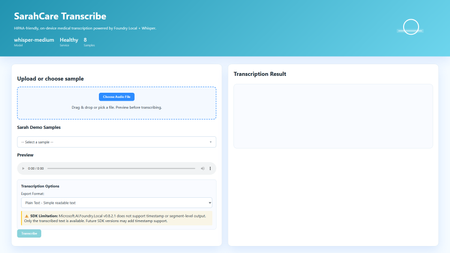
Building HIPAA-Compliant Medical Transcription with Local AI Introduction Healthcare organizations generate vast amounts of spoken content, patient consultations, research interviews, clinical notes, medical conferences. Transcribing these recordings traditionally requires either manual typing (time-consuming and expensive) or cloud transcription services (creating immediate HIPAA compliance concerns). Every audio file sent to external APIs exposes Protected Health Information (PHI), requires Business Associate Agreements, creates audit trails on third-party servers, and introduces potential breach vectors. This sample solution lies in on-premises voice-to-text systems that process audio entirely locally, never sending PHI beyond organizational boundaries. This article demonstrates building a sample medical transcription application using FLWhisper, ASP.NET Core, C#, and Microsoft Foundry Local with OpenAI Whisper models. You'll learn how to build sample HIPAA-compliant audio processing, integrate Whisper models for medical terminology accuracy, design privacy-first API patterns, and build responsive web UIs for healthcare workflows. Whether you're developing electronic health record (EHR) integrations, building clinical research platforms, or implementing dictation systems for medical practices, this sample could be a great starting point for privacy-first speech recognition. Why Local Transcription Is Critical for Healthcare Healthcare data handling is fundamentally different from general business data due to HIPAA regulations, state privacy laws, and professional ethics obligations. Understanding these requirements explains why cloud transcription services, despite their convenience, create unacceptable risks for medical applications. HIPAA compliance mandates strict controls over PHI. Every system that touches patient data must implement administrative, physical, and technical safeguards. Cloud transcription APIs require Business Associate Agreements (BAAs), but even with paperwork, you're entrusting PHI to external systems. Every API call creates logs on vendor servers, potentially in multiple jurisdictions. Data breaches at transcription vendors expose patient information, creating liability for healthcare organizations. On-premises processing eliminates these third-party risks entirely, PHI never leaves your controlled environment. US State laws increasingly add requirements beyond HIPAA. California's CCPA, New York's SHIELD Act, and similar legislation create additional compliance obligations. International regulations like GDPR prohibit transferring health data outside approved jurisdictions. Local processing simplifies compliance by keeping data within organizational boundaries. Research applications face even stricter requirements. Institutional Review Boards (IRBs) often require explicit consent for data sharing with external parties. Cloud transcription may violate study protocols that promise "no third-party data sharing." Clinical trials in pharmaceutical development handle proprietary information alongside PHI, double jeopardy for data exposure. Local transcription maintains research integrity while enabling audio analysis. Cost considerations favor local deployment at scale. Medical organizations generate substantial audio, thousands of patient encounters monthly. Cloud APIs charge per minute of audio, creating significant recurring costs. Local models have fixed infrastructure costs that scale economically. A modest GPU server can process hundreds of hours monthly at predictable expense. Latency matters for clinical workflows. Doctors and nurses need transcriptions available immediately after patient encounters to review and edit while details are fresh. Cloud APIs introduce network delays, especially problematic in rural health facilities with limited connectivity. Local inference provides <1 second turnaround for typical consultation lengths. Application Architecture: ASP.NET Core with Foundry Local The sample FLWhisper application implements clean separation between audio handling, AI inference, and state management using modern .NET patterns: The ASP.NET Core 10 minimal API provides HTTP endpoints for health checks, audio transcription, and sample file streaming. Minimal APIs reduce boilerplate while maintaining full middleware support for error handling, authentication, and CORS. The API design follows OpenAI's transcription endpoint specification, enabling drop-in replacement for existing integrations. The service layer encapsulates business logic: FoundryModelService manages model loading and lifetime, TranscriptionService handles audio processing and AI inference, and SampleAudioService provides demonstration files for testing. This separation enables easy testing, dependency injection, and service swapping. Foundry Local integration uses the Microsoft.AI.Foundry.Local.WinML SDK. Unlike cloud APIs requiring authentication and network calls, this SDK communicates directly with the local Foundry service via in-process calls. Models load once at startup, remaining resident in memory for sub-second inference on subsequent requests. The static file frontend delivers vanilla HTML/CSS/JavaScript, no framework overhead. This simplicity aids healthcare IT security audits and enables deployment on locked-down hospital networks. The UI provides file upload, sample selection, audio preview, transcription requests, and result display with copy-to-clipboard functionality. Here's the architectural flow for transcription requests: Web UI (Upload Audio File) ↓ POST /v1/audio/transcriptions (Multipart Form Data) ↓ ASP.NET Core API Route ↓ TranscriptionService.TranscribeAudio(audioStream) ↓ Foundry Local Model (Whisper Medium locally) ↓ Text Result + Metadata (language, duration) ↓ Return JSON/Text Response ↓ Display in UI This architecture embodies several healthcare system design principles: Data never leaves the device: All processing occurs on-premises, no external API calls No data persistence by default: Audio and transcripts are session-only, never saved unless explicitly configured Comprehensive health checks: System readiness verification before accepting PHI Audit logging support: Structured logging for compliance documentation Graceful degradation: Clear error messages when models unavailable rather than silent failures Setting Up Foundry Local with Whisper Models Foundry Local supports multiple Whisper model sizes, each with different accuracy/speed tradeoffs. For medical transcription, accuracy is paramount—misheard drug names or dosages create patient safety risks: # Install Foundry Local (Windows) winget install Microsoft.FoundryLocal # Verify installation foundry --version # Download Whisper Medium model (optimal for medical accuracy) foundry model add openai-whisper-medium-generic-cpu:1 # Check model availability foundry model list Whisper Medium (769M parameters) provides the best balance for medical use. Smaller models (Tiny, Base) miss medical terminology frequently. Larger models (Large) offer marginal accuracy gains at 3x inference time. Medium handles medical vocabulary well, drug names, anatomical terms, procedure names, while processing typical consultation audio (5-10 minutes) in under 30 seconds. The application detects and loads the model automatically: // Services/FoundryModelService.cs using Microsoft.AI.Foundry.Local.WinML; public class FoundryModelService { private readonly ILogger _logger; private readonly FoundryOptions _options; private ILocalAIModel? _loadedModel; public FoundryModelService( ILogger logger, IOptions options) { _logger = logger; _options = options.Value; } public async Task InitializeModelAsync() { try { _logger.LogInformation( "Loading Foundry model: {ModelAlias}", _options.ModelAlias ); // Load model from Foundry Local _loadedModel = await FoundryClient.LoadModelAsync( modelAlias: _options.ModelAlias, cancellationToken: CancellationToken.None ); if (_loadedModel == null) { _logger.LogWarning("Model loaded but returned null instance"); return false; } _logger.LogInformation( "Successfully loaded model: {ModelAlias}", _options.ModelAlias ); return true; } catch (Exception ex) { _logger.LogError( ex, "Failed to load Foundry model: {ModelAlias}", _options.ModelAlias ); return false; } } public ILocalAIModel? GetLoadedModel() => _loadedModel; public async Task UnloadModelAsync() { if (_loadedModel != null) { await FoundryClient.UnloadModelAsync(_loadedModel); _loadedModel = null; _logger.LogInformation("Model unloaded"); } } } Configuration lives in appsettings.json , enabling easy customization without code changes: { "Foundry": { "ModelAlias": "whisper-medium", "LogLevel": "Information" }, "Transcription": { "MaxAudioDurationSeconds": 300, "SupportedFormats": ["wav", "mp3", "m4a", "flac"], "DefaultLanguage": "en" } } Implementing Privacy-First Transcription Service The transcription service handles audio processing while maintaining strict privacy controls. No audio or transcript persists beyond the HTTP request lifecycle unless explicitly configured: // Services/TranscriptionService.cs public class TranscriptionService { private readonly FoundryModelService _modelService; private readonly ILogger _logger; public async Task TranscribeAudioAsync( Stream audioStream, string originalFileName, TranscriptionOptions? options = null) { options ??= new TranscriptionOptions(); var startTime = DateTime.UtcNow; try { // Validate audio format ValidateAudioFormat(originalFileName); // Get loaded model var model = _modelService.GetLoadedModel(); if (model == null) { throw new InvalidOperationException("Whisper model not loaded"); } // Create temporary file (automatically deleted after transcription) using var tempFile = new TempAudioFile(audioStream); // Execute transcription _logger.LogInformation( "Starting transcription for file: {FileName}", originalFileName ); var transcription = await model.TranscribeAsync( audioFilePath: tempFile.Path, language: options.Language, cancellationToken: CancellationToken.None ); var duration = (DateTime.UtcNow - startTime).TotalSeconds; _logger.LogInformation( "Transcription completed in {Duration:F2}s", duration ); return new TranscriptionResult { Text = transcription.Text, Language = transcription.Language ?? options.Language, Duration = transcription.AudioDuration, ProcessingTimeSeconds = duration, FileName = originalFileName, Timestamp = DateTime.UtcNow }; } catch (Exception ex) { _logger.LogError( ex, "Transcription failed for file: {FileName}", originalFileName ); throw; } } private void ValidateAudioFormat(string fileName) { var extension = Path.GetExtension(fileName).TrimStart('.'); var supportedFormats = new[] { "wav", "mp3", "m4a", "flac", "ogg" }; if (!supportedFormats.Contains(extension.ToLowerInvariant())) { throw new ArgumentException( $"Unsupported audio format: {extension}. " + $"Supported: {string.Join(", ", supportedFormats)}" ); } } } // Temporary file wrapper that auto-deletes internal class TempAudioFile : IDisposable { public string Path { get; } public TempAudioFile(Stream sourceStream) { Path = System.IO.Path.GetTempFileName(); using var fileStream = File.OpenWrite(Path); sourceStream.CopyTo(fileStream); } public void Dispose() { try { if (File.Exists(Path)) { File.Delete(Path); } } catch { // Ignore deletion errors in temp folder } } } This service demonstrates several privacy-first patterns: Temporary file lifecycle management: Audio written to temp storage, automatically deleted after transcription No implicit persistence: Results returned to caller, not saved by service Format validation: Accept only supported audio formats to prevent processing errors Comprehensive logging: Audit trail for compliance without logging PHI content Error isolation: Exceptions contain diagnostic info but no patient data Building the OpenAI-Compatible REST API The API endpoint mirrors OpenAI's transcription API specification, enabling existing integrations to work without modifications: // Program.cs var builder = WebApplication.CreateBuilder(args); // Configure services builder.Services.Configure( builder.Configuration.GetSection("Foundry") ); builder.Services.AddSingleton(); builder.Services.AddScoped(); builder.Services.AddHealthChecks() .AddCheck("foundry-health"); var app = builder.Build(); // Load model at startup var modelService = app.Services.GetRequiredService(); await modelService.InitializeModelAsync(); app.UseHealthChecks("/health"); app.MapHealthChecks("/api/health/status"); // OpenAI-compatible transcription endpoint app.MapPost("/v1/audio/transcriptions", async ( HttpRequest request, TranscriptionService transcriptionService, ILogger logger) => { if (!request.HasFormContentType) { return Results.BadRequest(new { error = "Content-Type must be multipart/form-data" }); } var form = await request.ReadFormAsync(); // Extract audio file var audioFile = form.Files.GetFile("file"); if (audioFile == null || audioFile.Length == 0) { return Results.BadRequest(new { error = "Audio file required in 'file' field" }); } // Parse options var format = form["format"].ToString() ?? "text"; var language = form["language"].ToString() ?? "en"; try { // Process transcription using var stream = audioFile.OpenReadStream(); var result = await transcriptionService.TranscribeAudioAsync( audioStream: stream, originalFileName: audioFile.FileName, options: new TranscriptionOptions { Language = language } ); // Return in requested format if (format == "json") { return Results.Json(new { text = result.Text, language = result.Language, duration = result.Duration }); } else { // Default: plain text return Results.Text(result.Text); } } catch (Exception ex) { logger.LogError(ex, "Transcription request failed"); return Results.StatusCode(500); } }) .DisableAntiforgery() // File uploads need CSRF exemption .WithName("TranscribeAudio") .WithOpenApi(); app.Run(); Example API usage: # PowerShell $audioFile = Get-Item "consultation-recording.wav" $response = Invoke-RestMethod ` -Uri "http://localhost:5192/v1/audio/transcriptions" ` -Method Post ` -Form @{ file = $audioFile; format = "json" } Write-Output $response.text # cURL curl -X POST http://localhost:5192/v1/audio/transcriptions \ -F "file=@consultation-recording.wav" \ -F "format=json" Building the Interactive Web Frontend The web UI provides a user-friendly interface for non-technical medical staff to transcribe recordings: SarahCare Medical Transcription The JavaScript handles file uploads and API interactions: // wwwroot/app.js let selectedFile = null; async function checkHealth() { try { const response = await fetch('/health'); const statusEl = document.getElementById('status'); if (response.ok) { statusEl.className = 'status-badge online'; statusEl.textContent = '✓ System Ready'; } else { statusEl.className = 'status-badge offline'; statusEl.textContent = '✗ System Unavailable'; } } catch (error) { console.error('Health check failed:', error); } } function handleFileSelect(event) { const file = event.target.files[0]; if (!file) return; selectedFile = file; // Show file info const fileInfo = document.getElementById('fileInfo'); fileInfo.textContent = `Selected: ${file.name} (${formatFileSize(file.size)})`; fileInfo.classList.remove('hidden'); // Enable audio preview const preview = document.getElementById('audioPreview'); preview.src = URL.createObjectURL(file); preview.classList.remove('hidden'); // Enable transcribe button document.getElementById('transcribeBtn').disabled = false; } async function transcribeAudio() { if (!selectedFile) return; const loadingEl = document.getElementById('loadingIndicator'); const resultEl = document.getElementById('resultSection'); const transcribeBtn = document.getElementById('transcribeBtn'); // Show loading state loadingEl.classList.remove('hidden'); resultEl.classList.add('hidden'); transcribeBtn.disabled = true; try { const formData = new FormData(); formData.append('file', selectedFile); formData.append('format', 'json'); const startTime = Date.now(); const response = await fetch('/v1/audio/transcriptions', { method: 'POST', body: formData }); if (!response.ok) { throw new Error(`HTTP ${response.status}: ${response.statusText}`); } const result = await response.json(); const processingTime = ((Date.now() - startTime) / 1000).toFixed(1); // Display results document.getElementById('transcriptionText').value = result.text; document.getElementById('resultDuration').textContent = `Duration: ${result.duration.toFixed(1)}s`; document.getElementById('resultLanguage').textContent = `Language: ${result.language}`; resultEl.classList.remove('hidden'); console.log(`Transcription completed in ${processingTime}s`); } catch (error) { console.error('Transcription failed:', error); alert(`Transcription failed: ${error.message}`); } finally { loadingEl.classList.add('hidden'); transcribeBtn.disabled = false; } } function copyToClipboard() { const text = document.getElementById('transcriptionText').value; navigator.clipboard.writeText(text) .then(() => alert('Copied to clipboard')) .catch(err => console.error('Copy failed:', err)); } // Initialize window.addEventListener('load', () => { checkHealth(); loadSamplesList(); }); Key Takeaways and Production Considerations Building HIPAA-compliant voice-to-text systems requires architectural decisions that prioritize data privacy over convenience. The FLWhisper application demonstrates that you can achieve accurate medical transcription, fast processing times, and intuitive user experiences entirely on-premises. Critical lessons for healthcare AI: Privacy by architecture: Design systems where PHI never exists outside controlled environments, not as a configuration option No persistence by default: Audio and transcripts should be ephemeral unless explicitly saved with proper access controls Model selection matters: Whisper Medium provides medical terminology accuracy that smaller models miss Health checks enable reliability: Systems should verify model availability before accepting PHI Audit logging without content logging: Track operations for compliance without storing sensitive data in logs For production deployment in clinical settings, integrate with EHR systems via HL7/FHIR interfaces. Implement role-based access control with Active Directory integration. Add digital signatures for transcript authentication. Configure automatic PHI redaction using clinical NLP models. Deploy on HIPAA-compliant infrastructure with proper physical security. Implement comprehensive audit logging meeting compliance requirements. The complete implementation with ASP.NET Core API, Foundry Local integration, sample audio files, and comprehensive tests is available at github.com/leestott/FLWhisper. Clone the repository and follow the setup guide to experience privacy-first medical transcription. Resources and Further Reading FLWhisper Repository - Complete C# implementation with .NET 10 Quick Start Guide - Installation and usage instructions Microsoft Foundry Local Documentation - SDK reference and model catalog OpenAI Whisper Documentation - Model architecture and capabilities HIPAA Compliance Guidelines - HHS official guidance Testing Guide - Comprehensive test suite documentationFrom "Maybe Next Quarter" to "Running Before Lunch" on Container Apps - Modernizing Legacy .NET App
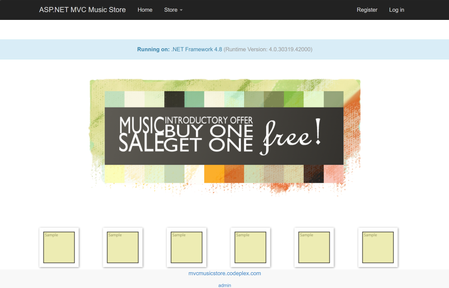
In early 2025, we wanted to modernize Jon Galloway's MVC Music Store — a classic ASP.NET MVC 5 app running on .NET Framework 4.8 with Entity Framework 6. The goal was straightforward: address vulnerabilities, enable managed identity, and deploy to Azure Container Apps and Azure SQL. No more plaintext connection strings. No more passwords in config files. We hit a wall immediately. Entity Framework on .NET Framework did not support Azure.Identity or DefaultAzureCredential. We just could not add a NuGet package and call it done — we’d need EF Core, which means modern .NET - and rewriting the data layer, the identity system, the startup pipeline, the views. The engineering team estimated one week of dedicated developer work. As a product manager without extensive .NET modernization experience, I wasn't able to complete it quickly on my own, so the project was placed in the backlog. This was before the GitHub Copilot "Agent" mode, the GitHub Copilot app modernization (a specialized agent with skills for modernization) existed but only offered assessment — it could tell you what needed to change, but couldn't make the end to end changes for you. Fast-forward one year. The full modernization agent is available. I sat down with the same app and the same goal. A few hours later, it was running on .NET 10 on Azure Container Apps with managed identity, Key Vault integration, and zero plaintext credentials. Thank you GitHub Copilot app modernization! And while we were on it – GitHub Copilot helped to modernize the experience as well, built more tests and generated more synthetic data for testing. Why Azure Container Apps? Azure Container Apps is an ideal deployment target for this modernized MVC Music Store application because it provides a serverless, fully managed container hosting environment. It abstracts away infrastructure management while natively supporting the key security and operational features this project required. It pairs naturally with infrastructure-as-code deployments, and its per-second billing on a consumption plan keeps costs minimal for a lightweight web app like this, eliminating the overhead of managing Kubernetes clusters while still giving you the container portability that modern .NET apps benefit from. That is why I asked Copilot to modernize to Azure Container Apps - here's how it went - Phase 1: Assessment GitHub Copilot App Modernization started by analyzing the codebase and producing a detailed assessment: Framework gap analysis — .NET Framework 4.0 → .NET 10, identifying every breaking change Dependency inventory — Entity Framework 6 (not EF Core), MVC 5 references, System.Web dependencies Security findings — plaintext SQL connection strings in Web.config, no managed identity support API surface changes — Global.asax → Program.cs minimal hosting, System.Web.Mvc → Microsoft.AspNetCore.Mvc The assessment is not a generic checklist. It reads your code — your controllers, your DbContext, your views — and maps a concrete modernization path. For this app, the key finding was clear: EF 6 on .NET Framework cannot support DefaultAzureCredential. The entire data layer needs to move to EF Core on modern .NET to unlock passwordless authentication. Phase 2: Code & Dependency Modernization This is where last year's experience ended and this year's began. The agent performed the actual modernization: Project structure: .csproj converted from legacy XML format to SDK-style targeting net10.0 Global.asax replaced with Program.cs using minimal hosting packages.config → NuGet PackageReference entries Data layer (the hard part): Entity Framework 6 → EF Core with Microsoft.EntityFrameworkCore.SqlServer DbContext rewritten with OnModelCreating fluent configuration System.Data.Entity → Microsoft.EntityFrameworkCore namespace throughout EF Core modernization generated from scratch Database seeding moved to a proper DbSeeder pattern with MigrateAsync() Identity: ASP.NET Membership → ASP.NET Core Identity with ApplicationUser, ApplicationDbContext Cookie authentication configured through ConfigureApplicationCookie Security (the whole trigger for this modernization): Azure.Identity + DefaultAzureCredential integrated in Program.cs Azure Key Vault configuration provider added via Azure.Extensions.AspNetCore.Configuration.Secrets Connection strings use Authentication=Active Directory Default — no passwords anywhere Application Insights wired through OpenTelemetry Views: Razor views updated from MVC 5 helpers to ASP.NET Core Tag Helpers and conventions _Layout.cshtml and all partials migrated The code changes touched every layer of the application. This is not a find-and-replace — it's a structural rewrite that maintains functional equivalence. Phase 3: Local Testing After modernization, the app builds, runs locally, and connects to a local SQL Server (or SQL in a container). EF Core modernizations apply cleanly, the seed data loads, and you can browse albums, add to cart, and check out. The identity system works. The Key Vault integration gracefully skips when KeyVaultName isn't configured — meaning local dev and Azure use the same Program.cs with zero code branches. Phase 4: AZD UP and Deployment to Azure The agent also generates the deployment infrastructure: azure.yaml — AZD service definition pointing to the Dockerfile, targeting Azure Container Apps Dockerfile — Multi-stage build using mcr.microsoft.com/dotnet/sdk:10.0 and aspnet:10.0 infra/main.bicep — Full IaaC including: Azure Container Apps with system + user-assigned managed identity Azure SQL Server with Azure AD-only authentication (no SQL auth) Azure Key Vault with RBAC, Secrets Officer role for the managed identity Container Registry with ACR Pull role assignment Application Insights + Log Analytics All connection strings injected as Container App secrets — using Active Directory Default, not passwords One command: AZD UP Provisions everything, builds the container, pushes to ACR, deploys to Container Apps. The app starts, runs MigrateAsync() on first boot, seeds the database, and serves traffic. Managed identity handles all auth to SQL and Key Vault. No credentials stored anywhere. What Changed in a Year Early 2025 Now Assessment Available Available Automated code modernization Semi-manual ✅ Full modernization agent Infrastructure generation Semi-manual ✅ Bicep + AZD generated Time to complete Weeks ✅ Hours The technology didn't just improve incrementally. The gap between "assessment" and "done" collapsed. A year ago, knowing what to do and being able to do it were very different things. Now they're the same step. Who This Is For If you have a .NET Framework app sitting on a backlog because "the modernization is too expensive" — revisit that assumption. The process changed. GitHub Copilot app modernization helps you rewrite your data layer, generates your infrastructure, and gets you to azd up. It can help you generate tests to increase your code coverage. If you have some feature requests – or – if you want to further optimize the code for scale – bring your requirements or logs or profile traces, you can take care of all of that during the modernization process. MVC Music Store went from .NET Framework 4.0 with Entity Framework 6 and plaintext SQL credentials to .NET 10 on Azure Container Apps with managed identity, Key Vault, and zero secrets in code. In an afternoon. That backlog item might be a lunch break now 😊. Really. Find your legacy apps and try it yourself. Next steps Modernize your .Net or Java apps with GitHub Copilot app modernization – https://aka.ms/ghcp-appmod Open your legacy application in Visual Studio or Visual Studio Code to start the process Deploy to Azure Container Apps https://aka.ms/aca/start225Views0likes0CommentsBeyond the Desktop: The Future of Development with Microsoft Dev Box and GitHub Codespaces
The modern developer platform has already moved past the desktop. We’re no longer defined by what’s installed on our laptops, instead we look at what tooling we can use to move from idea to production. An organisations developer platform strategy is no longer a nice to have, it sets the ceiling for what’s possible, an organisation can’t iterate it's way to developer nirvana if the foundation itself is brittle. A great developer platform shrinks TTFC (time to first commit), accelerates release velocity, and maybe most importantly, helps alleviate everyday frictions that lead to developer burnout. Very few platforms deliver everything an organization needs from a developer platform in one product. Modern development spans multiple dimensions, local tooling, cloud infrastructure, compliance, security, cross-platform builds, collaboration, and rapid onboarding. The options organizations face are then to either compromise on one or more of these areas or force developers into rigid environments that slow productivity and innovation. This is where Microsoft Dev Box and GitHub Codespaces come into play. On their own, each addresses critical parts of the modern developer platform: Microsoft Dev Box provides a full, managed cloud workstation. Dev Box gives developers a consistent, high-performance environment while letting central IT apply strict governance and control. Internally at Microsoft, we estimate that usage of Dev Box by our development teams delivers savings of 156 hours per year per developer purely on local environment setup and upkeep. We have also seen significant gains in other key SPACE metrics reducing context-switching friction and improving build/test cycles. Although the benefits of Dev Box are clear in the results demonstrated by our customers it is not without its challenges. The biggest challenge often faced by Dev Box customers is its lack of native Linux support. At the time of writing and for the foreseeable future Dev Box does not support native Linux developer workstations. While WSL2 provides partial parity, I know from my own engineering projects it still does not deliver the full experience. This is where GitHub Codespaces comes into this story. GitHub Codespaces delivers instant, Linux-native environments spun up directly from your repository. It’s lightweight, reproducible, and ephemeral ideal for rapid iteration, PR testing, and cross-platform development where you need Linux parity or containerized workflows. Unlike Dev Box, Codespaces can run fully in Linux, giving developers access to native tools, scripts, and runtimes without workarounds. It also removes much of the friction around onboarding: a new developer can open a repository and be coding in minutes, with the exact environment defined by the project’s devcontainer.json. That said, Codespaces isn’t a complete replacement for a full workstation. While it’s perfect for isolated project work or ephemeral testing, it doesn’t provide the persistent, policy-controlled environment that enterprise teams often require for heavier workloads or complex toolchains. Used together, they fill the gaps that neither can cover alone: Dev Box gives the enterprise-grade foundation, while Codespaces provides the agile, cross-platform sandbox. For organizations, this pairing sets a higher ceiling for developer productivity, delivering a truly hybrid, agile and well governed developer platform. Better Together: Dev Box and GitHub Codespaces in action Together, Microsoft Dev Box and GitHub Codespaces deliver a hybrid developer platform that combines consistency, speed, and flexibility. Teams can spin up full, policy-compliant Dev Box workstations preloaded with enterprise tooling, IDEs, and local testing infrastructure, while Codespaces provides ephemeral, Linux-native environments tailored to each project. One of my favourite use cases is having local testing setups like a Docker Swarm cluster, ready to go in either Dev Box or Codespaces. New developers can jump in and start running services or testing microservices immediately, without spending hours on environment setup. Anecdotally, my time to first commit and time to delivering “impact” has been significantly faster on projects where one or both technologies provide local development services out of the box. Switching between Dev Boxes and Codespaces is seamless every environment keeps its own libraries, extensions, and settings intact, so developers can jump between projects without reconfiguring or breaking dependencies. The result is a turnkey, ready-to-code experience that maximizes productivity, reduces friction, and lets teams focus entirely on building, testing, and shipping software. To showcase this value, I thought I would walk through an example scenario. In this scenario I want to simulate a typical modern developer workflow. Let's look at a day in the life of a developer on this hybrid platform building an IOT project using Python and React. Spin up a ready-to-go workstation (Dev Box) for Windows development and heavy builds. Launch a Linux-native Codespace for cross-platform services, ephemeral testing, and PR work. Run "local" testing like a Docker Swarm cluster, database, and message queue ready to go out-of-the-box. Switch seamlessly between environments without losing project-specific configurations, libraries, or extensions. 9:00 AM – Morning Kickoff on Dev Box I start my day on my Microsoft Dev Box, which gives me a fully-configured Windows environment with VS Code, design tools, and Azure integrations. I select my teams project, and the environment is pre-configured for me through the Dev Box catalogue. Fortunately for me, its already provisioned. I could always self service another one using the "New Dev Box" button if I wanted too. I'll connect through the browser but I could use the desktop app too if I wanted to. My Tasks are: Prototype a new dashboard widget for monitoring IoT device temperature. Use GUI-based tools to tweak the UI and preview changes live. Review my Visio Architecture. Join my morning stand up. Write documentation notes and plan API interactions for the backend. In a flash, I have access to my modern work tooling like Teams, I have this projects files already preloaded and all my peripherals are working without additional setup. Only down side was that I did seem to be the only person on my stand up this morning? Why Dev Box first: GUI-heavy tasks are fast and responsive. Dev Box’s environment allows me to use a full desktop. Great for early-stage design, planning, and visual work. Enterprise Apps are ready for me to use out of the box (P.S. It also supports my multi-monitor setup). I use my Dev Box to make a very complicated change to my IoT dashboard. Changing the title from "IoT Dashboard" to "Owain's IoT Dashboard". I preview this change in a browser live. (Time for a coffee after this hardwork). The rest of the dashboard isnt loading as my backend isnt running... yet. 10:30 AM – Switching to Linux Codespaces Once the UI is ready, I push the code to GitHub and spin up a Linux-native GitHub Codespace for backend development. Tasks: Implement FastAPI endpoints to support the new IoT feature. Run the service on my Codespace and debug any errors. Why Codespaces now: Linux-native tools ensure compatibility with the production server. Docker and containerized testing run natively, avoiding WSL translation overhead. The environment is fully reproducible across any device I log in from. 12:30 PM – Midday Testing & Sync I toggle between Dev Box and Codespaces to test and validate the integration. I do this in my Dev Box Edge browser viewing my codespace (I use my Codespace in a browser through this demo to highlight the difference in environments. In reality I would leverage the VSCode "Remote Explorer" extension and its GitHub Codespace integration to use my Codespace from within my own desktop VSCode but that is personal preference) and I use the same browser to view my frontend preview. I update the environment variable for my frontend that is running locally in my Dev Box and point it at the port running my API locally on my Codespace. In this case it was a web socket connection and HTTPS calls to port 8000. I can make this public by changing the port visibility in my Codespace. https://fluffy-invention-5x5wp656g4xcp6x9-8000.app.github.dev/api/devices wss://fluffy-invention-5x5wp656g4xcp6x9-8000.app.github.dev/ws This allows me to: Preview the frontend widget on Dev Box, connecting to the backend running in Codespaces. Make small frontend adjustments in Dev Box while monitoring backend logs in Codespaces. Commit changes to GitHub, keeping both environments in sync and leveraging my CI/CD for deployment to the next environment. We can see the Dev Box running local frontend and the Codespace running the API connected to each other, making requests and displaying the data in the frontend! Hybrid advantage: Dev Box handles GUI previews comfortably and allows me to live test frontend changes. Codespaces handles production-aligned backend testing and Linux-native tools. Dev Box allows me to view all of my files in one screen with potentially multiple Codespaces running in browser of VS Code Desktop. Due to all of those platform efficiencies I have completed my days goals within an hour or two and now I can spend the rest of my day learning about how to enable my developers to inner source using GitHub CoPilot and MCP (Shameless plug). The bottom line There are some additional considerations when architecting a developer platform for an enterprise such as private networking and security not covered in this post but these are implementation details to deliver the described developer experience. Architecting such a platform is a valuable investment to deliver the developer platform foundations we discussed at the top of the article. While in this demo I have quickly built I was working in a mono repository in real engineering teams it is likely (I hope) that an application is built of many different repositories. The great thing about Dev Box and Codespaces is that this wouldn’t slow down the rapid development I can achieve when using both. My Dev Box would be specific for the project or development team, pre loaded with all the tools I need and potentially some repos too! When I need too I can quickly switch over to Codespaces and work in a clean isolated environment and push my changes. In both cases any changes I want to deliver locally are pushed into GitHub (Or ADO), merged and my CI/CD ensures that my next step, potentially a staging environment or who knows perhaps *Whispering* straight into production is taken care of. Once I’m finished I delete my Codespace and potentially my Dev Box if I am done with the project, knowing I can self service either one of these anytime and be up and running again! Now is there overlap in terms of what can be developed in a Codespace vs what can be developed in Azure Dev Box? Of course, but as organisations prioritise developer experience to ensure release velocity while maintaining organisational standards and governance then providing developers a windows native and Linux native service both of which are primarily charged on the consumption of the compute* is a no brainer. There are also gaps that neither fill at the moment for example Microsoft Dev Box only provides windows compute while GitHub Codespaces only supports VS Code as your chosen IDE. It's not a question of which service do I choose for my developers, these two services are better together! *Changes have been announced to Dev Box pricing. A W365 license is already required today and dev boxes will continue to be managed through Azure. For more information please see: Microsoft Dev Box capabilities are coming to Windows 365 - Microsoft Dev Box | Microsoft Learn1.2KViews2likes0Comments
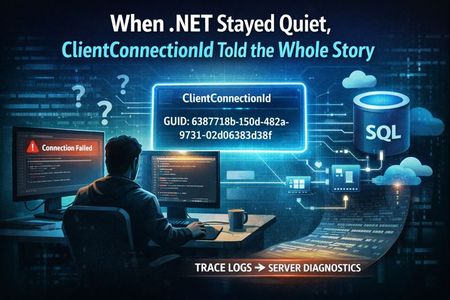
Using ClientConnectionId to Correlate .NET Connection Attempts in Azure SQL
Getting Better Diagnostics with ClientConnectionId in .NET A few days ago, I was working on a customer case involving intermittent connectivity failures to Azure SQL Database from a .NET application. On the surface, nothing looked unusual. Retries were happening. In this post, I want to share a simple yet effective pattern for producing JDBC-style trace logs in .NET — specifically focusing on the ClientConnectionId property exposed by SqlConnection. This gives you a powerful correlation key that aligns with backend diagnostics and significantly speeds up root cause analysis for connection problems. Why ClientConnectionId Matters Azure SQL Database assigns a unique identifier to every connection attempt from the client. In .NET, this identifier is available through the ClientConnectionId property of SqlConnection. According to the official documentation: The ClientConnectionId property gets the connection ID of the most recent connection attempt, regardless of whether the attempt succeeded or failed. Source: https://learn.microsoft.com/en-us/dotnet/api/system.data.sqlclient.sqlconnection.clientconnectionid?view=netframework-4.8.1 This GUID is the single most useful piece of telemetry for correlating client connection attempts with server logs and support traces. What .NET Logging Doesn’t Give You by Default Unlike the JDBC driver, the .NET SQL Client does not produce rich internal logs of every connection handshake or retry. There’s no built-in switch to emit gateway and redirect details, attempt counts, or port information. What you do have is: Timestamps Connection attempt boundaries ClientConnectionId values Outcome (success or failure) If you capture and format these consistently, you end up with logs that are as actionable as the JDBC trace output — and importantly, easy to correlate with backend diagnostics and Azure support tooling. Below is a small console application in C# that produces structured logs in the same timestamped, [FINE] format you might see from a JDBC trace — but for .NET applications: using System; using Microsoft.Data.SqlClient; class Program { static int Main() { // SAMPLE connection string (SQL Authentication) // Replace this with your own connection string. // This is provided only for demonstration purposes. string connectionString = "Server=tcp:<servername>.database.windows.net,1433;" + "Database=<database_name>;" + "User ID=<sql_username>;" + "Password=<sql_password>;" + "Encrypt=True;" + "TrustServerCertificate=False;" + "Connection Timeout=30;"; int connectionId = 1; // Log connection creation Log($"ConnectionID:{connectionId} created by (SqlConnection)"); using SqlConnection connection = new SqlConnection(connectionString); try { // Log connection attempt Log($"ConnectionID:{connectionId} This attempt No: 0"); // Open the connection connection.Open(); // Log ClientConnectionId after the connection attempt Log($"ConnectionID:{connectionId} ClientConnectionId: {connection.ClientConnectionId}"); // Execute a simple test query using SqlCommand cmd = new SqlCommand("SELECT 1", connection) { Log($"SqlCommand:1 created by (ConnectionID:{connectionId})"); Log("SqlCommand:1 Executing (not server cursor) SELECT 1"); cmd.ExecuteScalar(); Log("SqlDataReader:1 created by (SqlCommand:1)"); } } catch (SqlException ex) { // ClientConnectionId is available even on failure Log($"ConnectionID:{connectionId} ClientConnectionId: {connection.ClientConnectionId} (failure)"); Log($"SqlException Number: {ex.Number}"); Log($"Message: {ex.Message}"); return 1; } return 0; } // Simple logger to match JDBC-style output format static void Log(string message) { Console.WriteLine( $"[{DateTime.Now:yyyy-MM-dd HH:mm:ss}] [FINE] {message}" ); } } Run the above application and you’ll get output like: [2025-12-31 03:38:10] [FINE] ConnectionID:1 This attempt server name: aabeaXXX.trXXXX.northeurope1-a.worker.database.windows.net port: 11002 InstanceName: null useParallel: false [2025-12-31 03:38:10] [FINE] ConnectionID:1 This attempt endtime: 1767152309272 [2025-12-31 03:38:10] [FINE] ConnectionID:1 This attempt No: 1 [2025-12-31 03:38:10] [FINE] ConnectionID:1 Connecting with server: aabeaXXX.trXXXX.northeurope1-a.worker.database.windows.net port: 11002 Timeout Full: 20 [2025-12-31 03:38:10] [FINE] ConnectionID:1 ClientConnectionID: 6387718b-150d-482a-9731-02d06383d38f Server returned major version: 12 [2025-12-31 03:38:10] [FINE] SqlCommand:1 created by (ConnectionID:1 ClientConnectionID: 6387718b-150d-482a-9731-02d06383d38f) [2025-12-31 03:38:10] [FINE] SqlCommand:1 Executing (not server cursor) select 1 [2025-12-31 03:38:10] [FINE] SqlDataReader:1 created by (SqlCommand:1) [2025-12-31 03:38:10] [FINE] ConnectionID:2 created by (SqlConnection) [2025-12-31 03:38:11] [FINE] ConnectionID:2 ClientConnectionID: 5fdd311e-a219-45bc-a4f6-7ee1cc2f96bf Server returned major version: 12 [2025-12-31 03:38:11] [FINE] sp_executesql SQL: SELECT 1 AS ID, calling sp_executesql [2025-12-31 03:38:12] [FINE] SqlDataReader:3 created by (sp_executesql SQL: SELECT 1 AS ID) Notice how each line is tagged with: A consistent local timestamp (yyyy-MM-dd HH:mm:ss) A [FINE] log level A structured identifier that mirrors what you’d see in JDBC logging If a connection fails, you’ll still get the ClientConnectionId logged, which is exactly what Azure SQL support teams will ask for when troubleshooting connectivity issues.331Views3likes0Comments
Migrating Application Credentials to Azure Key Vault with GitHub Copilot App Modernization
Storing secrets directly in applications or configuration files increases operational risk. Migrating to Azure Key Vault centralizes secret management, supports rotation, and removes embedded credentials from application code. GitHub Copilot app modernization accelerates this process by identifying credential usage areas and generating changes for Key Vault integration. What This Migration Covers GitHub Copilot app modernization helps with: Detecting secrets hard‑coded in source files, config files, or environment variables. Recommending retrieval patterns using Azure Key Vault SDKs. Updating application code to load secrets from Key Vault. Preparing configuration updates to remove stored credentials. Surfacing dependency, version, and API adjustments required for Key Vault usage. Project Analysis Once the project is opened in Visual Studio Code or IntelliJ IDEA, GitHub Copilot app modernization analyzes: Hard‑coded credentials: passwords, tokens, client secrets, API keys. Legacy configuration patterns using .properties, .yaml, or environment variables. Azure SDK usage and required upgrades for Key Vault integration. Areas requiring secure retrieval or replacement with a managed identity. Migration Plan Generation The tool creates a step‑by‑step migration plan including: Introducing Key Vault client libraries. Mapping existing credential variables to Key Vault secrets. Updating configuration loading logic to retrieve secrets at runtime. Integrating Managed Identity authentication if applicable. Removing unused credential fields from code and configuration. Automated Transformations GitHub Copilot app modernization applies targeted changes: Rewrites code retrieving credentials from files or constants. Generates Key Vault retrieval patterns using SecretClient. Updates build dependencies to current Azure SDK versions. Removes unused configuration entries and environment variables. Build & Fix Iteration The project is rebuilt and validated: Fixes constructor changes related to updated clients. Resolves missing dependency versions. Corrects updated method signatures for Key Vault API calls. Rebuilds until no actionable errors remain. Security & Behavior Checks The tool surfaces: CVEs introduced by new or updated libraries. Behavior changes tied to lazy loading of secrets at runtime. Optional fixes or alternative patterns if Key Vault integration affects existing workflows. Expected Output After modernization: Credentials removed from source and config files. Application retrieves secrets from Azure Key Vault. Updated Azure SDK versions aligned with Key Vault. A summary file detailing code changes, dependency updates, and review items. Developer Responsibilities Developers should: Provision Key Vault resources and assign required access policies. Validate permissions through Managed Identity or service principals. Test application startup, error handling, and rotation scenarios. Review semantic impacts on components relying on early secret loading. Refer to the Microsoft Learn guide on upgrading Java projects with GitHub Copilot app modernization for foundational workflow details. Learn more Predefined tasks for GitHub Copilot app modernization Apply a predefined task Install GitHub Copilot app modernization for VS Code and IntelliJ IDEA310Views0likes0CommentsModernizing Applications by Migrating Code to Use Managed Identity with Copilot App Modernization
Migrating application code to use Managed Identity removes hard‑coded secrets, reduces operational risk, and aligns with modern cloud security practices. Applications authenticate directly with Azure services without storing credentials. GitHub Copilot app modernization streamlines this transition by identifying credential usage patterns, updating code, and aligning dependencies for Managed Identity flows. Supported Migration Steps GitHub Copilot app modernization helps accelerate: Replacing credential‑based authentication with Managed Identity authentication. Updating SDK usage to token‑based flows. Refactoring helper classes that build credential objects. Surfacing libraries or APIs that require alternative authentication approaches. Preparing build configuration changes needed for managed identity integration. Migration Analysis Open the project in Visual Studio Code or IntelliJ IDEA. GitHub Copilot app modernization analyzes: Locations where secrets, usernames, passwords, or connection strings are referenced. Service clients using credential constructors or static credential factories. Environment‑variable‑based authentication workarounds. Dependencies and SDK versions required for Managed Identity authentication. The analysis outlines upgrade blockers and the required changes for cloud‑native authentication. Migration Plan Generation GitHub Copilot app modernization produces a migration plan containing: Replacement of hard‑coded credentials with Managed Identity authentication patterns. Version updates for Azure libraries aligning with Managed Identity support. Adjustments to application configuration to remove unnecessary secrets. Developers can review and adjust before applying. Automated Transformations GitHub Copilot app modernization applies changes: Rewrites code that initializes clients using username/password or connection strings. Introduces Managed Identity‑friendly constructors and token credential patterns. Updates imports, method signatures, and helper utilities. Cleans up configuration files referencing outdated credential flows. Build & Fix Iteration The tool rebuilds the project, identifies issues, and applies targeted fixes: Compilation errors from removed credential classes. Incorrect parameter types or constructors. Dependencies requiring updates for Managed Identity compatibility. Security & Behavior Checks GitHub Copilot app modernization validates: CVEs introduced through dependency updates. Behavior changes caused by new authentication flows. Optional fixes for dependency vulnerabilities. Expected Output A migrated codebase using Managed Identity: Updated authentication logic. Removed credential references. Updated SDKs and dependencies. A summary file listing code edits, dependency changes, and items requiring manual review. Developer Responsibilities Developers should: Validate identity access on Azure resources. Reconfigure role assignments for system‑assigned or user‑assigned managed identities. Test functional behavior across environments. Review integration points dependent on identity scopes and permissions. Learn full upgrade workflows in the Microsoft Learn guide for upgrading Java projects with GitHub Copilot app modernization. Learn more Predefined tasks for GitHub Copilot app modernization Apply a predefined task Install GitHub Copilot app modernization for VS Code and IntelliJ IDEA252Views0likes0Comments
How to Resolve .NET Runtime Error 1026 after Windows 11 Update
I hope you're doing well. I am a teacher from Mexico and I'm facing a critical issue after a recent Windows 11 update to version 23H2. Ever since the update, I've been encountering a frustrating problem – a .NET Runtime Error 1026. This issue is causing applications to crash shortly after I launch them, making it impossible for me to access Mi Portal. Given that I heavily rely on Windows applications for my teaching tasks – from document editing to publications and printing, including crucial tasks like payslips handling – this situation has left me unable to perform my duties effectively. I understand that many educators are in a similar situation, where Windows OS and Office applications are our lifelines for seamless work. I urgently need a simple and effective solution to overcome this error and restore the functionality of my Windows 11 system. Your expertise and support in troubleshooting this .NET Runtime Error 1026 would be immensely appreciated. If anyone has encountered a similar issue or has successfully resolved it, I would be grateful for your insights. I need guidance or steps you can provide to help me swiftly resolve this issue and continue my teaching job without further disruptions. Warm regards and appreciation13KViews1like2Comments
MSB4184: The expression "[System.IO.Path]::GetDirectoryName('')" cannot be evaluate
Hi got this error now after I updated my VS IDE .... The path is not of a legal form. WinFormsSQLExamplePro C:\Program Files\dotnet\sdk\10.0.102\Sdks\Microsoft.NET.Sdk\targets\Microsoft.NET.Windows.targets <_WinRTRuntimeDllDirectory>$([System.IO.Path]::GetDirectoryName('%(_WinRTRuntimeDllReferencePath.FullPath)'))</_WinRTRuntimeDllDirectory> <_CsWinRTOrTargetingPackLibDirectory>$([System.IO.Path]::GetDirectoryName('$(_WinRTRuntimeDllDirectory)'))</_CsWinRTOrTargetingPackLibDirectory> Note the top most path entry contains a '%' character , whereas the 2nd path contains a '$' character... Not sure what is going on ... (happened after VS update)94Views0likes0Comments
Edm Model Generation Fails
Using an Azure ASP.NET MVC API from a Maui app, I am encountering the following error in the app when attempting to access the API. A few days ago, the initalization was working properly. The cloud app has been under further development, but the base api code has not been modified, only the response from the endpoints. The latest release NuGets are in use. What elements are being sought? System.TypeInitializationException: The type initializer for 'GeneratedEdmModel' threw an exception. ---> System.InvalidOperationException: Sequence contains no elements at System.Linq.ThrowHelper.ThrowNoElementsException() at System.Linq.Enumerable.First[TSource](IEnumerable`1 source) at SentryCloud.Models.Container.GeneratedEdmModel.CreateXmlReader()45Views0likes0Comments