User Profile

marksfo
Copper Contributor
Joined Dec 03, 2020


User Widgets
Recent Discussions
C# Pipeline.Invoke() not returning powershell collection
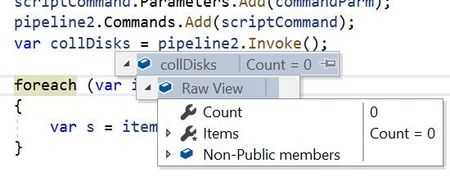
On Windows 10, in C# I am trying to call a powershell script via Pipeline.Invoke() to retrieve all the disks on a network server, for each server on a network. But can't get it to return the data to C# when there are multiple disks on a server. I have the following C# code: ``` foreach (var server in _collServers) { Pipeline pipeline2 = runspace.CreatePipeline(); pipeline2 = runspace.CreatePipeline(); scriptCommand = new Command(@"C:\DEV\Monitor\Monitor\bin\scripts\GetDisks.ps1"); pipeline2.Commands.Add(scriptCommand); var collDisks = pipeline2.Invoke(); foreach (var item in collDisks) { var s = item.ToString(); } } ``` which executes the following powershell script (GetDisks.ps1), with ComputerName hardcoded to a specific server for now: ``` $disks = Get-CimInstance -ClassName CIM_LogicalDisk -ComputerName SERVER01 | Where-Object { ($_.DeviceID -ge 'C') -and ($_.DriveType -eq 3)} | Select-Object DeviceID, VolumeName, Size, Freespace $disksout = [System.Collections.Generic.List[PSObject]]::New() ForEach($d in $disks) { $disk = [PSObject] @{ 'DeviceID' = $d.DeviceID 'VolumeName' = $d.VolumeName 'Size' = $d.Size 'Freespace' = $d.Freespace } $disksout.Add($disk) } $disksout ``` but it doesnt return a PSObjects collection into collDisks. It works in the ISE (and every re-arrangement I try seems to work there). It works if I run it for my local machine by removing -ComputerName SERVER01 ``` $disks = Get-CimInstance -ClassName CIM_LogicalDisk | Where-Object { ($_.DeviceID -ge 'C') -and ($_.DriveType -eq 3)} | Select-Object DeviceID, VolumeName, Size, Freespace ``` It doesnt make any difference if I try using PSCustomObject instead, or creating the object collection different ways. I suspected its a type conversion issue, but using GetType() in various locations havent found the issue. Would appreciate if anyone else can cast light on the problem.1.9KViews0likes0Comments
Recent Blog Articles
No content to show