User Profile

lister1911
Brass Contributor
Joined Oct 05, 2019


User Widgets
Recent Discussions
Re: Top Feedback Summary for December 15
MissyQ Hi! So that I'm clear with this Not Planned item, Edge launches with previous session’s tabs when “On startup” setting is set to “Open a new tab”, this requested behavior was so that the Edge would open with a new tab along with all the previously open tabs? As it is now, it's crucial for me that when Edge restarts, all my previously open tabs return, but I don't also need a new tab to open (I can do that myself!). We had that issue/bug a while back where closed sessions of the browser would clear all previously opened tabs and that was a disaster for me. I've since tried to make sure important sessions were saved as collections, but I sometimes forget.... As it stands now, if I accidentally close Edge (it happens more often than I'd like, lol), if I restart my laptop, or if it crashes, Edge has been restarting with all my previously opened tabs. It's been GREAT and I just want to make sure that this 'Not Planned' item doesn't change that! Thanks very much!10KViews1like0CommentsRe: Dev channel update to 87.0.664.8 is live
josh_bodner I lost all my tabs (again), upwards of 100, and it's been infuriating, especially since they weren't recoverable. No mention of multiple tabs in History, and ctrl+shift+t only restored a few tabs that I had closed myself from my last session; none recovered were any of the open ones that closed due to the bug. I truly hope this is fixed because I really don't want to use Chrome....3.1KViews1like1CommentRe: Updates to the New Tab Page in Microsoft Edge Insider preview builds
Elliot Kirk I initially reported that in Edge Classic, the tabs are much larger and easier to see, and that with Edge Insider (79.0.294.1 dev 64bit) the tabs are crowded and super tiny. Well, I discovered a related issue last night; in Edge Classic we could scroll side to side because not all the tabs were visible across the top of the browser. Since they were larger, scrolling side to side was necessary so you could get to the tabs you couldn't see off screen. Well, with the new Edge Insider, it will cram all the tabs together to try and fit them all on screen, except that after about 85 or so, the rest are simply off screen and not shown or accessible via the mouse. And there's no way to get to them except by using shortcuts (ctrl+tab or ctrl+sft+tab) because there's no side scroll capability. I'm not sure if you folks had noticed that, because I'd wager not a lot of people are silly like me and have over 85 tabs open at once! But if you do have that many open, it becomes a significant pain to find those invisible tabs. Thanks very much!7.3KViews1like1CommentRe: Updates to the New Tab Page in Microsoft Edge Insider preview builds
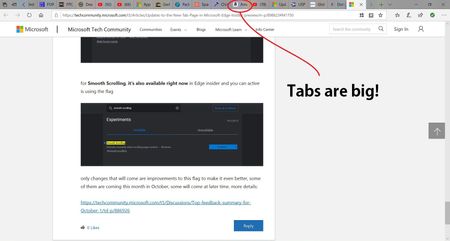
HotCakeX Thanks very much for the info! Unfortunately, I can't find where to set the flag for Smooth Scrolling. I looked everywhere under Settings and I couldn't find any reference to it, or to Experiments for that matter. I even tried using the search function under Settings, but search also didn't recognize either Smooth Scrolling or Experiments. I'm probably missing the obvious, right? I'm using Dev Edge if it matters. Also, I understand what you're referring to with the small tab preview in Edge Classic (Old Edge to me!), but I'm not even talking about that. The tabs themselves are much larger in Edge Classic so that I can see a website's icon as well as the beginning text of the page's name. In Edge Insider, the tabs are so tiny, if I don't recognize the little icon, I can't tell anything about them! Here's what it looks like in Edge Classic with a boat-load of tabs open: As you can see, Edge Classic had much bigger tabs. Thanks again for taking the time to reply. I was having some trouble getting these pictures to upload.15KViews6likes3CommentsRe: Updates to the New Tab Page in Microsoft Edge Insider preview builds
Elliot Kirk Newbie here! I've just started using Dev Edge (New Edge as I call it) and one issue with tabs on the New Edge is how crowded they are; with Old Edge, I literally have 50 or 60 tabs open at a time and I can clearly tell what each one is. It does require that I scroll side to side to see them all, but with New Edge, all the tabs are shown at once, and with that many tabs open, they are so squished together, I can't identify a single one! Will you widen the tabs to better mimic Old Edge, or will this be customizable in the future so power tab users like me can actually tell what I've got open? Also, this may be the wrong place to ask, but scrolling is much too fast on New Edge. Old Edge, on the other hand, is nice, and smooth, and reasonable. Anyway to currently adjust this, or if not, in the future maybe? Thanks!15KViews2likes10Comments
Recent Blog Articles
No content to show