User Profile

Dhairyya_Agarwal
 Microsoft
Joined Mar 25, 2021


User Widgets
Recent Discussions
Re: Report message add-in and Shared Mailboxes
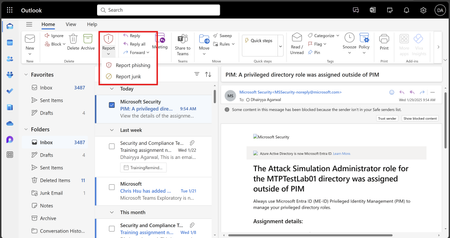
the inbuild report button available across all the outlook clients for both consumer and enterprise support shared and delegate please check this out - Built-in report button is available in Microsoft Outlook across platforms | Microsoft Community Hub6.5KViews0likes3CommentsRe: User reported messages data table
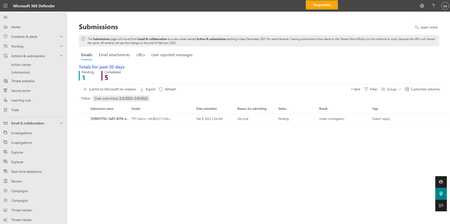
dmarquesgn The table inside Advanced hunting with submission events is CloudAppEvents. The events are denoted as ActionType and the specific action are "SubmissionAdminReview" and "UserSubmission" "UserSubmission" action is triggered whenever user report is done. "SubmissionAdminReview" action is triggered whenever admin reviews the user report. a sample query is CloudAppEvents | where ActionType == "SubmissionAdminReview" | take 1001.3KViews0likes4CommentsRe: Submission and notification for 3rd Party Phishing Simulations
vpatil99 the mark and notify feature is designed to provide feedback on messages reported from the wild. For the phish simulation one, you need to configure follow up notifications for your end users from the native phish simulation tool.1.1KViews0likes1CommentRe: Report message add-in and Shared Mailboxes
As you might be aware that we are implementing inbuild buttons for reporting across different outlook clients. Outlook for web client this has landed with the support for shared and delegate mailbox reporting. Win32, Mobile and Mac outlook clients will add the support for inbuild button along with shared and delegate mailbox reporting. The add-ins wont get this support. Please use the inbuild buttons27KViews0likes2CommentsRe: Report message add-in and Shared Mailboxes
https://learn.microsoft.com/en-us/microsoft-365/security/office-365-security/submissions-outlook-report-messages?view=o365-worldwide#use-the-built-in-report-button-in-outlook-on-the-web Check this section - shared and delegate mailboxes are supported on Outlook for web. There is work ongoing to add support for other outlook clients28KViews0likes4CommentsRe: Report Message Add-in going away?
JonasBack there is no update on the ETA for outlook Windows clients, Outlook Mobile client and Outlook Mac client. To make the transition smoother, the report phish and report message add-in and the inbuild report button are both supported by Microsoft. Irrespective of wherever the end user report from, it will be routed as per your user reported settings. Hope that helps.2.9KViews0likes0CommentsRe: Report message add-in and Shared Mailboxes
Today the add-in does not read from the shared/delegate mailboxes. So not a supported scenario. We are working to address this when we roll out the outlook inbuild buttons for reporting stuff across all our outlook clients (OWA, desktop, mobile, MAC). There is no ETA for this now and there is no blog post and MC post around it.47KViews1like7CommentsRe: Report Message Add-in going away?
We will be supporting the add-in till your organization is comfortable using the outlook buttons we will be rolling out in few months. We will be publishing a blog and MC post detailing more about the changes soon. We want to ensure a smooth transition for everyone4.6KViews0likes6CommentsRe: Report Message Add-in going away?
Marco Bunschoten the report message add-in and phishing is eventually going to go away (once your organization has moved over to reporting from outlook buttons and we will provide you ample time for the same). Till that happens, the users can report phishing from the add-in.4.6KViews0likes0Comments
Recent Blog Articles
Built-in report button is available in Microsoft Outlook across platforms
Outlook and Defender for Office 365 are excited to announce the release of built-in report button in Microsoft Outlook across platforms (web, new Outlook for Windows, classic Outlook for Windows, Out...17KViews3likes12Comments