Governance
186 TopicsAI Didn’t Break Your Production — Your Architecture Did
Most AI systems don’t fail in the lab. They fail the moment production touches them. I’m Hazem Ali — Microsoft AI MVP, Principal AI & ML Engineer / Architect, and Founder & CEO of Skytells. With a strong foundation in AI and deep learning from low-level fundamentals to production-scale, backed by rigorous cybersecurity and software engineering expertise, I design and deliver enterprise AI systems end-to-end. I often speak about what happens after the pilot goes live: real users arrive, data drifts, security constraints tighten, and incidents force your architecture to prove it can survive. My focus is building production AI with a security-first mindset: identity boundaries, enforceable governance, incident-ready operations, and reliability at scale. My mission is simple: Architect and engineer secure AI systems that operate safely, predictably, and at scale in production. And here’s the hard truth: AI initiatives rarely fail because the model is weak. They fail because the surrounding architecture was never engineered for production reality. - Hazem Ali You see this clearly when teams bolt AI onto an existing platform. In Azure-based environments, the foundation can be solid—identity, networking, governance, logging, policy enforcement, and scale primitives. But that doesn’t make the AI layer production-grade by default. It becomes production-grade only when the AI runtime is engineered like a first-class subsystem with explicit boundaries, control points, and designed failure behavior. A quick moment from the field I still remember one rollout that looked perfect on paper. Latency was fine. Error rate was low. Dashboards were green. Everyone was relaxed. Then a single workflow started creating the wrong tickets, not failing or crashing. It was confidently doing the wrong thing at scale. It took hours before anyone noticed, because nothing was broken in the traditional sense. When we finally traced it, the model was not the root cause. The system had no real gates, no replayable trail, and tool execution was too permissive. The architecture made it easy for a small mistake to become a widespread mess. That is the gap I’m talking about in this article. Production Failure Taxonomy This is the part most teams skip because it is not exciting, and it is not easy to measure in a demo. When AI fails in production, the postmortem rarely says the model was bad. It almost always points to missing boundaries, over-privileged execution, or decisions nobody can trace. So if your AI can take actions, you are no longer shipping a chat feature. You are operating a runtime that can change state across real systems, that means reliability is not just uptime. It is the ability to limit blast radius, reproduce decisions, and stop or degrade safely when uncertainty or risk spikes. You can usually tell early whether an AI initiative will survive production. Not because the model is weak, but because the failure mode is already baked into the architecture. Here are the ones I see most often. 1. Healthy systems that are confidently wrong Uptime looks perfect. Latency is fine. And the output is wrong. This is dangerous because nothing alerts until real damage shows up. 2. The agent ends up with more authority than the user The user asks a question. The agent has tools and credentials. Now it can do things the user never should have been able to do in that moment. 3. Each action is allowed, but the chain is not Read data, create ticket, send message. All approved individually. Put together, it becomes a capability nobody reviewed. 4. Retrieval becomes the attack path Most teams worry about prompt injection. Fair. But a poisoned or stale retrieval layer can be worse, because it feeds the model the wrong truth. 5. Tool calls turn mistakes into incidents The moment AI can change state—config, permissions, emails, payments, or data—a mistake is no longer a bad answer. It is an incident. 6. Retries duplicate side effects Timeouts happen. Retries happen. If your tool calls are not safe to repeat, you will create duplicate tickets, refunds, emails, or deletes. Next, let’s talk about what changes when you inject probabilistic behavior into a deterministic platform. In the Field: Building and Sharing Real-World AI In December 2025, I had the chance to speak and engage with builders across multiple AI and technology events, sharing what I consider the most valuable part of the journey: the engineering details that show up when AI meets production reality. This photo captures one of those moments: real conversations with engineers, architects, and decision-makers about what it truly takes to ship production-grade AI. During my session, Designing Scalable and Secure Architecture at the Enterprise Scale I walked through the ideas in this article live on stage then went deeper into the engineering reality behind them: from zero-trust boundaries and runtime policy enforcement to observability, traceability, and safe failure design, The goal wasn’t to talk about “AI capability,” but to show how to build AI systems that operate safely and predictably at scale in production. Deterministic platforms, probabilistic behavior Most production platforms are built for deterministic behavior: defined contracts, predictable services, stable outputs. AI changes the physics. You introduce probabilistic behavior into deterministic pipelines and your failure modes multiply. An AI system can be confidently wrong while still looking “healthy” through basic uptime dashboards. That’s why reliability in production AI is rarely about “better prompts” or “higher model accuracy.” It’s about engineering the right control points: identity boundaries, governance enforcement, behavioral observability, and safe degradation. In other words: the model is only one component. The system is the product. Production AI Control Plane Here’s the thing. Once you inject probabilistic behavior into a deterministic platform, you need more than prompts and endpoints. You need a control plane. Not a fancy framework. Just a clear place in the runtime where decisions get bounded, actions get authorized, and behavior becomes explainable when something goes wrong. This is the simplest shape I have seen work in real enterprise systems. The control plane components Orchestrator Owns the workflow. Decides what happens next, and when the system should stop. Retrieval Brings in context, but only from sources you trust and can explain later. Prompt assembly Builds the final input to the model, including constraints, policy signals, and tool schemas. Model call Generates the plan or the response. It should never be trusted to execute directly. Policy Enforcement Point The gate before any high impact step. It answers: is this allowed, under these conditions, with these constraints. Tool Gateway The firewall for actions. Scopes every operation, validates inputs, rate-limits, and blocks unsafe calls. Audit log and trace store A replayable chain for every request. If you cannot replay it, you cannot debug it. Risk engine Detects prompt injection signals, anomalous sessions, uncertainty spikes, and switches the runtime into safer modes. Approval flow For the few actions that should never be automatic. It is the line between assistance and damage. If you take one idea from this section, let it be this. The model is not where you enforce safety. Safety lives in the control plane. Next, let’s talk about the most common mistake teams make right after they build the happy-path pipeline. Treating AI like a feature. The common architectural trap: treating AI like a feature Many teams ship AI like a feature: prompt → model → response. That structure demos well. In production, it collapses the moment AI output influences anything stateful tickets, approvals, customer messaging, remediation actions, or security decisions. At that point, you’re not “adding AI.” You’re operating a semi-autonomous runtime. The engineering questions become non-negotiable: Can we explain why the system responded this way? Can we bound what it’s allowed to do? Can we contain impact when it’s wrong? Can we recover without human panic? If those answers aren’t designed into the architecture, production becomes a roulette wheel. Governance is not a document It’s a runtime enforcement capability Most governance programs fail because they’re implemented as late-stage checklists. In production, governance must live inside the execution path as an enforceable mechanism, A Policy Enforcement Point (PEP) that evaluates every high-impact step before it happens. At the moment of execution, your runtime must answer a strict chain of authorization questions: 1. What tools is this agent attempting to call? Every tool invocation is a privilege boundary. Your runtime must identify the tool, the operation, and the intended side effect (read vs write, safe vs state-changing). 2. Does the tool have the right permissions to run for this agent? Even before user context, the tool itself must be runnable by the agent’s workload identity (service principal / managed identity / workload credentials). If the agent identity can’t execute the tool, the call is denied period. 3. If the tool can run, is the agent permitted to use it for this user? This is the missing piece in most systems: delegation. The agent might be able to run the tool in general, but not on behalf of this user, in this tenant, in this environment, for this task category. This is where you enforce: user role / entitlement tenant boundaries environment (prod vs staging) session risk level (normal vs suspicious) 4. If yes, which tasks/operations are permitted? Tools are too broad. Permissions must be operation-scoped. Not “Jira tool allowed.” But “Jira: create ticket only, no delete, no project-admin actions.” Not “Database tool allowed.” But “DB: read-only, specific schema, specific columns, row-level filters.” This is ABAC/RBAC + capability-based execution. 5. What data scope is allowed? Even a permitted tool operation must be constrained by data classification and scope: public vs internal vs confidential vs PII row/column filters time-bounded access purpose limitation (“only for incident triage”) If the system can’t express data scope at runtime, it can’t claim governance. 6. What operations require human approval? Some actions are inherently high risk: payments/refunds changing production configs emailing customers deleting data executing scripts The policy should return “REQUIRE_APPROVAL” with clear obligations (what must be reviewed, what evidence is required, who can approve). 7. What actions are forbidden under certain risk conditions? Risk-aware policy is the difference between governance and theater. Examples: If prompt injection signals are high → disable tool execution If session is anomalous → downgrade to read-only mode If data is PII + user not entitled → deny and redact If environment is prod + request is destructive → block regardless of model confidence The key engineering takeaway Governance works only when it’s enforceable, runtime-evaluated, and capability-scoped: Agent identity answers: “Can it run at all?” Delegation answers: “Can it run for this user?” Capabilities answer: “Which operations exactly?” Data scope answers: “How much and what kind of data?” Risk gates + approvals answer: “When must it stop or escalate?” If policy can’t be enforced at runtime, it isn’t governance. It’s optimism. Safe Execution Patterns Policy answers whether something is allowed. Safe execution answers what happens when things get messy. Because they will, Models time out, Retries happen, Inputs are adversarial. People ask for the wrong thing. Agents misunderstand. And when tools can change state, small mistakes turn into real incidents. These patterns are what keep the system stable when the world is not. 👈 Two-phase execution Do not execute directly from a model output. First phase: propose a plan and a dry-run summary of what will change. Second phase: execute only after policy gates pass, and approval is collected if required. Idempotency for every write If a tool call can create, refund, email, delete, or deploy, it must be safe to retry. Every write gets an idempotency key, and the gateway rejects duplicates. This one change prevents a huge class of production pain. Default to read-only when risk rises When injection signals spike, when the session looks anomalous, when retrieval looks suspicious, the system should not keep acting. It should downgrade. Retrieve, explain, and ask. No tool execution. Scope permissions to operations, not tools Tools are too broad. Do not allow Jira. Allow create ticket in these projects, with these fields. Do not allow database access. Allow read-only on this schema, with row and column filters. Rate limits and blast radius caps Agents should have a hard ceiling. Max tool calls per request. Max writes per session. Max affected entities. If the cap is hit, stop and escalate. A kill switch that actually works You need a way to disable tool execution across the fleet in one move. When an incident happens, you do not want to redeploy code. You want to stop the bleeding. If you build these in early, you stop relying on luck. You make failure boring, contained, and recoverable. Think for scale, in the Era of AI for AI I want to zoom out for a second, because this is the shift most teams still design around. We are not just adding AI to a product. We are entering a phase where parts of the system can maintain and improve themselves. Not in a magical way. In a practical, engineering way. A self-improving system is one that can watch what is happening in production, spot a class of problems, propose changes, test them, and ship them safely, while leaving a clear trail behind it. It can improve code paths, adjust prompts, refine retrieval rules, update tests, and tighten policies. Over time, the system becomes less dependent on hero debugging at 2 a.m. What makes this real is the loop, not the model. Signals come in from logs, traces, incidents, drift metrics, and quality checks. The system turns those signals into a scoped plan. Then it passes through gates: policy and permissions, safe scope, testing, and controlled rollout. If something looks wrong, it stops, downgrades to read-only, or asks for approval. This is why scale changes. In the old world, scale meant more users and more traffic. In the AI for AI world, scale also means more autonomy. One request can trigger many tool calls. One workflow can spawn sub-agents. One bad signal can cause retries and cascades. So the question is not only can your system handle load. The question is can your system handle multiplication without losing control. If you want self-improving behavior, you need three things to be true: The system is allowed to change only what it can prove is safe to change. Every change is testable and reversible. Every action is traceable, so you can replay why it happened. When those conditions exist, self-improvement becomes an advantage. When they do not, self-improvement becomes automated risk. And this leads straight into governance, because in this era governance is not a document. It is the gate that decides what the system is allowed to improve, and under which conditions. Observability: uptime isn’t enough — you need traceability and causality Traditional observability answers: Is the service up. Is it fast. Is it erroring. That is table stakes. Production AI needs a deeper truth: why did it do that. Because the system can look perfectly healthy while still making the wrong decision. Latency is fine. Error rate is fine. Dashboards are green. And the output is still harmful. To debug that kind of failure, you need causality you can replay and audit: Input → context retrieval → prompt assembly → model response → tool invocation → final outcome Without this chain, incident response becomes guesswork. People argue about prompts, blame the model, and ship small patches that do not address the real cause. Then the same issue comes back under a different prompt, a different document, or a slightly different user context. The practical goal is simple. Every high-impact action should have a story you can reconstruct later. What did the system see. What did it pull. What did it decide. What did it touch. And which policy allowed it. When you have that, you stop chasing symptoms. You can fix the actual failure point, and you can detect drift before users do. RAG Governance and Data Provenance Most teams treat retrieval as a quality feature. In production, retrieval is a security boundary. Because the moment a document enters the context window, it becomes part of the system’s brain for that request. If retrieval pulls the wrong thing, the model can behave perfectly and still lead you to a bad outcome. I learned this the hard way, I have seen systems where the model was not the problem at all. The problem was a single stale runbook that looked official, ranked high, and quietly took over the decision. Everything downstream was clean. The agent followed instructions, called the right tools, and still caused damage because the truth it was given was wrong. I keep repeating one line in reviews, and I mean it every time: Retrieval is where truth enters the system. If you do not control that, you are not governing anything. - Hazem Ali So what makes retrieval safe enough for enterprise use? Provenance on every chunk Every retrieved snippet needs a label you can defend later: source, owner, timestamp, and classification. If you cannot answer where it came from, you cannot trust it for actions. Staleness budgets Old truth is a real risk. A runbook from last quarter can be more dangerous than no runbook at all. If content is older than a threshold, the system should say it is old, and either confirm or downgrade to read-only. No silent reliance. Allowlisted sources per task Not all sources are valid for all jobs. Incident response might allow internal runbooks. Customer messaging might require approved templates only. Make this explicit. Retrieval should not behave like a free-for-all search engine. Scope and redaction before the model sees it Row and column limits, PII filtering, secret stripping, tenant boundaries. Do it before prompt assembly, not after the model has already seen the data. Citation requirement for high-impact steps If the system is about to take a high-impact action, it should be able to point to the sources that justified it. If it cannot, it should stop and ask. That one rule prevents a lot of confident nonsense. Monitor retrieval like a production dependency Track which sources are being used, which ones cause incidents, and where drift is coming from. Retrieval quality is not static. Content changes. Permissions change. Rankings shift. Behavior follows. When you treat retrieval as governance, the system stops absorbing random truth. It consumes controlled truth, with ownership, freshness, and scope. That is what production needs. Security: API keys aren’t a strategy when agents can act The highest-impact AI incidents are usually not model hacks. They are architectural failures: over-privileged identities, blurred trust boundaries, unbounded tool access, and unsafe retrieval paths. Once an agent can call tools that mutate state, treat it like a privileged service, not a chatbot. Least privilege by default Explicit authorization boundaries Auditable actions Containment-first design Clear separation between user intent and system authority This is how you prevent a prompt injection from turning into a system-level breach. If you want the deeper blueprint and the concrete patterns for securing agents in practice, I wrote a full breakdown here: Zero-Trust Agent Architecture: How to Actually Secure Your Agents What “production-ready AI” actually means Production-ready AI is not defined by a benchmark score. It’s defined by survivability under uncertainty. A production-grade AI system can: Explain itself with traceability. Enforce policy at runtime. Contain blast radius when wrong. Degrade safely under uncertainty. Recover with clear operational playbooks. If your system can’t answer “how does it fail?” you don’t have production AI yet.. You have a prototype with unmanaged risk. How Azure helps you engineer production-grade AI Azure doesn’t “solve” production-ready AI by itself, it gives you the primitives to engineer it correctly. The difference between a prototype and a survivable system is whether you translate those primitives into runtime control points: identity, policy enforcement, telemetry, and containment. 1. Identity-first execution (kill credential sprawl, shrink blast radius) A production AI runtime should not run on shared API keys or long-lived secrets. In Azure environments, the most important mindset shift is: every agent/workflow must have an identity and that identity must be scoped. Guidance Give each agent/orchestrator a dedicated identity (least privilege by default). Separate identities by environment (prod vs staging) and by capability (read vs write). Treat tool invocation as a privileged service call, never “just a function.” Why this matters If an agent is compromised (or tricked via prompt injection), identity boundaries decide whether it can read one table or take down a whole environment. 2. Policy as enforcement (move governance into the execution path) Your article’s core idea governance is runtime enforcement maps perfectly to Azure’s broader governance philosophy: policies must be enforceable, not advisory. Guidance Create an explicit Policy Enforcement Point (PEP) in your agent runtime. Make the PEP decision mandatory before executing any tool call or data access. Use “allow + obligations” patterns: allow only with constraints (redaction, read-only mode, rate limits, approval gates, extra logging). Why this matters Governance fails when it’s a document. It works when it’s compiled into runtime decisions. 3. Observability that explains behavior Azure’s telemetry stack is valuable because it’s designed for distributed systems: correlation, tracing, and unified logs. Production AI needs the same plus decision traceability. Guidance Emit a trace for every request across: retrieval → prompt assembly → model call → tool calls → outcome. Log policy decisions (allow/deny/require approval) with policy version + obligations applied. Capture “why” signals: risk score, classifier outputs, injection signals, uncertainty indicators. Why this matters When incidents happen, you don’t just debug latency — you debug behavior. Without causality, you can’t root-cause drift or containment failures. 4. Zero-trust boundaries for tools and data Azure environments tend to be strong at network segmentation and access control. That foundation is exactly what AI systems need because AI introduces adversarial inputs by default. Guidance Put a Tool Gateway in front of tools (Jira, email, payments, infra) and enforce scopes there. Restrict data access by classification (PII/secret zones) and enforce row/column constraints. Degrade safely: if risk is high, drop to read-only, disable tools, or require approval. Why this matters Prompt injection doesn’t become catastrophic when your system has hard boundaries and graceful failure modes. 5. Practical “production-ready” checklist (Azure-aligned, engineering-first) If you want a concrete way to apply this: Identity: every runtime has a scoped identity; no shared secrets PEP: every tool/data action is gated by policy, with obligations Traceability: full chain captured and correlated end-to-end Containment: safe degradation + approval gates for high-risk actions Auditability: policy versions and decision logs are immutable and replayable Environment separation: prod ≠ staging identities, tools, and permissions Outcome This is how you turn “we integrated AI” into “we operate AI safely at scale.” Operating Production AI A lot of teams build the architecture and still struggle, because production is not a diagram. It is a living system. So here is the operating model I look for when I want to trust an AI runtime in production. The few SLOs that actually matter Trace completeness For high-impact requests, can we reconstruct the full chain every time, without missing steps. Policy coverage What percentage of tool calls and sensitive reads pass through the policy gate, with a recorded decision. Action correctness Not model accuracy. Real-world correctness. Did the system take the right action, on the right target, with the right scope. Time to contain When something goes wrong, how fast can we stop tool execution, downgrade to read-only, or isolate a capability. Drift detection time How quickly do we notice behavioral drift before users do. The runbooks you must have If you operate agents, you need simple playbooks for predictable bad days: Injection spike → safe mode, block tool execution, force approvals Retrieval poisoning suspicion → restrict sources, raise freshness requirements, require citations Retry storm → enforce idempotency, rate limits, and circuit breakers Tool gateway instability → fail closed for writes, degrade safely for reads Model outage → fall back to deterministic paths, templates, or human escalation Clear ownership Someone has to own the runtime, not just the prompts. Platform owns the gates, tool gateway, audit, and tracing Product owns workflows and user-facing behavior Security owns policy rules, high-risk approvals, and incident procedures When these pieces are real, production becomes manageable. When they are not, you rely on luck and hero debugging. The 60-second production readiness checklist If you want a fast sanity check, here it is. Every agent has an identity, scoped per environment No shared API keys for privileged actions Every tool call goes through a policy gate with a logged decision Permissions are scoped to operations, not whole tools Writes are idempotent, retries cannot duplicate side effects Tool gateway validates inputs, scopes data, and rate-limits actions There is a safe mode that disables tools under risk There is a kill switch that stops tool execution across the fleet Retrieval is allowlisted, provenance-tagged, and freshness-aware High-impact actions require citations or they stop and ask Audit logs are immutable enough to trust later Traces are replayable end-to-end for any incident If most of these are missing, you do not have production AI yet. You have a prototype with unmanaged risk. A quick note In Azure-based enterprises, you already have strong primitives that mirror the mindset production AI requires: identity-first access control (Microsoft Entra ID), secure workload authentication patterns (managed identities), and deep telemetry foundations (Azure Monitor / Application Insights). The key is translating that discipline into the AI runtime so governance, identity, and observability aren’t external add-ons, but part of how AI executes and acts. Closing Models will keep evolving. Tooling will keep improving. But enterprise AI success still comes down to systems engineering. If you’re building production AI today, what has been the hardest part in your environment: governance, observability, security boundaries, or operational reliability? If you’re dealing with deep technical challenges around production AI, agent security, RAG governance, or operational reliability, feel free to connect with me on LinkedIn. I’m open to technical discussions and architecture reviews. Thanks for reading. — Hazem Ali247Views0likes0CommentsMicrosoft Purview Data Governance - Authoring Custom Data Quality rules using expression languages
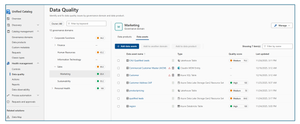
The cost of poor-quality data runs into millions of dollars in direct losses. When indirect costs—such as missed opportunities—are included, the total impact is many times higher. Poor data quality also creates significant societal costs. It can lead customers to pay higher prices for goods and services and force citizens to bear higher taxes due to inefficiencies and errors. In critical domains, the consequences can be severe. Defective or inaccurate data can result in injury or loss of life, for example due to medication errors or incorrect medical procedures, especially as healthcare increasingly relies on data- and AI-driven decision-making. Students may be unfairly denied admission to universities because of errors in entrance exam scoring. Consumers may purchase unsafe or harmful food products if nutritional labels are inaccurate or misleading. Research and industry measurements show that 20–35 percent of an organization’s operating revenue is often wasted on recovering from process failures, data defects, information scrap, and rework caused by poor data quality (Larry P. English, Information Quality Applied). Data Quality Rules To maintain high-quality data, organizations must continuously measure and monitor data quality and understand the negative impact of poor-quality data on their specific use cases. Data quality rules play a critical role in objectively measuring, enforcing, and quantifying data quality, enabling organizations to improve trust, reduce risk, and maximize the value of their data assets. Data Quality (DQ) rules define how data should be structured, related, constrained, and validated so it can be trusted for operational, analytical, and AI use cases. Data quality rules are essential guidelines that organizations establish to ensure the accuracy, consistency, and completeness of their data. These rules fall into four major categories: Business Entity rules, Business Attribute rules, Data Dependency rules, and Data Validity rules (Ref: Informit.com/articles). Business Entity Rules These rules ensure that core business objects (such as Customer, Order, Account, or Product) are well-defined and correctly related. Business entity rules prevent duplicate records, broken relationships, and incomplete business processes. Business Entity Rules Definition Example Uniqueness Every entity instance must be uniquely identifiable. Each customer must have a unique Customer ID that is never NULL. Duplicate customer records indicate poor data quality. Cardinality Defines how many instances of one entity can relate to another. One customer can place many orders (one-to-many), but an order belongs to exactly one customer. Optionality Defines whether a relationship is mandatory or optional. An order must be linked to a customer (mandatory), but a customer may exist without having placed any orders (optional). Business Attribute Rules These rules focus on individual data elements (columns/fields) within business entities. Attribute rules ensure consistency, interpretability, and prevent invalid or meaningless values. Business Attribute Rules Definition Example Data Inheritance Attributes defined in a supertype must be consistent across subtypes. An Account Number remains the same whether the account is Checking or Savings. Data Domains Attribute values must conform to allowed formats or ranges. · State Code must be one of the 50 U.S. state abbreviations · Age must be between 0 and 120 · Date must follow CCYY/MM/DD format Data Dependency Rules These rules define logical and conditional relationships between entities and attributes. Data dependency rules enforce business logic and prevent contradictory or illogical data states. Data Dependency Rules Definition Example Entity Relationship Dependency The existence of one relationship depends on another condition. Orders cannot be placed for customers with a “Delinquent” status. Attribute Dependency The value of one attribute depends on others. · If Loan Status = “Funded,” then Loan Amount > 0 and Funding Date is required · Pay Amount = Hours Worked × Hourly Rate · If Monthly Salary > 0, then Commission Rate must be NULL Data Validity Rules These rules ensure that actual data values are complete, correct, accurate, precise, unique, and consistent. Validity rules ensure data is trustworthy for reporting, regulatory compliance, and AI/ML models. Data Validity Rules Definition Example Completeness Required records, relationships, attributes, and values must exist. No NULLs in mandatory fields like Customer ID or Order Date. Correctness & Accuracy Values must reflect real-world truth and business rules. A customer’s credit limit must align with approved financial records. Precision Data must be stored with the required level of detail. Interest rates stored to four decimal places if required for calculations. Uniqueness No duplicate records, keys, definitions, or overloaded columns. A “Customer Type Code” column should not mix customer types and shipping methods. Consistency Duplicate or redundant data must match everywhere it appears. Customer address stored in multiple systems must be identical. Compliance PII and sensitive data Check and validate personal information like credit card, passport number, national id, bank account, etc. System Rules Microsoft Purview Data Quality provides both system (out-of-the-box) rules and custom rules, along with an AI-enabled data quality rule recommendation feature. Together, these capabilities help organizations effectively measure, monitor, and improve data quality by applying the right set of data quality rules. System (out-of-the-box) rules cover the majority of business attribute and data validity scenarios. List of the system rules are illustrated below (see the screenshot below). Custom Rules Custom rules allow you to define validations that evaluate one or more values within a row, enabling complex, context-aware data quality checks tailored to specific business requirements. Custom rules support all four major categories of data quality rules: Business Entity rules, Business Attribute rules, Data Dependency rules, and Data Validity rules. You can use regular expression language, Azure Data Factory expression, and SQL expression language to create custom rules. Purview Data Quality custom rule has three parts: Row expression: This Boolean expression applies to each row that the filter expression approves. If this expression returns true, the row passes. If it returns false, the row fails. Filter expression: This optional condition narrows down the dataset on which the row condition is evaluated. You activate it by selecting the Use filter expression checkbox. This expression returns a Boolean value. The filter expression applies to a row and if it returns true, then that row is considered for the rule. If the filter expression returns false for that row, then it means that row is ignored for the purposes of this rule. The default behavior of the filter expression is to pass all rows, so if you don't specify a filter expression, all rows are considered. Null expression: Checks how NULL values should be handled. This expression returns to a Boolean that handles cases where data is missing. If the expression returns true, the row expression isn't applied. Each part of the rule works similarly to existing Microsoft Purview Data Quality conditions. A rule only passes if the row expression evaluates to TRUE for the dataset that matches the filter expression and handles missing values as specified in the null expression. Examples: Ensure that the location of the salesperson is correct. Azure data factory expression language is used to author this rule. 2. Ensure "fare Amount" is positive and "trip Distance" is valid. SQL expression language is used to author this rule. 3. For each trip, check if the fare is above the average for its payment type. SQL expression language is used to author this rule. Together, above listed four categories of data quality rules: Prevent errors at the source Enforce business logic Improve trust in analytics and AI Reduce remediation costs downstream In short, high-quality data is not accidental—it is enforced through well-defined data quality rules across entities, attributes, relationships, and values. References Create Data Quality Rules in Unified Catalog | Microsoft Learn Expression builder in mapping data flows - Azure Data Factory & Azure Synapse | Microsoft Learn Expression Functions in the Mapping Data Flow - Azure Data Factory & Azure Synapse | Microsoft Learn http://www.informit.com/articles/article.aspx?p=399325&seqNum=3 Information Quality Applied, Larry P. EnglishFake Employees, Real Threat: Decentralized Identity to combat Deepfake Hiring?
In recent months, cybersecurity experts have sounded the alarm on a surge of fake “employees” – job candidates who are not who they claim to be. These fraudsters use everything from fabricated CVs and stolen identities to AI-generated deepfake videos in interviews to land jobs under false pretenses. It’s a global phenomenon making headlines on LinkedIn and in the press. With the topic surfacing everywhere, I wanted to take a closer look at what’s really going on — and explore the solutions that could help organizations respond to this growing challenge. And as it happens, one solution is finally reaching maturity at exactly the right moment: decentralized identity. Let me walk you through it. But first, let’s look at a few troubling facts: Even tech giants aren’t immune. Amazon’s Chief Security Officer revealed that since April 2024 the company has blocked over 1,800 suspected North Korean scammers from getting hired, and that the volume of such fake applicants jumped 27% each quarter this year (1.1). In fact, a coordinated scheme involving North Korean IT operatives posing as remote workers has infiltrated over 300 U.S. companies since 2020, generating at least $6.8 million in revenue for the regime (2.1). CrowdStrike also reported more than 320 confirmed incidents in the past year alone, marking a 220% surge in activity (2.2). And it’s not just North Korea: organised crime groups globally are adopting similar tactics. This trend is not a small blip; it’s likely a sign of things to come. Gartner predicts that by 2028, one in four job applicant profiles could be fake in some way (3). Think about that – in a few years, 25% of the people applying to your jobs might be bots or impostors trying to trick their way in. We’re not just talking about exaggerated resumes; we’re talking about full-scale deception: people hiring stand-ins for interviews, AI bots filling out assessments, and deepfake avatars smiling through video calls. It’s a hiring manager’s nightmare — no one wants to waste time interviewing bots or deepfakes — and a CISO’s worst-case scenario rolled into one. The Rise of the Deepfake Employee What does a “fake employee” actually do? In many cases, these impostors are part of organized schemes (even state-sponsored) to steal money or data. They might forge impressive résumés and create a minimal but believable online presence. During remote interviews, some have been caught using deepfake video filters – basically digital masks – to appear as someone else. In one case, Amazon investigators noticed an interviewee’s typing did not sync with the on-screen video (the keystrokes had a 110ms lag); it turned out to be a North Korean hacker remotely controlling a fake persona on the video call (1.2). Others refuse video entirely, claiming technical issues, so you only hear a voice. Some even hire proxy interviewees – a real person who interviews in their place. The level of creativity is frightening. Once inside, a fake employee can do serious damage. They gain legitimate access to internal systems, data, and tools. Some have stolen sensitive source code and threatened to leak it unless the company paid a ransom (1). Others quietly set up backdoor access for future cyberattacks. And as noted, if they’re part of a nation-state operation, the salary you pay them is funding adversaries. The U.S. Department of Justice recently warned that many North Korean IT workers send the majority of their pay back to the regime’s illicit weapons programs (1)(2.3). Beyond the financial angle, think of the security breach: a malicious actor is now an “insider” with an access badge. No sector is safe. While tech companies with lots of remote jobs were the first targets, the scam has expanded. According to the World Economic Forum, about half of the companies targeted by these attacks aren’t in the tech industry at all (4). Financial services, healthcare, media, energy – any business that hires remote freelancers or IT staff could be at risk. Many Fortune 500 firms have quietly admitted to Charles Carmakal (Chief Technology Officer at Google Cloud’s Mandiant) that they’ve encountered fake candidates (2.3). Brandon Wales — former Executive Director of the Cybersecurity and Infrastructure Security Agency (CISA) and now VP of Cybersecurity Strategy at SentinelOne — warned that the “scale and speed” of these operations is unlike anything seen before (2.3). Rivka Little, Chief Growth Officer at Socure, put it bluntly: “Every Fortune 100 and potentially Fortune 500 has a pretty high number of risky employees on their books” right now (1). If you’re in charge of security or IT, this should send a chill down your spine. How do you defend against an attack that walks in through your front door (virtually) with HR’s approval? It calls for rethinking some fundamental practices, which leads us to the biggest gap these scams have exposed: identity verification in the hiring process. The Identity Verification Gap in Hiring Let’s face it: traditional hiring and onboarding operate on a lot of trust. You collect a résumé, maybe call some references, do a background check that might catch a criminal record but won’t catch a well-crafted fake identity. You might ask for a copy of a driver’s license or passport to satisfy HR paperwork, but how thoroughly is it checked? And once the person is hired and given an employee account, how often do we re-confirm that person’s identity in the months or years that follow? Almost never. Now let’s look at the situation from the reverse perspective: During your last recruitment, or when you became a new vendor for a client, were you asked to send over a full copy of your ID via email? Most likely, yes. You send a scan of your passport or ID card to an HR representative or a partner’s portal, and you have no idea where that image gets stored, who can see it, or how long it will sit around. It feels uncomfortable, but we do it because we need to prove who we are. In reality, we’re making a leap of faith that the process is secure. This is the identity verification gap. Companies are trusting documents and self-assertions that can be forged, and they rarely have a way to verify those beyond a cursory glance. Fraudsters exploit this gap mercilessly. They provide fake documents that look real, or steal someone else’s identity details to pass background checks. Once they’ve cleared that initial hurdle, the organization treats them as legit. IT sets up accounts, security gives them access, and from then on the “user identity” is assumed to be genuine. Forever. Moreover, once an employee is on board, internal processes often default to trust. Need a password reset? The helpdesk might ask for your birthdate or employee ID – pieces of info a savvy attacker can learn or steal. We don’t usually ask an employee who calls IT to re-prove that they are the same person HR hired months or years ago. All of this stands in contrast to the principle of Zero Trust security that many companies are now adopting. Thanks to John Kindervag (Forrester, 2009), Zero Trust says “never trust, always verify” each access request. But how can you verify if the underlying identity was fake to start with? As part of Microsoft, we often say that “identity is the new perimeter” – meaning the primary defense line is verifying identities, not just securing network walls. If that identity perimeter is built on shaky ground (unverified people), the whole security model is weak. So, what can be done? Security leaders and even the World Economic Forum are advocating for stronger identity proofing in hiring. The WEF specifically recommends “verifiable government ID checks at multiple stages of recruitment and into employment” (4). In other words, don’t just verify once and forget it – verify early, verify often. That might mean an ID and background check when offering the job, another verification during onboarding, and perhaps periodic re-checks or at least on certain events (like when the employee requests elevated privileges). Amazon’s CSO, S. Schmidt, echoed this after battling North Korean fakes; he advised companies to “Implement identity verification at multiple hiring stages and monitor for anomalous technical behavior” as a key defense (1). Of course, doing this manually is tough. You can’t very well ask each candidate to fly in their first day just to show their passport in person, especially with global and remote workforces. That’s where technology is stepping up. Enter the world of Verified ID and decentralized identity. Enter Microsoft Entra Verified ID: proving Identity, not just Checking a Box Imagine if, instead of emailing copies of your passport to every new employer or partner, you could carry a digital identity credential that is already verified and can be trusted by others instantly. That’s the idea behind Microsoft Entra Verified ID. It’s essentially a system for issuing and verifying cryptographically-secure digital identity credentials. Let’s break down what that means in plain terms. At its core, a Verified ID credential is like a digital ID card that lives in an app on your phone. But unlike a photocopy of your driver’s license (which anyone could copy, steal or tamper with), this digital credential is signed with cryptographic keys that make it tamper-proof and verifiable. It’s based on open standards. Microsoft has been heavily involved in the development of Decentralized Identifiers (DID) and W3C Verifiable Credentials standards over the past few years (7). The benefit of standards is that this isn’t a proprietary Microsoft-only thing – it’s part of a broader move toward decentralized identity, where the user is in control of their own credentials. Here’s a real-life analogy: When you go to a bar and need to prove you’re over 18, you show your driver’s license, National ID or Passport. The bouncer checks your birth date and maybe the hologram, but they don’t photocopy your entire ID and keep it; they just verify it and hand it back. You remain in possession of your ID. Now translate that to digital interactions: with Verified ID, you could have a credential on your phone that says “Government ID verified: [Your Name], age 25”. When a verifier (like an employer or service) needs proof, you share that credential through a secure app. The verifier’s system checks the credential’s digital signature to confirm it was issued by a trusted authority (for example, a background check company or a government agency) and that it hasn’t been altered. You don’t have to send over a scan of your actual passport or reveal extra info like your full birthdate or address – the credential can be designed to reveal only the necessary facts (e.g. “is over 18” = yes). This concept is called selective disclosure, and it’s a big win for privacy. Crucially, you decide which credentials to share and with whom. You might have one that proves your legal name and age (from a government issuer), another that proves your employment status (from your employer), another that proves a certification or degree (from a university). And you only share them when needed. They can also have expiration dates or be revoked. For instance, an employment credential could automatically expire when you leave the company. This means if someone tries to use an old credential, it would fail verification – another useful security feature. Now, how do these credentials get issued in the first place? This is where the integration of our Microsoft Partner IDEMIA comes in, which was a highlight of Microsoft Ignite 2025. IDEMIA is a company you might not have heard of, but they’re a huge player in the identity world – they’re the folks behind many government ID and biometric systems (think passport chips, national ID programs, biometric border control, etc.). Microsoft announced that Entra Verified ID now integrate IDEMIA’s identity verification services. In practice, this means when you need a high-assurance credential (like proving your real identity for a job), the system can invoke IDEMIA to do a thorough check. For example, as part of a remote onboarding process, an employer using Verified ID could ask the new hire to verify their identity through IDEMIA. The new hire gets a link or prompt, and is guided to scan their official government ID and take a live selfie video. IDEMIA’s system checks that the ID is authentic (not a forgery) and matches the person’s face, doing so in a privacy-protecting way (for instance, biometric data might be used momentarily to match and then not stored long-term, depending on the service policies). This process confirms “Yes, this is Alice, and we’ve confirmed her identity with a passport and live face check.” At that point, Microsoft Entra Verified ID can issue a credential to Alice, such as “Alice – identity verified by Contoso Corp on [Date]”. Alice stores this credential in her digital wallet (for instance, the Microsoft Authenticator app). Now Alice can present that credential to apps or IT systems to prove it’s really Alice. The employer might require it to activate her accounts, or later if Alice calls IT support, they might ask her to present the credential to prove her identity for a password reset. The verification of the credential is cryptographically secure and instantaneous – the IT system just checks the digital signature. There’s no need to manually pull up Alice’s passport scan from HR files or interrogate her with personal questions. Plus, Alice isn’t repeatedly sending sensitive personal documents; she shared them once with a trusted verifier (IDEMIA via the Verified ID app flow), not with every individual who asks for ID. This reduces the exposure of her personal data. From the company’s perspective, this approach dramatically improves security and streamlines processes. During onboarding, it’s actually faster to have someone go through an automated ID verification flow than to coordinate an in-person verification or trust slow manual checks. Organizations also avoid collecting and storing piles of personal documents, which is a compliance headache and a breach risk. Instead, they get a cryptographic assurance. Think of it like the difference between keeping copies of everyone’s credit card versus using a payment token – the latter is safer and just as effective for the transaction. Microsoft has been laying the groundwork for this for years. Back in 2020 (and even 2017....), Microsoft discussed decentralized identity concepts where users own their identity data and apps verify facts about you through digital attestations (7). Now it’s reality: Entra Verified ID uses those open standards (DID and Verifiable Credentials) under the hood. Plus, the integration with IDEMIA and others means it’s not just theoretical — it’s operational and scalable. As Ankur Patel, one of our product leaders for Microsoft Entra, said about these integrations: it enables “high assurance verification without custom business contracts or technical implementations” (6). In other words, companies can now easily plug this capability in, rather than building their own verification processes from scratch. Before moving on, let’s not forget to include the promised quote from IDEMIA’s exec that really underscores the value: “With more than 40 years of experience in identity issuance, verification and advanced biometrics, our collaboration with Microsoft enables secure authentication with verified identities organizations can rely on to ensure individuals are who they claim to be and critical services can be accessed seamlessly and securely.” – Amit Sharma, Head of Digital Strategy, IDEMIA (6) That quote basically says it all: verified identities that organizations can rely on, enabling seamless and secure access. Now, let’s see how that translates into real-world usage. Use Cases and Benefits: From Onboarding to Recovery How can Verified ID (plus IDEMIA’s) be applied in day-to-day business? There are several high-impact use cases: Remote Employee Onboarding (aka Hire with Confidence): This is the most straightforward scenario. When bringing in a new hire you haven’t met in person, you can integrate an identity verification step. As described earlier, the new employee verifies their government ID and face once, gets a credential, and uses that to start their work. The hiring team can trust that “this person is real and is who they say they are.” This directly prevents many fake-employee scams. In fact, some companies have already tried informal versions of this: The Register reported a story of an identity verification company (ironically) who, after seeing suspicious candidates, told one applicant “next interview we’ll do a document verification, it’s easy, we’ll send you a barcode to scan your ID” – and that candidate never showed up for the next round because they knew they’d be caught (1). With Verified ID, this becomes a standard, automated part of the process, not an ad-hoc test. As a bonus, the employee’s Verified ID credential can also speed up IT onboarding (auto-provisioning accounts when the verified credential is presented) and even simplify things like proving work authorization to other services (think how you often have to send copies of IDs to benefits providers or background screeners – a credential could replace that). The new hire starts faster, and with less anxiety because they know there’s a strong proof attached to their identity, and the company has less risk from day one. Oh, and HR isn’t stuck babysitting sensitive documents – governance and privacy risk go down. Stronger Helpdesk and Support Authentication: Helpdesk fraud is a common way attackers exploit weak verification. Instead of asking employees for their first pet’s name or a short code (which an attacker might phish), support can use Verified ID to confirm the person’s identity. For example, if someone calls IT saying “I’m locked out of my account,” the support portal can send a push notification asking the user to present their Verified Employee credential or do a quick re-verify via the app. If the person on the phone is an impostor, they’ll fail this check. If it’s the real employee, it’s an easy tap on their phone to prove it’s them. This approach secures processes like password resets, unlocking accounts, or granting temporary access. Think of it as caller-ID on steroids. Instead of taking someone’s word that “I am Alice from Finance,” the system actually asks for proof. And because the proof is cryptographically verified, it’s much harder to trick than a human support agent with a sob story. This reduces the burden on support too – less time playing detective with personal questions, more confidence in automating certain requests. Account Recovery and On-Demand Re-Verification: We’ve all dealt with the hassle of account recovery when we lose a password or device. Often it’s a weak link: backup codes, personal Q&A, the support team asking some manager who can’t even tell if it’s really you, or asking for a copy of your ID… With Verified ID, organizations can offer a secure self-service recovery that doesn’t rely on shared secrets. For instance, if you lose access to your multi-factor auth and need to regain entry, you could be prompted to verify your identity with a government ID check through the Verified ID system. Once you pass, you might be allowed to reset your authentication methods. Microsoft is already moving in this direction – there’s talk of replacing security questions with Verified ID checks for Entra ID account recovery (6). The benefit here is you get high assurance that the person recovering the account is the legitimate owner. This is especially important for administrators or other highly privileged users. And it’s still faster for the user than, say, waiting days for IT to manual vet and approve a request. Additionally, companies could have policies where every X months, employees might get a prompt to reaffirm their identity if they’re engaging in sensitive work. It keeps everyone honest and catches any anomalies (like, imagine an attacker somehow compromised an account – when faced with an unexpected ID check, they wouldn’t be able to comply, raising a red flag). Step-Up Authentication for Sensitive Actions: Not every action an employee takes needs this level of verification, but some absolutely do. For example, a finance officer making a $10 million wire transfer, or an engineer pushing code to a production environment, or an HR admin downloading an entire employee database – these could all trigger a step-up authentication that includes verifying the user’s identity credential. In practice, the user might get a pop-up saying “Please present your Verified ID to continue.” It might even ask for a quick fresh selfie depending on the sensitivity, which can be matched against the one on file (using Face Match in a privacy-conscious way). This is like saying: “We know you logged in with your password and MFA earlier, but this action is so critical that we want to double-check you are still the one executing it – not someone who stole your session or is using your computer.” It’s analogous to how some banks send a one-time code for high-value transactions, but instead of just a code (which could be stolen), it’s verifying you. This dramatically reduces the risk of insider threats and account takeovers causing catastrophic damage. And for the user, it’s usually a simple extra step that they’ll understand the importance of, especially in high-stakes fields. It builds trust – both that the company trusts them enough to give access, but also verifies them to ensure no one is impersonating them. In all these cases, Verified ID is adding security without a huge usability cost. In fact, many users might prefer it to the status quo: I’d rather verify my identity once properly than have to answer a bunch of security questions or have an IT person eyeballing my ID over a grainy video call. It also introduces transparency and control. As an employee, if I’m using a Verified ID, I know exactly what credential I’m sharing and why, and I have a log of it. It’s not an opaque process where I send documents into a void. From a governance perspective, using Verified ID means less widespread personal data to protect, and a clearer audit trail of “this action was taken by Alice, whose identity was verified by method X at time Y.” It can even help with regulatory compliance – for instance, proving that you really know who has access to sensitive financial data (important for things like SOX compliance or other audits). And circling back to the theme of fake employees, if such a system is in place, it’s a massive deterrent. The barrier to entry for fraudsters becomes much higher. It’s not impossible (nothing is, and you still need to Assume breach), but now they’d have to fool a top-tier document verification and biometric check – not just an overworked recruiter. That likely requires physical presence and high-quality fake documents, which are riskier and more costly for attackers. The more companies adopt such measures, the less “return on investment” these hiring scams will have for cybercriminals. The Bigger Picture: Verified Identity as the New Security Frontier The convergence of trends here is interesting. On one hand, we have digital transformation and remote work which opened the door to these novel attacks. On the other hand, we have new security philosophies like Zero Trust that emphasize continuous verification of identity and context. Verified ID is essentially Zero Trust for the hiring and identity side of things: “never trust an identity claim, always verify it.” What’s exciting is that this can now be done without turning the enterprise into a surveillance state or creating unbearable friction for legitimate users. It leverages cryptography and user-centric design to raise security and preserve privacy. Microsoft’s involvement in decentralized identity and the integration of partners like IDEMIA signals that this approach is maturing. It’s moving from pilot projects to being built into mainstream products (Entra ID, Microsoft 365, LinkedIn even offers verification badges via Entra Verified ID now (5)). It’s worth noting LinkedIn’s angle here: job seekers can verify where they work or their government ID on their LinkedIn profile, which could also help employers spot fakes (though it’s voluntary and early-stage). For CISOs and identity architects, Verified ID offers a concrete tool to address what was previously a very squishy problem. Instead of just crossing your fingers that employees are who they say they are, you can enforce it. It’s analogous to the evolution of payments security: we moved from signatures (which were rarely checked) to PIN codes and chips, and now to contactless cryptographic payments. Hiring and access management can undergo a similar upgrade from assumption-based to verification-based. Of course, adopting Verified ID or any new identity tech requires planning. Organizations will need to update their onboarding processes, train HR and IT staff on the new procedure, and ensure employees are comfortable with it. Privacy considerations must be addressed (e.g., clarify that biometric data used for verification isn’t stored indefinitely, etc.). But compared to the alternative – doing nothing and hoping to avoid being the next company in a scathing news headline about North Korean fake workers – the effort is worthwhile. In summary, human identity has become the new primary perimeter for cybersecurity. We can build all the firewalls and endpoint protections we want, but if a malicious actor can legitimately log in through the front door as an employee, those defenses may not matter. Verified identity solutions like Microsoft Entra Verified ID (with partners like IDEMIA) provide a way to fortify that perimeter with strong, real-time checks. They bring trust back into remote interactions by shifting from “trust by default” to “trust because verified.” This is not just a theoretical future; it’s happening now. As of late 2025, these tools are generally available and being rolled out in enterprises. Early adopters will likely be those in highly targeted sectors or with regulatory pressures – think defense contractors, financial institutions, and tech companies burned by experience. But I suspect it will trickle into standard best practices over the next few years, much like multi-factor authentication did. The fight against fake employees and deepfake hiring scams will continue, and attackers will evolve new tricks (perhaps trying to fake the verifications themselves). But having this layer in place tilts the balance back in favor of the defenders. It forces attackers to take more risks and expend more resources, which in turn dissuades many from even trying. To end on a practical note: If you’re a security decision-maker, now is a good time to evaluate your organization’s hiring and identity verification practices. Conduct a risk assessment – do you have any way to truly verify a new remote hire’s identity? How confident are you that all your current employees are real? If those questions make you uncomfortable, it’s worth looking into solutions like Verified ID. We’re entering an era where digital identity proofing will be as standard as background checks in HR processes. The technology has caught up to the threat, and embracing it could save your company from a very costly “lesson learned.” Remember: trust is good, but verified trust is better. By making identity verification a seamless part of the employee lifecycle, we can help ensure that the only people on the payroll are the ones we intended to hire. In a world of sophisticated fakes, that confidence is priceless. Sources: (1.1) The Register – Amazon blocked 1,800 suspected North Korean scammers seeking jobs (Dec 18, 2025) – S. Schmidt comments on DPRK fake workers and advises multi-stage identity verification. https://www.theregister.com/2025/12/18/amazon_blocked_fake_dprk_workers ("We believe, at this point, every Fortune 100 and potentially Fortune 500 has a pretty high number of risky employees on their books" Socure Chief Growth Officer Rivka Little) & https://www.linkedin.com/posts/stephenschmidt1_over-the-past-few-years-north-korean-dprk-activity-7407485036142276610-dot7 (“Implement identity verification at multiple hiring stages and monitor for anomalous technical behavior”, Amazon’s CSO, S. Schmidt) | (1.2) Heal Security – Amazon Catches North Korean IT Worker by Tracking Tiny 110ms Keystroke Delays (Dec 19, 2025). https://healsecurity.com/amazon-catches-north-korean-it-worker-by-tracking-tiny-110ms-keystroke-delays/ (2.1) U.S. Department of Justice – “Charges and Seizures Brought in Fraud Scheme Aimed at Denying Revenue for Workers Associated with North Korea” (May 16, 2024). https://www.justice.gov/usao-dc/pr/charges-and-seizures-brought-fraud-scheme-aimed-denying-revenue-workers-associated-north | (2.2) PCMag – “Remote Scammers Infiltrate 300+ Companies” (Aug 4, 2025). https://www.pcmag.com/news/is-your-coworker-a-north-korean-remote-scammers-infiltrate-300-plus-companies | (2.3) POLITICO – Tech companies have a big remote worker problem: North Korean operatives (May 12 2025). https://www.politico.com/news/2025/05/12/north-korea-remote-workers-us-tech-companies-00340208 ("I’ve talked to a lot of CISOs at Fortune 500 companies, and nearly every one that I’ve spoken to about the North Korean IT worker problem has admitted they’ve hired at least one North Korean IT worker, if not a dozen or a few dozen,” Charles Carmakal, Chief Technology Officer at Google Cloud’s Mandiant) & North Koreans posing as remote IT workers infiltrated 136 U.S. companies (Nov 14, 2025). https://www.politico.com/news/2025/11/14/north-korean-remote-work-it-scam-00652866 HR Dive – By 2028, 1 in 4 candidate profiles will be fake, Gartner predicts (Aug 8, 2025) – Gartner research highlighting rising candidate fraud and 25% fake profile forecast. https://www.hrdive.com/news/fake-job-candidates-ai/757126/ World Economic Forum – Unmasking the AI-powered, remote IT worker scams threatening businesses (Dec 15, 2025) – Overview of deepfake hiring threats; recommends government ID checks at multiple hiring stages. https://www.weforum.org/stories/2025/12/unmasking-ai-powered-remote-it-worker-scams-threatening-businesses-worldwide/ The Verge – LinkedIn gets a free verified badge that lets you prove where you work (Apr 2023) – Describes LinkedIn’s integration with Microsoft Entra for profile verification. https://www.theverge.com/2023/4/12/23679998/linkedin-verification-badge-system-clear-microsoft-entra Microsoft Tech Community – Building defense in depth: Simplifying identity security with new partner integrations (Nov 24, 2025 by P. Nrisimha) – Microsoft Entra blog announcing Verified ID GA, includes IDEMIA integration and quotes (Amit Sharma, Ankur Patel). https://techcommunity.microsoft.com/t5/microsoft-entra-blog/building-defense-in-depth-simplifying-identity-security-with-new/ba-p/4468733 & https://www.linkedin.com/posts/idemia-public-security_synced-passkeys-and-high-assurance-account-activity-7407061181879709696-SMi7 & https://www.linkedin.com/posts/4ankurpatel_synced-passkeys-and-high-assurance-account-activity-7406757097578799105-uFZz ("high assurance verification without custom business contracts or technical implementations", Ankur Patel) Microsoft Entra Blog – Building trust into digital experiences with decentralized identities (June 10, 2020 by A. Simons & A. Patel) – Background on Microsoft’s approach to decentralized identity (DID, Verifiable Credentials). https://techcommunity.microsoft.com/t5/microsoft-entra-blog/building-trust-into-digital-experiences-with-decentralized/ba-p/1257362 & Decentralized digital identities and blockchain: The future as we see it. https://www.microsoft.com/en-us/microsoft-365/blog/2018/02/12/decentralized-digital-identities-and-blockchain-the-future-as-we-see-it/ & Partnering for a path to digital identity (Janv 22, 2018) https://blogs.microsoft.com/blog/2018/01/22/partnering-for-a-path-to-digital-identity/ About the Author I'm Samuel Gaston-Raoul, Partner Solution Architect at Microsoft, working across the EMEA region with the diverse ecosystem of Microsoft partners—including System Integrators (SIs) and strategic advisory firms, Independent Software Vendors (ISVs) / Software Development Companies (SDCs), and Startups. I engage with our partners to build, scale, and innovate securely on Microsoft Cloud and Microsoft Security platforms. With a strong focus on cloud and cybersecurity, I help shape strategic offerings and guide the development of security practices—ensuring alignment with market needs, emerging challenges, and Microsoft’s product roadmap. I also engage closely with our product and engineering teams to foster early technical dialogue and drive innovation through collaborative design. Whether through architecture workshops, technical enablement, or public speaking engagements, I aim to evangelize Microsoft’s security vision while co-creating solutions that meet the evolving demands of the AI and cybersecurity era.Security as the core primitive - Securing AI agents and apps
This week at Microsoft Ignite, we shared our vision for Microsoft security -- In the agentic era, security must be ambient and autonomous, like the AI it protects. It must be woven into and around everything we build—from silicon to OS, to agents, apps, data, platforms, and clouds—and throughout everything we do. In this blog, we are going to dive deeper into many of the new innovations we are introducing this week to secure AI agents and apps. As I spend time with our customers and partners, there are four consistent themes that have emerged as core security challenges to secure AI workloads. These are: preventing agent sprawl and access to resources, protecting against data oversharing and data leaks, defending against new AI threats and vulnerabilities, and adhering to evolving regulations. Addressing these challenges holistically requires a coordinated effort across IT, developers, and security leaders, not just within security teams and to enable this, we are introducing several new innovations: Microsoft Agent 365 for IT, Foundry Control Plane in Microsoft Foundry for developers, and the Security Dashboard for AI for security leaders. In addition, we are releasing several new purpose-built capabilities to protect and govern AI apps and agents across Microsoft Defender, Microsoft Entra, and Microsoft Purview. Observability at every layer of the stack To facilitate the organization-wide effort that it takes to secure and govern AI agents and apps – IT, developers, and security leaders need observability (security, management, and monitoring) at every level. IT teams need to enable the development and deployment of any agent in their environment. To ensure the responsible and secure deployment of agents into an organization, IT needs a unified agent registry, the ability to assign an identity to every agent, manage the agent’s access to data and resources, and manage the agent’s entire lifecycle. In addition, IT needs to be able to assign access to common productivity and collaboration tools, such as email and file storage, and be able to observe their entire agent estate for risks such as over-permissioned agents. Development teams need to build and test agents, apply security and compliance controls by default, and ensure AI models are evaluated for safety guardrails and security vulnerabilities. Post deployment, development teams must observe agents to ensure they are staying on task, accessing applications and data sources appropriately, and operating within their cost and performance expectations. Security & compliance teams must ensure overall security of their AI estate, including their AI infrastructure, platforms, data, apps, and agents. They need comprehensive visibility into all their security risks- including agent sprawl and resource access, data oversharing and leaks, AI threats and vulnerabilities, and complying with global regulations. They want to address these risks by extending their existing security investments that they are already invested in and familiar with, rather than using siloed or bolt-on tools. These teams can be most effective in delivering trustworthy AI to their organizations if security is natively integrated into the tools and platforms that they use every day, and if those tools and platforms share consistent security primitives such as agent identities from Entra; data security and compliance controls from Purview; and security posture, detections, and protections from Defender. With the new capabilities being released today, we are delivering observability at every layer of the AI stack, meeting IT, developers, and security teams where they are in the tools they already use to innovate with confidence. For IT Teams - Introducing Microsoft Agent 365, the control plane for agents, now in preview The best infrastructure for managing your agents is the one you already use to manage your users. With Agent 365, organizations can extend familiar tools and policies to confidently deploy and secure agents, without reinventing the wheel. By using the same trusted Microsoft 365 infrastructure, productivity apps, and protections, organizations can now apply consistent and familiar governance and security controls that are purpose-built to protect against agent-specific threats and risks. gement and governance of agents across organizations Microsoft Agent 365 delivers a unified agent Registry, Access Control, Visualization, Interoperability, and Security capabilities for your organization. These capabilities work together to help organizations manage agents and drive business value. The Registry powered by the Entra provides a complete and unified inventory of all the agents deployed and used in your organization including both Microsoft and third-party agents. Access Control allows you to limit the access privileges of your agents to only the resources that they need and protect their access to resources in real time. Visualization gives organizations the ability to see what matters most and gain insights through a unified dashboard, advanced analytics, and role-based reporting. Interop allows agents to access organizational data through Work IQ for added context, and to integrate with Microsoft 365 apps such as Outlook, Word, and Excel so they can create and collaborate alongside users. Security enables the proactive detection of vulnerabilities and misconfigurations, protects against common attacks such as prompt injections, prevents agents from processing or leaking sensitive data, and gives organizations the ability to audit agent interactions, assess compliance readiness and policy violations, and recommend controls for evolving regulatory requirements. Microsoft Agent 365 also includes the Agent 365 SDK, part of Microsoft Agent Framework, which empowers developers and ISVs to build agents on their own AI stack. The SDK enables agents to automatically inherit Microsoft's security and governance protections, such as identity controls, data security policies, and compliance capabilities, without the need for custom integration. For more details on Agent 365, read the blog here. For Developers - Introducing Microsoft Foundry Control Plane to observe, secure and manage agents, now in preview Developers are moving fast to bring agents into production, but operating them at scale introduces new challenges and responsibilities. Agents can access tools, take actions, and make decisions in real time, which means development teams must ensure that every agent behaves safely, securely, and consistently. Today, developers need to work across multiple disparate tools to get a holistic picture of the cybersecurity and safety risks that their agents may have. Once they understand the risk, they then need a unified and simplified way to monitor and manage their entire agent fleet and apply controls and guardrails as needed. Microsoft Foundry provides a unified platform for developers to build, evaluate and deploy AI apps and agents in a responsible way. Today we are excited to announce that Foundry Control Plane is available in preview. This enables developers to observe, secure, and manage their agent fleets with built-in security, and centralized governance controls. With this unified approach, developers can now identify risks and correlate disparate signals across their models, agents, and tools; enforce consistent policies and quality gates; and continuously monitor task adherence and runtime risks. Foundry Control Plane is deeply integrated with Microsoft’s security portfolio to provide a ‘secure by design’ foundation for developers. With Microsoft Entra, developers can ensure an agent identity (Agent ID) and access controls are built into every agent, mitigating the risk of unmanaged agents and over permissioned resources. With Microsoft Defender built in, developers gain contextualized alerts and posture recommendations for agents directly within the Foundry Control Plane. This integration proactively prevents configuration and access risks, while also defending agents from runtime threats in real time. Microsoft Purview’s native integration into Foundry Control Plane makes it easy to enable data security and compliance for every Foundry-built application or agent. This allows Purview to discover data security and compliance risks and apply policies to prevent user prompts and AI responses from safety and policy violations. In addition, agent interactions can be logged and searched for compliance and legal audits. This integration of the shared security capabilities, including identity and access, data security and compliance, and threat protection and posture ensures that security is not an afterthought; it’s embedded at every stage of the agent lifecycle, enabling you to start secure and stay secure. For more details, read the blog. For Security Teams - Introducing Security Dashboard for AI - unified risk visibility for CISOs and AI risk leaders, coming soon AI proliferation in the enterprise, combined with the emergence of AI governance committees and evolving AI regulations, leaves CISOs and AI risk leaders needing a clear view of their AI risks, such as data leaks, model vulnerabilities, misconfigurations, and unethical agent actions across their entire AI estate, spanning AI platforms, apps, and agents. 90% of security professionals, including CISOs, report that their responsibilities have expanded to include data governance and AI oversight within the past year. 1 At the same time, 86% of risk managers say disconnected data and systems lead to duplicated efforts and gaps in risk coverage. 2 To address these needs, we are excited to introduce the Security Dashboard for AI. This serves as a unified dashboard that aggregates posture and real-time risk signals from Microsoft Defender, Microsoft Entra, and Microsoft Purview. This unified dashboard allows CISOs and AI risk leaders to discover agents and AI apps, track AI posture and drift, and correlate risk signals to investigate and act across their entire AI ecosystem. For example, you can see your full AI inventory and get visibility into a quarantined agent, flagged for high data risk due to oversharing sensitive information in Purview. The dashboard then correlates that signal with identity insights from Entra and threat protection alerts from Defender to provide a complete picture of exposure. From there, you can delegate tasks to the appropriate teams to enforce policies and remediate issues quickly. With the Security Dashboard for AI, CISOs and risk leaders gain a clear, consolidated view of AI risks across agents, apps, and platforms—eliminating fragmented visibility, disconnected posture insights, and governance gaps as AI adoption scales. Best of all, there’s nothing new to buy. If you’re already using Microsoft security products to secure AI, you’re already a Security Dashboard for AI customer. Figure 5: Security Dashboard for AI provides CISOs and AI risk leaders with a unified view of their AI risk by bringing together their AI inventory, AI risk, and security recommendations to strengthen overall posture Together, these innovations deliver observability and security across IT, development, and security teams, powered by Microsoft’s shared security capabilities. With Microsoft Agent 365, IT teams can manage and secure agents alongside users. Foundry Control Plane gives developers unified governance and lifecycle controls for agent fleets. Security Dashboard for AI provides CISOs and AI risk leaders with a consolidated view of AI risks across platforms, apps, and agents. Added innovation to secure and govern your AI workloads In addition to the IT, developer, and security leader-focused innovations outlined above, we continue to accelerate our pace of innovation in Microsoft Entra, Microsoft Purview, and Microsoft Defender to address the most pressing needs for securing and governing your AI workloads. These needs are: Manage agent sprawl and resource access e.g. managing agent identity, access to resources, and permissions lifecycle at scale Prevent data oversharing and leaks e.g. protecting sensitive information shared in prompts, responses, and agent interactions Defend against shadow AI, new threats, and vulnerabilities e.g. managing unsanctioned applications, preventing prompt injection attacks, and detecting AI supply chain vulnerabilities Enable AI governance for regulatory compliance e.g. ensuring AI development, operations, and usage comply with evolving global regulations and frameworks Manage agent sprawl and resource access 76% of business leaders expect employees to manage agents within the next 2–3 years. 3 Widespread adoption of agents is driving the need for visibility and control, which includes the need for a unified registry, agent identities, lifecycle governance, and secure access to resources. Today, Microsoft Entra provides robust identity protection and secure access for applications and users. However, organizations lack a unified way to manage, govern, and protect agents in the same way they manage their users. Organizations need a purpose-built identity and access framework for agents. Introducing Microsoft Entra Agent ID, now in preview Microsoft Entra Agent ID offers enterprise-grade capabilities that enable organizations to prevent agent sprawl and protect agent identities and their access to resources. These new purpose-built capabilities enable organizations to: Register and manage agents: Get a complete inventory of the agent fleet and ensure all new agents are created with an identity built-in and are automatically protected by organization policies to accelerate adoption. Govern agent identities and lifecycle: Keep the agent fleet under control with lifecycle management and IT-defined guardrails for both agents and people who create and manage them. Protect agent access to resources: Reduce risk of breaches, block risky agents, and prevent agent access to malicious resources with conditional access and traffic inspection. Agents built in Microsoft Copilot Studio, Microsoft Foundry, and Security Copilot get an Entra Agent ID built-in at creation. Developers can also adopt Entra Agent ID for agents they build through Microsoft Agent Framework, Microsoft Agent 365 SDK, or Microsoft Entra Agent ID SDK. Read the Microsoft Entra blog to learn more. Prevent data oversharing and leaks Data security is more complex than ever. Information Security Media Group (ISMG) reports that 80% of leaders cite leakage of sensitive data as their top concern. 4 In addition to data security and compliance risks of generative AI (GenAI) apps, agents introduces new data risks such as unsupervised data access, highlighting the need to protect all types of corporate data, whether it is accessed by employees or agents. To mitigate these risks, we are introducing new Microsoft Purview data security and compliance capabilities for Microsoft 365 Copilot and for agents and AI apps built with Copilot Studio and Microsoft Foundry, providing unified protection, visibility, and control for users, AI Apps, and Agents. New Microsoft Purview controls safeguard Microsoft 365 Copilot with real-time protection and bulk remediation of oversharing risks Microsoft Purview and Microsoft 365 Copilot deliver a fully integrated solution for protecting sensitive data in AI workflows. Based on ongoing customer feedback, we’re introducing new capabilities to deliver real-time protection for sensitive data in M365 Copilot and accelerated remediation of oversharing risks: Data risk assessments: Previously, admins could monitor oversharing risks such as SharePoint sites with unprotected sensitive data. Now, they can perform item-level investigations and bulk remediation for overshared files in SharePoint and OneDrive to quickly reduce oversharing exposure. Data Loss Prevention (DLP) for M365 Copilot: DLP previously excluded files with sensitivity labels from Copilot processing. Now in preview, DLP also prevents prompts that include sensitive data from being processed in M365 Copilot, Copilot Chat, and Copilot agents, and prevents Copilot from using sensitive data in prompts for web grounding. Priority cleanup for M365 Copilot assets: Many organizations have org-wide policies to retain or delete data. Priority cleanup, now generally available, lets admins delete assets that are frequently processed by Copilot, such as meeting transcripts and recordings, on an independent schedule from the org-wide policies while maintaining regulatory compliance. On-demand classification for meeting transcripts: Purview can now detect sensitive information in meeting transcripts on-demand. This enables data security admins to apply DLP policies and enforce Priority cleanup based on the sensitive information detected. & bulk remediation Read the full Data Security blog to learn more. Introducing new Microsoft Purview data security capabilities for agents and apps built with Copilot Studio and Microsoft Foundry, now in preview Microsoft Purview now extends the same data security and compliance for users and Copilots to agents and apps. These new capabilities are: Enhanced Data Security Posture Management: A centralized DSPM dashboard that provides observability, risk assessment, and guided remediation across users, AI apps, and agents. Insider Risk Management (IRM) for Agents: Uniquely designed for agents, using dedicated behavioral analytics, Purview dynamically assigns risk levels to agents based on their risky handing of sensitive data and enables admins to apply conditional policies based on that risk level. Sensitive data protection with Azure AI Search: Azure AI Search enables fast, AI-driven retrieval across large document collections, essential for building AI Apps. When apps or agents use Azure AI Search to index or retrieve data, Purview sensitivity labels are preserved in the search index, ensuring that any sensitive information remains protected under the organization’s data security & compliance policies. For more information on preventing data oversharing and data leaks - Learn how Purview protects and governs agents in the Data Security and Compliance for Agents blog. Defend against shadow AI, new threats, and vulnerabilities AI workloads are subject to new AI-specific threats like prompt injections attacks, model poisoning, and data exfiltration of AI generated content. Although security admins and SOC analysts have similar tasks when securing agents, the attack methods and surfaces differ significantly. To help customers defend against these novel attacks, we are introducing new capabilities in Microsoft Defender that deliver end-to-end protection, from security posture management to runtime defense. Introducing Security Posture Management for agents, now in preview As organizations adopt AI agents to automate critical workflows, they become high-value targets and potential points of compromise, creating a critical need to ensure agents are hardened, compliant, and resilient by preventing misconfigurations and safeguarding against adversarial manipulation. Security Posture Management for agents in Microsoft Defender now provides an agent inventory for security teams across Microsoft Foundry and Copilot Studio agents. Here, analysts can assess the overall security posture of an agent, easily implement security recommendations, and identify vulnerabilities such as misconfigurations and excessive permissions, all aligned to the MITRE ATT&CK framework. Additionally, the new agent attack path analysis visualizes how an agent’s weak security posture can create broader organizational risk, so you can quickly limit exposure and prevent lateral movement. Introducing Threat Protection for agents, now in preview Attack techniques and attack surfaces for agents are fundamentally different from other assets in your environment. That’s why Defender is delivering purpose-built protections and detections to help defend against them. Defender is introducing runtime protection for Copilot Studio agents that automatically block prompt injection attacks in real time. In addition, we are announcing agent-specific threat detections for Copilot Studio and Microsoft Foundry agents coming soon. Defender automatically correlates these alerts with Microsoft’s industry-leading threat intelligence and cross-domain security signals to deliver richer, contextualized alerts and security incident views for the SOC analyst. Defender’s risk and threat signals are natively integrated into the new Microsoft Foundry Control Plane, giving development teams full observability and the ability to act directly from within their familiar environment. Finally, security analysts will be able to hunt across all agent telemetry in the Advanced Hunting experience in Defender, and the new Agent 365 SDK extends Defender’s visibility and hunting capabilities to third-party agents, starting with Genspark and Kasisto, giving security teams even more coverage across their AI landscape. To learn more about how you can harden the security posture of your agents and defend against threats, read the Microsoft Defender blog. Enable AI governance for regulatory compliance Global AI regulations like the EU AI Act and NIST AI RMF are evolving rapidly; yet, according to ISMG, 55% of leaders report lacking clarity on current and future AI regulatory requirements. 5 As enterprises adopt AI, they must ensure that their AI innovation aligns with global regulations and standards to avoid costly compliance gaps. Introducing new Microsoft Purview Compliance Manager capabilities to stay ahead of evolving AI regulations, now in preview Today, Purview Compliance Manager provides over 300 pre-built assessments for common industry, regional, and global standards and regulations. However, the pace of change for new AI regulations requires controls to be continuously re-evaluated and updated so that organizations can adapt to ongoing changes in regulations and stay compliant. To address this need, Compliance Manager now includes AI-powered regulatory templates. AI-powered regulatory templates enable real-time ingestion and analysis of global regulatory documents, allowing compliance teams to quickly adapt to changes as they happen. As regulations evolve, the updated regulatory documents can be uploaded to Compliance Manager, and the new requirements are automatically mapped to applicable recommended actions to implement controls across Microsoft Defender, Microsoft Entra, Microsoft Purview, Microsoft 365, and Microsoft Foundry. Automated actions by Compliance Manager further streamline governance, reduce manual workload, and strengthen regulatory accountability. Introducing expanded Microsoft Purview compliance capabilities for agents and AI apps now in preview Microsoft Purview now extends its compliance capabilities across agent-generated interactions, ensuring responsible use and regulatory alignment as AI becomes deeply embedded across business processes. New capabilities include expanded coverage for: Audit: Surface agent interactions, lifecycle events, and data usage with Purview Audit. Unified audit logs across user and agent activities, paired with traceability for every agent using an Entra Agent ID, support investigation, anomaly detection, and regulatory reporting. Communication Compliance: Detect prompts sent to agents and agent-generated responses containing inappropriate, unethical, or risky language, including attempts to manipulate agents into bypassing policies, generating risky content, or producing noncompliant outputs. When issues arise, data security admins get full context, including the prompt, the agent’s output, and relevant metadata, so they can investigate and take corrective action Data Lifecycle Management: Apply retention and deletion policies to agent-generated content and communication flows to automate lifecycle controls and reduce regulatory risk. Read about Microsoft Purview data security for agents to learn more. Finally, we are extending our data security, threat protection, and identity access capabilities to third-party apps and agents via the network. Advancing Microsoft Entra Internet Access Secure Web + AI Gateway - extend runtime protections to the network, now in preview Microsoft Entra Internet Access, part of the Microsoft Entra Suite, has new capabilities to secure access to and usage of GenAI at the network level, marking a transition from Secure Web Gateway to Secure Web and AI Gateway. Enterprises can accelerate GenAI adoption while maintaining compliance and reducing risk, empowering employees to experiment with new AI tools safely. The new capabilities include: Prompt injection protection which blocks malicious prompts in real time by extending Azure AI Prompt Shields to the network layer. Network file filtering which extends Microsoft Purview to inspect files in transit and prevents regulated or confidential data from being uploaded to unsanctioned AI services. Shadow AI Detection that provides visibility into unsanctioned AI applications through Cloud Application Analytics and Defender for Cloud Apps risk scoring, empowering security teams to monitor usage trends, apply Conditional Access, or block high-risk apps instantly. Unsanctioned MCP server blocking prevents access to MCP servers from unauthorized agents. With these controls, you can accelerate GenAI adoption while maintaining compliance and reducing risk, so employees can experiment with new AI tools safely. Read the Microsoft Entra blog to learn more. As AI transforms the enterprise, security must evolve to meet new challenges—spanning agent sprawl, data protection, emerging threats, and regulatory compliance. Our approach is to empower IT, developers, and security leaders with purpose-built innovations like Agent 365, Foundry Control Plane, and the Security Dashboard for AI. These solutions bring observability, governance, and protection to every layer of the AI stack, leveraging familiar tools and integrated controls across Microsoft Defender, Microsoft Entra, and Microsoft Purview. The future of security is ambient, autonomous, and deeply woven into the fabric of how we build, deploy, and govern AI systems. Explore additional resources Learn more about Security for AI solutions on our webpage Learn more about Microsoft Agent 365 Learn more about Microsoft Entra Agent ID Get started with Microsoft 365 Copilot Get started with Microsoft Copilot Studio Get started with Microsoft Foundry Get started with Microsoft Defender for Cloud Get started with Microsoft Entra Get started with Microsoft Purview Get started with Microsoft Purview Compliance Manager Sign up for a free Microsoft 365 E5 Security Trial and Microsoft Purview Trial 1 Bedrock Security, 2025 Data Security Confidence Index, published Mar 17, 2025. 2 AuditBoard & Ascend2, Connected Risk Report 2024; as cited by MIT Sloan Management Review, Spring 2025. 3 KPMG AI Quarterly Pulse Survey | Q3 2025. September 2025. n= 130 U.S.-based C-suite and business leaders representing organizations with annual revenue of $1 billion or more 4 First Annual Generative AI study: Business Rewards vs. Security Risks, , Q3 2023, ISMG, N=400 5 First Annual Generative AI study: Business Rewards vs. Security Risks, Q3 2023, ISMG, N=400Security Guidance Series: CAF 4.0 Threat Hunting From Detection to Anticipation
The CAF 4.0 update reframes C2 (Threat Hunting) as a cornerstone of proactive cyber resilience. According to the NCSC CAF 4.0, this principle is no longer about occasional investigations or manual log reviews; it now demands structured, frequent, and intelligence-led threat hunting that evolves in line with organizational risk. The expectation is that UK public sector organizations will not just respond to alerts but will actively search for hidden or emerging threats that evade standard detection technologies, documenting their findings and using them to strengthen controls and response. In practice, this represents a shift from detection to anticipation. Threat hunting under CAF 4.0 should be hypothesis-driven, focusing on attacker tactics, techniques, and procedures (TTPs) rather than isolated indicators of compromise (IoCs). Organizations must build confidence that their hunting processes are repeatable, measurable, and continuously improving, leveraging automation and threat intelligence to expand coverage and consistency. Microsoft E3 Microsoft E3 equips organizations with the baseline capabilities to begin threat investigation, forming the starting point for Partially Achieved maturity under CAF 4.0 C2. At this level, hunting is ad hoc and event-driven, but it establishes the foundation for structured processes. How E3 contributes to the following objectives in C2: Reactive detection for initial hunts: Defender for Endpoint Plan 1 surfaces alerts on phishing, malware, and suspicious endpoint activity. Analysts can use these alerts to triage incidents and document steps taken, creating the first iteration of a hunting methodology. Identity correlation and manual investigation: Entra ID P1 provides Conditional Access and MFA enforcement, while audit telemetry in the Security & Compliance Centre supports manual reviews of identity anomalies. These capabilities allow organizations to link endpoint and identity signals during investigations. Learning from incidents: By recording findings from reactive hunts and feeding lessons into risk decisions, organizations begin to build repeatable processes, even if hunts are not yet hypothesis-driven or frequent enough to match risk. What’s missing for Achieved: Under E3, hunts remain reactive, lack documented hypotheses, and do not routinely convert findings into automated detections. Achieving full maturity typically requires regular, TTP-focused hunts, automation, and integration with advanced analytics, capabilities found in higher-tier solutions. Microsoft E5 Microsoft E5 elevates threat hunting from reactive investigation to a structured, intelligence-driven discipline, a defining feature of Achieved maturity under CAF 4.0, C2. Distinctive E5 capabilities for C2: Hypothesis-driven hunts at scale: Defender Advanced Hunting (KQL) enables analysts to test hypotheses across correlated telemetry from endpoints, identities, email, and SaaS applications. This supports hunts focused on adversary TTPs, not just atomic IoCs, as CAF requires. Turning hunts into detections: Custom hunting queries can be converted into alert rules, operationalizing findings into automated detection and reducing reliance on manual triage. Threat intelligence integration: Microsoft Threat Intelligence feeds real-time actor tradecraft and sector-specific campaigns into the hunting workflow, ensuring hunts anticipate emerging threats rather than react to incidents. Identity and lateral movement focus: Defender for Identity surfaces Kerberos abuse, credential replay, and lateral movement patterns, enabling hunts that span beyond endpoints and email. Documented and repeatable process: E5 supports recording hunt queries and outcomes via APIs and portals, creating evidence for audits and driving continuous improvement, a CAF expectation. By embedding hypothesis-driven hunts, automation, and intelligence into business-as-usual operations, E5 helps public sector organizations meet CAF C2’s requirement for regular, documented hunts that proactively reduce risk, and evolve with the threat landscape. Sentinel Microsoft Sentinel takes threat hunting beyond the Microsoft ecosystem, unifying telemetry from endpoints, firewalls, OT systems, and third-party SaaS into a single cloud-native SIEM and SOAR platform. This consolidation helps enable hunts that span the entire attack surface, a critical step toward achieving maturity under CAF 4.0 C2. Key capabilities for control C2: Attacker-centric analysis: MITRE ATT&CK-aligned analytics and KQL-based hunting allow teams to identify stealthy behaviours, simulate breach paths, and validate detection coverage. Threat intelligence integration: Sentinel enriches hunts with national and sector-specific intelligence (e.g. NCSC advisories), ensuring hunts target the most relevant TTPs. Automation and repeatability: SOAR playbooks convert post-hunt findings into automated workflows for containment, investigation, and documentation, meeting CAF’s requirement for structured, continuously improving hunts. Evidence-driven improvement: Recorded hunts and automated reporting create a feedback loop that strengthens posture and demonstrates compliance. By combining telemetry, intelligence, and automation, Sentinel helps organizations embed threat hunting as a routine, scalable process, turning insights into detections and ensuring hunts evolve with the threat landscape. The video below shows how E3, E5 and Sentinel power real C2 threat hunts. Bringing it all Together By progressing from E3’s reactive investigation to E5’s intelligence-led correlation and Sentinel’s automated hunting and orchestration, organizations can develop an end-to-end capability that not only detects but anticipates and helps prevent disruption to essential public services across the UK. This is the operational reality of Achieved under CAF 4.0 C2 (Threat Hunting) - a structured, data-driven, and intelligence-informed approach that transforms threat hunting from an isolated task into an ongoing discipline of proactive defence. To demonstrate what effective, CAF-aligned threat hunting looks like, the following one-slider and demo walk through how Microsoft’s security tools support structured, repeatable hunts that match organizational risk. These examples help translate C2’s expectations into practical, operational activity. CAF 4.0 challenges public-sector defenders to move beyond detection and embrace anticipation. How mature is your organization’s ability to uncover the threats that have not yet been seen? In this final post of the series, the message is clear - true cyber resilience moves beyond reactivity towards a predictive approach.Secure and govern AI apps and agents with Microsoft Purview
The Microsoft Purview family is here to help you secure and govern data across third party IaaS and Saas, multi-platform data environment, while helping you meet compliance requirements you may be subject to. Purview brings simplicity with a comprehensive set of solutions built on a platform of shared capabilities, that helps keep your most important asset, data, safe. With the introduction of AI technology, Purview also expanded its data coverage to include discovering, protecting, and governing the interactions of AI apps and agents, such as Microsoft Copilots like Microsoft 365 Copilot and Security Copilot, Enterprise built AI apps like Chat GPT enterprise, and other consumer AI apps like DeepSeek, accessed through the browser. To help you view, investigate interactions with all those AI apps, and to create and manage policies to secure and govern them in one centralized place, we have launched Purview Data Security Posture Management (DSPM) for AI. You can learn more about DSPM for AI here with short video walkthroughs: Learn how Microsoft Purview Data Security Posture Management (DSPM) for AI provides data security and compliance protections for Copilots and other generative AI apps | Microsoft Learn Purview capabilities for AI apps and agents To understand our current set of capabilities within Purview to discover, protect, and govern various AI apps and agents, please refer to our Learn doc here: Microsoft Purview data security and compliance protections for Microsoft 365 Copilot and other generative AI apps | Microsoft Learn Here is a quick reference guide for the capabilities available today: Note that currently, DLP for Copilot and adhering to sensitivity label are currently designed to protect content in Microsoft 365. Thus, Security Copilot and Copilot in Fabric, along with Copilot studio custom agents that do not use Microsoft 365 as a content source, do not have these features available. Please see list of AI sites supported by Microsoft Purview DSPM for AI here Conclusion Microsoft Purview can help you discover, protect, and govern the prompts and responses from AI applications in Microsoft Copilot experiences, Enterprise AI apps, and other AI apps through its data security and data compliance solutions, while allowing you to view, investigate, and manage interactions in one centralized place in DSPM for AI. Follow up reading Check out the deployment guides for DSPM for AI How to deploy DSPM for AI - https://aka.ms/DSPMforAI/deploy How to use DSPM for AI data risk assessment to address oversharing - https://aka.ms/dspmforai/oversharing Address oversharing concerns with Microsoft 365 blueprint - aka.ms/Copilot/Oversharing Explore the Purview SDK Microsoft Purview SDK Public Preview | Microsoft Community Hub (blog) Microsoft Purview documentation - purview-sdk | Microsoft Learn Build secure and compliant AI applications with Microsoft Purview (video) References for DSPM for AI Microsoft Purview data security and compliance protections for Microsoft 365 Copilot and other generative AI apps | Microsoft Learn Considerations for deploying Microsoft Purview AI Hub and data security and compliance protections for Microsoft 365 Copilot and Microsoft Copilot | Microsoft Learn Block Users From Sharing Sensitive Information to Unmanaged AI Apps Via Edge on Managed Devices (preview) | Microsoft Learn as part of Scenario 7 of Create and deploy a data loss prevention policy | Microsoft Learn Commonly used properties in Copilot audit logs - Audit logs for Copilot and AI activities | Microsoft Learn Supported AI sites by Microsoft Purview for data security and compliance protections | Microsoft Learn Where Copilot usage data is stored and how you can audit it - Microsoft 365 Copilot data protection and auditing architecture | Microsoft Learn Downloadable whitepaper: Data Security for AI Adoption | Microsoft Explore the roadmap for DSPM for AI Public roadmap for DSPM for AI - Microsoft 365 Roadmap | Microsoft 365PMPurSecurity Guidance Series: CAF 4.0 Understanding Threat From Awareness to Intelligence-Led Defence
The updated CAF 4.0 raises expectations around control A2.b - Understanding Threat. Rather than focusing solely on awareness of common cyber-attacks, the framework now calls for a sector-specific, intelligence-informed understanding of the threat landscape. According to the NCSC, CAF 4.0 emphasizes the need for detailed threat analysis that reflects the tactics, techniques, and resources of capable adversaries, and requires that this understanding directly shapes security and resilience decisions. For public sector authorities, this means going beyond static risk registers to build a living threat model that evolves alongside digital transformation and service delivery. Public sector authorities need to know which systems and datasets are most exposed, from citizen records and clinical information to education systems, operational platforms, and payment gateways, and anticipate how an attacker might exploit them to disrupt essential services. To support this higher level of maturity, Microsoft’s security ecosystem helps public sector authorities turn threat intelligence into actionable understanding, directly aligning with CAF 4.0’s Achieved criteria for control A2.b. Microsoft E3 - Building Foundational Awareness Microsoft E3 provides public sector authorities with the foundational capabilities to start aligning with CAF 4.0 A2.b by enabling awareness of common threats and applying that awareness to risk decisions. At this maturity level, organizations typically reach Partially Achieved, where threat understanding is informed by incidents rather than proactive analysis. How E3 contributes to Contributing Outcome A2.b: Visibility of basic threats: Defender for Endpoint Plan 1 surfaces malware and unsafe application activity, giving organizations insight into how adversaries exploit endpoints. This telemetry helps identify initial attacker entry points and informs reactive containment measures. Identity risk reduction: Entra ID P1 enforces MFA and blocks legacy authentication, mitigating common credential-based attacks. These controls reduce the likelihood of compromise at early stages of an attacker’s path. Incident-driven learning: Alerts and Security & Compliance Centre reports allow organizations to review how attacks unfolded, supporting documentation of observed techniques and feeding lessons into risk decisions. What’s missing for Achieved: To fully meet the contributing outcomes A2.b, public sector organizations must evolve from incident-driven awareness to structured, intelligence-led threat analysis. This involves anticipating probable attack methods, developing plausible scenarios, and maintaining a current threat picture through proactive hunting and threat intelligence. These capabilities extend beyond the E3 baseline and require advanced analytics and dedicated platforms. Microsoft E5 – Advancing to Intelligence-Led Defence Where E3 establishes the foundation for identifying and documenting known threats, Microsoft E5 helps public sector organizations to progress toward the Achieved level of CAF control A2.b by delivering continuous, intelligence-driven analysis across every attack surface. How E5 aligns with Contributing Outcome A2.b: Detailed, up-to-date view of attacker paths: At the core of E5 is Defender XDR, which correlates telemetry from Defender for Endpoint Plan 2, Defender for Office 365 Plan 2, Defender for Identity, and Defender for Cloud Apps. This unified view reveals how attackers move laterally between devices, identities, and SaaS applications - directly supporting CAF’s requirement to understand probable attack methods and the steps needed to reach critical targets. Advanced hunting and scenario development: Defender for Endpoint P2 introduces advanced hunting via Kusto Query Language (KQL) and behavioural analytics. Analysts can query historical data to uncover persistence mechanisms or privilege escalation techniques, assisting organizations to anticipate attack chains and develop plausible scenarios, a key expectation under A2.b. Email and collaboration threat modelling: Defender for Office 365 P2 detects targeted phishing, business email compromise, and credential harvesting campaigns. Attack Simulation Training adds proactive testing of social engineering techniques, helping organizations maintain awareness of evolving attacker tradecraft and refine mitigations. Identity-focused threat analysis: Defender for Identity and Entra ID P2 expose lateral movement, credential abuse, and risky sign-ins. By mapping tactics and techniques against frameworks like MITRE ATT&CK, organizations can gain the attacker’s perspective on identity systems - fulfilling CAF’s call to view networks from a threat actor’s lens. Cloud application risk visibility: Defender for Cloud Apps highlights shadow IT and potential data exfiltration routes, helping organizations to document and justify controls at each step of the attack chain. Continuous threat intelligence: Microsoft Threat Intelligence enriches detections with global and sector-specific insights on active adversary groups, emerging malware, and infrastructure trends. This sustained feed helps organizations maintain a detailed understanding of current threats, informing risk decisions and prioritization. Why this meets Achieved: E5 capabilities help organizations move beyond reactive alerting to a structured, intelligence-led approach. Threat knowledge is continuously updated, scenarios are documented, and controls are justified at each stage of the attacker path, supporting CAF control A2.b’s expectation that threat understanding informs risk management and defensive prioritization. Sentinel While Microsoft E5 delivers deep visibility across endpoints, identities, and applications, Microsoft Sentinel acts as the unifying layer that helps transform these insights into a comprehensive, evidence-based threat model, a core expectation of Achieved maturity under CAF 4.0 A2.b. How Sentinel enables Achieved outcomes: Comprehensive attack-chain visibility: As a cloud-native SIEM and SOAR, Sentinel ingests telemetry from Microsoft and non-Microsoft sources, including firewalls, OT environments, legacy servers, and third-party SaaS platforms. By correlating these diverse signals into a single analytical view, Sentinel allows defenders to visualize the entire attack chain, from initial reconnaissance through lateral movement and data exfiltration. This directly supports CAF’s requirement to understand how capable, well-resourced actors could systematically target essential systems. Attacker-centric analysis and scenario building: Sentinel’s Analytics Rules and MITRE ATT&CK-aligned detections provide a structured lens on tactics and techniques. Security teams can use Kusto Query Language (KQL) and advanced hunting to identify anomalies, map adversary behaviours, and build plausible threat scenarios, addressing CAF’s expectation to anticipate probable attack methods and justify mitigations at each step. Threat intelligence integration: Sentinel enriches local telemetry with intelligence from trusted sources such as the NCSC and Microsoft’s global network. This helps organizations maintain a current, sector-specific understanding of threats, applying that knowledge to prioritize risk treatment and policy decisions, a defining characteristic of Achieved maturity. Automation and repeatable processes: Sentinel’s SOAR capabilities operationalize intelligence through automated playbooks that contain threats, isolate compromised assets, and trigger investigation workflows. These workflows create a documented, repeatable process for threat analysis and response, reinforcing CAF’s emphasis on continuous learning and refinement. This video brings CAF A2.b – Understanding Threat – to life, showing how public sector organizations can use Microsoft security tools to build a clear, intelligence-led view of attacker behaviour and meet the expectations of CAF 4.0. Why this meets Achieved: By consolidating telemetry, threat intelligence, and automated response into one platform, Sentinel elevates public sector organizations from isolated detection to an integrated, intelligence-led defence posture. Every alert, query, and playbook contributes to an evolving organization-wide threat model, supporting CAF A2.b’s requirement for detailed, proactive, and documented threat understanding. CAF 4.0 challenges every public-sector organization to think like a threat actor, to understand not just what could go wrong, but how and why. Does your organization have the visibility, intelligence, and confidence to turn that understanding into proactive defence? To illustrate how this contributing outcome can be achieved in practice, the one-slider and demo show how Microsoft’s security capabilities help organizations build the detailed, intelligence-informed threat picture expected by CAF 4.0. These examples turn A2.b’s requirements into actionable steps for organizations. In the next article, we’ll explore C2 - Threat Hunting: moving from detection to anticipation and embedding proactive resilience as a daily capability.Bulk Device Tagging in MDE: PowerShell & API Approach
Effective device management is critical for ensuring security hygiene and maintaining operational agility within enterprise environments. In Microsoft Defender for Endpoint (MDE), device tagging plays a key role by enabling logical grouping, targeted policy application, efficient incident response, compliance tracking, and automation. It elevates device management from a manual, error-prone process to a scalable, context-aware workflow that aligns with both security and operational objectives. This guide presents a streamlined method for bulk tagging devices in MDE using the API and PowerShell automation. By following the outlined steps, security teams can automate the tagging process, minimize manual work, and maintain consistent device categorization to support compliance, reporting, and policy enforcement. Objective Use Microsoft Defender for Endpoint API to add tags for multiple devices efficiently. Step 1: Create App Registration in Entra ID Go to Entra ID (Azure Active Directory) → App registrations → New registration. Enter: Name: e.g., MDE-Auto-Tagging. Supported account types: Choose Single tenant (or multi-tenant if required). Redirect URI: Leave blank for now (not needed for client credentials flow). Click Register. Note down: Application (Client) ID Directory (Tenant) ID Step 2: Create Client Secret In the registered app → Certificates & secrets → New client secret. Add description and expiry (e.g., 6 months or 12 months). Copy the Value immediately (you won’t see it again). Step 3: Assign API Permissions In the app → API permissions → Add a permission. Select: APIs my organisation uses → Search for WindowsDefenderATP. Choose: Machine.ReadWrite.All (required for tagging). Application permissions → Expand Machine → Select: Click Add permissions. Grant admin consent for your organisation. Step 4: Validate Permissions Ensure status shows Granted for . (as shown below) If not, click Grant admin consent again. Step 5: Use PowerShell Script to apply tags to multiple devices Please review the PowerShell script hosted here: Microsoft-Unified-Security-Operations-Platform/Microsoft Defender for Endpoint/AddBulkTags.ps1 at main · Abhishek-Sharan/Microsoft-Unified-Security-Operations-Platform This script: Fetches Bearer token using Client ID, Tenant ID, and Client Secret. Reads Device IDs from CSV. Applies tags to each device via Defender API. How to Run (I am using Azure Shell for demo) Update the script with: $TenantId, $ClientId, $ClientSecret and Tag Value Path to your CSV file containing DeviceId. Upload MachineIDs.csv in Azure Shell, template shown below (line 2 and 3 are DeviceIDs) Upload the PowerShell script in Azure Shell as well Execute the PowerShell script, read the Disclaimer and provide your consent for further execution if you’re comfortable As shown below, it will apply the tags. Step 6: Validate tags Go to Devices page and check if the tags are applied or not. Security Best Practices Rotate client secrets regularly. Restrict app permissions to only what’s needed. Store secrets securely (e.g., Azure Key Vault). By implementing this automated tagging workflow, organisations can significantly simplify device management within MDE. Regularly rotating client secrets, restricting app permissions, and securely storing credentials are recommended best practices to maintain a robust security posture. With PowerShell automation and API integration, bulk tagging becomes a scalable solution—enabling teams to efficiently update device tags and leverage exclusion lists, ultimately saving time and reducing operational overhead. Reference Documentation: Add or remove a tag for multiple machines - Microsoft Defender for Endpoint | Microsoft LearnMicrosoft Ignite 2025: Top Security Innovations You Need to Know
🤖 Security & AI -The Big Story This Year 2025 marks a turning point for cybersecurity. Rapid adoption of AI across enterprises has unlocked innovation but introduced new risks. AI agents are now part of everyday workflows-automating tasks and interacting with sensitive data—creating new attack surfaces that traditional security models cannot fully address. Threat actors are leveraging AI to accelerate attacks, making speed and automation critical for defense. Organizations need solutions that deliver visibility, governance, and proactive risk management for both human and machine identities. Microsoft Ignite 2025 reflects this shift with announcements focused on securing AI at scale, extending Zero Trust principles to AI agents, and embedding intelligent automation into security operations. As a Senior Cybersecurity Solution Architect, I’ve curated the top security announcements from Microsoft Ignite 2025 to help you stay ahead of evolving threats and understand the latest innovations in enterprise security. Agent 365: Control Plane for AI Agents Agent 365 is a centralized platform that gives organizations full visibility, governance, and risk management over AI agents across Microsoft and third-party ecosystems. Why it matters: Unmanaged AI agents can introduce compliance gaps and security risks. Agent 365 ensures full lifecycle control. Key Features: Complete agent registry and discovery Access control and conditional policies Visualization of agent interactions and risk posture Built-in integration with Defender, Entra, and Purview Available via the Frontier Program Microsoft Agent 365: The control plane for AI agents Deep dive blog on Agent 365 Entra Agent ID: Zero Trust for AI Identities Microsoft Entra is the identity and access management suite (covering Azure AD, permissions, and secure access). Entra Agent ID extends Zero Trust identity principles to AI agents, ensuring they are governed like human identities. Why it matters: Unmanaged or over-privileged AI agents can create major security gaps. Agent ID enforces identity governance on AI agents and reduces automation risks. Key Features: Provides unique identities for AI agents Lifecycle governance and sponsorship for agents Conditional access policies applied to agent activity Integrated with open SDKs/APIs for third‑party platforms Microsoft Entra Agent ID Overview Entra Ignite 2025 announcements Public Preview details Security Copilot Expansion Security Copilot is Microsoft’s AI assistant for security teams, now expanded to automate threat hunting, phishing triage, identity risk remediation, and compliance tasks. Why it matters: Security teams face alert fatigue and resource constraints. Copilot accelerates response and reduces manual effort. Key Features: 12 new Microsoft-built agents across Defender, Entra, Intune, and Purview. 30+ partner-built agents available in the Microsoft Security Store. Automates threat hunting, phishing triage, identity risk remediation, and compliance tasks. Included for Microsoft 365 E5 customers at no extra cost. Security Copilot inclusion in Microsoft 365 E5 Security Copilot Ignite blog Security Dashboard for AI A unified dashboard for CISOs and risk leaders to monitor AI risks, aggregate signals from Microsoft security services, and assign tasks via Security Copilot - included at no extra cost. Why it matters: Provides a single pane of glass for AI risk management, improving visibility and decision-making. Key Features: Aggregates signals from Entra, Defender, and Purview Supports natural language queries for risk insights Enables task assignment via Security Copilot Ignite Session: Securing AI at Scale Microsoft Security Blog Microsoft Defender Innovations Microsoft Defender serves as Microsoft’s CNAPP solution, offering comprehensive, AI-driven threat protection that spans endpoints, email, cloud workloads, and SIEM/SOAR integrations. Why It Matters Modern attacks target multi-cloud environments and software supply chains. These innovations provide proactive defense, reduce breach risks before exploitation, and extend protection beyond Microsoft ecosystems-helping organizations secure endpoints, identities, and workloads at scale. Key Features: Predictive Shielding: Proactively hardens attack paths before adversaries pivot. Automatic Attack Disruption: Extended to AWS, Okta, and Proofpoint via Sentinel. Supply Chain Security: Defender for Cloud now integrates with GitHub Advanced Security. What’s new in Microsoft Defender at Ignite Defender for Cloud innovations Global Secure Access & AI Gateway Part of Microsoft Entra’s secure access portfolio, providing secure connectivity and inspection for web and AI traffic. Why it matters: Protects against lateral movement and AI-specific threats while maintaining secure connectivity. Key Features: TLS inspection, URL/file filtering AI Prompt Injection protection Private access for domain controllers to prevent lateral movement attacks. Learn about Secure Web and AI Gateway for agents Microsoft Entra: What’s new in secure access on the AI frontier Purview Enhancements Microsoft Purview is the data governance and compliance platform, ensuring sensitive data is classified, protected, and monitored. Why it matters: Ensures sensitive data remains protected and compliant in AI-driven environments. Key Features: AI Observability: Monitor agent activities and prevent sensitive data leakage. Compliance Guardrails: Communication compliance for AI interactions. Expanded DSPM: Data Security Posture Management for AI workloads. Announcing new Microsoft Purview capabilities to protect GenAI agents Intune Updates Microsoft Intune is a cloud-based endpoint device management solution that secures apps, devices, and data across platforms. It simplifies endpoint security management and accelerates response to device risks using AI. Why it matters: Endpoint security is critical as organizations manage diverse devices in hybrid environments. These updates reduce complexity, speed up remediation, and leverage AI-driven automation-helping security teams stay ahead of evolving threats. Key Features: Security Copilot agents automate policy reviews, device offboarding, and risk-based remediation. Enhanced remote management for Windows Recovery Environment (WinRE). Policy Configuration Agent in Intune lets IT admins create and validate policies with natural language What’s new in Microsoft Intune at Ignite Your guide to Intune at Ignite Closing Thoughts Microsoft Ignite 2025 signals the start of an AI-driven security era. From visibility and governance for AI agents to Zero Trust for machine identities, automation in security operations, and stronger compliance for AI workloads-these innovations empower organizations to anticipate threats, simplify governance, and accelerate secure AI adoption without compromising compliance or control. 📘 Full Coverage: Microsoft Ignite 2025 Book of News2.1KViews2likes0CommentsAnnouncing General Availability for Azure Resource Graph (ARG) GET/LIST API
ARG GET/LIST API delivers 10X higher throttling quotas to callers compared to ARG query unlocking a more scalable, resilient way to perform resource lookups in Azure. ARG GET/LIST API is a new platform capability within Azure Resource Graph that provides a high-performance experience for both Point GET and collection GET requests. A key advantage of this capability is its ability to significantly reduce READ throttling for high volume calls efficiently. This is made possible through intelligent control plane routing based on a query parameter controlled by the caller. When a specific query parameter is included, requests are automatically directed to this optimized ARG GET/LIST backend. When the parameter is omitted, requests flow to the Resource provider —ensuring flexibility and backward compatibility. What Challenge Are We Addressing? Azure Read Throttling is a significant challenge for many customers. When services hit throttling limits, applications may experience performance degradation, elevated latency, or even failed requests—issues that can disrupt critical workloads and customer operations. The ARG GET/LIST API is designed to directly address this problem. By routing GET and LIST calls through Azure Resource Graph’s scalable indexing infrastructure and intelligent control-plane routing, it dramatically reduces the likelihood of read throttling. Best of all, it follows the ARM control plane GET APIs request response contract, allowing you to benefit from improved performance and reliability with minimal effort, appending the flag “useResourceGraph=true”. When to use Azure Resource Graph (ARG) GET/LIST API The ARG GET/LIST API is designed for scenarios where you need to retrieve a single resource by its ID or list resources of the same type within a defined scope—whether that's a subscription, resource group, or parent resource. You should consider using the ARG GET/LIST API if your service fits into one or more of the following categories: High Volume of GET Calls Within a Single Scope: Your service issues a large number of GET requests targeting resources within a single subscription or resource group, without the need for cross-subscription queries, complex filters, or joins. Risk of Throttling or Quota Competition: Your service produces a high volume of requests and may encounter issues such as:: Experience throttling during sudden traffic spikes. Quota competition, where other workloads in the same subscription consume shared quota limits, causing your service to be throttled. Bursty traffic patterns, where large volume of GET requests are issued within a short time window, increasing the chance of throttling. Need for High Availability and Faster Performance: Your service depends on consistent; low-latency GET operations for either single-resource lookups or listing resources within a specific scope Note: The ARG GET/LIST API is currently supported only for resources in the resources and computeresources tables. Using the ARG GET/LIST API To get started with the ARG GET/LIST API, begin by assessing whether your scenario aligns with the recommended calling patterns and throttling considerations described earlier. Once confirmed, simply append the parameter &useResourceGraph=true to your eligible GET/LIST API calls. This flag routes your request through the Azure Resource Graph GET/LIST API backend, allowing you to take advantage of its optimized performance and query efficiency. No calls will route to ARG GET/LIST backend automatically. The switch is entirely in the user’s control—the call will route to ARG GET/LIST API only when you explicitly include the useResourceGraph=true parameter in your request. Follow the ARG GET/LIST API contract here - Azure Resource Graph GET/LIST API Guidance - Azure Resource Graph | Microsoft Learn Let’s walk through a simple example of retrieving a Virtual Machine (VM) along with its InstanceView through ARG Query vs. ARM API vs. ARG GET/LIST API to show the difference in the calling experience. Using an ARG Query (via ARG Explorer) In ARG Explorer, you can use Kusto Query Language (KQL) to query resources. A sample query to retrieve a specific VM looks like this: Resources | where type =~ 'microsoft.compute/virtualmachines' | where id =~ '/subscriptions/{subscriptionId}/resourceGroups/{resourceGroup}/providers/microsoft.compute/virtualmachines/{vm}' This query filters the Resource Graph index to return the VM resource. Using the ARM (Compute RP) API The equivalent ARM API call to retrieve the VM with InstanceView is: GET https://management.azure.com/subscriptions/{subscriptionId}/resourceGroups/{resourceGroup}/providers/microsoft.compute/virtualmachines/{vm}?api-version=2024-07-01&$expand=instanceView This hits the Compute Resource Provider, pulls the VM state, and expands the instanceView section. Using the ARG GET/LIST API ARG GET/LIST APIs that follow the same request structure as ARM—but with an additional flag that routes the call through ARG: GET https://management.azure.com/subscriptions/{subscriptionId}/resourceGroups/{resourceGroup}/providers/microsoft.compute/virtualmachines/{vm}?api-version=2024-07-01&$expand=instanceView&useResourceGraph=true The important distinction here is the useResourceGraph=true parameter, which routes the call through ARM to serve the response through ARG’s GET/LIST backend. Sample Response - You can find more examples in our documentation - Azure Resource Graph GET/LIST API Guidance - Azure Resource Graph | Microsoft Learn Video Walkthrough Increase Throttling Quota via Azure Resource Graph Learn More Azure Resource Graph GET/LIST API Overview Known Limitations Frequently Asked Questions Share Your Feedback For questions and feedback, you can reach us at Azure Resource Graph team Share Product feedback and ideas with us at Azure Governance · Community Happy Querying!