Forum Discussion

How do I only record my shared desktop screen and not the video feed from other participants?
- Nov 02, 2017
Hi Shane
The issue was happening on my laptop screen when presenting, but I have found a way to get my solution.
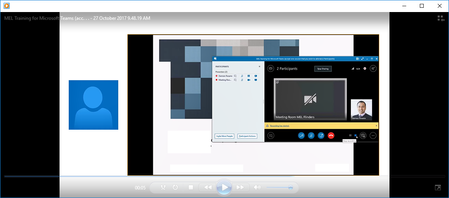
By setting all participants as Attendees and also disabling their video feeds, I have found that when I record the meeting it only shows the shared screen I am presenting.
I did notice that when someone had typed out a question, it appeared on the side of the video, but the way to fix that for me might be to disable IM and let people ask questions via audio.
Either way I have my solution which I had to trial and error to get!
Thanks again for all your input!

can that be controlled by the different view options? gallery etc? sorry, not logged in at the moment! :-)
we're all dual monitor snobs here so anything we don't want in the recording we just drag over to the other one. apologies if i'm a bit confused.

Hi Shane
The issue was happening on my laptop screen when presenting, but I have found a way to get my solution.
By setting all participants as Attendees and also disabling their video feeds, I have found that when I record the meeting it only shows the shared screen I am presenting.
I did notice that when someone had typed out a question, it appeared on the side of the video, but the way to fix that for me might be to disable IM and let people ask questions via audio.
Either way I have my solution which I had to trial and error to get!
Thanks again for all your input!