Forum Discussion

Using Azure Sentinel to enable Insights for Legacy/Modern Auth usage

I'm personally not exactly aware where this is being populated for you, although to answer your question this is Azure Active Directory Audit logs: https://docs.microsoft.com/en-us/azure/active-directory/reports-monitoring/concept-audit-logs
The Service filter allows you to select from a dropdown of the following services:
- All
- Access Reviews
- Account Provisioning
- Application SSO
- Authentication Methods
- B2C
- Conditional Access
- Core Directory
- Entitlement Management
- Identity Protection
- Invited Users
- PIM
- Self-service Group Management
- Self-service Passord Management
- Terms of Use
With that being said, you can ingest Azure Active Directory Audit logs into Azure Sentinel, then manipulate the data or even automate with playbooks to create a specific action. With playbooks you could even tie an event together(Office 365, Firewall Logs, AIP logs, Etc), if X application is used 100 times with 100 Legacy auth occurring, then you're wanting to notify your auth team or security team to look into this. Even more so you could create a ServiceNow/Jira ticket to have tracking in a system you're possibly already using. On top of that, you could just track it with an alert, if that alert gets more then X traffic in 24 hour period you're wanting another alert to kick off a playbook(like an SMS message or automation to block an port of that application while your team is investigating the issue while at the same time notifying the company that this application has been blocked and the X team is investigating an issue). All automated with playbooks with no user interaction required.
You were asking about why the data was skewed, i'm wondering if this is purely on the way Azure AD is tracking or the application itself isn't even getting through which is showing no activity. Modern auth shows much better tracking, legacy will typically show nothing if it's blocked via a proxy or the communication just doesn't even get back for a failure. Reason being it's not even getting to the service in the first place. I would personally advise reaching out to the Azure AD team about auditing to get a deeper investigation on why your logging seems off.
Hope this helped :)
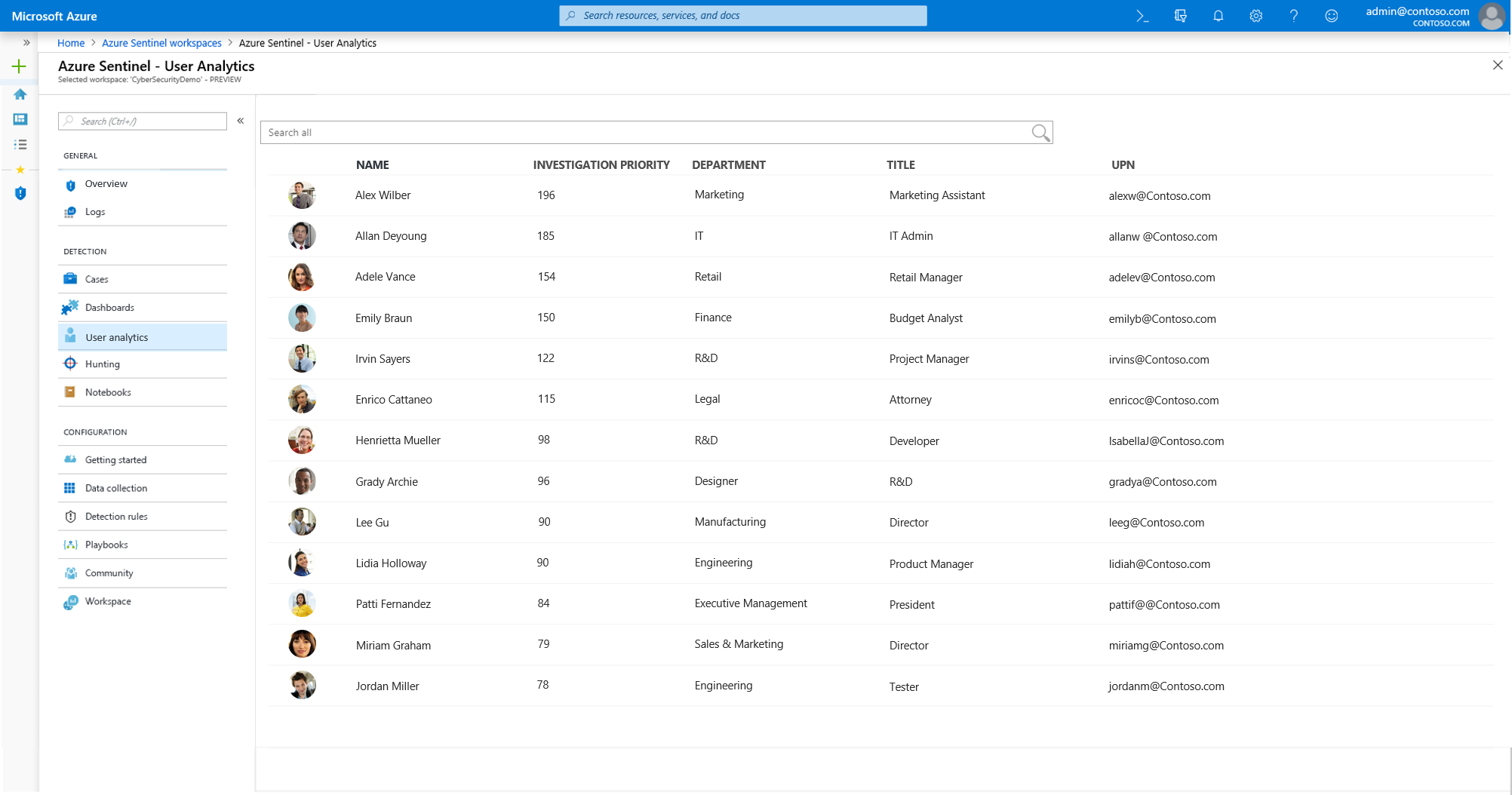
One more follow up, we're in the process of releasing UEBA - this might meet a lot of your needs. Stay turned as we have a lot coming out built into Azure Sentinel by GA.
User analytics
With native integration of machine learning (ML), and user analytics, Azure Sentinel can help detect threats quickly. Azure Sentinel seamlessly integrates with Azure Advanced Threat Protection to analyze user behavior and prioritize which users you should investigate first, based on their alerts, and suspicious activity patterns across Azure Sentinel and Microsoft 365.