Forum Discussion

Fortigate workbook not populating
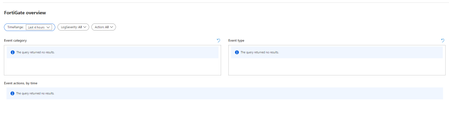

Rod_Trent I have the same problem here. Data is being populated to the table, I can query against the table directly, but no results in the workbook.

So when you run this, you get data back? If so the workbook uses the same.
CommonSecurityLog
| where DeviceVendor =~ 'Fortinet'
| where DeviceProduct =~ 'Fortigate'
Do you get an error from the Workbook or "no data" ? Have you confirmed that the workbook is opened in the same Workspace?
- MikeElliottUKDec 14, 2020Copper Contributoryes that's the weird thing Clive, a query works fine and returns data, but the workbook returns no results. I've confirmed that the workbook is opened to the same workspace.
- MikeElliottUKDec 14, 2020Copper Contributor
I think I've figured out the problem here. The query doesn't actually work exactly as typed, my mistake. The DeviceProduct field contains data such as "FortiGate-80E" rather than simply "FortiGate". I've modified the Workbook queries to begin with...
let data = CommonSecurityLog
| where DeviceVendor =~ 'Fortinet'
| where DeviceProduct startswith 'Fortigate'
and it now populates. Perhaps this is a syntax problem with the workbook itself or maybe the Fortigate output format has changed since the workbook template was written. One other possibility, the content being sent to Sentinel in my case comes from FortiAnalyzer rather than directly from a Fortigate firewall. Surya92Feb 08, 2022Copper ContributorHello Rod_Trent, CliveWatson, MikeElliottUK
I am facing similar issue, where the FortiGate workbook is not populating any data.
Data is being populated to the table, I can query against the table directly, but no results in the workbook
CommonSecurityLog
| where DeviceVendor == "Fortinet"
| where DeviceProduct startswith "Fortigate"
Also as Mike suggested, checked by adding | where DeviceProduct startswith 'Fortigate' as well, but still doesn't work.
Can you help me with this issue.