In legal work, the answer rarely sits neatly in one place. It may depend on precedent, organizational standards, or a regulatory consideration that changes the whole analysis. General-purpose AI can fall short: legal professionals need to understand what an answer rests on and review the evidence before applying their judgment. Copilot can help bring more of that work together while keeping legal professionals in control of the decisions only they can make.
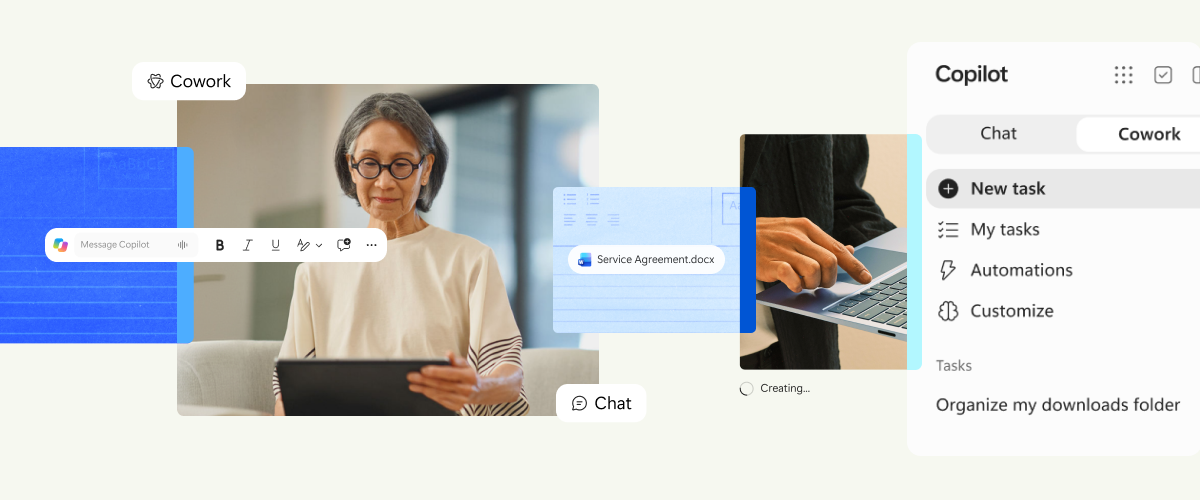
Today, we’re announcing the general availability of more than 20 purpose-built legal skills and new partner-built plugins, bringing legal-specific capabilities and trusted sources directly into Microsoft Copilot. Building on what we previously introduced as Legal Agent, these capabilities now come together as legal plugins in Copilot. They go beyond prompts to support deeper document work in Word, work across multiple files and steps in Cowork, and connect to the trusted systems and sources that legal teams rely on.
Purpose-built for legal work
Legal work leaves little room for approximation, which is why we’ve built these capabilities alongside legal engineers who help translate real-world legal standards, practices, and workflows into the experience.
These are more than prompts layered on a general-purpose model. Each skill combines legal-specific reasoning with the native capabilities of Microsoft 365 to produce work in the format legal teams need. When redlining an agreement, for example, Copilot can determine how a clause should change while Word applies the edit as a native tracked change and preserves the document’s formatting. Similarly, when drafting a new contract, Copilot can draw on approved precedents in SharePoint, then use native Word content controls to create structured placeholders that remain editable and consistent throughout the document.
In Word, Copilot supports deep document work, with experiences built directly into the document that help legal professionals review, refine, and act on their work. In Cowork, legal professionals can delegate broader, multi-step work across agreements, emails, meetings and files, such as tracking obligations and deadlines across contract portfolios, comparing key terms across agreements, and building case chronologies.
Work IQ is the intelligence layer that connects Copilot and agents to your organization's real-time knowledge, context, people, and work. This includes the matters, standards, and information behind the work, not just the document in front of it.
For legal teams, these capabilities can streamline the work that fills their day:
- Draft and prepare faster: Turn approved precedents and templates into new agreements or structured legal memos.
- Review and negotiate with confidence: Review agreements against playbooks, help identify terms needing attention, and propose tracked edits.
- Stay on top of obligations: Extract commitments, deadlines, and triggers, and trace related agreements to determine which terms remain in force.
- Turn research into guidance: Compare materials and requirements, identify potential gaps, and develop the analysis into structured guidance.
- Move matters forward: Build case chronologies, surface key dates and open questions, and turn meeting records into formal minutes and resolutions.
Alongside these generally available capabilities, a new Word experience coming to preview later this month will help legal professionals navigate between defined terms and their definitions across a document.
Across these workflows, Copilot helps legal teams apply a consistent approach while keeping them in control at every step.
Connected across legal systems and data
Legal teams rely on specialized sources and systems beyond Microsoft 365. New partner-built plugins bring them into Copilot, spanning legal research; document, matter, and transaction management; agreements and electronic signature; legal AI; and e-discovery. Starting today, these partner-built legal plugins are beginning to roll out through the Microsoft plugin registry, with additional plugins becoming available over time.
- Legal research: Bloomberg Law, Trellis, Descrybe Legal Engine, Legal Data Hunter, Courtroom5, and Lawstronaut
- Document, matter, and transaction management: iManage Work, NetDocuments, Box, Litera, HighQ from Thomson Reuters, LegalZoom, and Solve Intelligence
- Agreements and electronic signature: Docusign, Juro, Adobe Acrobat Sign, LawVu, SignatureAPI, Dropbox Sign, and PandaDoc
- Specialized Legal AI: Harvey, Legora, DeepJudge
- E-Discovery and Legal Intelligence: Everlaw, Relativity
Together, these plugins bring the specialized tools and sources legal teams trust into the Copilot experience.
How legal teams are using Copilot
Legal professionals are already putting these capabilities to work. Since Frontier release in April, more than 1,800 users have generated nearly 100,000 edits, choosing to keep roughly seven in ten suggestions. Internal evaluations also show strong quality across the edits themselves, with more than 90% fluency, more than 95% conciseness, and more than 85% relevance. The result is an editing experience designed to help legal professionals move through complex documents faster, without compromising their control over the final language.
Microsoft’s legal organization is an early proving ground for these experiences, and we’re working with legal teams outside Microsoft to shape them around how legal work gets done today.
“For me, the real benefit of Copilot is that I don’t have to change how I work. I’m already living in Word when I negotiate an agreement, and now I can use Copilot to help with the first pass and see its proposed redlines right there in the document. Being able to look at the actual language in context is huge. Something that might take me an hour to review initially can often take several minutes, which means I can get to the substantive issues faster and spend more of my time on legal judgment, negotiation strategy, and advising my clients.” — Aneesh Mehta, Senior Corporate Counsel, Microsoft
"Over the past year, we've worked deliberately to embed Microsoft Copilot into the daily workflow of our lawyers and business professionals, combining premium and enterprise capabilities with a growing portfolio of firm-developed agents tailored to legal work. Adoption is now approaching 90%, with usage and engagement continuing to grow month on month. The rapid evolution of the Microsoft AI platform, from Legal Agent and Copilot Cowork to the forthcoming Legal Skills capabilities, has reinforced our belief that AI will become a core part of how legal services are delivered. That confidence has led us to take the next step in our journey and equip every colleague with a premium Copilot license, establishing Clyde & Co as a true Frontier Firm. By placing advanced AI capability into the hands of all our people, we can accelerate innovation, unlock greater productivity, and ultimately deliver better outcomes for our clients." — Matt Simpkin, Chief Information Officer, Clyde & Co
“Participating in testing the Legal Agent via the Compass Programme gave me valuable insights into an interesting and evolving product. I particularly appreciated the open and constructive exchange with the Microsoft team, which made the testing experience both engaging and worthwhile. I am looking forward to using Legal Agent’s capabilities in Copilot and see its potential in improving work across a range of legal tasks.” — Gunilla Schütz-Wicher, Senior Legal Counsel, Uniper Global Commodities SE
Trusted for sensitive legal work
Legal teams need solutions that work within established standards and keep changes in their control. In Word, Copilot presents proposed edits for review and applies them only with the user’s approval. Approved templates and reusable playbooks help legal teams work from established standards, while Copilot processes prompts and responses within the Microsoft 365 service boundary, with enterprise data protection. Copilot works only with content each user can access, honors sensitivity labels, and does not use prompts, responses, or documents to train the underlying foundation models.
Get started today
The new legal capabilities in Copilot are generally available to Microsoft Copilot customers worldwide today. Explore the new legal capabilities and learn how your organization can get started.
Join us on October 22 for a Microsoft Copilot in Word webinar to see the new legal skills in action. To sign up, visit the Microsoft Discovery Sessions catalog, select REGISTER, search for “Microsoft Copilot in Word: Turn a blank page into a polished draft,” and select the session. You’ll receive a confirmation email once registered.

 Microsoft