Forum Discussion

Log Analytics Query for computer last login/active date and time

I just need a query where i can get last login/active date and time of all the computers.
The Query which is posted in my first message gives me the list if machines those are not up-to-date but few of them are not even in Active Directory (may be Object is deleted or renamed).
If adding a column to my query is not possible, i am comfortable with running another query for last login/active date and then will merge both the reports.

You haven't listed any Tables - and there are 100s - so its kind of hard for me to guess on what you have.
For instance I have 33 tables that contain a Computer column - only a few of those may have logon info.
union withsource = TableName *
| where isnotempty(Computer)
| summarize count() by TableName
This would list the last record per computer (assumes you have the Heartbeat table)
Heartbeat
| summarize  arg_max(TimeGenerated,*) by Computer
The reason I didn't suggest Heartbeat is that machines in the WaaS table don't always have the agent, so this doesn't work for me, but may for you?
WaaSDeploymentStatus
| where UpdateCategory == "Quality" and TimeGenerated > ago(60d)
| summarize updateInfo = arg_max(ReleaseName, DeploymentStatus, DetailedStatus, DetailedStatusLevel, ExpectedInstallDate) by Computer
| join  (
Heartbeat
| summarize  LastHeatbeat = arg_max(TimeGenerated, *) by Computer
) on Computer
| project updateInfo , LastHeatbeat
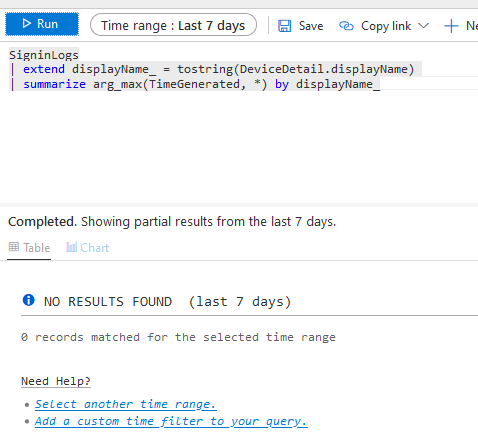
For instance if you say you have SigninLogs then this may work
SigninLogs
| extend displayName_ = tostring(DeviceDetail.displayName)
| summarize arg_max(TimeGenerated, *) by displayName_
- yashsedaniFeb 13, 2020Brass Contributor
I am Sorry... Attached what table i see Group by Category/Solution.
I tried running the queries you post. Attached are the results.
- CliveWatsonFeb 13, 2020Former Employee
We will get there I promise, none of those actually show the Table Name (just the Category and Solution names), its the next level of detail after those we need, this query will show that detail:
union withsource = TableName *
| where isnotempty(Computer)
| summarize dcount(Computer) by TableName
| order by dcount_Computer desc
You should get a report like this (its this we need to see):
TableName dcount_Computer InsightsMetrics 33 Perf 33 ConfigurationData 32 Operation 32 Heartbeat 32 Update 31 ProtectionStatus 30 SecurityBaseline 24 SecurityBaselineSummary 24 ConfigurationChange 21 With that I know two things:
1. the real TableName (column 1) and
2. a count of unique computers, which gives me a hint that there is some data to look at.
Thanks for your patience
- yashsedaniFeb 13, 2020Brass Contributor