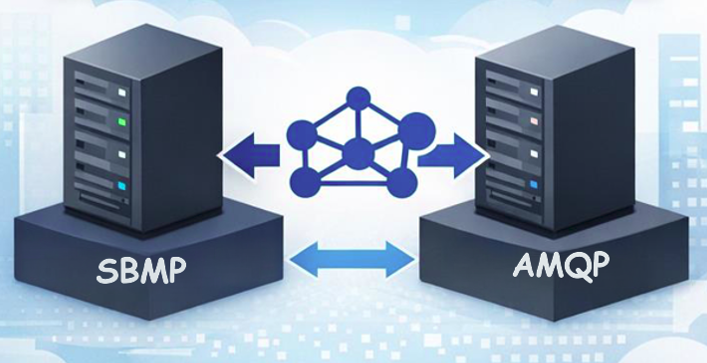
A new hotfix adds AMQP support to the BizTalk Service Bus adapter—here’s what’s changing, what to do next, and key dates through September 2026.
On September 30, 2026, the Azure Service Bus team will retire support for the Service Bus Messaging Protocol (SBMP). This is important BizTalk Server 2020 customers who use the BizTalk Service Bus (SB-Messaging) adapter, as SBMP is the protocol that adapter relies on today.
To help customers maintain continuity while planning their transition to Azure Logic Apps, we’ve released a BizTalk Server 2020 hotfix that adds support for Advanced Message Queuing Protocol (AMQP) in the adapter.
What’s changing
- SBMP support retires on September 30, 2026 in Azure Service Bus.
- A hotfix enables AMQP for the BizTalk Service Bus (SB-Messaging) adapter (request KB5091379 opening a support case).
- AMQP becomes the default transport with the hotfix installed.
- The hotfix is available for BizTalk Server 2020 CU6 and CU7.
What you need to do
If you plan to continue using the BizTalk Server 2020 Service Bus adapter, you should:
- Migrate your adapter configuration to AMQP.
- Install the hotfix well before September 2026, and run validation in a non-production environment.
- Validate your scenarios, including large message/file patterns and any operational fallback strategies you depend on.
How to obtain the hotfix
You can obtain the hotfix by opening a support case (request KB5091379) or using the download below. The hotfix enables AMQP support for the BizTalk Service Bus (SB-Messaging) adapter
How to test the hotfix works
Follow the steps here: How to Validate That Your BizTalk SB-Messaging Adapter Is Really Using AMQP | Microsoft Community Hub
Support and lifecycle context
Microsoft remains committed to supporting BizTalk Server 2020 and its features in accordance with the official product lifecycle. Extended paid support will be available after April 2028.
Closing thoughts
If you’re using the SB-Messaging adapter today, now is the right time to plan your move to AMQP and schedule validation in a non-production environment. This keeps you ahead of the September 2026 retirement date and helps ensure a smooth path as you modernize toward Azure Logic Apps.
Temporary Download Location:
https://1drv.ms/f/c/cac4b5f5988b8228/IgCrzn_KTaZ8T5tuKmcdPgXxARuOLcGHDhxVLgeysj44GWE?e=w5AcpM

 Microsoft


