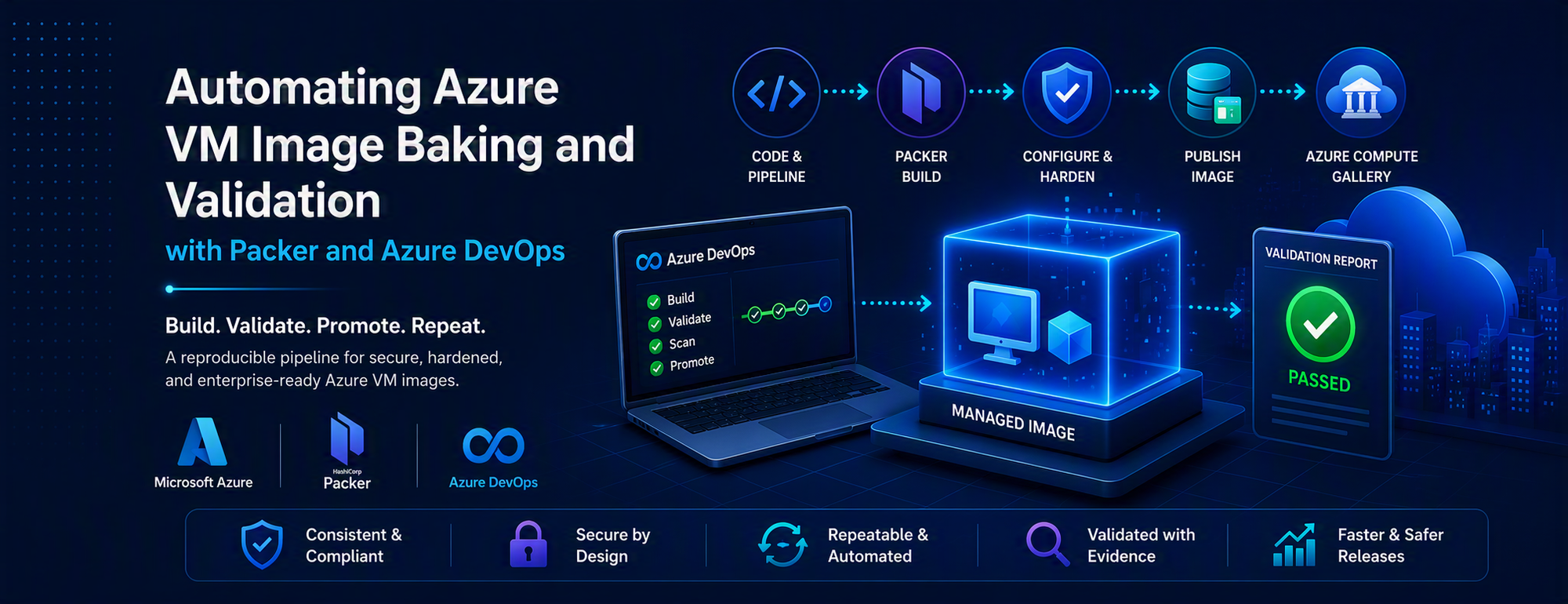
A repeatable implementation pattern using HashiCorp Packer, Azure DevOps and Azure Compute Gallery
Solution at a glance
Source image → Packer build → Azure Compute Gallery → Validation VM → Evidence → Controlled promotion
Introduction
Maintaining enterprise virtual machine images manually can lead to configuration drift, inconsistent builds, slow remediation and limited release traceability. A stronger pattern is to treat each image as a versioned build artefact: create it from a controlled source, configure it deterministically, validate the published image and promote only an explicitly identified version.
This article presents a generic implementation using HashiCorp Packer and Azure DevOps. The examples intentionally use non-production placeholders and avoid customer-specific names, subscriptions, networks, credentials, repositories, gallery names, certificate material, package sources and internal promotion topology.
What this article demonstrates
- Consolidate a layered image process into a parameterised Packer build.
- Preserve image metadata and Azure Marketplace lineage through publication.
- Validate the published image version rather than only the temporary build VM.
- Publish validation evidence and make promotion decisions traceable.
Solution overview
|
1. Source |
2. Build |
3. Publish |
4. Validate |
5. Evidence |
6. Promote |
|
Marketplace image |
Packer + scripts |
Compute Gallery |
Temporary VM |
JSON + logs |
Approved version |
Reference architecture
The pipeline separates image creation, validation, security scanning and promotion. This separation makes each release decision explicit and preserves evidence for the exact image version that downstream workloads consume.
Azure DevOps
OrchestrationPacker
Image buildCompute Gallery
Versioned artefactValidation VM
Runtime checksRelease gate
PromotionImportant A successful Packer build proves that the build completed. It does not prove that the published gallery image behaves correctly when consumed. Validate the published version independently.
Designing the image build
Why use a single reproducible build?
Layered pipelines can be useful, but multiple sequential image builds create intermediate artefacts and dependencies that complicate remediation. Where the complete configuration can be reproduced from source, use one ordered flow: select the source image, configure the operating system, apply the chosen hardening profile, install the runtime, configure trust, run smoke checks, clean up and capture the result.
Parameterise the pipeline
Keep environment-specific values outside the reusable image logic. Typical queue-time parameters include runtime version, image flavour, build region, optional security scanning and the image version to validate.
Queue-time pipeline parameters (YAML)
parameters:
- name: runtimeVersion
  type: string
  default: '17'
  values: ['8', '11', '17', '21']
- name: imageFlavor
  type: string
  default: standard
  values: [standard, cis]
- name: enableSecurityScan
  type: boolean
  default: false
- name: location
  type: string
  default: eastus
Define the Packer builder and provisioning order
Use a single template with an explicit provisioning sequence. Fail the build for conditions that make the image unusable; keep advisory checks separate when the release process intentionally treats them as non-blocking
Generic Azure builder and inputs (HCL)
packer {
  required_plugins {
    azure = {
      source  = "github.com/hashicorp/azure"
      version = "~> 2.6"
    }
  }
}

variable "location"        { type = string }
variable "image_name"      { type = string }
variable "image_version"   { type = string }
variable "runtime_version" { type = string }
variable "image_flavour"   { type = string }

source "azure-arm" "base" {
  use_azure_cli_auth = true
  location            = var.location
  os_type             = "Linux"
  vm_size             = "Standard_D4s_v5"
  image_publisher     = "RedHat"
  image_offer         = "RHEL"
  image_sku           = "8-lvm-gen2"
  image_version       = "latest"
  managed_image_resource_group_name = "rg-image-build"
  managed_image_name = "${var.image_name}-${var.image_version}"
}
Deterministic provisioning sequence (HCL)
build {
  sources = ["source.azure-arm.base"]

  provisioner "shell" { script = "scripts/os-update.sh" }
  provisioner "shell" { script = "scripts/configure-system.sh" }
  provisioner "shell" {
    environment_vars = [
      "RUNTIME_VERSION=${var.runtime_version}",
      "IMAGE_FLAVOUR=${var.image_flavour}"
    ]
    script = "scripts/install-runtime.sh"
  }
  provisioner "shell" { script = "scripts/configure-trust.sh" }
  provisioner "shell" { script = "scripts/image-smoke-test.sh" }
  provisioner "shell" { script = "scripts/image-cleanup.sh" }
}
Authentication Use Azure DevOps service connections or workload identity. Do not place client secrets in Packer templates or ordinary YAML parameters, and do not write sensitive values to logs or image artefacts.
Marketplace lineage When the selected source image includes purchase-plan metadata, preserve the required plan information and verify the gallery definition before promotion.
Version images independently
Maintain a separate incrementing version stream for each runtime and image-flavour combination. This keeps versions meaningful within the corresponding image definition.
Version key concept
imageVersion: '8.1.$(imageMinor)'
# Counter key: <runtime>-<flavour>
Validate the published image
After publication, deploy a temporary VM from the exact gallery image version, run validation remotely, publish the results and always remove temporary resources.
Create and validate a VM from the published version (YAML)
- stage: ValidatePublishedImage
  dependsOn: BuildImage
  jobs:
  - job: ValidationVM
    steps:
    - task: AzureCLI@2
      inputs:
        azureSubscription: $(validationServiceConnection)
        scriptType: bash
        scriptLocation: inlineScript
        inlineScript: |
          set -euo pipefail
          az vm create \
            --resource-group "$(validationResourceGroup)" \
            --name "$(validationVmName)" \
            --image "$(galleryImageVersionId)" \
            --admin-username imageadmin \
            --generate-ssh-keys
          az vm run-command invoke \
            --resource-group "$(validationResourceGroup)" \
            --name "$(validationVmName)" \
            --command-id RunShellScript \
            --scripts @scripts/image-validation.sh
Validation coverage
- Operating-system baseline and expected distribution/version.
- Runtime version and required environment variables.
- Required packages, services and cloud-agent readiness.
- Truststore existence and basic integrity.
- Expected hardening state for the selected image flavour.
Minimal in-guest validation script (Bash)
#!/usr/bin/env bash
set -euo pipefail
report_dir="${REPORT_DIR:-validation-results}"
mkdir -p "$report_dir"

check() {
  local name="$1"; shift
  if "$@"; then
    printf '%s\tPASS\n' "$name" | tee -a "$report_dir/result.txt"
  else
    printf '%s\tFAIL\n' "$name" | tee -a "$report_dir/result.txt"
    return 1
  fi
}

check os-baseline grep -q '^ID="rhel"' /etc/os-release
check runtime-version java -version
check java-home test -n "${JAVA_HOME:-}"
check truststore test -s "${JAVA_HOME}/lib/security/cacerts"
check cloud-agent systemctl is-active --quiet waagent
Publish evidence and enforce the gate
- task: PublishPipelineArtifact@1
  displayName: Publish image validation evidence
  condition: always()
  inputs:
    targetPath: validation-results
    artifact: image-validation

- bash: jq -e '.result == "PASS"' validation-results/result.json
  displayName: Enforce validation gate
The report should identify the image definition and version and provide an explicit result for every check. Correlate build logs, validation artefacts, scan outputs and promotion records with the pipeline run.
Promotion and release controls
Bake once, then promote the same identified image version rather than rebuilding independently for each environment. If validation or scanning is required for a production release, represent that requirement as a pipeline dependency or approval gate.
Promotion dependency and approval boundary (YAML)
- stage: Promote
  dependsOn:
  - BuildImage
  - ValidatePublishedImage
  - SecurityScan
  condition: |
    and(
      succeeded('BuildImage'),
      succeeded('ValidatePublishedImage'),
      or(
        eq('${{ parameters.enableSecurityScan }}', false),
        succeeded('SecurityScan')
      )
    )
  jobs:
  - deployment: PromoteImage
    environment: image-production-approval
    strategy:
      runOnce:
        deploy:
          steps:
          - bash: ./scripts/promote-image-version.sh
Failure handling and clean-up
- task: AzureCLI@2
  displayName: Remove temporary validation resources
  condition: always()
  inputs:
    azureSubscription: $(validationServiceConnection)
    scriptType: bash
    scriptLocation: inlineScript
    inlineScript: |
      az vm delete \
        --resource-group "$(validationResourceGroup)" \
        --name "$(validationVmName)" --yes || true
      az disk delete \
        --resource-group "$(validationResourceGroup)" \
--name "$(validationOsDiskName)" --yes || true - Revoke temporary disk access before deleting staging resources.
- Use the pipeline run or image version in temporary resource names.
- Do not overwrite a successfully published image version.
- Define retention for gallery versions and capture intermediates.
- Rollback by directing new deployments to a previous known-good version.
Production considerations
Release gates
|
Gate |
Expected evidence |
|
Build |
Packer completes; the image version reaches a successful provisioning state; expected metadata is present. |
|
Functional |
A VM created from the published version passes OS, runtime, package, service, agent and trust checks. |
|
Security |
Hardening and vulnerability outputs meet the organisation’s defined release threshold. |
|
Promotion |
The validated version is copied or replicated without rebuilding, and target metadata matches. |
|
Operational |
Temporary resources are removed, evidence is retained, ownership is clear and rollback is recorded. |
Stable validation contract
Use a small, predictable report schema so the pipeline, release approvers and downstream automation interpret the same top-level result.
Example validation report (JSON)
{
  "schemaVersion": "1.0",
  "image": {
    "definition": "rhel-runtime-standard",
    "version": "8.1.12"
  },
  "result": "PASS",
  "checks": [
    {"name": "os-baseline", "status": "PASS"},
    {"name": "runtime-version", "status": "PASS"},
    {"name": "truststore", "status": "PASS"},
    {"name": "required-services", "status": "PASS"}
  ]
}
Operational checklist
- Verify source-image terms and permissions before each bake.
- Pin Packer and plug-in versions; test upgrades deliberately.
- Give build and promotion identities only the scopes they require.
- Confirm validation targets the same subscription, gallery, definition and version produced by the build.
- Define promotion, retention, retry, notification and ownership policies before production handover.
- Keep a build summary, validation report, scan output, promotion record and cleanup record for each released version.
Consumer rollout
The image pipeline ends at a versioned, validated gallery artefact. Consumers such as Virtual Machine Scale Sets should reference an explicit version during controlled rollout, validate health after deployment and move new deployments to a previous known-good version when rollback is required.
Conclusion
Image baking becomes easier to operate when it is treated as a software-delivery problem: source-controlled configuration, deterministic builds, explicit metadata, versioned outputs, independent validation, published evidence and controlled promotion. Packer supplies the repeatable image build, Azure DevOps supplies orchestration and governance, and Azure Compute Gallery supplies the distribution boundary.
The most important addition is validating the image after publication so release decisions are based on the same artefact that downstream workloads will consume.
Adapt before use The examples are intentionally generic. Replace placeholder names and policy thresholds for the target environment; keep secrets in protected variables or an approved secret store.
References
- Azure Pipelines runtime parameters: https://learn.microsoft.com/azure/devops/pipelines/process/runtime-parameters
- HashiCorp Packer Azure ARM builder: https://learn.microsoft.com/azure/devops/pipelines/process/runtime-parameters
- Create Linux Azure VM images with Packer: https://learn.microsoft.com/azure/devops/pipelines/process/runtime-parameters
- Azure Infrastructure Blog: https://learn.microsoft.com/azure/devops/pipelines/process/runtime-parameters
- Deploying custom images and implementing CI/CD for Azure Virtual Machine Scale Sets: https://techcommunity.microsoft.com/blog/azureinfrastructureblog/deploying-custom-images-and-implementing-cicd-for-azure-virtual-machine-scale-se/4556902

 Microsoft