In Part 1: From First Use Case to Automated Workflows, we focused on identifying use cases and getting setup with your initial SRE Agent. Teams see the value, and now you need to decide how adoption should expand.
These are the questions we increasingly hear from teams. Who should share an agent? When does another team need its own? How do separate agents collaborate? And how do you deploy and govern all of this without creating unnecessary complexity?
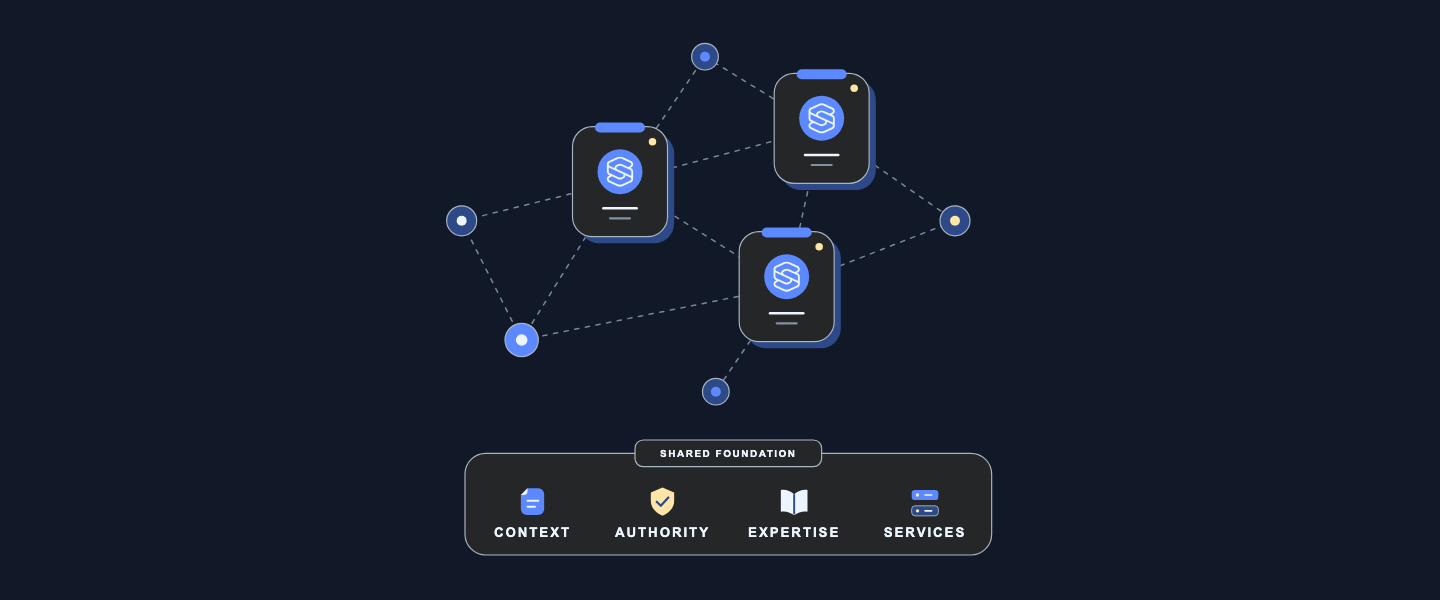
Part 2 shares our recommendations for making those decisions. There is no single topology that fits every organization. Start from the work, context, permissions, and ownership involved, then create boundaries only where they are needed.
This part answers three questions:
- How do we share an SRE Agent with more users?
- How do we expand from one team to multiple teams, and do we need one SRE Agent or multiple?
- How do we codify, deploy, and govern SRE Agents at enterprise scale?
1. How do we share an SRE Agent with more users?
Once the first use case is producing useful results, you will likely want to share the agent with more users who can benefit from it. Sharing is not simply about giving people access to use the agent. It is about determining what each user is allowed to do. Teams must decide who can use the agent, who can change it, who can approve sensitive actions, and which safeguards should apply to everyone.
Azure SRE Agent is a team agent: its connected knowledge, investigation history, memory, skills, custom agents, connectors, and configuration are shared within the agent. It does not create private context or state partitions for different users or teams.
Once you decide that users can work within the same shared agent, Azure SRE Agent provides controls to define what each person can do, enforce guardrails on agent actions, and audit how the agent is used. The following sections walk through those controls.
1.1 Give each person the role required for their responsibility
SRE Agent provides RBAC roles to control who can view, use, build, approve, or administer the agent. They govern actions within the shared agent; they do not create separate resource or context boundaries.
Assign built-in SRE Agent roles according to what each person needs to do:
- use SRE Agent Reader for stakeholders who only need to view investigations and outcomes;
- use SRE Agent Standard User for team members who need to chat, investigate, and operate the agent;
- add SRE Agent Author for the smaller group that creates custom agents and response plans; and
- reserve SRE Agent Administrator for the few people who manage the agent and approve sensitive actions.
A person who creates and tests workflows may need both Standard User and Author because the Author role alone does not provide chat or approval access. Azure Owner and Contributor roles also do not by themselves grant SRE Agent data-plane permissions.
Start with these built-in roles. If none provides the required separation, use the SRE Agent permission matrix to define an Azure custom role containing only the necessary control-plane and data-plane actions.
1.2 Apply guardrails to the shared agent
User roles determine what each person can do. As more people share the agent, its owners also need a consistent way to shape behavior, restrict sensitive operations and validate outputs. The following controls apply those guardrails across the shared agent.
Use tool access policies to control which tools the shared agent may invoke, which operations require approval, and which operations are denied. Enable approval expiration so unreviewed approval and temporary authorization requests expire automatically. Set the timeout to match the expected administrator response window.
Use hooks when inputs, tool calls, or outputs require deterministic validation, cleanup, or policy checks that should not depend on instructions alone.
Choose the appropriate network control mode. For production agents that handle sensitive data or require egress controls, use Azure VNet so non-platform traffic follows enterprise DNS, firewall, NSG, and logging policies. Review the documented traffic exceptions because platform and connector traffic do not follow the same path.
Use custom instructions to add administrator-defined instructions to the main SRE Agent's prompt. These instructions can establish which sources to prioritize, what evidence to include, how to structure an investigation, and when to stop and ask for approval. They augment the agent’s default behavior, so users do not have to repeat the same operating guidance in every request. Common prompts guide behavior; they are not a hard enforcement boundary.
Set a maximum AAU limit as a cost budget for shared-agent usage. Start with a limit appropriate for the expected users and workflows, monitor consumption, and adjust it as adoption grows rather than leaving usage unconstrained.
1.3 Audit how the shared agent is used
As more people use the agent, use its Application Insights audit telemetry to review tool calls, model invocations, agent activity and handoffs, incident activity, Azure CLI commands, and approval decisions. Use thread and call identifiers to follow a specific investigation and correlate related events.
Use the Azure Activity Log to review who created, updated, or deleted the SRE Agent resource and its related managed identity and Application Insights resources.
Together, roles, common prompts, tool access policies, hooks, and usage limits make it safer to share one agent. They do not create separate context boundaries inside it. That distinction leads to the next decision: when to keep expanding one SRE Agent and when to create another.
2. How do we expand from one team to multiple teams, and do we need one SRE Agent or multiple?
Most enterprises want to transform how operations work across the organization. Once the teams adopt their first SRE Agent and saw their operational toil go down, the questions quickly shift: How do we expand from here? How many SRE Agents do we need? Where should the boundaries sit? And how should teams collaborate when work crosses those boundaries?
When teams first think about this topology, they often start with the size of their environment. They look at the number of subscriptions, resource groups, applications, resources, or teams and assume that a larger environment automatically requires more SRE agents. Azure SRE Agent does not require one agent per subscription, resource group, application, resource, or team, and there is no platform-defined count at which another agent is required. A single agent can work across multiple Azure management groups, subscriptions, resource groups, and Azure regions when it has the required access and context.
The way to think of topology is based on how your organization manages operations today, across the people responsible for the work and the systems they use. Consider the operational problems and workflows the SRE agent will support, the telemetry, source code, data, and knowledge required to perform that work, and the teams with domain expertise in the systems involved. Also consider what each group of users is permitted to see, what actions the agent is permitted to take, and who will create and maintain its workflows.
The following factors can help you think through which work belongs together and where a separate agent may be useful.
2.1 Factors to help decide when to add a new SRE Agent
Consider each factor separately. Teams may be able to share one aspect of an agent while another requires separation.
|
Factor and questions |
Build on the existing SRE Agent when… |
Add a separate SRE Agent when… |
|
Required context What telemetry, source code, deployment history, operational data, knowledge, and dependency context are needed to investigate, analyze, or perform the task?
|
The required context can be shared. All teams using the agent are permitted to use the required context. For example, application, platform, and network teams can share one agent when it can use context from all three layers. |
Some context must remain separate. Each team can use its own agent for unique context while each agent continues to use shared context where permitted.
|
|
Domain expertise Who has domain expertise in the operational problems and systems involved? Who provides and reviews the agent's instructions, knowledge, runbooks, skills, tools, and custom agents?
|
Teams agree on the guidance the agent should follow. They want to collaborate, and their contributions do not give the agent contradictory guidance. For example, platform and network teams can contribute compatible runbooks to the same investigation workflow. |
Teams need autonomy over their domain guidance. Their expertise applies only to their own workflows. Separate agents keep team-specific context and instructions from conflicting with guidance for another team’s workflows. For example, teams that use different remediation procedures can maintain that guidance in their own agents. |
|
User visibility Are users already permitted, outside the SRE agent, to see the context and resources the agent makes available?
|
All users already have access to the context and resources exposed through the agent. This includes its shared context, memory, knowledge, workflows, and resources. For example, all users can already query the logs across all subscriptions and source code connected to the agent |
Some users must not see another group’s context or resources. For example, if some users cannot query logs for some applications outside the agent, access to a shared agent should not give them that visibility.
|
|
Agent permissions on resources Which resources is the agent permitted to read or change? Can the same managed identity, credentials, and resource scopes support the required workflows? |
One identity and permission model can cover the required resources. For example, a infrastructure team's agent can use its managed identity to access the subscriptions and shared infrastructure. |
Different identities, credentials, or resource scopes are required. For example, each application team may require an SRE Agent that can access only the resources owned by that team. |
|
Action and approval policies Which actions may the agent perform autonomously? Which actions require a user to review or approve them? Which users may approve each action? |
The required action policies and approvers can be managed together. For example, multiple teams can align on the same action and governance policies that the agent can follow to perform various workflows.
|
Teams need independent action policies or approvers. For example, a platform team may permit its agent to restart shared infrastructure autonomously, while an application team requires the service owner to approve every production change. |
|
Workflow ownership Who owns the workflows including the triggers, custom subagents, skills and tools that define the workflow? Which teams may view, create, edit, test, and maintain them?
|
Teams want to co-own and collaborate on the workflows. They are comfortable with other users of the agent viewing or changing them and agree on how changes are reviewed, tested, and deployed. For example, application, platform, and network teams can jointly maintain a workflow or can add multiple workflows that analyzes issues across their systems. |
A team needs independent ownership of its workflows. Other teams must not view or change them, or the team needs to release changes without waiting for another team.
|
|
Data residency Must data or processing remain within a particular tenant, region, or legal boundary?
|
The same residency and processing requirements apply. For example, all connected data and processing can remain within the same approved region.
|
Different residency or processing requirements apply. For example, European and US operations may require separate agents so their data remains within the required geography. Review the product’s data-residency and model-processing behavior. |
In a nutshell: Build on the same SRE Agent when teams can share the required context, guidance, access model, action policies, and workflow ownership. Applying the factors above, teams generally choose separate agents when they need:
- Autonomy: A team can configure, test, release, and operate its agent without depending on another team.
- Visibility and access: Users see only the context, memory, knowledge, workflows, and resources they are permitted to access.
- Domain expertise: Each team can shape the agent around its own systems, runbooks, skills, tools, and operating practices.
- Fewer context and guidance conflicts: Instructions or knowledge added by one team do not contradict or change the behavior expected by another team.
- Less coordination friction: Teams can update workflows, permissions, and policies at their own pace without negotiating every change across multiple groups.
- Distinct permissions and action policies: Each agent can have the resource access, autonomous actions, review requirements, and approvers appropriate for its team.
- A non-production testing boundary: Maintain at least one non-production agent to test material changes to instructions, tools, custom agents, permissions, policies, and workflows before introducing them into production.
- Required organizational boundaries: Residency, tenant, legal, compliance, or production requirements may require separation.
Separate agents can still use permitted shared context and collaborate when work crosses their boundaries.
2.2 How can multiple SRE Agents collaborate?
Once teams operate separate SRE Agents, operational work can still cross the systems those teams own. Collaboration does not require teams to combine their agents or share all of their context. It means passing work, evidence, and ownership to the team responsible for the next step.
Common use cases include:
- An investigation crosses a team boundary. A team determines that the evidence points to another application, platform, network, identity, database, or data layer. It passes the evidence, what it has already checked, and the requested analysis or action to the team with the required ownership, domain expertise, permissions, or authority.
- A planned change spans several owners. Each team validates its part of the system before and after the change and records the results in the shared change record.
- A central team identifies work for a resource owner. A compliance, security, or cost-management team assigns the work with the supporting evidence and required outcome.
Across these use cases, collaboration requires three things: pass enough context for the next team to act, choose how the work will move between agents, and preserve a shared record of the outcome.
Pass the work as a structured handoff. Include the problem or task, its impact, links to the supporting evidence, what has already been checked, the current findings and uncertainty, and the specific analysis or action requested. This prevents the receiving team from repeating the investigation. The receiving team then returns its findings or completed action so the originating team can continue or close the broader task.
Choose the handoff mechanism that fits the existing workflow:
- Operational tools and automation. One agent can reassign an incident, create a Jira ticket, or post a summary in Teams. Automation on the incident or ticket can invoke the receiving team’s SRE Agent and write the result back. This enables collaboration without requiring one agent to invoke another directly.
- HTTP triggers. An agent workflow or external automation can invoke a workflow in another SRE Agent and pass the context required for the next step.
- MCP-compatible clients and orchestrators. They can use the SRE Agent MCP server to ask the appropriate agent to investigate a question or continue work in an existing thread.
2.3 Two common multi-agent scenarios
These examples show how enterprises can configure multiple SRE Agents while preserving the context and authority each team needs.
Scenario 1: A shared platform agent collaborates with team-owned agents
Imagine an organization with a platform team that operates infrastructure, networks, shared data services, and other common dependencies for many application teams. Frontline operations or the service desk routes an incident to the platform team’s SRE Agent first.
The platform agent investigates using centralized infrastructure telemetry, infrastructure-as-code repositories, change history, and platform knowledge. It orchestrates work across its specialized platform capabilities and collaborates laterally with team-owned agents. If the issue is in the shared platform, the platform team continues the investigation and takes the actions within its authority. If the platform is healthy or the evidence points to an application, the agent hands the incident to the appropriate application team’s agent with the evidence already collected and the dependencies already checked.
Application agents can also have permitted read visibility into shared platform dependencies. This helps application teams identify whether a problem originates in their service or the platform, while the platform team retains authority over platform changes.
Scenario 2: Team-owned agents coordinate directly
In another organization, each product or application team operates the services it builds and owns its operational context, telemetry, code, permissions, and workflows. Each team’s SRE Agent is the first responder for its services.
When an investigation points to another service or shared dependency, the initiating agent packages the evidence and hands the work directly to the owning team’s agent. Teams whose operational work does not cross can continue to operate independently. Each agent investigates and acts within its own boundary, while collaborating teams use the same incident or ticket to maintain an end-to-end record.
Shared enterprise standards can provide consistent identity, logging, security, deployment, and governance controls. Teams can also reuse approved skills, tools, and workflow templates without combining their runtime context or agent configuration.
3. How do we codify, deploy, and govern SRE Agents at enterprise scale?
Whether an organization operates one SRE Agent or many, those agents continue to change after deployment. Teams add skills, subagents, tools, prompts, hooks, automations, and policies, while the agents accumulate knowledge and memories through operational use. Because these changes can affect how an agent investigates, analyzes, and acts, manage the agent’s configuration, artifacts, and learnings with the same discipline used for production code.
This becomes especially important when teams move from a proof-of-concept or test agent to a production agent. They may need to create the production agent in the same region or another region while preserving the configuration, knowledge, memories, and operational refinements accumulated during testing. They also need to understand whether changes to a skill, subagent, tool, prompt, or policy changed the agent’s behavior.
Our recommendation is to export an agent that has already been refined through real use, bring the export under version control, and use it as a repeatable baseline. Teams can then preserve its learnings, create production agents in the required environments, track how the configuration changes, and decide which parts should remain agent-specific or be shared with other agents.
3.1 Export the working agent as code
The Azure SRE Agent team maintains the public microsoft/sre-agent repository with templates and scripts for deploying, exporting, cloning, and verifying agents. The repository includes Bash and PowerShell scripts that create a deploy-ready export of a working agent.
The export includes the agent settings, connectors, skills, subagents, tools, hooks, common prompts, repositories, plugin configuration, scheduled tasks, incident filters, HTTP triggers, incident-platform configuration, knowledge, and expected configuration. By default, it also includes synthesized knowledge and workspace memories developed through prior investigations and interactions. Repository instructions can be included when needed.
Review the export for sensitive information and keep connector credentials and other secrets outside the repository. Commit the approved export to Git so teams can preserve the agent’s accumulated knowledge, track configuration changes that may affect its behavior, identify drift, recreate the agent in the same or another region, and use a known agent-as-code baseline for future changes.
3.2 Standardize what should be shared
Decide which parts of the baseline should apply to every agent. Use Bicep or Terraform and Git to define common identity, network, security, logging, audit, and deployment controls, while parameterizing the values that differ by agent or environment.
The public SRE Agent templates provide examples for infrastructure as code, export, deployment, verification, and CI/CD. For reusable operational capabilities, use a private plugin marketplace backed by private GitHub or GitHub Enterprise. Teams can maintain approved skills and MCP integrations once, while agent owners install only the capabilities relevant to their agents. Each installation is pinned to a Git commit so teams can control when updates are adopted.
Together, the version-controlled export, infrastructure as code, shared baseline, and private plugin marketplace provide a repeatable way to expand SRE Agent without making every agent identical.
Share your thoughts
There is no single enterprise topology to copy. The useful pattern is to start by looking inward at the operational toil your team owns, prove value with an initial agent, then share that agent where context and authority can be shared safely, and introduce new agents where organizational or operational boundaries require them.
As you scale SRE Agent beyond a single team, where does sharing, governing, or coordinating agents still feel harder than it should? What could we build or improve to make enterprise-wide adoption easier, safer, or more manageable? What scenarios are you trying to solve next?
We’d love to hear what is working, where you are getting stuck, and what you would like to see next. Share your experience and ideas in the comments below. Your feedback will help us understand where organizations need better guidance, stronger governance, or new capabilities in SRE Agent.
Next steps
- Return to Part 1: From First Use Case to Automated Workflows.
- Open Azure SRE Agent and start your first use case.
- Create and set up an Azure SRE Agent.
- Explore the public SRE Agent templates for infrastructure as code, export, verification, and CI/CD examples.

 Microsoft