Announcing support for non-Http Triggers in Serverless Agents runtime to make your business workflows intelligent.
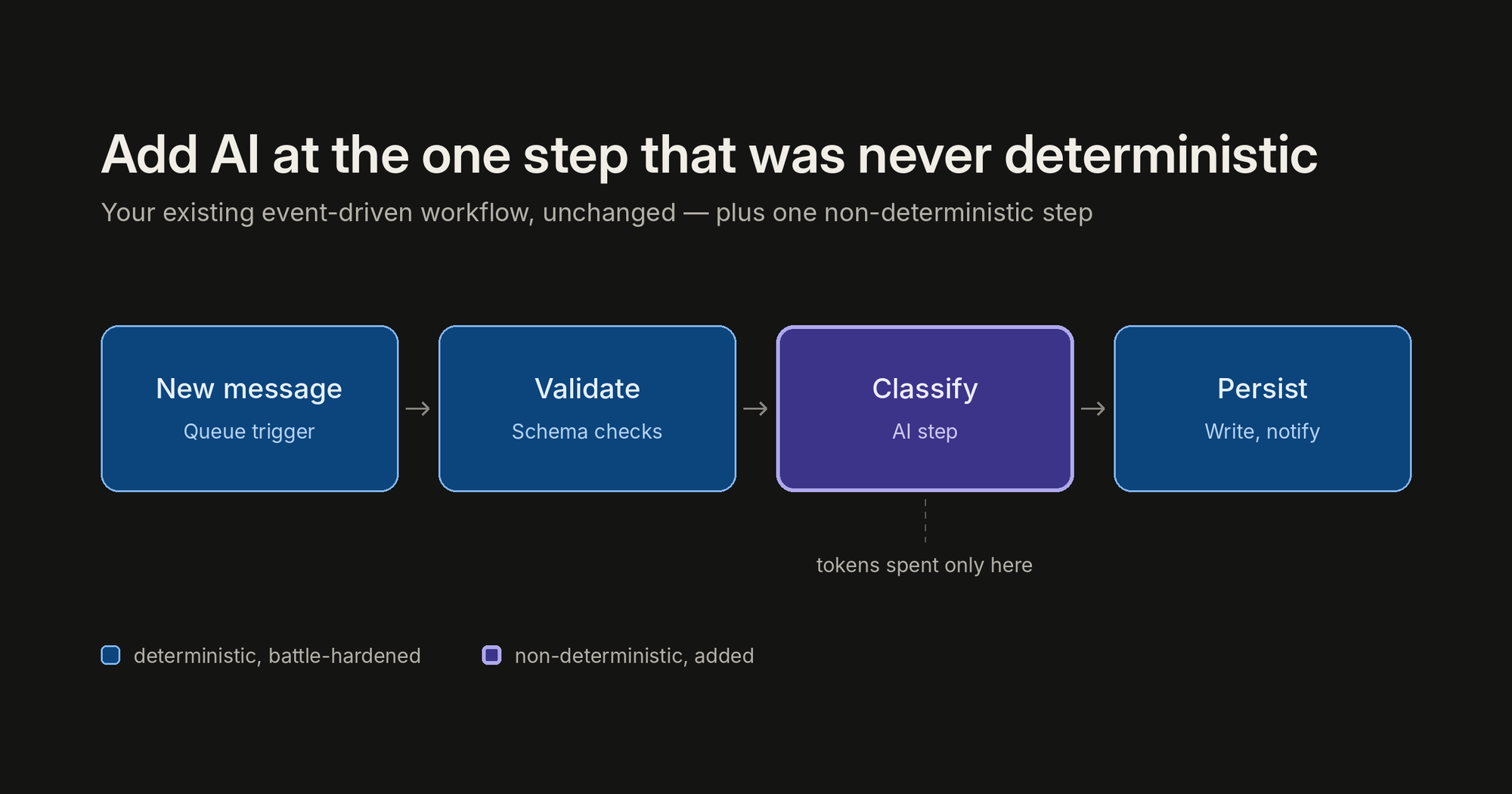
There are a lot of ways to build with AI right now: chat frontends, copilots, greenfield agent apps, orchestration frameworks. All of them have their place, and some customers are building entirely new applications this way. But across customer engagements, a consistent pattern has emerged: the most successful and most cost-effective AI projects are not rewrites. They are existing, deterministic, event-driven business workflows (queue processing, message handling, scheduled jobs) with AI added at exactly the one step that was never deterministic to begin with. This enables the parts that are battle hardened to remain as before, adding AI where non-deterministic smarts are needed. This creates a more robust application along with spending costs for tokens only where beneficial.
That pattern has a natural home in Azure Function and Serverless Agents runtime now support non-Http triggers.
This post walks through the pattern in three layers: the app you already have, what it takes to add AI processing onto it yourself, and what it looks like with Serverless Agents. Learn and try it here: Build serverless agents using Azure Functions | Microsoft Learn
The scenario: expense processing
Picture an expense approval pipeline. Expense and purchase-order requests arrive as messages on a queue: some as quick notes, some as forwarded emails, some as key-value text or JSON from intake tools. Most of the piping around the decision is deterministic and should stay that way: queueing, retries, policy storage, output queues, identity, and the audit trail. You do not want a language model reimplementing any of that.
But one step in the middle has always resisted automation: understanding the request, choosing the policy that governs it, and applying a natural-language rulebook. "Booked a $450 round-trip flight to Denver for the customer onsite next week. — Albert" Turning that into a structured decision (amount, currency, vendor, category, policy applied, destination queue, reason) is exactly the kind of fuzzy, judgment-shaped work that used to mean either a human in the loop or a brittle pile of regexes and keyword lists.
That one step is the AI part of the equation. Everything else stays as code.
Layer 1: the app you already have
If you're running message-based workloads on Azure Functions today, your expense processor looks something like this, using the standard Python v2 programming model with a queue trigger:
import json
import azure.functions as func
app = func.FunctionApp()

@app.queue_trigger(arg_name="msg", queue_name="expense-requests",
                   connection="AzureWebJobsStorage")
def process_expense(msg: func.QueueMessage):
    expense = json.loads(msg.get_body())
    validate_expense(expense)
    if is_duplicate(expense):
        return
    decision = apply_expense_policy(expense)
    route_decision(decision)
    write_audit_record(expense, decision)
This is good architecture, and nothing in this post asks you to change it. You get scale-out per message, retries with a poison queue after repeated failures, and scale to zero between messages. On the Flex Consumption plan you pay for execution, not for idle. The queue itself is doing real architectural work: it buffers spikes, absorbs backpressure, and decouples producers from processing.
The limitation is only that process_expense can read only the schema for which it was written. Free text, email-shaped messages, and inconsistent key-value input require a parser before the deterministic policy code can use them, and selecting among category-specific policy documents means encoding more rules in code.
Layer 2: the do-it-yourself middle step
The obvious next move is to call a model from inside the function. The first version is deceptively short:
# Sketch of the DIY approach: this is the version that grows
client = get_model_client()          # SDK setup, endpoint, credential
prompt = build_prompt(expense)       # prompt template you now maintain
response = client.complete(prompt)   # plus retry/backoff for 429s
decision = parse_or_die(response)    # LLM output isn't always valid JSON
The problem isn't the first version. It's everything the first version turns into. Model SDK and auth wiring. Prompt templates living in Python strings. Retry and backoff logic for rate limits, on top of the queue's own retry semantics. Output parsing and re-prompting when the model returns almost-JSON. Then the requests start arriving: "can it look up the current policy documents?" (now you are building tool-calling), "can it run a calculation?" (now you need somewhere safe to execute generated code), "why did it say that?" (now you are building telemetry for model and tool activity). None of this is your expense pipeline. All of it becomes your code to own, patch, and secure.
This is the middle step where a lot of AI-in-the-workflow projects stall, not because the idea was wrong, but because the glue outgrew the feature.
Layer 3: the same trigger, with the Serverless Agents runtime
The Serverless Agents runtime, collapses that middle layer. An agent is a markdown file, with instructions in the body and the trigger in YAML front matter, and it runs on the same Azure Functions triggers you already use. Here is the complete agent from the expense processor sample, expense_processor.agent.md:
|
Note what the front matter is: the same queue_trigger configuration you would pass to the Functions decorator: queue name, connection setting, and string data type. If you know Azure Functions triggers, you already know how to trigger an agent.
The entire function_app.py is bootstrap:
from azure_functions_agents import create_function_app
app = create_function_app()
And app-wide defaults live in agents.config.yaml:
# App-wide defaults for every agent in this function app.
#
# `model` is intentionally NOT set here so the runtime resolves it per provider:
#   - deployed (foundry provider):  FOUNDRY_MODEL app setting        (e.g. gpt-5.4)
#   - local (azure_openai provider): AZURE_OPENAI_DEPLOYMENT setting (e.g. gpt-5.4-mini)
# Set AZURE_FUNCTIONS_AGENTS_MODEL to override in any environment.
timeout: 900
When a message lands on expense-requests, the runtime invokes the agent once for that one item. The trigger's data_type: string and the host's messageEncoding: "none" keep the raw text human-readable, while the runtime serializes the queue message body and metadata before adding them to the agent prompt. The agent's instructions do fuzzy work; the results show up in your Function App logs and Application Insights like any other execution.
For the expense scenario, the pattern points directly at the intake queue: the agent extracts the amount, currency, vendor, category, and expense ID; calls list_expense_policies and get_expense_policy to choose and read the current policy from Blob Storage; applies the rules; and calls route_expense_decision to send the result to expense-approved, expense-review, or expense-flagged. Queueing, policy storage, identity, and routing stay deterministic; the agent gets responsibility for the part that needs judgment.
What changed between layer 2 and layer 3
|
Concern |
DIY (layer 2) |
Serverless Agents (layer 3) |
|
Trigger & scaling |
Yours (Functions) |
Yours (Functions, unchanged) |
|
Model client, auth, provider config |
Your code |
Runtime (Foundry, Azure OpenAI, or OpenAI) |
|
Prompt & instructions |
Python strings |
Markdown agent file |
|
Trigger payload handling |
Manual parsing |
Raw queue payload and metadata injected by the runtime |
|
Tool calling |
Build it yourself |
MCP servers, connectors, plain-Python @tool functions |
|
Safe code execution |
Build it yourself |
Sandboxed via Azure Container Apps dynamic sessions |
|
Model/tool telemetry |
Build it yourself |
Built-in, flows to Application Insights |
|
Retries & poison handling |
Queue semantics + your model retries |
Queue semantics, with dequeue_count right in the payload |
The economics follow from the architecture. On Flex Consumption, the app scales to zero between messages, so you pay when expense requests arrive, and the AI spend is confined to the single step that needs a model, instead of being architected into every request the way a chat-first design tends to force. This is a large part of why the augment-don't-rewrite engagements are the cost-effective ones: the deterministic 90% of the workload keeps running at deterministic-workload prices.
Use all Event Driven triggers
Queue Trigger is one row in a much longer table. The runtime supports the breadth of the Functions trigger model in .agent.md front matter: Service Bus queues and topics, Event Hubs, Event Grid, Blob Storage, Cosmos DB, Azure SQL, Kafka, timers, Dapr bindings, and connector triggers, alongside HTTP
when you do want a chat endpoint. Wherever your events are already flowing, an agent can meet them there.
Try it
The sample deploys with the Azure Developer CLI:
git clone https://github.com/Azure-Samples/serverless-agents-expense-processor.git
cd serverless-agents-expense-processor
azd up
Then send one of the bundled requests to the provisioned expense-requests queue and read the decision queues:
|
The travel request is a $450 flight. Swap samples/travel.txt for samples/client-dinner.txt or samples/equipment.txt to see the same amount, select a different policy and route differently. The sample's README also covers running locally with Azurite and Core Tools.
We are working on many more features to make it really easy for you to take your existing apps and make them intelligent, including Hybrid AI apps (your code + AI markdown binding), dynamic workflows and so on.

 Microsoft