Forum Discussion

Word application printing issue
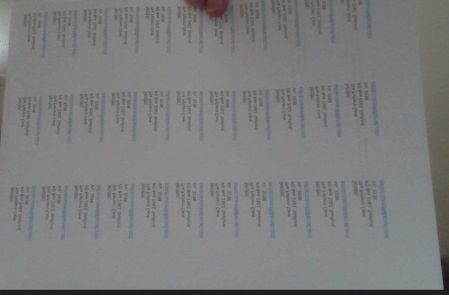

An additional reply - printing on plain paper makes no difference, it still comes out wrong even though the print preview is fine.
I have saved both documents as a .pdf (which seems to print out okay) but don't want to use that unless I have to, because I want to be able to edit the document. If I can't edit them, then it's not a lot of use to me even though I can use them as a temporary measure until the problem with the Word document is sorted.

SueW1495 I believe that the issue is with the printer, not with Word.
As a test, what is the result if you use the Microsoft Print to PDF "printer" or one of the free third party pdf printers such as PrimoPDF or the Bullzip PDF Printer?
Do you have access to another printer to try it on that.
- SueW1495Aug 31, 2024Copper ContributorNo, I don't have another printer to try it out on.
- Aug 31, 2024
It would not surprise me that HP blame Microsoft as for many years, HP have been renowned for crappy printer drivers, and rather than admitting to it, they have been wont to blame Microsoft.
See https://support.hp.com/lv-en/document/ish_7692125-7692182-16 and make sure that there is no scaling in effect.
While it makes printing a two step process, your rationale for not wanting to save to pdf and then print "because I want to be able to edit the document." is not a valid reason as you cannot edit the document during the normal printing process either.
- SueW1495Aug 31, 2024Copper Contributor
Thank you for that, Doug. I will speak to HP again and see whether I can find out any more from them. However, I'm not sure what you mean by: '... make sure that there is no scaling in effect...'. Even though I understand the wording and the concept, I have no idea how to do anything about it, or where to find what I need to do that.
I have to say that I feel as though I'm caught in the middle in this situation. As mentioned previously, I'm not exactly a spring chicken and I'm not at all knowledgeable in respect of technology, so this is causing me serious grief. This is why I rely on people such as yourself, and on Mohammed (from Microsoft) who was supposedly helping me to sort it out. Even though I spent hours on the phone with him while he was accessing my computer remotely, it achieved absolutely nothing at all, and I find this all very disappointing.
In regard to my comment about being able to edit the document, that was referring to the fact that when my Adobe subscription expires I'm not at all sure that I intend to renew it as it hasn't been cost-effective for me. In that situation, I imagine I wouldn't be able to edit the document if it is a PDF, so wouldn't be able to use it.
- SueW1495Aug 31, 2024Copper Contributor
If I try to print to the HP Smart App then the printer won't do anything.
I'm attaching:
- A scan of the printed sheet - as you can see this is much smaller than it should be.
- A screenshot of the document done as a Print to PDF.
HP spent quite a bit of time on remote access to my computer and they say it is a Microsoft problem. So what's next??

