Forum Discussion

sowjanyaravikrishna3
Jul 31, 2024Copper Contributor
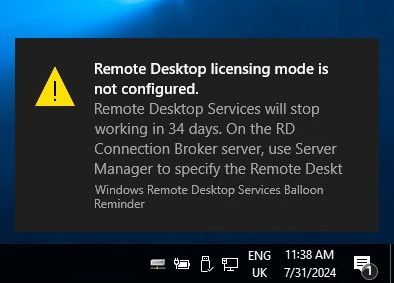
Remote desktop licensing mode is not configured
We have a Windows 2019 Server. It is workgroup server & not part of domain. Its been running fine since 3 to 4 years. We are seeing below message when trying to RDP to server since last 3 mo...

kyazaferr
Nov 13, 2024MCT
Remove the RDS License Key (If Applicable)
If your server has been in the grace period and you don't intend to use a license server, you might have a Remote Desktop Services license that is being enforced. Removing this license can help resolve the issue:
- Open PowerShell as Administrator:
- Run the following command to remove the existing RDS license (if present)
- tslicensingdiagnostics /remove
Restart Remote Desktop Services:
- Run the following commands to restart the necessary services
- Restart-Service -Name TermService
Reset the Licensing Grace Period (Optional)
If the grace period for RDS is expired, and you don’t need additional licenses, you may be able to reset the grace period.
- Open the Registry Editor (regedit):
- Navigate to the following ke
- Open the Registry Editor (regedit):