Forum Discussion

Bryan_Hunt
Aug 20, 2020Copper Contributor
Windows updates for server 2019
Hello, We have a mixture of two 2012 and three 2019 domain controllers in our environment. We have a GPO for domain controllers that is set to download updates and schedule them for installat...

Jamony
Sep 18, 2026MCT
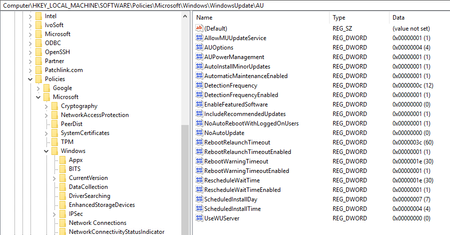
I would verify the effective Windows Update policy on one of the affected servers rather than only looking at the GPO configuration.
Run:
gpresult /h C:\Temp\UpdatePolicy.html
Then check:
Event Viewer
→ Applications and Services Logs
→ Microsoft
→ Windows
→ WindowsUpdateClient
→ Operational
Look for conflicting settings involving scheduled installation, restart deadlines, active hours and automatic restart.
Also check whether WSUS, Configuration Manager, Azure Update Manager or another management system is applying a separate schedule.
If these are Azure or Azure Arc servers, Azure Update Manager with Maintenance Configurations is a cleaner way to define explicit patching windows and reboot behavior.