Forum Discussion

rabindra121
Sep 01, 2020Copper Contributor
Windows Server 2016 server backup from wbadmin
We have Server 2016 standard version and we create windows server backup(include 2 VM also) daily basis on shared network and actual size (Server and 2 VM) = approx. less than 600 GB with incrementa...

Arnaz
Sep 02, 2020Copper Contributor
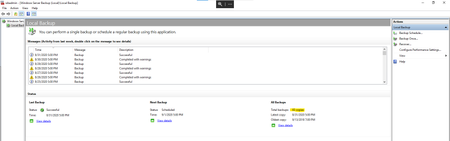
rabindra121 I do not think you can specify the number of backups WBadmin can keep. It uses the "automatic disk space management feature" to fill up all allocated storage, and will keep as many backups to fill the space up, and then purge older backups as needed. The only way you can really shrink it down would be to allocate less space. For example if you currently have allocated 1.2 TB now, and it is keeping 83 copies, re-allocate the capacity of the volume to be say 900 GB and see how many copies it keeps.
If the backup destination disks are physical drives, I do not think there is much you can do. If they are VM disks or a SAN disk, you can re-move and re-add a smaller disk for this to work.