Forum Discussion

Server Manager problem: Online - Data retrieval failures occurred
- Dec 27, 2024
DG00 I am sorry to hear this. I had a fair number of our customers affected.
For me it is gone when WS 2022 (target OS you want to manage remotely) is patched.
The only situation where I still see the issue is the WS 2025 DC created by mslab, when added to a remote Server Manager. Doesn't matter the remote OS or LCU.
I have reported everything with SR 2411120050002891. Including videos and repro steps.
As you are still affected, please open a business support case and refer to the SR number above in the case description.
I see no other way to get yours addressed.
Could you please try the following and report back:
- spin up a VM with WS 2022 latest ISO + LCU 10-2024 or newer (alternatively WS 2025, when licensed)
- Join OS to the same network and domain of the cluster
- Add your cluster / nodes to Server Manager on this VM
- Does this change anything?
- Have you tried any of the many workarounds on the cluster or is it in default state?


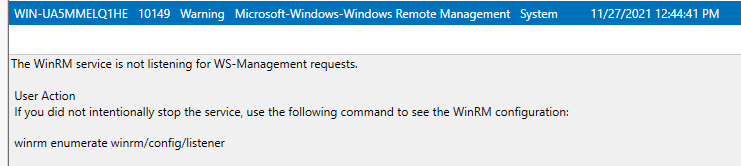
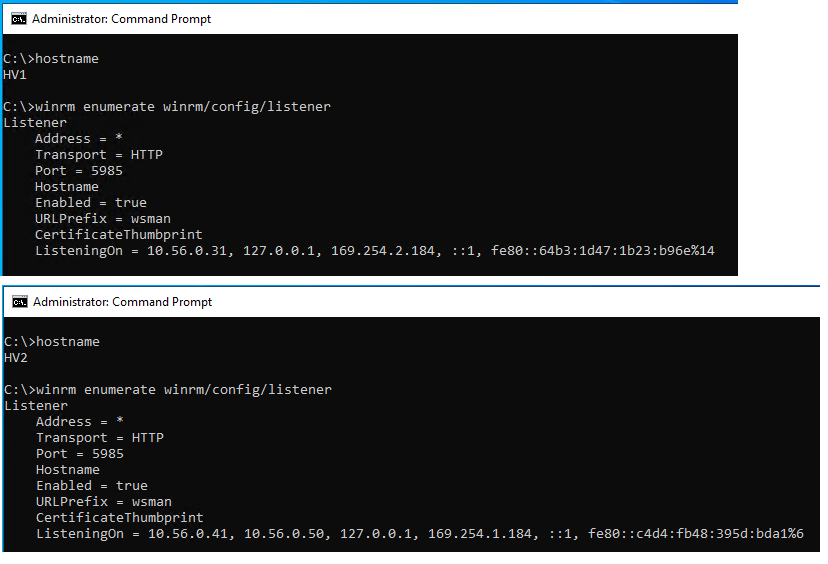


S_DiasamidzeThanks for the reply, but that's not a fix for the issue at hand. Firstly, there's no reason to believe the event log is corrupted in my case, which is what the Dell article assumes. My hosts are all brand new installs. Secondly this just disables the event log in question, which is a workaround, not a fix. It makes the error go away (maybe) but it doesn't fix what's broken.

I'm having the same issue with Server 2022 Hyper-V Hosts.
Tried all the various fixes listed on this thread and nothing deals with the messages. I have the same type of errors in the ServerManager-ManagementProvider log, in the vein of "hLastResult = The system cannot find the file specified". ID's 46 & 46. But I have them on quite a number of logs. Here is about 60% of them.
Microsoft-Windows-Containers-CCG/Admin
Microsoft-Windows-Containers-Wcnfs/Debug
Microsoft-Windows-Containers-Wcnfs/Operational
Microsoft-Windows-International/Operational
Microsoft-Windows-Kernel-IoTrace/Diagnostic
Microsoft-Windows-Mobile-Broadband-Experience-Parser-Task/Analytic
Microsoft-Windows-Mobile-Broadband-Experience-Parser-Task/Operational
Microsoft-Windows-Mobile-Broadband-Experience-SmsRouter/Admin
Microsoft-Windows-Mobile-Broadband-Experience-SmsRouter/Analytic
Microsoft-Windows-NetworkStatus/Analytic
Microsoft-Windows-NFC-Class-Extension/Analytical
Microsoft-Windows-PackageStateRoaming/Analytic
Microsoft-Windows-PackageStateRoaming/Debug
Microsoft-Windows-PackageStateRoaming/Operational
Does that hint at a deeper issue to everyone else's or is this pretty much just the same thing?
Thank in advance.
 brianthomasdrakeFeb 17, 2024Copper Contributor
have you found a solution yet? I just setup a new cluster and have the same exact issue. AronVDavies
 RootWHFApr 18, 2024Copper Contributor
Have you find a way to fix it please ?
- Karl-WEApr 19, 2024MVPNope 😞 there's no fix in sight.
- AronVDaviesFeb 19, 2024Copper Contributor
Not a solution no. But I applied the registry fix and some of the other stuff mentioned in this thread and it's not complaining any more because it's ignoring it.