Forum Discussion

Martinik
Nov 28, 2021MCT
Server Manager problem: Online - Data retrieval failures occurred
Hello, I'm using Windows Server 2022 and I have this problem: data retrieval on Server Manager. Is there a fix for this issue? Obs: - this is a test lab - all servers are domain members - I'm c...
- Dec 27, 2024
DG00 I am sorry to hear this. I had a fair number of our customers affected.
For me it is gone when WS 2022 (target OS you want to manage remotely) is patched.
The only situation where I still see the issue is the WS 2025 DC created by mslab, when added to a remote Server Manager. Doesn't matter the remote OS or LCU.
I have reported everything with SR 2411120050002891. Including videos and repro steps.
As you are still affected, please open a business support case and refer to the SR number above in the case description.
I see no other way to get yours addressed.
Could you please try the following and report back:
- spin up a VM with WS 2022 latest ISO + LCU 10-2024 or newer (alternatively WS 2025, when licensed)
- Join OS to the same network and domain of the cluster
- Add your cluster / nodes to Server Manager on this VM
- Does this change anything?
- Have you tried any of the many workarounds on the cluster or is it in default state?


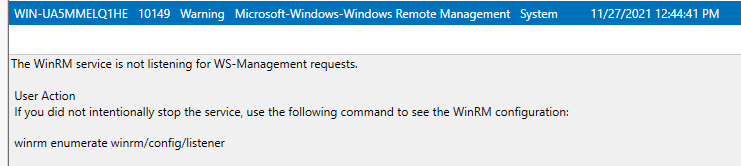
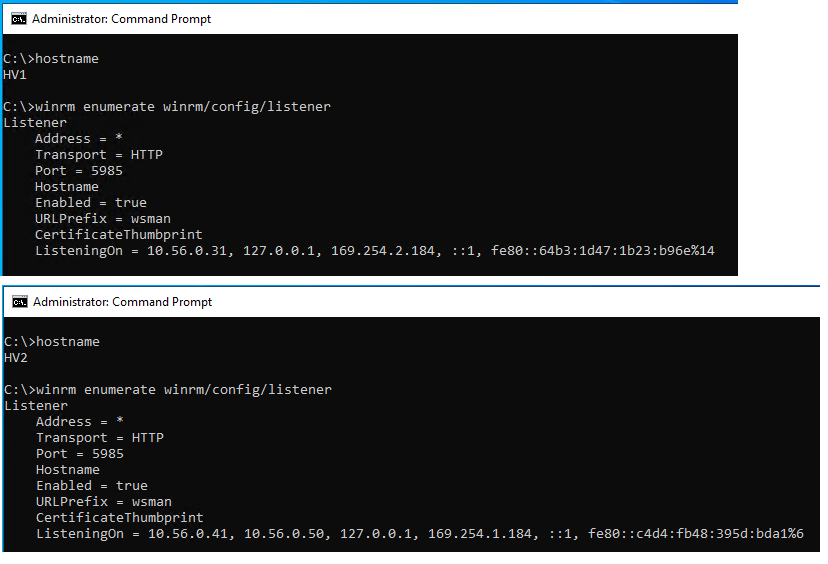


Ed9tho69
Dec 05, 2023Copper Contributor

DirkDiestelhorst
Dec 05, 2023Copper Contributor
"repair" Post was from SekoBayo
but after the next reboot of the nodes, the problem is back again 😕
but after the next reboot of the nodes, the problem is back again 😕
- Ed9tho69Dec 05, 2023Copper ContributorSame problem for me with his solution. Guess this will be fixed in upcoming patches but it's really anoying. So for now I have to change regedit for every reboot 😞
- Karl-WEDec 05, 2023MVPGroup Policy GPP or PS startup script might help. If not Dirks approach
- DirkDiestelhorstDec 05, 2023Copper ContributorIn my environment - fresh WinServer 2022 Cluster with all possible Updates - there was no need to modify the local "Event Log Readers" Group.
The only thing I did was modifying the
REG_DWORD "Enabled" value from 1 to 0 in the key "Computer\HKEY_LOCAL_MACHINE\SOFTWARE\Microsoft\Windows\CurrentVersion\WINEVT\Channels\Microsoft-Windows-Kernel-IoTrace/Diagnostic"
Deleting the - REG_DWORD "Enabled" (only this one key) - (before I have done an Export/Backup) of the whole key-structure. The effect is, that after a reboot the problem not occures any more.
No nice solution, but it works 😕- Karl-WEDec 05, 2023MVPThank you Dirk will try as other method didn't work.