Forum Discussion

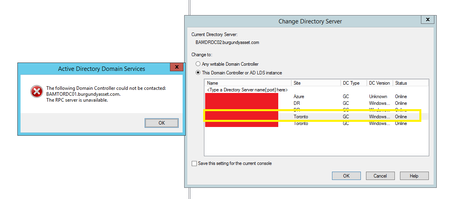
RPC server is unavailable

Please run;
Dcdiag /v /c /d /e /s:%computername% >C:\dcdiag.log
repadmin /showrepl >C:\repl.txt
ipconfig /all > C:\dc1.txt
ipconfig /all > C:\dc2.txt
ipconfig /all > C:\dc3.txt
ipconfig /all > C:\dc4.txt
ipconfig /all > C:\dc5.txt
then put `unzipped` text files up on OneDrive and share a link.

Hi Dave,
Here's the link to the results.
https://1drv.ms/u/s!AvTOVnZsYb5RhzLV5mPTwbYsZfox?e=ovOuSe
Thanks!
- Dave PatrickAug 31, 2021MVP
- BAMAZAD01 is DHCP assigned which should never happen for a domain controller, should always be static!
- On BAMAZAD01 I'd add the server's own static ip address (10.100.5.4) listed for DNS, then do ***ipconfig /flushdns, ipconfig /registerdns***, restart the ***netlogon*** service
- On BAMTORDC02 I'd add the server's own static ip address (10.10.10.182) listed for DNS, then do ***ipconfig /flushdns, ipconfig /registerdns***, restart the ***netlogon*** service
- bardrdc02.txt file is for BAMDRDC02- dcdiag was run from BAMTORDC02 which seems to have a lot of problems. I'd check the event logs for related errors. Better run from BAMTORDC01
- seyah96Aug 31, 2021Copper Contributor
BAMTORDC01 is the problematic server that we can't connect to from ADUC or any active directory services.
I'm getting a lot of this on BAMTORDC01
Starting test: KccEvent
* The KCC Event log test
A warning event occurred. EventID: 0x800004C0
Time Generated: 08/31/2021 16:21:41
Event String:
Internal event: An LDAP client connection was closed because of an error.I'm not sure if moving the DC away from DC OU caused a lot of this issue or not. I just found this out a few minutes ago.
- Dave PatrickAug 31, 2021MVP
I'd make the corrections, check the event logs and if problems persist put up a new set of files to look at.