Forum Discussion

Windows Server 2019 install product key not working
 May 23, 2018
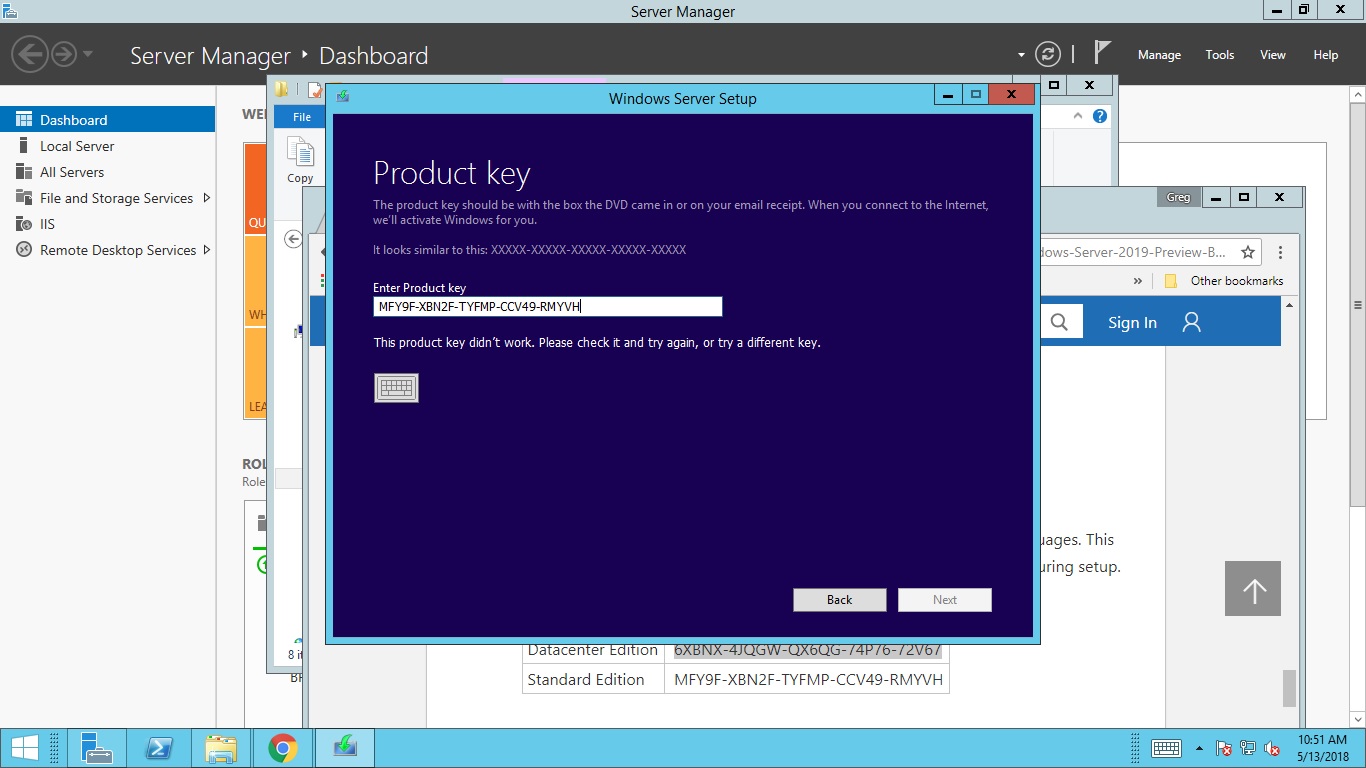
Did you install, choose NOT to enter the product key, then after the install was done, try to enter and activate the key? if so, that does not appear to work. I ran into the same issue on 2 of my 2019 servers. I wiped them out and this time entered the key during install, and it successfully activated. if I were to guess, they made something in the install to take into account these testing keys, but the Activation function within Settings, has not been updated to reflect that, so it thinks you are activating a live version of Windows, and that is not a valid key there. That is entirely a guess on my part. I didn't bother running a wireshark or anything to see what kind of response I was getting when trying to activate from Settings.
Just as an FYI, based on the earlier response, the 2 machines I was seeing this issue on, were not upgrades, they were brand new installs on a blank hard drive. I have not gotten around to trying the in-place upgrade yet. I don't know if this will help your situation, but I can say that I saw exactly what you were describing, and if you enter the key during the actual install, it appears to work. I have not looked into the release notes to see if there is something that says Activation from Settings is not set up to work yet.

I am in Kenya. Bought this Win Serv 2019 Standard from a local Kenyan IT shop.
My client can't update this key. Please help.
Here are the errors being received when key is entered. Both cmd and normal ways are not working
What may be the problem & the solution?
You have a photograph of a "Windows Server Retail" box. Those are sold along with OEM hardware. For example you go to Dell and buy a server online and also purchase Windows Server with it - you get that box along with a key inside the box. However, that key will only work with that OEM installer. It will not work with a MOLP installer ISO or a generic Windows Server install ISO and it will not work on non-Dell hardware. IN ADDITION since that key is a "retail" key you will have to login to the Microsoft Store and register it which will then produce the actual Product Key. The "retail keys" look like Product Keys but they are not actual product keys. Generally, that retail key is a match to the email address used to buy the license. When you originally bought that server from Dell and bought the Windows Server license along with it, Dell sent your email address over to Microsoft and MS sits on it waiting for you to login to the Microsoft Store with that address and the retail key.
This is why you never buy copies of Windows Server from local IT stores. You buy them off the online Microsoft Store or you buy them from a retailer who is registered with Microsoft to be able to sell Open License. (as I am)
What USED to be the case around 10 years ago is when people bought "retail OEM" copies of Windows Server along with their Dell servers, they got an actual live product key that did not have a corresponding match inside the Microsoft Store. Since Dell is allowed to sell Windows Server at a TREMENDOUS discount, people buying those servers to use for Linux, etc. would think "Cool I can spend $200 on Windows Server from Dell then turn around and sell it for $600 and make $400!!"
Microsoft setup the Microsoft Store and the email match to put a stop to that. While it is POSSIBLE for a retail store to sell "retail Windows" software copies that are NOT oem, they have a specific way they do it and they will provide instructions on how to register and activate. The cost for those is NOT discounted so in my view you are far better off just buying those off the Microsoft Store. Also the Retail key is generally under a scratch off. It is dangerous to post a retail key like you have done because an unscrupulous person can register it and steal your copy so don't do that in the future. The store should have explained all of this as well as explaining that you must also buy Client Access Licenses to make your installation legal for most setups.
You will have to go back to the IT store in Kenya and get product key registration instructions to login to Microsoft and get the real product key. Otherwise get your money back. If they refuse then call Microsoft and explain the situation. If it's an OEM copy they broke off of a OEM server sale then they will be in hot water with Microsoft since what they did is a violation of the license agreement. If it is a retail server sale then Microsoft will also be highly interested that they sold a Retail Server without also selling Client Access licenses.
Lastly, I will state the following:
Only Open License server product keys may legally be moved from hardware to hardware. OEM keys are tied to the box they were bought with. Once that box dies of old age/bitrot/etc. the key may not be used on another piece of hardware. Retail Keys are also risky with licensing. In practice they can be moved from hardware to hardware - as long as you don't do it often - but you MAY NOT just activate them on some piece of hardware without wiping that hardware if you move the key. And Microsoft's licensing language is very murky. The main thrust from Microsoft is they do not want people selling old keys like they did in the olden days. MS is OK for example if you have a retail copy of Office on a PC and that PC dies and you buy a new one, with you replacing that PC and reloading the key. But they are not OK with you loading that key on a PC then handing a copy of that key to your wife/girlfriend/etc. for their PC. Or selling that key to someone else even if you wipe it.
At least you bought it from a store. Most of these scams are perpetuated over Ebay and when the buyer finds all this out the seller has vanished.