Forum Discussion

Error 0x80242017 when installing KB5004945 from WSUS (but not from Microsoft)
 Jul 08, 2021I posted a reply with the answer and it was removed. No idea why. It's a service stack update issue. If a computer missed the May cumulative update then KB5004945 won't install in my experience. The May CU included the latest SSU. Without it, you get 0x80242017
skilley1425I have just tested this solution and have installed the KB5003173. Even after a reboot, I continue to get into the error. Are there any other ideas or do I need to do something else? I am clueless
 andygresbachAug 27, 2021Copper Contributor
arossi1512. did you ever make any progress with this issue? we're battling the exact same thing here.....i thought i was making some headway by first manually installing kb5005260 and then kb5003214 , reboot and then 5004237 would install fine but found that doesnt work in all cases and even then the latest 5005033 from august fails at the same 98% post install reboot stage (and takes a good 20-30 min at that stage to undo the changes). this is getting pretty old ! in our case we were either on 2004 or 1909 and did a 20h2 upgrade w/ the /dynamicupdates set to disabled (to save time and just let wsus handle the updates after like usual) so not sure if that has anything to do w/ this or if microsoft just botched more updates on us here
- skilley1425Jul 21, 2021Brass ContributorHave you installed the latest CU from the Microsoft Catalog? KB5004237 includes a SSU update it would appear. https://support.microsoft.com/en-us/topic/july-13-2021-kb5004237-os-builds-19041-1110-19042-1110-and-19043-1110-ae798d3c-3de3-4c1f-b9d9-7391b71da889
 John_Tran1525Jul 21, 2021Copper Contributor
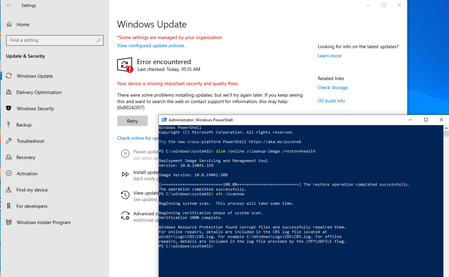
skilley1425I have installed KB5003173, and KB5004945 still fails to install. Or more correctly, it installs but on reboot, it fails to complete and has to roll back. The new KB5004237 fails in the same fashion. It seems there is some component that is checked at restart that is failing and a rollback is triggered. All I can do is clear the Software Distribution folders and pause the updates or else I am bugged with a rollback attempt every time I start my PC.
- skilley1425Jul 21, 2021Brass ContributorWhat you describe differs from my experience, so you may be dealing with a different beast.
Is your error code 0x80242017 or something else?